> ## Documentation Index
> Fetch the complete documentation index at: https://notes.kodekloud.com/llms.txt
> Use this file to discover all available pages before exploring further.
# Using Job concurrency
> Controlling job execution in parallel using GitHub Actions concurrency key to prevent resource contention and ensure orderly deployments.
Controlling how jobs run in parallel is crucial for production workflows. GitHub Actions’ `concurrency` key lets you ensure that only one workflow or job in a specified group runs at a time—preventing resource contention, conflicting deployments, or race conditions.
## 1. Baseline Workflow: Parallel Jobs
Consider a simple workflow with two jobs:
```yaml theme={null}
jobs:
docker:
runs-on: ubuntu-latest
steps:
- name: Docker Build
run: echo docker build -t ${{ env.CONTAINER_REGISTRY }}/${{ vars.DOCKER_USERNAME }}/${{ IMAGE_NAME }}:latest
- name: Docker Login
run: echo docker login --username=${{ vars.DOCKER_USERNAME }} --password=${{ secrets.DOCKER_PASSWORD }}
- name: Docker Publish
run: echo docker push ${{ env.CONTAINER_REGISTRY }}/${{ vars.DOCKER_USERNAME }}/${{ IMAGE_NAME }}:latest
deploy:
needs: docker
runs-on: ubuntu-latest
steps:
- name: Docker Run
run: |
echo docker run -d -p 8080:80 ${{ env.CONTAINER_REGISTRY }}/${{ vars.DOCKER_USERNAME }}/${{ IMAGE_NAME }}:latest
sleep 600s
```
After you trigger this workflow (e.g., via `workflow_dispatch`), the `docker` job runs first. The `deploy` job then spins up the container and sleeps for 600 seconds:
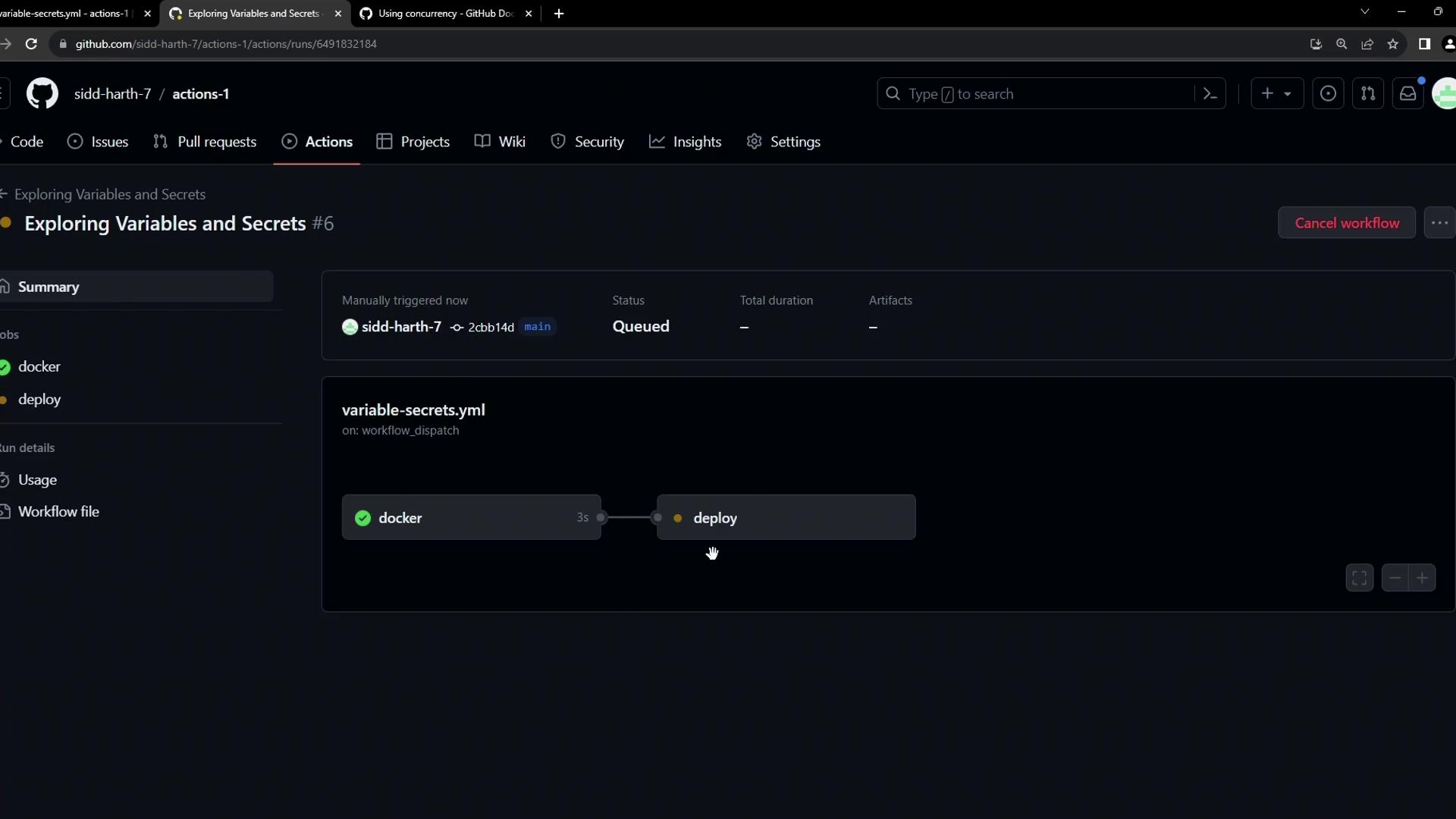
Without any concurrency settings, multiple runs will queue up and execute `deploy` in parallel—often not what you want in production.
## 2. Introducing `concurrency`
Use the `concurrency` key to define a **group** name and control behavior with `cancel-in-progress`. Here’s how to cancel any in-progress deploy when a new run starts:
```yaml theme={null}
jobs:
docker:
runs-on: ubuntu-latest
steps:
- name: Docker Build
run: echo docker build -t ${{ env.CONTAINER_REGISTRY }}/${{ vars.DOCKER_USERNAME }}/${{ IMAGE_NAME }}:latest
- name: Docker Login
run: echo docker login --username=${{ vars.DOCKER_USERNAME }} --password=${{ secrets.DOCKER_PASSWORD }}
- name: Docker Publish
run: echo docker push ${{ env.CONTAINER_REGISTRY }}/${{ vars.DOCKER_USERNAME }}/${{ IMAGE_NAME }}:latest
deploy:
needs: docker
concurrency:
group: production-deployment
cancel-in-progress: true
runs-on: ubuntu-latest
steps:
- name: Docker Run
run: |
echo docker run -d -p 8080:80 ${{ env.CONTAINER_REGISTRY }}/${{ vars.DOCKER_USERNAME }}/${{ IMAGE_NAME }}:latest
sleep 600s
```
The `group` value can include `{{ github.ref }}`, `{{ github.sha }}`, or environment variables to make it unique per branch or environment.
See [workflow syntax: concurrency](/docs/learn-github-actions/workflow-syntax-for-github-actions#concurrency).
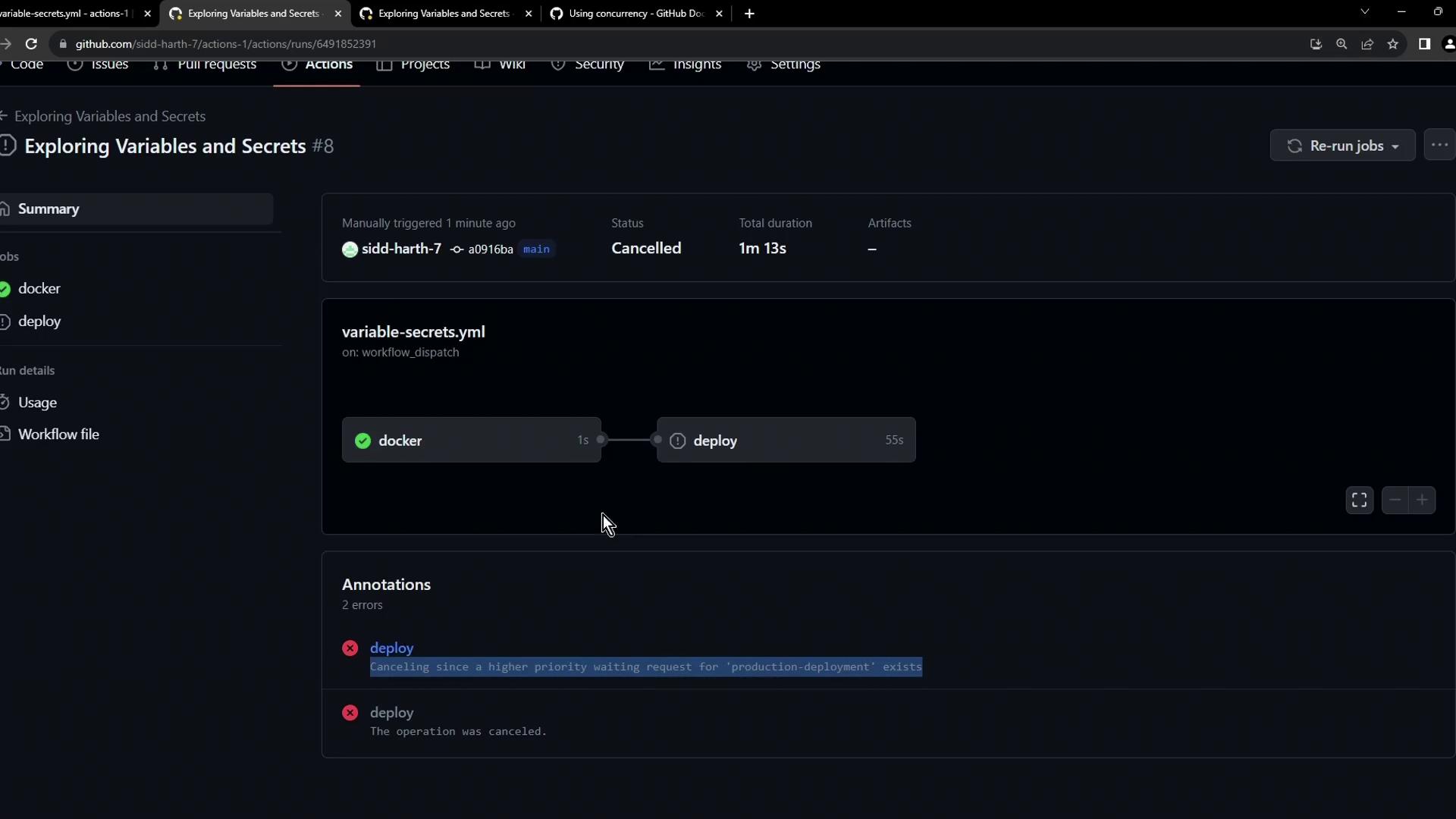
When a new run starts, any in-progress deploy in `production-deployment` is canceled:
```bash theme={null}
Error: The operation was canceled.
```
## 3. Comparing `cancel-in-progress` Options
| Setting | Behavior | When to Use |
| ------------------------- | -------------------------------------- | ------------------------------------------------------ |
| cancel-in-progress: true | Cancels any in-progress run | Always pick the latest deployment; short-running tasks |
| cancel-in-progress: false | Queues new runs until current finishes | Ensure every run completes; long migrations or audits |
## 4. Queuing New Runs (No Cancellation)
If you’d rather wait for the current deploy to finish, set `cancel-in-progress: false`:
```yaml theme={null}
jobs:
docker:
runs-on: ubuntu-latest
steps:
- name: Docker Build
run: echo docker build -t ${{ env.CONTAINER_REGISTRY }}/${{ vars.DOCKER_USERNAME }}/${{ IMAGE_NAME }}:latest
- name: Docker Login
run: echo docker login --username=${{ vars.DOCKER_USERNAME }} --password=${{ secrets.DOCKER_PASSWORD }}
- name: Docker Publish
run: echo docker push ${{ env.CONTAINER_REGISTRY }}/${{ vars.DOCKER_USERNAME }}/${{ IMAGE_NAME }}:latest
deploy:
needs: docker
concurrency:
group: production-deployment
cancel-in-progress: false
runs-on: ubuntu-latest
steps:
- name: Docker Run
run: |
echo docker run -d -p 8080:80 ${{ env.CONTAINER_REGISTRY }}/${{ vars.DOCKER_USERNAME }}/${{ IMAGE_NAME }}:latest
sleep 600s
```
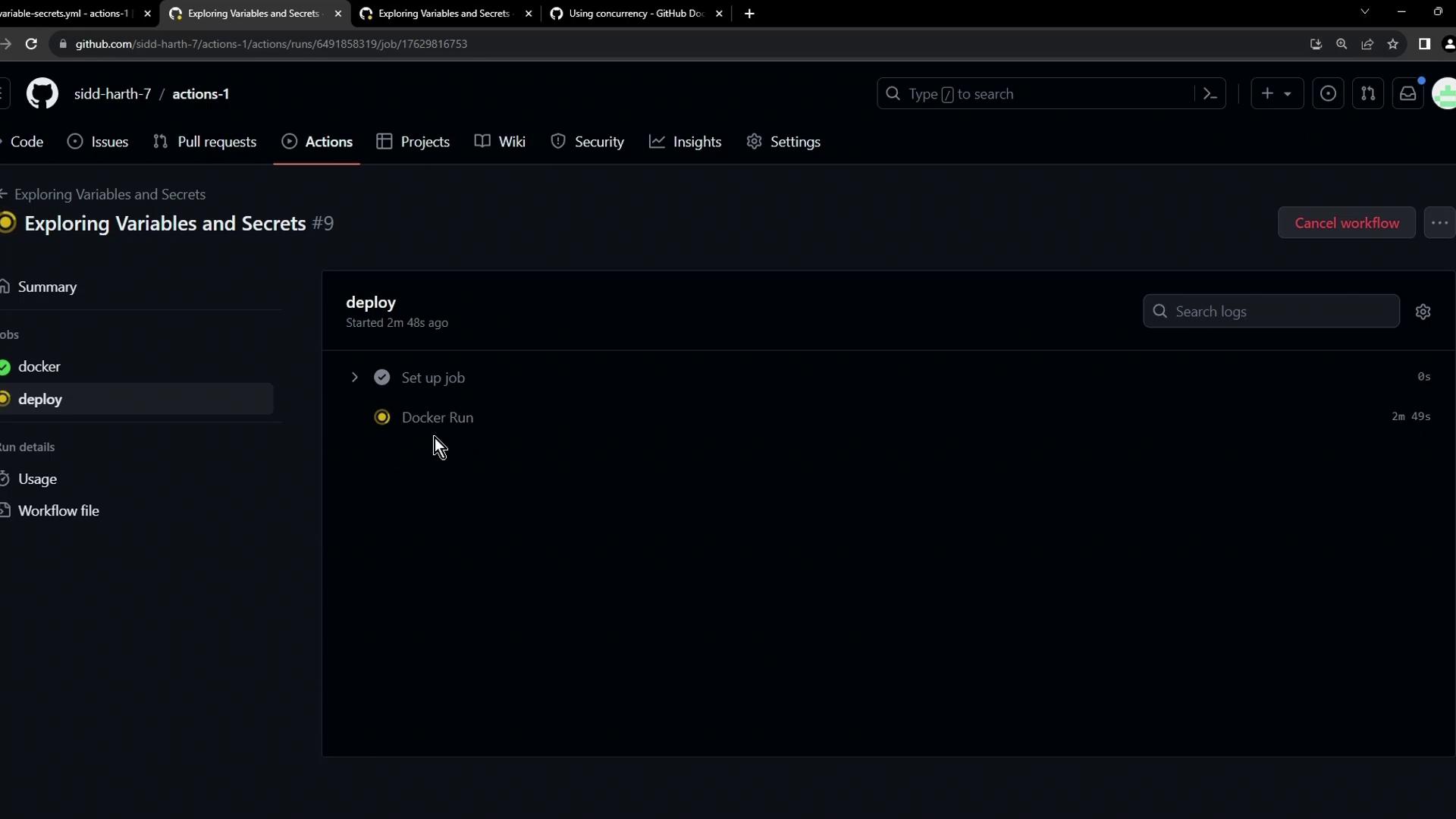
The second workflow’s `deploy` job will wait in the **Waiting** state until the first completes:
***
## Links and References
* [GitHub Actions: Workflow syntax for concurrency](https://docs.github.com/actions/learn-github-actions/workflow-syntax-for-github-actions#concurrency)
* [GitHub Actions Documentation](https://docs.github.com/actions)
* [Managing workflow runs](https://docs.github.com/actions/managing-workflow-runs)