> ## Documentation Index
> Fetch the complete documentation index at: https://notes.kodekloud.com/llms.txt
> Use this file to discover all available pages before exploring further.
# Using if expression in Jobs
> This article explains how to use if expressions in GitHub Actions to control job execution based on context variables and conditions.
In GitHub Actions workflows, **expressions** let you read context variables and apply conditional logic to control job execution. This article shows how to use `if` expressions with context variables to run jobs only when certain conditions are met—such as deploying only on the `main` branch.
## Understanding Context Variables
During a workflow run, GitHub provides a set of context variables. Here’s a sample dump of some available variables:
```json theme={null}
{
"token": "****",
"job": "dump_contexts_to_log",
"ref": "refs/heads/main",
"sha": "ab3cb9cc32c801545e48e279bad3cf8c646",
"repository": "sidd-harth-7/actions-1",
"repository_owner_id": "147390322",
"repositoryUrl": "git://github.com/sidd-harth-7/actions-1.git",
"run_id": "6492400732",
"run_number": "1",
"retention_days": "60",
"run_attempt": 1,
"artifact_cache_size_limit": "10",
"repository_visibility": "public",
"repository_self_hosted_runners_disabled": false,
"repository_id": "702448262",
"actor_id": "147390322",
"triggering_actor": "sidd-harth-7",
"head_ref": "",
"event_name": "push"
}
```
| Context Variable | Description | Sample Value |
| ------------------- | -------------------------------------- | ------------------------------------- |
| `github.ref` | Full Git ref of the workflow event | `refs/heads/main` |
| `github.sha` | Commit SHA of the current run | `ab3cb9cc32c801545e48e279bad3cf8c646` |
| `github.repository` | Owner and repository name | `sidd-harth-7/actions-1` |
| `github.event_name` | Event name that triggered the workflow | `push` |
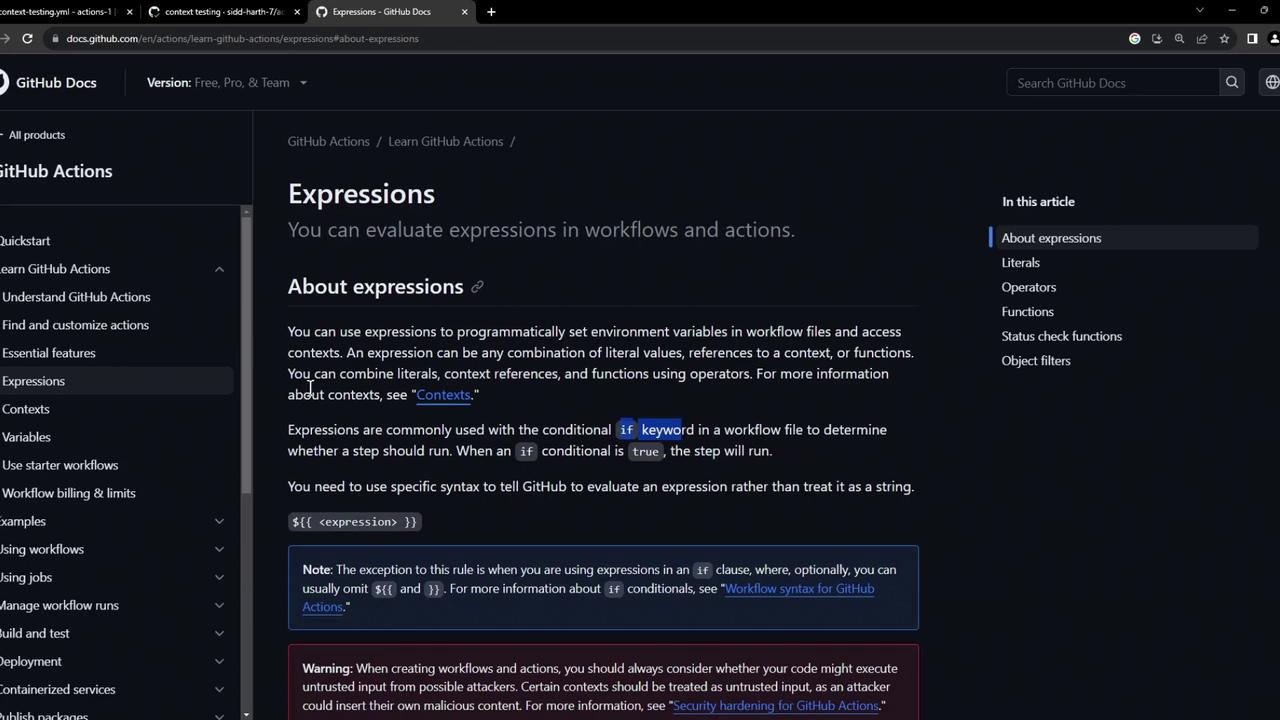
Expressions in GitHub Actions support literals, operators, functions, and filters.
For full details on expressions, see the [GitHub Actions expressions documentation][expressions-docs].
## Example Workflow: Build and Deploy
Below is a basic workflow that builds and publishes a Docker image on every push or manual dispatch, then deploys it:
```yaml theme={null}
name: Build and Deploy
on:
push:
workflow_dispatch:
env:
CONTAINER_REGISTRY: docker.io
IMAGE_NAME: github-actions-nginx
jobs:
docker:
runs-on: ubuntu-latest
steps:
- name: Docker Build
run: |
docker build \
-t ${{ env.CONTAINER_REGISTRY }}/${{ vars.DOCKER_USERNAME }}/${{ IMAGE_NAME }}:latest .
- name: Docker Login
run: |
docker login \
--username ${{ vars.DOCKER_USERNAME }} \
--password ${{ secrets.DOCKER_PASSWORD }}
- name: Docker Publish
run: |
docker push \
${{ env.CONTAINER_REGISTRY }}/${{ vars.DOCKER_USERNAME }}/${{ IMAGE_NAME }}:latest
deploy:
needs: docker
runs-on: ubuntu-latest
steps:
- name: Docker Run
timeout-minutes: 1
run: |
docker run -d -p 8080:80 \
${{ env.CONTAINER_REGISTRY }}/${{ vars.DOCKER_USERNAME }}/${{ IMAGE_NAME }}:latest
sleep 600
```
### Adding a Conditional `if` Expression
To ensure the `deploy` job only runs on the `main` branch, add an `if` condition that checks `github.ref`:
```yaml theme={null}
jobs:
deploy:
if: github.ref == 'refs/heads/main'
needs: docker
concurrency:
group: production-deployment
cancel-in-progress: false
runs-on: ubuntu-latest
steps:
- name: Docker Run
timeout-minutes: 1
run: |
docker run -d -p 8080:80 \
${{ env.CONTAINER_REGISTRY }}/${{ vars.DOCKER_USERNAME }}/${{ IMAGE_NAME }}:latest
sleep 600
```
Here, `github.ref` holds the full reference (e.g., `refs/heads/main`). If the condition is false, the deploy job is skipped.
## Viewing Skipped Jobs for Feature Branches
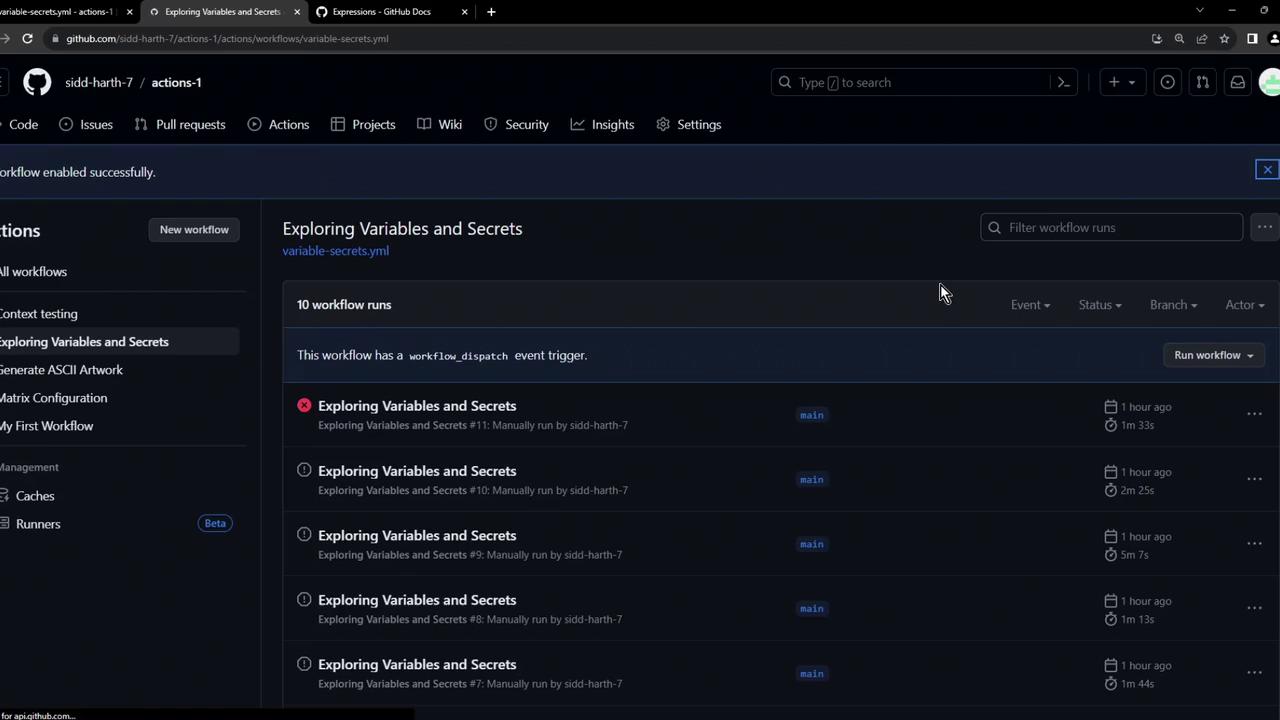
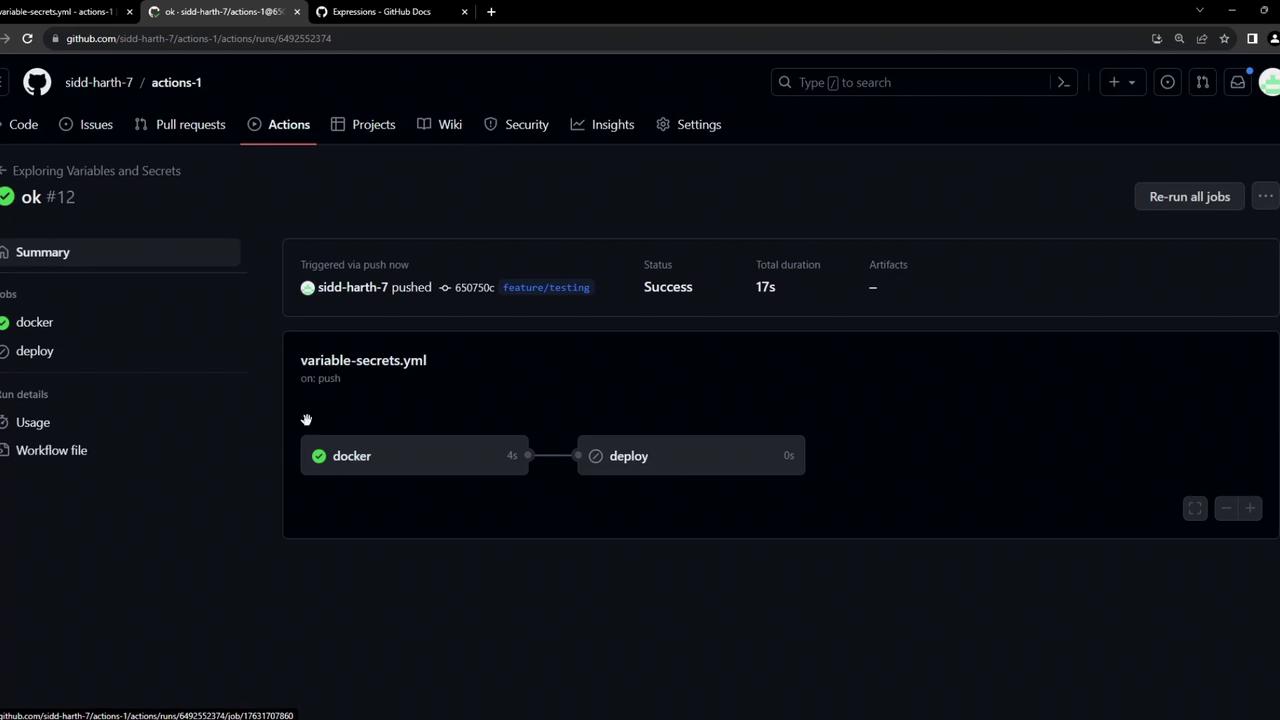
When you push to a feature branch, the Docker build and publish steps run, but the deploy job is marked as skipped:
Check the Actions tab in your repository to see which jobs succeeded or were skipped.
## Merging into `main` to Trigger Deployment
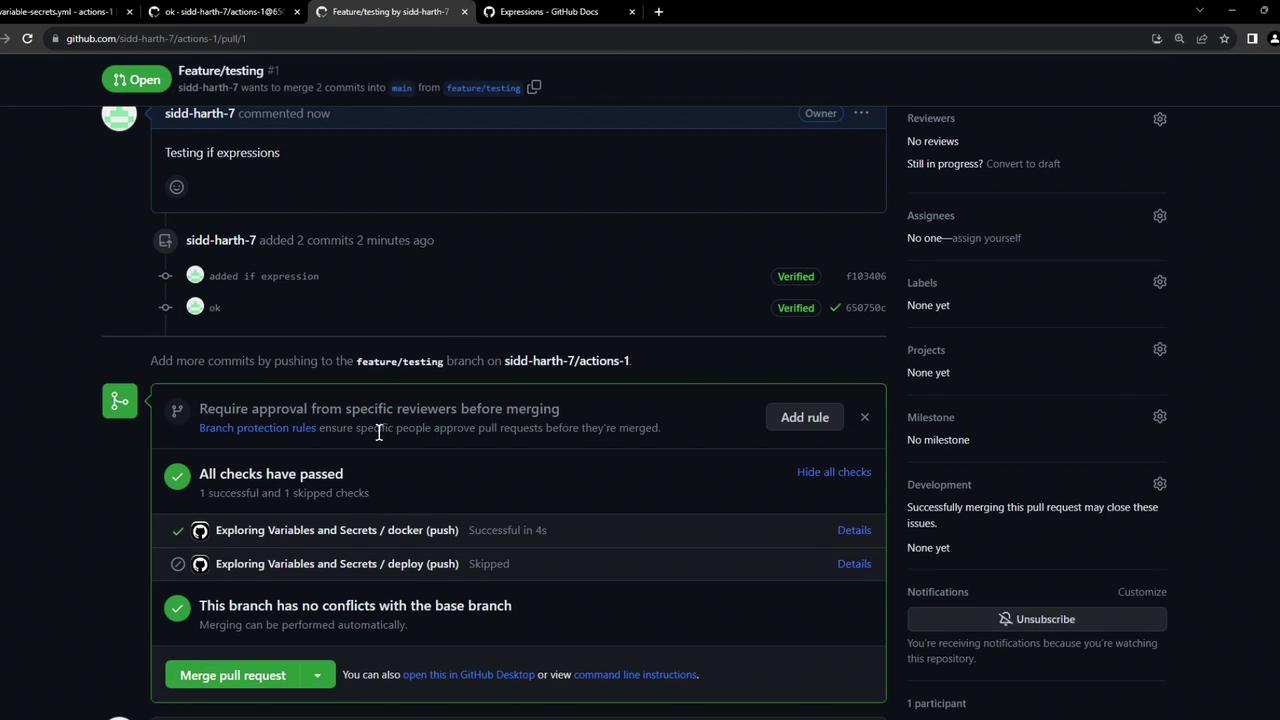
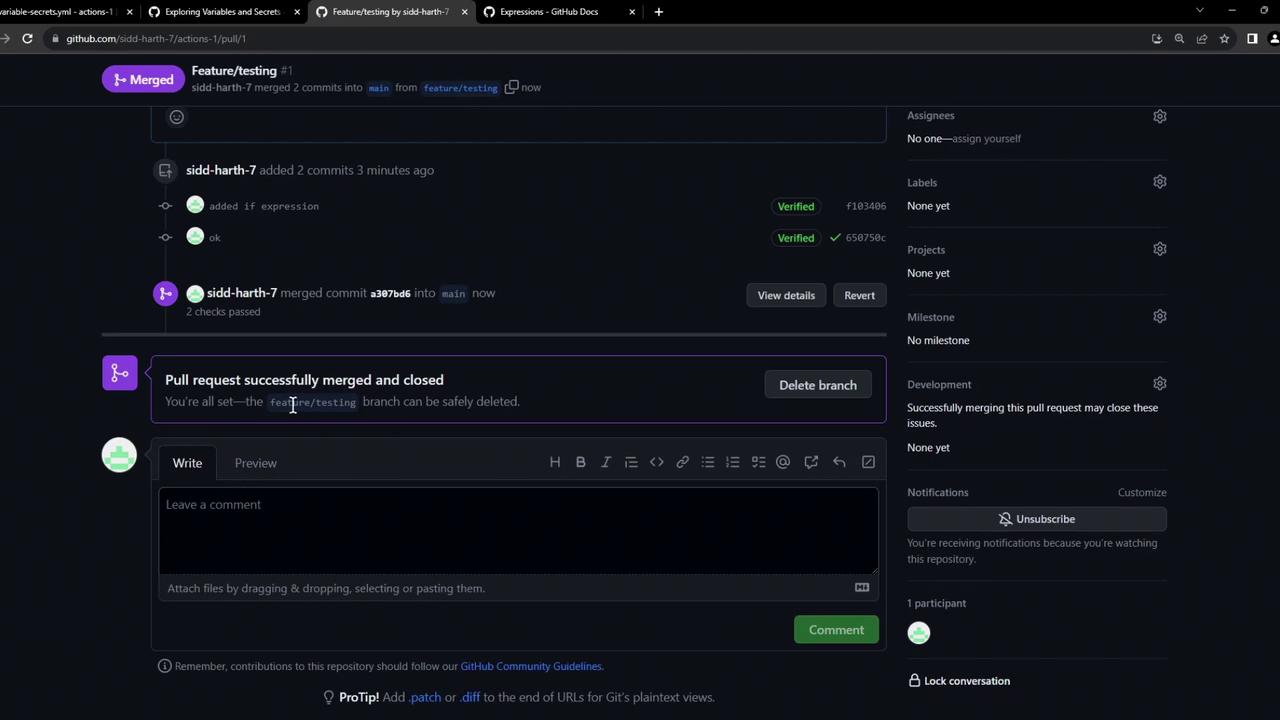
1. Create a pull request from your feature branch into `main`.
2. After merging and approval, the PR page shows all checks passing.
3. Once merged, delete the branch if desired.
Pull request details display commit statuses, merge confirmation, and branch deletion options.
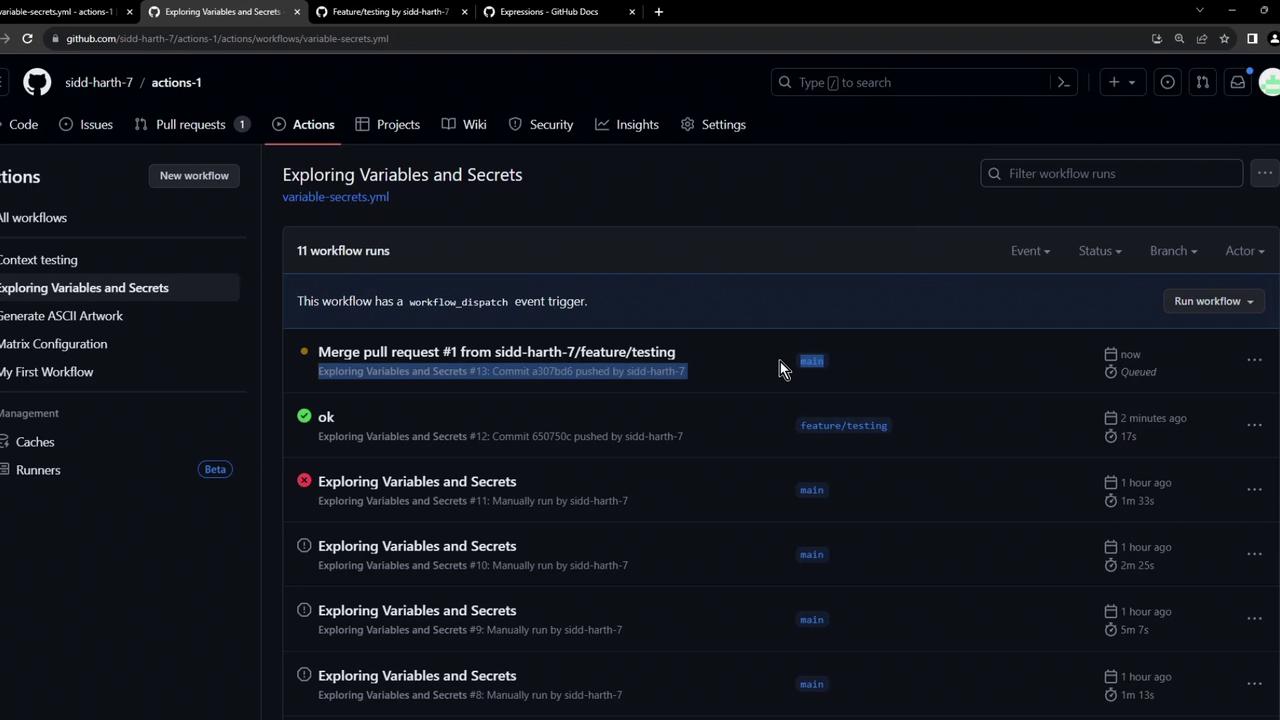
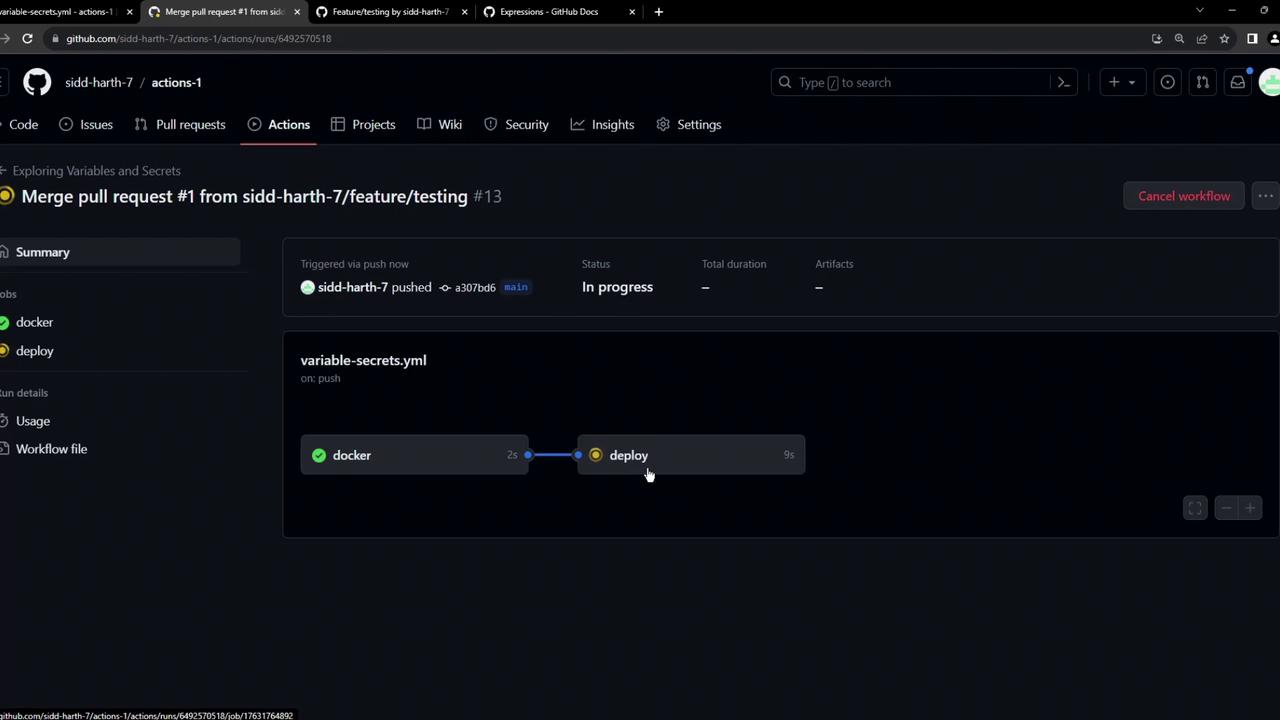
After the merge, a new workflow run on `main` starts—both the `docker` and `deploy` jobs execute:
Monitor the Actions tab to confirm that the deploy job ran successfully.
## Summary
Using `if` expressions with context variables like `github.ref` lets you implement **branch-specific** logic in your workflows. This approach ensures deployments occur only when code reaches the intended branch, enhancing control and security in your CI/CD pipeline.
## Links and References
* [GitHub Actions: Expressions][expressions-docs]
* [GitHub Actions Context and Expression Syntax](https://docs.github.com/en/actions/learn-github-actions/contexts)
* [GitHub Actions Workflows](https://docs.github.com/en/actions/using-workflows)
[expressions-docs]: https://docs.github.com/en/actions/learn-github-actions/expressions