> ## Documentation Index
> Fetch the complete documentation index at: https://notes.kodekloud.com/llms.txt
> Use this file to discover all available pages before exploring further.
# Workflow with multiple Jobs
> This article discusses enhancing GitHub Actions workflows by implementing multiple jobs for build, test, and deploy processes.
Expanding a basic CI/CD pipeline into dedicated **build**, **test**, and **deploy** jobs improves clarity and parallelism in your GitHub Actions workflow.
## Single-Job Workflow (Reference)
For comparison, here’s a simple workflow that runs an ASCII script in one job:
```yaml theme={null}
on:
push:
jobs:
ascii-job:
runs-on: ubuntu-latest
steps:
- name: Checkout Repo
uses: actions/checkout@v2
- name: Execute Shell Script
run: |
chmod +x ascii-script.sh
./ascii-script.sh
```
## Multi-Job Workflow: Build, Test, and Deploy
Below is the enhanced workflow defining three independent jobs: `build_job_1`, `test_job_2`, and `deploy_job_3`.
```yaml theme={null}
name: Generate ASCII Artwork
on:
push:
jobs:
build_job_1:
runs-on: ubuntu-latest
steps:
- name: Install Cowsay Program
run: sudo apt-get install cowsay -y
- name: Execute Cowsay Command
run: cowsay -f dragon "Run for cover, I am a DRAGON... RAWR" >> dragon.txt
- name: Sleep for 30 seconds
run: sleep 30
test_job_2:
runs-on: ubuntu-latest
steps:
- name: Sleep for 10 seconds
run: sleep 10
- name: Test File Exists
run: grep -i "dragon" dragon.txt
deploy_job_3:
runs-on: ubuntu-latest
steps:
- name: Read File
run: cat dragon.txt
- name: Deploy
run: echo "Deploying..."
```
By default, each job executes on a clean runner and does not share files. Use [artifact actions](https://docs.github.com/actions/publishing-packages/publishing-build-artifacts) or define dependencies to pass data between jobs.
### Job Overview
| Job Name | Purpose | Key Steps |
| -------------- | -------------------------- | ---------------------------------------------- |
| `build_job_1` | Build & Generate Artifacts | Install `cowsay`, create `dragon.txt`, `sleep` |
| `test_job_2` | Validate Build Output | Wait 10 s, verify `dragon.txt` |
| `deploy_job_3` | Deployment Simulation | Display file, simulate deployment |
## Understanding Each Job
### build\_job\_1
* **Runner**: Ubuntu latest
* **Actions**:
1. Installs the `cowsay` utility
2. Generates ASCII art into `dragon.txt`
3. Simulates build time with `sleep 30`
### test\_job\_2
* **Runner**: Ubuntu latest
* **Actions**:
1. Waits 10 seconds
2. Uses `grep` to ensure `dragon.txt` contains “dragon”
3. Fails if the file is missing or the content isn’t found
### deploy\_job\_3
* **Runner**: Ubuntu latest
* **Actions**:
1. Outputs the content of `dragon.txt`
2. Simulates deployment via `echo "Deploying..."`
## Execution Behavior and Common Pitfalls
When you commit and push this workflow (e.g., `git commit -m "Add multi-job workflow"`), GitHub Actions triggers all jobs in parallel:
Each job runs in isolation on its own VM. Without artifacts or explicit job dependencies, files like `dragon.txt` won’t persist across jobs.
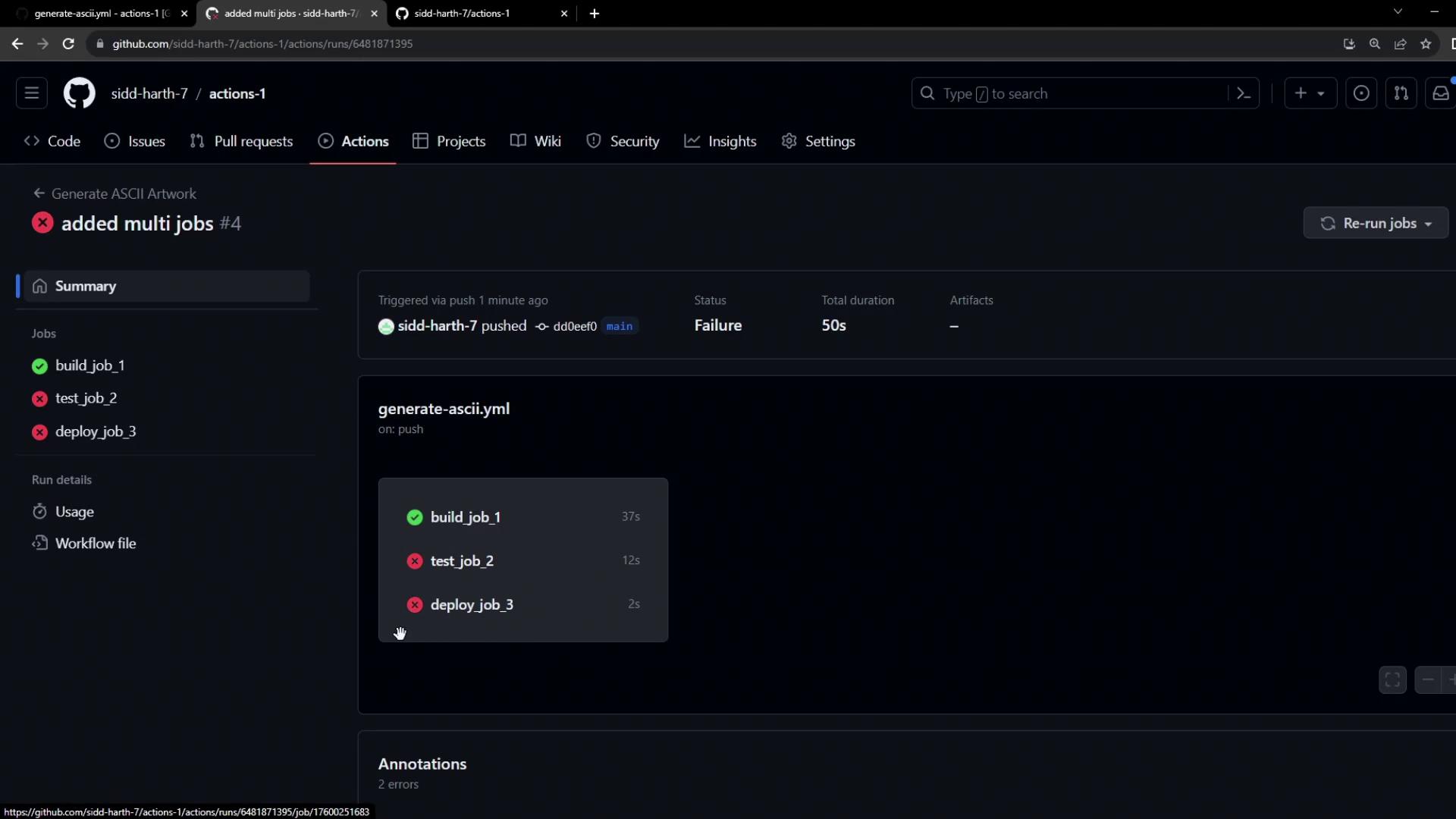
Since `test_job_2` may start before `build_job_1` finishes, any attempt to read `dragon.txt` will trigger a file-not-found error.
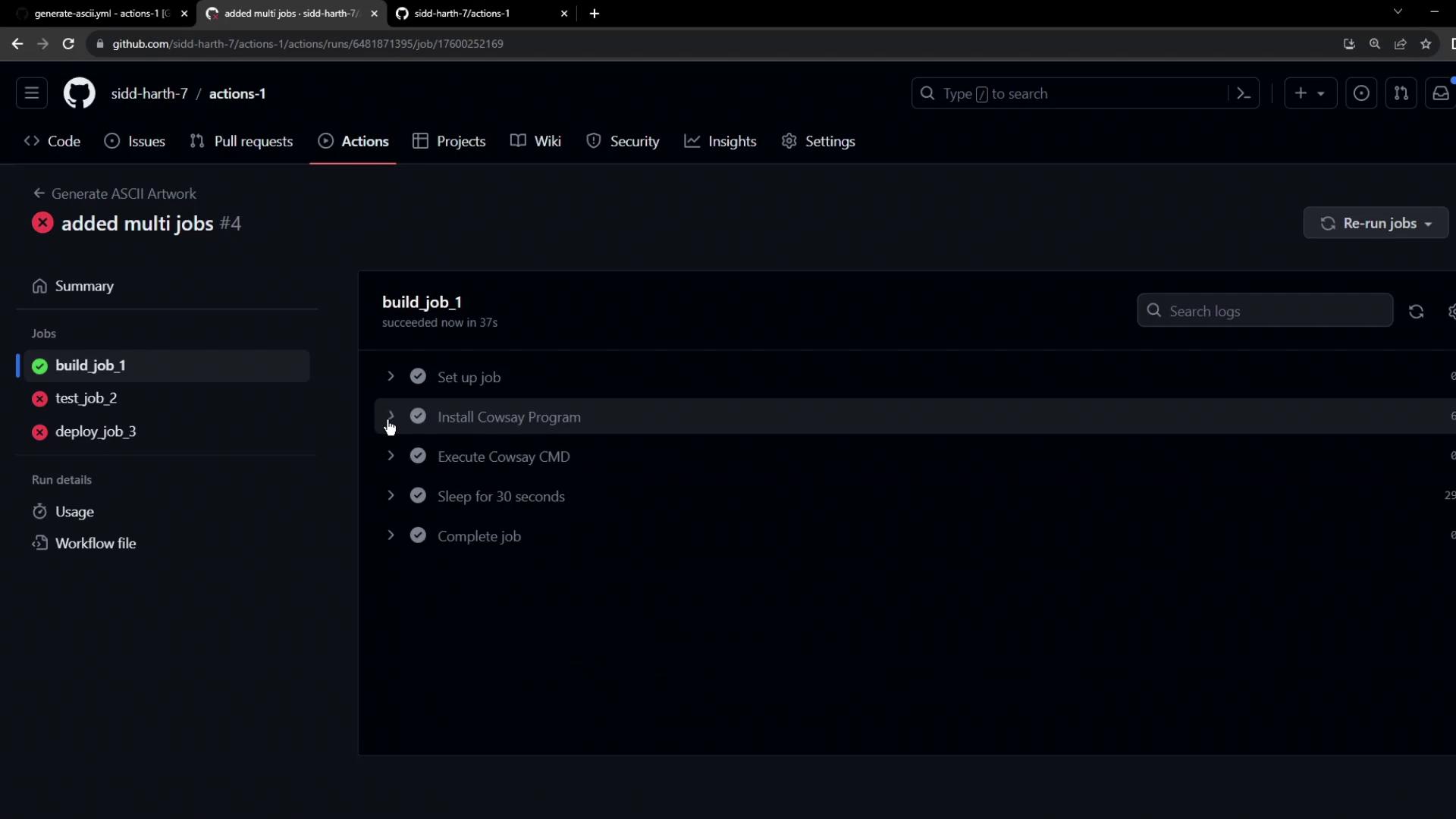
Example error from `test_job_2`:
```bash theme={null}
grep -i "dragon" dragon.txt
# shell: /usr/bin/bash -e {0}
# grep: dragon.txt: No such file or directory
# Error: Process completed with exit code 2.
```
And from `deploy_job_3`:
```bash theme={null}
cat dragon.txt: No such file or directory
Error: Process completed with exit code 1
```
## Summary of Issues
1. Parallel execution without defined dependencies
2. Isolated environments prevent file sharing
We will address these issues by defining job dependencies and sharing artifacts between jobs.