> ## Documentation Index
> Fetch the complete documentation index at: https://notes.kodekloud.com/llms.txt
> Use this file to discover all available pages before exploring further.

# Create amp Explore GitHub Account

> This article guides users through creating a GitHub account and exploring its features, including billing and usage limits.

## Step 1: Sign Up for GitHub

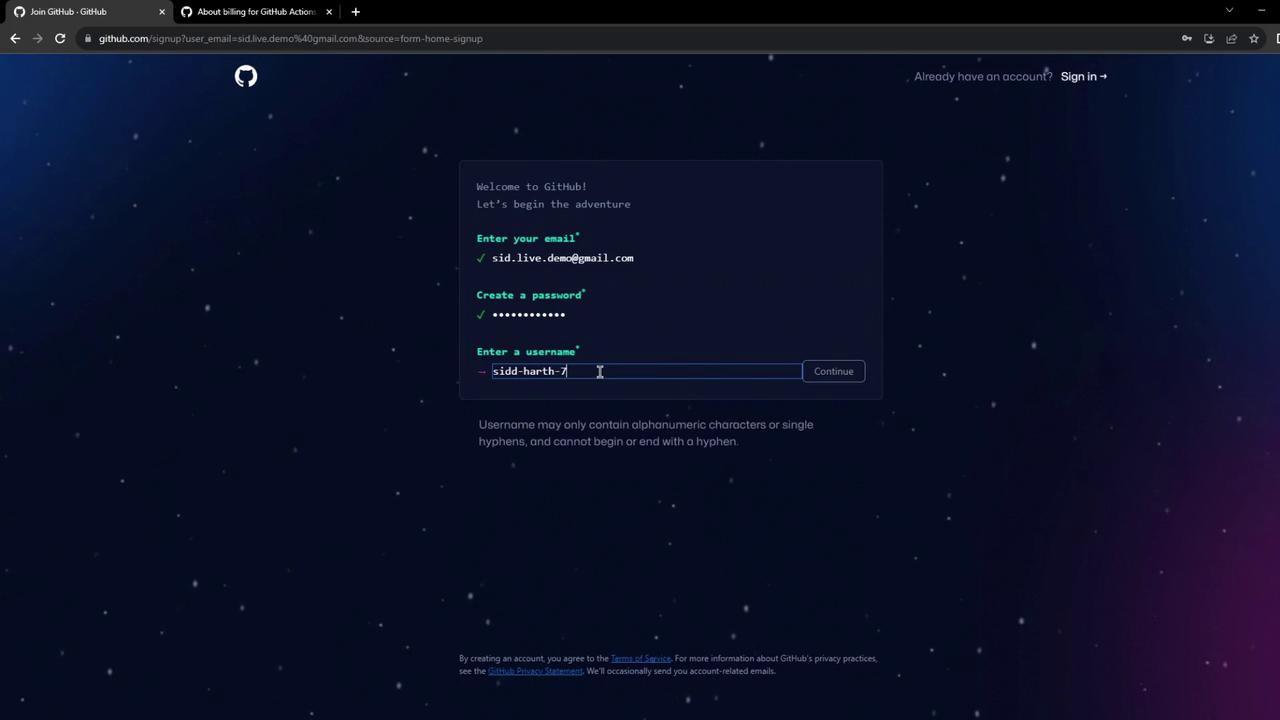
Begin at [GitHub](https://github.com/) and click **Sign up**. Provide your email, choose a secure password, and pick a unique username. You can opt out of email announcements if you prefer.
<Frame>
  ![The image shows a GitHub sign-up page where a user is entering their email, password, and username. The background is dark with a starry pattern.](https://kodekloud.com/kk-media/image/upload/v1752876700/notes-assets/images/GitHub-Actions-Create-amp-Explore-GitHub-Account/github-signup-page-dark-background.jpg)
</Frame>

## Step 2: Verify Your Email

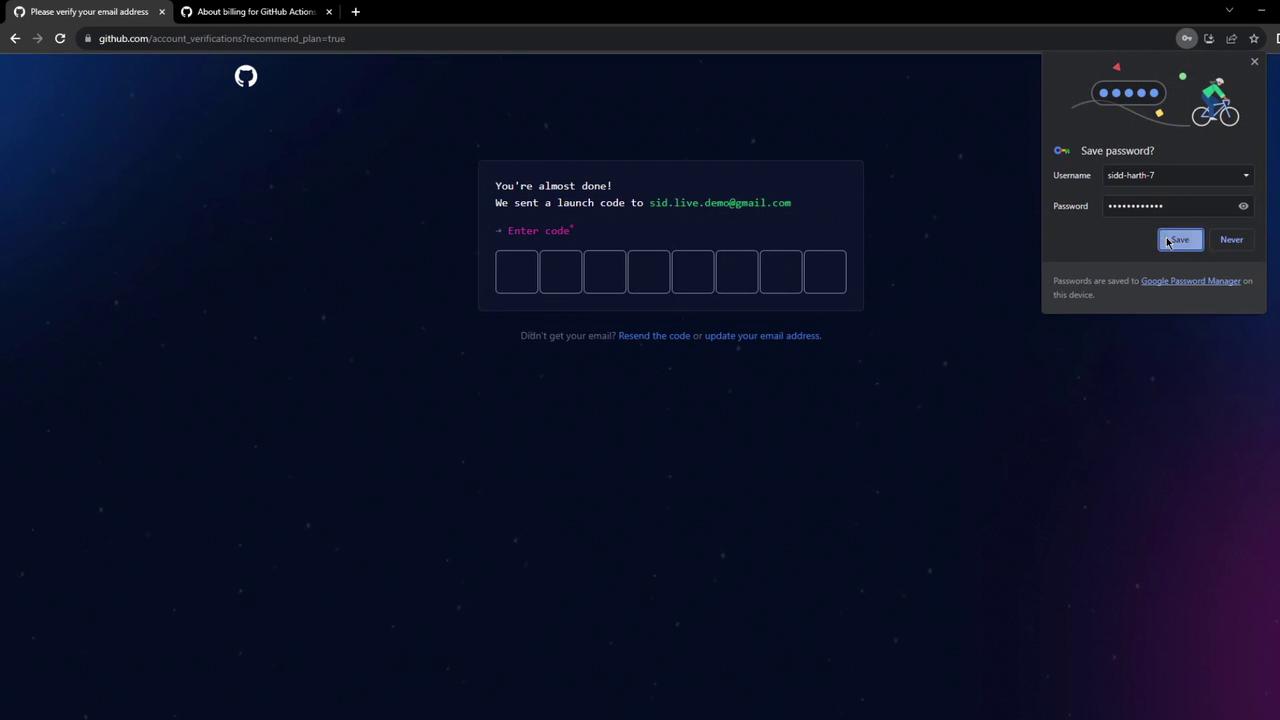
Shortly after registering, GitHub emails a verification code. Enter this code on the verification page to activate your account.

<Callout icon="lightbulb" color="#1CB2FE">
  If you don't see the verification email, check your spam folder.
</Callout>

<Frame>
  ![The image shows a GitHub verification page asking for a launch code sent to an email address, with a browser prompt to save a password.](https://kodekloud.com/kk-media/image/upload/v1752876701/notes-assets/images/GitHub-Actions-Create-amp-Explore-GitHub-Account/github-verification-launch-code-password-prompt.jpg)
</Frame>

## Step 3: Explore Your Dashboard

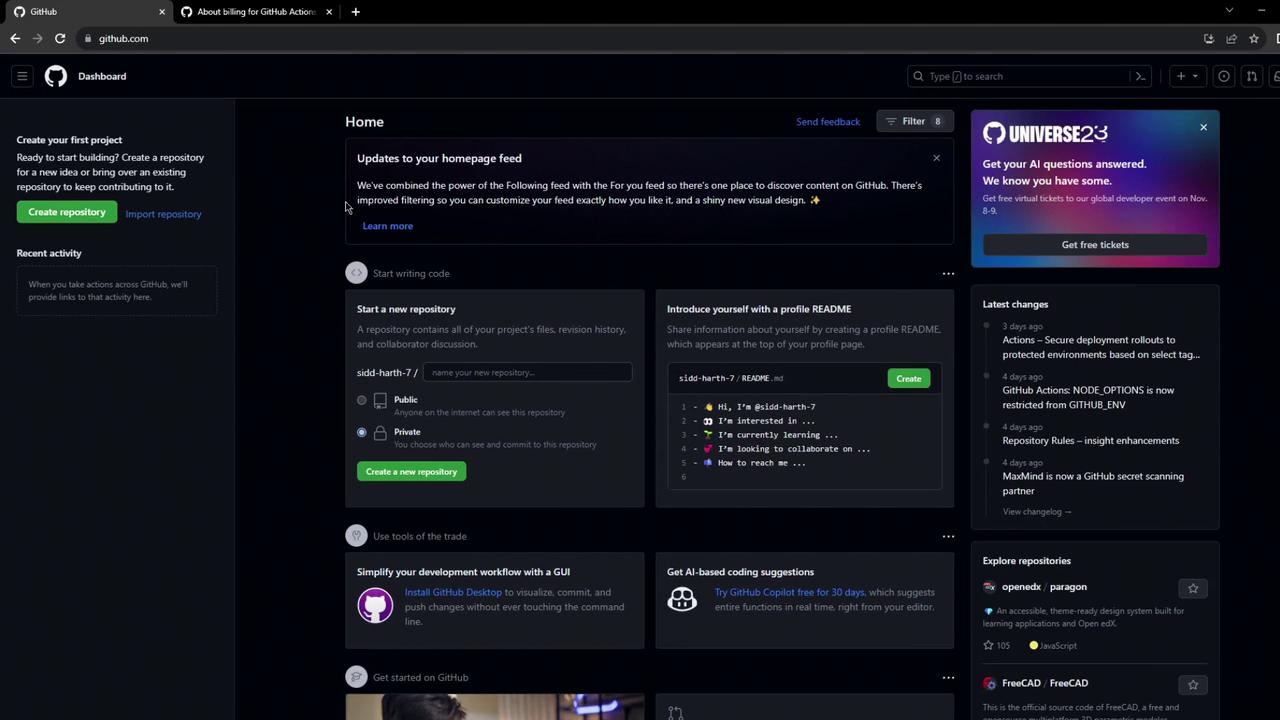
You can skip the optional personalization steps. Once complete, your dashboard displays options to create repositories, view recent activity, and explore open-source projects.
<Frame>
  ![The image shows a GitHub dashboard with options to create a repository, view recent activity, and explore repositories. It also includes sections for updates, coding suggestions, and latest changes.](https://kodekloud.com/kk-media/image/upload/v1752876702/notes-assets/images/GitHub-Actions-Create-amp-Explore-GitHub-Account/github-dashboard-repository-options.jpg)
</Frame>

## Step 4: Check Billing & Usage Limits

Navigate to **Settings** > **Billing & plans** to review your plan details:

<Frame>
  ![The image shows a GitHub billing summary page for a personal account, displaying a \$0.00 next payment and details of the current GitHub Free plan.](https://kodekloud.com/kk-media/image/upload/v1752876703/notes-assets/images/GitHub-Actions-Create-amp-Explore-GitHub-Account/github-billing-summary-free-plan.jpg)
</Frame>

| Resource               | Free Plan Allocation  |
| ---------------------- | --------------------- |
| GitHub Actions minutes | 2,000 minutes / month |
| Package storage        | 500 MB                |

<Callout icon="triangle-alert" color="#FF6B6B">
  Exceeding these free limits will incur charges based on per-minute runner rates.
</Callout>

Below are the standard runner rates:

| Runner OS | Rate per minute |
| --------- | --------------- |
| Ubuntu    | \$0.008         |
| Windows   | 2× Ubuntu rate  |
| macOS     | 10× Ubuntu rate |

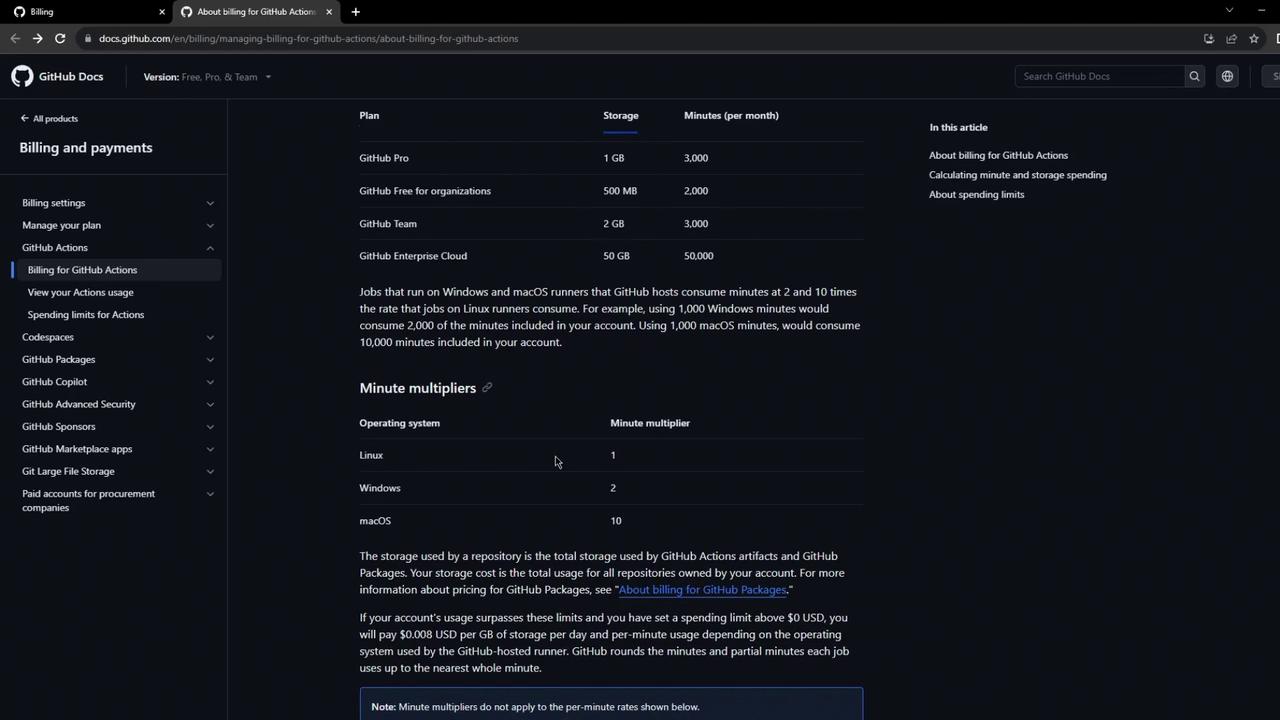
For a detailed breakdown by vCPU configuration, see the official billing documentation:
<Frame>
  ![The image shows a GitHub Docs page detailing billing and payments for GitHub Actions, including storage and minute usage for different plans and minute multipliers for various operating systems.](https://kodekloud.com/kk-media/image/upload/v1752876705/notes-assets/images/GitHub-Actions-Create-amp-Explore-GitHub-Account/github-actions-billing-payments-docs.jpg)
</Frame>

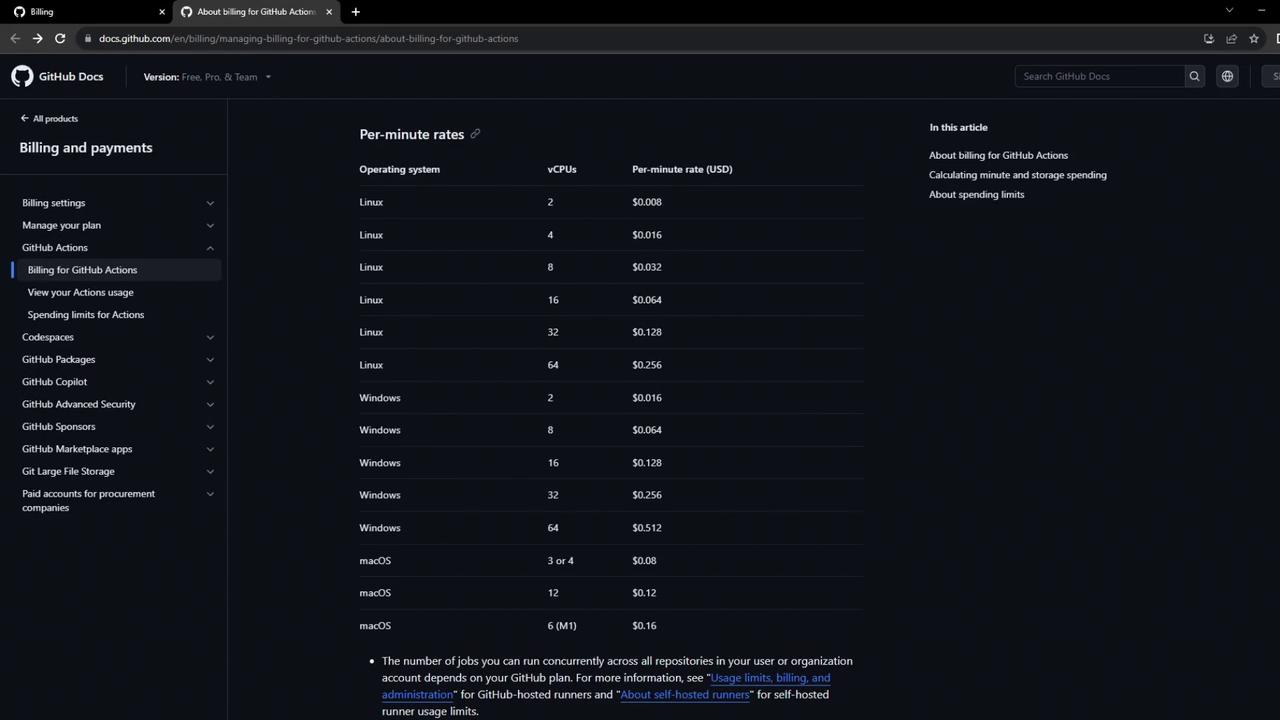
Further down, the docs list per-minute rates across Linux, Windows, and macOS with different vCPU configurations:
<Frame>
  ![The image shows a GitHub Docs page detailing per-minute rates for GitHub Actions based on different operating systems and vCPU configurations. The rates are listed in USD for Linux, Windows, and macOS.](https://kodekloud.com/kk-media/image/upload/v1752876705/notes-assets/images/GitHub-Actions-Create-amp-Explore-GitHub-Account/github-actions-per-minute-rates.jpg)
</Frame>

***

## What's Next?

With your GitHub account ready and usage limits understood, you're all set to create your first GitHub Actions workflow.

## Links and References

* [About billing for GitHub Actions](https://docs.github.com/en/billing/managing-billing-for-github-actions/about-billing-for-github-actions)
* [GitHub Documentation](https://docs.github.com/)

<CardGroup>
  <Card title="Watch Video" icon="video" cta="Learn more" href="https://learn.kodekloud.com/user/courses/github-actions/module/a038043a-b553-43c2-9748-2c91fa232a9b/lesson/164df8dc-a902-4a30-904e-6e8a5834e3d8" />
</CardGroup>
