> ## Documentation Index
> Fetch the complete documentation index at: https://notes.kodekloud.com/llms.txt
> Use this file to discover all available pages before exploring further.
# Step 3 Using Inputs in Reusable Workflow
> Learn to pass variables from a caller workflow into a reusable workflow using workflow_call inputs to avoid empty environment variables.
In this lesson, you’ll learn how to pass variables from a caller workflow into a reusable workflow using `workflow_call` inputs. By declaring inputs explicitly, you avoid the common pitfall where environment variables defined at the caller level don’t automatically propagate.
Reusable workflows require GitHub Actions `workflow_call`. See the [GitHub Actions Reusing Workflows](https://docs.github.com/actions/using-workflows/reusing-workflows) guide for details.
## The Problem: Empty Environment Variables
When you define environment variables in the caller workflow, they aren’t forwarded to the reusable workflow. For example, this secret creation command ran with an empty `MONGO_URI`:
```bash theme={null}
kubectl -n development create secret generic mongo-db-creds \
--from-literal=MONGO_URI='' \
--from-literal=MONGO_USERNAME=superuser \
--from-literal=MONGO_PASSWORD='***' \
--save-config \
--dry-run=client \
-o yaml | kubectl apply -f -
```
Because `MONGO_URI` was never passed, the URI value remained blank:
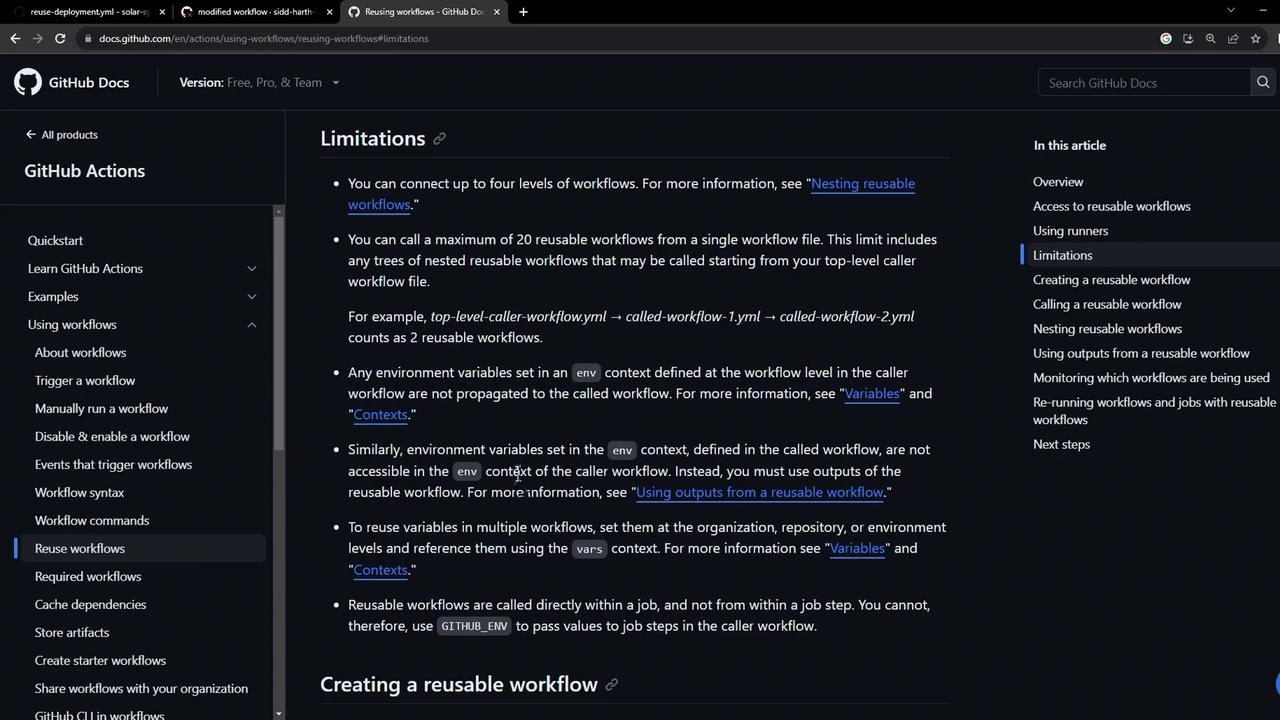
To fix this, we define inputs in the reusable workflow and explicitly pass values from the caller.
## Define an Input in the Reusable Workflow
Edit your reusable workflow (e.g. `.github/workflows/reuse-deployment.yml`) and add an `inputs` section under `workflow_call`. Here we declare a required string input `mongodb-uri`:
```yaml theme={null}
name: Deployment - Reusable Workflow
on:
workflow_call:
inputs:
mongodb-uri:
required: true
type: string
secrets:
k8s-kubeconfig:
required: true
mongodb-password:
required: true
jobs:
reuse-deploy:
environment:
name: development
url: https://${{ steps.set-ingress-host-address.outputs.APP_INGRESS_HOST }}
outputs:
APP_INGRESS_URL: ${{ steps.set-ingress-host-address.outputs.APP_INGRESS_HOST }}
runs-on: ubuntu-latest
steps:
- name: Checkout Repo
uses: actions/checkout@v4
- name: Install kubectl CLI
uses: azure/setup-kubectl@v3
with:
version: '1.26.0'
- name: Create MongoDB Secret
run: |
kubectl -n ${{ vars.NAMESPACE }} create secret generic mongo-db-creds \
--from-literal=MONGO_URI=${{ inputs.mongodb-uri }} \
--from-literal=MONGO_USERNAME=${{ vars.MONGO_USERNAME }} \
--from-literal=MONGO_PASSWORD=${{ secrets.mongodb-password }} \
--save-config \
--dry-run=client -o yaml | kubectl apply -f -
```
Notice how we replaced the hard-coded `MONGO_URI` with `${{ inputs.mongodb-uri }}`.
## Store the URI as a Repository Variable
In your repository settings under **Settings › Actions › Variables**, create a variable named `mongo_uri`:
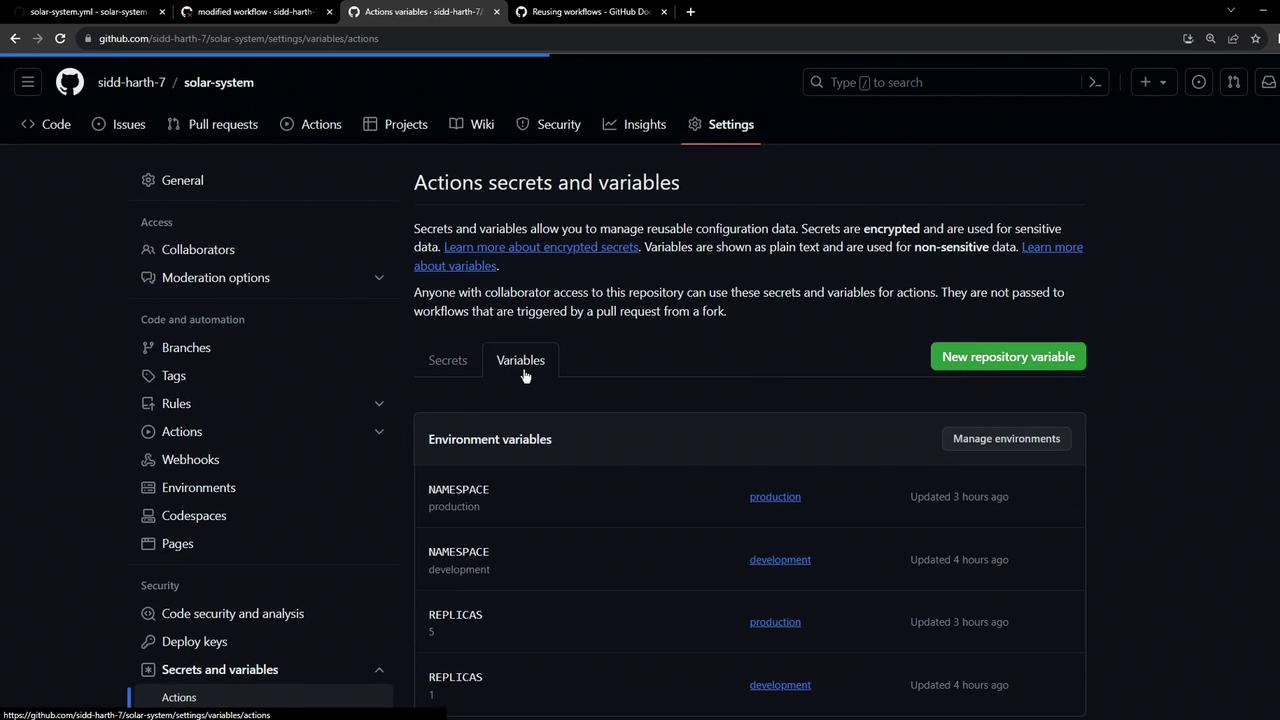
* **Name**: `mongo_uri`
* **Value**: `mongodb+srv://supercluster.d8jjj.mongodb.net/superData`
Repository variables are not encrypted. Use **Secrets** for sensitive values like passwords.
## Call the Reusable Workflow with Inputs
In your caller workflow (e.g. `.github/workflows/solar-system.yml`), remove the old `env:` block for MongoDB and invoke the reusable workflow using a `with` block:
```yaml theme={null}
name: Solar System Workflow
on:
workflow_dispatch:
push:
branches:
- main
- 'feature/*'
jobs:
# ... other jobs ...
dev-deploy:
needs: docker
if: contains(github.ref, 'feature/')
uses: ./.github/workflows/reuse-deployment.yml
with:
mongodb-uri: ${{ vars.mongo_uri }}
secrets:
k8s-kubeconfig: ${{ secrets.KUBECONFIG }}
mongodb-password: ${{ secrets.MONGO_PASSWORD }}
prod-deploy:
needs: docker
if: github.ref == 'refs/heads/main'
uses: ./.github/workflows/reuse-deployment.yml
with:
mongodb-uri: ${{ vars.mongo_uri }}
secrets:
k8s-kubeconfig: ${{ secrets.KUBECONFIG }}
mongodb-password: ${{ secrets.MONGO_PASSWORD }}
```
This ensures both development and production deployments receive the correct `mongodb-uri`.
## Adding Dynamic Inputs
To make your reusable workflow more flexible, you can declare additional inputs—such as `kubectl-version`, `k8s-manifest-dir`, and `environment`. Update `workflow_call` like so:
```yaml theme={null}
on:
workflow_call:
inputs:
mongodb-uri:
required: true
type: string
kubectl-version:
description: Provide the required kubectl version
default: v1.26.0
required: false
type: string
k8s-manifest-dir:
description: Directory containing Kubernetes manifest files
default: kubernetes/
required: true
type: string
environment:
description: Deployment environment (e.g., dev, prod)
default: dev
required: true
type: string
secrets:
k8s-kubeconfig:
required: true
mongodb-password:
required: true
```
Table: Reusable Workflow Inputs
| Input Name | Description | Default | Required |
| ---------------- | ---------------------------------------- | ----------- | -------- |
| mongodb-uri | MongoDB connection URI | — | true |
| kubectl-version | Version of `kubectl` to install | v1.26.0 | false |
| k8s-manifest-dir | Path to Kubernetes manifest directory | kubernetes/ | true |
| environment | Deployment environment (e.g., dev, prod) | dev | true |
Reference these inputs in your job steps:
```yaml theme={null}
jobs:
reuse-deploy:
environment: ${{ inputs.environment }}
runs-on: ubuntu-latest
steps:
- name: Install kubectl CLI
uses: azure/setup-kubectl@v3
with:
version: ${{ inputs.kubectl-version }}
- name: Replace tokens in manifests
uses: cschleiden/replace-tokens@v1
with:
tokenPrefix: '_'
tokenSuffix: '_'
files: '${{ inputs.k8s-manifest-dir }}/*.yaml'
- name: Create MongoDB Secret
run: |
kubectl -n ${{ vars.NAMESPACE }} create secret generic mongo-db-creds \
--from-literal=MONGO_URI=${{ inputs.mongodb-uri }} \
--from-literal=MONGO_USERNAME=${{ vars.MONGO_USERNAME }} \
--from-literal=MONGO_PASSWORD=${{ secrets.mongodb-password }} \
--save-config \
--dry-run=client -o yaml | kubectl apply -f -
- name: Deploy to ${{ inputs.environment }}
run: |
kubectl apply -f ${{ inputs.k8s-manifest-dir }}
```
And in the caller workflow, pass all required inputs:
```yaml theme={null}
dev-deploy:
uses: ./.github/workflows/reuse-deployment.yml
with:
mongodb-uri: ${{ vars.mongo_uri }}
environment: dev
kubectl-version: v1.26.0
k8s-manifest-dir: kubernetes/development/
secrets:
k8s-kubeconfig: ${{ secrets.KUBECONFIG }}
mongodb-password: ${{ secrets.MONGO_PASSWORD }}
prod-deploy:
uses: ./.github/workflows/reuse-deployment.yml
with:
mongodb-uri: ${{ vars.mongo_uri }}
environment: production
kubectl-version: v1.26.0
k8s-manifest-dir: kubernetes/production/
secrets:
k8s-kubeconfig: ${{ secrets.KUBECONFIG }}
mongodb-password: ${{ secrets.MONGO_PASSWORD }}
```
Keep input names consistent between caller and reusable workflows to minimize errors.
## Verification in Workflow Run
When the workflow executes, you’ll see the passed inputs in the reusable job’s **Inputs** section:
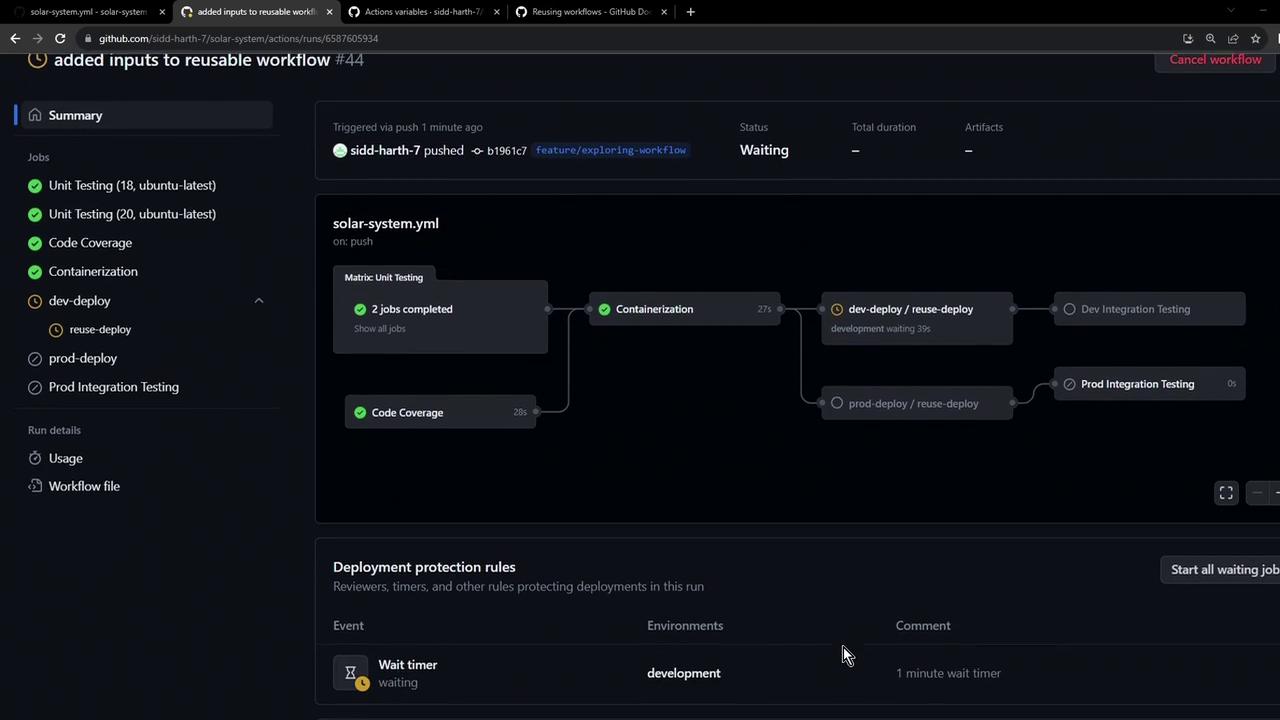
* **`mongodb-uri`**, **`kubectl-version`**, **`k8s-manifest-dir`**, and **`environment`** are listed under **Inputs**.
* The MongoDB secret is created with the correct URI.
* Manifests are applied from the specified directory.
* The deployment environment dynamically matches your input.
***
Next, we’ll explore how to propagate outputs from the reusable workflow back into the caller workflow for advanced chaining and reporting.
## References
* [GitHub Actions Reusing Workflows](https://docs.github.com/actions/using-workflows/reusing-workflows)
* [GitHub Actions Variables](https://docs.github.com/actions/learn-github-actions/variables)
* [Azure/setup-kubectl Action](https://github.com/Azure/setup-kubectl)
* [cschleiden/replace-tokens Action](https://github.com/cschleiden/replace-tokens)