> ## Documentation Index
> Fetch the complete documentation index at: https://notes.kodekloud.com/llms.txt
> Use this file to discover all available pages before exploring further.
# Uploading Reports to AWS S3 Storage
> Automate publishing test and coverage reports to Amazon S3 using the jakejarvis/s3-sync-action in your GitHub Actions workflow.
Automate publishing your test and coverage reports to an Amazon S3 bucket by swapping out a manual upload step with the prebuilt **jakejarvis/s3-sync-action** in your GitHub Actions workflow.
## 1. Current Workflow: Placeholder Upload
Your existing `reports-s3` job runs after `unit-testing` and `code-coverage`, downloads artifacts, merges them, and uses a placeholder `echo` command:
```yaml theme={null}
jobs:
reports-s3:
needs: [unit-testing, code-coverage]
name: AWS S3 - Upload Reports
runs-on: ubuntu-latest
continue-on-error: true
steps:
- name: Download Mocha Test Artifact
uses: actions/download-artifact@v3
with:
name: Mocha-Test-Result
- name: Download Code Coverage Artifact
uses: actions/download-artifact@v3
with:
name: Code-Coverage-Result
- name: Merge Test Files
run: |
ls -ltr
mkdir reports-${{ github.sha }}
mv cobertura-coverage.xml reports-${{ github.sha }}/
mv test-results.xml reports-${{ github.sha }}/
ls -ltr reports-${{ github.sha }}/
- name: Upload to AWS S3
run: echo "uploading..."
```
We’ll replace the final step with the S3 Sync action.
## 2. Selecting the S3 Sync Action
### 2.1 Search GitHub Marketplace
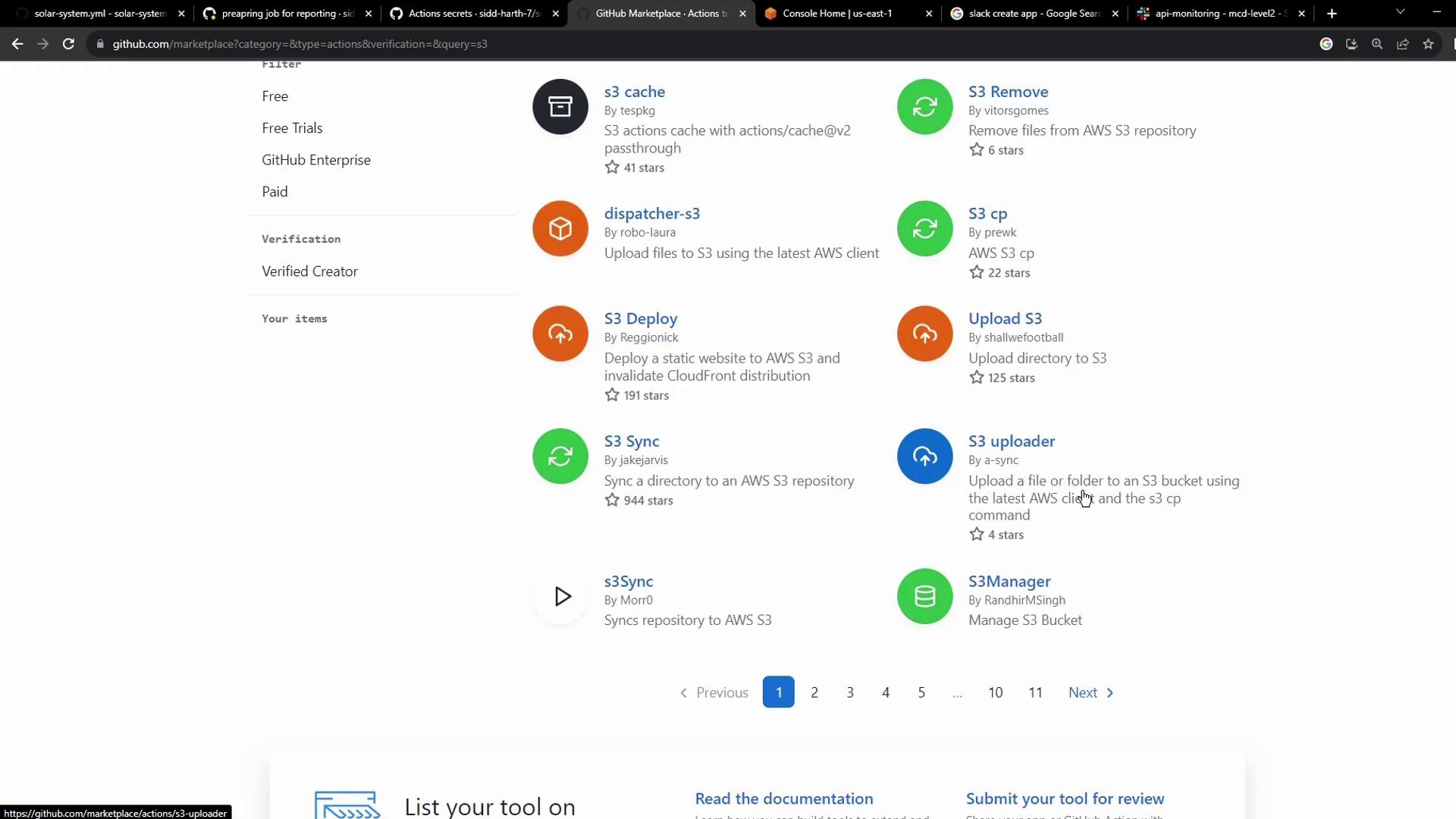
In your repository’s [GitHub Marketplace](https://github.com/marketplace), search for **S3** and choose **jakejarvis/s3-sync-action**:
### 2.2 Action Inputs
Inspect the action’s README for the inputs:
```yaml theme={null}
uses: jakejarvis/s3-sync-action@master
with:
args: --acl public-read --follow-symlinks --delete
env:
AWS_S3_BUCKET: ${{ secrets.AWS_S3_BUCKET }}
AWS_ACCESS_KEY_ID: ${{ secrets.AWS_ACCESS_KEY_ID }}
AWS_SECRET_ACCESS_KEY: ${{ secrets.AWS_SECRET_ACCESS_KEY }}
AWS_REGION: 'us-west-1' # defaults to us-east-1
SOURCE_DIR: 'public' # defaults to repository root
DEST_DIR: '' # optional destination path
```
| Variable | Description | Default / Required |
| ------------------------ | ------------------------------- | ---------------------- |
| AWS\_S3\_BUCKET | Target S3 bucket name | Required |
| AWS\_ACCESS\_KEY\_ID | AWS IAM access key ID | Required |
| AWS\_SECRET\_ACCESS\_KEY | AWS IAM secret access key | Required |
| AWS\_REGION | AWS region where bucket resides | Optional (`us-east-1`) |
| SOURCE\_DIR | Directory to sync | Optional (`.`) |
| DEST\_DIR | Path in bucket for uploads | Optional (root) |
Using the `--delete` flag will remove files in the bucket that are not present in your source directory. Double-check your `SOURCE_DIR` before enabling deletion.
## 3. Updated Workflow: S3 Sync Step
Replace the placeholder with the S3 Sync action. Here’s the complete `reports-s3` job:
```yaml theme={null}
jobs:
reports-s3:
needs: [unit-testing, code-coverage]
name: AWS S3 - Upload Reports
runs-on: ubuntu-latest
continue-on-error: true
steps:
- name: Download Mocha Test Artifact
uses: actions/download-artifact@v3
with:
name: Mocha-Test-Result
- name: Download Code Coverage Artifact
uses: actions/download-artifact@v3
with:
name: Code-Coverage-Result
- name: Merge Test Files
run: |
ls -ltr
mkdir reports-${{ github.sha }}
mv cobertura-coverage.xml reports-${{ github.sha }}/
mv test-results.xml reports-${{ github.sha }}/
ls -ltr reports-${{ github.sha }}/
- name: Upload to AWS S3
uses: jakejarvis/s3-sync-action@master
with:
args: --follow-symlinks --delete
env:
AWS_S3_BUCKET: solar-system-reports-bucket
AWS_ACCESS_KEY_ID: ${{ secrets.AWS_ACCESS_KEY_ID }}
AWS_SECRET_ACCESS_KEY: ${{ secrets.AWS_SECRET_ACCESS_KEY }}
AWS_REGION: 'us-east-1'
SOURCE_DIR: 'reports-${{ github.sha }}'
DEST_DIR: 'reports-${{ github.sha }}'
```
## 4. Setting Up AWS S3
### 4.1 Creating the Bucket
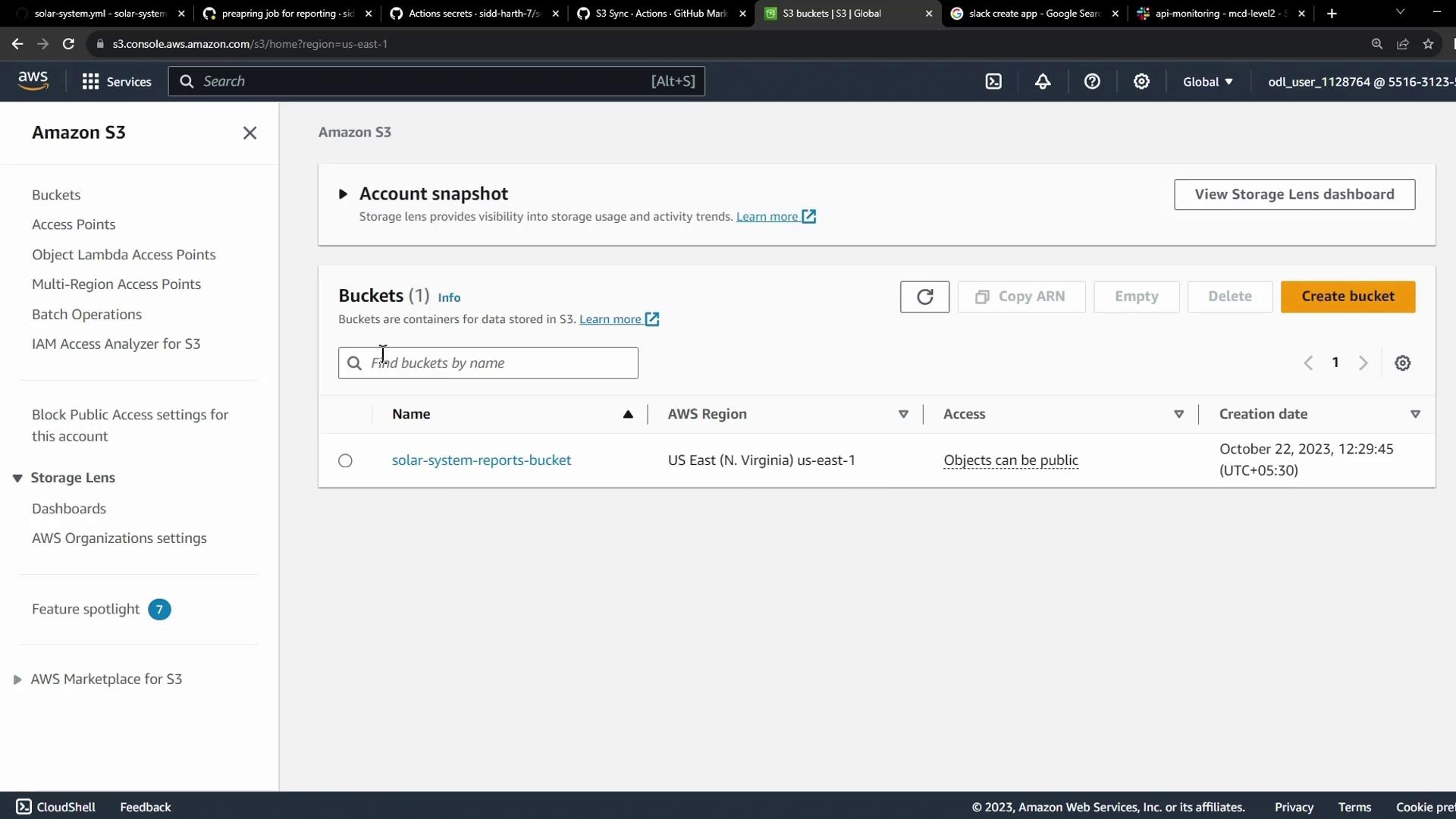
In the [AWS S3 console](https://console.aws.amazon.com/s3/home), create a bucket named `solar-system-reports-bucket` (or your preferred name) in the desired region:
## 5. Storing AWS Credentials as GitHub Secrets
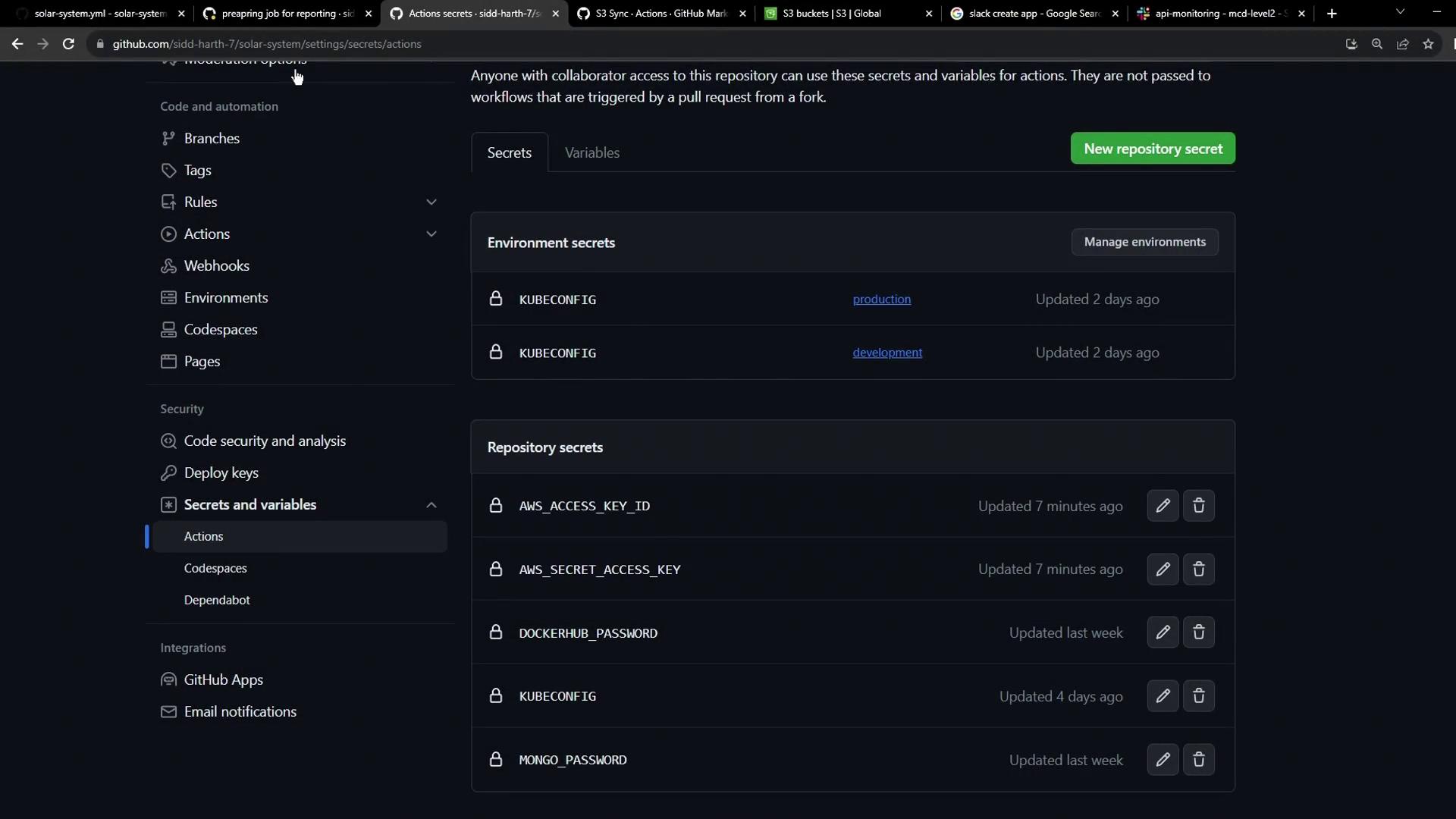
Add your AWS keys under **Settings > Secrets and variables > Actions**:
* `AWS_ACCESS_KEY_ID`
* `AWS_SECRET_ACCESS_KEY`
Storing credentials in **GitHub Secrets** ensures they remain encrypted and aren’t exposed in your workflow logs.
## 6. Running the Workflow
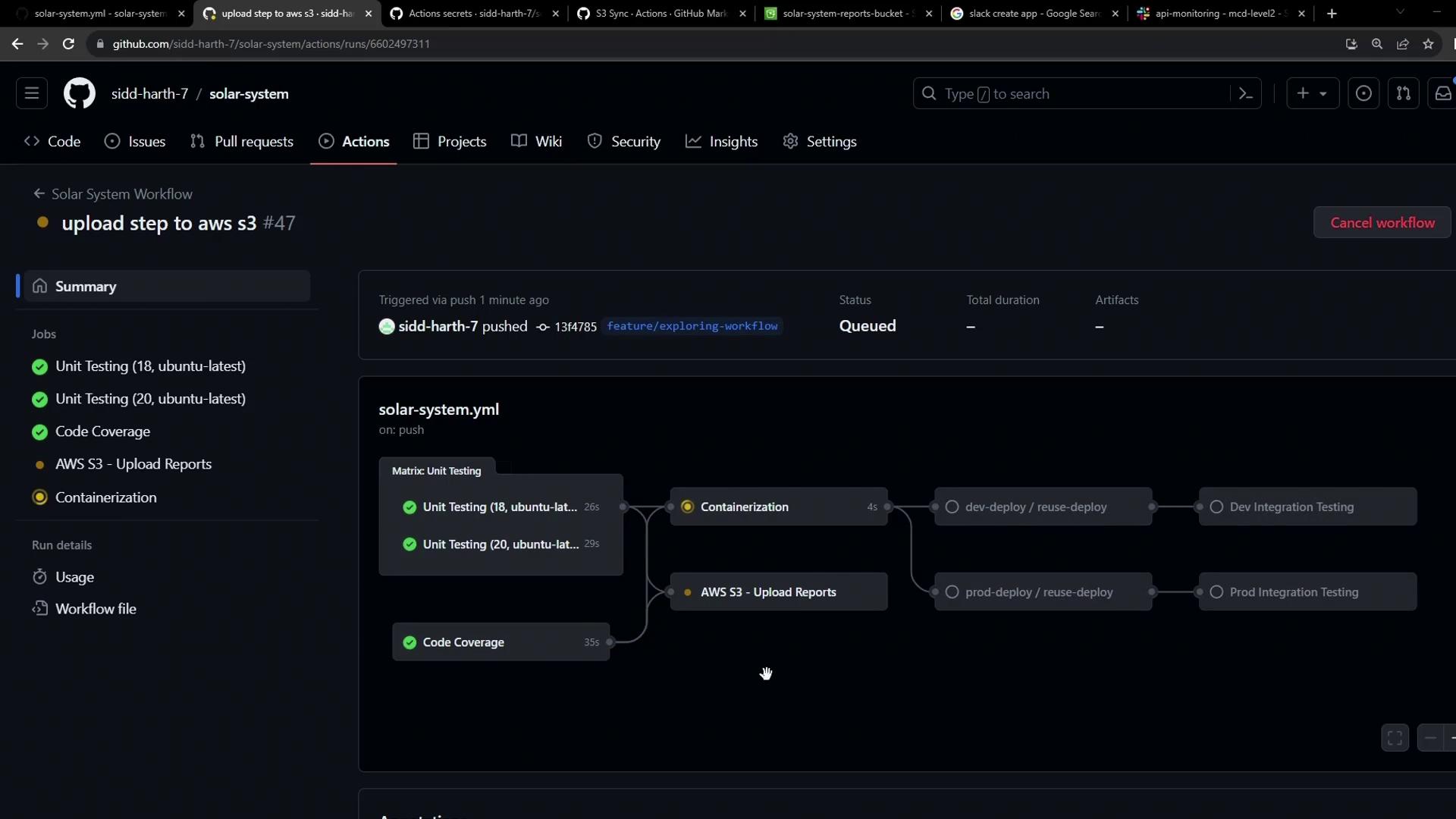
Commit and push your changes. The `reports-s3` job will queue after `unit-testing` and `code-coverage` complete:
### 6.1 Merge Step Log
```bash theme={null}
Run ls -ltr
total 24
-rw-r--r-- 1 runner docker 3347 Oct 22 07:44 test-results.xml
-rw-r--r-- 1 runner docker 597 Oct 22 07:44 cobertura-coverage.xml
...
```
### 6.2 S3 Sync Step Log
```bash theme={null}
Run jakejarvis/s3-sync-action@master
/usr/bin/docker run --name e8d... \
--workdir /github/workspace --rm ... \
--follow-symlinks --delete
upload: reports-1374785c0a9719be70ed2e7ba3481dabd72429c6/test-results.xml to s3://solar-system-reports-bucket/reports-1374785c0a9719be70ed2e7ba3481dabd72429c6/test-results.xml
```
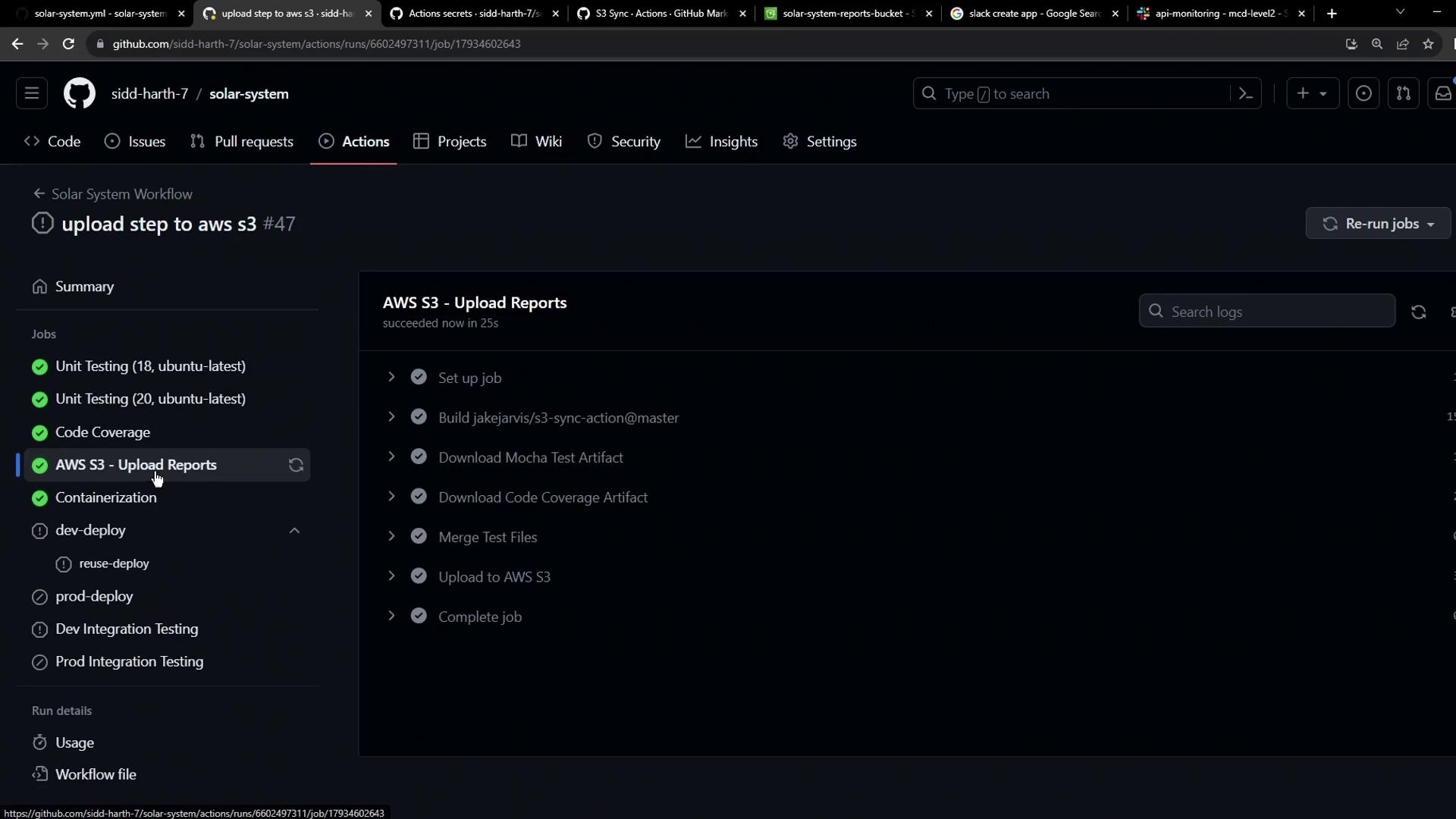
Once complete, the AWS S3 upload step shows success:
## 7. Why the Extra “build” Step?
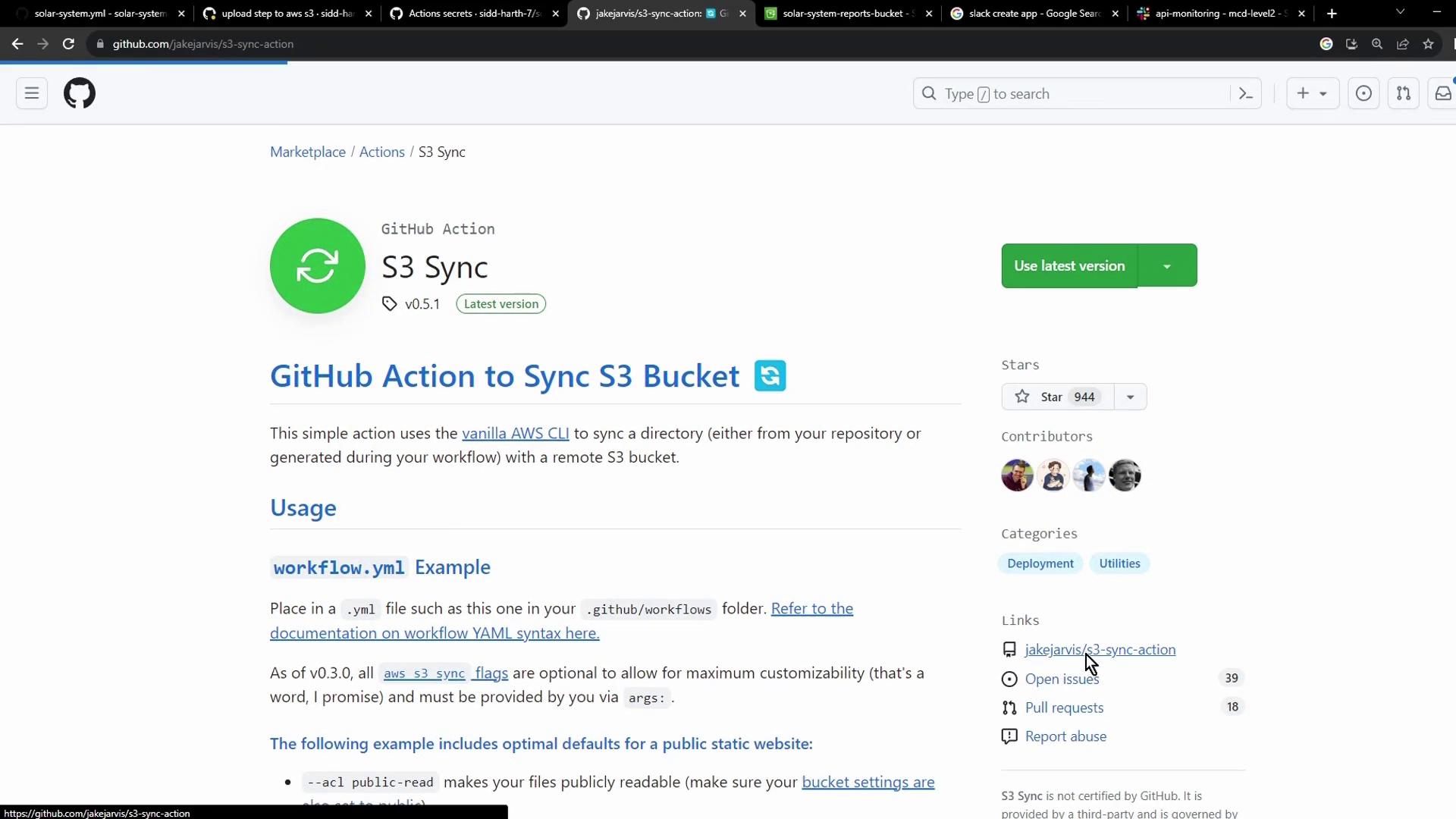
Because **jakejarvis/s3-sync-action** is a Docker-based custom action, GitHub builds the container at runtime. You’ll see this as an extra “build” step in the logs:
## 8. Verifying in S3
### 8.1 Inspect the Commit-SHA Folder
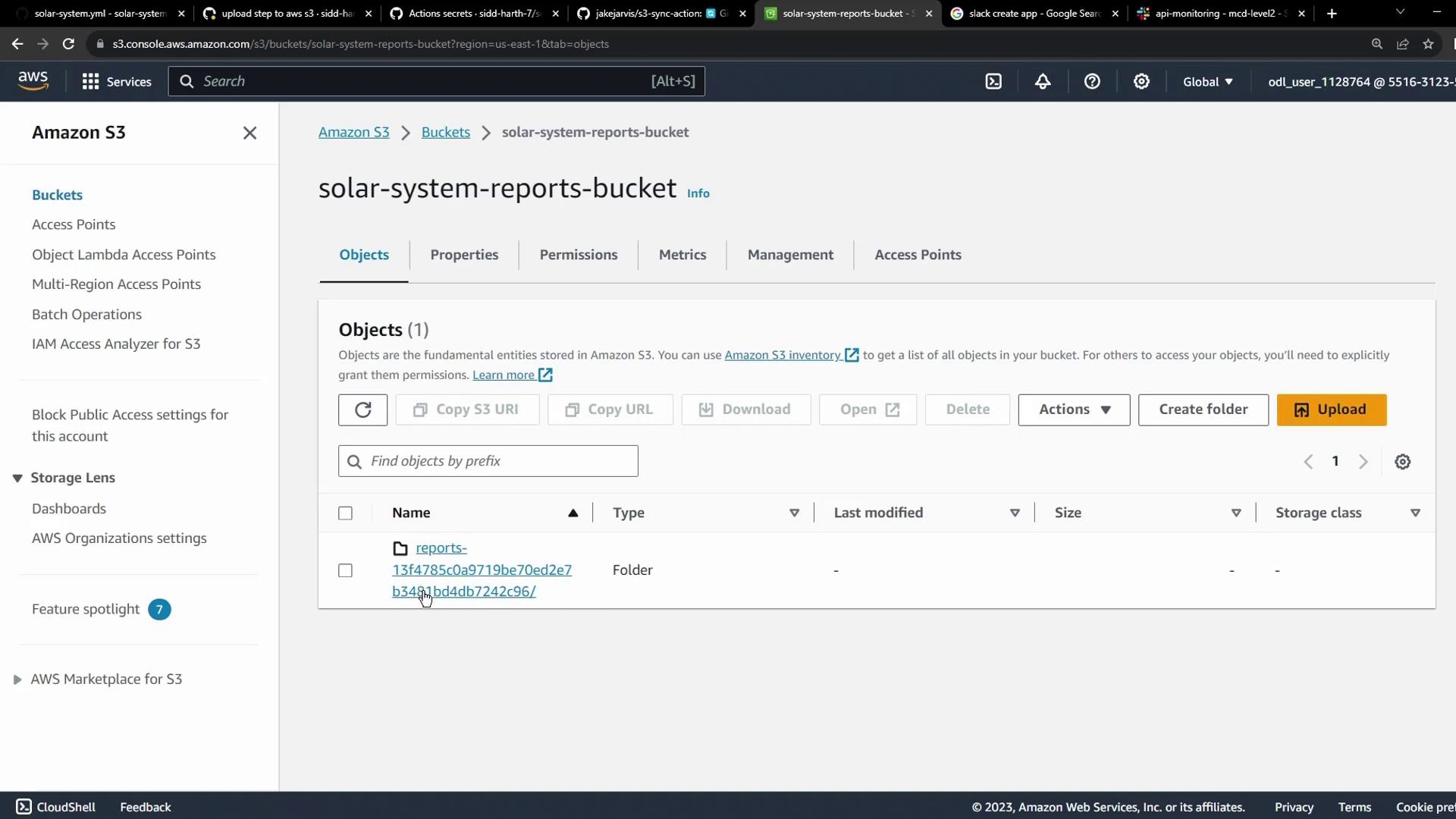
After syncing, refresh your bucket to see a folder named after the commit SHA:
### 8.2 Check Uploaded Files
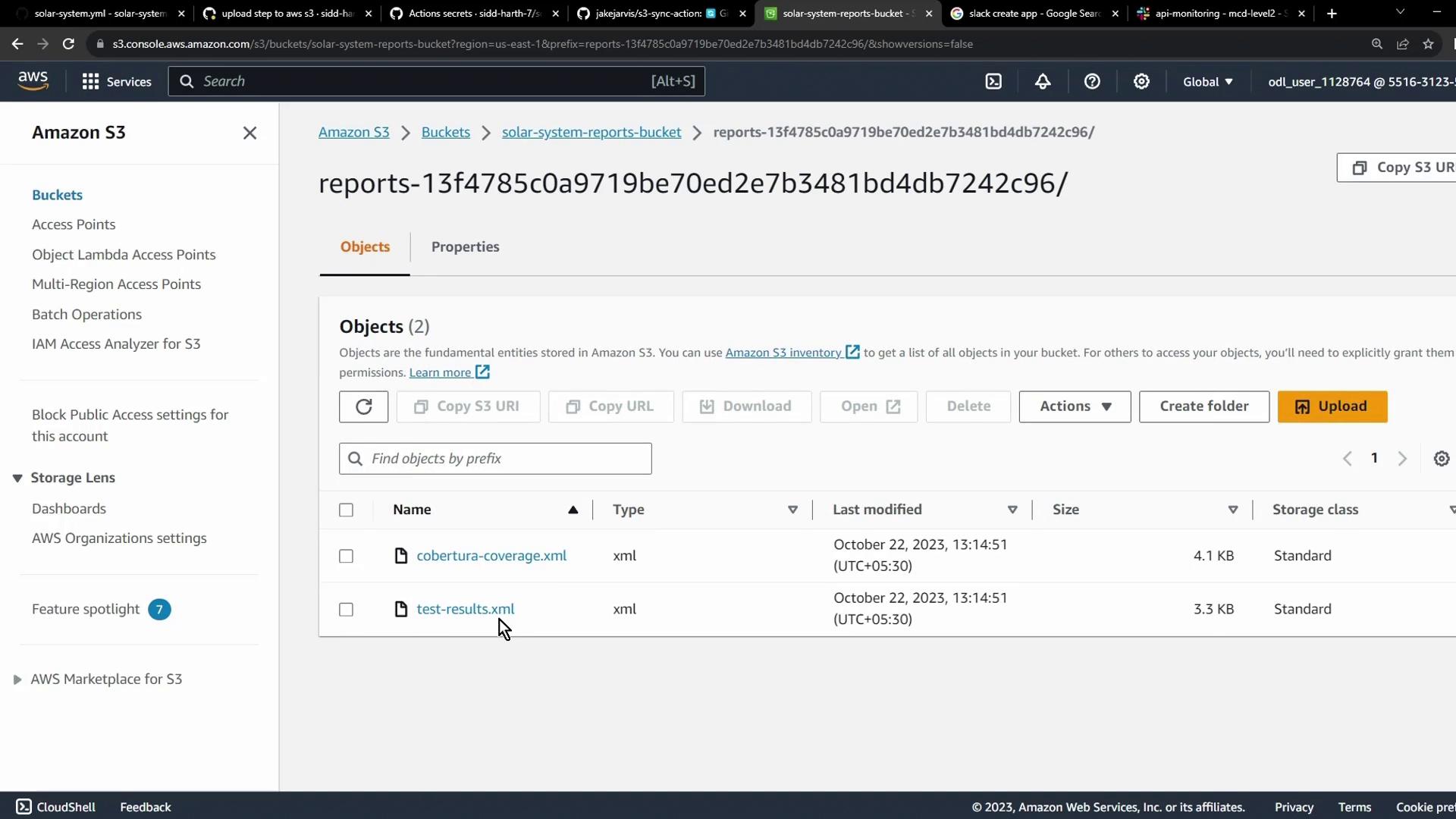
Open the folder to confirm your XML reports are present:
## 9. Next Steps & Alternatives
You can apply the same pattern to other cloud storage solutions like [Azure Blob Storage](https://learn.microsoft.com/azure/storage/blobs/storage-blobs-introduction). Always store credentials securely as GitHub Secrets:

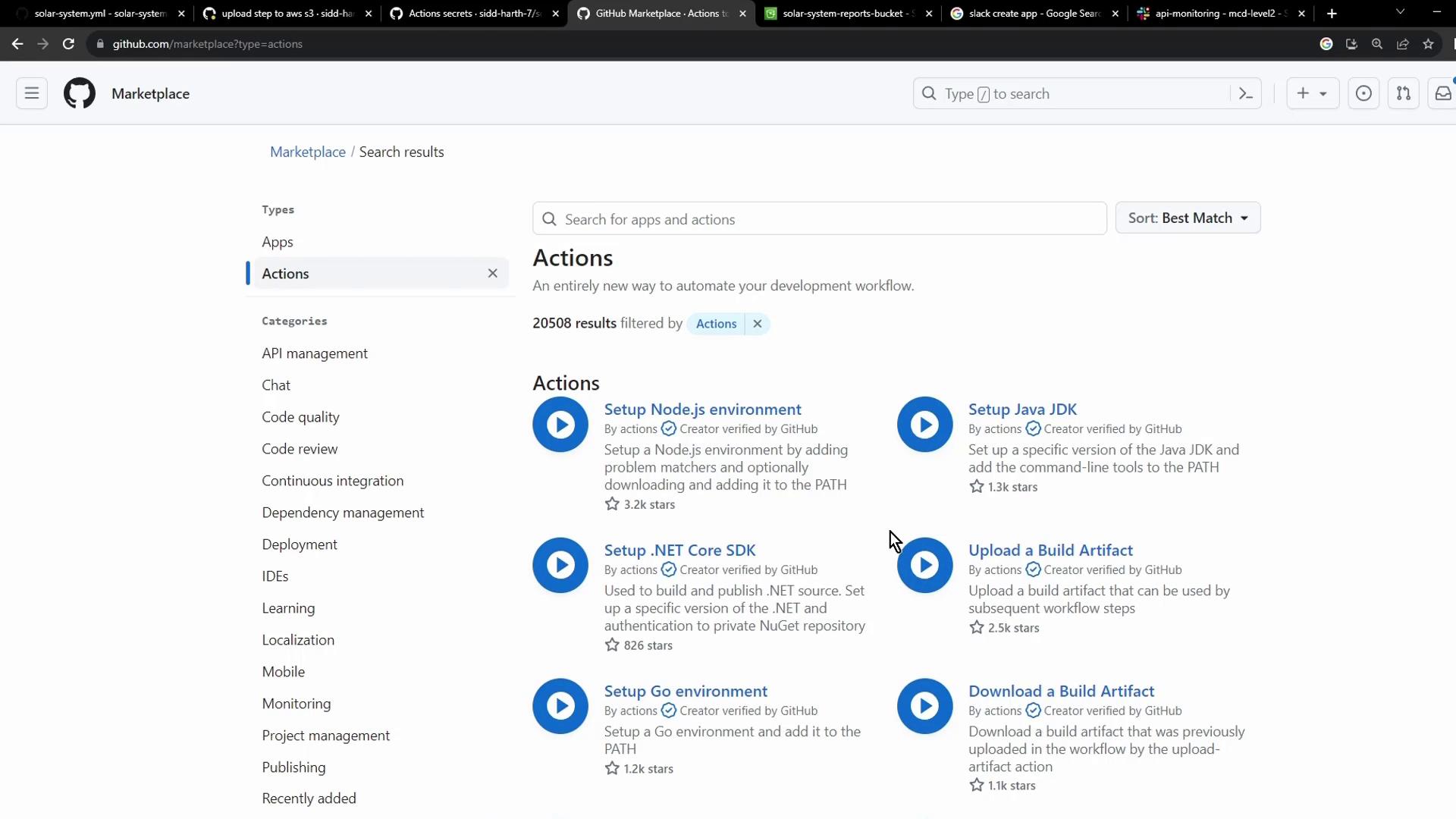
Before building your own plugin, explore the [GitHub Marketplace](https://github.com/marketplace)—you may find a prebuilt action that meets your requirements:
## Links and References
* [jakejarvis/s3-sync-action](https://github.com/jakejarvis/s3-sync-action)
* [GitHub Actions: Storing encrypted secrets](https://docs.github.com/actions/security-guides/encrypted-secrets)
* [AWS S3 Documentation](https://docs.aws.amazon.com/s3/index.html)
* [Azure Blob Storage Introduction](https://learn.microsoft.com/azure/storage/blobs/)