> ## Documentation Index
> Fetch the complete documentation index at: https://notes.kodekloud.com/llms.txt
> Use this file to discover all available pages before exploring further.

# Securing Secrets using HashiCorp Vault

> This article explains how to integrate HashiCorp Vault with GitHub Actions for centralized and secure secret management in CI/CD pipelines.

Managing secrets across multiple repositories can be error‐prone, inconsistent, and difficult to audit. By integrating HashiCorp Vault with GitHub Actions, you can centralize secret storage, enforce versioning, and keep your CI/CD pipelines secure.

***

## Why Centralized Secrets Matter

GitHub supports two secret scopes:

| Scope               | Versioning | Management Overhead | Best Use Case                  |
| ------------------- | ---------- | ------------------- | ------------------------------ |
| Repository-level    | No         | High (per repo)     | Single-repo deployments        |
| Environment-level   | No         | High (per env)      | Environment-specific workflows |
| Vault Secrets (HCP) | Yes        | Low (centralized)   | Multi-repo CI/CD pipelines     |

***

## 1. Reviewing GitHub Repository Secrets

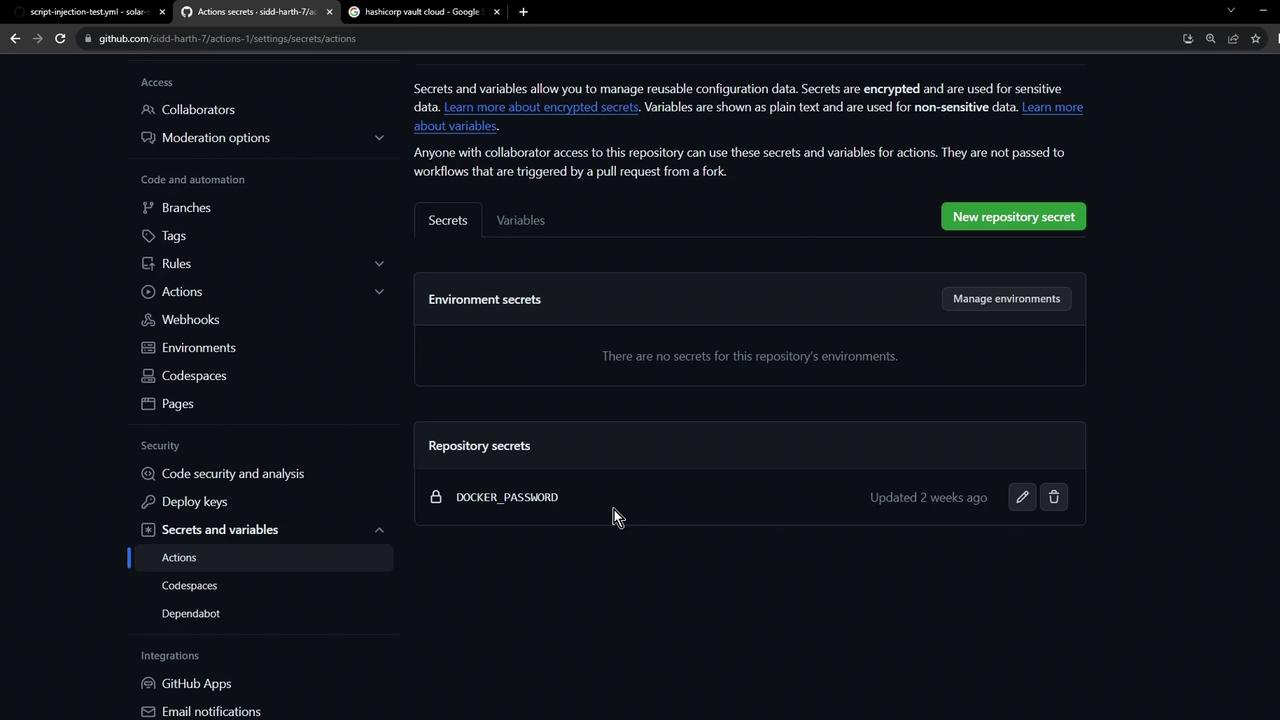
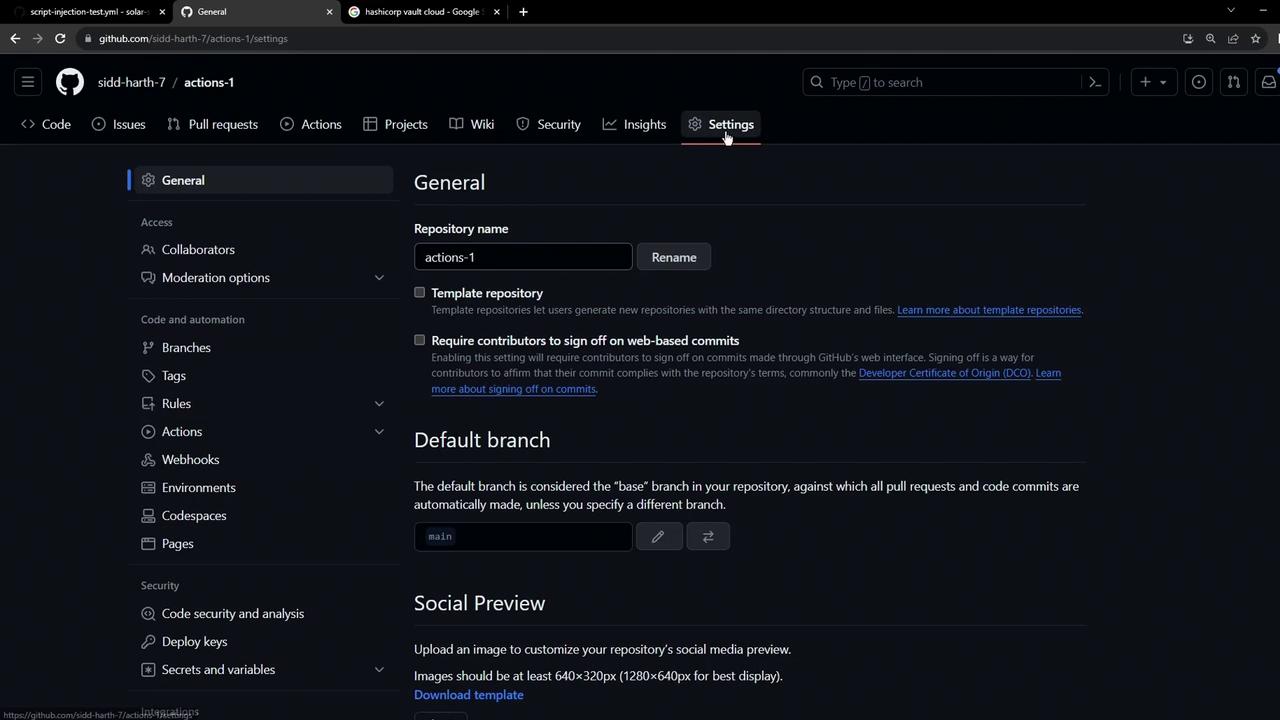
Most teams start by defining secrets directly in GitHub. You’ll find them at **Settings → Secrets and variables → Actions**.
<Frame>
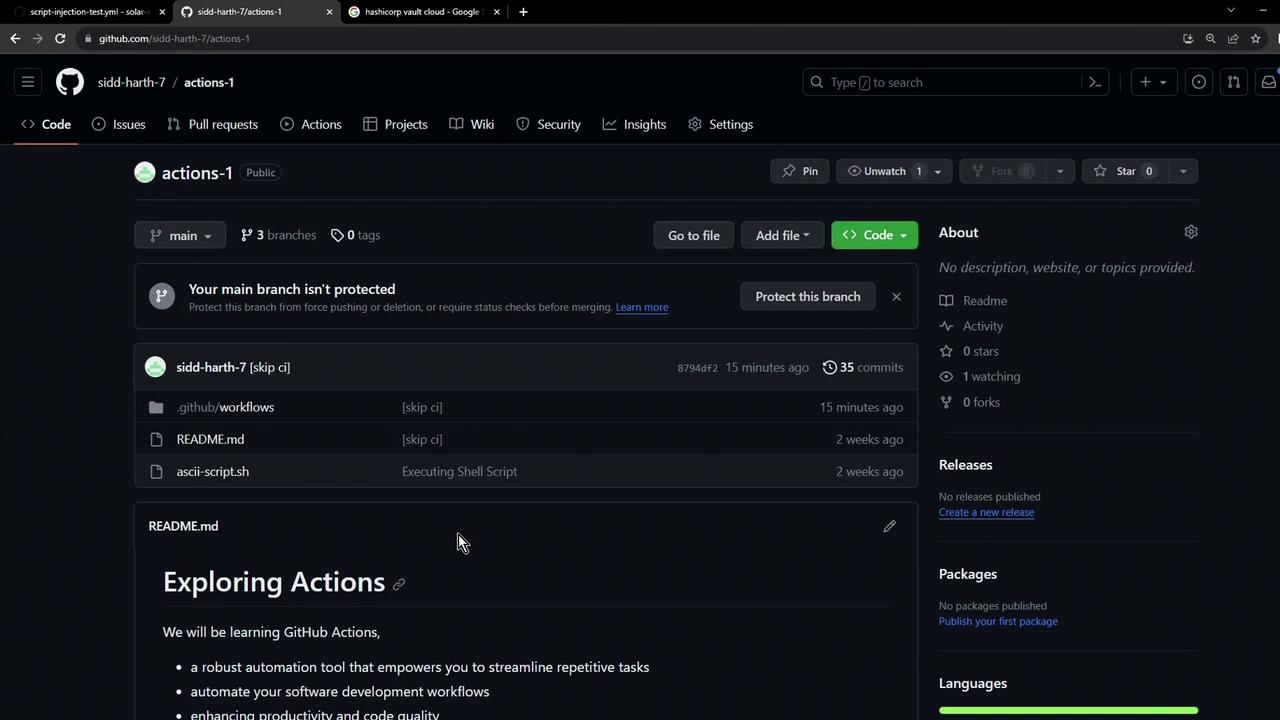
  ![The image shows a GitHub repository page with files and a README section titled "Exploring Actions." The repository has a main branch with no protection and includes files like .github/workflows, README.md, and ascii-script.sh.](https://kodekloud.com/kk-media/image/upload/v1752876756/notes-assets/images/GitHub-Actions-Securing-Secrets-using-HashiCorp-Vault/github-repo-exploring-actions-readme.jpg)
</Frame>

<Frame>
  ![The image shows the settings page of a GitHub repository, displaying options for general settings, default branch, and social preview. The interface is in dark mode with various configuration options visible on the left sidebar.](https://kodekloud.com/kk-media/image/upload/v1752876757/notes-assets/images/GitHub-Actions-Securing-Secrets-using-HashiCorp-Vault/github-repo-settings-dark-mode.jpg)
</Frame>

<Frame>
  ![The image shows a GitHub repository settings page for managing secrets and variables, with a focus on repository secrets, including a "DOCKER\_PASSWORD" entry.](https://kodekloud.com/kk-media/image/upload/v1752876758/notes-assets/images/GitHub-Actions-Securing-Secrets-using-HashiCorp-Vault/github-repo-settings-secrets-variables.jpg)
</Frame>

<Callout icon="lightbulb" color="#1CB2FE">
  Repository-level secrets are not versioned. Managing them individually across many repos can quickly become tedious and error-prone.
</Callout>

***

## 2. Setting Up a Simple Vault‐Demo Workflow

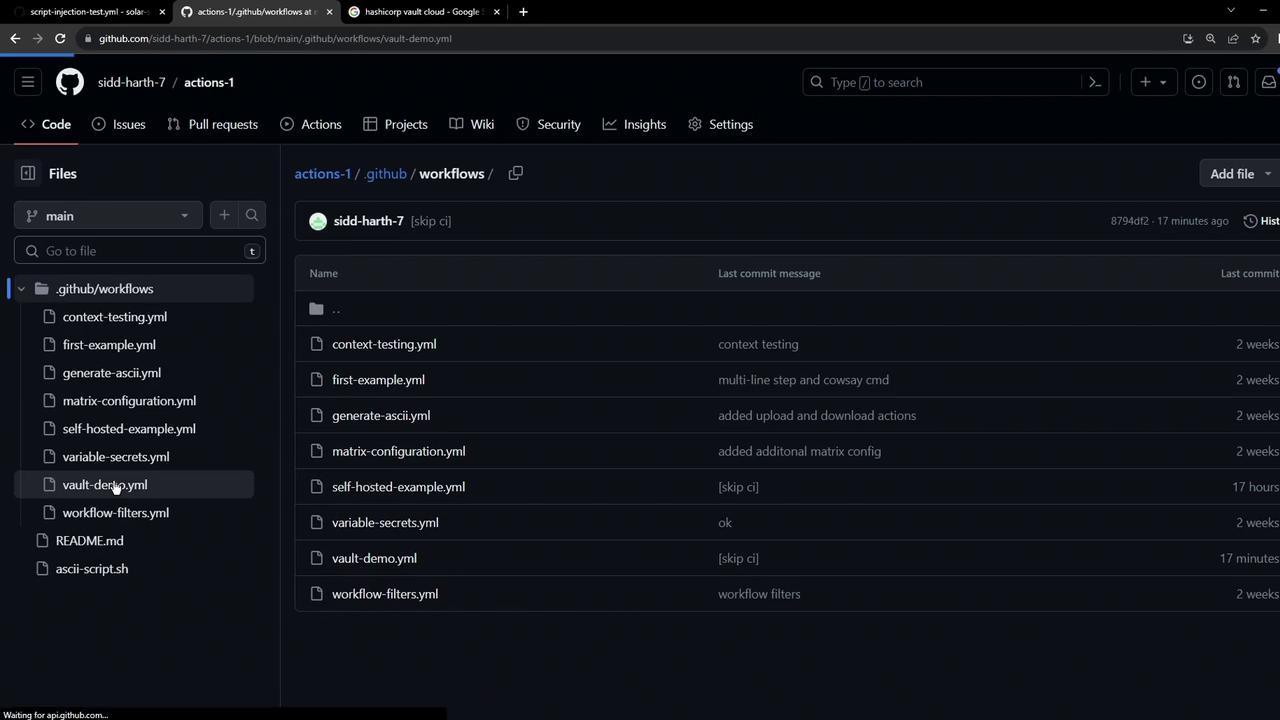
Create a workflow file at `.github/workflows/vault-demo.yml`:
<Frame>
  ![The image shows a GitHub repository interface with a list of YAML workflow files under the ".github/workflows" directory. The files have various commit messages and timestamps.](https://kodekloud.com/kk-media/image/upload/v1752876759/notes-assets/images/GitHub-Actions-Securing-Secrets-using-HashiCorp-Vault/github-repo-yaml-workflows-directory.jpg)
</Frame>

```yaml theme={null}
name: Vault Demo
on:
  workflow_dispatch:
jobs:
  echo-vault-secret:
    runs-on: ubuntu-latest
    steps:
      - name: Check for AWS_API_KEY
        run: |
          if [[ -z "${{ secrets.AWS_API_KEY }}" ]]; then
            echo "Secret Not Found" && exit 1
          else
            echo "Secret Found" && exit 0
          fi
```

Running this before adding the secret returns:

```bash theme={null}
Run if [[ -z "${{ secrets.AWS_API_KEY }}" ]]; then ...
Secret Not Found
Error: Process completed with exit code 1.
```

***

## 3. Storing a Secret in HashiCorp Vault

1. Sign in to the [HashiCorp Cloud Platform](https://cloud.hashicorp.com) and select **Vault**:

<Frame>
  ![The image shows a webpage from HashiCorp Vault, highlighting "Standardize secrets management" with options to sign up for free or request a demo.](https://kodekloud.com/kk-media/image/upload/v1752876759/notes-assets/images/GitHub-Actions-Securing-Secrets-using-HashiCorp-Vault/hashicorp-vault-secrets-management-webpage.jpg)
</Frame>

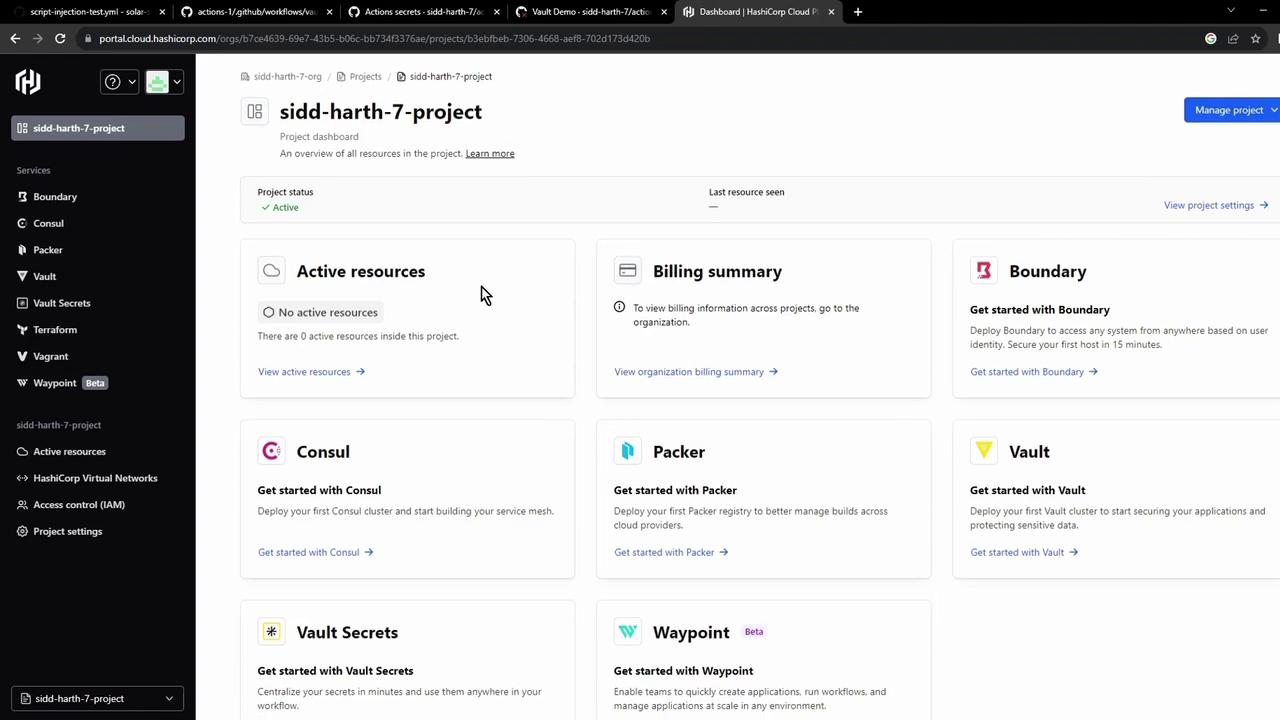
2. In the HCP dashboard, click **Vault Secrets** to open the managed secrets service:
<Frame>
  ![The image shows a project dashboard from HashiCorp Cloud Platform, displaying various services like Boundary, Consul, Packer, Vault, and others, along with sections for active resources and billing summary.](https://kodekloud.com/kk-media/image/upload/v1752876760/notes-assets/images/GitHub-Actions-Securing-Secrets-using-HashiCorp-Vault/hashicorp-cloud-platform-dashboard-services.jpg)
</Frame>

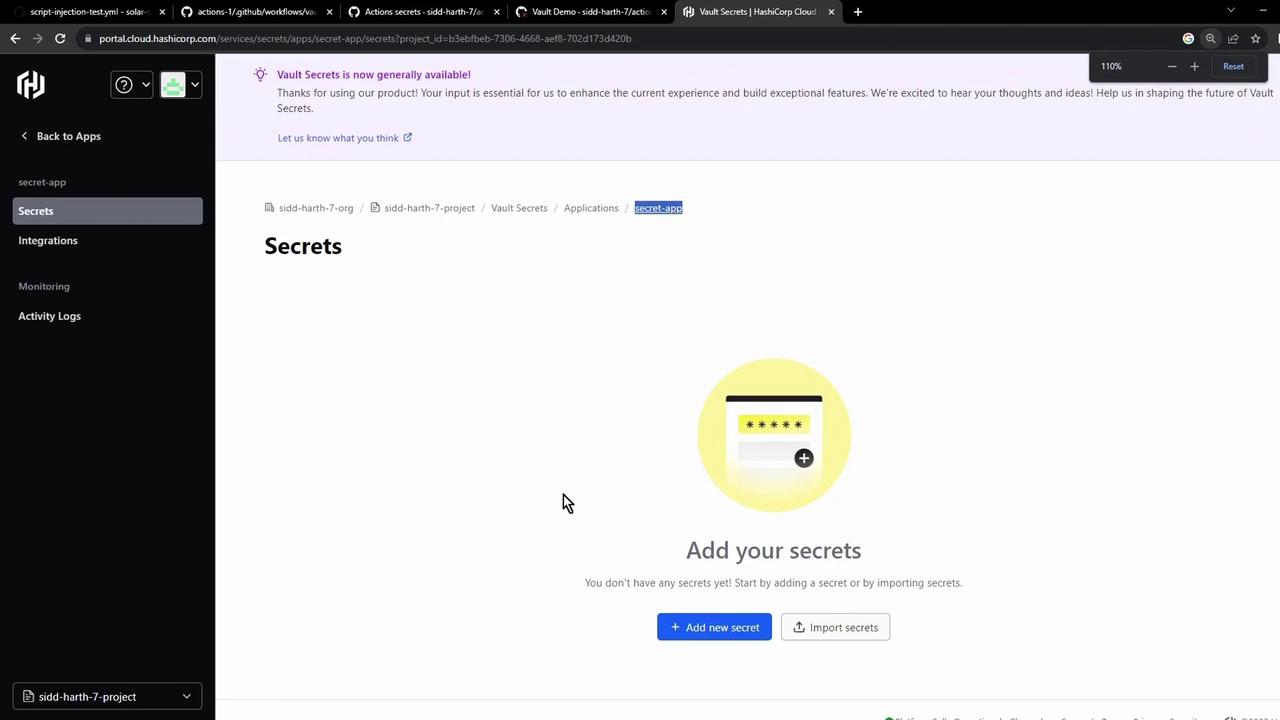
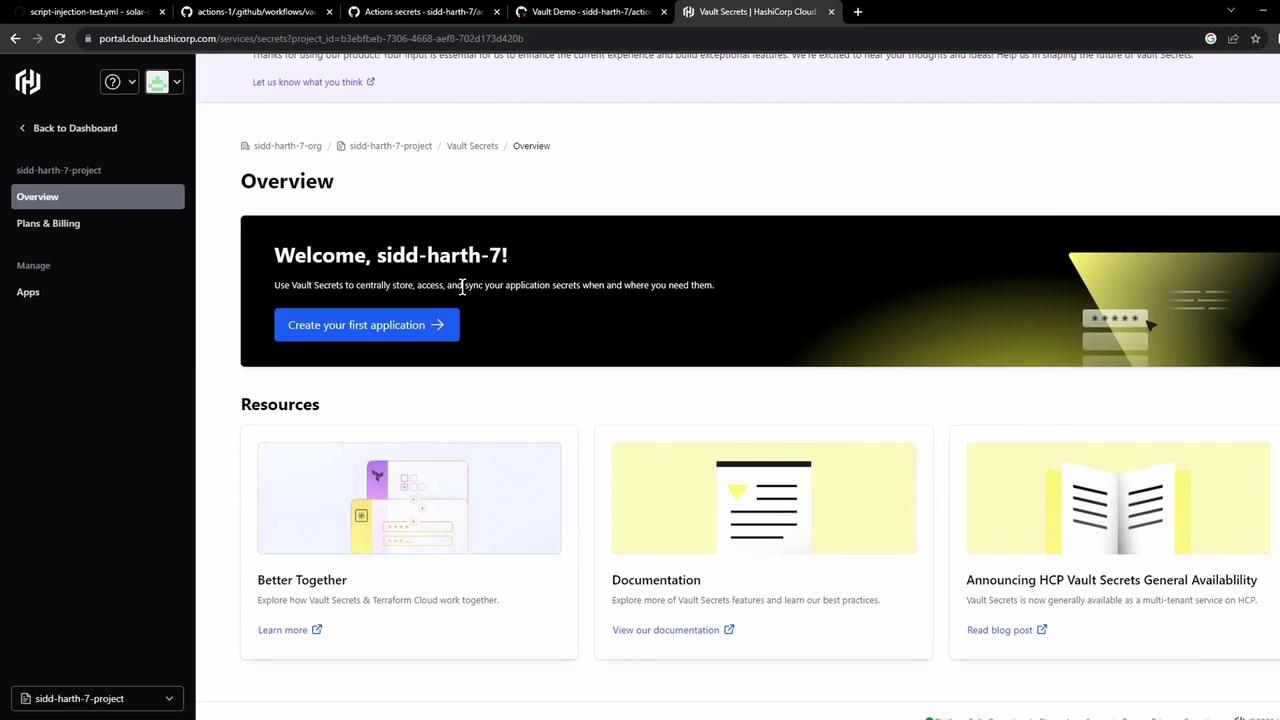
3. Create an application (e.g., **Secret App**), then add a key `AWS_API_KEY` with your value:
<Frame>
  ![The image shows a dashboard interface for HashiCorp Vault Secrets, welcoming a user and offering options to create an application and access resources like documentation and blog posts.](https://kodekloud.com/kk-media/image/upload/v1752876761/notes-assets/images/GitHub-Actions-Securing-Secrets-using-HashiCorp-Vault/hashicorp-vault-dashboard-interface.jpg)
</Frame>

<Frame>
  ![The image shows a web interface for managing secrets in HashiCorp Cloud, with options to add or import secrets. A notification at the top announces that Vault Secrets is now generally available.](https://kodekloud.com/kk-media/image/upload/v1752876762/notes-assets/images/GitHub-Actions-Securing-Secrets-using-HashiCorp-Vault/hashicorp-cloud-secrets-management-interface.jpg)
</Frame>

***

## 4. Integrating Vault Secrets with GitHub Actions

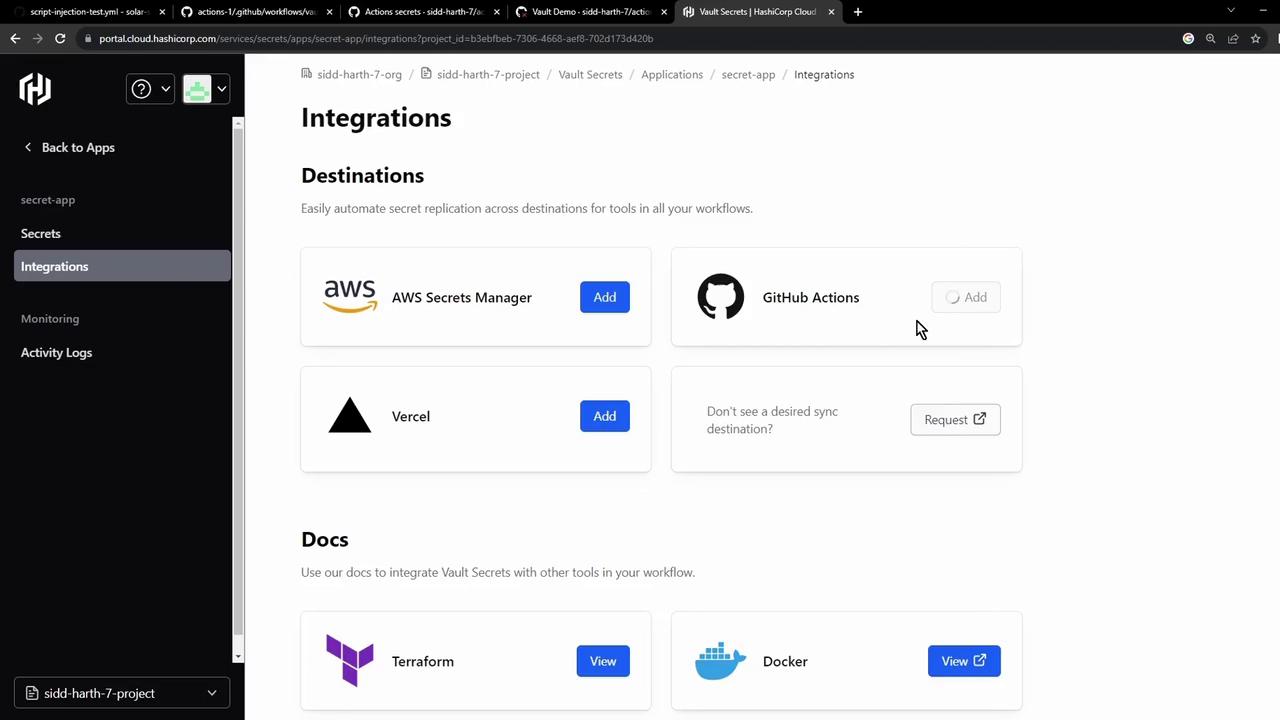
1. In the Vault UI, go to **Integrations → GitHub Actions**, then authorize the GitHub App on your organization or account:
<Frame>
  ![The image shows a web interface for integrating secret management tools, featuring options to add AWS Secrets Manager, GitHub Actions, and Vercel. It also includes documentation links for Terraform and Docker.](https://kodekloud.com/kk-media/image/upload/v1752876763/notes-assets/images/GitHub-Actions-Securing-Secrets-using-HashiCorp-Vault/secret-management-tools-web-interface.jpg)
</Frame>

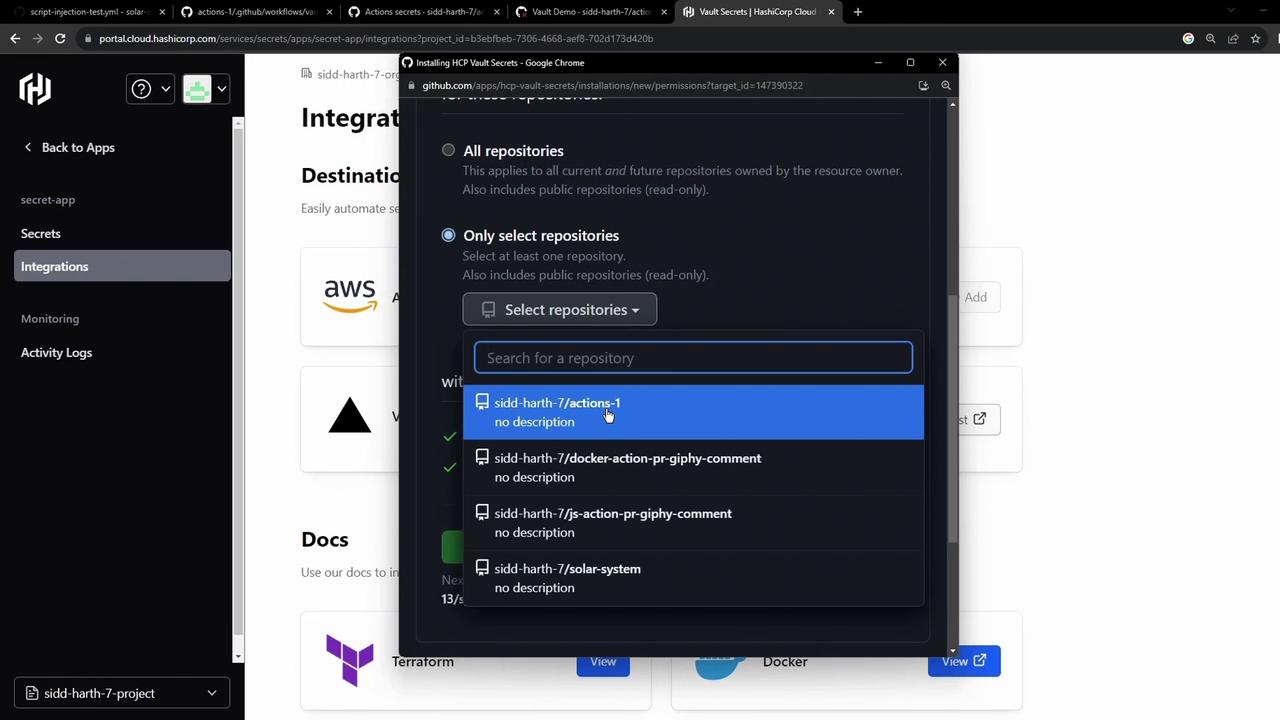
2. Select the repo(s) to sync and install:
<Frame>
  ![The image shows a GitHub interface for selecting repositories to integrate with HCP Vault Secrets, with a list of repositories displayed in a dropdown menu.](https://kodekloud.com/kk-media/image/upload/v1752876765/notes-assets/images/GitHub-Actions-Securing-Secrets-using-HashiCorp-Vault/github-repositories-hcp-vault-secrets.jpg)
</Frame>

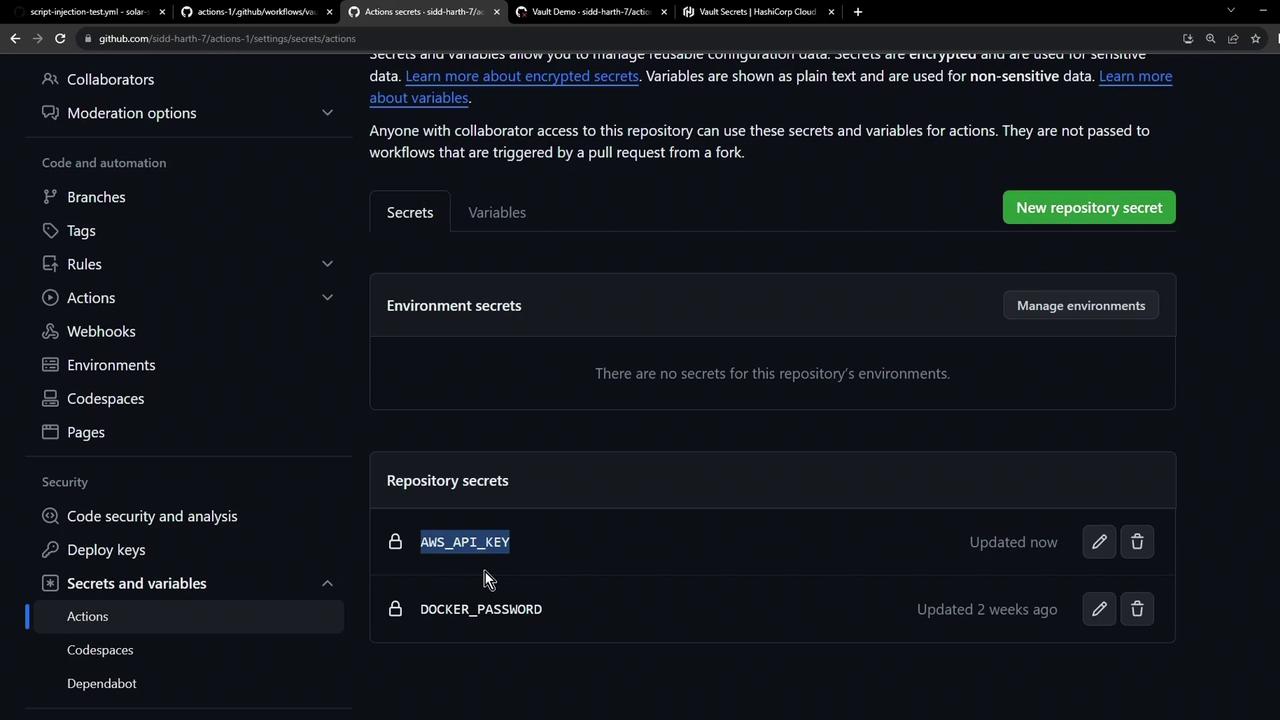
3. After installation, Vault Secrets pushes `AWS_API_KEY` to your repo. Refresh **Settings → Secrets and variables → Actions**:
<Frame>
  ![The image shows a GitHub repository settings page, specifically the "Secrets and variables" section, with two repository secrets listed: "AWS\_API\_KEY" and "DOCKER\_PASSWORD."](https://kodekloud.com/kk-media/image/upload/v1752876766/notes-assets/images/GitHub-Actions-Securing-Secrets-using-HashiCorp-Vault/github-repo-settings-secrets-variables-2.jpg)
</Frame>

***

## 5. Verifying the Pipeline

<Callout icon="lightbulb" color="#1CB2FE">
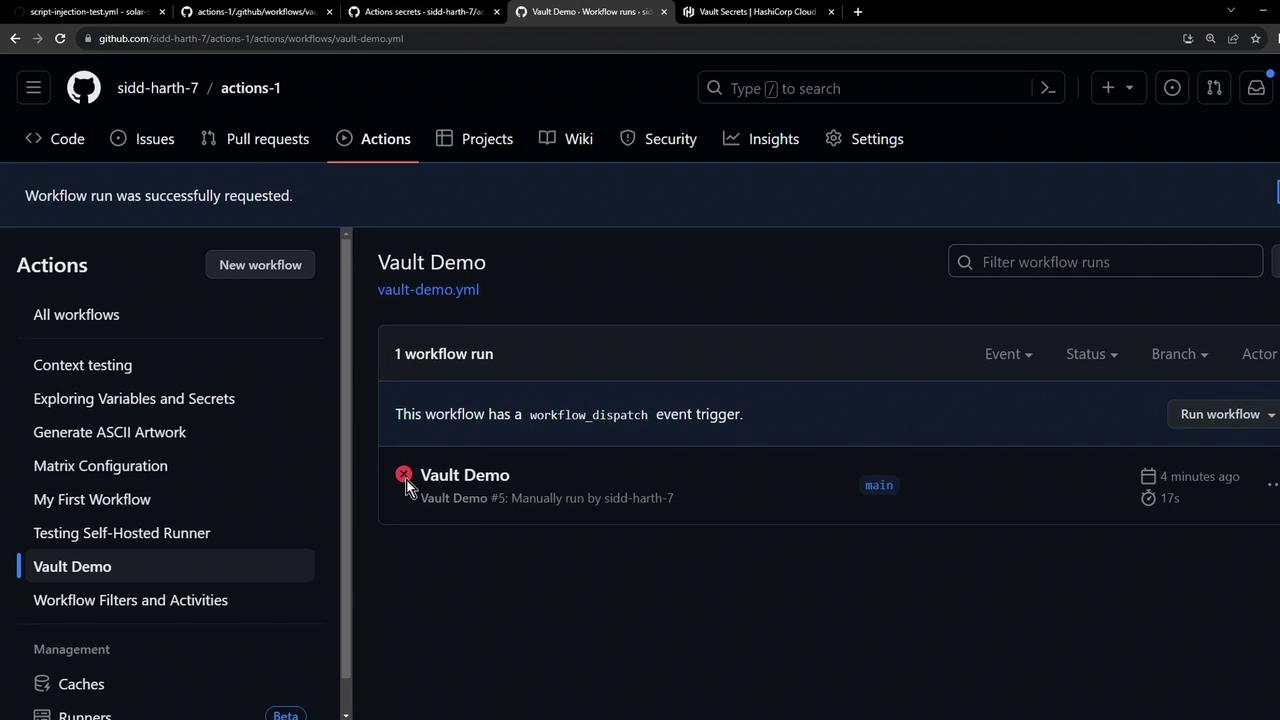
  If you ran the workflow before syncing, you might still see a failed status. Rerun to pick up the new secret.
</Callout>

<Frame>
  ![The image shows a GitHub Actions interface with a "Vault Demo" workflow that has been manually run, displaying a failed status.](https://kodekloud.com/kk-media/image/upload/v1752876767/notes-assets/images/GitHub-Actions-Securing-Secrets-using-HashiCorp-Vault/github-actions-vault-demo-failed.jpg)
</Frame>

Once synced, triggering **Vault Demo** again outputs:

```bash theme={null}
Run if [[ -z "***" ]]; then ...
Secret Found
```

***

## Further Reading & References

* [HashiCorp Vault Documentation](https://www.vaultproject.io/docs)
* [GitHub Actions Secrets](https://docs.github.com/actions/security-guides/encrypted-secrets)
* [HCP Vault Secrets Overview](https://cloud.hashicorp.com/products/vault/secrets-management)
* [Terraform Registry: vault Provider](https://registry.terraform.io/providers/hashicorp/vault/latest)

With this setup, your CI/CD pipelines gain centralized, versioned secret management—eliminating duplicated credentials and securing your workflows end‐to‐end.

<CardGroup>
  <Card title="Watch Video" icon="video" cta="Learn more" href="https://learn.kodekloud.com/user/courses/github-actions/module/48b4f34c-9ebb-4049-baa1-40490c46d2eb/lesson/9b0c9b12-b4e8-4f4e-932d-2f87dedf4c53" />
</CardGroup>