> ## Documentation Index
> Fetch the complete documentation index at: https://notes.kodekloud.com/llms.txt
> Use this file to discover all available pages before exploring further.
# Security hardening for GitHub Actions
> This guide covers best practices to secure GitHub Actions workflows, including encrypting secrets, using OIDC, sanitizing inputs, and vetting third-party actions.
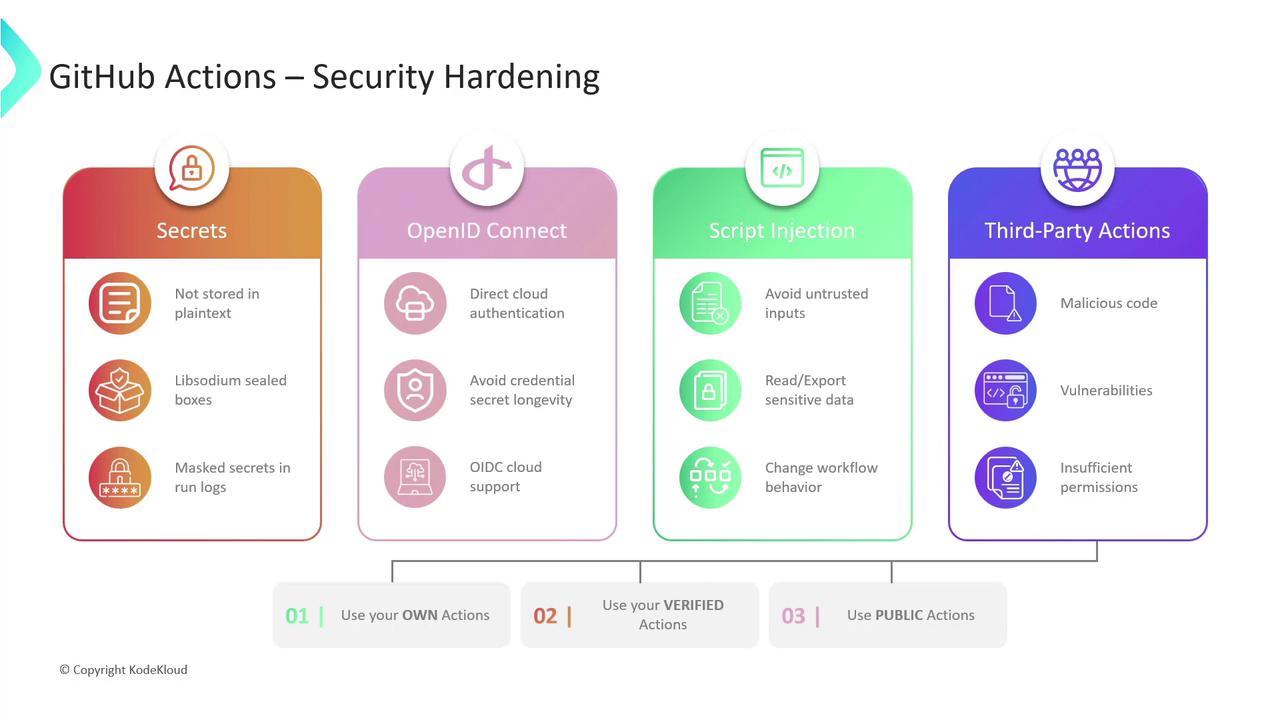
In this guide, we’ll cover essential best practices to secure your [GitHub Actions workflows]. By implementing these measures—encrypting secrets, leveraging OIDC, sanitizing inputs, and vetting third-party actions—you’ll greatly reduce your CI/CD attack surface.
## 1. Secure Storage of Sensitive Information
Never commit credentials or tokens in plaintext. Instead, store them in [GitHub Secrets], which are encrypted at rest and in transit using [Libsodium sealed boxes]. Secrets can be defined at the organization, repository, or environment level. GitHub also masks secret values in workflow logs to prevent accidental exposure.
Avoid embedding any sensitive data directly in your YAML. Always reference secrets using `${{ secrets.YOUR_SECRET_NAME }}`.
## 2. OpenID Connect (OIDC)
Rather than managing long-lived cloud credentials, configure your workflows to request short-lived tokens via [OpenID Connect (OIDC)]. When you trust GitHub’s OIDC issuer in AWS, Azure, or GCP, your jobs can assume roles or service accounts on the fly—without secrets.
Before enabling OIDC, update your cloud trust policies to accept tokens from `token.actions.githubusercontent.com`.
## 3. Mitigating Script Injection Attacks
Workflows often process inputs from environment variables, third-party services, or user parameters. Malicious actors can exploit improper handling to inject commands or scripts.
* Sanitize and validate all external inputs.
* Avoid building shell commands via string concatenation.
* Use strongly typed inputs in custom actions (e.g., `boolean`, `integer`).
* Run untrusted code inside containerized steps to provide isolation.
Never pass unescaped variables directly into `run:` blocks. Use parameterized inputs instead.
## 4. Evaluating Third-Party Actions
While reusable actions streamline your workflows, they can introduce risks:
* **Malicious logic**: Hidden backdoors or exfiltration code
* **Undisclosed vulnerabilities**: Bugs exploitable after installation
* **Excessive permissions**: Actions requesting more scopes than necessary
| Action Source | Risk | Mitigation |
| --------------------------- | --------------------------------------- | ----------------------------------------------------------- |
| Community (unverified) | Malicious code, unknown vulnerabilities | Review source, pin to commit SHA, grant minimal scopes |
| GitHub-verified Marketplace | Lower review risk | Confirm blue check, pin versions, audit permissions |
| Custom internal actions | Full control | Maintain code, update dependencies, enforce least privilege |
### Best Practices
1. Author and maintain your own actions when possible.
2. Combine internal actions with **verified** Marketplace actions.
3. Pin action versions to a specific tag or commit SHA to prevent unexpected changes.
***
## Links and References
* [GitHub Actions workflows]: https://docs.github.com/actions/using-workflows
* [GitHub Secrets]: https://docs.github.com/actions/security-guides/encrypted-secrets
* [Libsodium sealed boxes]: https://libsodium.gitbook.io/doc/public-key_cryptography/sealed_boxes
* [OpenID Connect (OIDC)]: https://openid.net/connect/