> ## Documentation Index
> Fetch the complete documentation index at: https://notes.kodekloud.com/llms.txt
> Use this file to discover all available pages before exploring further.
# Course Introduction
> This course teaches AI-driven pair programming with GitHub Copilot, covering automation, integration, and best practices for developers.
Welcome to the **GitHub Copilot Certification Course**—your guide to mastering AI-driven pair programming and becoming a certified Copilot expert. In this course, you’ll learn how to automate repetitive tasks, accelerate code scaffolding, and integrate AI seamlessly into your development workflow.
## Why GitHub Copilot?
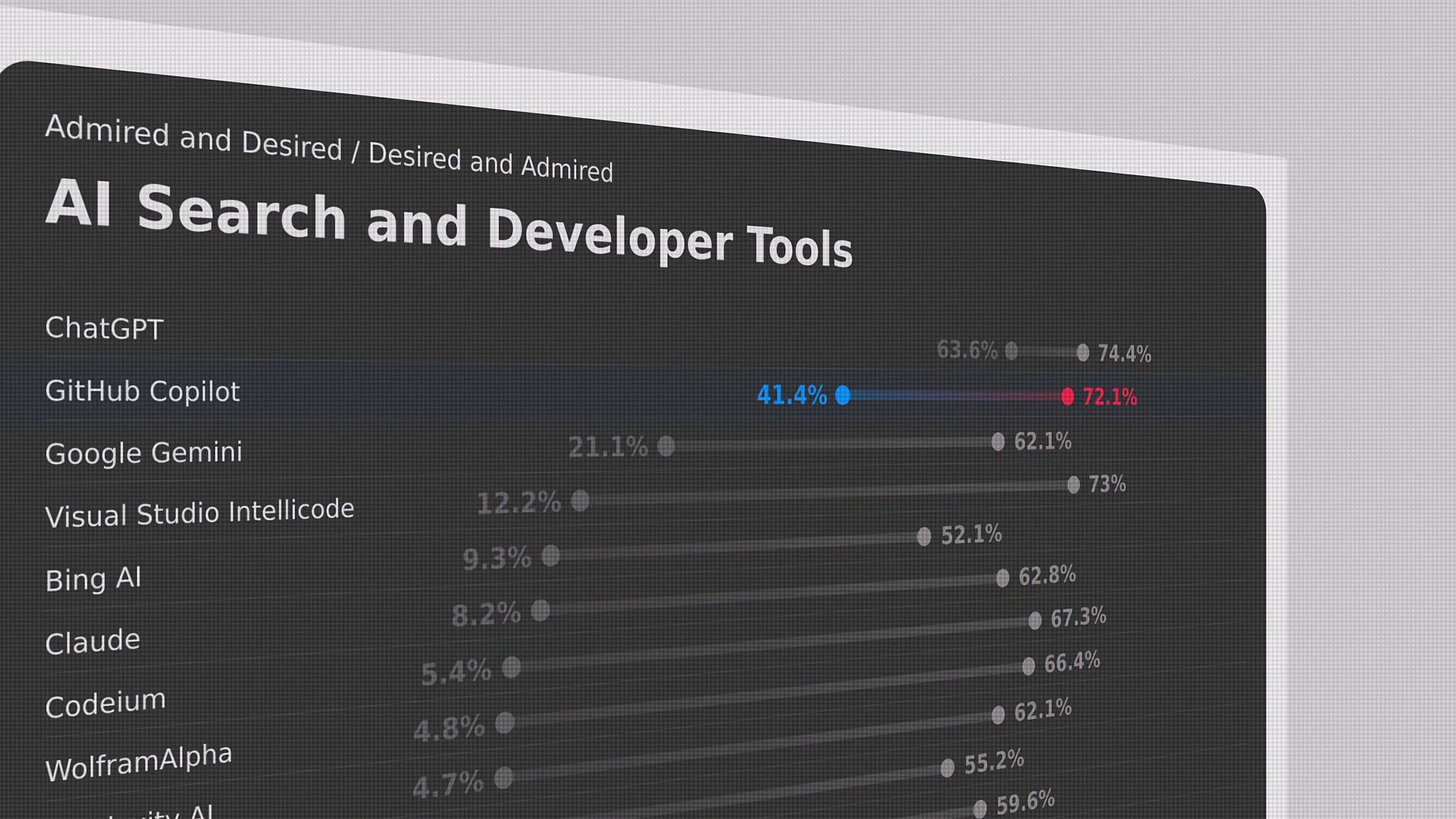
According to the [Stack Overflow Developer Survey](https://insights.stackoverflow.com/survey), GitHub Copilot is the second most used AI developer tool worldwide, just behind ChatGPT. Its growing adoption demonstrates how AI-assisted coding can boost productivity and reduce boilerplate work.
## About Your Instructor
I’m **Jeremy Morgan**, and I’ll guide you through:
* AI pair programming fundamentals
* Responsible AI principles
* Copilot setup, configuration, and best practices
* Advanced prompting and context manipulation
* Command-line integrations, subscriptions, and privacy
* Hands-on project development, testing, and documentation
## Course Outline
| Module | Topic | Key Takeaways |
| ------ | ------------------------------------- | ----------------------------- |
| 1 | AI Pair Programming | Copilot basics & IDE setup |
| 2 | Responsible AI | Microsoft’s six principles |
| 3 | Prompt Engineering | Zero-shot, one-shot, few-shot |
| 4 | Slash Commands & Copilot Agents | Automating workflows |
| 5 | Context & CLI Integration | Advanced command usage |
| 6 | Privacy, Security & Subscriptions | Data exclusion & contracts |
| 7 | Troubleshooting & Best Practices | Debugging AI suggestions |
| 8 | Hands-On Project & Certification Prep | Build APIs, test, document |
Ensure you have the latest versions of Node.js, Python, .NET SDK, and a GitHub account with Copilot access before you begin.
***
## Community & Support
Join the **KodeKloud** community to ask questions, share best practices, and network with fellow learners. Our vibrant ecosystem ensures you have the support you need every step of the way.
***
## References
* [GitHub Copilot Documentation](https://docs.github.com/en/copilot)