> ## Documentation Index
> Fetch the complete documentation index at: https://notes.kodekloud.com/llms.txt
> Use this file to discover all available pages before exploring further.
# Building out our tool Creating the API
> This tutorial covers importing fake data into SQLite and creating a RESTful API using FastAPI.
In this tutorial, we’ll import fake data from a CSV into SQLite and then wrap it in a RESTful API using FastAPI—with help from GitHub Copilot. By the end, you'll have a working API that generates and persists fake data.
## Importing Fake Data into SQLite
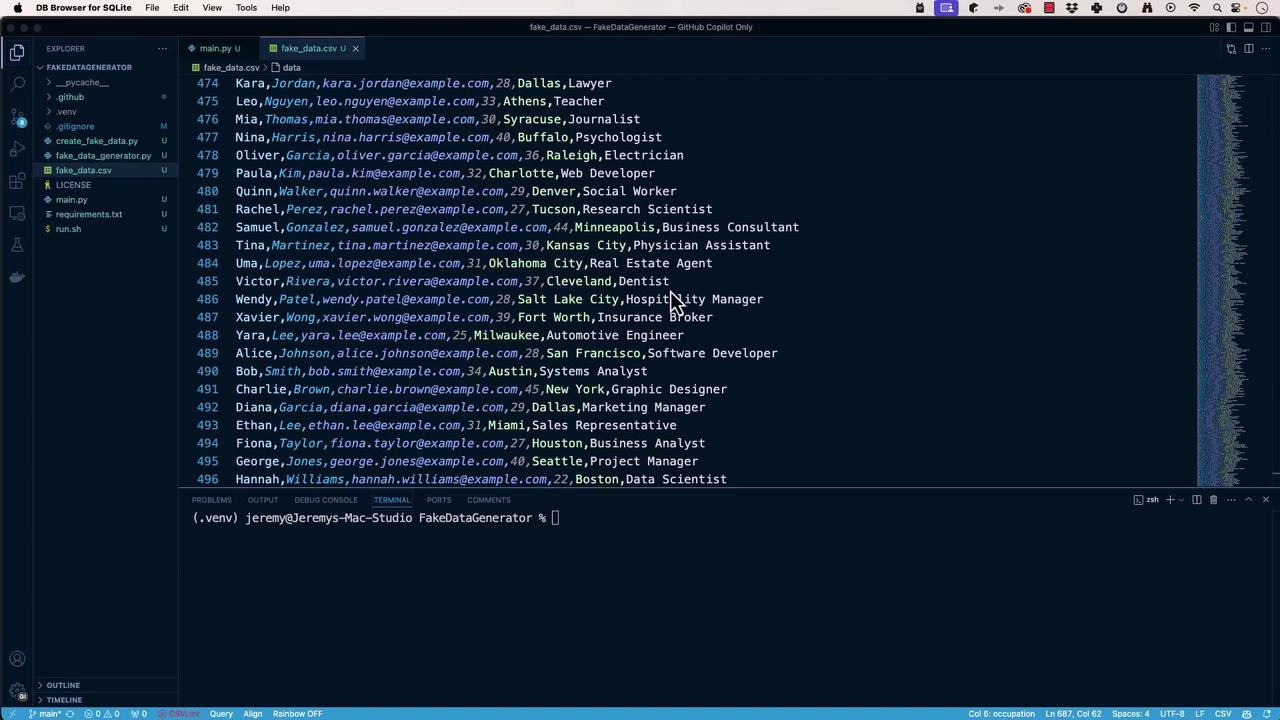
First, open **DB Browser for SQLite** and create a database called `fake_data_generator.db`. Then import `fake-data.csv` into a table named `fake_data`:
1. In DB Browser, choose **File > Import > Table from CSV file**.
2. Select `fake-data.csv`.
3. Set the table name to `fake_data`, enable **Column names in the first line**, and click **OK**.
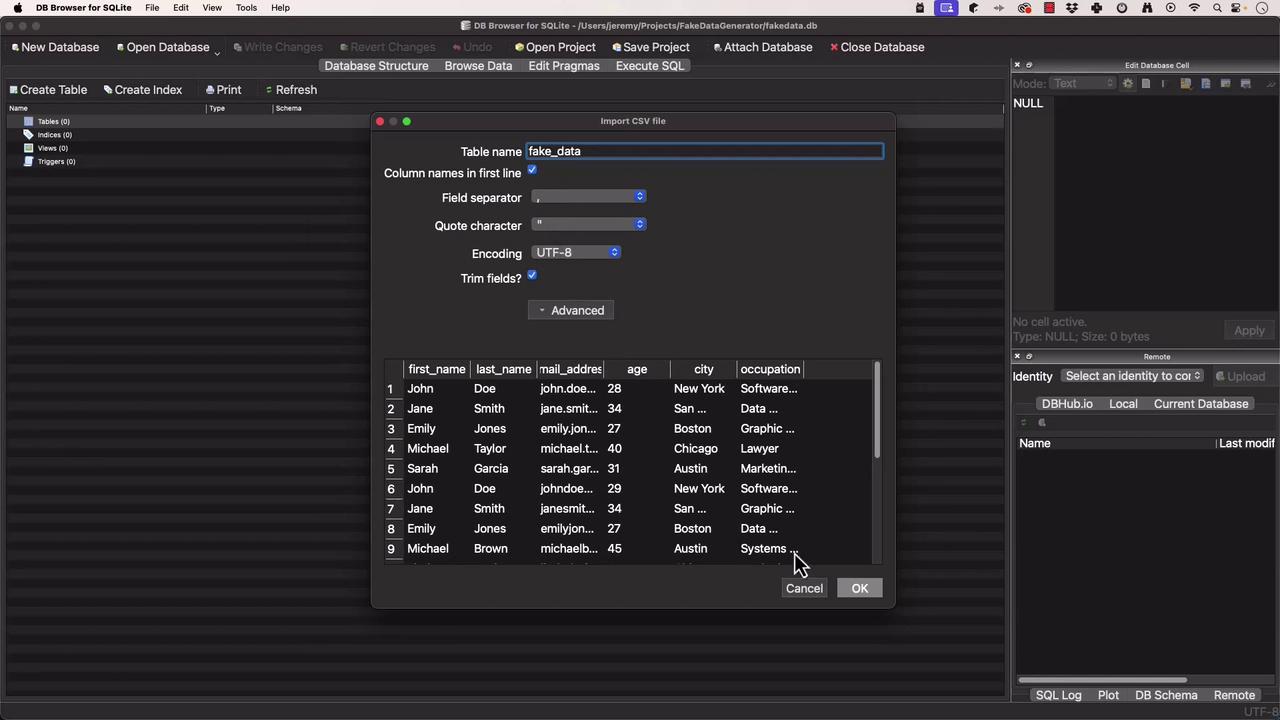
Ensure your CSV headers match the column names you want in SQLite. This makes querying and persistence more straightforward.
Once imported, confirm that `fake_data` is populated and ready for queries.
## Scaffolding the Python Project
Open your project root in **VS Code**:
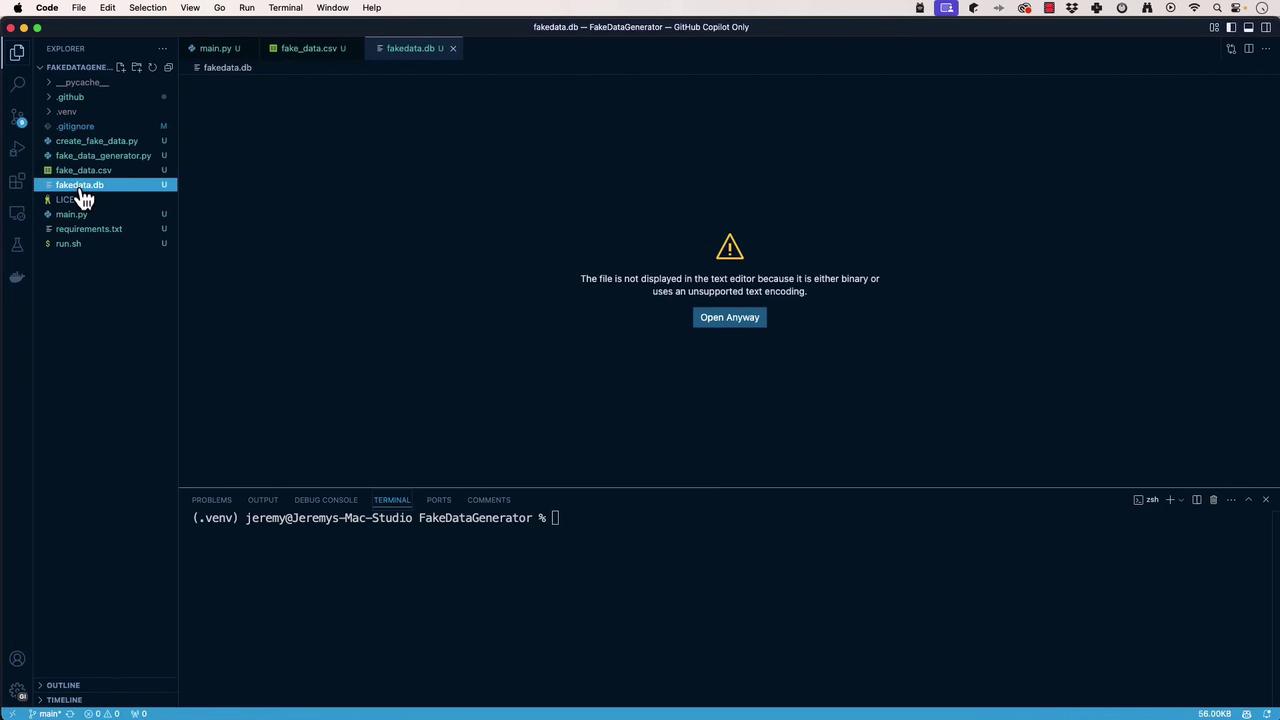
Create `main.py` to invoke the CLI generator:
```python theme={null}
# main.py
import sys
from fake_data_generator import FakeDataGenerator
def main():
"""
Entry point for the FakeDataGenerator CLI.
"""
generator = FakeDataGenerator()
generator.run()
if __name__ == "__main__":
main()
```
Open **GitHub Copilot Chat** in VS Code and ask:
```text theme={null}
I would like to create a web API in Python with my existing file.
```
If it suggests the wrong stack (e.g., TypeScript), use the context menu to clear or restart:
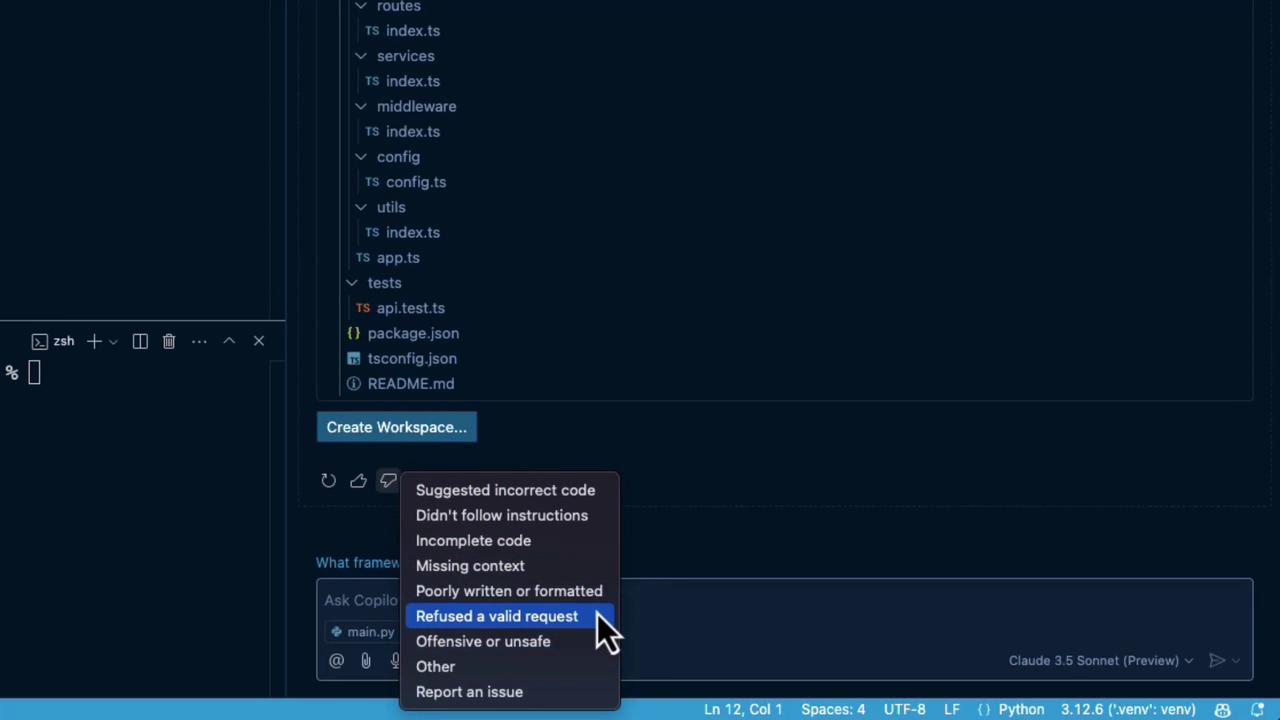
Refine prompts carefully. Copilot can veer off into other languages or frameworks if not guided.
## Choosing the Right Framework
Let Copilot compare FastAPI, Flask, and Django REST Framework:
```text theme={null}
Which is the best Python framework for building a web API? List the pros and cons.
```
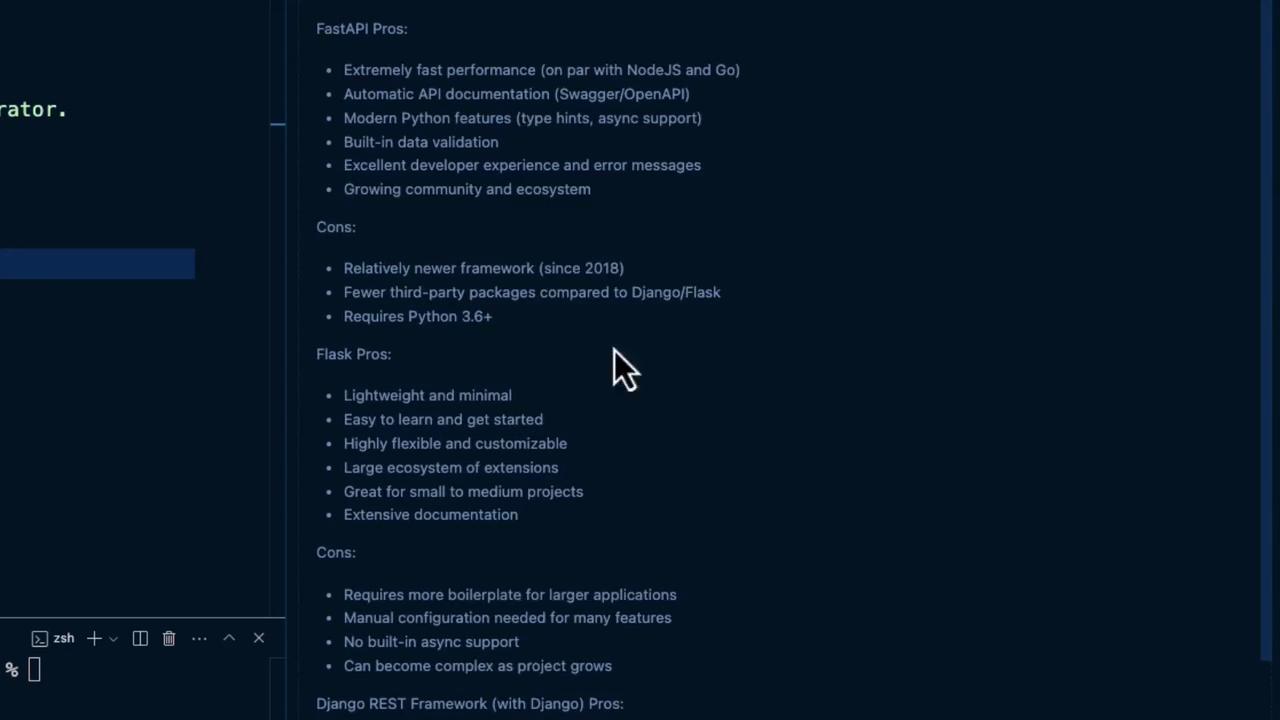
Here’s a quick comparison:
| Framework | Pros | Cons |
| --------------------- | ---------------------------------------- | ----------------------------------- |
| FastAPI | High performance, auto-docs, async-ready | Learning curve for async patterns |
| Flask | Lightweight, simple | Manual docs, slower for heavy loads |
| Django REST Framework | Batteries-included, admin UI | Heavier footprint, more boilerplate |
We’ll proceed with **FastAPI** for its speed and automatic documentation.
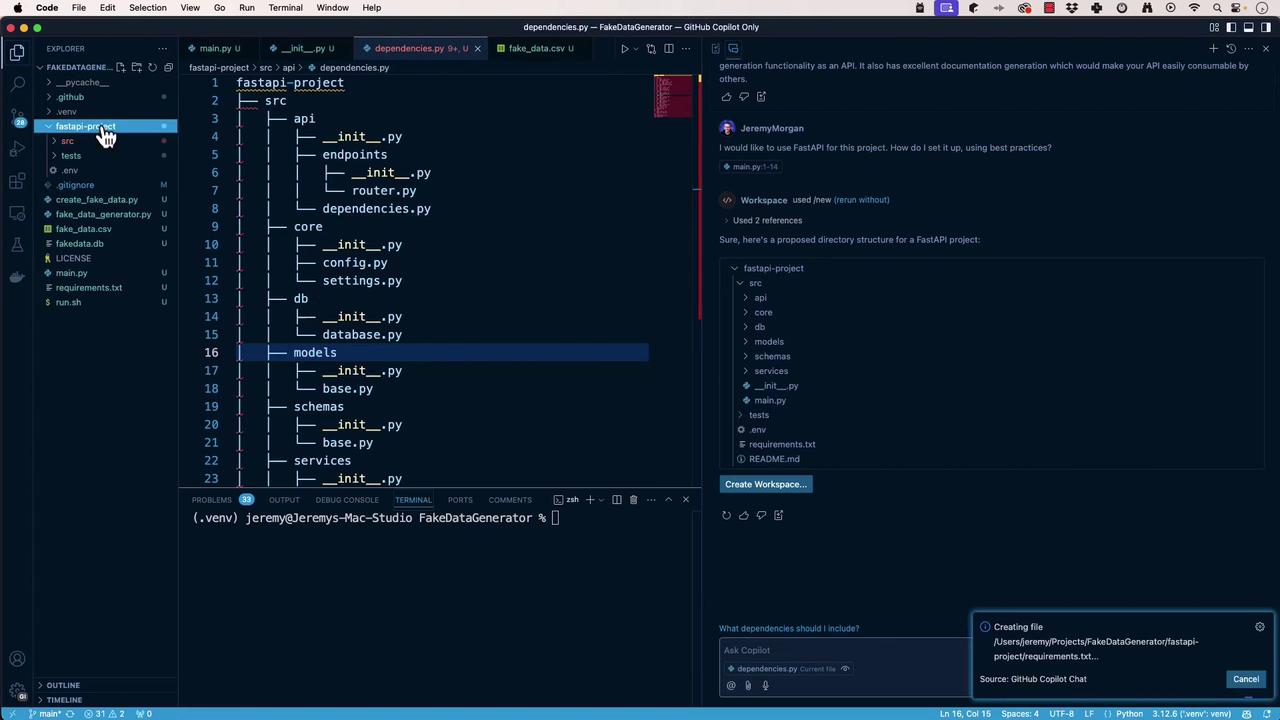
## Generating the FastAPI Project Structure
Ask Copilot:
```text theme={null}
Create a FastAPI project with best practices.
```
It may suggest:
```text theme={null}
fastapi-project
└── src
├── api
│ └── endpoints
├── core
├── db
└── models
```
Open the workspace, rename it to **FakeDataGeneratorAPI**, then:
1. Move `src` contents to the project root.
2. Remove unused files (`.env`, `README.md`, etc.).
3. Add a `tests` folder at the root.
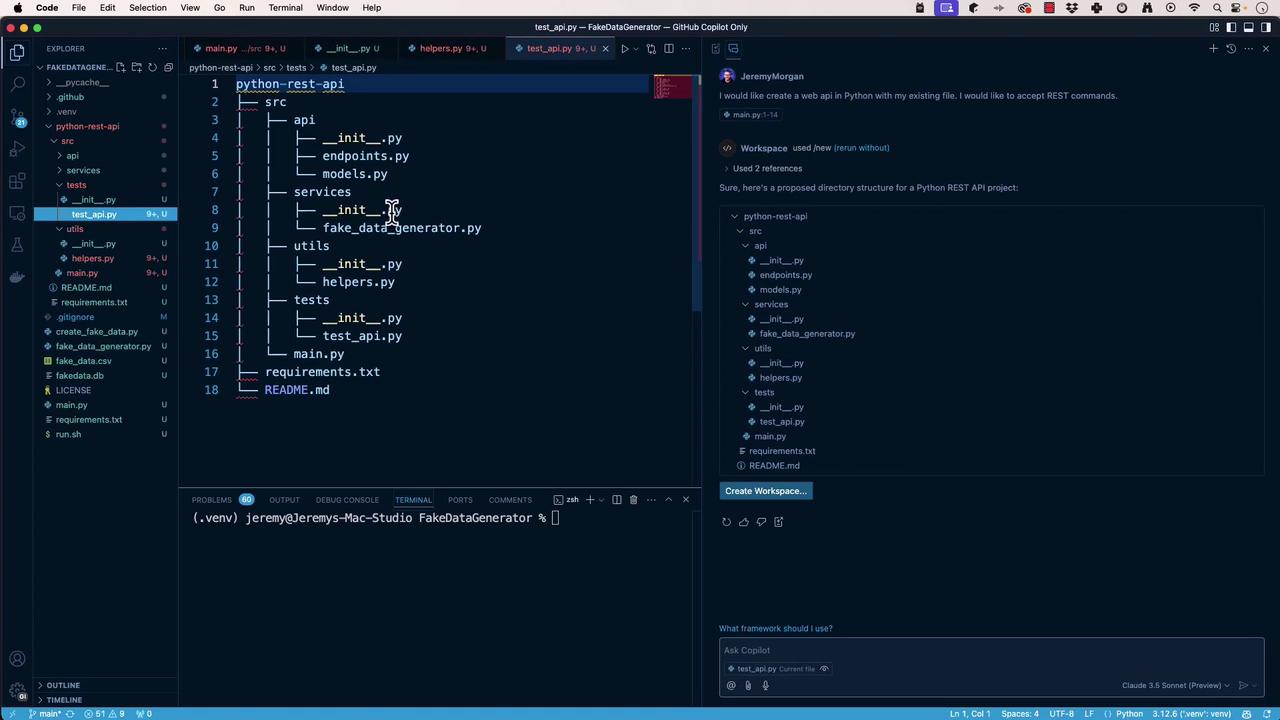
Final layout:
```text theme={null}
FakeDataGeneratorAPI
├── api
│ └── endpoints
├── core
├── db
├── models
├── main.py
└── tests
```
Use Copilot iteratively until you’re happy:
## Implementing the FastAPI Application
Install dependencies:
```bash theme={null}
pip install fastapi uvicorn
```
Create `main.py` at the root:
```python theme={null}
# main.py
from fastapi import FastAPI
from api.endpoints.router import router
app = FastAPI(title="FakeDataGeneratorAPI")
app.include_router(router, prefix="/api")
@app.get("/")
async def read_root():
return {"message": "Welcome to FakeDataGeneratorAPI"}
if __name__ == "__main__":
import uvicorn
uvicorn.run(app, host="0.0.0.0", port=8000)
```
Run and verify:
```bash theme={null}
python main.py
# Visit http://localhost:8000
```
## Defining the Database Dependency
In `db/database.py`, configure SQLAlchemy for SQLite:
```python theme={null}
# db/database.py
from sqlalchemy import create_engine
from sqlalchemy.ext.declarative import declarative_base
from sqlalchemy.orm import sessionmaker
DATABASE_URL = "sqlite:///./fake_data_generator.db"
engine = create_engine(DATABASE_URL, connect_args={"check_same_thread": False})
SessionLocal = sessionmaker(autocommit=False, autoflush=False, bind=engine)
Base = declarative_base()
def get_db():
"""
Yields a database session and ensures it closes after use.
"""
db = SessionLocal()
try:
yield db
finally:
db.close()
```
## Creating the Pydantic Request Model
Define `models/fake_data_request.py`:
```python theme={null}
# models/fake_data_request.py
from pydantic import BaseModel
from typing import Optional
class FakeDataRequest(BaseModel):
"""
Schema for fake data generation requests.
"""
data_type: str # e.g., 'name', 'email'
count: int # number of records to generate
locale: Optional[str] = "en_US"
```
## Implementing the Fake Data Endpoint
Install Faker:
```bash theme={null}
pip install faker
```
Add `/getfakedata` in `api/endpoints/router.py`:
```python theme={null}
# api/endpoints/router.py
from fastapi import APIRouter, HTTPException, Depends
from faker import Faker
from sqlalchemy.orm import Session
from models.fake_data_request import FakeDataRequest
from db.database import get_db
router = APIRouter()
@router.post("/getfakedata")
async def generate_fake_data(
request: FakeDataRequest,
db: Session = Depends(get_db)
) -> dict:
"""
Generate and return fake data based on request parameters.
"""
fake = Faker(request.locale)
if not hasattr(fake, request.data_type):
raise HTTPException(
status_code=400,
detail=f"Invalid data_type: {request.data_type}"
)
data = [getattr(fake, request.data_type)() for _ in range(request.count)]
# TODO: Persist `data` to the database using `db`
return {"data": data}
```
## Testing the POST Endpoint
Send this request:
```http theme={null}
POST http://localhost:8000/api/getfakedata
Content-Type: application/json
{
"data_type": "name",
"count": 3
}
```
Expected response:
```json theme={null}
{
"data": [
"John Doe",
"Jane Smith",
"Michael Johnson"
]
}
```
## Next Steps
* Persist generated records into SQLite.
* Add OpenAPI metadata and detailed endpoint docs.
* Write tests in `tests/` to validate both database and API layers.
## Links and References
* [FastAPI Documentation](https://fastapi.tiangolo.com/)
* [SQLAlchemy ORM Tutorial](https://docs.sqlalchemy.org/en/14/orm/tutorial.html)
* [Pydantic Docs](https://pydantic-docs.helpmanual.io/)
* [Faker Library](https://faker.readthedocs.io/)