> ## Documentation Index
> Fetch the complete documentation index at: https://notes.kodekloud.com/llms.txt
> Use this file to discover all available pages before exploring further.
# Demo Basic Code Completion
> A tutorial demonstrating GitHub Copilot usage for Python code completion, docstring-driven implementations, common idioms, error handling, and Copilot Chat debugging.
In this lesson we'll explore basic code completion with GitHub Copilot inside an editor and Copilot Chat. Using a small Python project, you'll see how Copilot suggests completions, responds to docstrings and type hints, and helps diagnose and fix common runtime errors.
This tutorial covers practical Copilot usage patterns for Python: completing boilerplate, implementing functions from docstrings, generating list comprehensions, handling file errors, and using Copilot Chat to debug exceptions. Follow along by creating a simple `main.py`.
Relevant links:
* [GitHub Copilot](https://docs.github.com/en/copilot)
* [Copilot Chat](https://docs.github.com/en/copilot/copilot-chat)
* [requests documentation](https://docs.python-requests.org/en/latest/)
## 1) Create a Python file
Create a new file for this demo:
```bash theme={null}
jeremy@Jeremys-Mac-Studio fakedatagenerator % touch main.py
jeremy@Jeremys-Mac-Studio fakedatagenerator %
```
This minimal step prepares the editor for Copilot to begin suggesting completions.
## 2) Hello World
Start with a simple `main` entry point. Copilot often recognizes this pattern and suggests the complete implementation immediately:
```python theme={null}
def main():
print("Hello, World!")
if __name__ == "__main__":
main()
```
Run it to confirm everything works:
```bash theme={null}
jeremy@Jeremys-Mac-Studio fakedatagenerator % python3 main.py
Hello, World!
jeremy@Jeremys-Mac-Studio fakedatagenerator %
```
Tip: For trivial patterns like this, accept the suggestion or regenerate if you want stylistic variations.
## 3) Generate a factorial function from a docstring
Copilot leverages function names, type hints, and docstrings to infer implementations. For example, provide a brief signature and docstring:
```python theme={null}
def factorial(n: int) -> int:
"""Returns the factorial of a given number."""
```
Copilot commonly completes it as a recursive solution:
```python theme={null}
def factorial(n: int) -> int:
"""Returns the factorial of a given number."""
if n == 0:
return 1
return n * factorial(n - 1)
```
If you prefer an iterative approach, Copilot may instead generate a loop-based implementation depending on surrounding code and your editing history.
## 4) Extract usernames from a list of dictionaries
Copilot recognizes common Python idioms such as list comprehensions. When you start typing, it often suggests the full comprehension:
```python theme={null}
users = [
{"name": "Michael", "id": 1},
{"name": "Sanjeev", "id": 2},
{"name": "Jeremy", "id": 3},
]
usernames = [user["name"] for user in users]
# print each username
for username in usernames:
print(username)
```
Run it to verify output:
```bash theme={null}
jeremy@Jeremys-Mac-Studio fakedatagenerator % python3 main.py
Michael
Sanjeev
Jeremy
jeremy@Jeremys-Mac-Studio fakedatagenerator %
```
Copilot speeds up repetitive patterns by completing common idioms like this.
## 5) Gracefully handle missing files with try/except
When interacting with files, Copilot often suggests handling `FileNotFoundError` explicitly. Example:
```python theme={null}
try:
with open("data.txt", "r") as f:
data = f.read()
except FileNotFoundError:
data = "No data available"
print(data)
```
If you prefer broader error coverage, Copilot can also suggest a general exception handler:
```python theme={null}
try:
with open("data.txt", "r") as f:
data = f.read()
except Exception as e:
print(e)
data = "default data"
print(data)
```
Recommendation: choose the more specific exception when you know which errors to expect; use general handlers only when necessary.
## 6) Using requests and fixing an AttributeError
If you import `requests` but forget to install it, your editor may offer a quick fix to install the package. Example pip installation:
```bash theme={null}
(venv) jeremy@Jeremys-Mac-Studio fakedatagenerator % pip install requests
Collecting requests
Downloading requests-2.32.3-py3-none-any.whl (64 kB)
Installing collected packages: requests
Successfully installed requests-2.32.3
(venv) jeremy@Jeremys-Mac-Studio fakedatagenerator %
```
A common mistake is calling a non-existent method (e.g., `requests.test`), which raises an AttributeError:
```python theme={null}
import requests
response = requests.test("https://api.github.com") # incorrect
print(response.status_code)
```
Traceback example:
```bash theme={null}
(venv) jeremy@Jeremys-Mac-Studio fakedatagenerator % python3 main.py
Traceback (most recent call last):
File "/Users/jeremy/Projects/fakedatagenerator/main.py", line 3, in
response = requests.test("https://api.github.com")
^^^^^^^^^^^
AttributeError: module 'requests' has no attribute 'test'
(venv) jeremy@Jeremys-Mac-Studio fakedatagenerator %
```
Copilot typically suggests replacing the incorrect call with `requests.get` and adding a safe network exception handler:
```python theme={null}
import requests
try:
response = requests.get("https://api.github.com")
print(response.status_code)
except requests.exceptions.RequestException as e:
print(f"An error occurred: {e}")
```
This both corrects the method and adds robust handling for network-related errors.
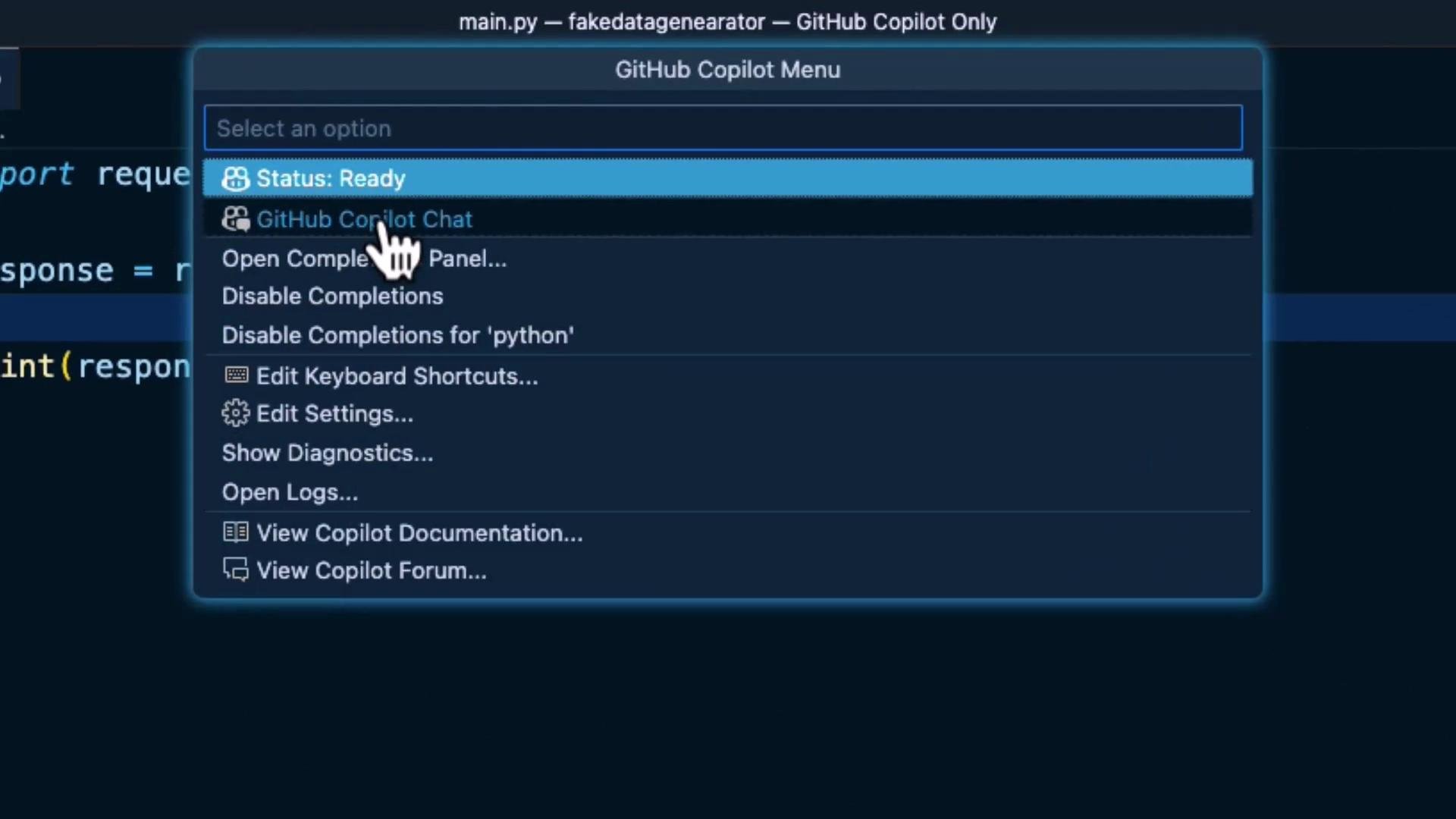 ## 7) Using Copilot Chat to diagnose issues
Open Copilot Chat, paste the error message and the relevant code, and Copilot Chat will usually return a diagnosis and suggested edits. When applying suggestions, you typically have three options:
* Apply in Editor — Copilot modifies the file directly.
* Insert at Cursor — Copilot inserts the suggestion at the current cursor location.
* Copy — copy the suggestion and paste it manually.
Be cautious when using "Apply in Editor" — in some cases Copilot may change more than you expect. Review diffs before accepting changes.
For the `requests.test` error above, Copilot Chat commonly suggests switching to `requests.get` and wrapping the call in a `try/except` for `requests.exceptions.RequestException`, as shown earlier.
## Reference table: patterns and Copilot behavior
| Pattern | What Copilot suggests | Example |
| -------------------------- | -------------------------------------------------- | ---------------------------------------------------------------- |
| Boilerplate / entry point | Complete `main()` and `if __name__ == "__main__":` | `def main(): ...` |
| Docstring + type hints | Implementation inferred from description | `def factorial(n: int) -> int:` |
| Collection transformations | Full list comprehension or generator | `usernames = [user["name"] for user in users]` |
| File handling | Specific exceptions like `FileNotFoundError` | `except FileNotFoundError:` |
| Network calls | Correct HTTP method + `requests` exceptions | `requests.get(...); except requests.exceptions.RequestException` |
## Summary
* GitHub Copilot quickly completes common code patterns (Hello World, factorial, comprehensions).
* Docstrings and clear type hints improve suggestion accuracy.
* Copilot recommends specific exceptions (e.g., `FileNotFoundError`) and practical error-handling idioms.
* Use Copilot Chat for diagnosing runtime errors, but always review suggested edits before applying them.
* When an edit is overly broad, copy and paste the suggested change manually to retain control.
By practicing with small examples like these, you'll learn how Copilot streamlines repetitive tasks and helps diagnose issues without relinquishing control of your code.
## Links and further reading
* [GitHub Copilot docs](https://docs.github.com/en/copilot)
* [Copilot Chat docs](https://docs.github.com/en/copilot/copilot-chat)
* [Python requests](https://docs.python-requests.org/en/latest/)
## 7) Using Copilot Chat to diagnose issues
Open Copilot Chat, paste the error message and the relevant code, and Copilot Chat will usually return a diagnosis and suggested edits. When applying suggestions, you typically have three options:
* Apply in Editor — Copilot modifies the file directly.
* Insert at Cursor — Copilot inserts the suggestion at the current cursor location.
* Copy — copy the suggestion and paste it manually.
Be cautious when using "Apply in Editor" — in some cases Copilot may change more than you expect. Review diffs before accepting changes.
For the `requests.test` error above, Copilot Chat commonly suggests switching to `requests.get` and wrapping the call in a `try/except` for `requests.exceptions.RequestException`, as shown earlier.
## Reference table: patterns and Copilot behavior
| Pattern | What Copilot suggests | Example |
| -------------------------- | -------------------------------------------------- | ---------------------------------------------------------------- |
| Boilerplate / entry point | Complete `main()` and `if __name__ == "__main__":` | `def main(): ...` |
| Docstring + type hints | Implementation inferred from description | `def factorial(n: int) -> int:` |
| Collection transformations | Full list comprehension or generator | `usernames = [user["name"] for user in users]` |
| File handling | Specific exceptions like `FileNotFoundError` | `except FileNotFoundError:` |
| Network calls | Correct HTTP method + `requests` exceptions | `requests.get(...); except requests.exceptions.RequestException` |
## Summary
* GitHub Copilot quickly completes common code patterns (Hello World, factorial, comprehensions).
* Docstrings and clear type hints improve suggestion accuracy.
* Copilot recommends specific exceptions (e.g., `FileNotFoundError`) and practical error-handling idioms.
* Use Copilot Chat for diagnosing runtime errors, but always review suggested edits before applying them.
* When an edit is overly broad, copy and paste the suggested change manually to retain control.
By practicing with small examples like these, you'll learn how Copilot streamlines repetitive tasks and helps diagnose issues without relinquishing control of your code.
## Links and further reading
* [GitHub Copilot docs](https://docs.github.com/en/copilot)
* [Copilot Chat docs](https://docs.github.com/en/copilot/copilot-chat)
* [Python requests](https://docs.python-requests.org/en/latest/)