> ## Documentation Index
> Fetch the complete documentation index at: https://notes.kodekloud.com/llms.txt
> Use this file to discover all available pages before exploring further.
# Demo Components of a Discoverable Repository
> How to make a GitHub repository more discoverable by improving name, short description, license, and README placement with practical examples
To make a GitHub repository more discoverable and inviting to contributors, focus on a few high-impact components that improve searchability, clarity, and trust. This article walks through those elements and shows practical examples you can apply immediately.
Key components covered:
* Repository name
* Short description
* License
* README (placement and rendering)
Why these matter (summary)
| Component | Why it matters | Best practice |
| ----------------- | ----------------------------------------------------------------- | ------------------------------------------------------------------------------------------------ |
| Repository name | Helps users and search engines understand the project at a glance | Use a concise, descriptive name and add a qualifier (e.g., `block-buster` or `block-buster-api`) |
| Short description | Improves click-through and first impressions | One to two lines summarizing the project's purpose |
| License | Clarifies usage, contribution rights, and legal constraints | Add a clear license file such as MIT or Apache 2.0 |
| README | Communicates how to use and contribute | Place a helpful README where GitHub will render it (commonly the repository root) |
Repository name
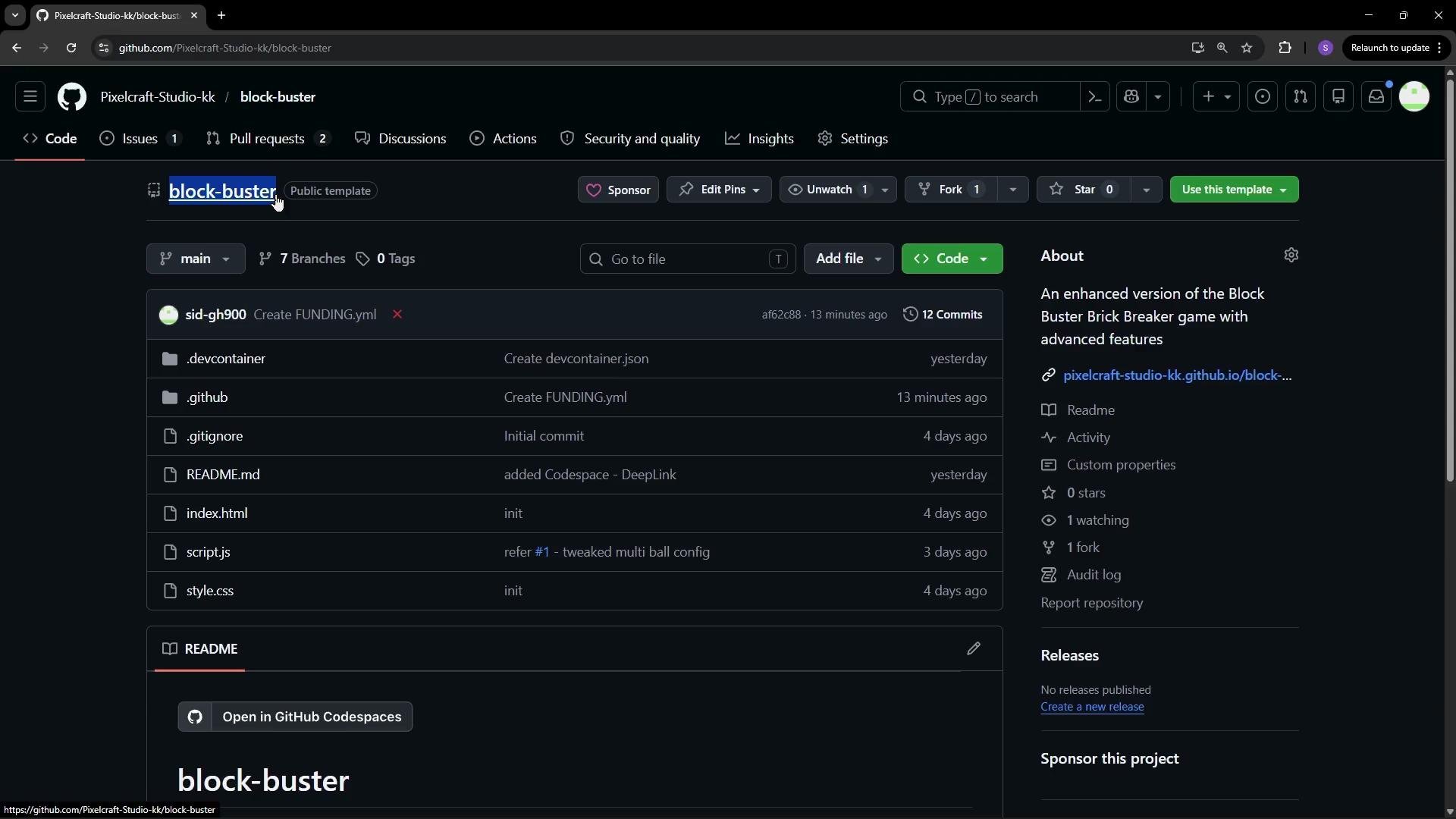
Use a short, descriptive repository name that signals purpose and scope. When relevant, include a qualifier to distinguish types of projects (for example, “Blockbuster Web” vs “Blockbuster API”). Clear names help people find your repo in search results and understand its intent immediately.
 Short description
Add a concise one- or two-line description in the repository’s header. This short sentence appears in search results and at the top of your repo page, helping visitors decide whether to explore further.
License
A license tells others what they can do with your code. Without one, potential contributors and users may hesitate to reuse or contribute to your project.
Steps to add a license on GitHub:
* Click Add file → Create new file.
* Name the file `LICENSE` (typing “license” will surface templates).
* Choose a license template (for example, MIT or Apache 2.0), then review permissions, conditions, and limitations.
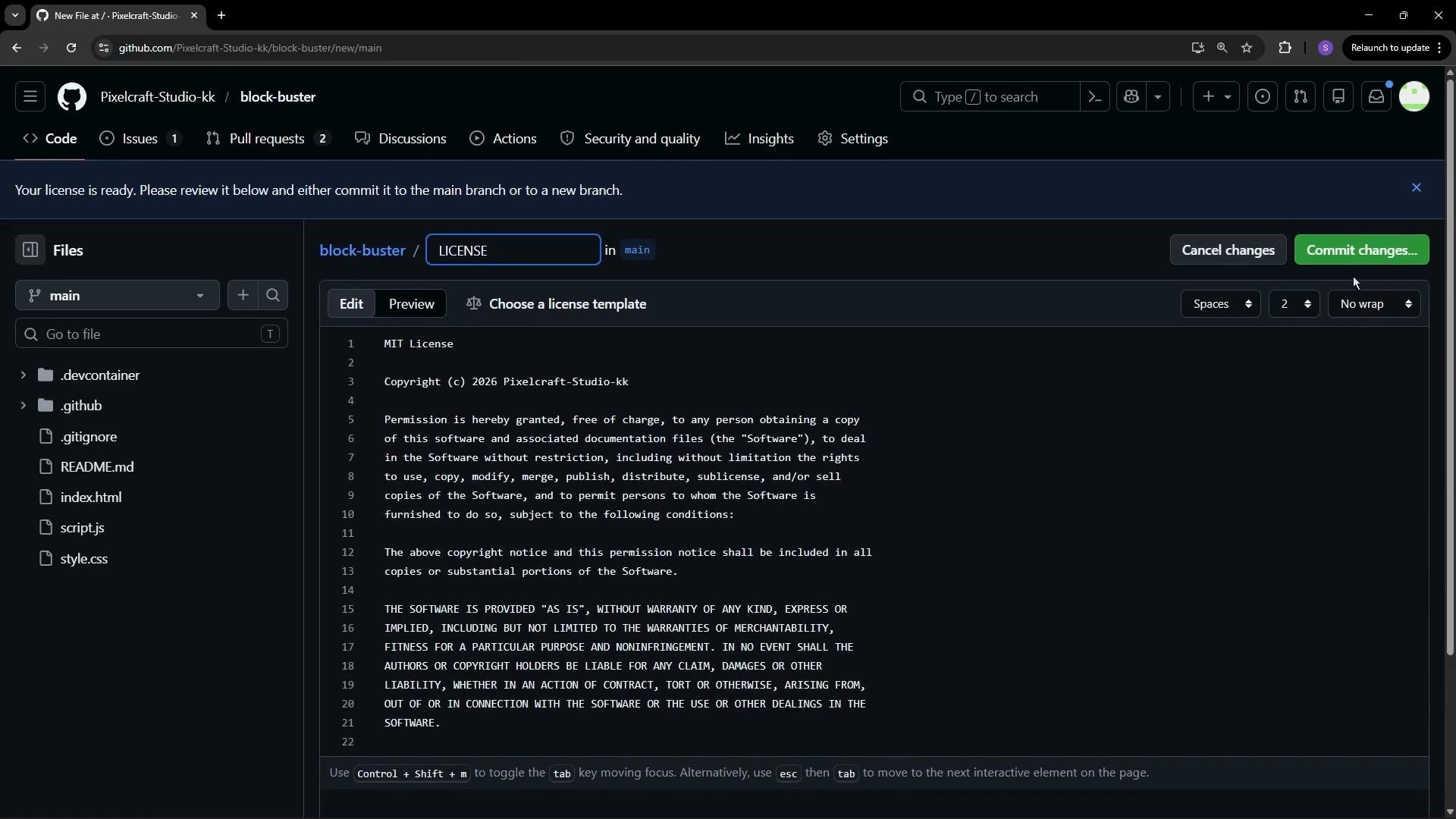
* Fill required fields (such as year or copyright holder) and commit to your default branch (e.g., `main`).
Common options:
* [MIT License](https://opensource.org/licenses/MIT)
* [Apache License 2.0](https://www.apache.org/licenses/LICENSE-2.0)
Short description
Add a concise one- or two-line description in the repository’s header. This short sentence appears in search results and at the top of your repo page, helping visitors decide whether to explore further.
License
A license tells others what they can do with your code. Without one, potential contributors and users may hesitate to reuse or contribute to your project.
Steps to add a license on GitHub:
* Click Add file → Create new file.
* Name the file `LICENSE` (typing “license” will surface templates).
* Choose a license template (for example, MIT or Apache 2.0), then review permissions, conditions, and limitations.
* Fill required fields (such as year or copyright holder) and commit to your default branch (e.g., `main`).
Common options:
* [MIT License](https://opensource.org/licenses/MIT)
* [Apache License 2.0](https://www.apache.org/licenses/LICENSE-2.0)
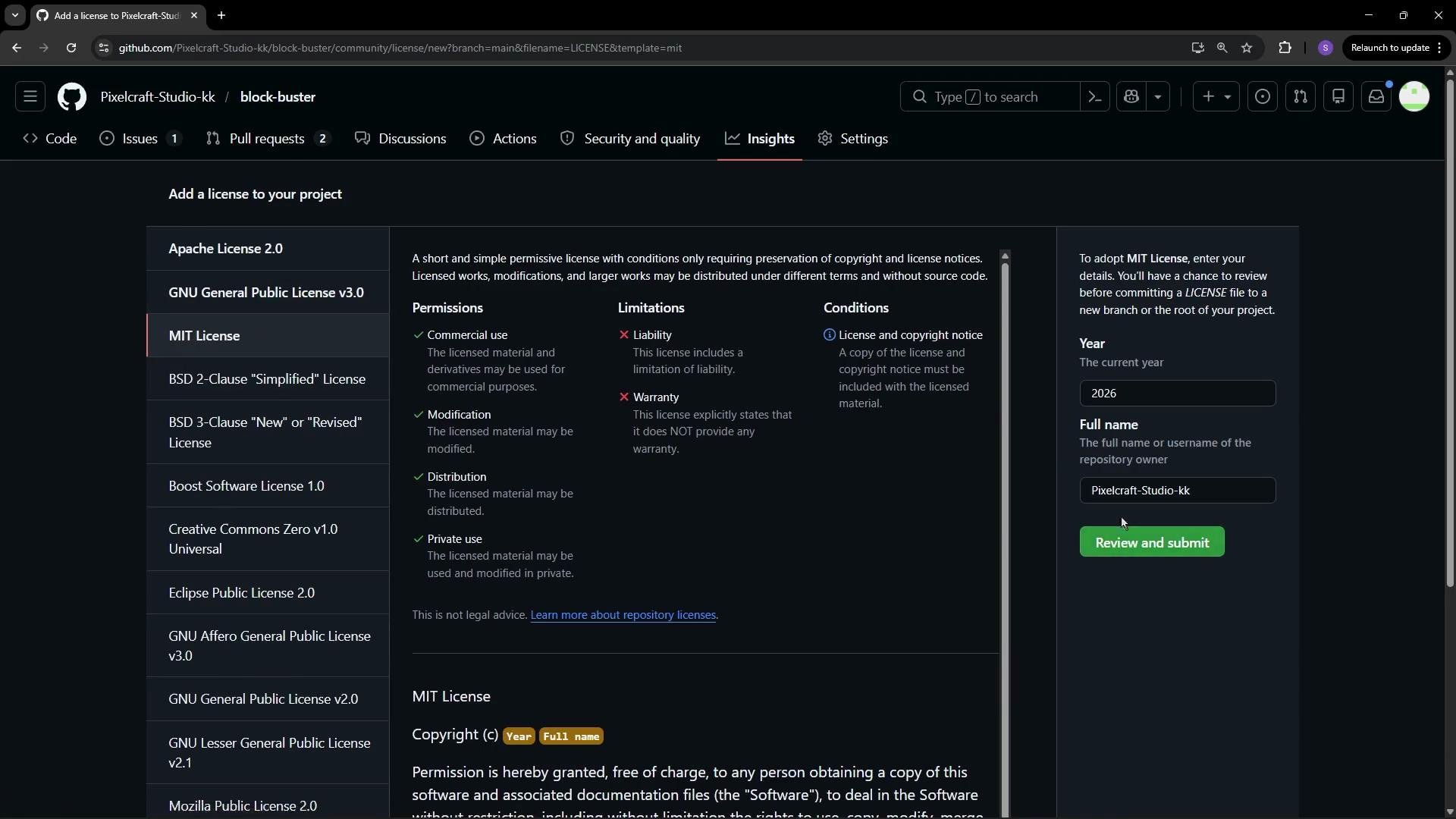 After choosing a template and completing any fields, commit the `LICENSE` file to your default branch.
 README: where to place it and why
A clear README is often the first thing contributors read. GitHub will render a README from different locations depending on what exists in the repository. The most common locations are:
* Root: `README.md` — highest priority and most visible to visitors.
* `docs/README.md` — commonly used when a project has extensive documentation or GitHub Pages.
* `.github/README.md` — used for organization-level defaults and some workflows.
You can edit files directly in your browser by opening the repository and changing the URL from `github.com` to `github.dev` to use the web-based editor.
Example: create a README inside the `docs/` folder first.
```markdown theme={null}
## file in docs folder
```
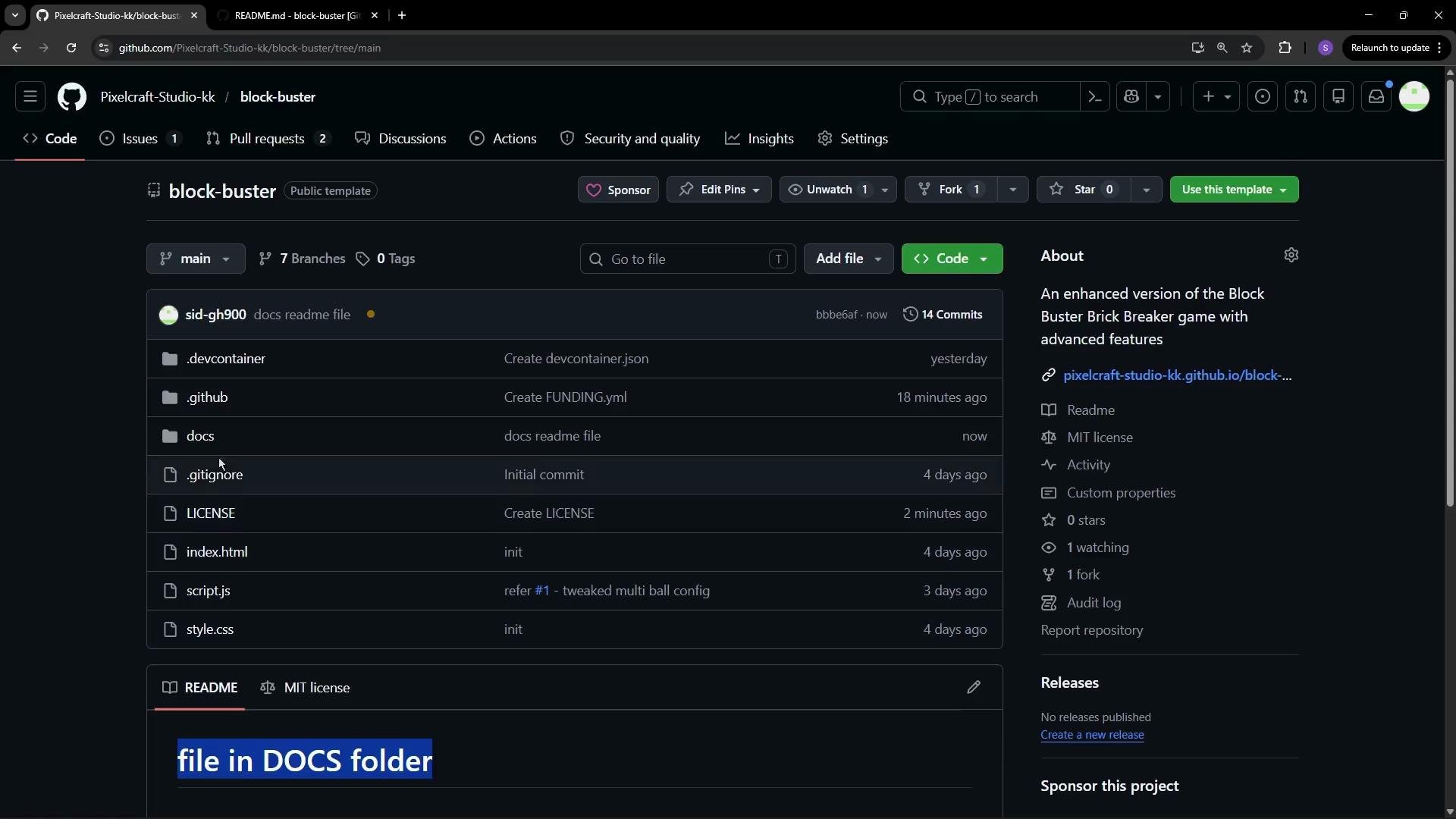
Commit that change. If the repository root does not contain a `README.md`, GitHub will render `docs/README.md` on the repository landing page.
README: where to place it and why
A clear README is often the first thing contributors read. GitHub will render a README from different locations depending on what exists in the repository. The most common locations are:
* Root: `README.md` — highest priority and most visible to visitors.
* `docs/README.md` — commonly used when a project has extensive documentation or GitHub Pages.
* `.github/README.md` — used for organization-level defaults and some workflows.
You can edit files directly in your browser by opening the repository and changing the URL from `github.com` to `github.dev` to use the web-based editor.
Example: create a README inside the `docs/` folder first.
```markdown theme={null}
## file in docs folder
```
Commit that change. If the repository root does not contain a `README.md`, GitHub will render `docs/README.md` on the repository landing page.
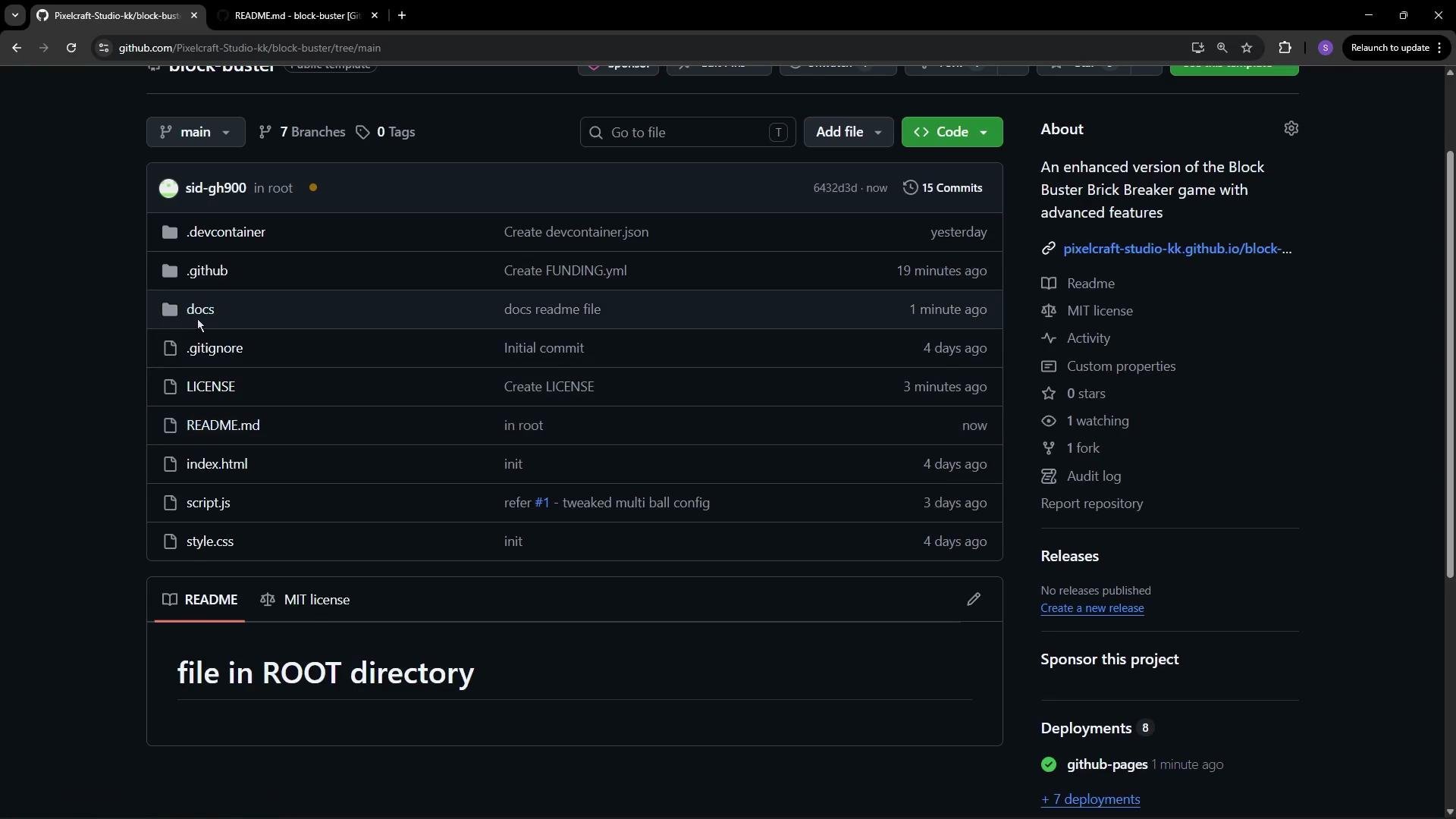
 Next, add a README in the repository root:
```markdown theme={null}
# file in root directory
```
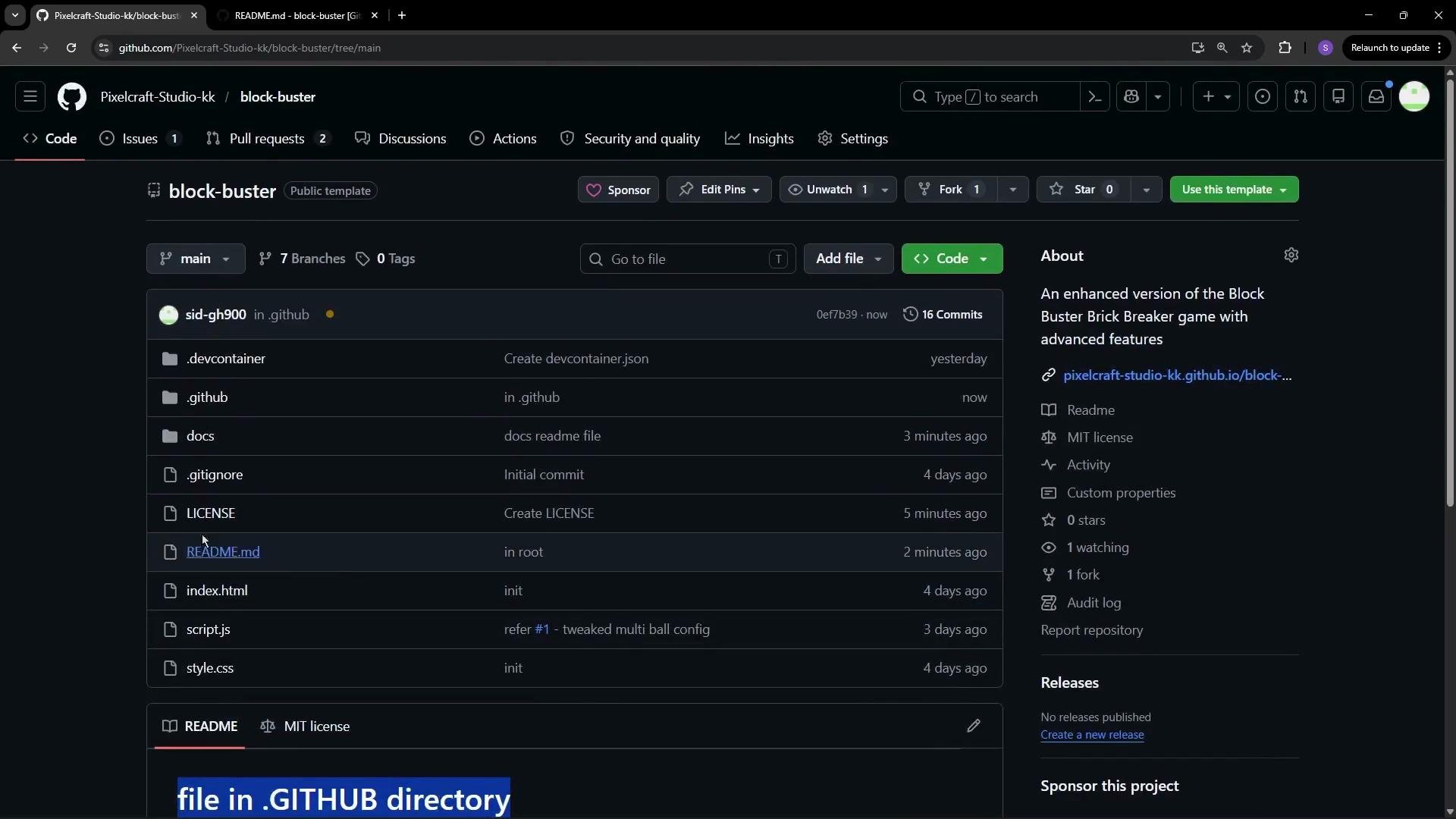
When a `README.md` exists in the repository root, GitHub will render that content on the repository home page instead of `docs/README.md`. If multiple README files exist (root, `docs/`, and `.github/`), GitHub chooses which to display based on its rendering rules and repository configuration. To avoid ambiguity, place the README you want visitors to see in the repository root.
Next, add a README in the repository root:
```markdown theme={null}
# file in root directory
```
When a `README.md` exists in the repository root, GitHub will render that content on the repository home page instead of `docs/README.md`. If multiple README files exist (root, `docs/`, and `.github/`), GitHub chooses which to display based on its rendering rules and repository configuration. To avoid ambiguity, place the README you want visitors to see in the repository root.
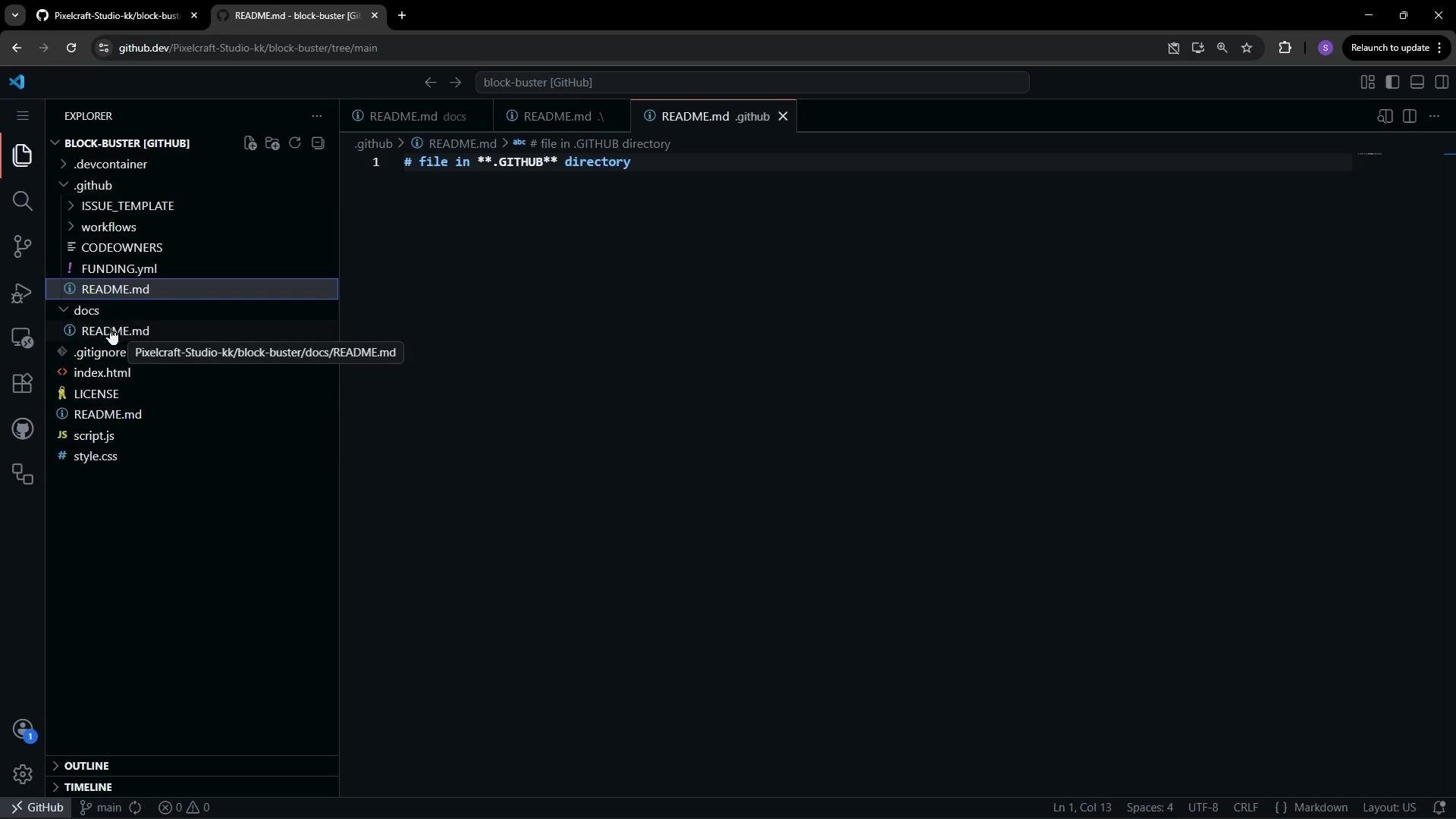
 Example README files used in this demo
* `docs/README.md`
```markdown theme={null}
## file in docs folder
```
* `README.md` (root)
```markdown theme={null}
# file in root directory
```
* `.github/README.md`
```markdown theme={null}
# file in **.GITHUB** directory
```
Example README files used in this demo
* `docs/README.md`
```markdown theme={null}
## file in docs folder
```
* `README.md` (root)
```markdown theme={null}
# file in root directory
```
* `.github/README.md`
```markdown theme={null}
# file in **.GITHUB** directory
```
 Recommendation: if you want a specific README shown to visitors, place it in the repository root. This avoids surprises caused by multiple READMEs competing for rendering priority.
Four elements that make a repository discoverable
Recommendation: if you want a specific README shown to visitors, place it in the repository root. This avoids surprises caused by multiple READMEs competing for rendering priority.
Four elements that make a repository discoverable
 * A clear, descriptive repository name
* A short, helpful repository description
* A license file (e.g., MIT or Apache 2.0)
* A README placed where it will be rendered for visitors (commonly the repository root)
A well-written README and an explicit license dramatically increase the chances that others will find, trust, and contribute to your project. Invest a little time up front—clear names, a concise description, and the right README placement improve visibility, search ranking, and contributor confidence.
Links and resources
* [MIT License](https://opensource.org/licenses/MIT)
* [Apache License 2.0](https://www.apache.org/licenses/LICENSE-2.0)
* Open a repo in the browser editor: `https://github.dev//`
* A clear, descriptive repository name
* A short, helpful repository description
* A license file (e.g., MIT or Apache 2.0)
* A README placed where it will be rendered for visitors (commonly the repository root)
A well-written README and an explicit license dramatically increase the chances that others will find, trust, and contribute to your project. Invest a little time up front—clear names, a concise description, and the right README placement improve visibility, search ranking, and contributor confidence.
Links and resources
* [MIT License](https://opensource.org/licenses/MIT)
* [Apache License 2.0](https://www.apache.org/licenses/LICENSE-2.0)
* Open a repo in the browser editor: `https://github.dev//`