> ## Documentation Index
> Fetch the complete documentation index at: https://notes.kodekloud.com/llms.txt
> Use this file to discover all available pages before exploring further.
# Demo Gist Options
> Guide to creating, managing, and sharing GitHub gists, covering public versus secret gists, revisions, forking, cloning, and best practices.
A gist is GitHub's lightweight way to share single files, code snippets, notes, or small utilities with built-in versioning. Think of it as a pastebin that supports revisions, forking, embedding, and cloning. This guide explains how to create public and secret gists, manage multiple files, view revisions, fork and embed gists, and clone them locally.
Quick overview
* Public gists are discoverable and indexed by GitHub.
* Secret gists are unlisted (not indexed) but accessible by anyone with the URL — they are not private.
* Every gist is a Git repository, so you can clone, edit, and push changes locally.
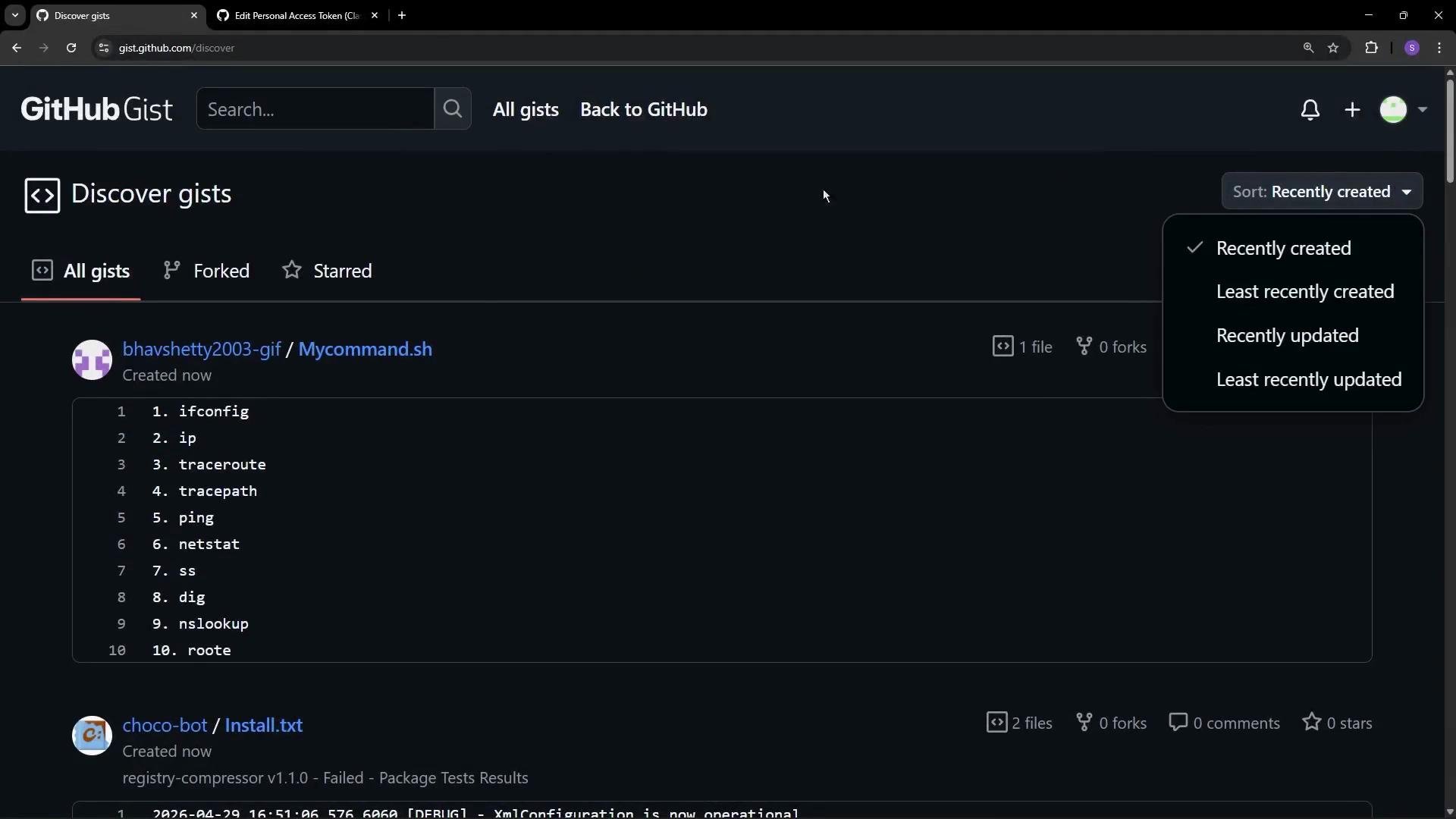
You can create a new gist from the GitHub header (plus icon → “New gist”), add one or more files, provide an optional description, and choose whether to create a public or secret gist. You can view your gists from your profile menu, and explore public gists at [https://gist.github.com](https://gist.github.com), filtering and sorting by date, stars, or forks.
 Creating a public gist (step-by-step)
* Click the plus icon → “New gist”.
* Add a filename (for example, `collision.js`) and paste your snippet.
* Optionally add a description and additional files.
* Select **Create public gist** to make it discoverable.
Example public gist: collision.js
```javascript theme={null}
/**
* Global Helper for Block Buster Game
* Approximate collision detection: Axis-Aligned Bounding Box (AABB) using circle's bounding box vs block.
* Note: This uses the circle's bounding box (square) for simplicity—it's faster but approximate.
*/
function checkCollision(ball, block) {
// ball: { x, y, radius }
// block: { x, y, width, height }
if (
ball.x + ball.radius > block.x &&
ball.x - ball.radius < block.x + block.width &&
ball.y + ball.radius > block.y &&
ball.y - ball.radius < block.y + block.height
) {
return true; // Hit detected (approximate)
}
return false;
}
// Example usage:
// if (checkCollision(gameBall, enemyBlock)) { score += 10; }
```
Public vs secret gists — quick comparison
| Attribute | Public gist | Secret gist |
| ---------: | ------------------------------------------ | -------------------------------------------------------------------- |
| Visibility | Indexed, discoverable by anyone | Not indexed; not listed on public gist pages |
| Access | Anyone can view | Anyone with the URL can view |
| Use cases | Share community examples, demos, tutorials | Share drafts, internal helper scripts, or limited-distribution tools |
| Searchable | Yes | No |
| Forking | Yes | Yes (if URL is known) |
| Security | Not for secrets | Not secure for credentials — treat as shared link |
Secret gists are not discoverable through GitHub search or public gist listings, but they are not private. Anyone with the direct URL can access them. Never store API keys, passwords, or other sensitive credentials in gists.
Creating a secret gist (example)
Use a secret gist when you want to share small developer utilities with a limited audience. Paste your file(s), pick **Create secret gist**, and share the URL with the intended recipients.
Example: internal developer helper (DevCheats)
```javascript theme={null}
/*
* BLOCK BUSTER - INTERNAL DEVELOPER TOOLS
* Purpose: Used for rapid testing of level designs and physics.
* Instructions: Copy and paste into the Browser Console to activate.
*/
const DevCheats = {
// 1. GOD MODE: Infinite Lives
activateGodMode() {
// Overrides the live deduction logic
window.lives = 999;
console.log("🔮 God Mode Activated: Lives set to 999");
},
// 2. BIG PADDLE: Easier testing for collision logic
widenPaddle() {
if (typeof paddleWidth !== "undefined") {
paddleWidth = 300;
console.log("📏 Paddle Widen: Size set to 300px");
}
},
// 3. SLOW MOTION: Debugging high-speed ball glitches
slowMo() {
if (typeof dy !== "undefined" && typeof dx !== "undefined") {
dy *= 0.5;
dx *= 0.5;
console.log("⏳ Slow Motion: Speed reduced for frame analysis");
}
},
// 4. INSTANT WIN: Skip to the next level/victory screen
nukeBricks(columnCount, brickRowCount, bricks) {
// Assumes bricks is a 2D array [col][row] with a 'status' or truthy value
for (let c = 0; c < columnCount; c++) {
for (let r = 0; r < brickRowCount; r++) {
if (bricks[c] && bricks[c][r]) {
bricks[c][r].status = 0;
}
}
}
console.log("💣 Nuke Deployed: All blocks cleared!");
},
};
```
Revisions and editing
* Every edit you save creates a new revision for that gist.
* From the gist page you can view the revision history, compare changes, and revert to an earlier revision if needed.
* Use this when you want lightweight version control for single-file examples or small multi-file snippets.
Forking a gist
* Any public gist can be forked to create an independent copy under your account.
* Forks keep provenance metadata so you can track the original source.
* Forking is useful for adding features, instrumentation, or examples without modifying the original gist.
Cloning a gist to your local machine
Since gists are Git repositories, you can clone them and work locally. On a gist page, click **Clone** to copy the repository URL, then run `git clone`:
```bash theme={null}
# Clone a gist repository to your local machine
git clone https://gist.github.com/4745851c40020a0bdf3c6f9c4a2e118b.git
# Enter the cloned directory
cd 4745851c40020a0bdf3c6f9c4a2e118b
ls -la
```
Other actions you can perform on a gist
* Star a gist you find useful.
* Edit your gist online or push changes after cloning locally.
* Delete a gist you no longer want to keep.
* Embed a gist in a webpage using the embed snippet GitHub provides.
* Share the gist URL (for secret gists, share only with intended collaborators).
Summary
Gists are an excellent tool for sharing small, versioned code examples, notes, or helper scripts. Use public gists to share with the community and secret gists for temporary or limited-distribution snippets. Because every gist is a Git repo, you can fork, clone, and revise gists using familiar Git workflows.
Links and references
* [Create a gist on GitHub](https://docs.github.com/en/get-started/writing-on-github/creating-gists)
* [Gist home](https://gist.github.com)
* [GitHub documentation](https://docs.github.com/)
* Best practices: avoid storing secrets or credentials in gists — prefer encrypted vaults or private repositories for sensitive data.
Creating a public gist (step-by-step)
* Click the plus icon → “New gist”.
* Add a filename (for example, `collision.js`) and paste your snippet.
* Optionally add a description and additional files.
* Select **Create public gist** to make it discoverable.
Example public gist: collision.js
```javascript theme={null}
/**
* Global Helper for Block Buster Game
* Approximate collision detection: Axis-Aligned Bounding Box (AABB) using circle's bounding box vs block.
* Note: This uses the circle's bounding box (square) for simplicity—it's faster but approximate.
*/
function checkCollision(ball, block) {
// ball: { x, y, radius }
// block: { x, y, width, height }
if (
ball.x + ball.radius > block.x &&
ball.x - ball.radius < block.x + block.width &&
ball.y + ball.radius > block.y &&
ball.y - ball.radius < block.y + block.height
) {
return true; // Hit detected (approximate)
}
return false;
}
// Example usage:
// if (checkCollision(gameBall, enemyBlock)) { score += 10; }
```
Public vs secret gists — quick comparison
| Attribute | Public gist | Secret gist |
| ---------: | ------------------------------------------ | -------------------------------------------------------------------- |
| Visibility | Indexed, discoverable by anyone | Not indexed; not listed on public gist pages |
| Access | Anyone can view | Anyone with the URL can view |
| Use cases | Share community examples, demos, tutorials | Share drafts, internal helper scripts, or limited-distribution tools |
| Searchable | Yes | No |
| Forking | Yes | Yes (if URL is known) |
| Security | Not for secrets | Not secure for credentials — treat as shared link |
Secret gists are not discoverable through GitHub search or public gist listings, but they are not private. Anyone with the direct URL can access them. Never store API keys, passwords, or other sensitive credentials in gists.
Creating a secret gist (example)
Use a secret gist when you want to share small developer utilities with a limited audience. Paste your file(s), pick **Create secret gist**, and share the URL with the intended recipients.
Example: internal developer helper (DevCheats)
```javascript theme={null}
/*
* BLOCK BUSTER - INTERNAL DEVELOPER TOOLS
* Purpose: Used for rapid testing of level designs and physics.
* Instructions: Copy and paste into the Browser Console to activate.
*/
const DevCheats = {
// 1. GOD MODE: Infinite Lives
activateGodMode() {
// Overrides the live deduction logic
window.lives = 999;
console.log("🔮 God Mode Activated: Lives set to 999");
},
// 2. BIG PADDLE: Easier testing for collision logic
widenPaddle() {
if (typeof paddleWidth !== "undefined") {
paddleWidth = 300;
console.log("📏 Paddle Widen: Size set to 300px");
}
},
// 3. SLOW MOTION: Debugging high-speed ball glitches
slowMo() {
if (typeof dy !== "undefined" && typeof dx !== "undefined") {
dy *= 0.5;
dx *= 0.5;
console.log("⏳ Slow Motion: Speed reduced for frame analysis");
}
},
// 4. INSTANT WIN: Skip to the next level/victory screen
nukeBricks(columnCount, brickRowCount, bricks) {
// Assumes bricks is a 2D array [col][row] with a 'status' or truthy value
for (let c = 0; c < columnCount; c++) {
for (let r = 0; r < brickRowCount; r++) {
if (bricks[c] && bricks[c][r]) {
bricks[c][r].status = 0;
}
}
}
console.log("💣 Nuke Deployed: All blocks cleared!");
},
};
```
Revisions and editing
* Every edit you save creates a new revision for that gist.
* From the gist page you can view the revision history, compare changes, and revert to an earlier revision if needed.
* Use this when you want lightweight version control for single-file examples or small multi-file snippets.
Forking a gist
* Any public gist can be forked to create an independent copy under your account.
* Forks keep provenance metadata so you can track the original source.
* Forking is useful for adding features, instrumentation, or examples without modifying the original gist.
Cloning a gist to your local machine
Since gists are Git repositories, you can clone them and work locally. On a gist page, click **Clone** to copy the repository URL, then run `git clone`:
```bash theme={null}
# Clone a gist repository to your local machine
git clone https://gist.github.com/4745851c40020a0bdf3c6f9c4a2e118b.git
# Enter the cloned directory
cd 4745851c40020a0bdf3c6f9c4a2e118b
ls -la
```
Other actions you can perform on a gist
* Star a gist you find useful.
* Edit your gist online or push changes after cloning locally.
* Delete a gist you no longer want to keep.
* Embed a gist in a webpage using the embed snippet GitHub provides.
* Share the gist URL (for secret gists, share only with intended collaborators).
Summary
Gists are an excellent tool for sharing small, versioned code examples, notes, or helper scripts. Use public gists to share with the community and secret gists for temporary or limited-distribution snippets. Because every gist is a Git repo, you can fork, clone, and revise gists using familiar Git workflows.
Links and references
* [Create a gist on GitHub](https://docs.github.com/en/get-started/writing-on-github/creating-gists)
* [Gist home](https://gist.github.com)
* [GitHub documentation](https://docs.github.com/)
* Best practices: avoid storing secrets or credentials in gists — prefer encrypted vaults or private repositories for sensitive data.