> ## Documentation Index
> Fetch the complete documentation index at: https://notes.kodekloud.com/llms.txt
> Use this file to discover all available pages before exploring further.
# GitHub Pages
> Overview of GitHub Pages static site hosting from Git repositories, covering deployment, build options, domain setup, limitations, and common usage patterns.
GitHub Pages is a static site hosting service that publishes websites directly from a Git repository. It’s a reliable, low-friction option for hosting personal profiles, project documentation, or organization landing pages without managing servers.
 What can GitHub Pages host?
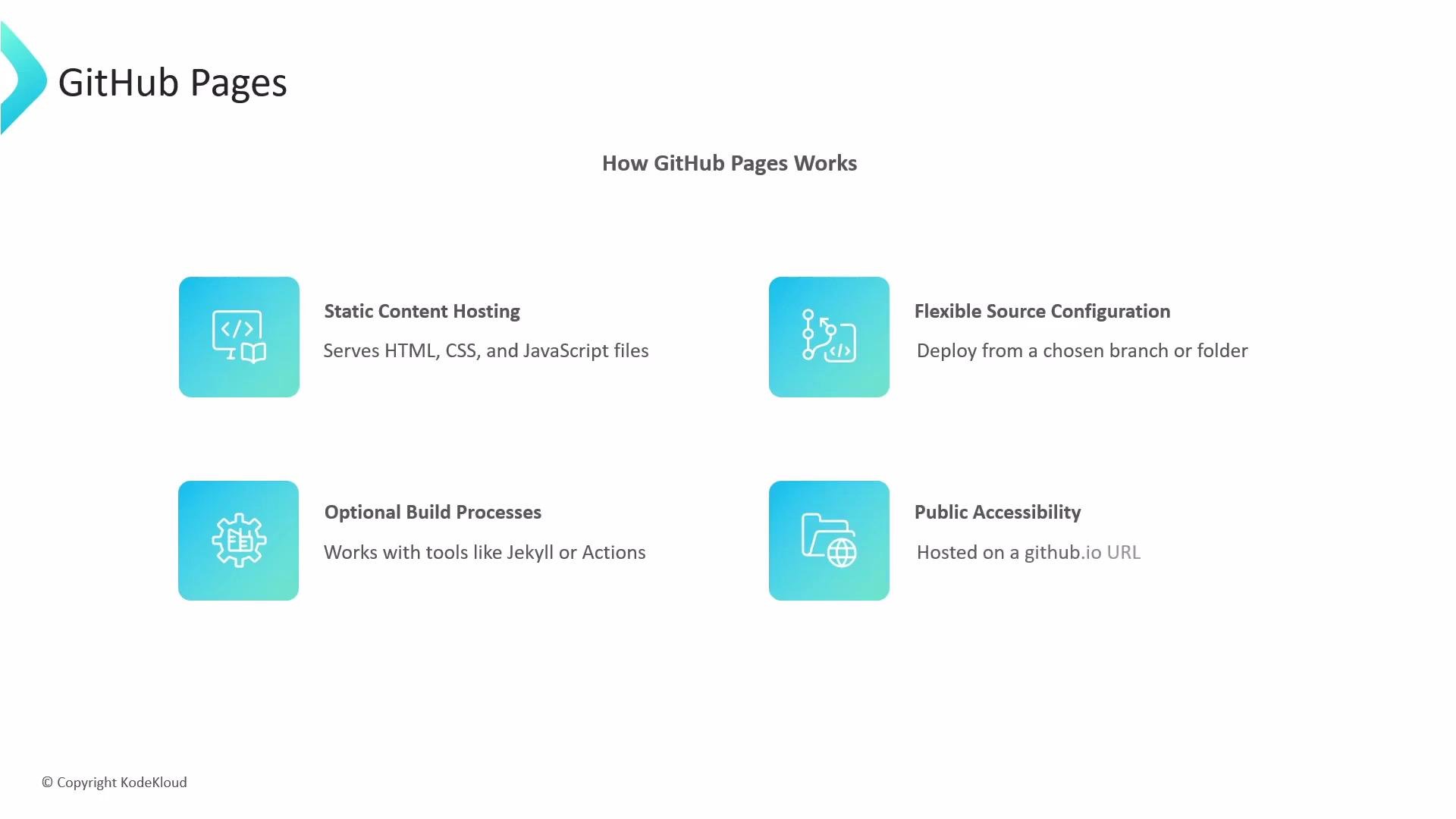
* Static web assets: HTML, CSS, JavaScript, images, fonts, and other static files.
* Sites built by static site generators (SSGs): GitHub Pages will automatically build Jekyll sites. For other SSGs (Hugo, Gatsby, Eleventy, etc.), include a build step (locally or via CI) and publish the generated output to the Pages branch/folder.
How GitHub Pages works
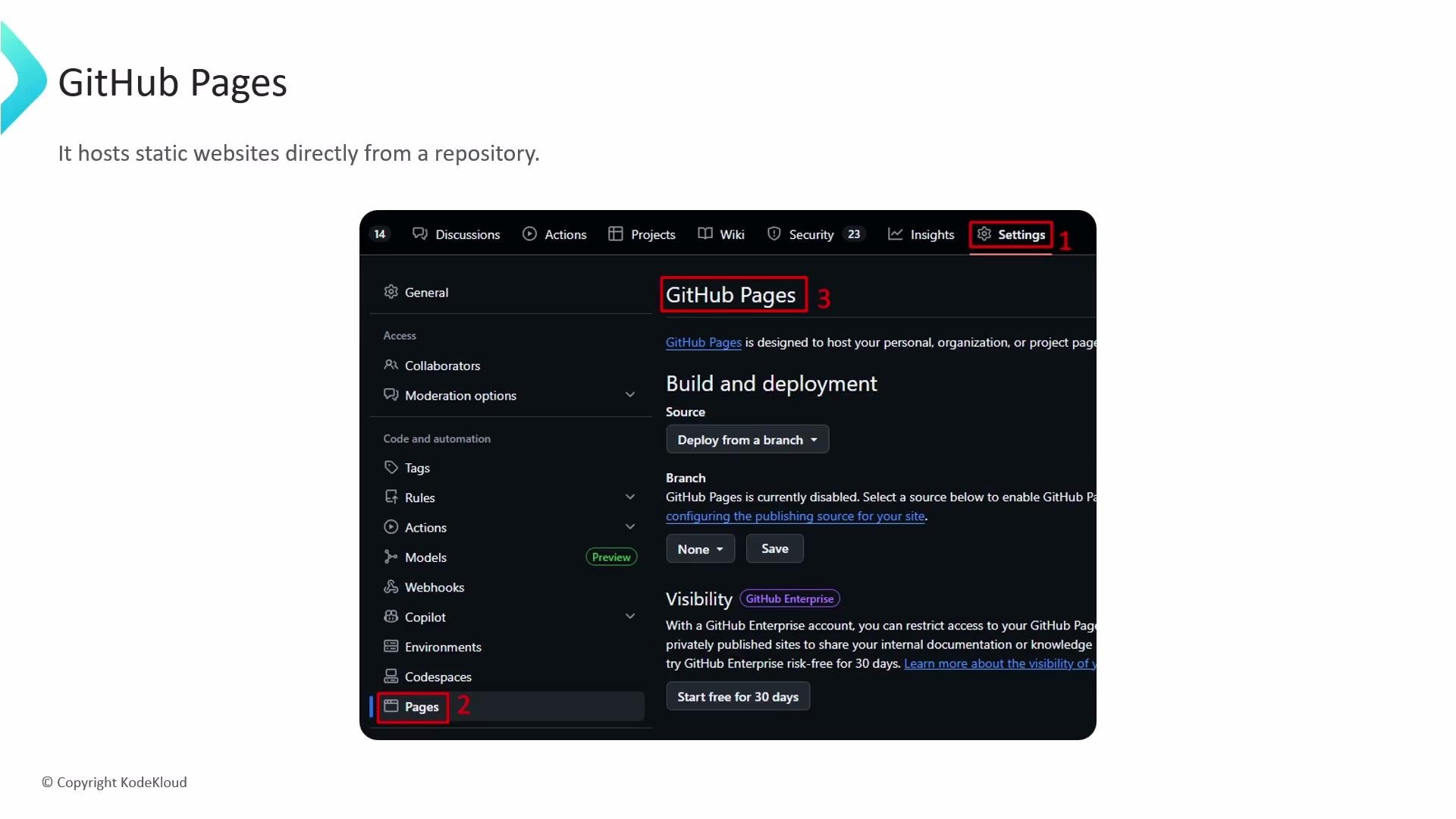
* Deployment source: In your repository Settings → Pages you choose a branch and an optional folder (for example `gh-pages`, or `main` with `/docs`) as the publishing source.
* Automatic publishing: Changes pushed to the chosen branch/folder trigger GitHub Pages to publish the latest static content. For Jekyll sites, GitHub can build automatically.
* Optional build pipelines: Use GitHub Actions to run custom builds (compile SSG sources, bundle assets, run tests) and publish the generated static files to the Pages branch/folder.
* Public accessibility: Sites published on GitHub Pages are publicly reachable by default and served over HTTPS.
What can GitHub Pages host?
* Static web assets: HTML, CSS, JavaScript, images, fonts, and other static files.
* Sites built by static site generators (SSGs): GitHub Pages will automatically build Jekyll sites. For other SSGs (Hugo, Gatsby, Eleventy, etc.), include a build step (locally or via CI) and publish the generated output to the Pages branch/folder.
How GitHub Pages works
* Deployment source: In your repository Settings → Pages you choose a branch and an optional folder (for example `gh-pages`, or `main` with `/docs`) as the publishing source.
* Automatic publishing: Changes pushed to the chosen branch/folder trigger GitHub Pages to publish the latest static content. For Jekyll sites, GitHub can build automatically.
* Optional build pipelines: Use GitHub Actions to run custom builds (compile SSG sources, bundle assets, run tests) and publish the generated static files to the Pages branch/folder.
* Public accessibility: Sites published on GitHub Pages are publicly reachable by default and served over HTTPS.
 Default and custom domains
By default, Pages sites use the `github.io` domain, for example:
* `https://username.github.io`
* `https://username.github.io/repository`
You can configure a custom domain in the repository Settings → Pages. To enable a custom domain:
* Add your domain in the Pages settings.
* Create a `CNAME` file in the published site (root of the branch/folder) containing your custom domain, or use the Pages UI.
* Update DNS records (usually an A record or ALIAS/ANAME for apex domains, and a CNAME for subdomains). GitHub will provision HTTPS for enabled custom domains.
GitHub Pages serves only static content — server-side runtimes like Node.js, Python, or PHP are not supported. For dynamic behavior use client-side JavaScript calling APIs, or pair Pages with serverless/backend services.
Common usage patterns
| Use case | Description | Example |
| ----------------- | ----------------------------------------------------------------------- | ------------------------------------------- |
| Personal site | Portfolio, blog, or CV hosted under your user namespace | `https://your-username.github.io` |
| Project site | Documentation, demos, or landing pages for a repository | `https://your-username.github.io/your-repo` |
| Organization site | Centralized docs, marketing, or product pages for a GitHub organization | Use a repo named `org-name.github.io` |
Quick setup (step-by-step)
1. Create or choose a repository.
2. Prepare your static site files (or your SSG source).
3. Configure Pages source: Settings → Pages → select branch and folder (`/` or `/docs`).
4. If using a non-Jekyll SSG, add a CI workflow to build and publish the generated output.
Example: simple GitHub Actions workflow to build and deploy static output
* This example runs a build and deploys the generated `public` (or `dist`) folder to the `gh-pages` branch using `peaceiris/actions-gh-pages`. The YAML is shown as a reference — customize build steps for your site generator.
```yaml theme={null}
name: Build and Deploy
on:
push:
branches:
- main
jobs:
build-and-deploy:
runs-on: ubuntu-latest
steps:
- uses: actions/checkout@v4
- name: Install dependencies
run: |
npm install
- name: Build site
run: |
npm run build # outputs to 'public' or 'dist'
- name: Deploy to GitHub Pages
uses: peaceiris/actions-gh-pages@v3
with:
github_token: ${{ secrets.GITHUB_TOKEN }}
publish_dir: ./public
publish_branch: gh-pages
```
When to avoid GitHub Pages
Do not use GitHub Pages when your site requires server-side code execution, WebSocket connections, or other server runtimes. For dynamic backends, choose a platform that supports server-side processes or use serverless APIs alongside Pages.
Additional tips
* Use the `docs` folder on `main` if you prefer to keep pages in the same branch as source code.
* For Jekyll users, GitHub Pages supports a subset of plugins — use Actions to run a full Jekyll build if you rely on unsupported plugins.
* Monitor the Pages build logs (Settings → Pages) when troubleshooting build or publish failures.
* For private repositories, Pages can be configured to publish publicly or be limited to internal/organization members depending on your account and settings.
References and further reading
* [GitHub Pages documentation](https://docs.github.com/en/pages)
* [GitHub Actions documentation](https://docs.github.com/actions)
* [Jekyll documentation](https://jekyllrb.com/docs/)
This overview covered what GitHub Pages hosts, how publishing works, common configuration choices, a sample CI workflow, and practical tips for deployment and domains.
Default and custom domains
By default, Pages sites use the `github.io` domain, for example:
* `https://username.github.io`
* `https://username.github.io/repository`
You can configure a custom domain in the repository Settings → Pages. To enable a custom domain:
* Add your domain in the Pages settings.
* Create a `CNAME` file in the published site (root of the branch/folder) containing your custom domain, or use the Pages UI.
* Update DNS records (usually an A record or ALIAS/ANAME for apex domains, and a CNAME for subdomains). GitHub will provision HTTPS for enabled custom domains.
GitHub Pages serves only static content — server-side runtimes like Node.js, Python, or PHP are not supported. For dynamic behavior use client-side JavaScript calling APIs, or pair Pages with serverless/backend services.
Common usage patterns
| Use case | Description | Example |
| ----------------- | ----------------------------------------------------------------------- | ------------------------------------------- |
| Personal site | Portfolio, blog, or CV hosted under your user namespace | `https://your-username.github.io` |
| Project site | Documentation, demos, or landing pages for a repository | `https://your-username.github.io/your-repo` |
| Organization site | Centralized docs, marketing, or product pages for a GitHub organization | Use a repo named `org-name.github.io` |
Quick setup (step-by-step)
1. Create or choose a repository.
2. Prepare your static site files (or your SSG source).
3. Configure Pages source: Settings → Pages → select branch and folder (`/` or `/docs`).
4. If using a non-Jekyll SSG, add a CI workflow to build and publish the generated output.
Example: simple GitHub Actions workflow to build and deploy static output
* This example runs a build and deploys the generated `public` (or `dist`) folder to the `gh-pages` branch using `peaceiris/actions-gh-pages`. The YAML is shown as a reference — customize build steps for your site generator.
```yaml theme={null}
name: Build and Deploy
on:
push:
branches:
- main
jobs:
build-and-deploy:
runs-on: ubuntu-latest
steps:
- uses: actions/checkout@v4
- name: Install dependencies
run: |
npm install
- name: Build site
run: |
npm run build # outputs to 'public' or 'dist'
- name: Deploy to GitHub Pages
uses: peaceiris/actions-gh-pages@v3
with:
github_token: ${{ secrets.GITHUB_TOKEN }}
publish_dir: ./public
publish_branch: gh-pages
```
When to avoid GitHub Pages
Do not use GitHub Pages when your site requires server-side code execution, WebSocket connections, or other server runtimes. For dynamic backends, choose a platform that supports server-side processes or use serverless APIs alongside Pages.
Additional tips
* Use the `docs` folder on `main` if you prefer to keep pages in the same branch as source code.
* For Jekyll users, GitHub Pages supports a subset of plugins — use Actions to run a full Jekyll build if you rely on unsupported plugins.
* Monitor the Pages build logs (Settings → Pages) when troubleshooting build or publish failures.
* For private repositories, Pages can be configured to publish publicly or be limited to internal/organization members depending on your account and settings.
References and further reading
* [GitHub Pages documentation](https://docs.github.com/en/pages)
* [GitHub Actions documentation](https://docs.github.com/actions)
* [Jekyll documentation](https://jekyllrb.com/docs/)
This overview covered what GitHub Pages hosts, how publishing works, common configuration choices, a sample CI workflow, and practical tips for deployment and domains.