> ## Documentation Index
> Fetch the complete documentation index at: https://notes.kodekloud.com/llms.txt
> Use this file to discover all available pages before exploring further.
# Demo Set Up the Application Without Git
> Demonstrates running the Block Buster game locally without Git, shows effects of a missing script.js file, and explains how Git can recover deleted files.
This guide walks through running the Block Buster game locally without Git and demonstrates what happens when a required file is missing. You’ll see how the browser reports missing assets and why Git is useful as a safety net to recover deleted files.
Environment used for this demo
* Editor: Visual Studio Code
* OS: Ubuntu (virtual machine)
* Project folder: `block-buster`
Project contents
* `index.html` — the HTML entry point
* `style.css` — styling for the game
* `script.js` — JavaScript logic (keyboard handlers, game setup)
* `README.md` — project notes and instructions
Small excerpt from `script.js` (keyboard handlers and initial setup):
```javascript theme={null}
document.addEventListener('keyup', (e) => {
if (e.key === 'ArrowLeft') keyboard.left = false;
if (e.key === 'ArrowRight') keyboard.right = false;
});
// ==== INITIAL SETUP ====
document.getElementById('welcomeHighScore').textContent = gameState.highScore;
```
From a shell inside the project directory you can confirm the location and files:
```bash theme={null}
# show current directory
pwd
/home/batman/block-buster
# list files in the project
ls
README.md index.html script.js style.css
```
How to run the app locally
* Open the project in VS Code.
* Use the Live Server extension (or Show Preview) to open `index.html` in a browser or the editor preview.
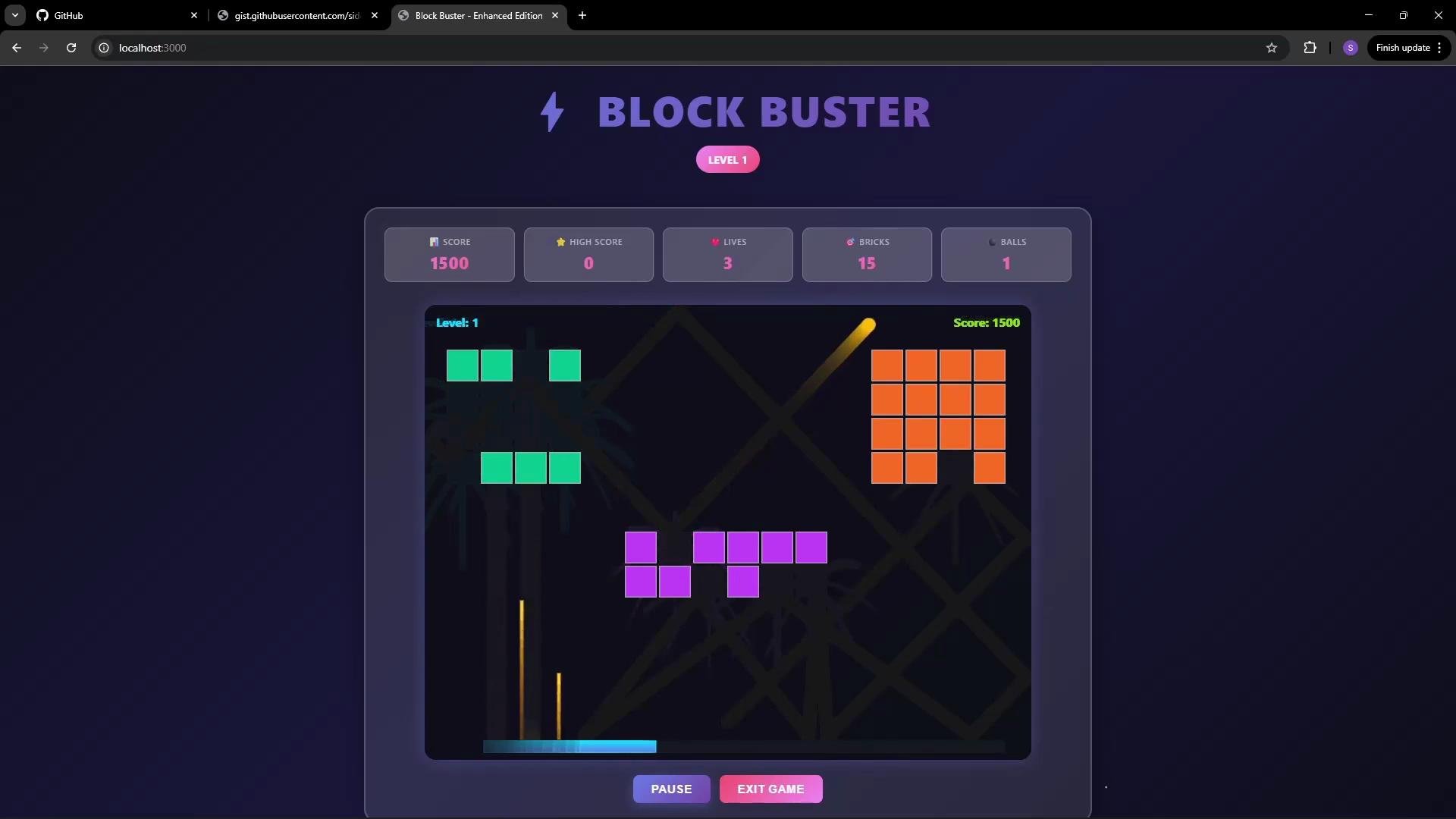
* The game is a classic brick-breaker: control a paddle, bounce the ball, destroy bricks, progress through levels and power-ups.
 What happens if `script.js` is missing
Imagine `script.js` was accidentally removed (by a cleanup script or manual error). When you refresh the preview or browser, the page will fail to run because the browser cannot load the missing JavaScript file.
Open Developer Tools → Network (or Console) to inspect resource loading. You will see a 404 error for the missing `script.js`:
What happens if `script.js` is missing
Imagine `script.js` was accidentally removed (by a cleanup script or manual error). When you refresh the preview or browser, the page will fail to run because the browser cannot load the missing JavaScript file.
Open Developer Tools → Network (or Console) to inspect resource loading. You will see a 404 error for the missing `script.js`:
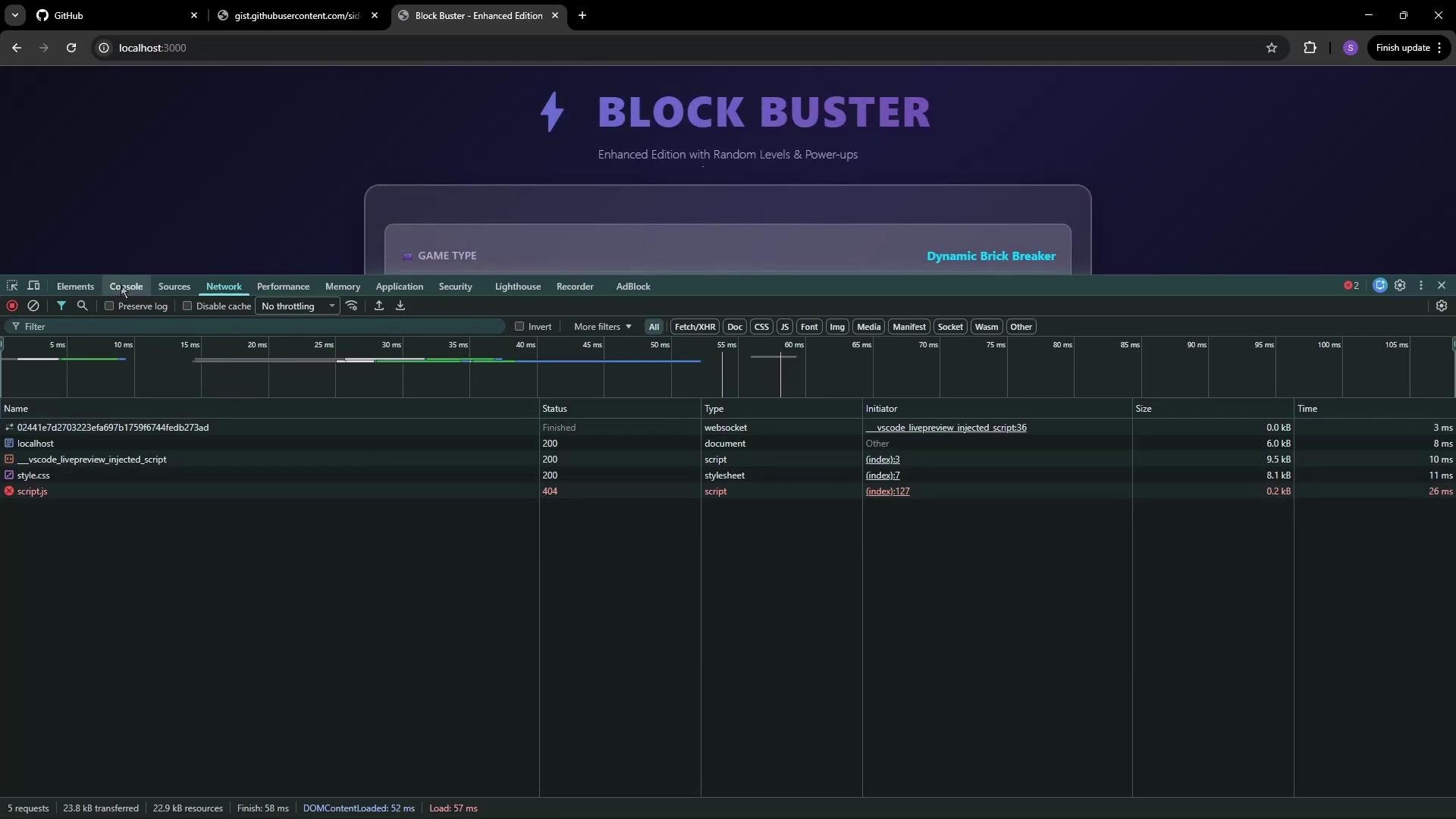 Typical console/network error:
```text theme={null}
GET http://localhost:3000/script.js net::ERR_ABORTED 404 (Not Found)
WebSocket connection to 'ws://127.0.0.1:3000/02441247d92323efa697b17597644feb273ad' failed:
```
Consequences
* The game UI may load, but interactive features provided by `script.js` will not work.
* Without the JS, keyboard handlers, game initialization, and other features are unavailable — rendering the game unusable.
* Manually reconstructing deleted files is time-consuming and error-prone, especially for larger projects.
If you don’t have a backup of `script.js`, restoring the exact logic and state can be difficult. Browser errors like `404` and `net::ERR_ABORTED` indicate a missing or incorrectly referenced asset.
Why use Git here
Git provides a versioned safety net so you can:
* Recover deleted or modified files (for example, `git restore `).
* Revert to previous commits or branches when something breaks.
* Track changes and collaborate without losing history.
Quick reference — common Git recovery commands
| Use case | Command example |
| --------------------------------------------- | ----------------------------------------- |
| Initialize a repo | `git init` |
| Stage files | `git add .` |
| Commit changes | `git commit -m "Initial commit"` |
| Restore a deleted file from the latest commit | `git restore --source=HEAD -- script.js` |
| Restore a file from a specific commit | `git checkout -- script.js` |
Next steps
* Install Git (if not present): [Git Downloads](https://git-scm.com/downloads)
* Initialize the repository inside `block-buster`: `git init`
* Add and commit the current project state so files like `script.js` can be restored later
Using Git early in a project prevents accidental data loss and makes recovery straightforward. See the [official Git documentation](https://git-scm.com/doc) for detailed guidance on installation and common workflows.
References
* [Git Documentation](https://git-scm.com/doc)
* Live Server extension for VS Code — search the VS Code marketplace for "Live Server" to install and run previews locally.
Typical console/network error:
```text theme={null}
GET http://localhost:3000/script.js net::ERR_ABORTED 404 (Not Found)
WebSocket connection to 'ws://127.0.0.1:3000/02441247d92323efa697b17597644feb273ad' failed:
```
Consequences
* The game UI may load, but interactive features provided by `script.js` will not work.
* Without the JS, keyboard handlers, game initialization, and other features are unavailable — rendering the game unusable.
* Manually reconstructing deleted files is time-consuming and error-prone, especially for larger projects.
If you don’t have a backup of `script.js`, restoring the exact logic and state can be difficult. Browser errors like `404` and `net::ERR_ABORTED` indicate a missing or incorrectly referenced asset.
Why use Git here
Git provides a versioned safety net so you can:
* Recover deleted or modified files (for example, `git restore `).
* Revert to previous commits or branches when something breaks.
* Track changes and collaborate without losing history.
Quick reference — common Git recovery commands
| Use case | Command example |
| --------------------------------------------- | ----------------------------------------- |
| Initialize a repo | `git init` |
| Stage files | `git add .` |
| Commit changes | `git commit -m "Initial commit"` |
| Restore a deleted file from the latest commit | `git restore --source=HEAD -- script.js` |
| Restore a file from a specific commit | `git checkout -- script.js` |
Next steps
* Install Git (if not present): [Git Downloads](https://git-scm.com/downloads)
* Initialize the repository inside `block-buster`: `git init`
* Add and commit the current project state so files like `script.js` can be restored later
Using Git early in a project prevents accidental data loss and makes recovery straightforward. See the [official Git documentation](https://git-scm.com/doc) for detailed guidance on installation and common workflows.
References
* [Git Documentation](https://git-scm.com/doc)
* Live Server extension for VS Code — search the VS Code marketplace for "Live Server" to install and run previews locally.