> ## Documentation Index
> Fetch the complete documentation index at: https://notes.kodekloud.com/llms.txt
> Use this file to discover all available pages before exploring further.
# Git and GitHub
> Explains Git and GitHub, their differences, and how they integrate in team workflows for version control, collaboration, and remote repository management.
In this lesson we’ll define Git and GitHub, explain how they differ, and show how they work together in a typical team workflow.
## What is Git?
Git is a distributed version control system you install and run locally. It acts as the underlying engine that records snapshots of your project, tracks file history, and manages branches. Because Git is local-first, you can create commits, explore history, and switch branches entirely offline.
Example: inspect recent commits with `git log`
```bash theme={null}
$ git log --oneline
b38d48f (HEAD -> main) added new image tag
```
Git is the technology actually performing versioning: commits, diffs, branches, merges, and local history are all handled by Git itself.
## What is GitHub?
GitHub is a cloud-based collaboration platform built on top of Git. It hosts remote repositories and adds tools and workflows that simplify team collaboration: code hosting, pull requests, issue tracking, CI/CD integrations, code review, and security scanning. GitHub stores authoritative remote copies of repositories and coordinates contributions across teams.
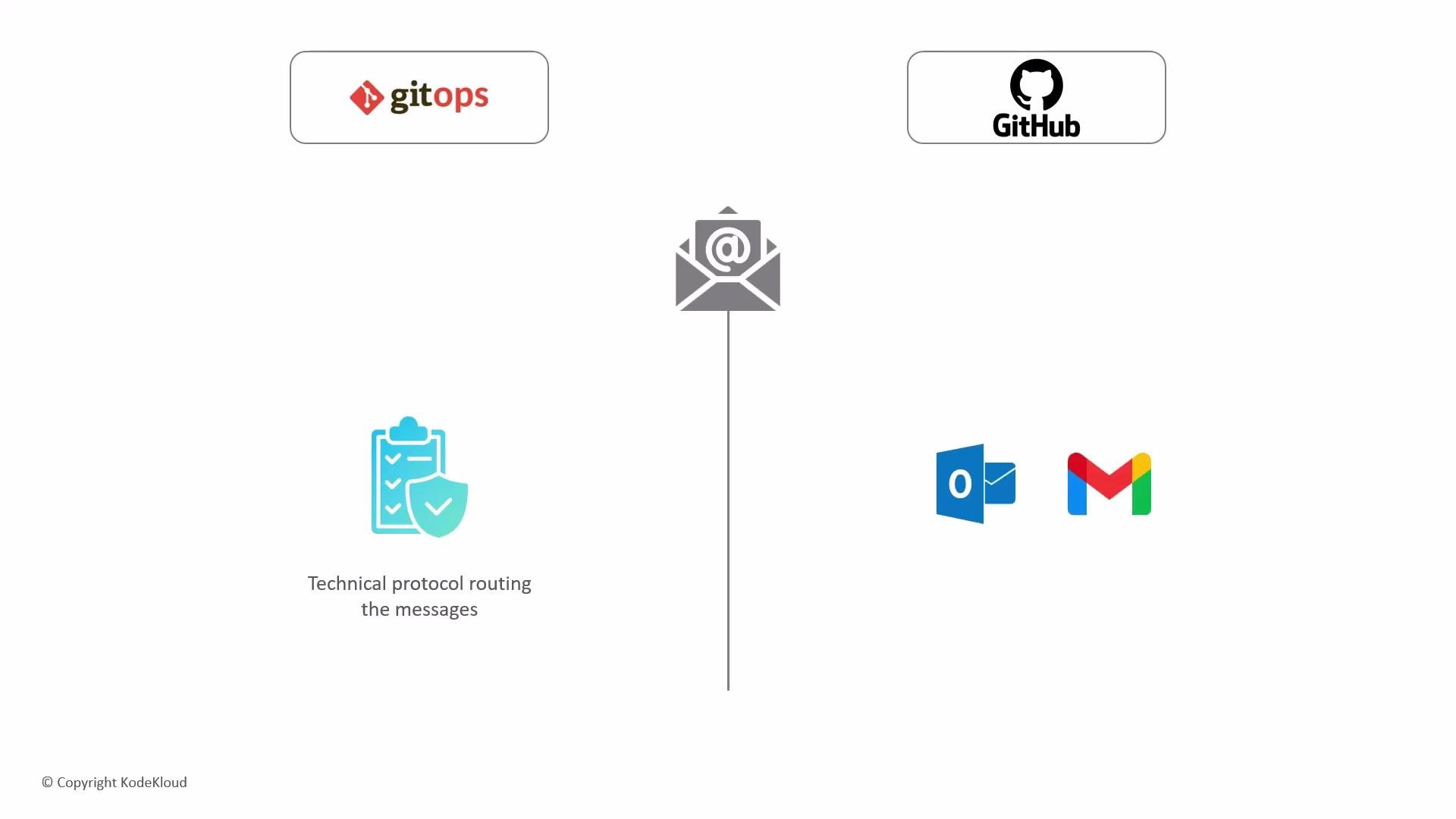
A helpful analogy: Git is the underlying technical protocol that routes messages, while GitHub is like the email client (Outlook or Gmail) that provides the interface, security filters, and organizational tools you interact with.
 ## How Git and GitHub work together (typical team workflow)
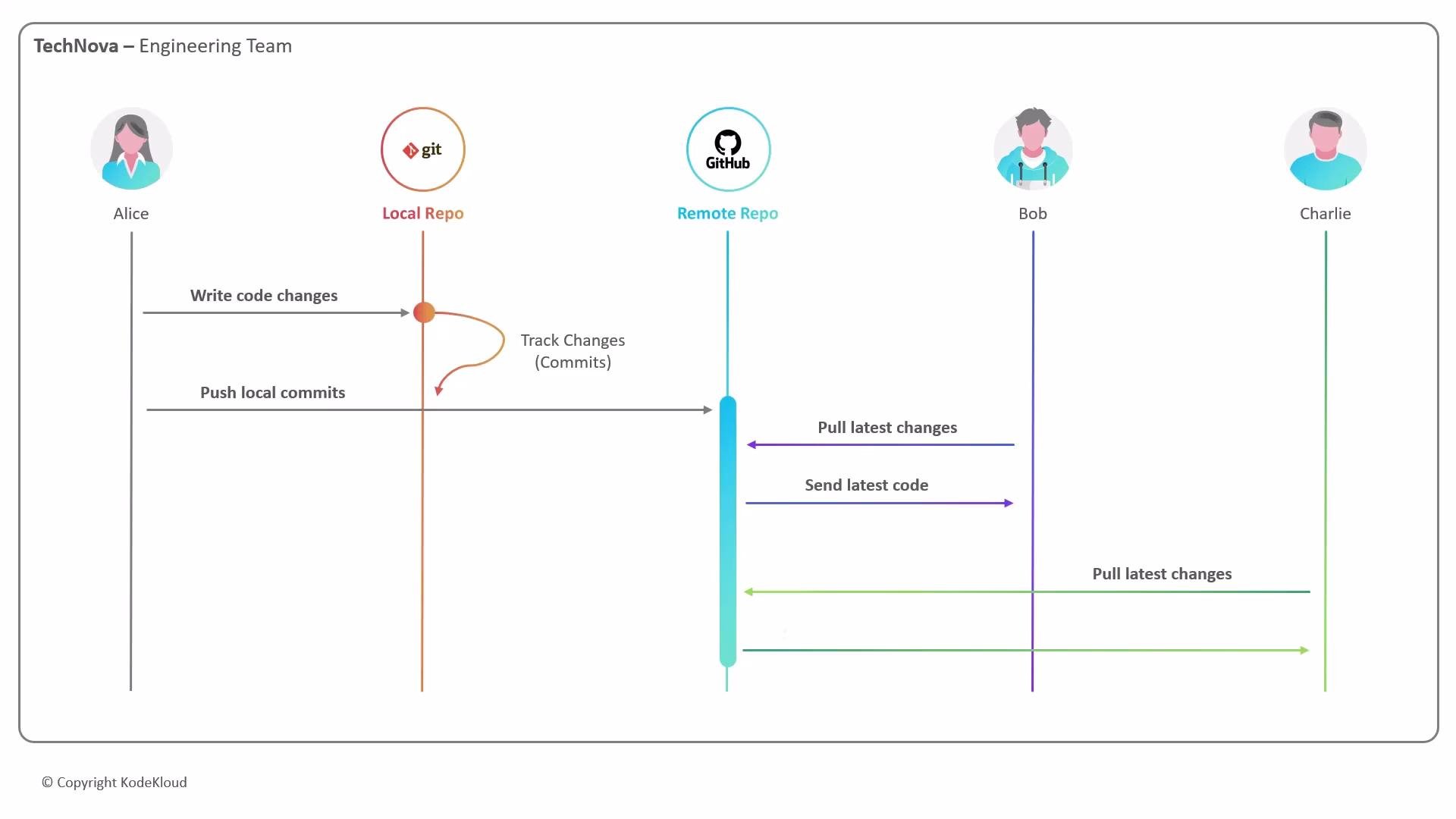
1. Development begins locally:
* A developer (e.g., Alice) edits files and makes commits in her local Git repository. Git records those commits on her machine.
2. Share changes to a remote:
* When ready, Alice pushes her commits to a remote repository hosted on GitHub.
3. Collaborate via GitHub:
* Team members (Bob, Charlie) pull the updates to their machines, review code, open pull requests, or create new branches for features or fixes.
This local-to-remote architecture keeps distributed teams synchronized while preventing accidental overwrites.
## How Git and GitHub work together (typical team workflow)
1. Development begins locally:
* A developer (e.g., Alice) edits files and makes commits in her local Git repository. Git records those commits on her machine.
2. Share changes to a remote:
* When ready, Alice pushes her commits to a remote repository hosted on GitHub.
3. Collaborate via GitHub:
* Team members (Bob, Charlie) pull the updates to their machines, review code, open pull requests, or create new branches for features or fixes.
This local-to-remote architecture keeps distributed teams synchronized while preventing accidental overwrites.
 ## Quick comparison: Git vs GitHub
| Aspect | Git | GitHub |
| --------------- | --------------------------------------------- | --------------------------------------------------- |
| Purpose | Local distributed version control system | Cloud-hosted collaboration and repository service |
| Runs on | Developer's machine (CLI, GUI clients) | Remote servers (web UI, APIs) |
| Examples | `git commit`, `git branch`, `git log` | Pull requests, Issues, Actions, repository settings |
| Offline support | Fully usable offline for commits and branches | Requires internet to push/pull and use web features |
| Primary value | Precise versioning, local history, branching | Collaboration, code review, CI/CD, audit trail |
## Why this workflow matters
* Asynchronous collaboration: Developers can work concurrently without blocking one another, making distributed teams productive across time zones.
* Scalability: The same Git + GitHub workflows scale from small teams to enterprise organizations.
* Security and compliance: GitHub preserves a record of changes—who made them and when—providing an authoritative audit trail.
* Risk management and rollback: Commit history allows teams to revert to a known-good state if deployments fail. Note that while Git supports history rewriting (e.g., `rebase`, `--force`), best practices treat shared remote history as immutable to keep auditability and safe rollbacks.
Together, Git (local version-control engine) and GitHub (cloud collaboration platform) provide a reliable, scalable foundation for modern software development.
## Links and references
* [Git documentation](https://git-scm.com/doc)
* [GitHub Docs](https://docs.github.com/)
* [GitHub Learning Lab](https://lab.github.com/)
## Quick comparison: Git vs GitHub
| Aspect | Git | GitHub |
| --------------- | --------------------------------------------- | --------------------------------------------------- |
| Purpose | Local distributed version control system | Cloud-hosted collaboration and repository service |
| Runs on | Developer's machine (CLI, GUI clients) | Remote servers (web UI, APIs) |
| Examples | `git commit`, `git branch`, `git log` | Pull requests, Issues, Actions, repository settings |
| Offline support | Fully usable offline for commits and branches | Requires internet to push/pull and use web features |
| Primary value | Precise versioning, local history, branching | Collaboration, code review, CI/CD, audit trail |
## Why this workflow matters
* Asynchronous collaboration: Developers can work concurrently without blocking one another, making distributed teams productive across time zones.
* Scalability: The same Git + GitHub workflows scale from small teams to enterprise organizations.
* Security and compliance: GitHub preserves a record of changes—who made them and when—providing an authoritative audit trail.
* Risk management and rollback: Commit history allows teams to revert to a known-good state if deployments fail. Note that while Git supports history rewriting (e.g., `rebase`, `--force`), best practices treat shared remote history as immutable to keep auditability and safe rollbacks.
Together, Git (local version-control engine) and GitHub (cloud collaboration platform) provide a reliable, scalable foundation for modern software development.
## Links and references
* [Git documentation](https://git-scm.com/doc)
* [GitHub Docs](https://docs.github.com/)
* [GitHub Learning Lab](https://lab.github.com/)