> ## Documentation Index
> Fetch the complete documentation index at: https://notes.kodekloud.com/llms.txt
> Use this file to discover all available pages before exploring further.
# Remote in Git Terminology
> Explains Git remotes and workflows, role of origin, core commands like clone add commit push fetch and pull, and how remotes enable collaboration and history synchronization.
A remote in Git is a network-accessible copy of your repository hosted on a server (for example, GitHub, GitLab, or Bitbucket). Remotes provide a shared, centralized source of truth so multiple contributors can exchange code, coordinate changes, and recover history if a local machine fails.
 Why remotes matter (core functions)
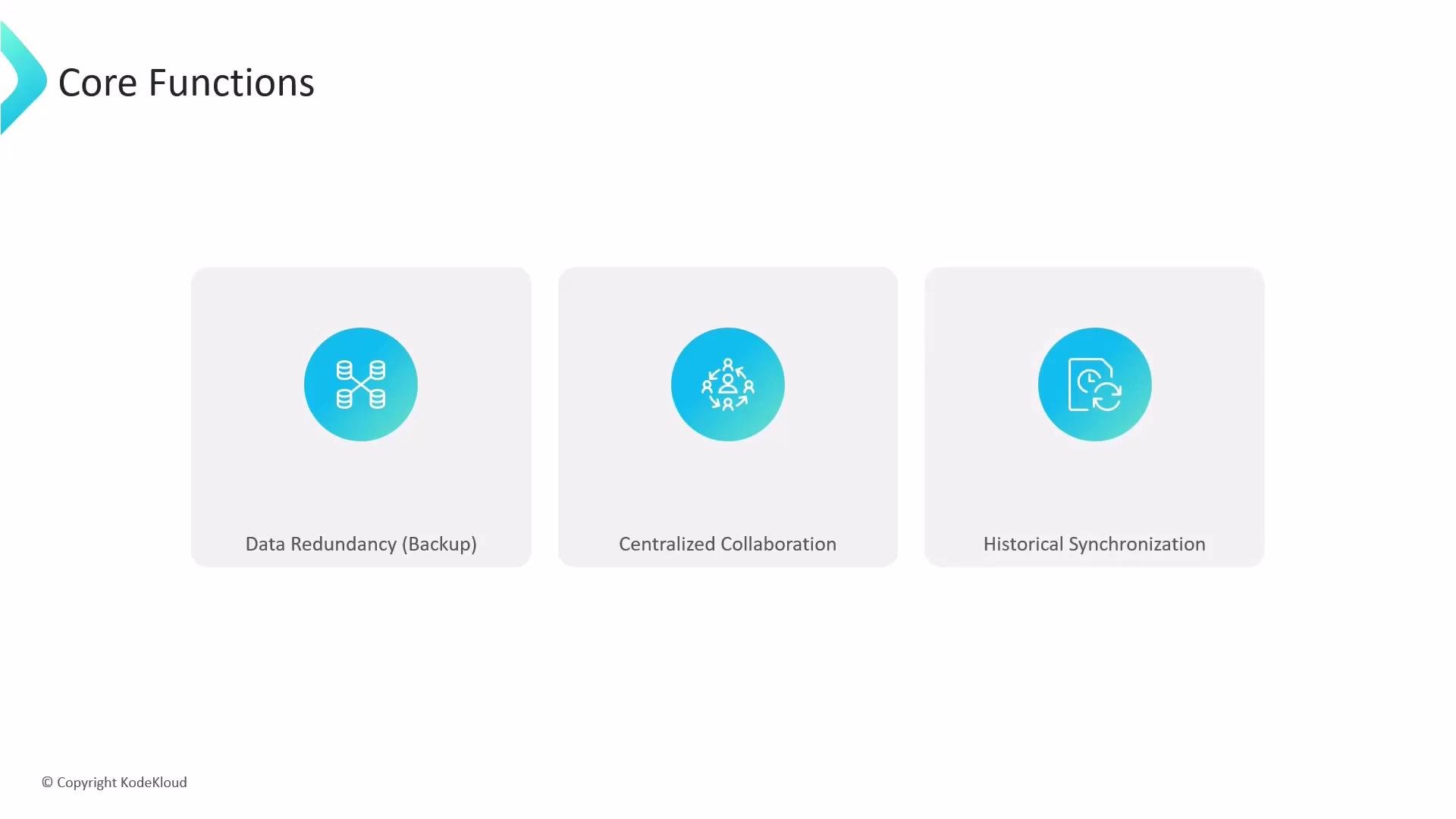
* Data redundancy: The remote keeps a complete, independent copy of the repository history so projects can be restored if a local machine is lost.
* Centralized collaboration: Developers push finished work to the remote and pull others’ changes to integrate them locally.
* History synchronization: Remotes help maintain a single timeline across contributors, reducing drift and merge conflicts.
Why remotes matter (core functions)
* Data redundancy: The remote keeps a complete, independent copy of the repository history so projects can be restored if a local machine is lost.
* Centralized collaboration: Developers push finished work to the remote and pull others’ changes to integrate them locally.
* History synchronization: Remotes help maintain a single timeline across contributors, reducing drift and merge conflicts.
 “Origin” is the default alias Git assigns to the primary remote when you clone a repository. You can add additional remotes with custom names to track forks or other repositories.
How Git and GitHub fit into the developer workflow
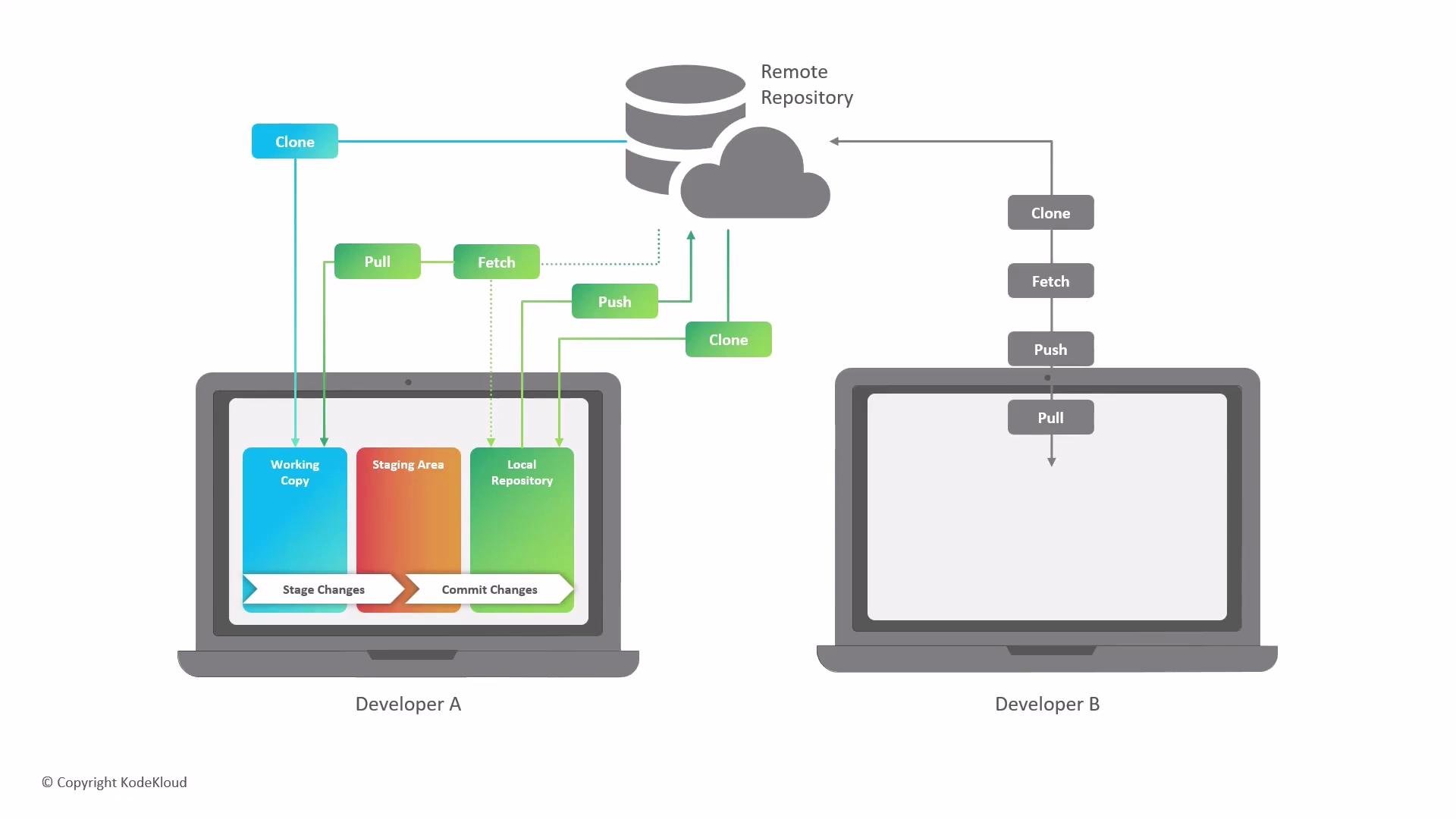
You work across two environments:
* Local environment — your computer, where you edit files and make commits.
* Remote environment — the hosted repository on GitHub (or another service) that other team members access.
Locally, Git divides your workspace into three zones:
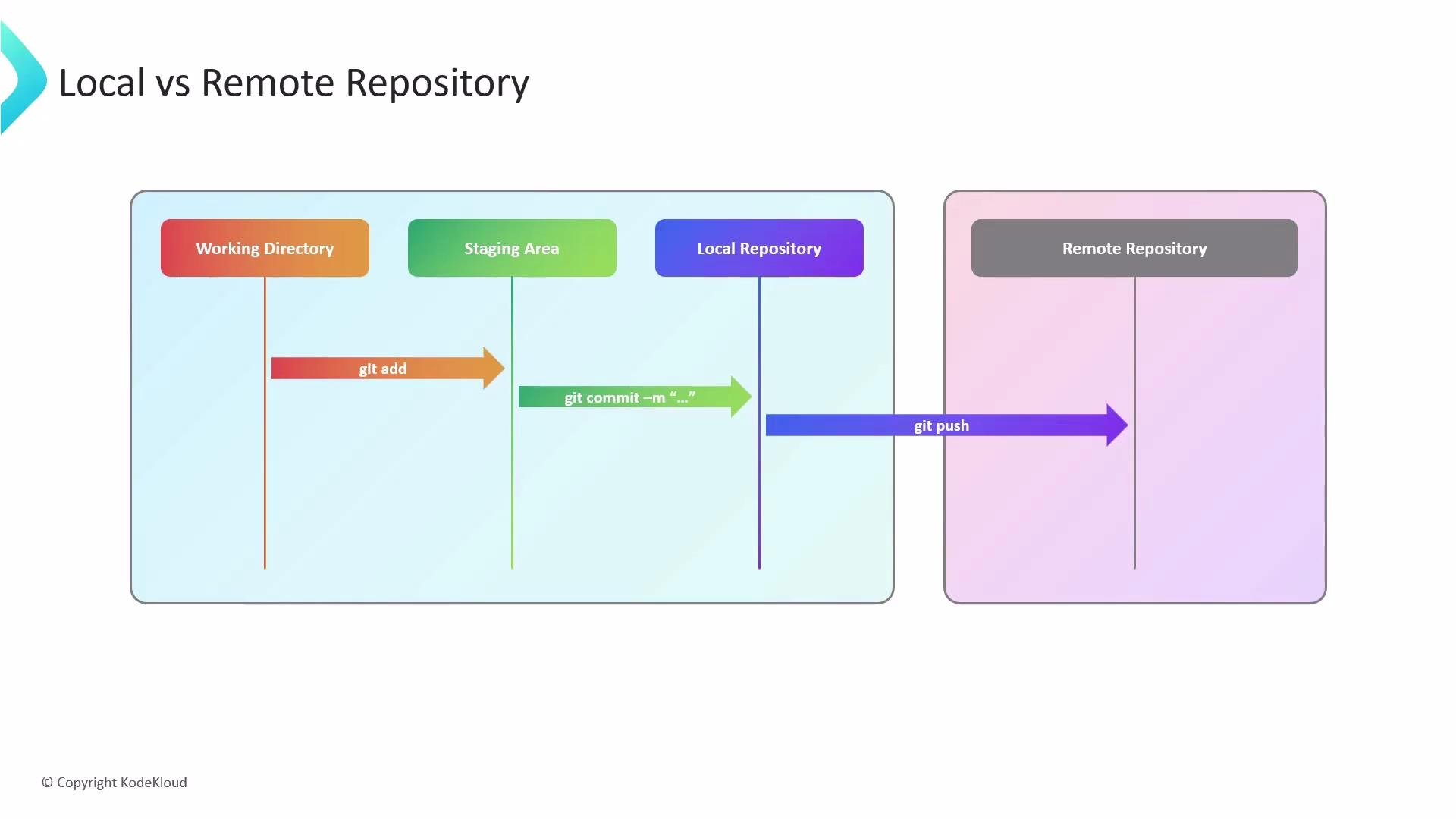
1. Working directory — where you create and modify files.
2. Staging area (index) — where you place changes you want to include in the next commit (`git add`).
3. Local repository — where commits are recorded as immutable snapshots (`git commit`).
When ready to share, you push commits from your local repository to the remote. When teammates push changes to the remote, you fetch or pull those updates into your local workspace.
“Origin” is the default alias Git assigns to the primary remote when you clone a repository. You can add additional remotes with custom names to track forks or other repositories.
How Git and GitHub fit into the developer workflow
You work across two environments:
* Local environment — your computer, where you edit files and make commits.
* Remote environment — the hosted repository on GitHub (or another service) that other team members access.
Locally, Git divides your workspace into three zones:
1. Working directory — where you create and modify files.
2. Staging area (index) — where you place changes you want to include in the next commit (`git add`).
3. Local repository — where commits are recorded as immutable snapshots (`git commit`).
When ready to share, you push commits from your local repository to the remote. When teammates push changes to the remote, you fetch or pull those updates into your local workspace.
 Essential Git commands and when to use them
| Command | Purpose | When to use |
| ---------------------------- | ------------------------------------------------------------------------- | ------------------------------------------------------------------- |
| `git clone ` | Create a local copy of a remote repository and set `origin` | First time you get the project on your machine |
| `git add ` | Stage changes from working directory to the index | Before committing the specific changes you want recorded |
| `git commit -m "message"` | Save a snapshot of staged changes to the local repository | After staging the desired changes |
| `git push origin ` | Upload local commits to the remote repository | When you want others to see or build on your work |
| `git fetch` | Download updates from the remote into remote-tracking branches (no merge) | To update remote state locally without changing working branch |
| `git pull` | Fetch and then merge (or rebase) remote changes into the current branch | To bring remote changes into your current branch and integrate them |
Quick example sequence
```bash theme={null}
git clone
git add .
git commit -m "your message"
git push origin
git pull origin
```
Workflow summary
* Edit files in the working directory.
* Stage changes with `git add`.
* Commit staged changes with `git commit`.
* Share commits with `git push`.
* Incorporate others’ work with `git fetch`/`git pull`.
This cycle—add, commit, push, and pull—is the core of collaborative development with Git and remote repositories. For more details on remote management, see the Git documentation: [https://git-scm.com/docs](https://git-scm.com/docs).
Essential Git commands and when to use them
| Command | Purpose | When to use |
| ---------------------------- | ------------------------------------------------------------------------- | ------------------------------------------------------------------- |
| `git clone ` | Create a local copy of a remote repository and set `origin` | First time you get the project on your machine |
| `git add ` | Stage changes from working directory to the index | Before committing the specific changes you want recorded |
| `git commit -m "message"` | Save a snapshot of staged changes to the local repository | After staging the desired changes |
| `git push origin ` | Upload local commits to the remote repository | When you want others to see or build on your work |
| `git fetch` | Download updates from the remote into remote-tracking branches (no merge) | To update remote state locally without changing working branch |
| `git pull` | Fetch and then merge (or rebase) remote changes into the current branch | To bring remote changes into your current branch and integrate them |
Quick example sequence
```bash theme={null}
git clone
git add .
git commit -m "your message"
git push origin
git pull origin
```
Workflow summary
* Edit files in the working directory.
* Stage changes with `git add`.
* Commit staged changes with `git commit`.
* Share commits with `git push`.
* Incorporate others’ work with `git fetch`/`git pull`.
This cycle—add, commit, push, and pull—is the core of collaborative development with Git and remote repositories. For more details on remote management, see the Git documentation: [https://git-scm.com/docs](https://git-scm.com/docs).