> ## Documentation Index
> Fetch the complete documentation index at: https://notes.kodekloud.com/llms.txt
> Use this file to discover all available pages before exploring further.
# Demo GitHub Actions
> Overview of GitHub Actions workflows, triggers, and a sample validation job checking for a required file on push and pull request
GitHub Actions is GitHub’s built-in automation platform that runs workflows defined in your repository. Workflows are YAML files that describe when the automation should run (triggers) and what steps to execute (jobs and steps). Typical uses include testing, building, and deploying code whenever something changes in your repo.
Workflows are event-driven: GitHub fires events (pushes, pull requests, scheduled timers, manual triggers, and many others), and your workflows respond to those events.
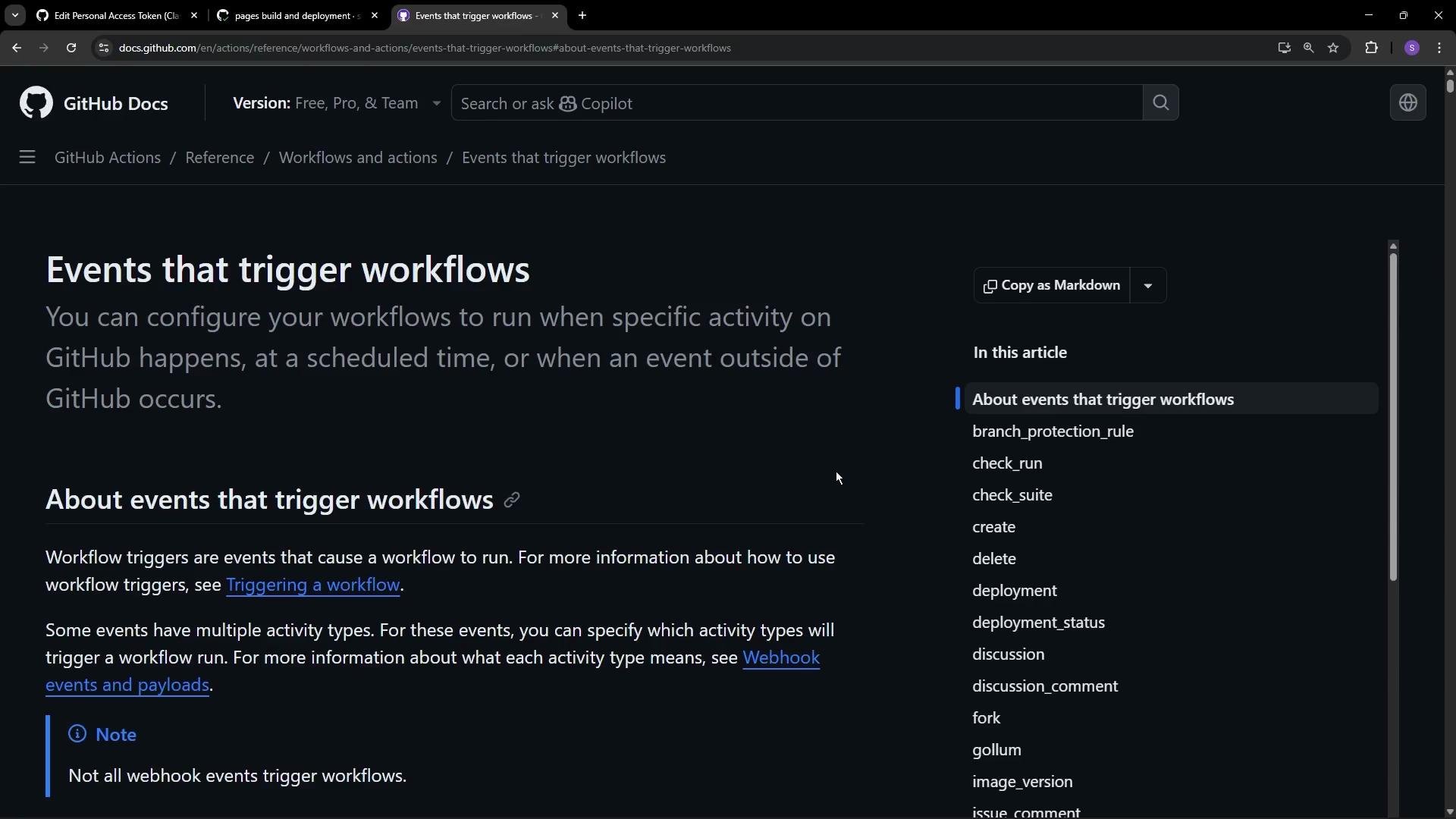 ## Common triggers
* `push` — run when commits are pushed to branches or tags.
* `pull_request` — run when a pull request is opened, synchronized, or updated.
* `schedule` — run at regular intervals using cron syntax.
* `workflow_dispatch` — expose a manual run button in the Actions UI.
* Many repository events (assigned, labeled, opened, etc.) can also trigger workflows.
## Common triggers
* `push` — run when commits are pushed to branches or tags.
* `pull_request` — run when a pull request is opened, synchronized, or updated.
* `schedule` — run at regular intervals using cron syntax.
* `workflow_dispatch` — expose a manual run button in the Actions UI.
* Many repository events (assigned, labeled, opened, etc.) can also trigger workflows.
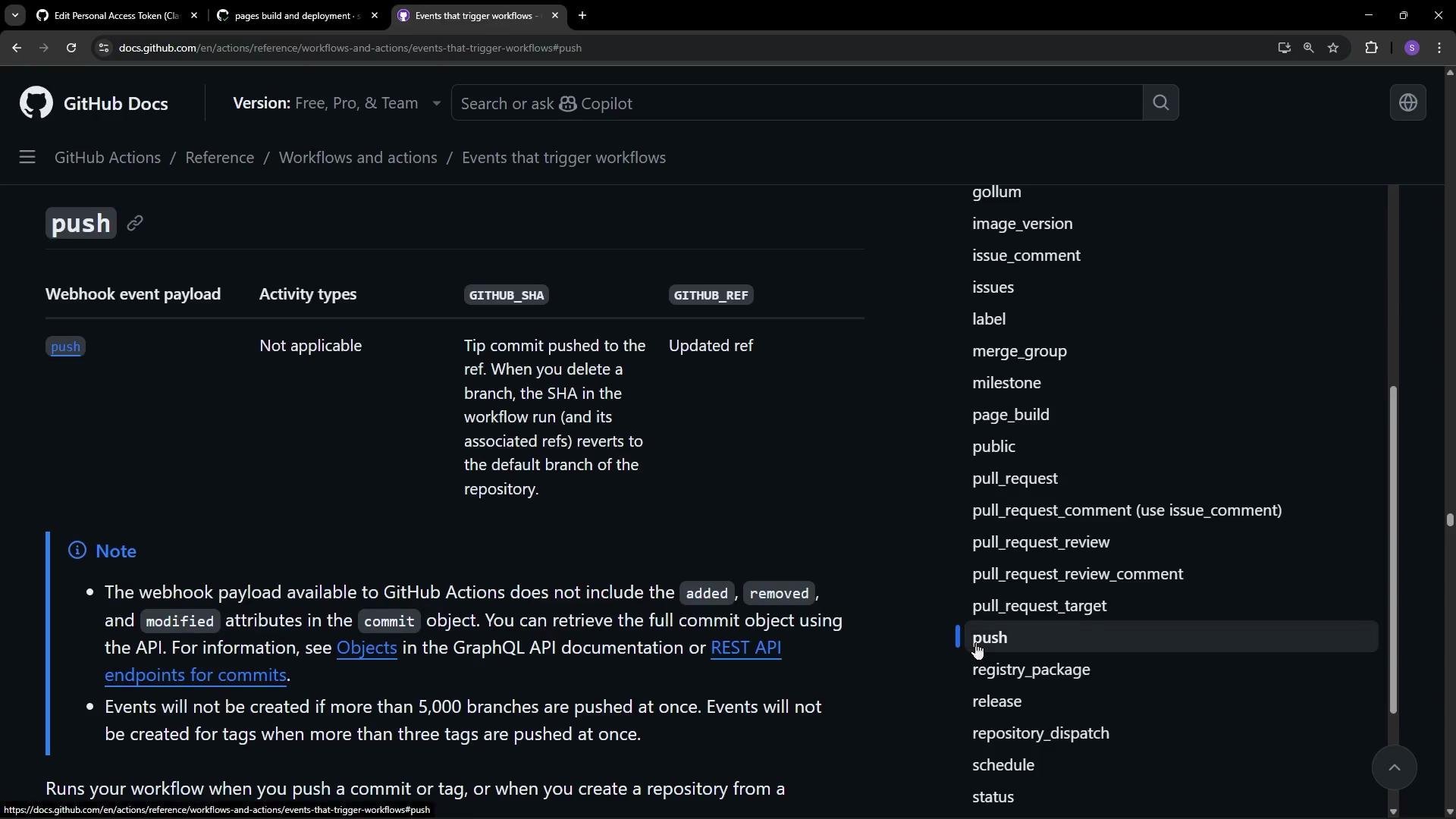 You can combine triggers so a single workflow runs on multiple events. For recurring runs, the `schedule` trigger uses cron syntax. For manual runs from the repository UI, enable `workflow_dispatch`:
```yaml theme={null}
on: workflow_dispatch
```
You can combine triggers so a single workflow runs on multiple events. For recurring runs, the `schedule` trigger uses cron syntax. For manual runs from the repository UI, enable `workflow_dispatch`:
```yaml theme={null}
on: workflow_dispatch
```
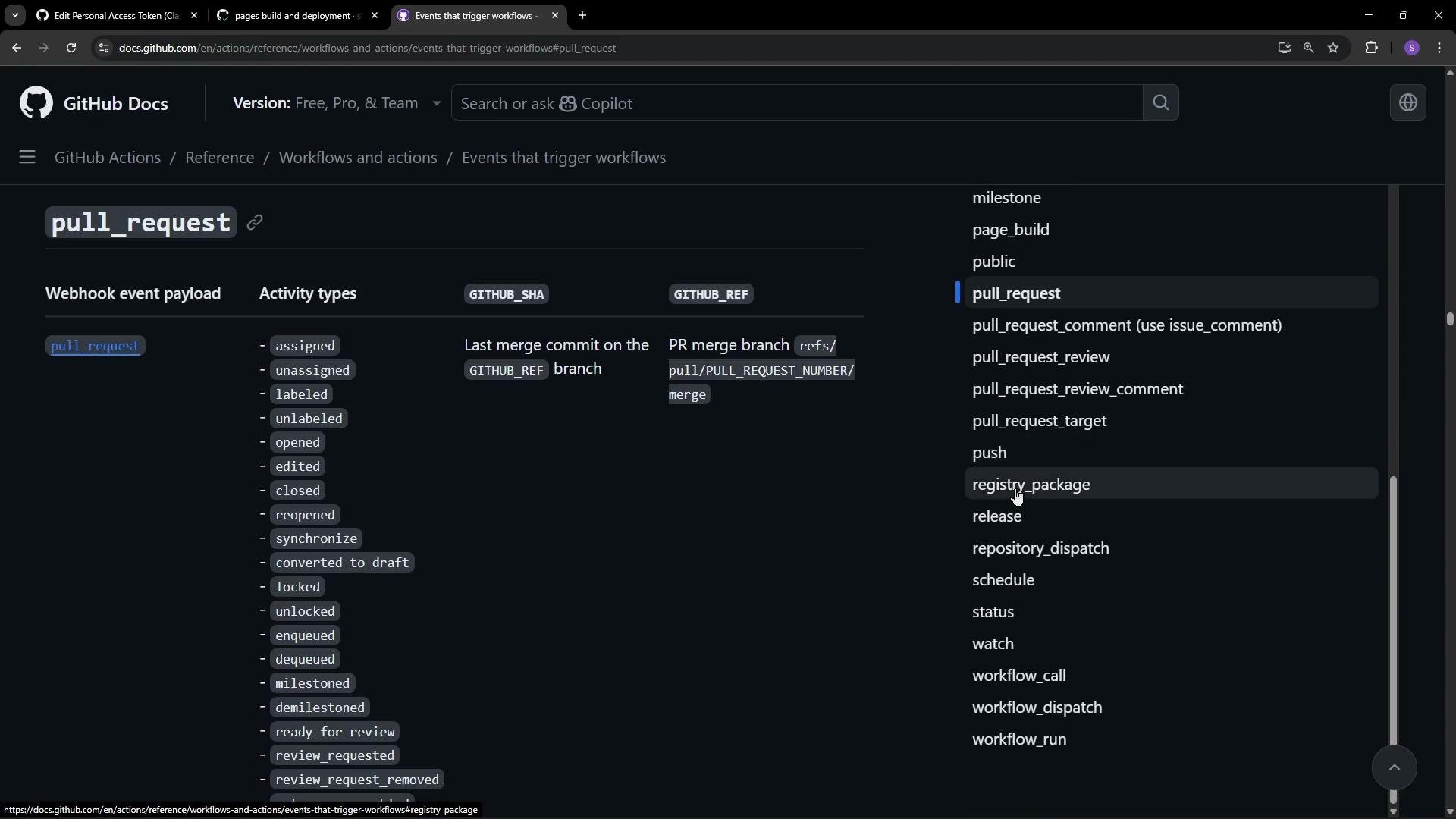 ## Example: verify a required file on push and PR
This example creates a lightweight workflow that runs on pushes and pull requests targeting the `main` branch. It performs a simple check: confirm that `index.html` exists at the repository root. If the file is missing, the job fails.
Create a file at `.github/workflows/.yml` with the following content:
```yaml theme={null}
name: Game Quality Check
# Trigger on pushes and pull requests targeting main
on:
push:
branches: [ main ]
pull_request:
branches: [ main ]
# Optionally allow manual runs from the UI
workflow_dispatch:
jobs:
lint-and-test:
runs-on: ubuntu-latest
steps:
# Step 1: Checkout the repository so the runner has access to files
- name: Checkout Repository
uses: actions/checkout@v4
# Step 2: Simple validation: ensure index.html exists at repo root
- name: Verify Core Files
run: |
if [ -f "index.html" ]; then
echo "✔ index.html found. Ready for launch!"
else
echo "✖ index.html is missing! Game will not load."
exit 1
fi
```
Place this file under `.github/workflows/` and commit to the default branch (for example, `main`). Any push or pull request that targets `main` will trigger the workflow automatically.
When GitHub Pages is enabled for a repository, GitHub itself runs an internal workflow to build and deploy your site. That same Actions framework is what your custom workflows use — you can see build and deployment jobs, logs, and statuses in the Actions UI.
## Example: verify a required file on push and PR
This example creates a lightweight workflow that runs on pushes and pull requests targeting the `main` branch. It performs a simple check: confirm that `index.html` exists at the repository root. If the file is missing, the job fails.
Create a file at `.github/workflows/.yml` with the following content:
```yaml theme={null}
name: Game Quality Check
# Trigger on pushes and pull requests targeting main
on:
push:
branches: [ main ]
pull_request:
branches: [ main ]
# Optionally allow manual runs from the UI
workflow_dispatch:
jobs:
lint-and-test:
runs-on: ubuntu-latest
steps:
# Step 1: Checkout the repository so the runner has access to files
- name: Checkout Repository
uses: actions/checkout@v4
# Step 2: Simple validation: ensure index.html exists at repo root
- name: Verify Core Files
run: |
if [ -f "index.html" ]; then
echo "✔ index.html found. Ready for launch!"
else
echo "✖ index.html is missing! Game will not load."
exit 1
fi
```
Place this file under `.github/workflows/` and commit to the default branch (for example, `main`). Any push or pull request that targets `main` will trigger the workflow automatically.
When GitHub Pages is enabled for a repository, GitHub itself runs an internal workflow to build and deploy your site. That same Actions framework is what your custom workflows use — you can see build and deployment jobs, logs, and statuses in the Actions UI.
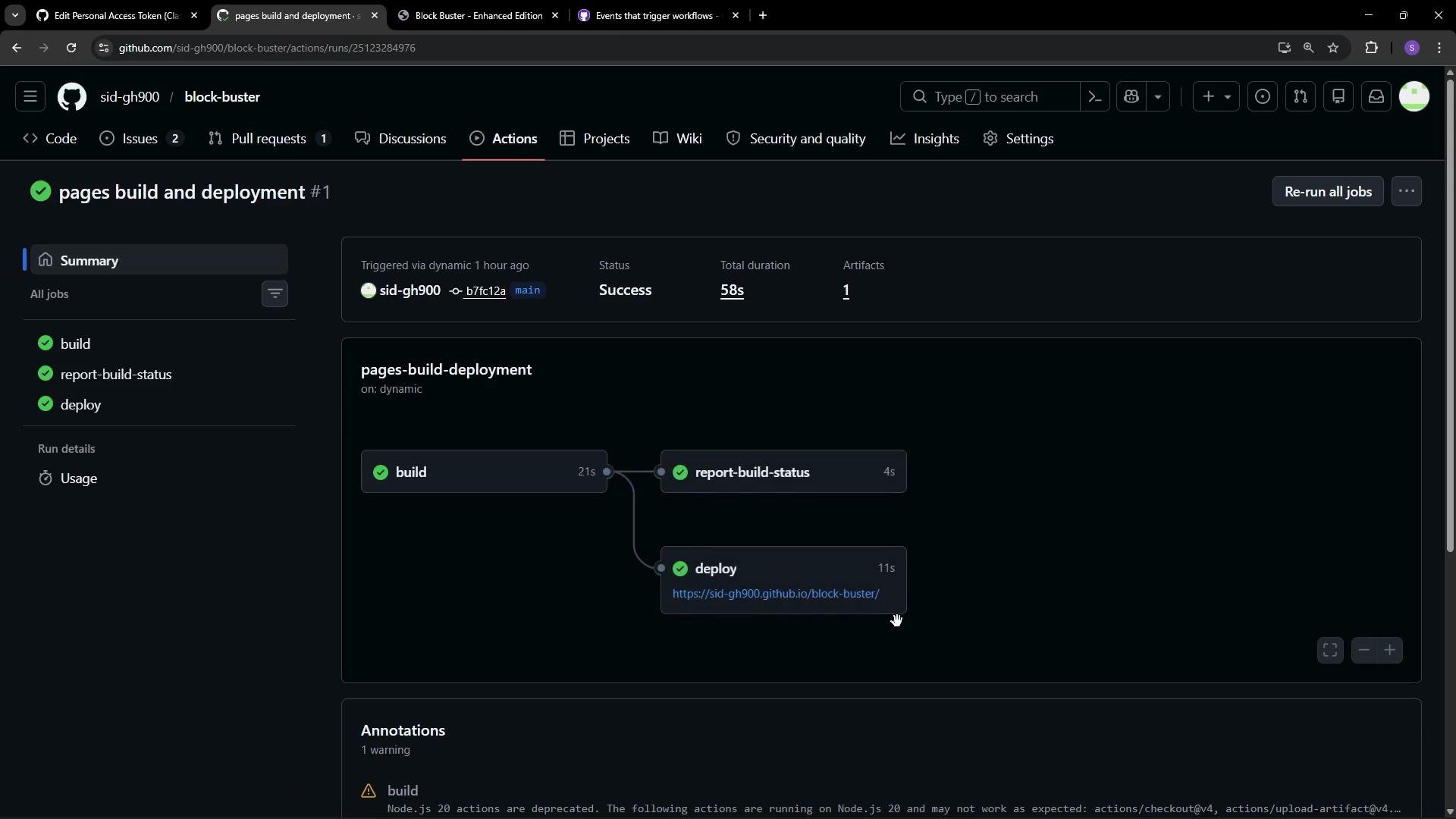
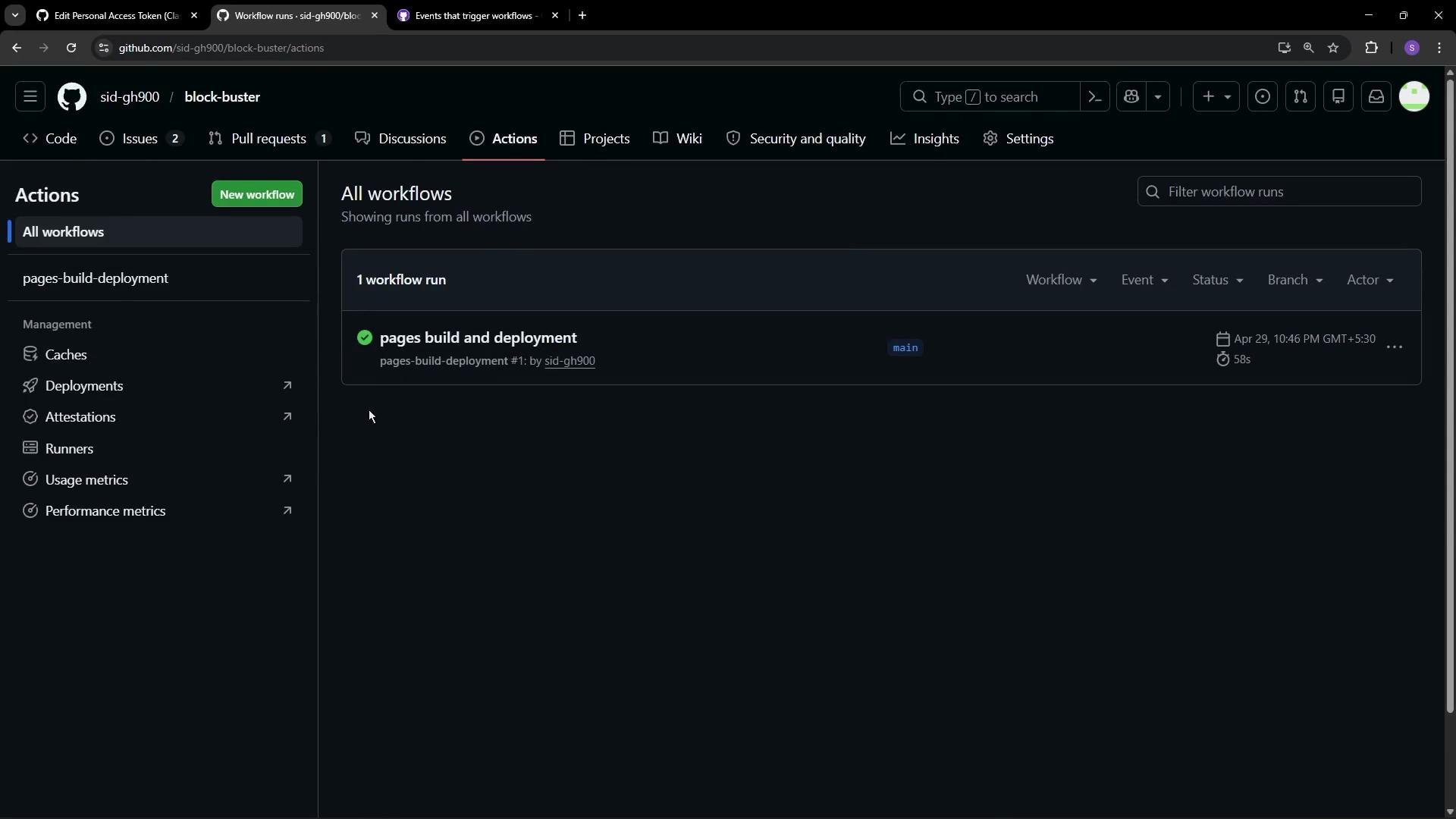 You can inspect workflow runs, job decomposition, and logs to troubleshoot or validate behavior. For example, the Pages workflow often runs multiple jobs (build, report status, deploy), which you can expand and view details for.
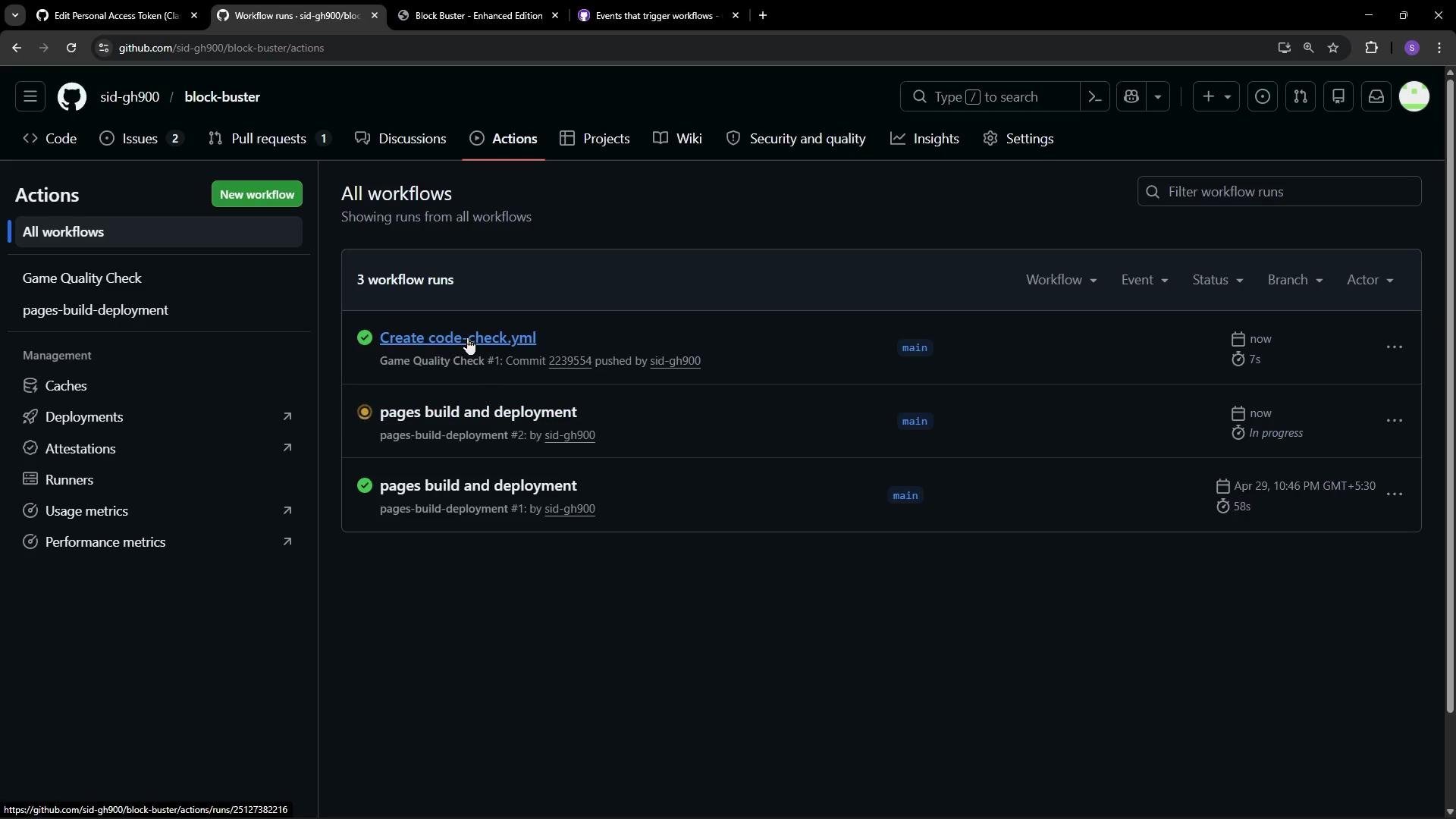
 Once your workflow file is committed to `main`, the Actions tab will show runs for each push and PR targeting that branch. Click a run to view runner provisioning and logs for each step. Typical checkout-related log lines look like:
```bash theme={null}
/usr/bin/git config --global --add safe.directory /home/runner/work/block-buster/block-buster
/usr/bin/git config --local --unset-all extensions.worktreeConfig
/usr/bin/git log -1 --format=%H
22395540d73abadf9b9e13a991b29aa5988c
```
The shell step that verifies `index.html` will echo success or print an error and exit with a non-zero code to fail the job:
```bash theme={null}
if [ -f "index.html" ]; then
echo "💻 index.html found. Ready for launch!"
else
echo "❌ index.html is missing! Game will not load."
exit 1
fi
# shell: /usr/bin/bash -e {0}
```
Once your workflow file is committed to `main`, the Actions tab will show runs for each push and PR targeting that branch. Click a run to view runner provisioning and logs for each step. Typical checkout-related log lines look like:
```bash theme={null}
/usr/bin/git config --global --add safe.directory /home/runner/work/block-buster/block-buster
/usr/bin/git config --local --unset-all extensions.worktreeConfig
/usr/bin/git log -1 --format=%H
22395540d73abadf9b9e13a991b29aa5988c
```
The shell step that verifies `index.html` will echo success or print an error and exit with a non-zero code to fail the job:
```bash theme={null}
if [ -f "index.html" ]; then
echo "💻 index.html found. Ready for launch!"
else
echo "❌ index.html is missing! Game will not load."
exit 1
fi
# shell: /usr/bin/bash -e {0}
```
 ## Quick reference
| Concept | Description | Example |
| ---------------------- | ------------------------------------------------ | ------------------------------ |
| Workflow file location | Where GitHub looks for your workflow definitions | `.github/workflows/.yml` |
| Trigger on push | Run when commits are pushed to branch(es) | `on: push: branches: [ main ]` |
| Manual trigger | Allow manual execution from the GitHub UI | `on: workflow_dispatch` |
| Checkout action | Prepare runner with repository files | `uses: actions/checkout@v4` |
| Failing a job | Exit with non-zero code to mark job as failed | `exit 1` in a shell `run` step |
## Learn more
* [GitHub Actions — Events that trigger workflows](https://docs.github.com/en/actions/using-workflows/events-that-trigger-workflows)
* [actions/checkout](https://github.com/actions/checkout)
* [GitHub Pages documentation](https://docs.github.com/en/pages)
That's the basic flow: declare triggers, define jobs and steps, use actions (for checkout, caching, etc.), and run scripts or other action steps to validate, build, test, or deploy your code.
## Quick reference
| Concept | Description | Example |
| ---------------------- | ------------------------------------------------ | ------------------------------ |
| Workflow file location | Where GitHub looks for your workflow definitions | `.github/workflows/.yml` |
| Trigger on push | Run when commits are pushed to branch(es) | `on: push: branches: [ main ]` |
| Manual trigger | Allow manual execution from the GitHub UI | `on: workflow_dispatch` |
| Checkout action | Prepare runner with repository files | `uses: actions/checkout@v4` |
| Failing a job | Exit with non-zero code to mark job as failed | `exit 1` in a shell `run` step |
## Learn more
* [GitHub Actions — Events that trigger workflows](https://docs.github.com/en/actions/using-workflows/events-that-trigger-workflows)
* [actions/checkout](https://github.com/actions/checkout)
* [GitHub Pages documentation](https://docs.github.com/en/pages)
That's the basic flow: declare triggers, define jobs and steps, use actions (for checkout, caching, etc.), and run scripts or other action steps to validate, build, test, or deploy your code.