> ## Documentation Index
> Fetch the complete documentation index at: https://notes.kodekloud.com/llms.txt
> Use this file to discover all available pages before exploring further.
# Demo Create a GitHub Organization
> Guide to creating a GitHub organization and managing repositories, teams, permissions, plans, and governance for collaboration.
In this lesson you'll create a GitHub organization and learn how to centrally manage repositories, teams, and permissions. Organizations provide a shared workspace to manage access, apply governance, and coordinate collaboration across multiple people and projects.
Prerequisites:
* An active GitHub account (personal or business).
* An email address you can access for verification and invitations.
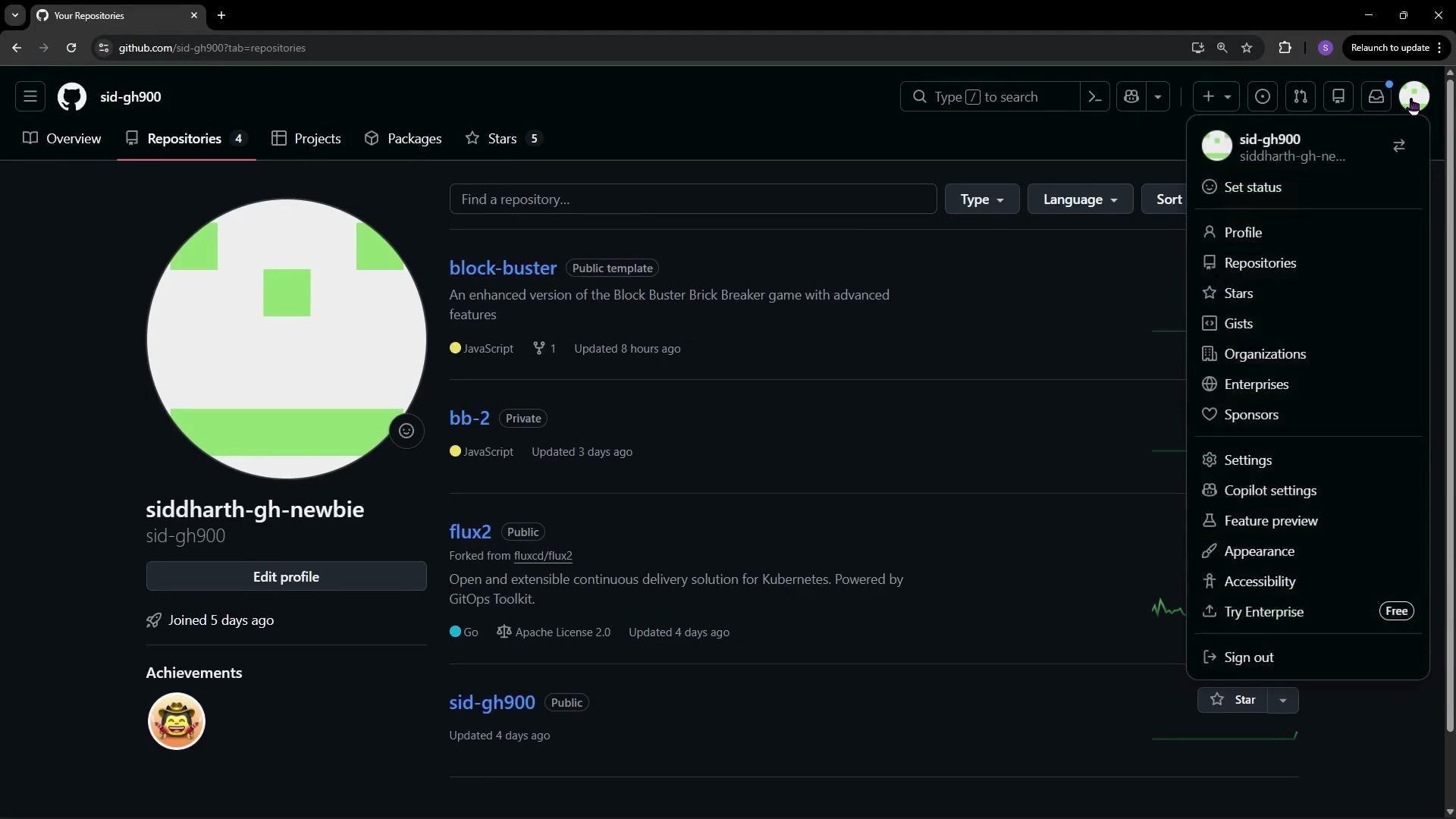
To get started, open your GitHub account, click your profile image, and select Organizations.
 Step-by-step: Create an organization
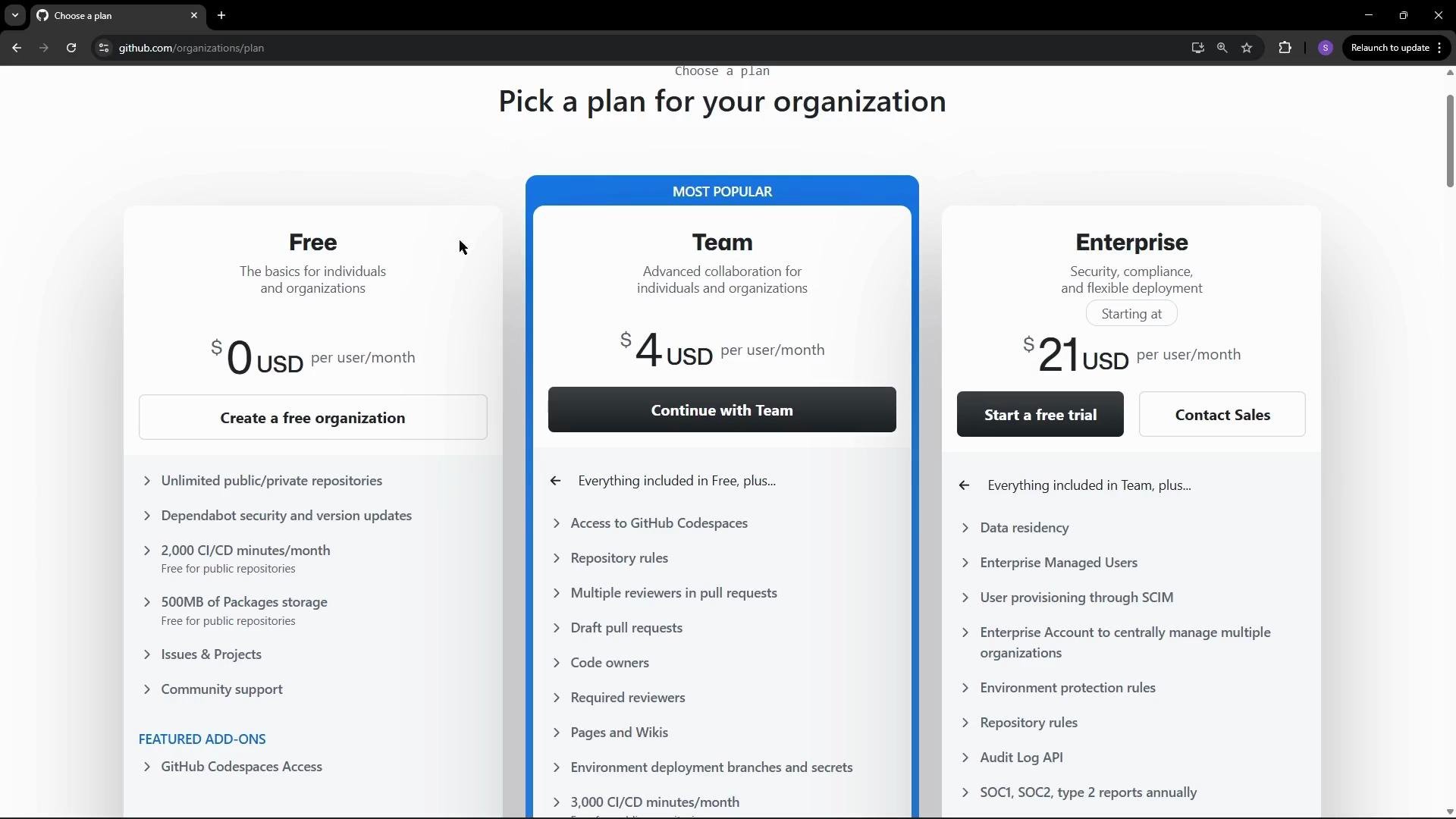
1. Click Create Organization from the Organizations page. GitHub will present plan options: Free, Team, or Enterprise. Choose the plan that fits your team size and governance needs—Free is often sufficient for small teams and personal projects, while Team and Enterprise add advanced collaboration, security, and compliance features.
Step-by-step: Create an organization
1. Click Create Organization from the Organizations page. GitHub will present plan options: Free, Team, or Enterprise. Choose the plan that fits your team size and governance needs—Free is often sufficient for small teams and personal projects, while Team and Enterprise add advanced collaboration, security, and compliance features.
 Quick comparison of organization plans
| Plan | Best for | Key features |
| ---------- | ----------------------------------- | ---------------------------------------------------------------------------- |
| Free | Individuals and small teams | Unlimited public/private repos, limited Actions minutes, basic collaboration |
| Team | Growing teams | Advanced access controls, team sync, more Actions minutes, code owners |
| Enterprise | Organizations with governance needs | Advanced security, SSO, enterprise policies, organization-wide controls |
2. For this demo, select the Free plan. Enter a unique organization name and a contact email. If the name is already taken, GitHub will prompt you to choose another. You’ll also choose whether the organization belongs to your personal account or a business account.
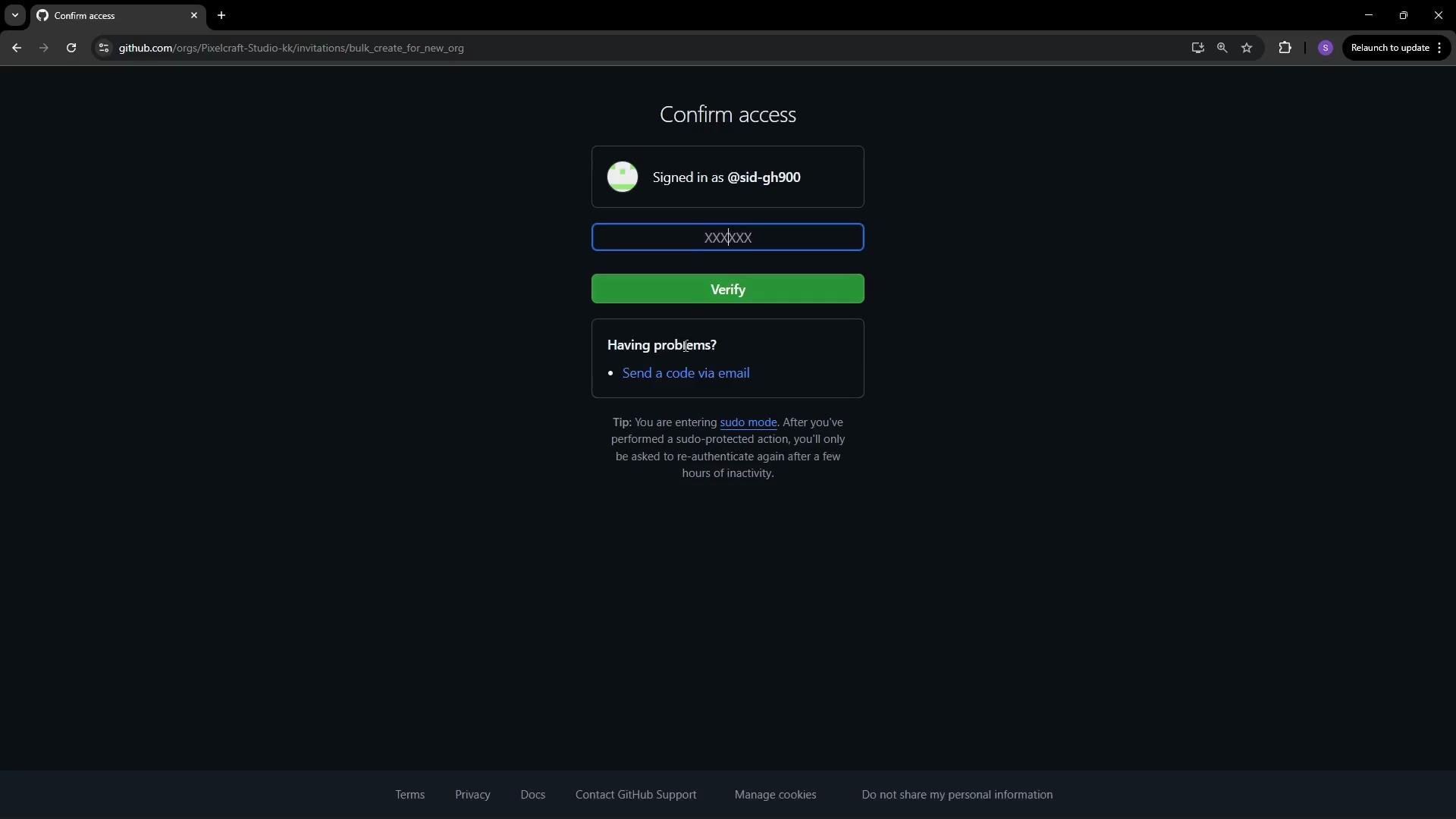
3. Verify ownership and confirm details. Depending on account settings, verification may occur via email, SSO, or other methods. You can also invite members during setup; invited users will receive an invitation email that they must accept to join.
Quick comparison of organization plans
| Plan | Best for | Key features |
| ---------- | ----------------------------------- | ---------------------------------------------------------------------------- |
| Free | Individuals and small teams | Unlimited public/private repos, limited Actions minutes, basic collaboration |
| Team | Growing teams | Advanced access controls, team sync, more Actions minutes, code owners |
| Enterprise | Organizations with governance needs | Advanced security, SSO, enterprise policies, organization-wide controls |
2. For this demo, select the Free plan. Enter a unique organization name and a contact email. If the name is already taken, GitHub will prompt you to choose another. You’ll also choose whether the organization belongs to your personal account or a business account.
3. Verify ownership and confirm details. Depending on account settings, verification may occur via email, SSO, or other methods. You can also invite members during setup; invited users will receive an invitation email that they must accept to join.
 Invited members must accept the invitation sent to their email before they appear as members of the organization. Until they accept, invitations will show as pending.
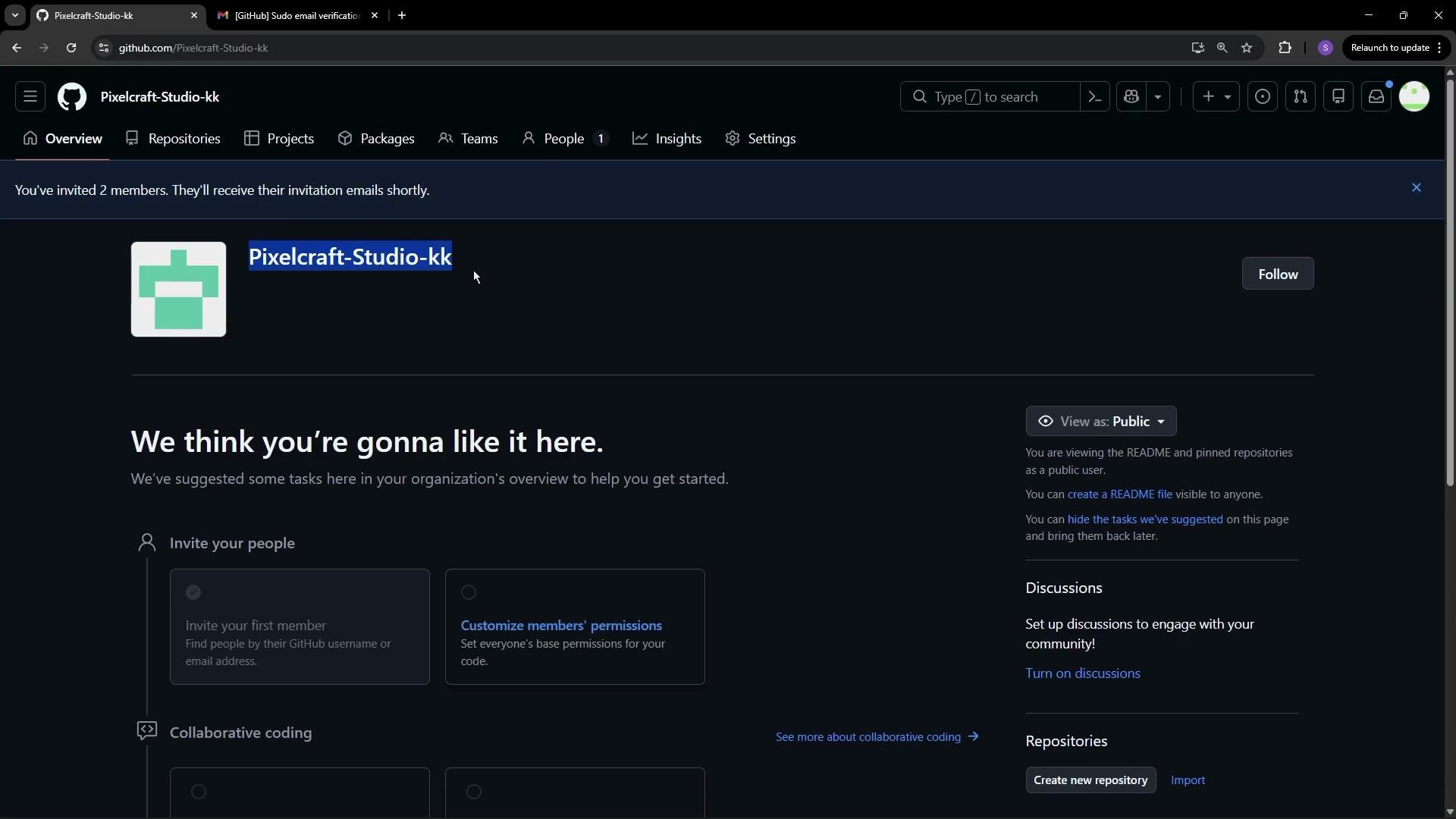
After verification and accepting the Terms of Service, your organization will be created. You can invite additional members later and organize them into teams, assign repository permissions, enforce branch protection rules, and set up issue and PR assignment workflows.
Invited members must accept the invitation sent to their email before they appear as members of the organization. Until they accept, invitations will show as pending.
After verification and accepting the Terms of Service, your organization will be created. You can invite additional members later and organize them into teams, assign repository permissions, enforce branch protection rules, and set up issue and PR assignment workflows.
 Repositories and next steps
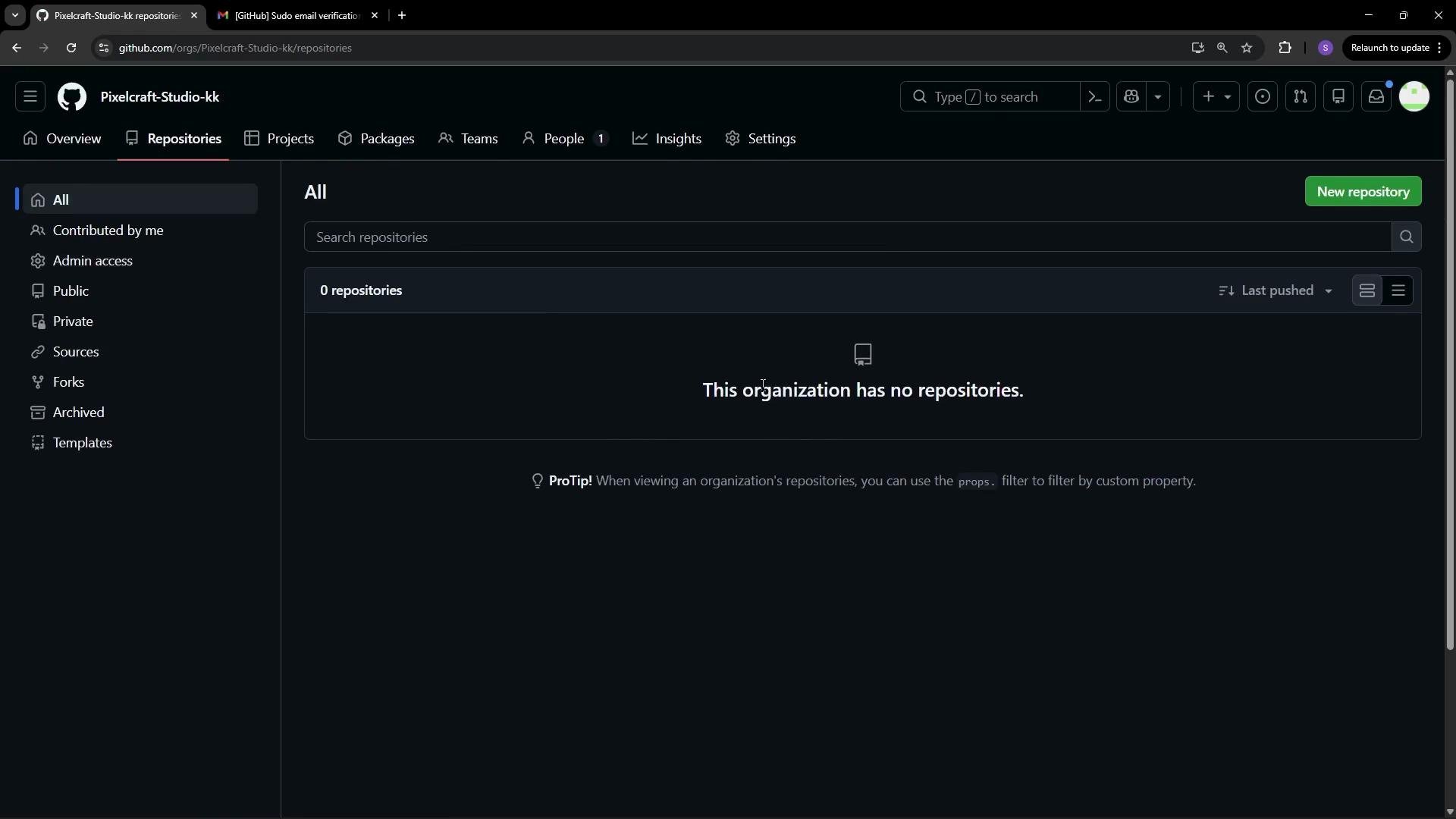
* If this is a new organization, the Repositories tab may show a message indicating there are no repositories yet. You can create a new repository directly under the organization or transfer existing repositories into it.
* Once you have repositories, start by configuring teams and repository permissions, branch protection, code owners, and CI/CD (GitHub Actions) as needed.
Repositories and next steps
* If this is a new organization, the Repositories tab may show a message indicating there are no repositories yet. You can create a new repository directly under the organization or transfer existing repositories into it.
* Once you have repositories, start by configuring teams and repository permissions, branch protection, code owners, and CI/CD (GitHub Actions) as needed.
 Resources and further reading
* [GitHub Organizations documentation](https://docs.github.com/en/organizations)
* [Managing organization settings and policies](https://docs.github.com/en/organizations/organizing-members-into-teams/managing-team-access-to-an-organization)
* [GitHub Plans and Pricing](https://github.com/pricing)
If you choose a paid plan (Team or Enterprise), review billing and SSO/SSO provisioning requirements before upgrading to avoid unexpected costs or access changes.
Resources and further reading
* [GitHub Organizations documentation](https://docs.github.com/en/organizations)
* [Managing organization settings and policies](https://docs.github.com/en/organizations/organizing-members-into-teams/managing-team-access-to-an-organization)
* [GitHub Plans and Pricing](https://github.com/pricing)
If you choose a paid plan (Team or Enterprise), review billing and SSO/SSO provisioning requirements before upgrading to avoid unexpected costs or access changes.