> ## Documentation Index
> Fetch the complete documentation index at: https://notes.kodekloud.com/llms.txt
> Use this file to discover all available pages before exploring further.
# Managing Organization Settings
> Guidelines for configuring GitHub organization settings to enforce security, manage access, standardize CI/CD, control third party apps, and govern repositories and billing
The Organization Settings page is the central control panel for a company or group on GitHub. While repository-level settings apply to individual projects, Organization Settings define security, billing, and collaboration policies that apply across the entire organization. These controls let administrators standardize development workflows, enforce security requirements, and manage who can access organizational resources.
Key responsibilities and features available from Organization Settings:
* Third‑party access governance
* Audit and restrict which external applications (OAuth apps, GitHub Apps, and integrations) can access organization data.
* Configure organization-wide approval flows and granular permissions for apps.
* Default access and membership controls
* Set default repository permissions for organization members (e.g., `none`, `read`, `write`, `maintain`, `triage`, `admin`).
* Control invitations, team creation, and who can create repositories.
* Automation and runner management (CI/CD standardization)
* Permit or restrict GitHub Actions usage, limit workflows to approved actions, and manage repository-level workflow permissions.
* Configure self-hosted runner groups and use environments and protection rules to standardize CI/CD across repositories.
* Authentication and security enforcement
* Enforce organization-wide authentication such as two‑factor authentication (2FA) and single sign-on (SSO/SAML).
* Manage SSH certificate authorities and other centralized identity controls (depending on plan).
* Security and compliance features
* Enable organization-level defaults for code scanning, Dependabot alerts, and secret scanning.
* Access and review audit logs to monitor activity and support compliance reporting.
* Billing and subscription management
* View invoices, manage seats, and adjust plan-level settings for the organization.
* Repository lifecycle and governance
* Apply policies that affect repository creation, visibility (public/private/internal), retention rules, and branch protections.
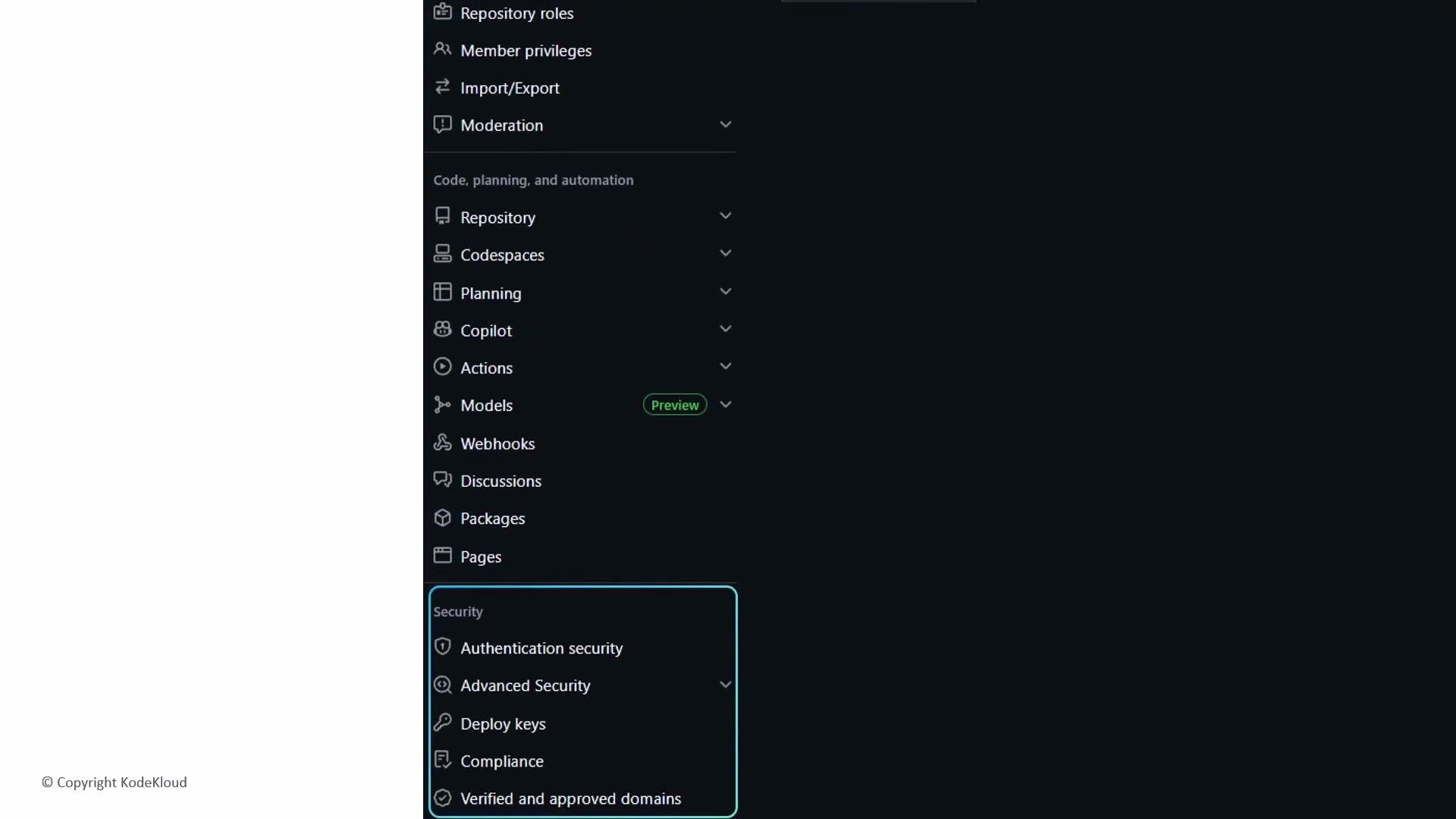 Organization Settings are essential for protecting the organization perimeter: enforce 2FA, configure SSO/SAML where available, and centrally manage SSH certificate authorities. They also let administrators define global repository policies—enforcing repository visibility, default permissions, branch protection rules, and other organization-wide standards. When thoughtfully configured, these settings provide predictable onboarding, a consistent security posture, and a standardized CI/CD environment.
Best practice: Start by documenting desired defaults (e.g., who may create repos, required branch protections, and approved GitHub Actions). Apply controls progressively—test changes on a pilot team before rolling them out org-wide.
Permission levels at a glance:
| Permission level | Typical use case |
| ---------------- | ----------------------------------------------------- |
| `none` | No repository access for members by default |
| `read` | View code, issues, and pull requests |
| `triage` | Manage issues and PRs without write access |
| `write` | Push code and manage issues/PRs |
| `maintain` | Manage repository settings for non-sensitive controls |
| `admin` | Full repository control, including sensitive settings |
Governance checklist for Org administrators:
* Ensure 2FA is enforced for all members.
* Review and approve third-party application access regularly.
* Standardize CI/CD by restricting Actions to approved workflows and runner groups.
* Configure branch protection rules and require status checks where needed.
* Enable security features such as Dependabot, code scanning, and secret scanning.
* Monitor audit logs and set up alerts for anomalous activity.
* Align billing seats and plan features with organizational needs.
Warning: Enforcing SSO or strict authentication controls can block access for users who are not correctly configured. Communicate changes in advance and have an emergency administrative plan to restore access if necessary.
Links and references
* [GitHub Organization administration documentation](https://docs.github.com/en/organizations/managing-organizations-and-teams)
* [Secure your organization with SAML SSO and 2FA](https://docs.github.com/en/organizations/managing-access-to-your-organizations-resources/configuring-saml-single-sign-on-for-your-organization)
* [GitHub Actions and self-hosted runners](https://docs.github.com/en/actions/hosting-your-own-runners)
Organization Settings are essential for protecting the organization perimeter: enforce 2FA, configure SSO/SAML where available, and centrally manage SSH certificate authorities. They also let administrators define global repository policies—enforcing repository visibility, default permissions, branch protection rules, and other organization-wide standards. When thoughtfully configured, these settings provide predictable onboarding, a consistent security posture, and a standardized CI/CD environment.
Best practice: Start by documenting desired defaults (e.g., who may create repos, required branch protections, and approved GitHub Actions). Apply controls progressively—test changes on a pilot team before rolling them out org-wide.
Permission levels at a glance:
| Permission level | Typical use case |
| ---------------- | ----------------------------------------------------- |
| `none` | No repository access for members by default |
| `read` | View code, issues, and pull requests |
| `triage` | Manage issues and PRs without write access |
| `write` | Push code and manage issues/PRs |
| `maintain` | Manage repository settings for non-sensitive controls |
| `admin` | Full repository control, including sensitive settings |
Governance checklist for Org administrators:
* Ensure 2FA is enforced for all members.
* Review and approve third-party application access regularly.
* Standardize CI/CD by restricting Actions to approved workflows and runner groups.
* Configure branch protection rules and require status checks where needed.
* Enable security features such as Dependabot, code scanning, and secret scanning.
* Monitor audit logs and set up alerts for anomalous activity.
* Align billing seats and plan features with organizational needs.
Warning: Enforcing SSO or strict authentication controls can block access for users who are not correctly configured. Communicate changes in advance and have an emergency administrative plan to restore access if necessary.
Links and references
* [GitHub Organization administration documentation](https://docs.github.com/en/organizations/managing-organizations-and-teams)
* [Secure your organization with SAML SSO and 2FA](https://docs.github.com/en/organizations/managing-access-to-your-organizations-resources/configuring-saml-single-sign-on-for-your-organization)
* [GitHub Actions and self-hosted runners](https://docs.github.com/en/actions/hosting-your-own-runners)