> ## Documentation Index
> Fetch the complete documentation index at: https://notes.kodekloud.com/llms.txt
> Use this file to discover all available pages before exploring further.
# Components of a Good README and the Recommended Repository Files
> Guide to creating effective README and essential repository files like LICENSE CONTRIBUTING CODEOWNERS and SECURITY to improve discoverability and contributor onboarding
A well-structured repository makes your project discoverable, easy to use, and simple for others to contribute to. This guide explains the essential repository files you should include—README, LICENSE, CONTRIBUTING, CODEOWNERS, and SECURITY—and how to organize them so contributors and users can quickly understand and run your project.
Why this matters (SEO keywords: README best practices, repository files, open source contribution)
* Improves first impressions and discoverability on GitHub and search engines.
* Reduces friction for new contributors by documenting setup and contribution workflows.
* Clarifies legal permissions and triage procedures for security issues.
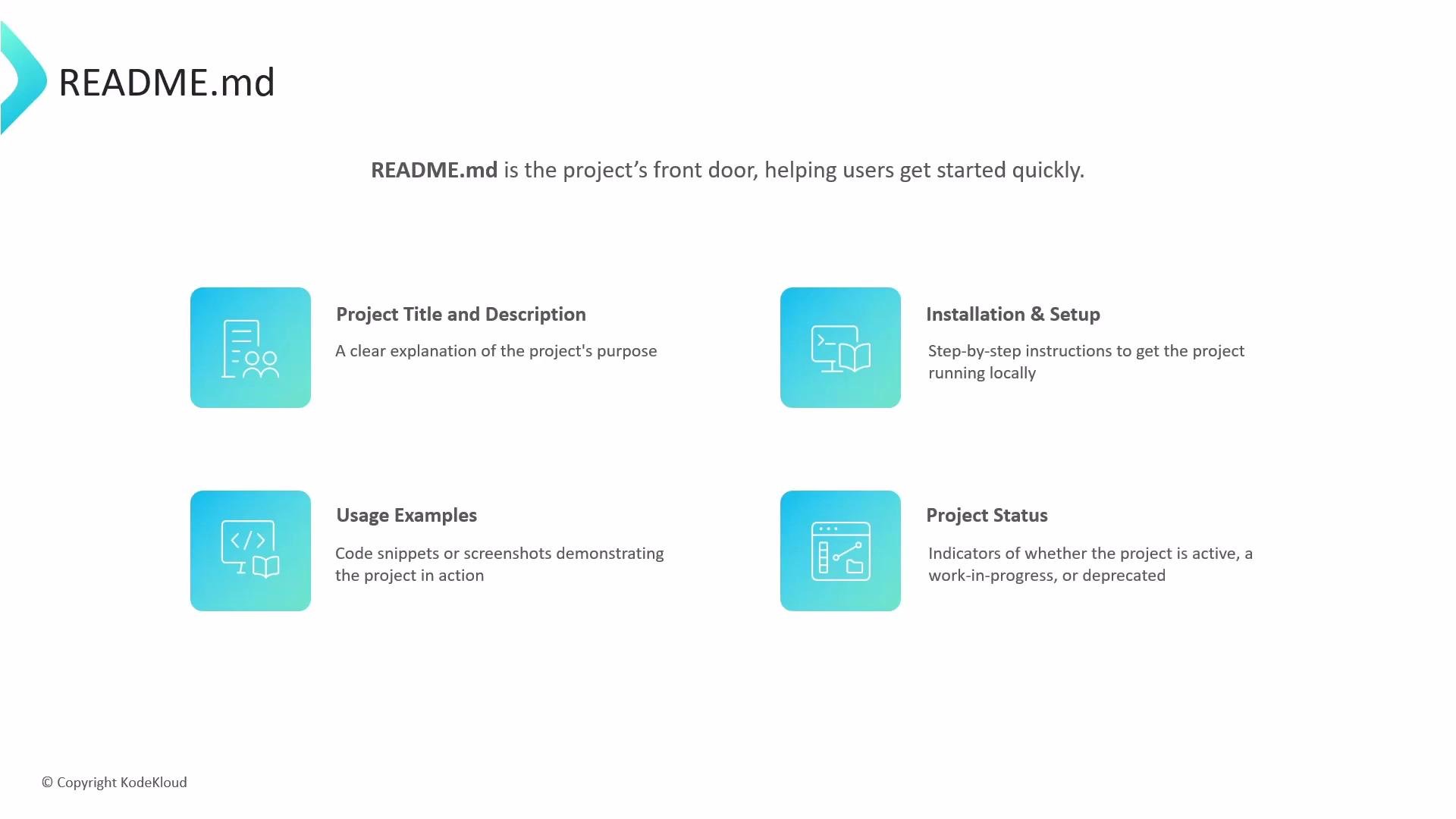
What to include in your README
* Project title and a short, clear description of purpose and benefits.
* Prerequisites and installation/setup steps with examples and commands.
* Usage examples and minimal, copyable code snippets that demonstrate common workflows.
* Screenshots, demo GIFs, or links to live demos to showcase functionality.
* Project status badges (build, release, license) and a quick “Getting Started” section.
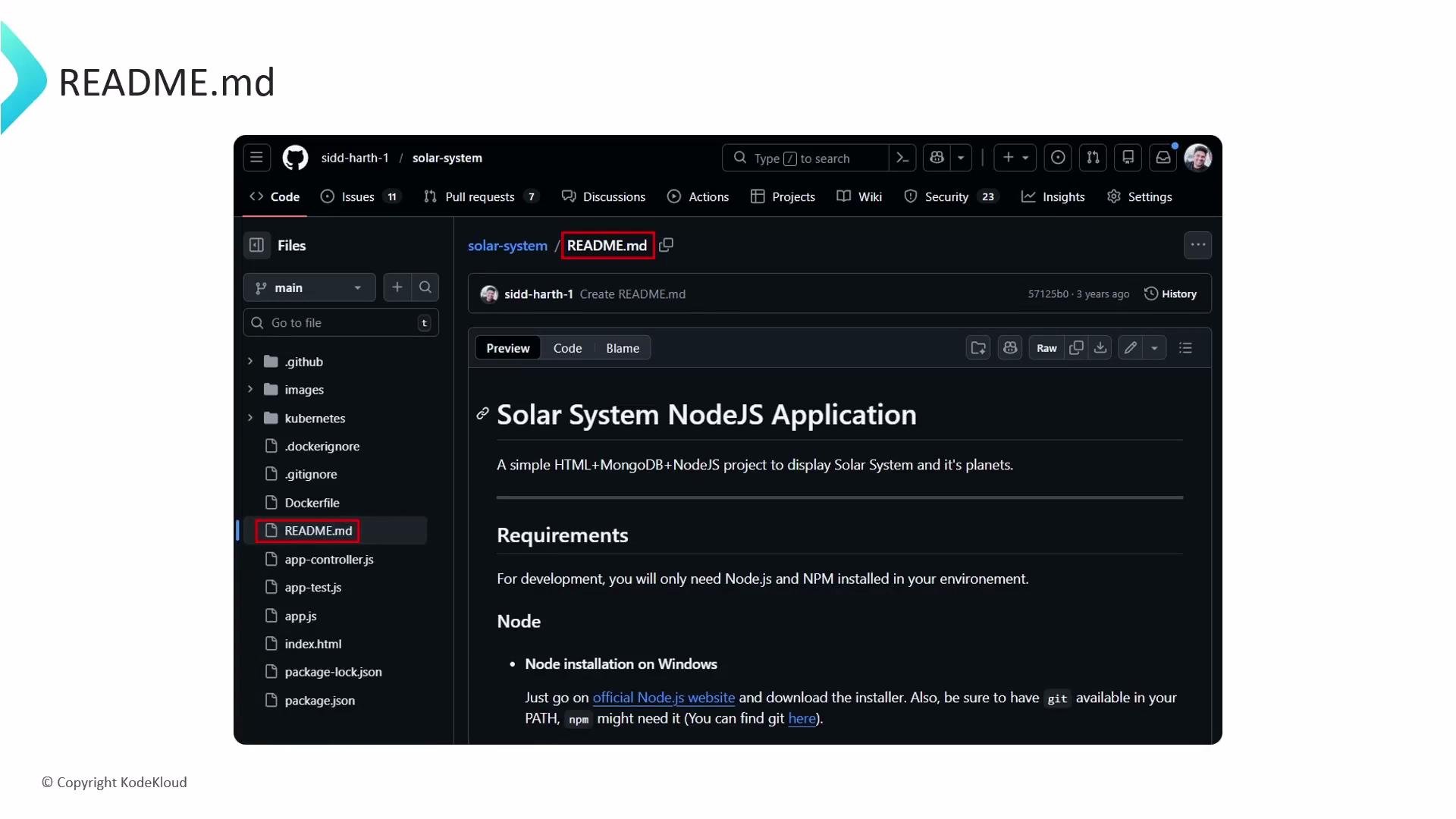
 Where GitHub shows README files
* GitHub renders `README.md` found at the repository root (on the default branch) on the repository’s main page.
* You can keep additional README files in subfolders (for example `.github/` or `docs/`) to document specific areas of the project, but these are supplemental and won’t replace the root README on the main page.
* Common pattern: a concise root `README.md` for general project orientation, and more detailed docs in `docs/` or `.github/`.
Where GitHub shows README files
* GitHub renders `README.md` found at the repository root (on the default branch) on the repository’s main page.
* You can keep additional README files in subfolders (for example `.github/` or `docs/`) to document specific areas of the project, but these are supplemental and won’t replace the root README on the main page.
* Common pattern: a concise root `README.md` for general project orientation, and more detailed docs in `docs/` or `.github/`.
 Example repository layout
```bash theme={null}
my-project-repo/
├── .github/
│ └── README.md
├── docs/
│ └── README.md
└── src/
├── app.py
├── LICENSE
└── README.md
```
Notes about READMEs in multiple locations
* `README.md` at the repository root — primary README displayed on the repository main page.
* `.github/README.md` — useful for repository-specific metadata or community files (e.g., contributing guidelines, templates).
* `docs/README.md` — useful for longer-form documentation or content used by a docs site.
* If you create a public repository named exactly after your GitHub username, its root `README.md` will also appear on your personal GitHub profile page.
Beyond README: other repository files you should include
These files help clarify legal permissions, streamline contributions, automate review requests, and handle security responsibly.
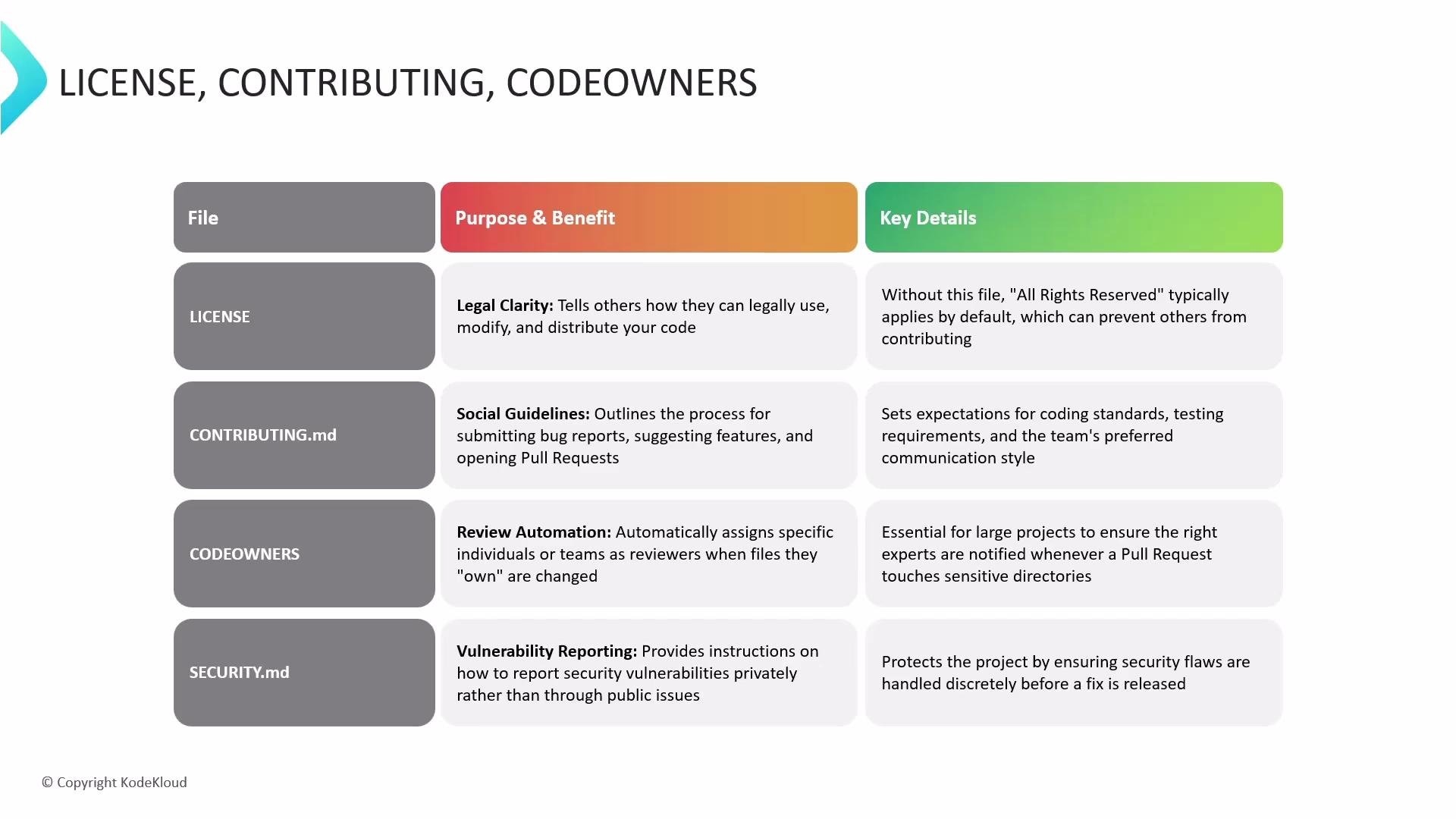
* LICENSE — Clearly states how others may use, modify, and distribute your code. Without one, your project defaults to “all rights reserved,” which limits reuse and contributions. Choose a license using resources like the GitHub Licensing Guide or [https://choosealicense.com/](https://choosealicense.com/).
* CONTRIBUTING.md — Documents how to report issues, request features, and submit pull requests. Outline coding standards, tests, and the expected review process to set contributor expectations.
* CODEOWNERS — Specifies who automatically receives review requests when certain files change. This helps enforce code ownership and speeds up reviews for critical components.
* SECURITY.md — Provides a secure, private process for reporting vulnerabilities rather than opening public issues, helping maintainers address security problems before public disclosure.
Recommended files summary (useful for search: LICENSE, CONTRIBUTING.md, CODEOWNERS, SECURITY.md)
| File | Purpose | Quick example / tip |
| ----------------- | --------------------------------------- | ------------------------------------------------------------------ |
| `LICENSE` | Legal permission and reuse rules | Use templates from GitHub or `https://choosealicense.com/` |
| `CONTRIBUTING.md` | How to contribute, coding style, tests | Include a minimal checklist for pull requests |
| `CODEOWNERS` | Automatically request code reviewers | Add teams or users by path to ensure review coverage |
| `SECURITY.md` | Private vulnerability reporting process | Provide an email or security policy link and response expectations |
Example repository layout
```bash theme={null}
my-project-repo/
├── .github/
│ └── README.md
├── docs/
│ └── README.md
└── src/
├── app.py
├── LICENSE
└── README.md
```
Notes about READMEs in multiple locations
* `README.md` at the repository root — primary README displayed on the repository main page.
* `.github/README.md` — useful for repository-specific metadata or community files (e.g., contributing guidelines, templates).
* `docs/README.md` — useful for longer-form documentation or content used by a docs site.
* If you create a public repository named exactly after your GitHub username, its root `README.md` will also appear on your personal GitHub profile page.
Beyond README: other repository files you should include
These files help clarify legal permissions, streamline contributions, automate review requests, and handle security responsibly.
* LICENSE — Clearly states how others may use, modify, and distribute your code. Without one, your project defaults to “all rights reserved,” which limits reuse and contributions. Choose a license using resources like the GitHub Licensing Guide or [https://choosealicense.com/](https://choosealicense.com/).
* CONTRIBUTING.md — Documents how to report issues, request features, and submit pull requests. Outline coding standards, tests, and the expected review process to set contributor expectations.
* CODEOWNERS — Specifies who automatically receives review requests when certain files change. This helps enforce code ownership and speeds up reviews for critical components.
* SECURITY.md — Provides a secure, private process for reporting vulnerabilities rather than opening public issues, helping maintainers address security problems before public disclosure.
Recommended files summary (useful for search: LICENSE, CONTRIBUTING.md, CODEOWNERS, SECURITY.md)
| File | Purpose | Quick example / tip |
| ----------------- | --------------------------------------- | ------------------------------------------------------------------ |
| `LICENSE` | Legal permission and reuse rules | Use templates from GitHub or `https://choosealicense.com/` |
| `CONTRIBUTING.md` | How to contribute, coding style, tests | Include a minimal checklist for pull requests |
| `CODEOWNERS` | Automatically request code reviewers | Add teams or users by path to ensure review coverage |
| `SECURITY.md` | Private vulnerability reporting process | Provide an email or security policy link and response expectations |
 Include a clear LICENSE and CONTRIBUTING.md early in your repository to reduce legal ambiguity and make it easier for others to contribute.
Next steps & references
* Start by creating a concise `README.md` at your repo root with setup and usage examples.
* Add `LICENSE`, `CONTRIBUTING.md`, `CODEOWNERS`, and `SECURITY.md` according to your project’s needs.
* Useful references:
* GitHub Docs: [https://docs.github.com/](https://docs.github.com/)
* Choose a License: [https://choosealicense.com/](https://choosealicense.com/)
* Writing good CONTRIBUTING guides: [https://opensource.guide/starting-a-project/#writing-a-contributing-guide](https://opensource.guide/starting-a-project/#writing-a-contributing-guide)
These files together make your repository approachable, legally clear, and easier to maintain—especially as projects grow or multiple contributors become involved.
Include a clear LICENSE and CONTRIBUTING.md early in your repository to reduce legal ambiguity and make it easier for others to contribute.
Next steps & references
* Start by creating a concise `README.md` at your repo root with setup and usage examples.
* Add `LICENSE`, `CONTRIBUTING.md`, `CODEOWNERS`, and `SECURITY.md` according to your project’s needs.
* Useful references:
* GitHub Docs: [https://docs.github.com/](https://docs.github.com/)
* Choose a License: [https://choosealicense.com/](https://choosealicense.com/)
* Writing good CONTRIBUTING guides: [https://opensource.guide/starting-a-project/#writing-a-contributing-guide](https://opensource.guide/starting-a-project/#writing-a-contributing-guide)
These files together make your repository approachable, legally clear, and easier to maintain—especially as projects grow or multiple contributors become involved.