> ## Documentation Index
> Fetch the complete documentation index at: https://notes.kodekloud.com/llms.txt
> Use this file to discover all available pages before exploring further.
# Comparing Issue Templates and Issue Forms
> Comparison of GitHub Markdown issue templates and YAML issue forms, their differences, use cases, validation, and guidance for choosing and authoring templates or forms.
What’s the difference between GitHub issue templates (Markdown) and issue forms (YAML)? Both are designed to standardize how contributors open issues and to improve the quality of incoming reports. They differ mainly by format, user experience, enforcement options, and ideal use cases. This guide explains those differences, provides examples, and highlights when to use each approach.
## File format and user experience
* Issue templates are plain Markdown files that pre-fill the issue description with headings, prompts, and checklists. Contributors see editable text in the description box and can change anything before submitting.
* Issue forms are defined in YAML and render as a structured UI made of fields (text inputs, textareas, checkboxes, dropdowns, etc.), giving contributors a guided experience and clearer prompts.
Benefits at a glance:
* Markdown templates: easy to author, flexible, familiar to contributors.
* YAML issue forms: structured data, better validation, easier to use for automation and triage.
## Examples
Example: a simple Markdown issue template
```markdown theme={null}
---
name: Bug report
about: Create a report to help us improve
---
**Describe the bug**
A clear and concise description of what the bug is.
**Steps to reproduce**
1. Go to ...
2. Click on ...
3. See error
**Expected behavior**
A short description of what you expected to happen.
**Environment**
- OS:
- Browser:
```
Example: an issue form (YAML) that enforces structured input
```yaml theme={null}
name: Bug report
description: Report a bug affecting the project
body:
- type: input
id: title
attributes:
label: Short summary
description: One-line summary of the issue
placeholder: "e.g. Crash when opening settings"
validations:
required: true
- type: textarea
id: steps
attributes:
label: Steps to reproduce
description: Provide step-by-step instructions
validations:
required: true
- type: dropdown
id: os
attributes:
label: Operating system
options:
- Windows
- macOS
- Linux
validations:
required: true
```
## Side-by-side comparison
| Feature | Issue Templates (Markdown) | Issue Forms (YAML) |
| ----------------: | -------------------------------------------------------- | -------------------------------------------------------------- |
| File format | Markdown (`.md`) | YAML (`.yml`) |
| User experience | Free-form description box (editable text) | Structured UI with labeled fields |
| Input flexibility | Contributors can edit or remove prompts | Fields can be required and validated |
| Data enforcement | No built-in validation; easy to submit incomplete issues | `required` validations and field types enforce input |
| Best for | Lightweight guidance, checklists, small projects | Bugs, feature requests, triage flows needing consistent fields |
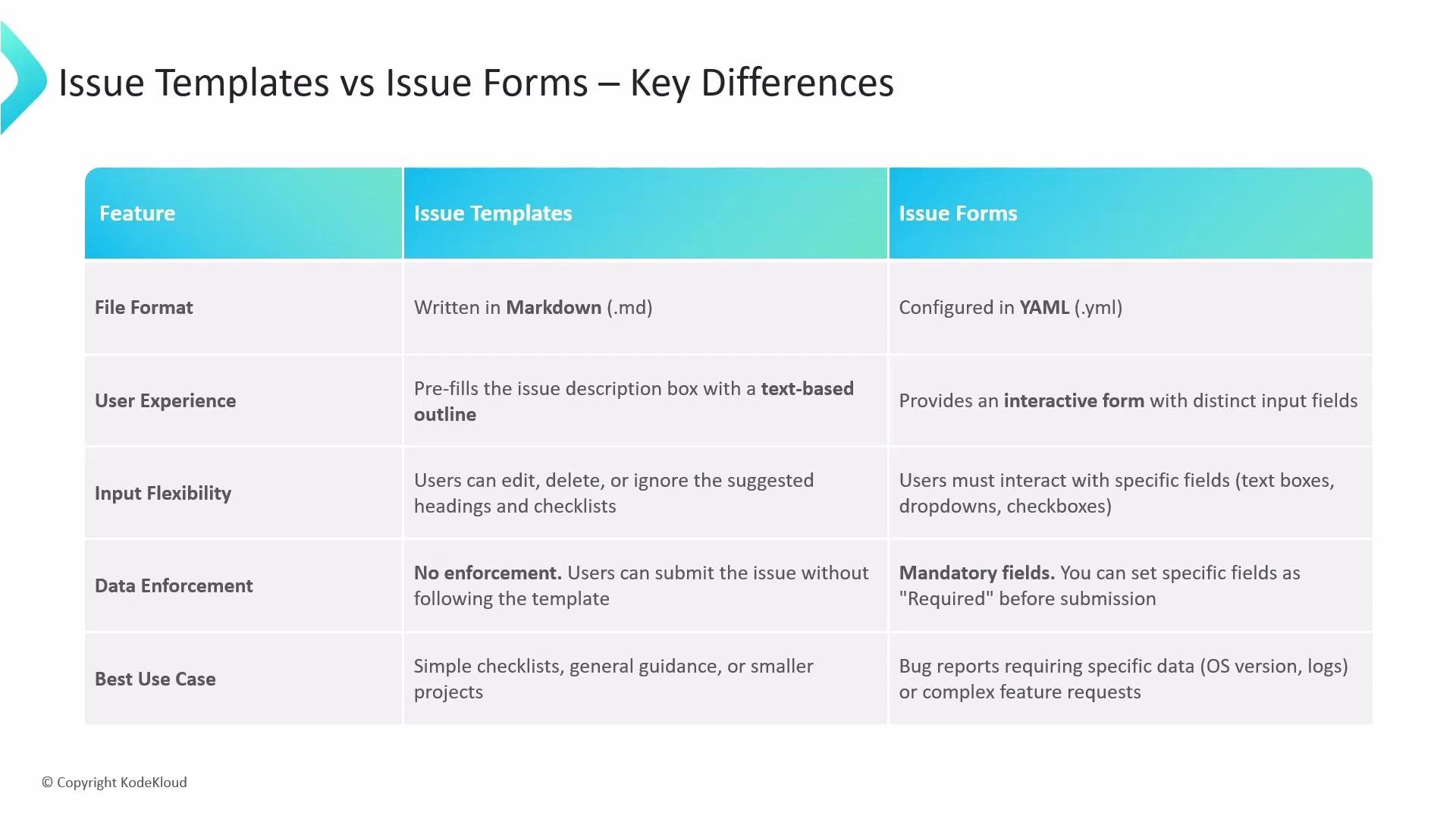 While both mechanisms share the same goal—collecting better information from contributors—they diverge in how they guide users and how much structure and validation they provide.
## When to use which
* Use issue templates (Markdown) when:
* You want quick, flexible guidance or checklists.
* The project is small or contributions are informal.
* You don’t need strict, machine-readable fields.
* Use issue forms (YAML) when:
* You need consistent, structured input (e.g., OS, reproduction steps, logs).
* You want to enforce required fields to improve triage.
* You plan to automate issue handling, labels, or routing based on field values.
## Quick tips for authors
* Convert high-value templates to forms if you repeatedly need the same structured fields.
* Keep forms concise: too many required fields can discourage contributors.
* Provide helpful placeholders and examples to reduce low-quality reports.
* Use labels, issue actions, or GitHub Actions to automate workflows based on form fields.
## Links and references
* [GitHub Docs: About issue templates](https://docs.github.com/en/issues/managing-your-work-on-github/managing-issues/about-issue-templates)
* [GitHub Docs: Creating issue forms](https://docs.github.com/en/issues/creating-cloning-and-archiving-repositories/creating-issue-forms-for-your-repository)
Choose Markdown templates when you need flexibility and light guidance. Choose YAML-based issue forms when you need consistent, enforceable fields that improve triage, automation, and data quality.
While both mechanisms share the same goal—collecting better information from contributors—they diverge in how they guide users and how much structure and validation they provide.
## When to use which
* Use issue templates (Markdown) when:
* You want quick, flexible guidance or checklists.
* The project is small or contributions are informal.
* You don’t need strict, machine-readable fields.
* Use issue forms (YAML) when:
* You need consistent, structured input (e.g., OS, reproduction steps, logs).
* You want to enforce required fields to improve triage.
* You plan to automate issue handling, labels, or routing based on field values.
## Quick tips for authors
* Convert high-value templates to forms if you repeatedly need the same structured fields.
* Keep forms concise: too many required fields can discourage contributors.
* Provide helpful placeholders and examples to reduce low-quality reports.
* Use labels, issue actions, or GitHub Actions to automate workflows based on form fields.
## Links and references
* [GitHub Docs: About issue templates](https://docs.github.com/en/issues/managing-your-work-on-github/managing-issues/about-issue-templates)
* [GitHub Docs: Creating issue forms](https://docs.github.com/en/issues/creating-cloning-and-archiving-repositories/creating-issue-forms-for-your-repository)
Choose Markdown templates when you need flexibility and light guidance. Choose YAML-based issue forms when you need consistent, enforceable fields that improve triage, automation, and data quality.