> ## Documentation Index
> Fetch the complete documentation index at: https://notes.kodekloud.com/llms.txt
> Use this file to discover all available pages before exploring further.
# Demo Describe How to Create an Issue
> Guide showing how to report a game bug on GitHub including reproduction steps, code snippet, issue metadata, owner triage and a safer fix preventing exponential ball growth
When a player discovers a bug in the Blockbuster game, the recommended workflow is to open a GitHub issue that describes the problem, includes a minimal reproduction or code snippet, and assigns relevant metadata (assignees, labels, projects, milestones). This guide demonstrates how a contributor reports the bug and how a repository owner configures notifications and assigns the issue.
A contributor (Alice) finds a bug and is logged into the Blockbuster repository as the contributor "Alice". She navigates to the Issues tab—there are currently no issues in this repository.
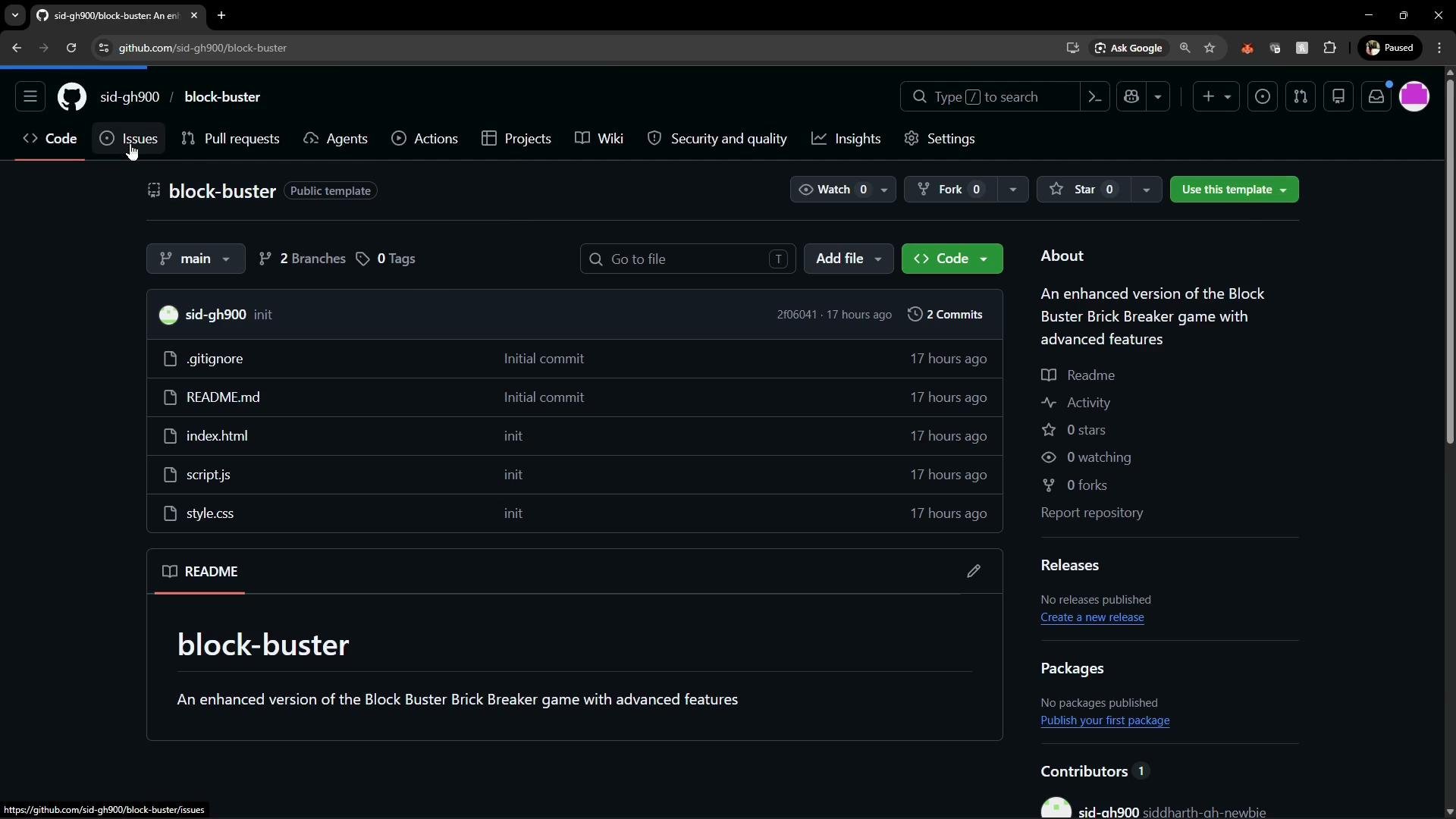 Step 1 — Create a new issue
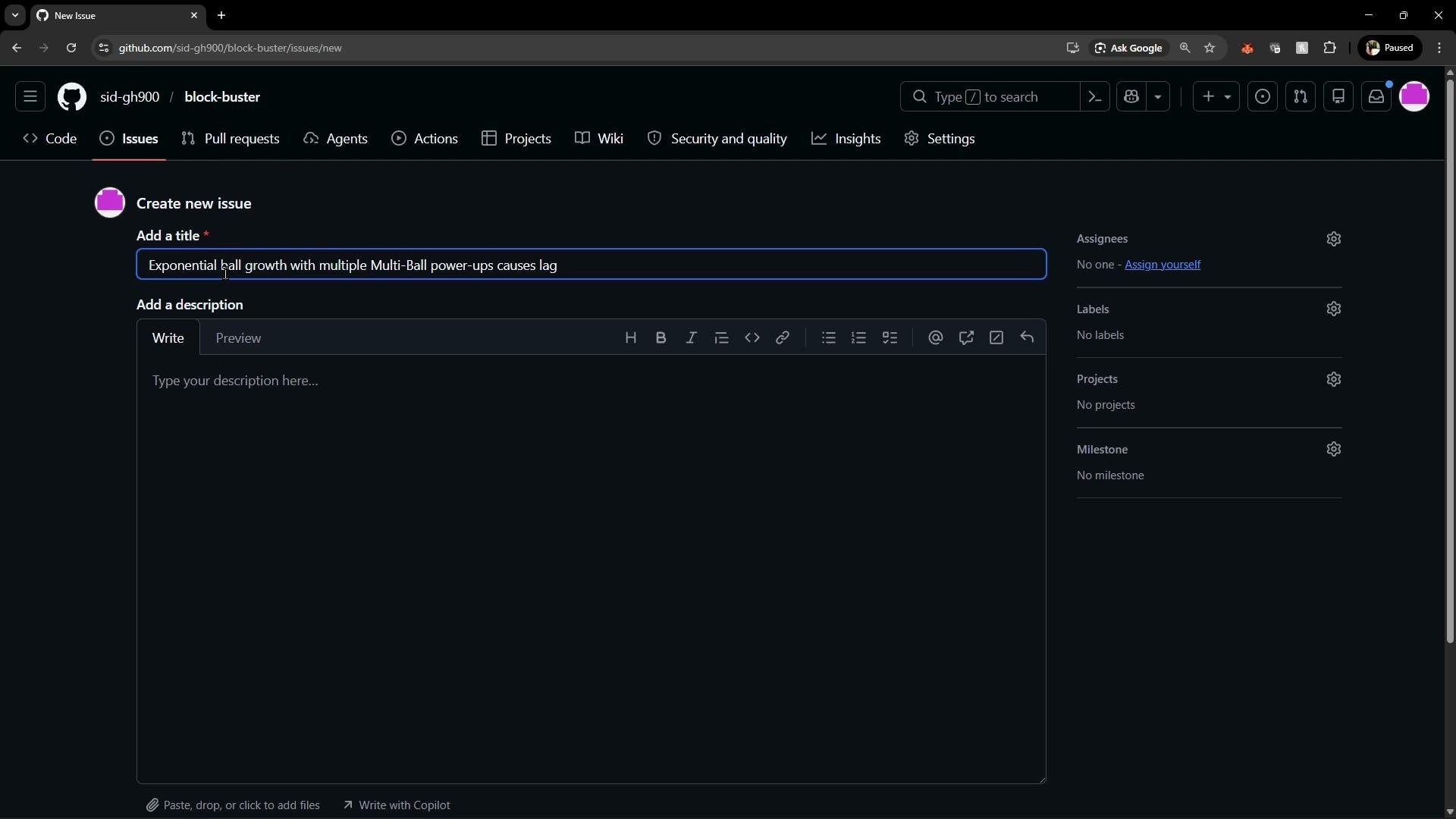
* Click New issue and provide a descriptive, concise title that summarizes the problem.
* In the issue body, describe the bug, the expected behavior, and the steps to reproduce.
* Include a small code snippet or example that demonstrates the root cause when applicable.
Example issue title used here:
Exponential Ball Growth with Multiple Multi-Ball Power-Ups Causing Lag
Alice documents the bug: collecting the multi-ball power-up twice in quick succession causes the number of balls to double each time, producing an excessive number of balls on screen and causing the game to lag. Markdown is supported in the issue body, so Alice pastes the JavaScript snippet she believes is responsible.
```javascript theme={null}
// script.js (snippet added to the issue)
case 'multiBall':
if (gameState.balls.length < 5) { // This check is insufficient
gameState.balls.forEach(ball => {
gameState.balls.push({ ...ball });
});
}
break;
```
Step 1 — Create a new issue
* Click New issue and provide a descriptive, concise title that summarizes the problem.
* In the issue body, describe the bug, the expected behavior, and the steps to reproduce.
* Include a small code snippet or example that demonstrates the root cause when applicable.
Example issue title used here:
Exponential Ball Growth with Multiple Multi-Ball Power-Ups Causing Lag
Alice documents the bug: collecting the multi-ball power-up twice in quick succession causes the number of balls to double each time, producing an excessive number of balls on screen and causing the game to lag. Markdown is supported in the issue body, so Alice pastes the JavaScript snippet she believes is responsible.
```javascript theme={null}
// script.js (snippet added to the issue)
case 'multiBall':
if (gameState.balls.length < 5) { // This check is insufficient
gameState.balls.forEach(ball => {
gameState.balls.push({ ...ball });
});
}
break;
```
 Why this snippet causes exponential growth
* The `if` test checks the current number of balls, but the code then iterates over `gameState.balls` and pushes clones into the same array while iterating.
* Mutating the array during iteration (e.g., calling `.push()` on the array being iterated) can cause the loop to visit newly added items. This allows new clones to be iterated and cloned again, producing exponential growth when the power-up is activated multiple times.
Avoid mutating an array while iterating over it. Create a copy of the current items or build a separate list of new items, then append them after the iteration to prevent unexpected growth and performance issues.
Safer implementation
* Build a separate array of clones first, then append them in one operation. Also consider enforcing a hard cap on the total number of balls to avoid FPS degradation.
```javascript theme={null}
// script.js — safer handling of the multi-ball power-up
case 'multiBall':
if (gameState.balls.length < 5) {
// Clone the existing balls into a new array
const clones = gameState.balls.map(ball => ({ ...ball }));
// Append clones in one operation
gameState.balls.push(...clones);
}
break;
```
This approach ensures:
* The code does not mutate the array being iterated over.
* Cloning and appending are separated, so the iteration is stable and predictable.
* You can add a hard cap (for example: `const MAX_BALLS = 10; gameState.balls.push(...clones.slice(0, MAX_BALLS - gameState.balls.length));`) to prevent exceeding intended limits.
Issue metadata and workflow
* After submitting the issue, Alice can set metadata: assign herself, add labels (e.g., bug, performance), and set projects or milestones to track the fix.
* A repository owner or collaborator can triage the issue, assign it, and add additional labels or comments.
Recommended fields to set when creating or triaging an issue:
| Field | Purpose | Example |
| --------------------- | ----------------------------------------------------- | ---------------------------------------------------------------------- |
| Title | Brief summary of the problem | Exponential Ball Growth with Multiple Multi-Ball Power-Ups Causing Lag |
| Description | Steps to reproduce, expected vs actual, code snippets | `See code block above` |
| Assignees | Who will work on the issue | `@ghsith` |
| Labels | Categorize and prioritize | `bug`, `performance`, `help wanted` |
| Projects / Milestones | Track progress and roadmap | `v1.2.0`, `Gameplay Improvements` |
Notifications and Watch settings
* By default, GitHub notifies users when they are participating, mentioned, or when they create the issue themselves. Repository owners who want to receive notifications for all new issues must update their Watch settings to Custom and opt in for issues, pull requests, and discussions.
Tip: To be notified of all new issues in a repository, go to the repository page → Watch → Custom, and enable notifications for Issues. This ensures you don’t miss new reports from contributors.
Typical flow after an issue is created
1. Contributor creates an issue, provides reproduction steps and a code snippet if available.
2. Repository owner configures Watch → Custom to receive notifications for new issues.
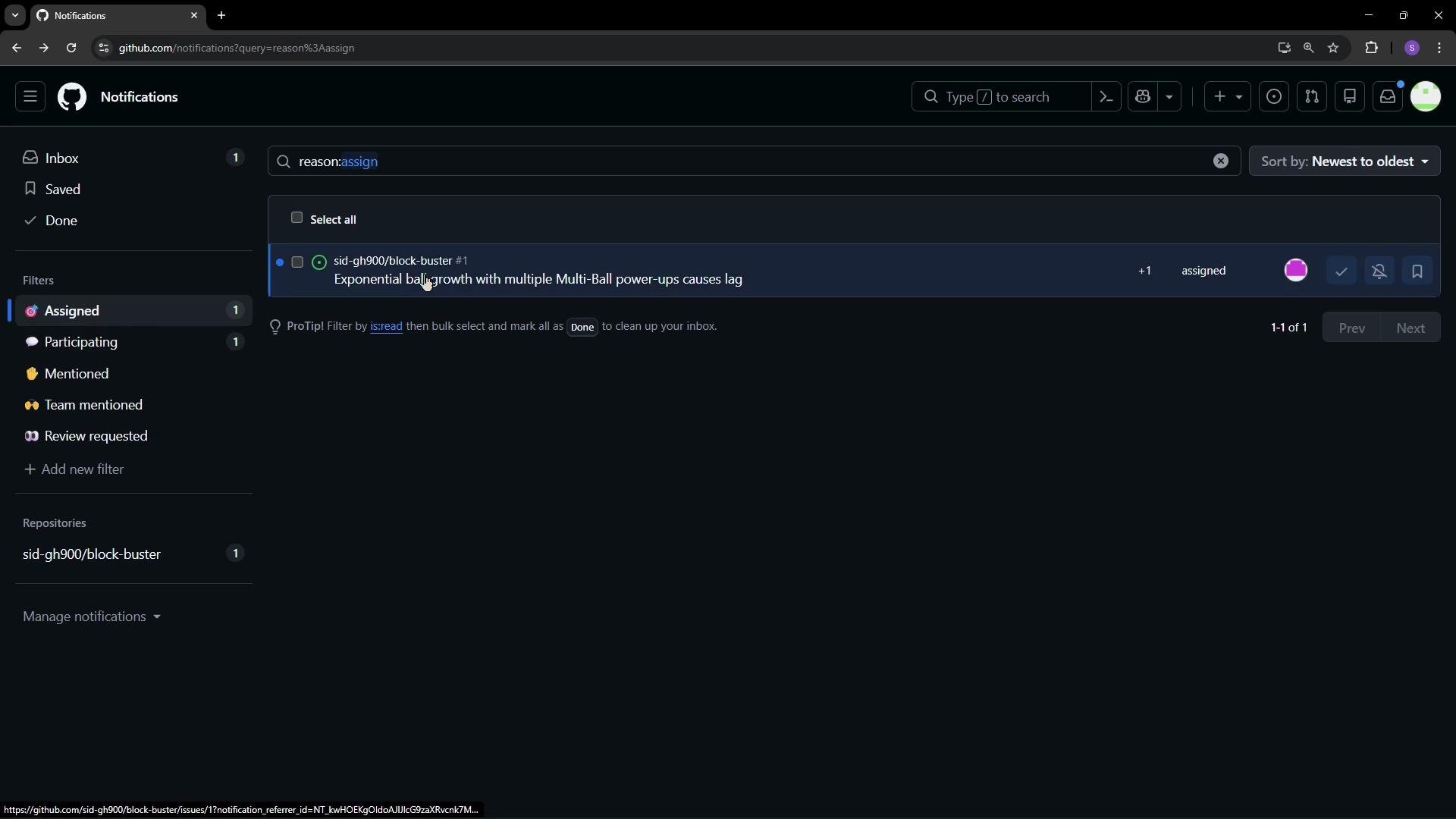
3. Owner assigns the issue to themselves or another collaborator for triage and resolution.
4. Assigned owner receives a notification and begins work on the fix.
```text theme={null}
# Example human-readable flow
1. Contributor creates an issue and includes a code snippet showing the problematic logic.
2. Repository owner configures Watch → Custom to receive issue notifications.
3. Owner assigns the issue to themselves (or another collaborator).
4. Owner receives a notification about the assignment and can begin work.
```
After assigning the issue, the owner receives a notification about the assignment.
Why this snippet causes exponential growth
* The `if` test checks the current number of balls, but the code then iterates over `gameState.balls` and pushes clones into the same array while iterating.
* Mutating the array during iteration (e.g., calling `.push()` on the array being iterated) can cause the loop to visit newly added items. This allows new clones to be iterated and cloned again, producing exponential growth when the power-up is activated multiple times.
Avoid mutating an array while iterating over it. Create a copy of the current items or build a separate list of new items, then append them after the iteration to prevent unexpected growth and performance issues.
Safer implementation
* Build a separate array of clones first, then append them in one operation. Also consider enforcing a hard cap on the total number of balls to avoid FPS degradation.
```javascript theme={null}
// script.js — safer handling of the multi-ball power-up
case 'multiBall':
if (gameState.balls.length < 5) {
// Clone the existing balls into a new array
const clones = gameState.balls.map(ball => ({ ...ball }));
// Append clones in one operation
gameState.balls.push(...clones);
}
break;
```
This approach ensures:
* The code does not mutate the array being iterated over.
* Cloning and appending are separated, so the iteration is stable and predictable.
* You can add a hard cap (for example: `const MAX_BALLS = 10; gameState.balls.push(...clones.slice(0, MAX_BALLS - gameState.balls.length));`) to prevent exceeding intended limits.
Issue metadata and workflow
* After submitting the issue, Alice can set metadata: assign herself, add labels (e.g., bug, performance), and set projects or milestones to track the fix.
* A repository owner or collaborator can triage the issue, assign it, and add additional labels or comments.
Recommended fields to set when creating or triaging an issue:
| Field | Purpose | Example |
| --------------------- | ----------------------------------------------------- | ---------------------------------------------------------------------- |
| Title | Brief summary of the problem | Exponential Ball Growth with Multiple Multi-Ball Power-Ups Causing Lag |
| Description | Steps to reproduce, expected vs actual, code snippets | `See code block above` |
| Assignees | Who will work on the issue | `@ghsith` |
| Labels | Categorize and prioritize | `bug`, `performance`, `help wanted` |
| Projects / Milestones | Track progress and roadmap | `v1.2.0`, `Gameplay Improvements` |
Notifications and Watch settings
* By default, GitHub notifies users when they are participating, mentioned, or when they create the issue themselves. Repository owners who want to receive notifications for all new issues must update their Watch settings to Custom and opt in for issues, pull requests, and discussions.
Tip: To be notified of all new issues in a repository, go to the repository page → Watch → Custom, and enable notifications for Issues. This ensures you don’t miss new reports from contributors.
Typical flow after an issue is created
1. Contributor creates an issue, provides reproduction steps and a code snippet if available.
2. Repository owner configures Watch → Custom to receive notifications for new issues.
3. Owner assigns the issue to themselves or another collaborator for triage and resolution.
4. Assigned owner receives a notification and begins work on the fix.
```text theme={null}
# Example human-readable flow
1. Contributor creates an issue and includes a code snippet showing the problematic logic.
2. Repository owner configures Watch → Custom to receive issue notifications.
3. Owner assigns the issue to themselves (or another collaborator).
4. Owner receives a notification about the assignment and can begin work.
```
After assigning the issue, the owner receives a notification about the assignment.
 Links and references
* GitHub Issues: [https://docs.github.com/en/issues](https://docs.github.com/en/issues)
* GitHub Watching and Notifications: [https://docs.github.com/en/account-and-profile/notifications](https://docs.github.com/en/account-and-profile/notifications)
* Best practices for writing bug reports: [https://www.freecodecamp.org/news/how-to-write-a-bug-report/](https://www.freecodecamp.org/news/how-to-write-a-bug-report/)
Links and references
* GitHub Issues: [https://docs.github.com/en/issues](https://docs.github.com/en/issues)
* GitHub Watching and Notifications: [https://docs.github.com/en/account-and-profile/notifications](https://docs.github.com/en/account-and-profile/notifications)
* Best practices for writing bug reports: [https://www.freecodecamp.org/news/how-to-write-a-bug-report/](https://www.freecodecamp.org/news/how-to-write-a-bug-report/)