> ## Documentation Index
> Fetch the complete documentation index at: https://notes.kodekloud.com/llms.txt
> Use this file to discover all available pages before exploring further.
# Demo Create a Pull Request
> Guide to creating GitHub pull requests, filling title and description, assigning reviewers and metadata, and demonstrating a performance fix preventing exponential duplication in a multi ball power up
This guide shows how to create a pull request (PR) on GitHub, assign reviewers, and include a focused code change that fixes a performance issue. You'll learn two common ways to start a PR, what to include in the title and description, how to preview the rendered description, and how to assign reviewers and labels.
## How to start a pull request
If you want to merge changes from one branch into another, you typically have two common options:
* Use the "Compare and pull request" banner that appears when you've recently pushed a branch.
* Manually create a PR from the "Pull requests" tab when the banner is not present.
The banner opens the PR creation screen where you can confirm or change the base and compare branches (for example, merging from `feature-branch` into `main`). The UI will also indicate whether the branch is mergeable—repository protection rules and required checks (such as mandatory reviewers or CI) may prevent merging until they pass.
You can configure branch protection rules to require reviews or passing CI workflows before a pull request can be merged. This helps ensure code quality and prevents accidental merges.
## Fill in title, description, and metadata
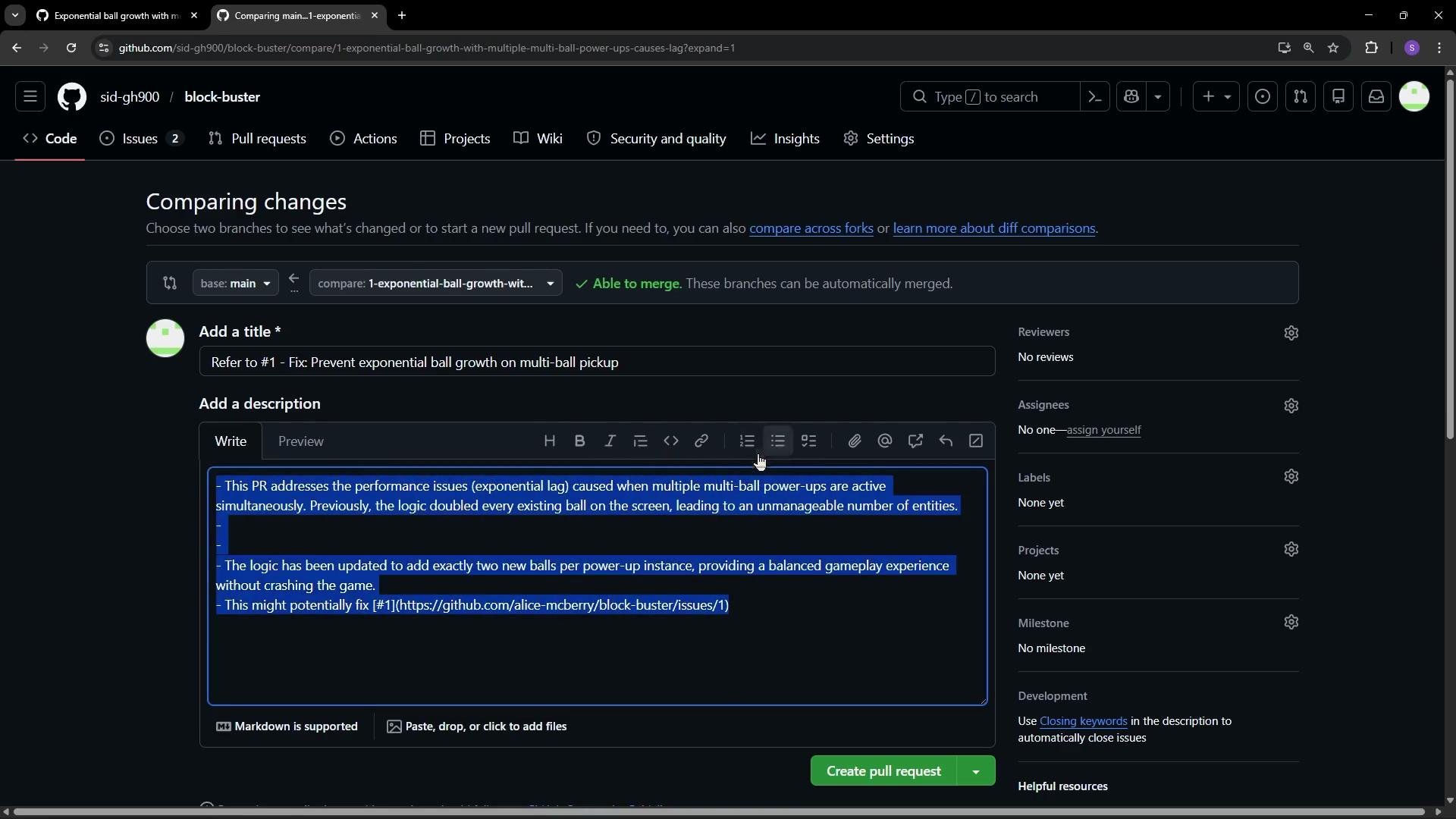
* Title: Defaults to the last commit message but should be concise and descriptive (e.g., "Fix multi-ball performance by capping clones").
* Description: Supports Markdown, slash commands, attachments, mentions, and issue references. Use a clear summary, include rationale, and add reproduction steps if applicable.
* Metadata: Add reviewers, assignees, labels, and projects. You can set these before or after creating the PR.
* Drafts: If the work is in progress, create a draft pull request to indicate that it’s not yet ready for review.
You can preview the description before submitting to ensure Markdown and links render correctly.
 ## Assign reviewers and check PR details
After creating the pull request:
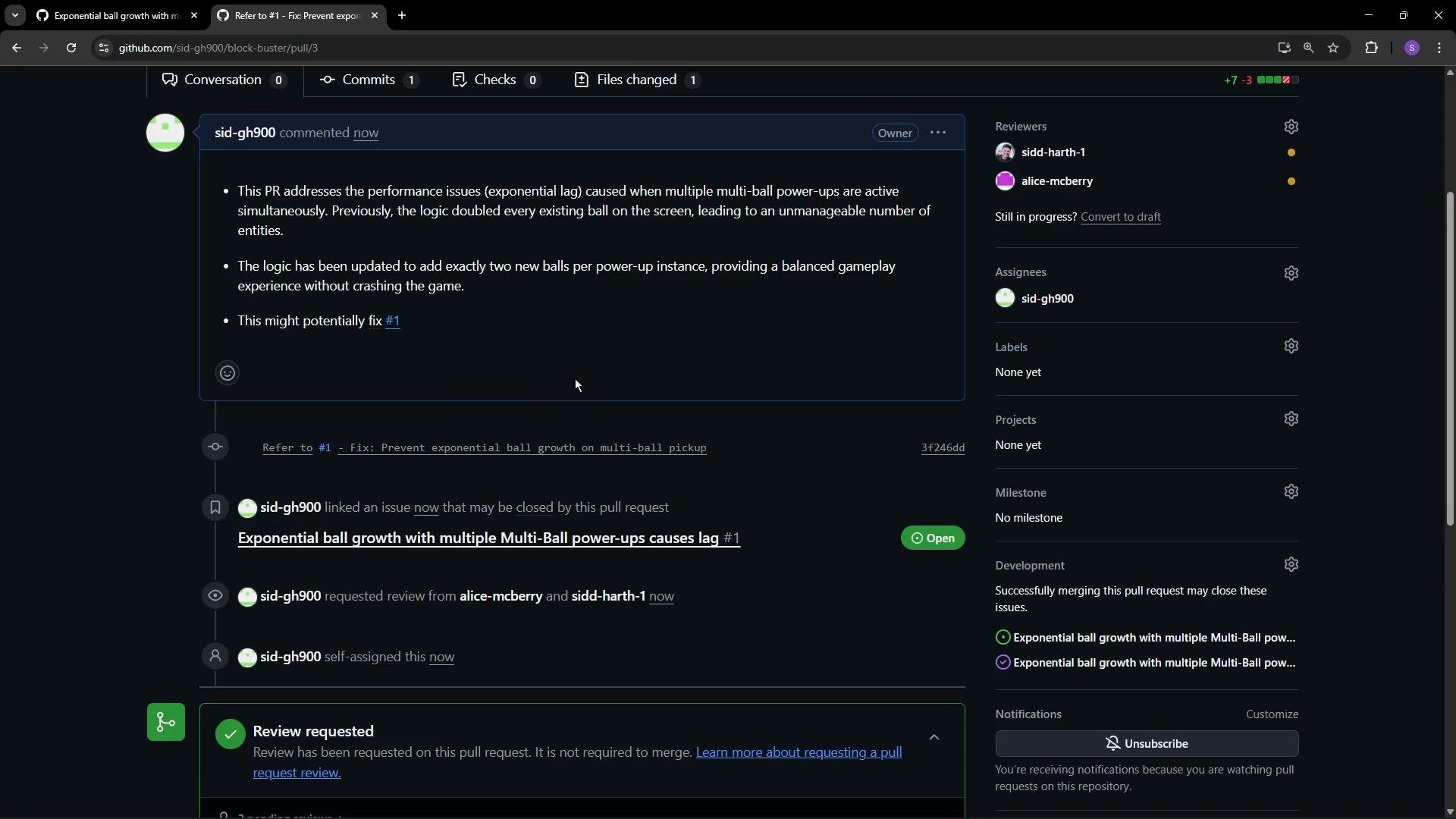
* A PR receives a unique ID in the repository’s sequence (issues and PRs share the same numbering).
* Assign reviewers (up to 15 per PR), or assign the PR to yourself to track progress.
* View commits and file changes on the PR page to confirm what's included. This lets reviewers focus on the diff and commit history.
* Use labels and milestones to categorize and schedule work.
The example below shows a single-file change for a performance fix.
## Assign reviewers and check PR details
After creating the pull request:
* A PR receives a unique ID in the repository’s sequence (issues and PRs share the same numbering).
* Assign reviewers (up to 15 per PR), or assign the PR to yourself to track progress.
* View commits and file changes on the PR page to confirm what's included. This lets reviewers focus on the diff and commit history.
* Use labels and milestones to categorize and schedule work.
The example below shows a single-file change for a performance fix.
 ## Example: Fixing exponential duplication in a multi-ball power-up
The following corrected logic prevents exponential ball duplication in a game power-up by:
* Capping the total number of balls.
* Creating new balls from a single base ball rather than duplicating the entire array while iterating.
* Only adding as many balls as allowed by the cap.
```javascript theme={null}
switch (type) {
case 'multiBall': {
// Prevent exponential growth by limiting the total number of balls
const maxBalls = 5;
const currentBalls = gameState.balls.length;
// Ensure there is at least one existing ball to use as the base for clones
if (currentBalls > 0 && currentBalls < maxBalls) {
// Use the first ball as the base for new clones
const baseBall = gameState.balls[0];
const newBalls = [];
// Add two new balls with slightly different trajectories
newBalls.push({
...baseBall,
dx: -baseBall.dx,
});
newBalls.push({
...baseBall,
dy: Math.abs(baseBall.dy),
});
// Only add as many balls as the max allows
const slotsAvailable = Math.min(newBalls.length, maxBalls - currentBalls);
gameState.balls.push(...newBalls.slice(0, slotsAvailable));
}
gameState.powerups.multiBall.active = true;
gameState.powerups.multiBall.activationTime = currentTime;
break;
}
// other cases...
}
```
Why this works:
* Avoids mutating `gameState.balls` while iterating over it.
* Prevents exponential replication by enforcing a hard `maxBalls`.
* Uses a consistent base object to derive clones, making clone behavior predictable.
If you rely on CI or protected branch rules, a PR may be blocked until required checks pass or required reviewers approve. Make sure your branch meets repository guidelines before requesting a merge.
## Quick reference
| Task | Where to do it | Example / Tip |
| ----------------------------- | -------------------------------- | ----------------------------------------------- |
| Start a PR from a recent push | Banner on repository page | Click "Compare and pull request" |
| Start a PR manually | Pull requests → New pull request | Choose base and compare branches |
| Title | PR creation form | `Fix multi-ball performance` |
| Description | PR form (supports Markdown) | Include motivation, before/after, linked issues |
| Reviewers | PR sidebar | Up to 15 reviewers |
| Draft PR | PR creation dropdown | Use if changes are WIP |
## Links and further reading
* [GitHub Pull Requests documentation](https://docs.github.com/en/pull-requests)
* [Best practices for writing a PR description](https://docs.github.com/en/pull-requests/collaborating-with-pull-requests/writing-a-pull-request-description)
In this lesson, you created a pull request, added metadata (title, description, reviewers), and included a focused code change that addresses a performance issue by preventing exponential object growth.
## Example: Fixing exponential duplication in a multi-ball power-up
The following corrected logic prevents exponential ball duplication in a game power-up by:
* Capping the total number of balls.
* Creating new balls from a single base ball rather than duplicating the entire array while iterating.
* Only adding as many balls as allowed by the cap.
```javascript theme={null}
switch (type) {
case 'multiBall': {
// Prevent exponential growth by limiting the total number of balls
const maxBalls = 5;
const currentBalls = gameState.balls.length;
// Ensure there is at least one existing ball to use as the base for clones
if (currentBalls > 0 && currentBalls < maxBalls) {
// Use the first ball as the base for new clones
const baseBall = gameState.balls[0];
const newBalls = [];
// Add two new balls with slightly different trajectories
newBalls.push({
...baseBall,
dx: -baseBall.dx,
});
newBalls.push({
...baseBall,
dy: Math.abs(baseBall.dy),
});
// Only add as many balls as the max allows
const slotsAvailable = Math.min(newBalls.length, maxBalls - currentBalls);
gameState.balls.push(...newBalls.slice(0, slotsAvailable));
}
gameState.powerups.multiBall.active = true;
gameState.powerups.multiBall.activationTime = currentTime;
break;
}
// other cases...
}
```
Why this works:
* Avoids mutating `gameState.balls` while iterating over it.
* Prevents exponential replication by enforcing a hard `maxBalls`.
* Uses a consistent base object to derive clones, making clone behavior predictable.
If you rely on CI or protected branch rules, a PR may be blocked until required checks pass or required reviewers approve. Make sure your branch meets repository guidelines before requesting a merge.
## Quick reference
| Task | Where to do it | Example / Tip |
| ----------------------------- | -------------------------------- | ----------------------------------------------- |
| Start a PR from a recent push | Banner on repository page | Click "Compare and pull request" |
| Start a PR manually | Pull requests → New pull request | Choose base and compare branches |
| Title | PR creation form | `Fix multi-ball performance` |
| Description | PR form (supports Markdown) | Include motivation, before/after, linked issues |
| Reviewers | PR sidebar | Up to 15 reviewers |
| Draft PR | PR creation dropdown | Use if changes are WIP |
## Links and further reading
* [GitHub Pull Requests documentation](https://docs.github.com/en/pull-requests)
* [Best practices for writing a PR description](https://docs.github.com/en/pull-requests/collaborating-with-pull-requests/writing-a-pull-request-description)
In this lesson, you created a pull request, added metadata (title, description, reviewers), and included a focused code change that addresses a performance issue by preventing exponential object growth.