> ## Documentation Index
> Fetch the complete documentation index at: https://notes.kodekloud.com/llms.txt
> Use this file to discover all available pages before exploring further.
# Demo Describe Draft Pull Requests
> Explains GitHub draft pull requests, their behavior, benefits, CI interaction, notification differences, and how to convert them to ready for review.
A draft pull request (PR) is a special PR state used to indicate that changes are still a work in progress. Draft PRs are useful when you want to share in-progress work, run continuous integration (CI), and gather feedback before formally requesting reviews or enabling merging. Learn more in the GitHub docs: [https://docs.github.com/en/pull-requests/collaborating-with-pull-requests/creating-pull-requests/creating-a-draft-pull-request](https://docs.github.com/en/pull-requests/collaborating-with-pull-requests/creating-pull-requests/creating-a-draft-pull-request)
Why use a draft PR?
* Share work with collaborators before it’s finalized.
* Run automated checks such as GitHub Actions workflows: [https://docs.github.com/en/actions/using-workflows/about-workflows](https://docs.github.com/en/actions/using-workflows/about-workflows)
* Start discussions and gather feedback without triggering reviewer notifications or allowing merges.
Below is a short walkthrough that explains how a draft PR behaves on GitHub and what changes when you mark it ready for review.
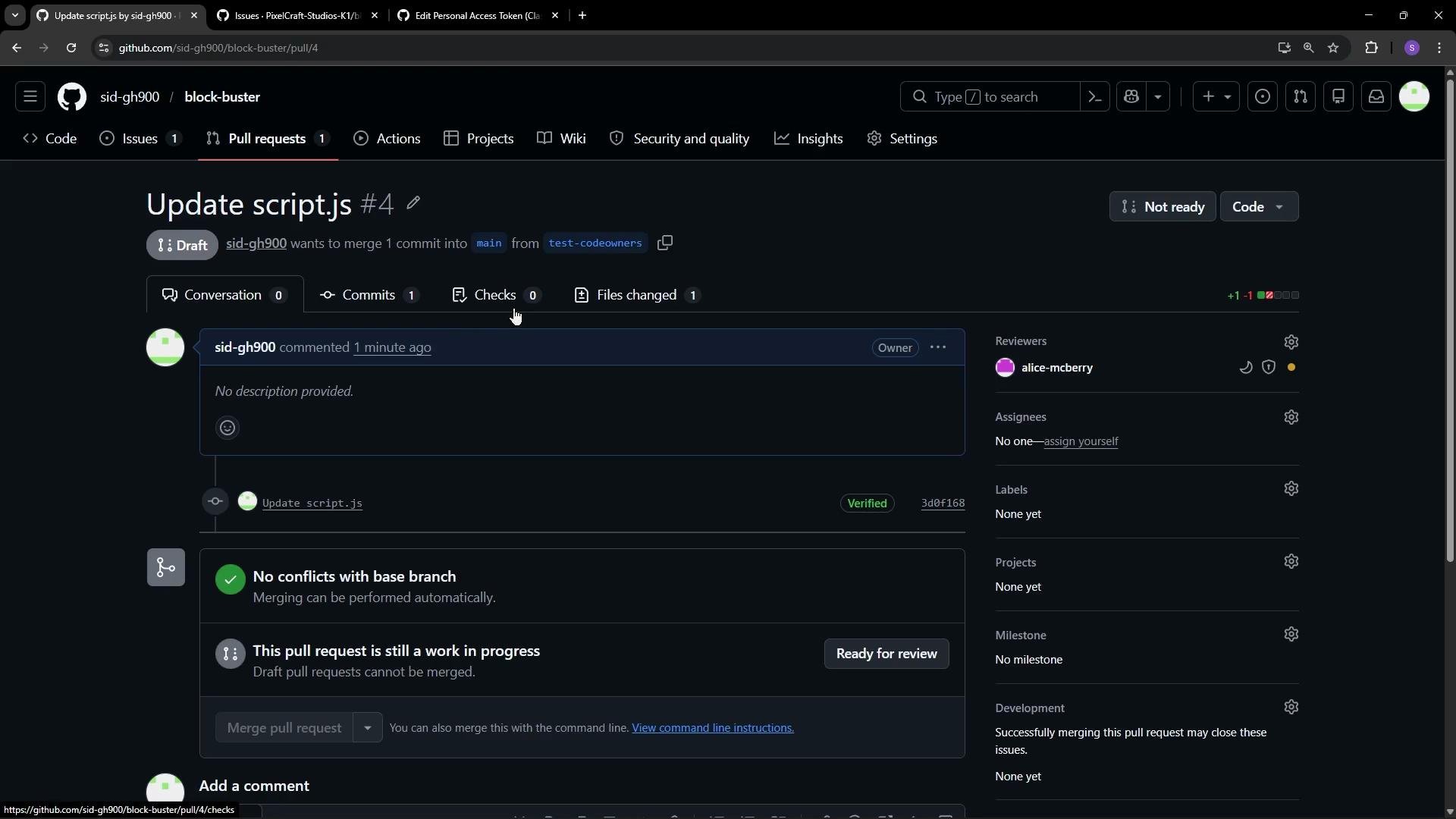
When you create a draft pull request:
* GitHub intentionally delays reviewer notifications and prevents merging of the branch.
* Reviewers may be listed on the PR, but they are not notified until the PR is converted to a normal (ready) PR.
* CI/workflows still run, allowing you to iterate while checks execute.
 Key differences for a draft PR
| Aspect | Draft PR behavior |
| ----------------- | ----------------------------------------------------------------------------- |
| Reviewer requests | Reviewers can be listed but are not requested; no notifications are sent. |
| Visual indicator | PR displays a gray **Draft** badge. |
| Merging | The Merge button is disabled; the branch cannot be merged until marked ready. |
| CI / Checks | Workflows and checks still run normally while the PR is a draft. |
Draft pull requests let you keep iterating with CI and discussions without immediately notifying reviewers or allowing merges. Convert to `Ready for review` when you want formal reviews and the ability to merge.
Converting a draft PR to ready for review
* Click the `Ready for review` button on the PR to convert it.
* GitHub converts the draft into a regular PR and sends review requests to configured reviewers.
* The Merge button becomes enabled (subject to passing checks and any branch protection rules).
* Review duties appear in reviewers’ notification lists and inboxes.
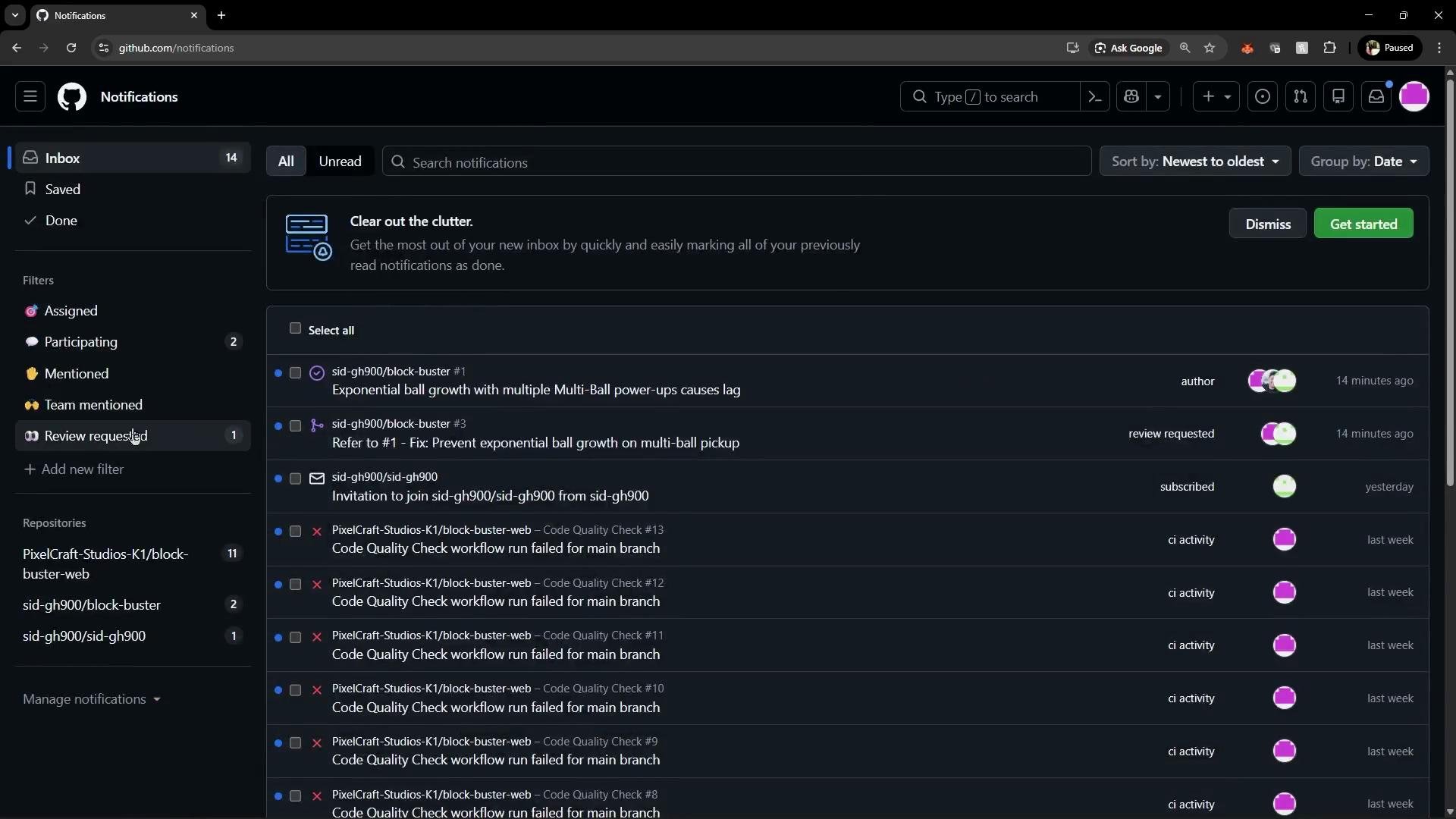
Here’s an example of the notifications area before converting the draft: Alice does not see a review request for the draft PR.
Key differences for a draft PR
| Aspect | Draft PR behavior |
| ----------------- | ----------------------------------------------------------------------------- |
| Reviewer requests | Reviewers can be listed but are not requested; no notifications are sent. |
| Visual indicator | PR displays a gray **Draft** badge. |
| Merging | The Merge button is disabled; the branch cannot be merged until marked ready. |
| CI / Checks | Workflows and checks still run normally while the PR is a draft. |
Draft pull requests let you keep iterating with CI and discussions without immediately notifying reviewers or allowing merges. Convert to `Ready for review` when you want formal reviews and the ability to merge.
Converting a draft PR to ready for review
* Click the `Ready for review` button on the PR to convert it.
* GitHub converts the draft into a regular PR and sends review requests to configured reviewers.
* The Merge button becomes enabled (subject to passing checks and any branch protection rules).
* Review duties appear in reviewers’ notification lists and inboxes.
Here’s an example of the notifications area before converting the draft: Alice does not see a review request for the draft PR.
 After you click `Ready for review`:
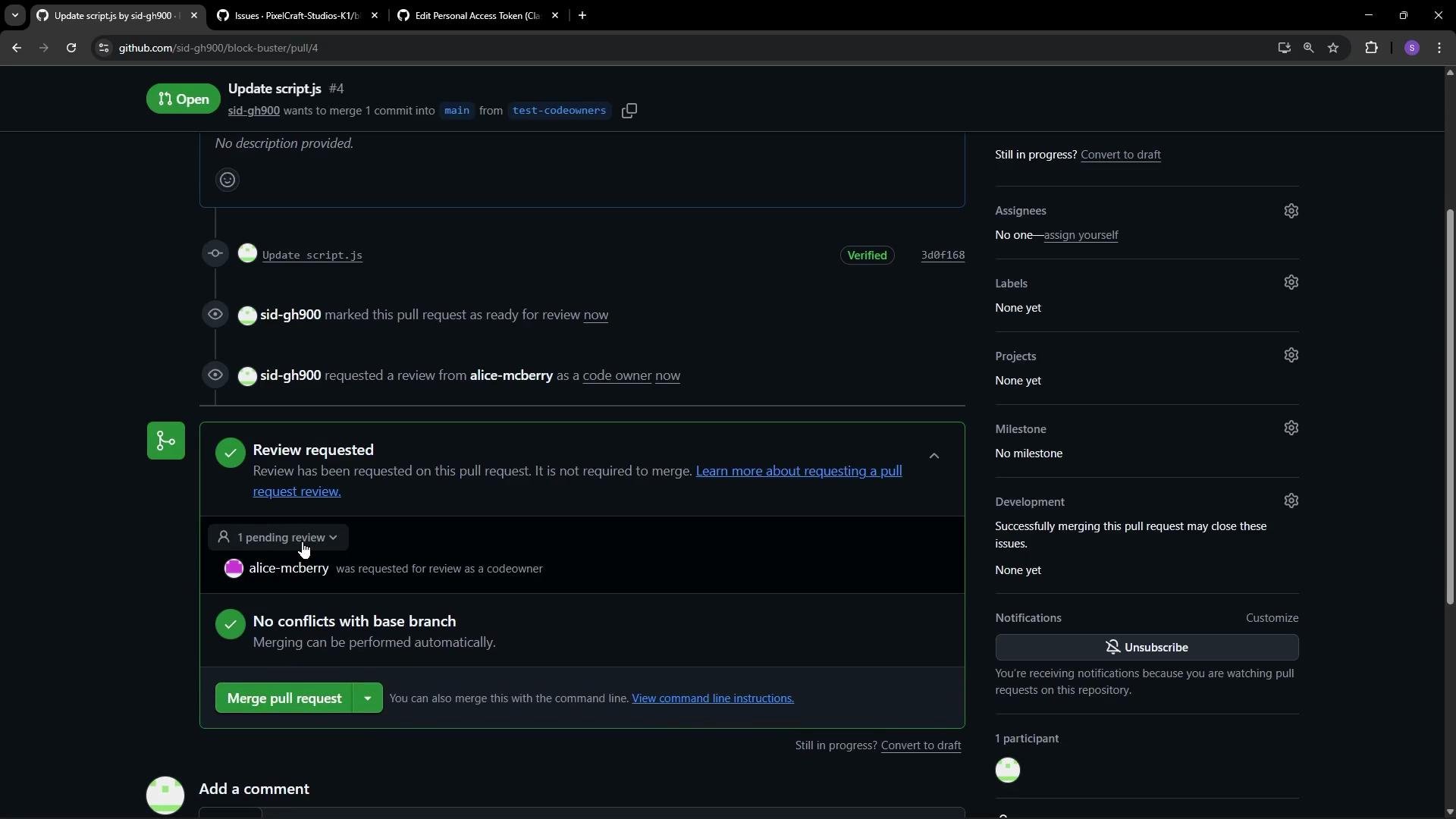
* GitHub sends review requests and notifications to the listed reviewers (for example, Alice).
* The PR appears in the reviewers’ review queue and notification feeds.
* The Merge button is enabled once checks pass and branch protection conditions are satisfied.
After you click `Ready for review`:
* GitHub sends review requests and notifications to the listed reviewers (for example, Alice).
* The PR appears in the reviewers’ review queue and notification feeds.
* The Merge button is enabled once checks pass and branch protection conditions are satisfied.
 Summary: Best practices with draft PRs
* Use draft PRs to iterate publicly while preventing premature review requests and merging.
* Continue adding commits and using CI while the PR remains a draft.
* Convert to `Ready for review` only when you want formal reviews, notifications, and the ability to merge.
Links and references
* Draft Pull Requests (GitHub Docs): [https://docs.github.com/en/pull-requests/collaborating-with-pull-requests/creating-pull-requests/creating-a-draft-pull-request](https://docs.github.com/en/pull-requests/collaborating-with-pull-requests/creating-pull-requests/creating-a-draft-pull-request)
* GitHub Actions: [https://docs.github.com/en/actions/using-workflows/about-workflows](https://docs.github.com/en/actions/using-workflows/about-workflows)
* Pull Request workflows and review guidance: [https://docs.github.com/en/pull-requests/using-pull-requests/reviewing-changes-in-pull-requests](https://docs.github.com/en/pull-requests/using-pull-requests/reviewing-changes-in-pull-requests)
Summary: Best practices with draft PRs
* Use draft PRs to iterate publicly while preventing premature review requests and merging.
* Continue adding commits and using CI while the PR remains a draft.
* Convert to `Ready for review` only when you want formal reviews, notifications, and the ability to merge.
Links and references
* Draft Pull Requests (GitHub Docs): [https://docs.github.com/en/pull-requests/collaborating-with-pull-requests/creating-pull-requests/creating-a-draft-pull-request](https://docs.github.com/en/pull-requests/collaborating-with-pull-requests/creating-pull-requests/creating-a-draft-pull-request)
* GitHub Actions: [https://docs.github.com/en/actions/using-workflows/about-workflows](https://docs.github.com/en/actions/using-workflows/about-workflows)
* Pull Request workflows and review guidance: [https://docs.github.com/en/pull-requests/using-pull-requests/reviewing-changes-in-pull-requests](https://docs.github.com/en/pull-requests/using-pull-requests/reviewing-changes-in-pull-requests)