> ## Documentation Index
> Fetch the complete documentation index at: https://notes.kodekloud.com/llms.txt
> Use this file to discover all available pages before exploring further.
# Raise a Merge Request amp Use rules at Job level
> Learn to restrict GitLab CI/CD jobs to run only for merge request events using predefined variables and the rules keyword.
In this lesson, you’ll learn how to restrict a GitLab CI/CD job so that it only runs for merge request events. We will explore predefined pipeline variables and apply the `rules` keyword at the job level to include or exclude jobs based on `CI_PIPELINE_SOURCE`.
## 1. Define Jobs in `.gitlab-ci.yml`
First, declare two test jobs in your pipeline:
1. **generic\_predefined\_variables** – prints general CI/CD variables
2. **merge\_request\_predefined\_variables** – prints merge request–specific variables
```yaml theme={null}
# .gitlab-ci.yml
stages:
- test
generic_predefined_variables:
stage: test
script:
- echo "GITLAB_USER_LOGIN = $GITLAB_USER_LOGIN"
- echo "GITLAB_USER_EMAIL = $GITLAB_USER_EMAIL"
- echo "CI_COMMIT_AUTHOR = $CI_COMMIT_AUTHOR"
- echo "CI_COMMIT_BRANCH = $CI_COMMIT_BRANCH"
- echo "CI_PROJECT_NAME = $CI_PROJECT_NAME"
- echo "CI_PROJECT_URL = $CI_PROJECT_URL"
- echo "CI_JOB_STAGE = $CI_JOB_STAGE"
- echo "CI_PIPELINE_NAME = $CI_PIPELINE_NAME"
- echo "CI_PIPELINE_ID = $CI_PIPELINE_ID"
- echo "CI_PIPELINE_SOURCE = $CI_PIPELINE_SOURCE"
merge_request_predefined_variables:
stage: test
script:
- echo "CI_MERGE_REQUEST_LABELS = $CI_MERGE_REQUEST_LABELS"
- echo "CI_MERGE_REQUEST_TARGET_BRANCH_NAME = $CI_MERGE_REQUEST_TARGET_BRANCH_NAME"
- echo "CI_MERGE_REQUEST_ASSIGNEES = $CI_MERGE_REQUEST_ASSIGNEES"
- echo "CI_MERGE_REQUEST_SOURCE_BRANCH_NAME = $CI_MERGE_REQUEST_SOURCE_BRANCH_NAME"
- echo "CI_MERGE_REQUEST_TITLE = $CI_MERGE_REQUEST_TITLE"
```
| Job Name | Purpose | Key Variables |
| ------------------------------------- | ----------------------------------- | ------------------------------------------- |
| generic\_predefined\_variables | Show general GitLab CI/CD variables | `CI_COMMIT_BRANCH`, `CI_PROJECT_NAME`, etc. |
| merge\_request\_predefined\_variables | Show merge request–only variables | `CI_MERGE_REQUEST_*` |
Predefined merge request variables like `CI_MERGE_REQUEST_TITLE` are only available in pipelines triggered by merge requests—not on direct pushes to branches.
## 2. Apply `rules` to Limit the Job to Merge Requests
To ensure `merge_request_predefined_variables` runs only for merge requests, add a `rules` clause that checks the pipeline source:
```yaml theme={null}
merge_request_predefined_variables:
stage: test
rules:
- if: '$CI_PIPELINE_SOURCE == "merge_request_event"'
script:
- echo "CI_MERGE_REQUEST_LABELS = $CI_MERGE_REQUEST_LABELS"
- echo "CI_MERGE_REQUEST_TARGET_BRANCH_NAME = $CI_MERGE_REQUEST_TARGET_BRANCH_NAME"
- echo "CI_MERGE_REQUEST_ASSIGNEES = $CI_MERGE_REQUEST_ASSIGNEES"
- echo "CI_MERGE_REQUEST_SOURCE_BRANCH_NAME = $CI_MERGE_REQUEST_SOURCE_BRANCH_NAME"
- echo "CI_MERGE_REQUEST_TITLE = $CI_MERGE_REQUEST_TITLE"
```
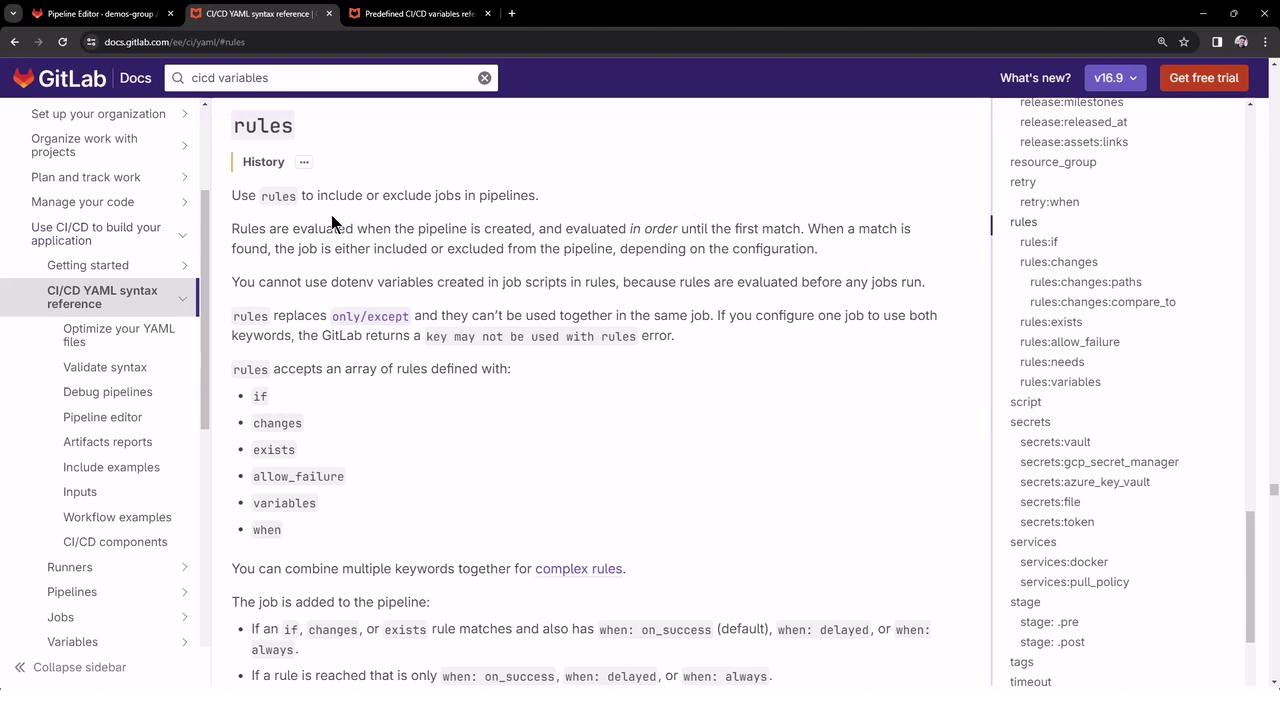
Always wrap your conditional expression in single quotes to prevent YAML parsing errors.
With this configuration, the merge-request job is included only when `CI_PIPELINE_SOURCE` equals `merge_request_event`.
***
## 3. Create a Feature Branch and Push Changes
1. Checkout a new branch (e.g., `feature-1`):\
`git checkout -b feature-1`
2. Commit your `.gitlab-ci.yml` changes and push:\
`git push -u origin feature-1`
In the GitLab UI, select **Start a merge request** when prompted.

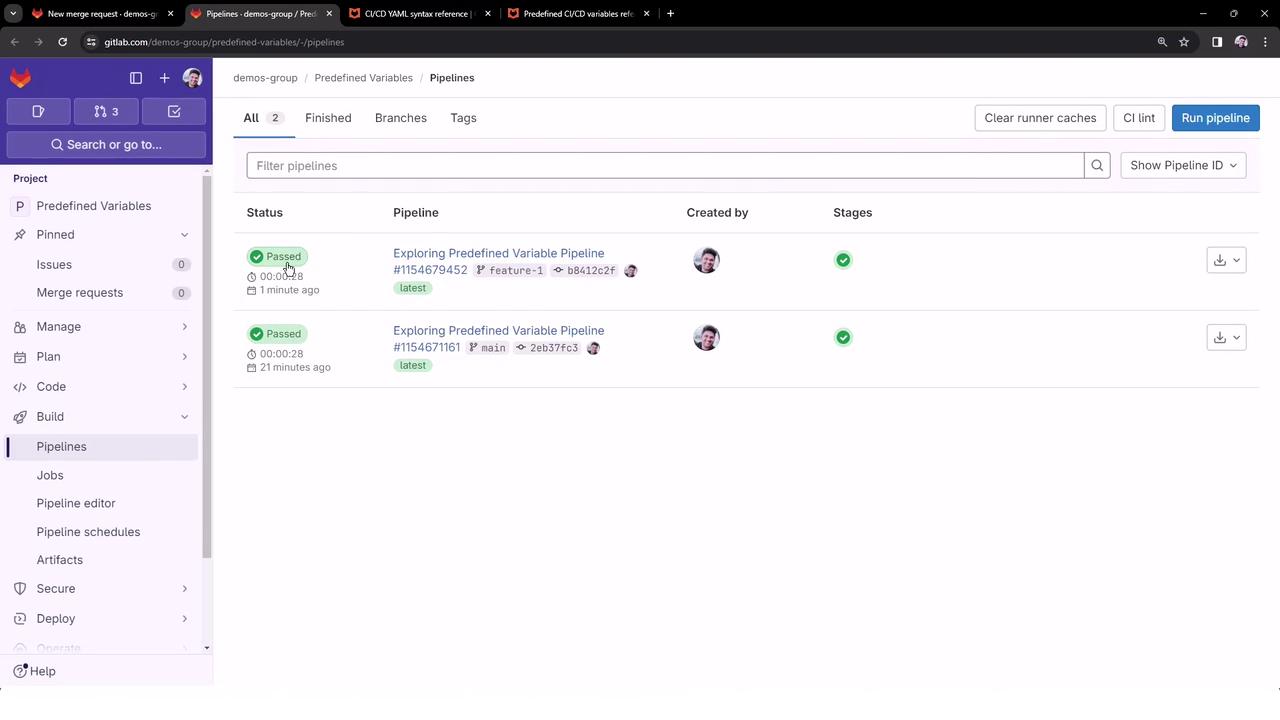
Because this initial push is a branch update, the merge-request job will be excluded, and only the generic job runs:
***
## 4. Open and Inspect the Merge Request Pipeline
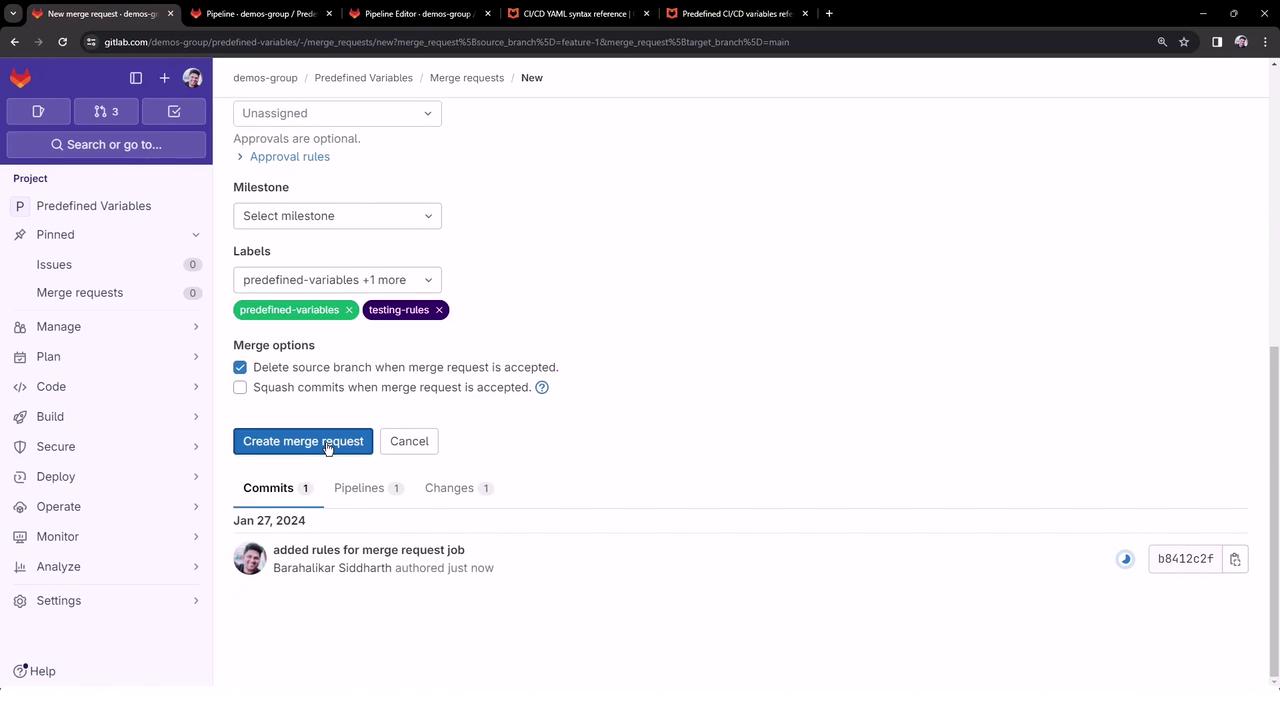
1. In your project, click **Create merge request** for `feature-1`.
2. Add labels such as `predefined-variables`, `testing-rules`, then submit.
3. GitLab triggers a merge request pipeline, visible under **Merge requests** as **merge request**:
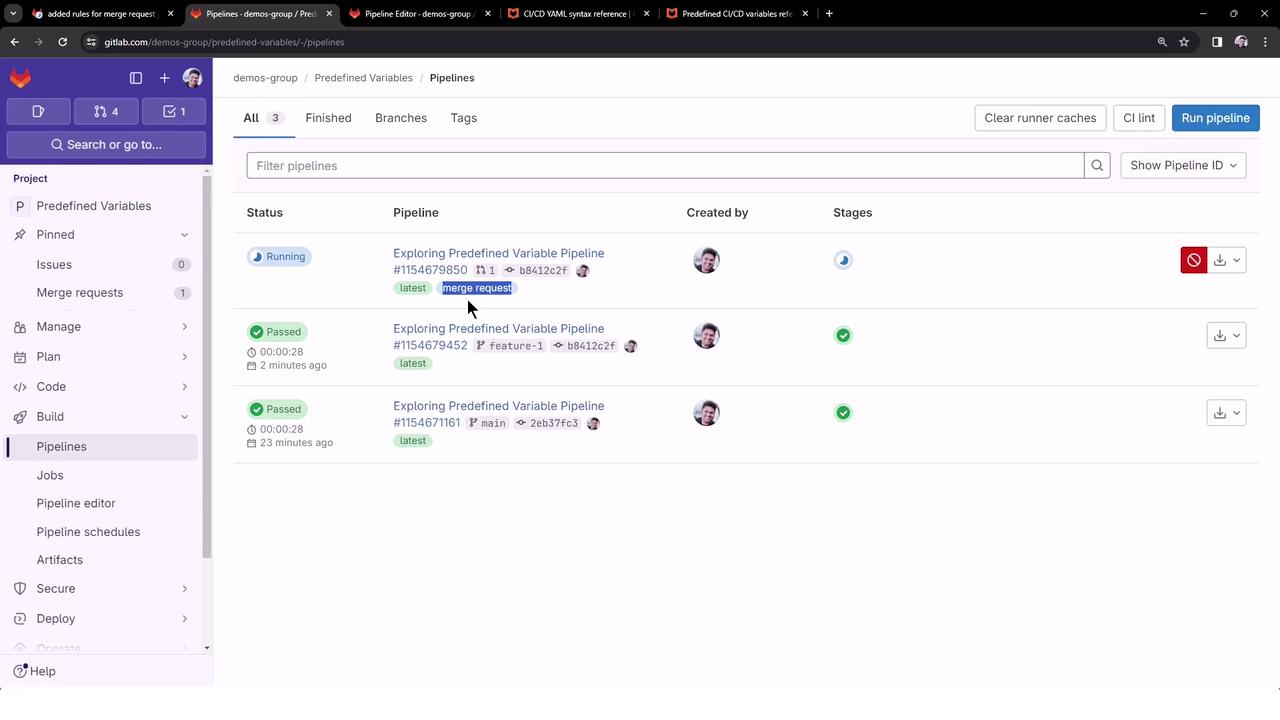
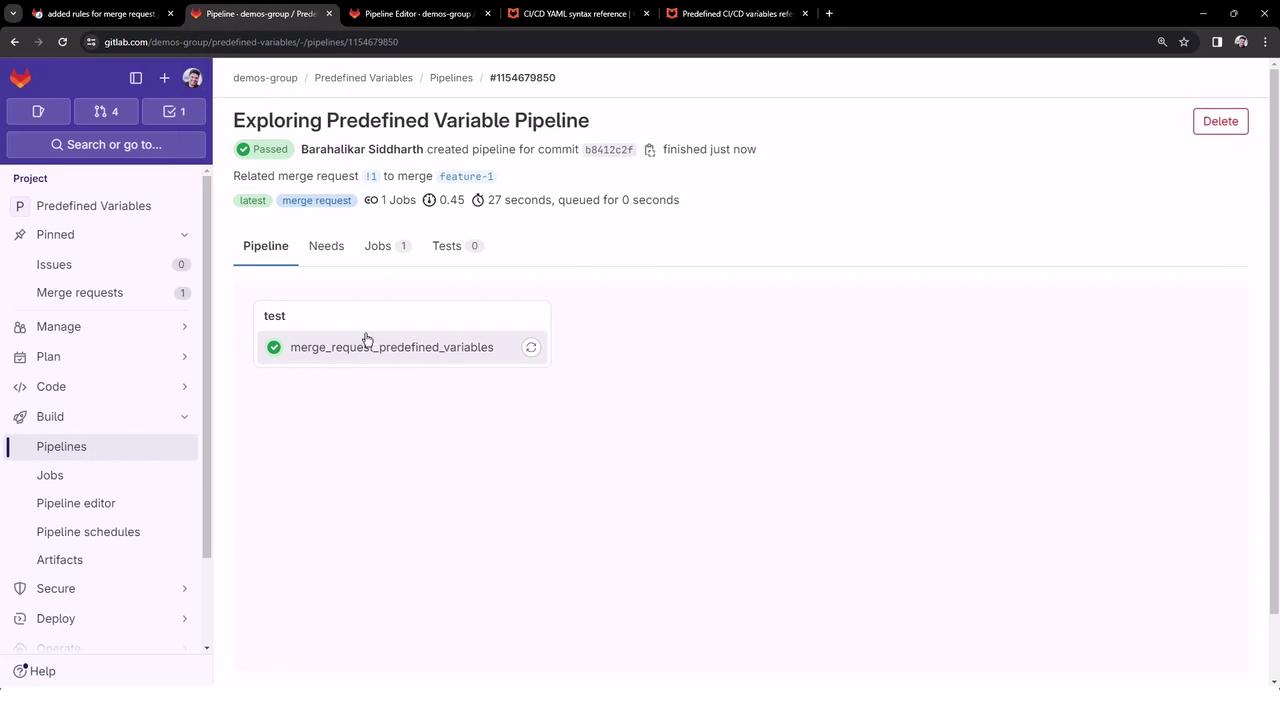
4. Open the MR pipeline. You should see only the `merge_request_predefined_variables` job ran successfully:
***
## 5. Review the Merge Request Job Output
```bash theme={null}
$ echo "$CI_MERGE_REQUEST_LABELS"
CI_MERGE_REQUEST_LABELS - predefined-variables,testing-rules
$ echo "$CI_MERGE_REQUEST_TARGET_BRANCH_NAME"
CI_MERGE_REQUEST_TARGET_BRANCH_NAME - main
$ echo "$CI_MERGE_REQUEST_ASSIGNEES"
CI_MERGE_REQUEST_ASSIGNEES - sidd-harth
$ echo "$CI_MERGE_REQUEST_SOURCE_BRANCH_NAME"
CI_MERGE_REQUEST_SOURCE_BRANCH_NAME - feature-1
$ echo "$CI_MERGE_REQUEST_TITLE"
CI_MERGE_REQUEST_TITLE - added rules for merge request job
```
This confirms:
* Merge request variables are populated only in MR pipelines.
* The `rules` keyword controls when a job is executed.
In upcoming lessons, we’ll dive deeper into more advanced `rules` configurations and merge request integrations.
***
## Links and References
* [GitLab CI/CD Predefined Variables](https://docs.gitlab.com/ee/ci/variables/predefined_variables.html)
* [GitLab CI/CD `rules` Documentation](https://docs.gitlab.com/ee/ci/yaml/#rules)
* [Kubernetes Basics](https://kubernetes.io/docs/concepts/overview/what-is-kubernetes/)
## Further Reading
| Topic | Description | Link |
| ---------------- | ---------------------------------------- | ------------------------------------------------------------------------------------------------------------------- |
| GitLab Pipelines | Overview of CI/CD in GitLab | [https://docs.gitlab.com/ee/ci/](https://docs.gitlab.com/ee/ci/) |
| Pipeline Configs | Writing effective `.gitlab-ci.yml` files | [https://docs.gitlab.com/ee/ci/yaml/](https://docs.gitlab.com/ee/ci/yaml/) |
| Merge Requests | Lifecycle and best practices | [https://docs.gitlab.com/ee/user/project/merge\_requests/](https://docs.gitlab.com/ee/user/project/merge_requests/) |