> ## Documentation Index
> Fetch the complete documentation index at: https://notes.kodekloud.com/llms.txt
> Use this file to discover all available pages before exploring further.
# Resource Groups
> Resource groups in GitLab CI/CD ensure mutual exclusion for critical jobs, allowing only one job in a group to run at a time.
In GitLab CI/CD, pipelines run concurrently by default. When you need to serialize critical jobs—such as deployments—across all pipelines in a project, **resource groups** provide mutual exclusion. Only one job in a given group can run at a time; the rest queue until the resource is released.
To learn more, see the [CI/CD YAML syntax reference for `resource_group`](https://docs.gitlab.com/ee/ci/yaml/#resource_group).
## Basic Workflow Example
The example below runs `deploy-job` on the `main` branch. Without a resource group, multiple pipelines could execute the deploy concurrently.
```yaml theme={null}
workflow:
name: Exploring GitLab CI Concepts
rules:
- if: $CI_COMMIT_BRANCH == 'main'
variables:
DEPLOY_VARIABLE: "PRODUCTION"
deploy-job:
stage: deploy
script:
- echo "Deploying application..."
- echo "Application successfully deployed to $DEPLOY_VARIABLE environment"
```
## Enforcing Mutual Exclusion with Resource Groups
Add the `resource_group` keyword to ensure that jobs sharing the same group never overlap:
```yaml theme={null}
deploy-to-production:
stage: deploy
script:
- deploy
resource_group: production
```
When several pipelines reach `deploy-to-production` at the same time, only one job obtains the `production` resource. The others wait in line.
## Process Modes
Resource groups support three modes for dequeuing waiting jobs:
| Process Mode | Description |
| ------------- | ------------------------------------------------------ |
| unordered | Default; any waiting job may start next (no guarantee) |
| oldest\_first | Jobs run in the order they were queued |
| newest\_first | The most recently queued job starts first |
To update the process mode for an existing resource group, use the [GitLab CI REST API](https://docs.gitlab.com/ee/api/resource_groups.html).
### Example: Build and Deploy Across Three Pipelines
This configuration triggers three successive pipelines. Each pipeline queues its `deploy` job against `production`:
```yaml theme={null}
build:
stage: build
script:
- echo "Building..."
deploy:
stage: deploy
script:
- echo "Deploying..."
environment: production
resource_group: production
```
* **unordered**: Any of deploy-1, deploy-2, or deploy-3 may run first; others wait.
* **oldest\_first**: deploy-1 → deploy-2 → deploy-3.
* **newest\_first**: deploy-3 → deploy-2 → deploy-1.
## Demo: Simulating Long-Running Deployments
Add a sleep command to observe the queuing behavior in the GitLab UI:
```yaml theme={null}
name: Exploring GitLab CI Concepts
rules:
- if: '$CI_COMMIT_BRANCH == main'
variables:
DEPLOY_VARIABLE: "PRODUCTION"
deploy-job:
stage: deploy
resource_group: production
script:
- echo "Deploying application..."
- sleep 300
- echo "Application successfully deployed to $DEPLOY_VARIABLE environment"
```
1. Commit to `main` to trigger the first pipeline.
2. Manually schedule a second pipeline on `main`.
The GitLab UI pipelines list shows each pipeline’s status, name, and project navigation options.
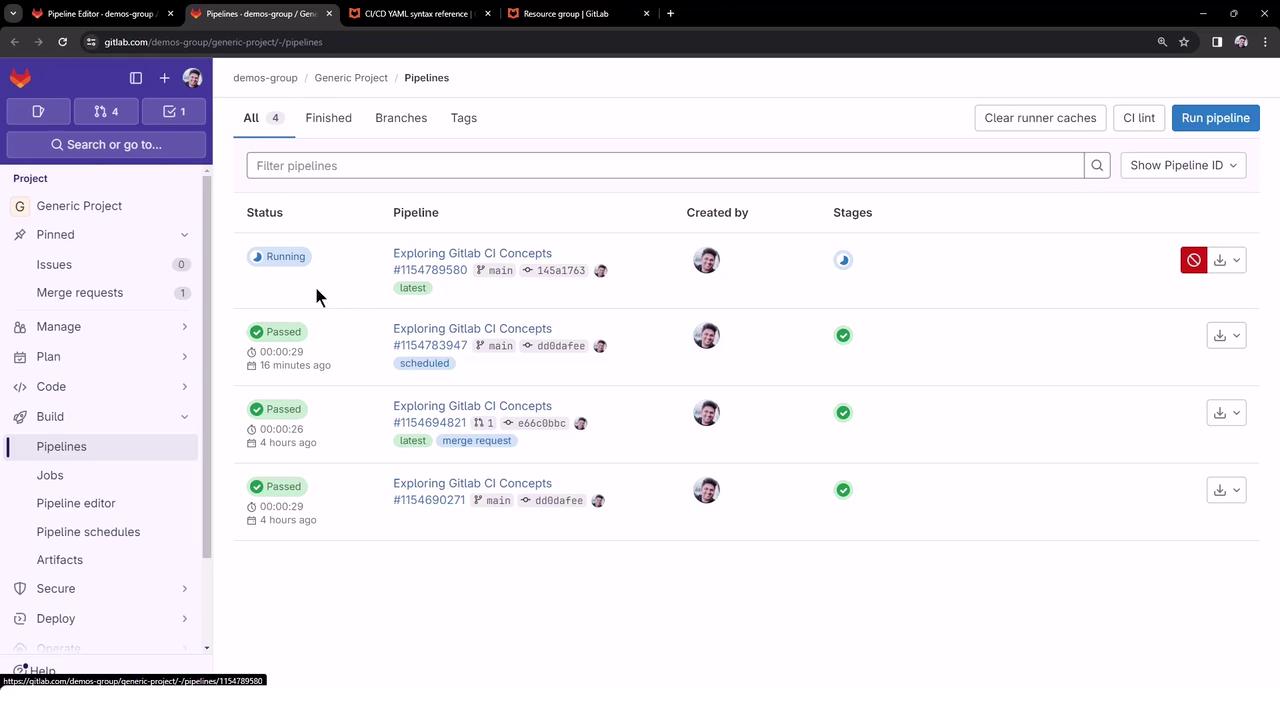
Since the production resource is occupied by the first deploy-job, the second deploy-job remains queued and waiting.
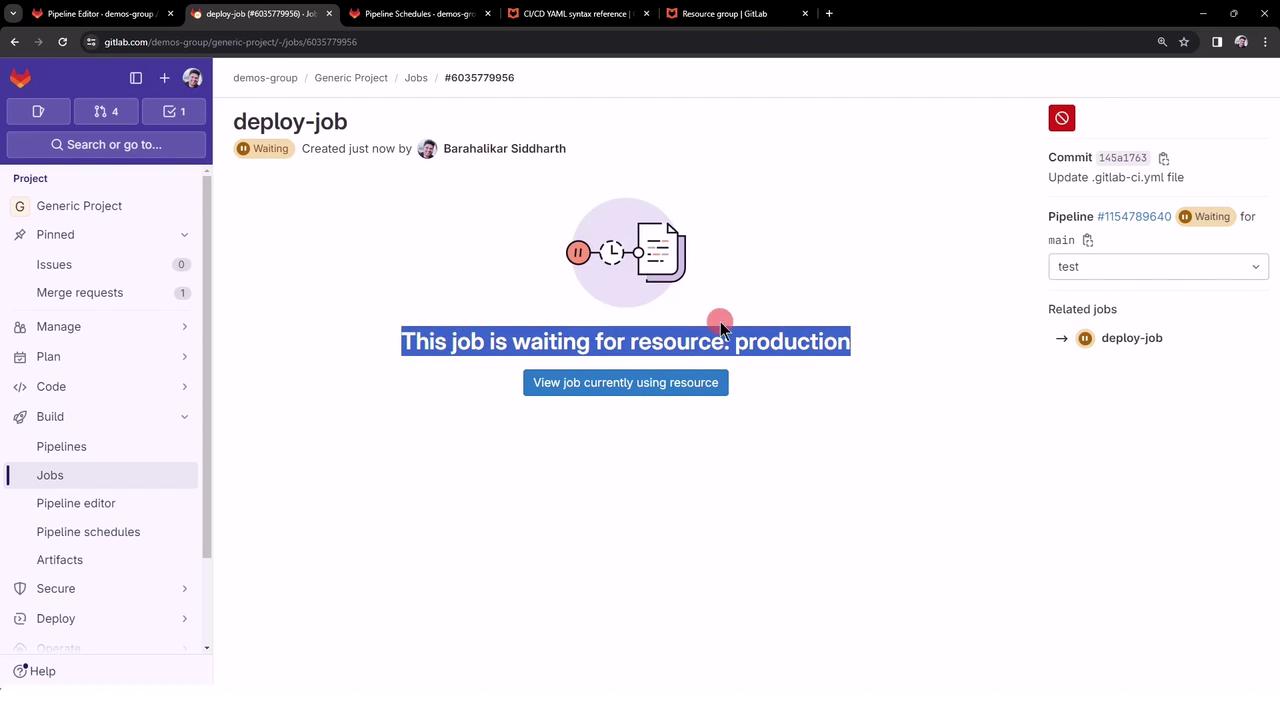
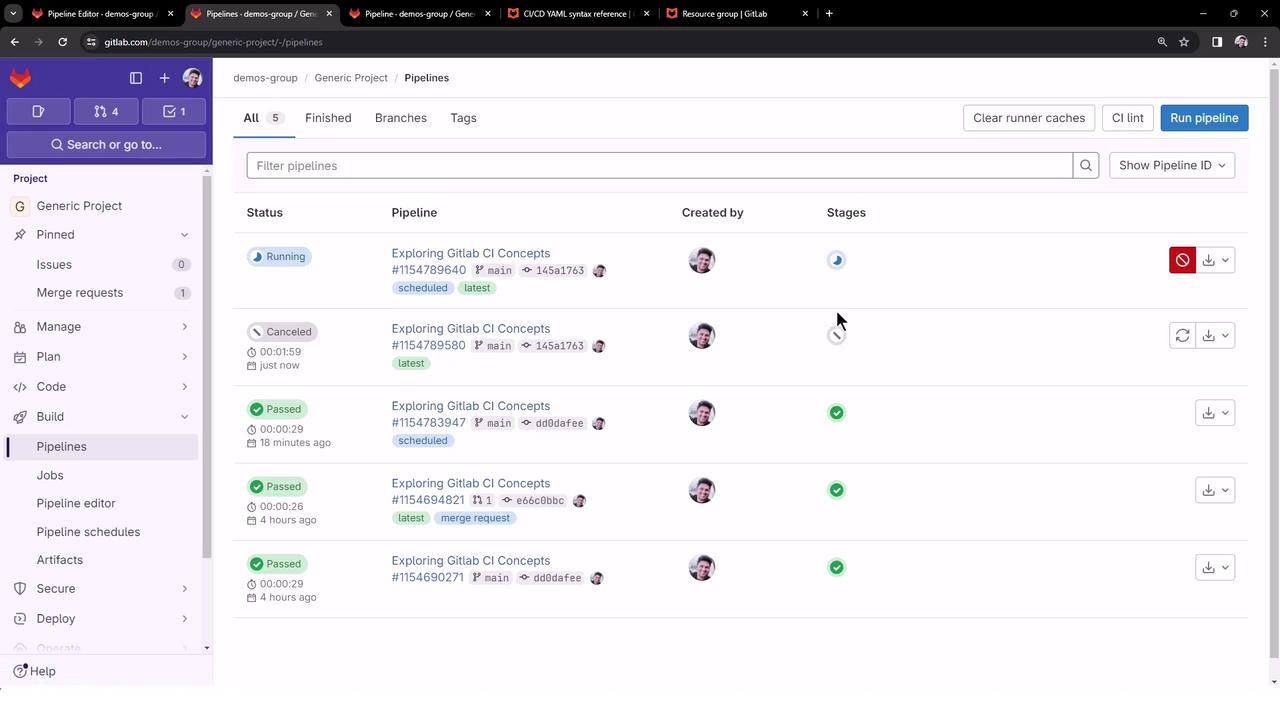
3. Cancel the first pipeline (or just its deploy-job) to free the resource.
Once the first deploy-job is canceled and the production resource is freed, the queued deploy-job automatically starts.
Resource groups let you control job concurrency precisely, ensuring critical jobs never overlap across pipelines.
***
## Links and References
* [CI/CD YAML Syntax: resource\_group](https://docs.gitlab.com/ee/ci/yaml/#resource_group)
* [GitLab CI REST API: Resource Groups](https://docs.gitlab.com/ee/api/resource_groups.html)
* [GitLab Pipelines Documentation](https://docs.gitlab.com/ee/ci/pipelines/)