> ## Documentation Index
> Fetch the complete documentation index at: https://notes.kodekloud.com/llms.txt
> Use this file to discover all available pages before exploring further.

# Run Jobs with Shared Runners

> This guide explains how to configure GitLab CI/CD jobs to run on GitLab-hosted shared runners across various operating systems.

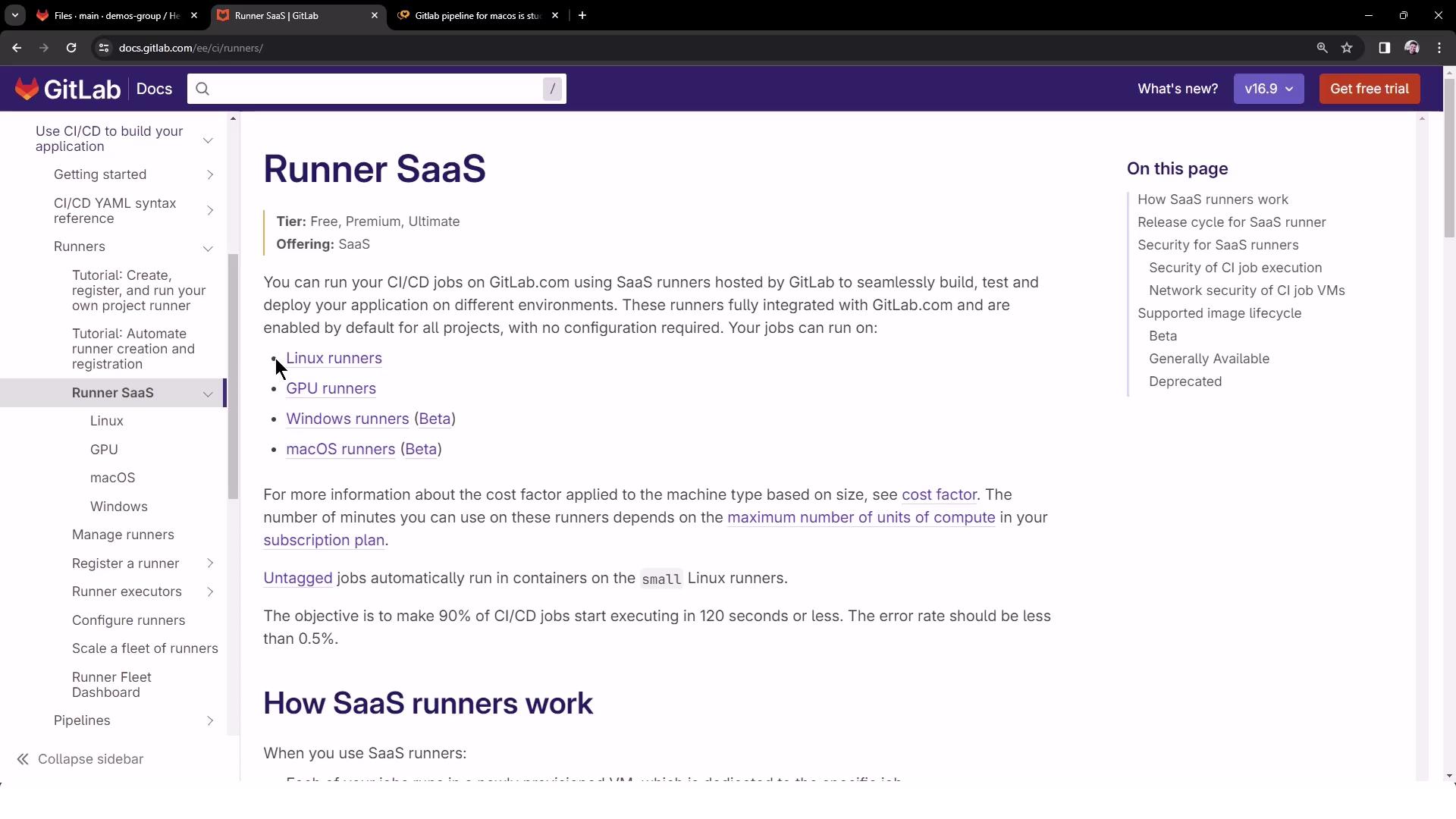
In this guide, you'll learn how to configure GitLab CI/CD jobs to run on GitLab-hosted shared runners for Linux, GPU, Windows, and macOS. This approach leverages GitLab’s [SaaS runners][runner-docs] to simplify maintenance and reduce infrastructure overhead.

| Runner Type | Tag Example             | Availability |
| ----------- | ----------------------- | ------------ |
| Linux       | saas-linux-medium-amd64 | Stable       |
| GPU         | saas-gpu-medium         | Stable       |
| Windows     | shared-windows          | Beta         |
| macOS       | saas-macos-medium-m1    | Beta         |

[runner-docs]: https://docs.gitlab.com/ee/ci/runners/README.html
<Frame>
  ![The image shows a GitLab documentation page about "Runner SaaS," detailing how to run CI/CD jobs using SaaS runners hosted by GitLab. It includes information on different types of runners like Linux, GPU, Windows, and macOS.](https://kodekloud.com/kk-media/image/upload/v1752877018/notes-assets/images/GitLab-CICD-Architecting-Deploying-and-Optimizing-Pipelines-Run-Jobs-with-Shared-Runners/gitlab-runner-saas-documentation.jpg)
</Frame>

<Callout icon="lightbulb" color="#1CB2FE">
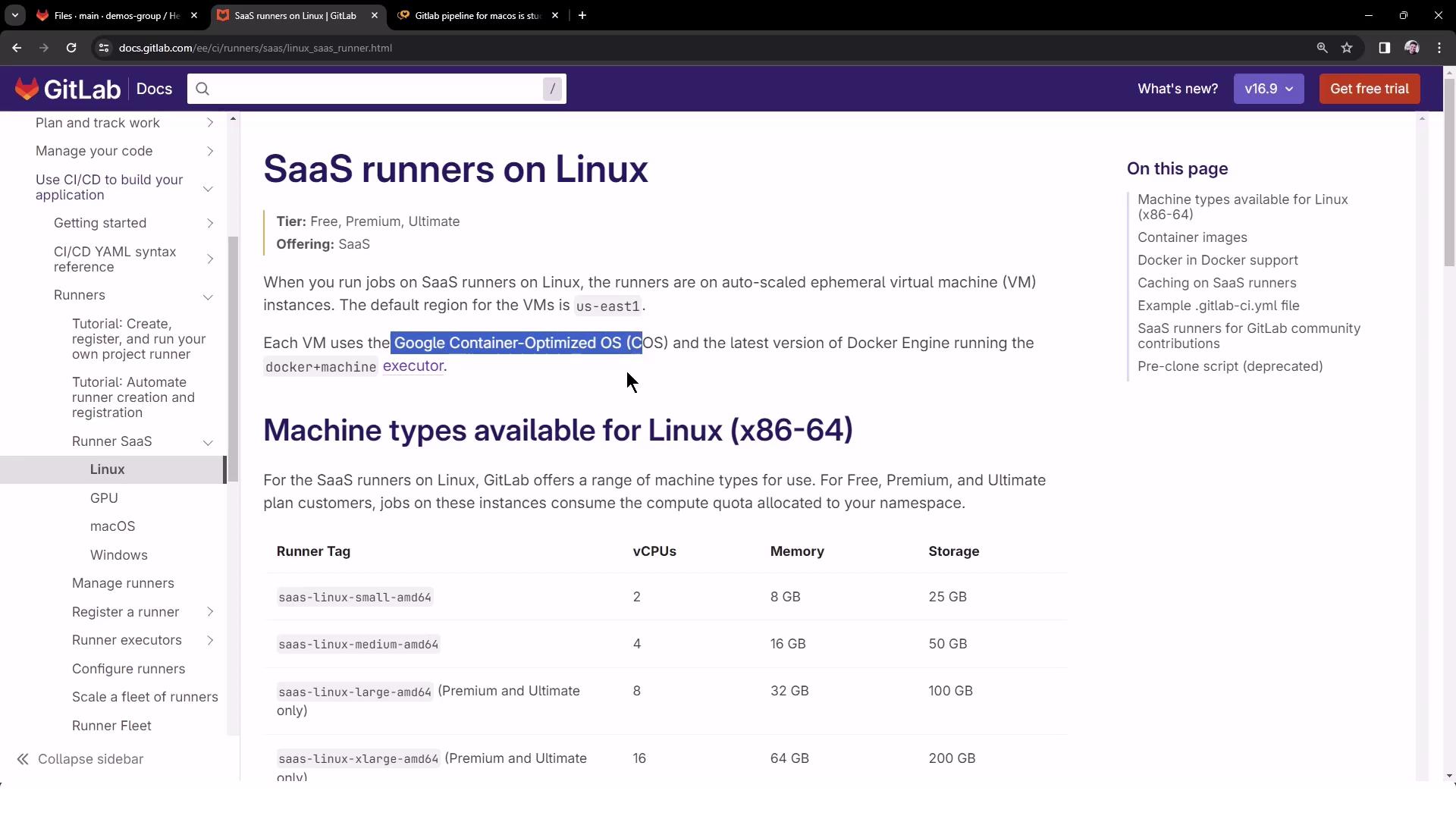
  Windows and macOS shared runners are currently in beta and may have limited capacity. Linux runners run on Google Container-Optimized OS VMs with predefined machine specs.
</Callout>

## Shared Runner Specifications

GitLab provides detailed specs for each runner type:
<Frame>
  ![The image is a GitLab documentation page about SaaS runners on Linux, detailing machine types available for Linux with specifications like vCPUs, memory, and storage. It also mentions the use of Google Container-Optimized OS for virtual machines.](https://kodekloud.com/kk-media/image/upload/v1752877019/notes-assets/images/GitLab-CICD-Architecting-Deploying-and-Optimizing-Pipelines-Run-Jobs-with-Shared-Runners/gitlab-saas-runners-linux-specs.jpg)
</Frame>

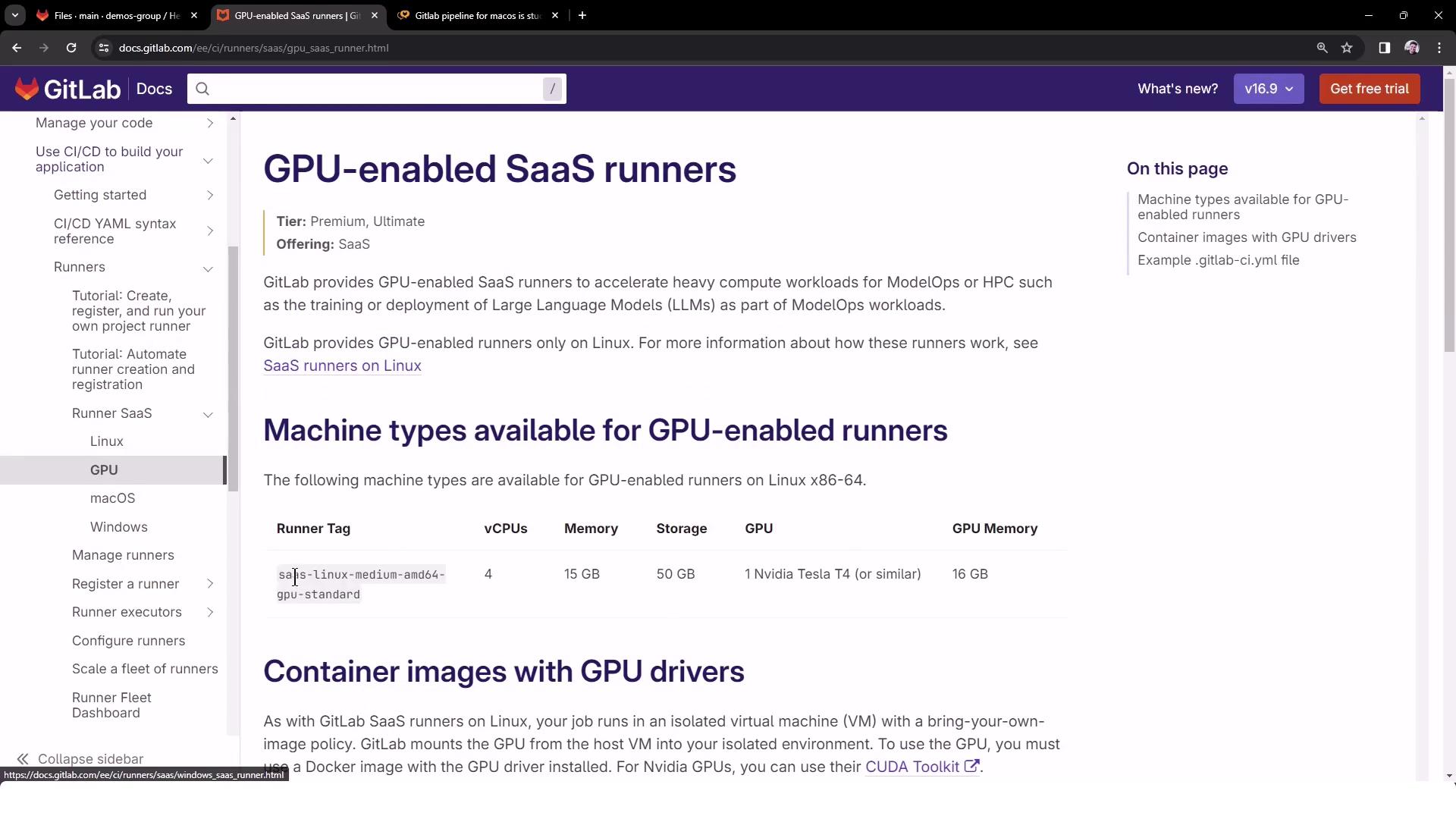
GPU-enabled runners include GPU drivers and libraries:
<Frame>
  ![The image shows a GitLab documentation page about GPU-enabled SaaS runners, detailing machine types available for GPU-enabled runners and container images with GPU drivers.](https://kodekloud.com/kk-media/image/upload/v1752877020/notes-assets/images/GitLab-CICD-Architecting-Deploying-and-Optimizing-Pipelines-Run-Jobs-with-Shared-Runners/gitlab-gpu-saas-runners-docs.jpg)
</Frame>

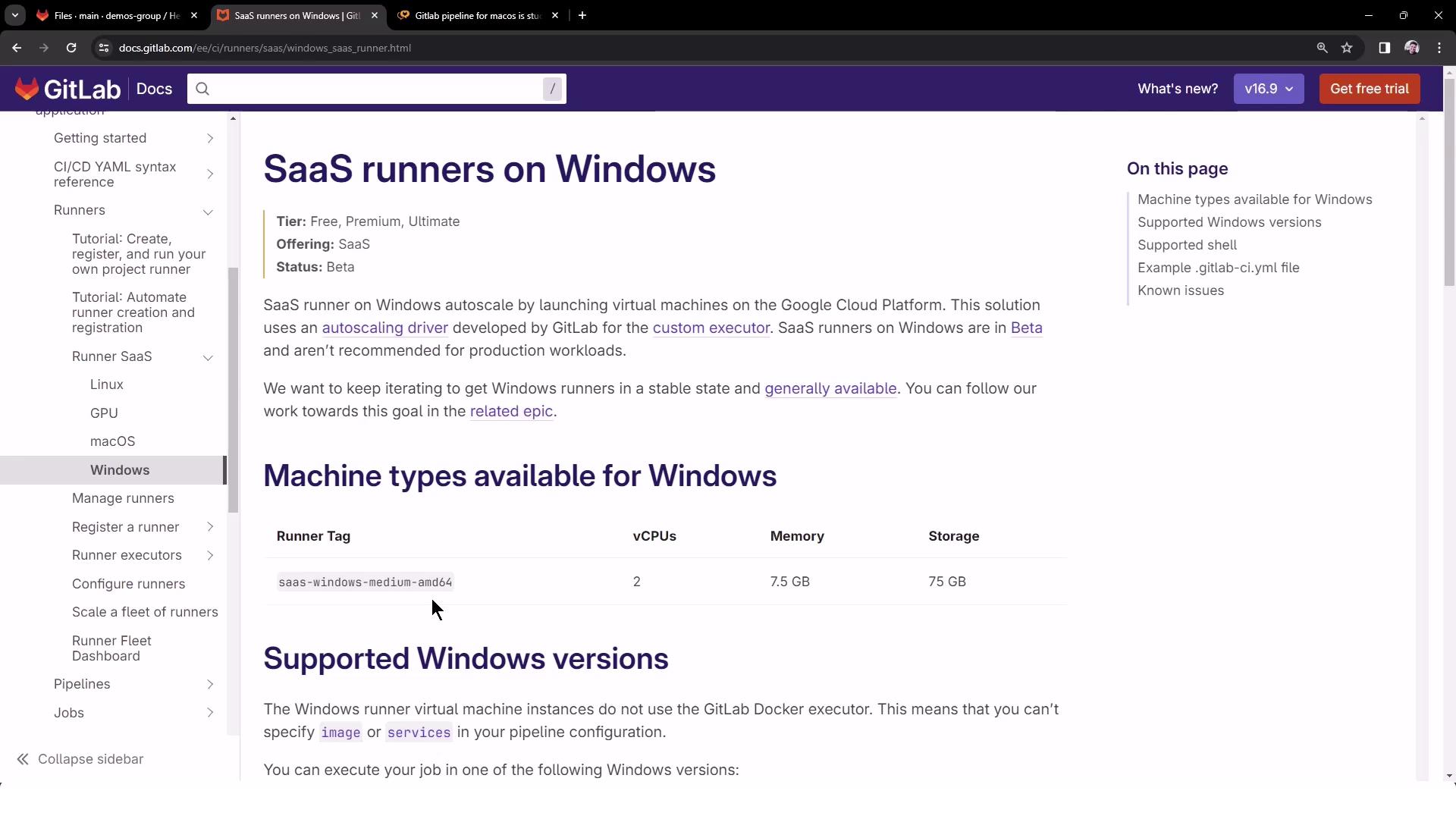
Windows runners support specific OS versions in beta:
<Frame>
  ![The image shows a GitLab documentation page about SaaS runners on Windows, detailing machine types, supported Windows versions, and related information.](https://kodekloud.com/kk-media/image/upload/v1752877021/notes-assets/images/GitLab-CICD-Architecting-Deploying-and-Optimizing-Pipelines-Run-Jobs-with-Shared-Runners/gitlab-saas-runners-windows-docs.jpg)
</Frame>

## Configuring `.gitlab-ci.yml`

To target these shared runners, add `tags` in your pipeline definition. Create or update `.gitlab-ci.yml` at the project root:

```yaml theme={null}
windows_job:
  tags:
    - shared-windows
  script:
    - echo "Windows OS Version"
    - systeminfo

linux_job:
  tags:
    - saas-linux-medium-amd64
  script:
    - echo "Linux OS Version"
    - cat /etc/os-release

macos_job:
  tags:
    - saas-macos-medium-m1
  script:
    - echo "MacOS Version"
    - system_profiler SPSoftwareDataType
```

<Callout icon="lightbulb" color="#1CB2FE">
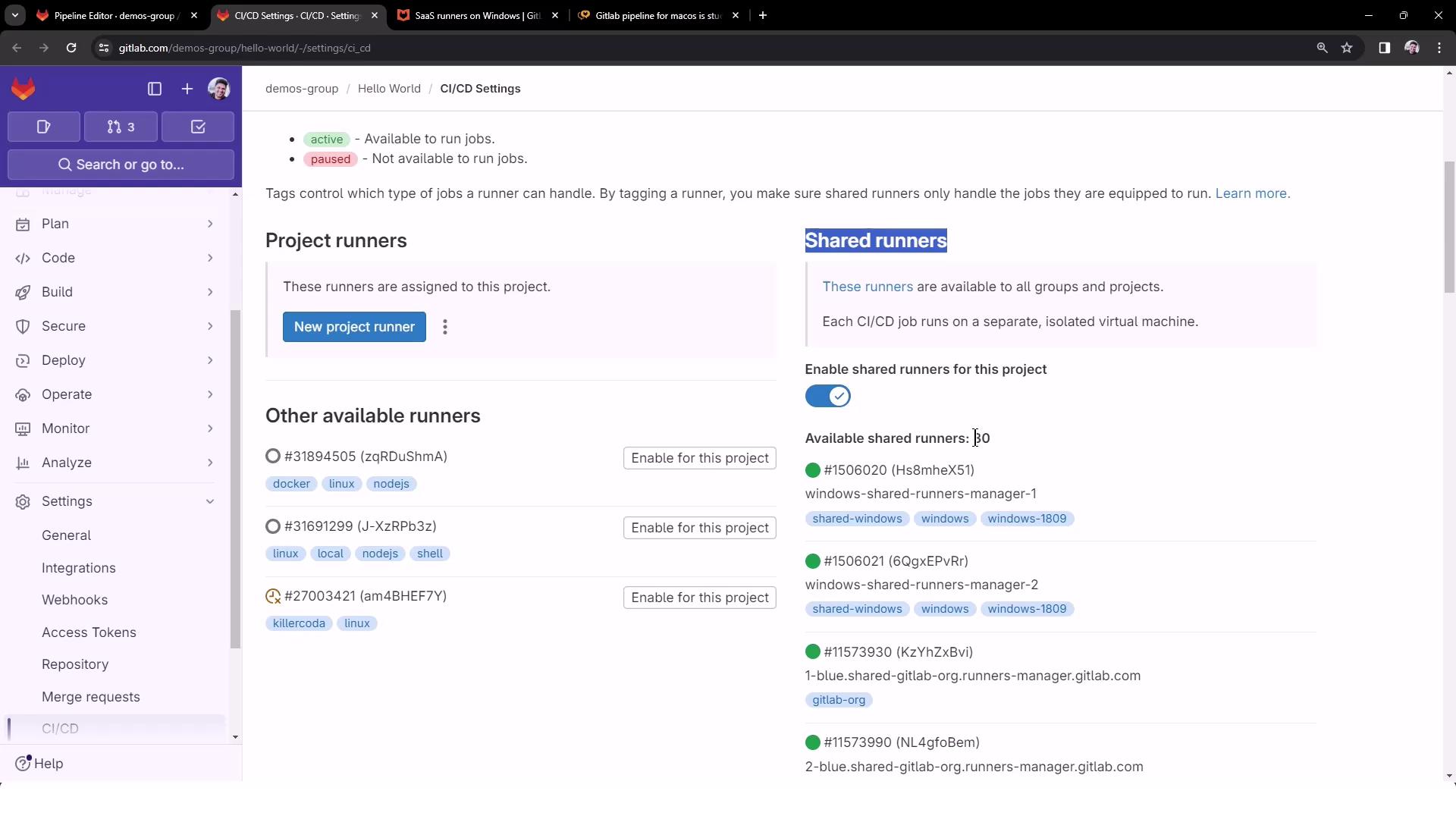
  The `tags` keyword ensures each job is picked up by the corresponding shared runner. To see all available shared runners, go to [Settings → CI/CD → Runners][runners-settings].
</Callout>

[runners-settings]: https://docs.gitlab.com/ee/ci/runners/#shared-runners
<Frame>
  ![The image shows a GitLab CI/CD settings page, displaying options for project runners and shared runners, with toggles and buttons for enabling them.](https://kodekloud.com/kk-media/image/upload/v1752877023/notes-assets/images/GitLab-CICD-Architecting-Deploying-and-Optimizing-Pipelines-Run-Jobs-with-Shared-Runners/gitlab-ci-cd-settings-runners.jpg)
</Frame>

## Triggering the Pipeline

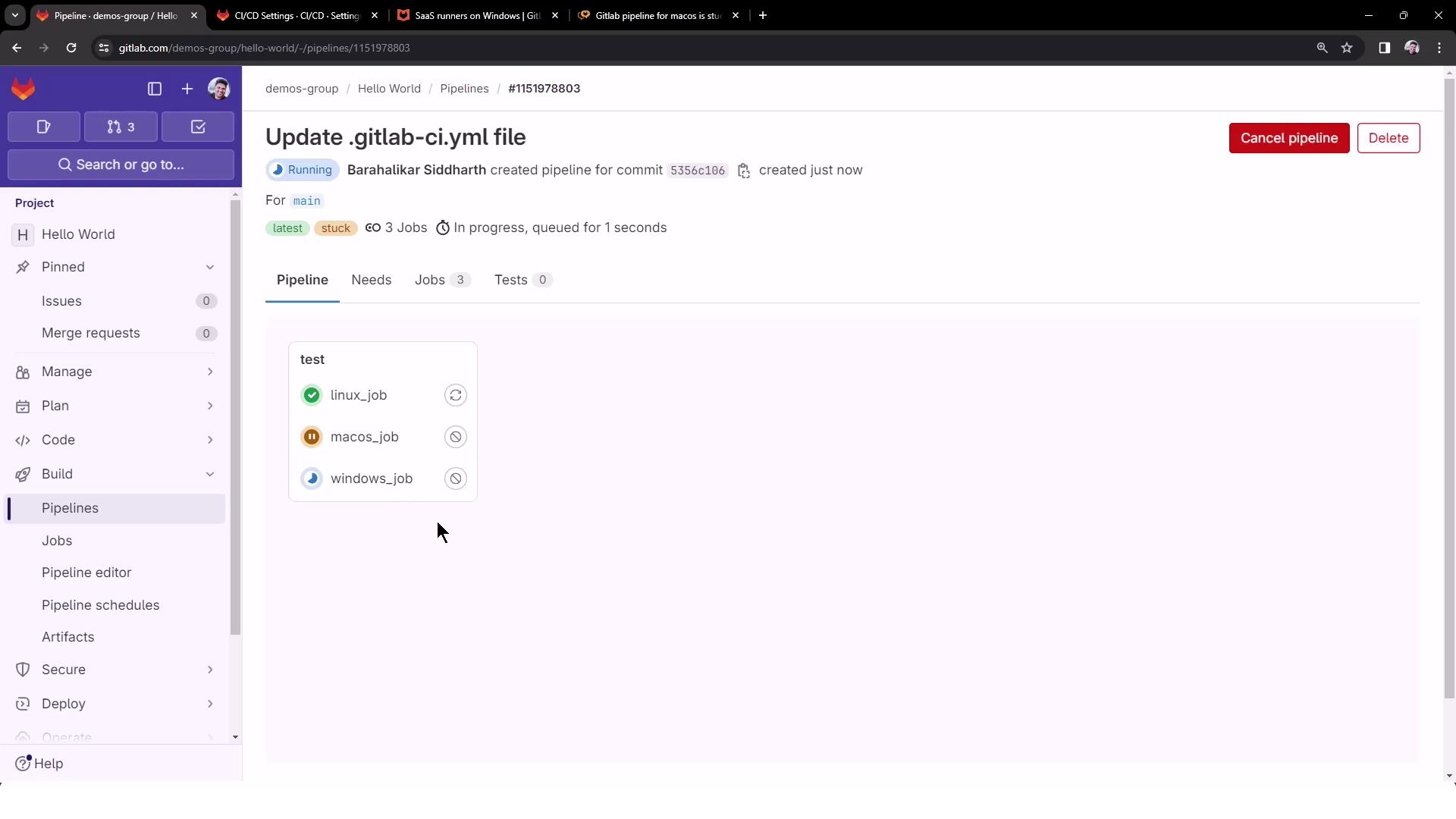
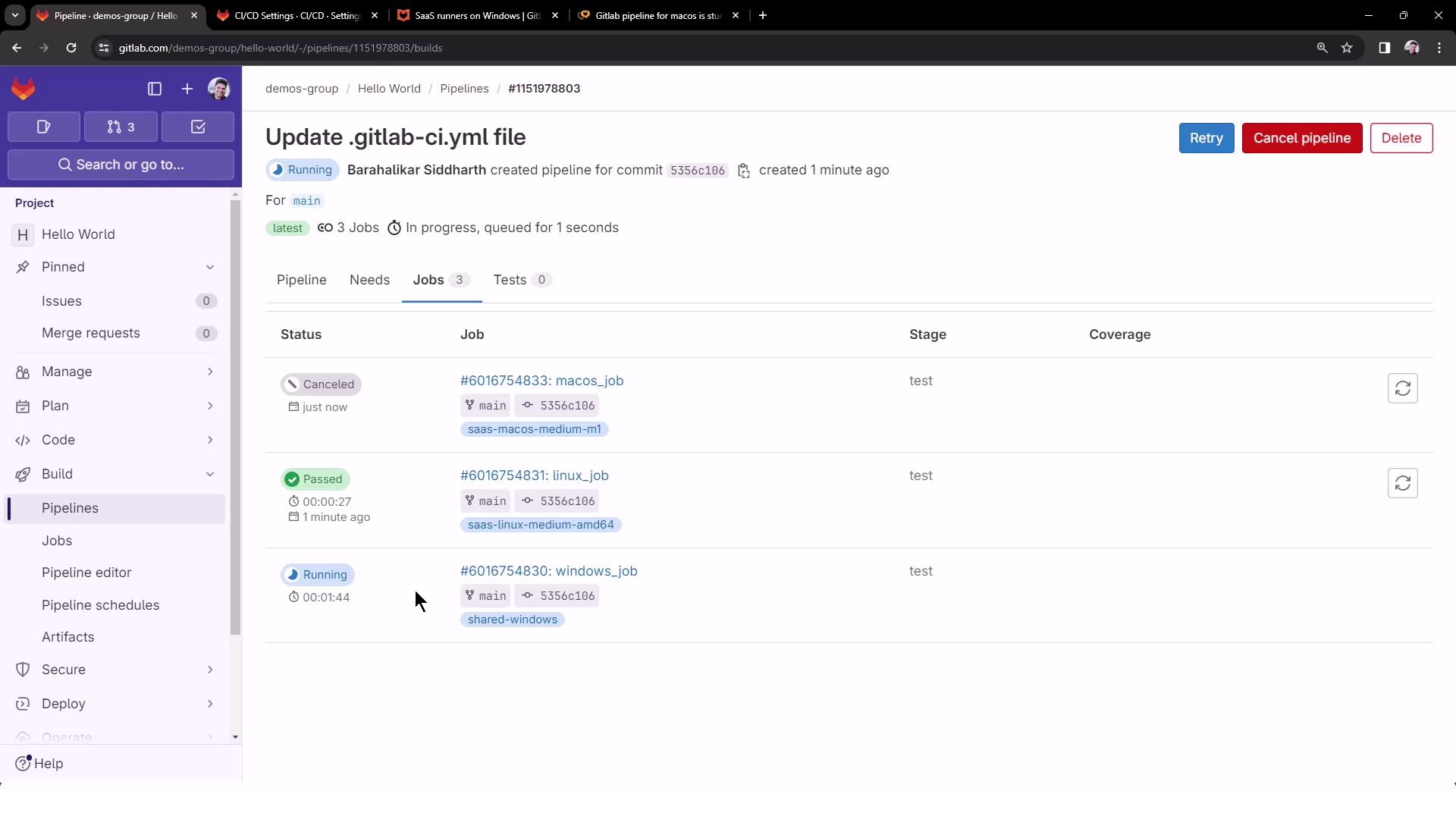
Commit your changes to the default branch (e.g., `main`) to launch the pipeline. You should see three jobs queued in parallel:
<Frame>
  ![The image shows a GitLab pipeline interface with a pipeline titled "Update .gitlab-ci.yml file" that includes three jobs: linux\_job, macos\_job, and windows\_job. The linux\_job is running, the macos\_job is stuck, and the windows\_job is pending.](https://kodekloud.com/kk-media/image/upload/v1752877023/notes-assets/images/GitLab-CICD-Architecting-Deploying-and-Optimizing-Pipelines-Run-Jobs-with-Shared-Runners/gitlab-pipeline-update-jobs-status.jpg)
</Frame>

<Callout icon="triangle-alert" color="#FF6B6B">
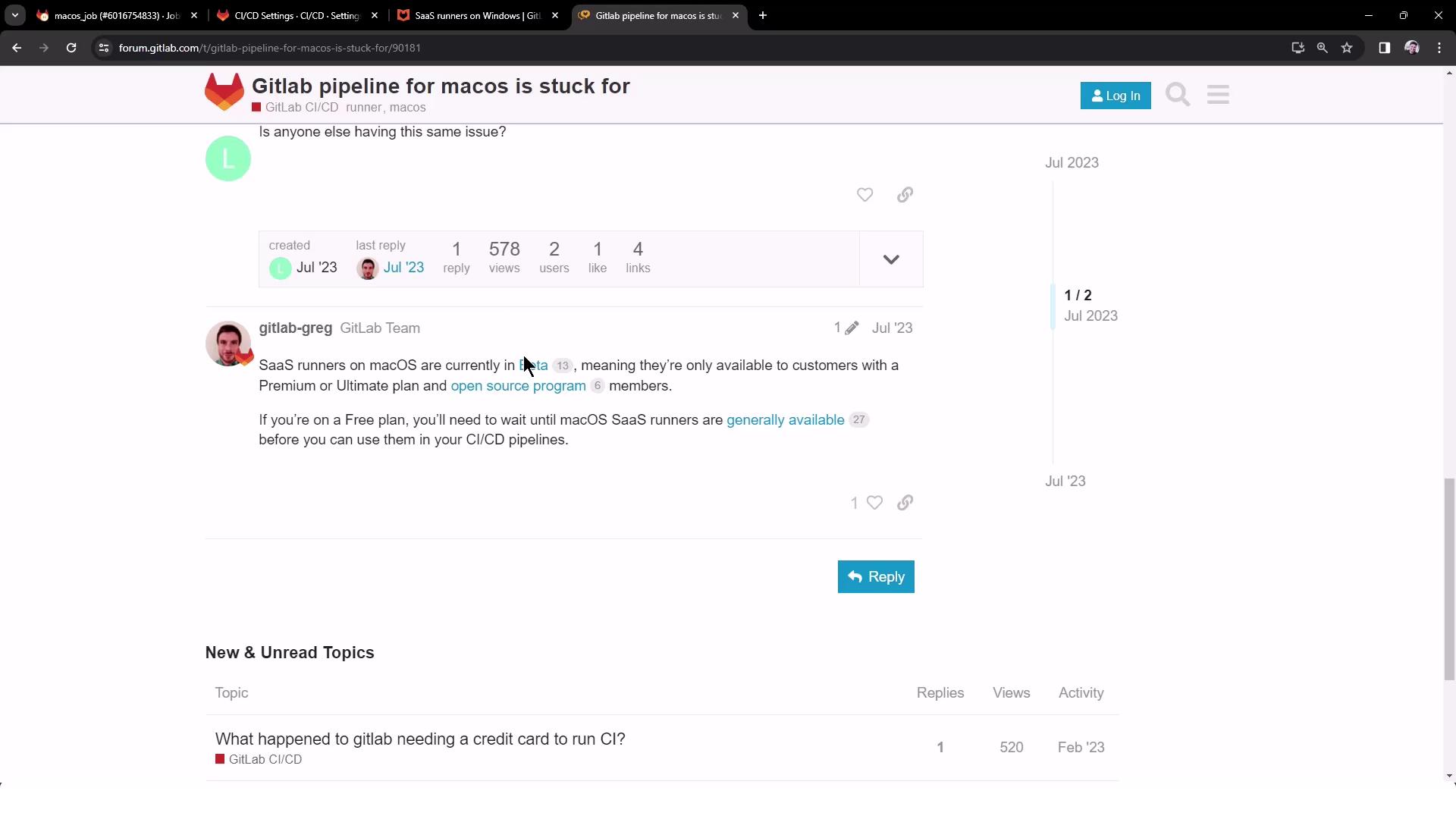
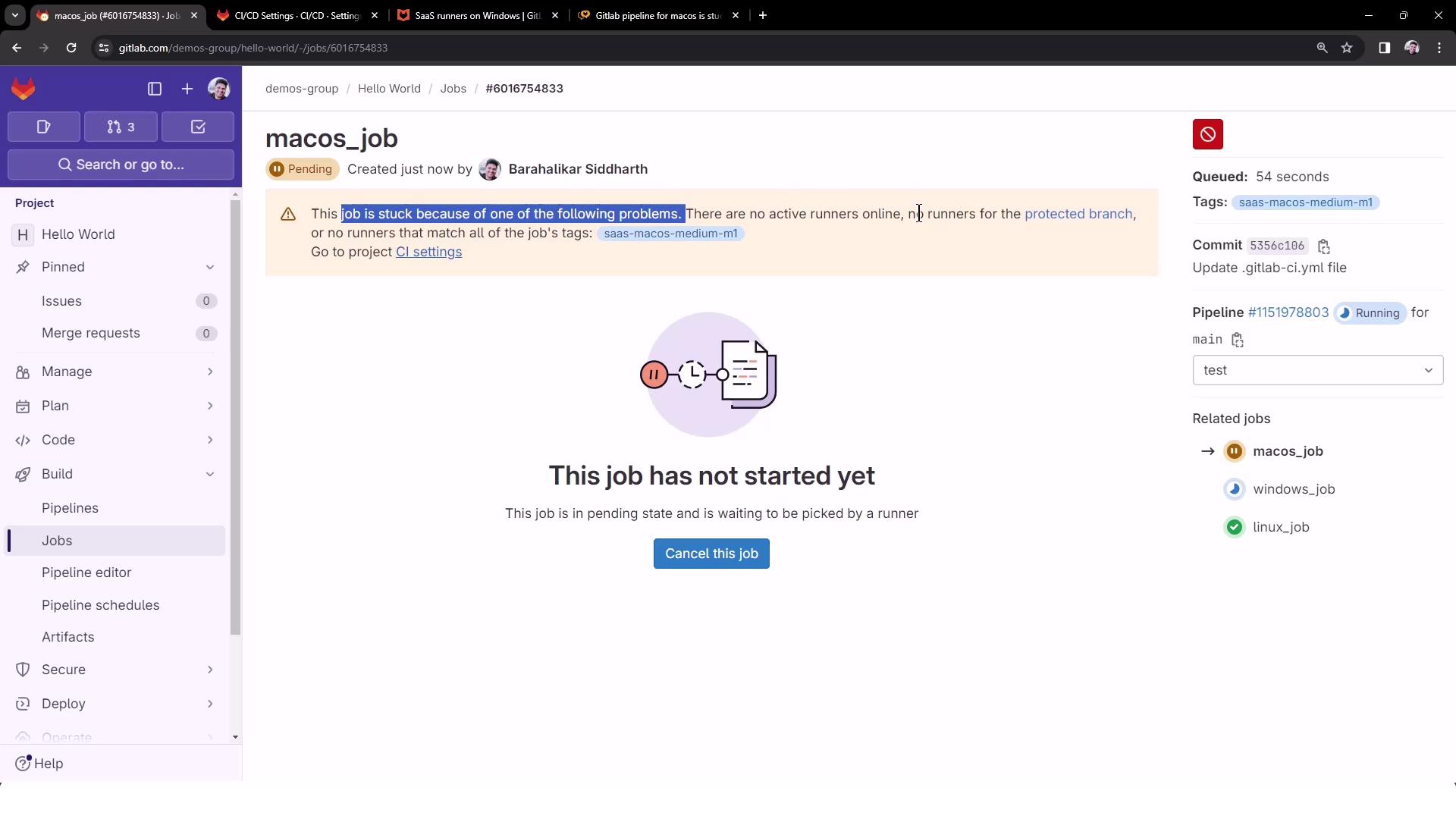
  The macOS job may remain pending if there are no active runners. SaaS macOS runners are in beta and reserved for Premium/Ultimate plans.
</Callout>

<Frame>
  ![The image shows a GitLab job page where a job named "macos\_job" is pending and has not started due to a lack of active runners. The job is waiting to be picked by a runner.](https://kodekloud.com/kk-media/image/upload/v1752877024/notes-assets/images/GitLab-CICD-Architecting-Deploying-and-Optimizing-Pipelines-Run-Jobs-with-Shared-Runners/gitlab-macos-job-pending-runners.jpg)
</Frame>

<Frame>
  ![The image shows a GitLab forum discussion about a macOS pipeline issue, with a response explaining that SaaS runners for macOS are in beta and available only to certain plan members.](https://kodekloud.com/kk-media/image/upload/v1752877026/notes-assets/images/GitLab-CICD-Architecting-Deploying-and-Optimizing-Pipelines-Run-Jobs-with-Shared-Runners/gitlab-forum-macos-pipeline-issue.jpg)
</Frame>

You can cancel the pending macOS job to let the Linux and Windows jobs finish. The pipeline view updates to show job statuses:
<Frame>
  ![The image shows a GitLab CI/CD pipeline interface with three jobs: one canceled, one passed, and one running. The jobs are for different operating systems: macOS, Linux, and Windows.](https://kodekloud.com/kk-media/image/upload/v1752877027/notes-assets/images/GitLab-CICD-Architecting-Deploying-and-Optimizing-Pipelines-Run-Jobs-with-Shared-Runners/gitlab-cicd-pipeline-jobs.jpg)
</Frame>

## Viewing Job Logs

### Linux Job Logs

The Linux job runs on a medium VM using the Docker+machine executor:

```bash theme={null}
$ echo "Linux OS Version"
Linux OS Version
$ cat /etc/os-release
PRETTY_NAME="Debian GNU/Linux 12 (bookworm)"
NAME="Debian GNU/Linux"
VERSION_ID="12"
VERSION="12 (bookworm)"
ID=debian
```

### Windows Job Logs

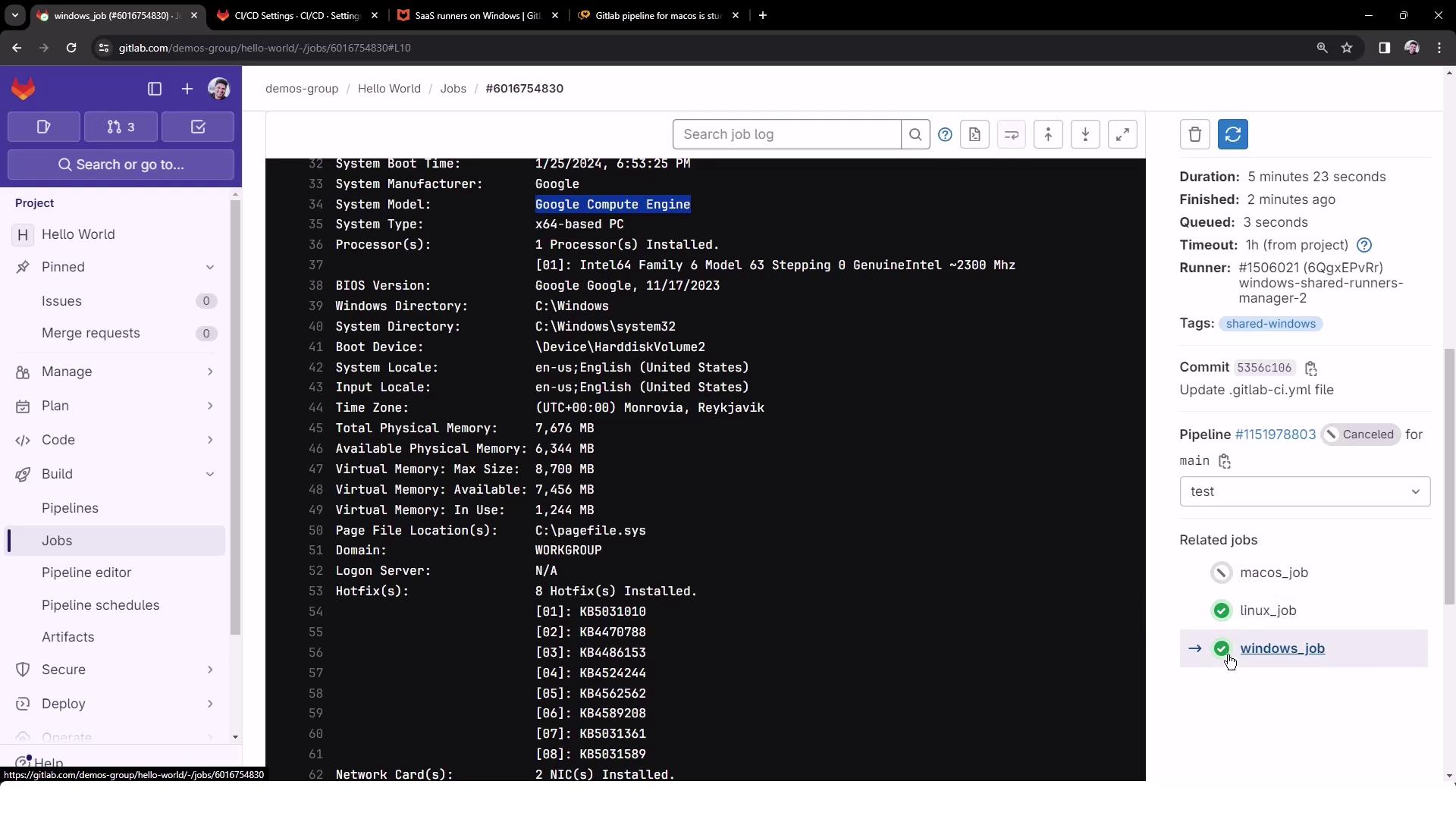
The Windows job spins up a custom VM executor and then runs your commands:

```bash theme={null}
Running with gitlab-runner 16.5.0 (83330f9) on windows-shared-runners-manager...
Preparing the "custom" executor
Getting source from Git repository
Executing "step_script" stage of the job script
Cleaning up project directory and file based variables
Job succeeded
```

```bash theme={null}
$ echo "Windows OS Version"
Windows OS Version
$ systeminfo
```
<Frame>
  ![The image shows a GitLab CI/CD job interface displaying system information for a Google Compute Engine instance, including details like system type, processor, memory, and hotfixes. The sidebar includes project navigation and job details such as duration, runner, and related jobs.](https://kodekloud.com/kk-media/image/upload/v1752877028/notes-assets/images/GitLab-CICD-Architecting-Deploying-and-Optimizing-Pipelines-Run-Jobs-with-Shared-Runners/gitlab-cicd-google-compute-instance.jpg)
</Frame>

## Conclusion

By applying runner tags in your `.gitlab-ci.yml`, you can precisely target GitLab’s shared runner environments for Linux, GPU, Windows, and macOS. This setup streamlines cross-platform CI/CD workflows and offloads infrastructure maintenance to GitLab.

<CardGroup>
  <Card title="Watch Video" icon="video" cta="Learn more" href="https://learn.kodekloud.com/user/courses/gitlab-ci-cd-architecting-deploying-and-optimizing-pipelines/module/fbf7cb8d-dcca-444e-a547-7bdb8b725634/lesson/51fab92b-abd7-4de9-b0a1-8901b29311b5" />
</CardGroup>