> ## Documentation Index
> Fetch the complete documentation index at: https://notes.kodekloud.com/llms.txt
> Use this file to discover all available pages before exploring further.
# Skipping Pipeline Trigger
> This article explains how to skip unnecessary pipeline runs in GitLab CI/CD for non-functional changes using specific commit message directives.
When working with GitLab CI/CD, every push by default starts a new pipeline run. However, for non-functional changes—like updating documentation or fixing typos—you can prevent an unnecessary pipeline execution by appending a skip directive to your commit message.
## Why Skip CI/CD Pipelines?
Skipping pipelines saves valuable runner minutes and reduces clutter in your pipeline dashboard. Typical use cases include:
* Documentation updates (`README.md`, `CHANGELOG.md`)
* Configuration tweaks that don’t affect build/test logic
* Minor formatting or comment changes
## Example `.gitlab-ci.yml` Configuration
Below is a sample CI configuration. Even pure documentation changes will trigger this pipeline unless skipped explicitly:
```yaml theme={null}
workflow:
name: Exploring GitLab CI Concepts
rules:
- if: '$CI_COMMIT_BRANCH == "main"'
variables:
DEPLOY_VARIABLE: "PRODUCTION"
deploy-job:
resource_group: production
parallel:
matrix:
RUNNER_MACHINES:
- saas-linux-small-amd64
- saas-linux-medium-amd64
NODE_TAGS:
- '20-alpine3.18'
- '18-alpine3.18'
- '21-alpine3.18'
tags:
- $RUNNER_MACHINES
image: node:$NODE_TAGS
script:
- echo "Deploying to production environment"
```
## Skip Directives Overview
You can use either `[ci skip]` or `[skip ci]` in your commit message:
| Skip Directive | Effect |
| -------------- | ---------------------------------- |
| `[ci skip]` | Prevents the pipeline from running |
| `[skip ci]` | Alias for `[ci skip]` |
Both directives are recognized by GitLab. Choose the one you prefer—case-insensitive.
## Committing with a Skip Directive
To skip the pipeline for a documentation-only change:
```bash theme={null}
git add README.md
git commit -m "docs: improve installation steps [ci skip]"
git push origin main
```
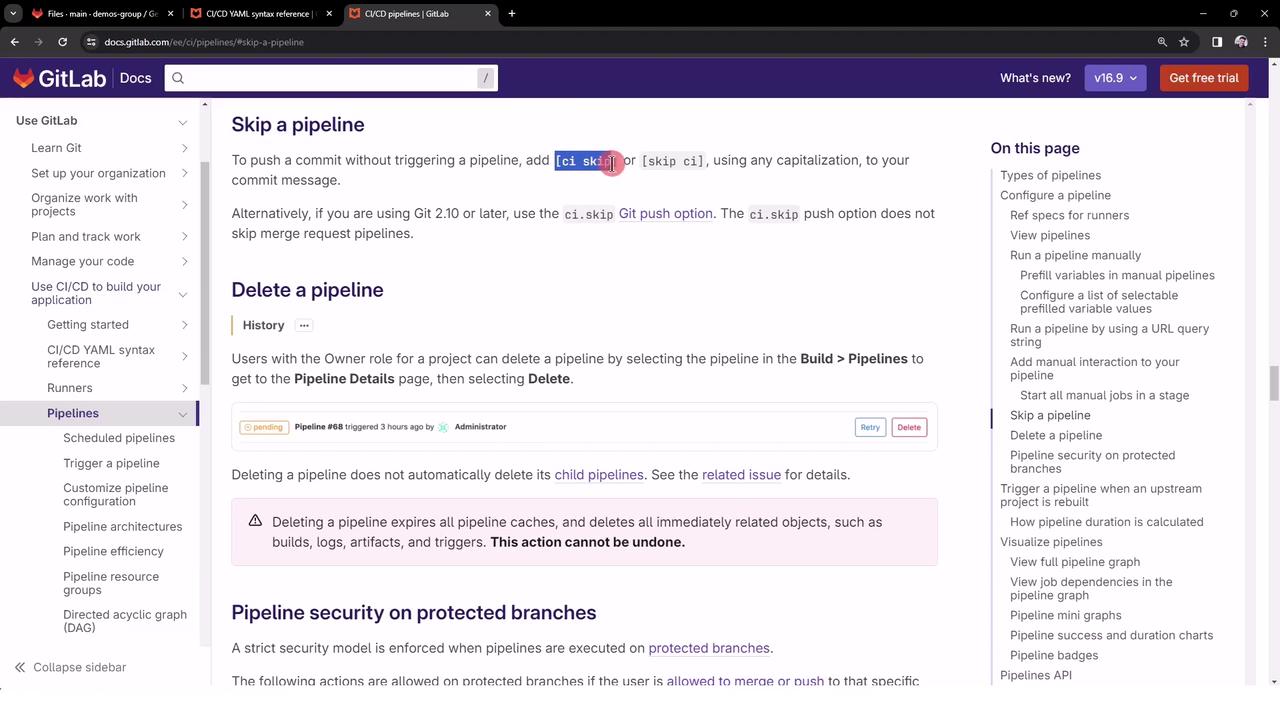
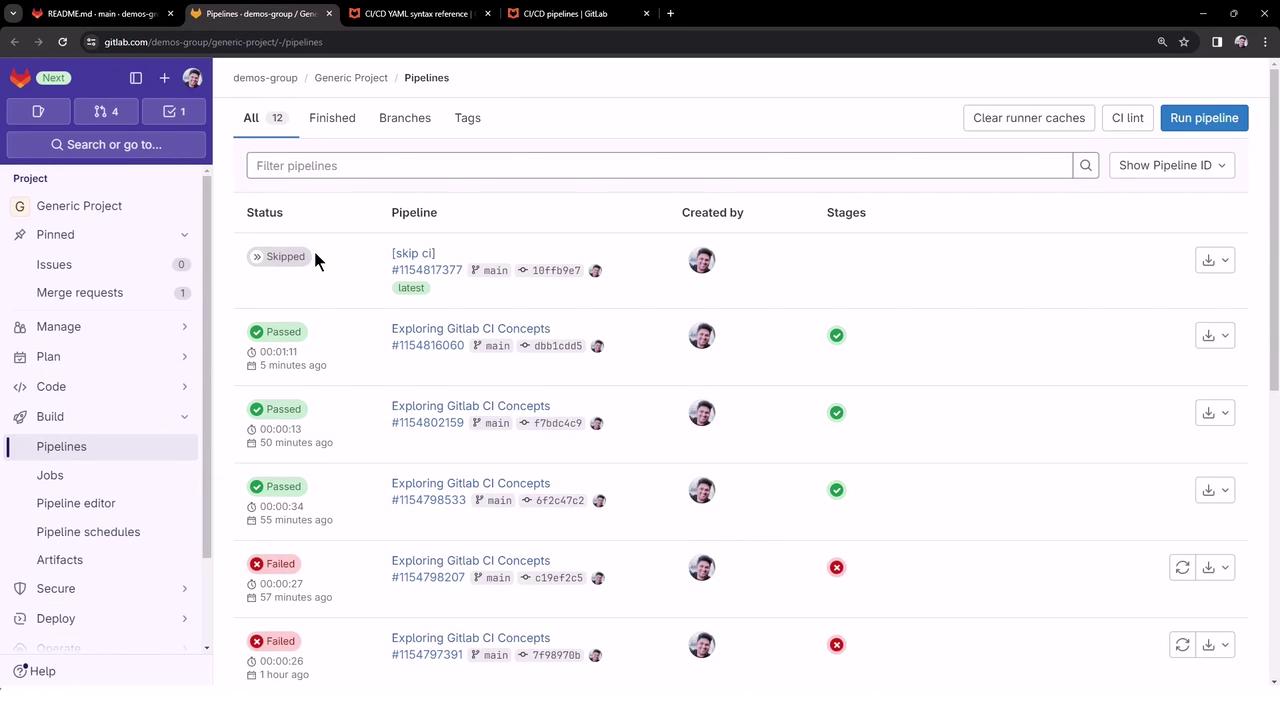
Once pushed, GitLab marks the pipeline as **Skipped** immediately—no jobs are queued or executed.
## Verifying the Skipped Pipeline
Navigate to **CI/CD > Pipelines** in your project’s sidebar. You will see the latest push marked as **Skipped**:
* No jobs are run.
* Pipeline minutes are preserved.
* Dashboard remains uncluttered.
Do **not** use skip directives for commits that modify build scripts, tests, or production code. Skipping critical changes can lead to undetected failures.
## Additional Resources
* [GitLab CI/CD Pipelines](https://docs.gitlab.com/ee/ci/pipelines/)
* [Skipping Jobs in GitLab CI/CD](https://docs.gitlab.com/ee/ci/yaml/#skipping-jobs)
* [GitLab Workflow Reference](https://docs.gitlab.com/ee/ci/yaml/)