> ## Documentation Index
> Fetch the complete documentation index at: https://notes.kodekloud.com/llms.txt
> Use this file to discover all available pages before exploring further.
# Automatic Deployment to Production Environment
> This article explains how to automate application deployment to a production environment using GitLabs CI/CD pipelines.
In this lesson, we’ll automate the deployment of our application to the `production` environment by merging a feature branch into `main`. Previously, we ran the pipeline in the feature branch and verified deployment to the review stage using Auto DevOps. Now, accepting the merge request will trigger a new pipeline on `main`.
## 1. Merge Feature Branch into Main
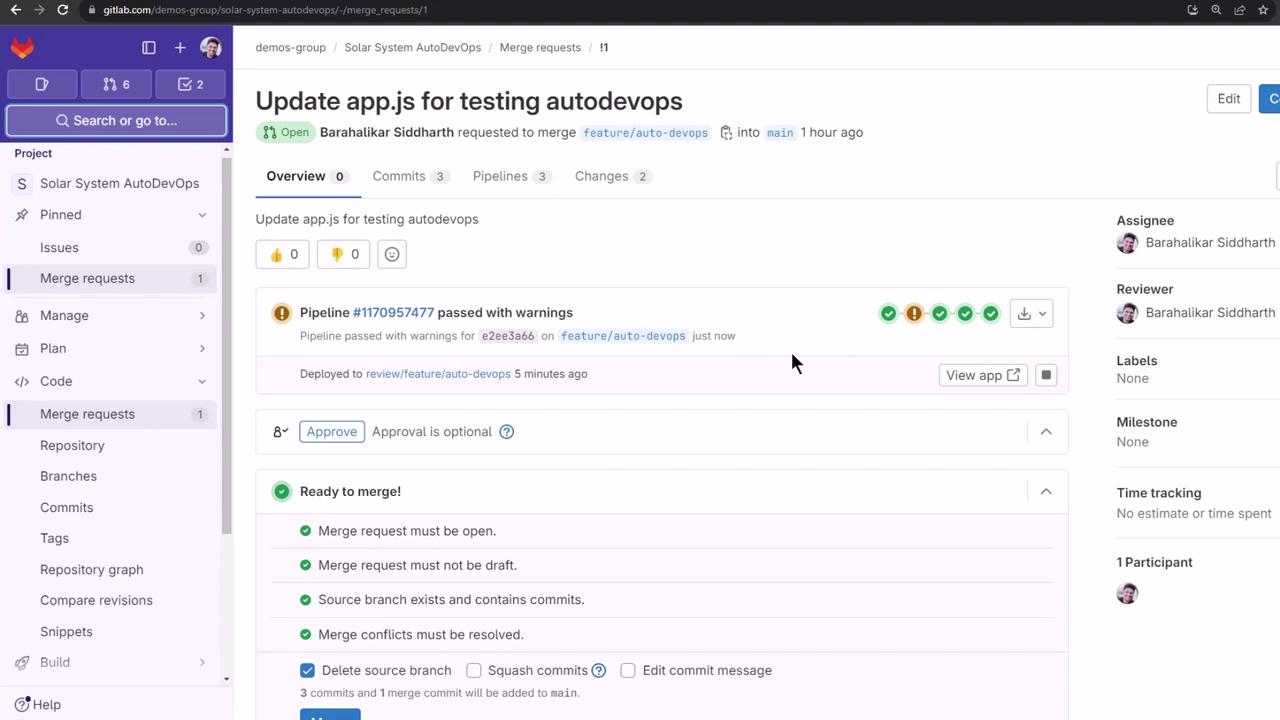
First, confirm that all review jobs have passed:

Open the merge request, uncheck **Delete source branch**, and click **Merge** to push your changes to `main`:
## 2. Monitor the Pipeline on Main
Navigate to **CI/CD > Pipelines** to see the new run:
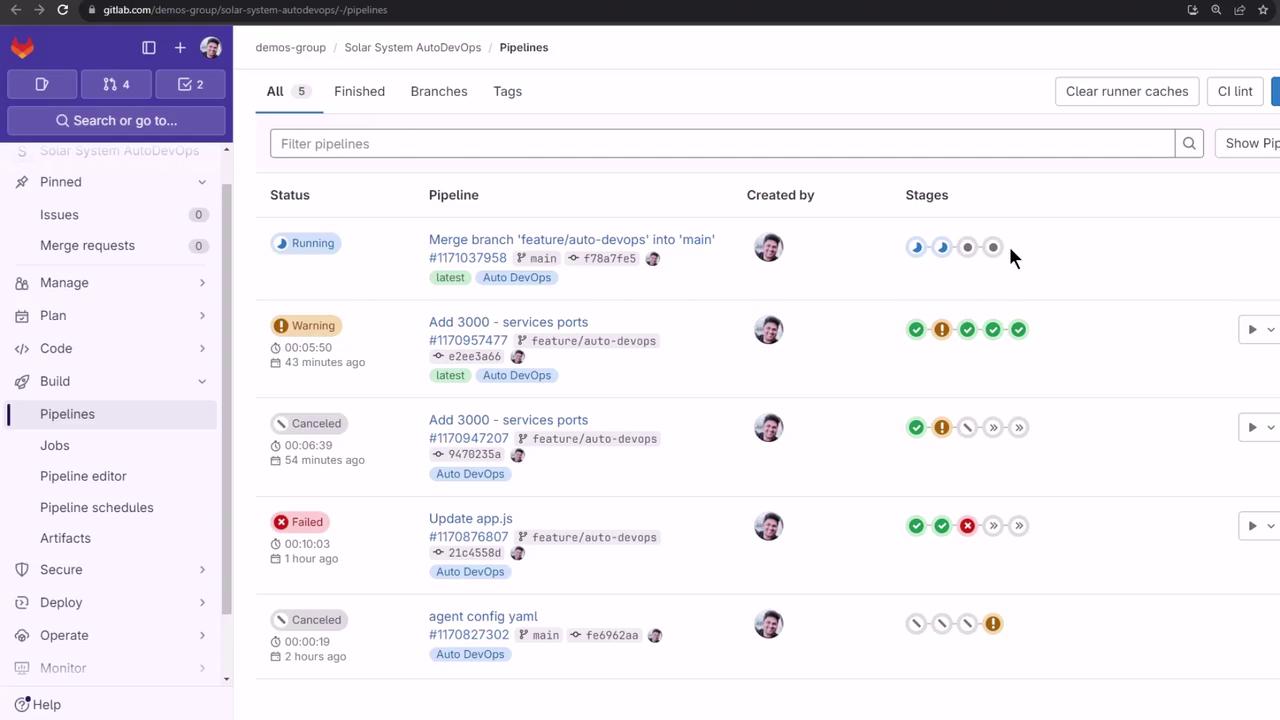
The `main` pipeline executes the following stages:
| Stage | Purpose |
| ----------- | ---------------------------------- |
| build | Compile code and build artifacts |
| test | Run unit and integration tests |
| production | Deploy to the production namespace |
| performance | Execute browser performance tests |
To speed up demos, cancel the test jobs manually once they start.
## 3. Validate Production Deployment
Ensure that the `production` namespace is empty before deployment:
```bash theme={null}
kubectl get all -n production
```
When the **production** stage completes, you’ll see logs indicating Helm deployment and artifact uploads:
```bash theme={null}
$ auto-deploy delete canary
WARNING: Kubernetes configuration file is group-readable. This is insecure. Location: /builds/.../KUBECONFIG
WARNING: Kubernetes configuration file is world-readable. This is insecure. Location: /builds/.../KUBECONFIG
$ auto-deploy persist_environment_url
Uploading artifacts for successful job
environment_url.txt: found 1 matching artifact files and directories
WARNING: tiller.log: no matching files. Ensure that the artifact path is relative to the working directory (/builds/...)
Uploading artifacts as "archive" to coordinator... 201 Created
Job succeeded
```
The warnings above show that your `KUBECONFIG` file has overly permissive access. Restrict file permissions to prevent security issues.
Next, verify that 10 replicas are running (the count is driven by a CI/CD variable):
```bash theme={null}
kubectl get all -n production
```
```plaintext theme={null}
NAME READY STATUS RESTARTS AGE
pod/production-df6dd64cf-2p8b6 1/1 Running 0 2m22s
… (8 more pods) …
NAME TYPE CLUSTER-IP PORT(S) AGE
service/production-auto-deploy ClusterIP 10.104.1.52 3000/TCP 2m22s
NAME READY UP-TO-DATE AVAILABLE AGE
deployment.apps/production 10/10 10 10 2m22s
NAME DESIRED CURRENT READY AGE
replicaset.apps/production-df6dd64cf 10 10 10 2m22s
```
## 4. Test Load Balancing
Confirm traffic distribution across all replicas by curling the `/os` endpoint repeatedly:
```bash theme={null}
while true; do
curl -sk https://demos-group-solar-system-autodevops.139.84.208.48.nip.io/os \
| grep --color -E 'production|canary'
done
```
You’ll see different pod names in the responses, verifying round-robin load balancing.
## 5. Performance Testing
After **production**, the pipeline automatically runs browser performance benchmarks and archives the results:

## 6. Reviewing Auto DevOps Settings
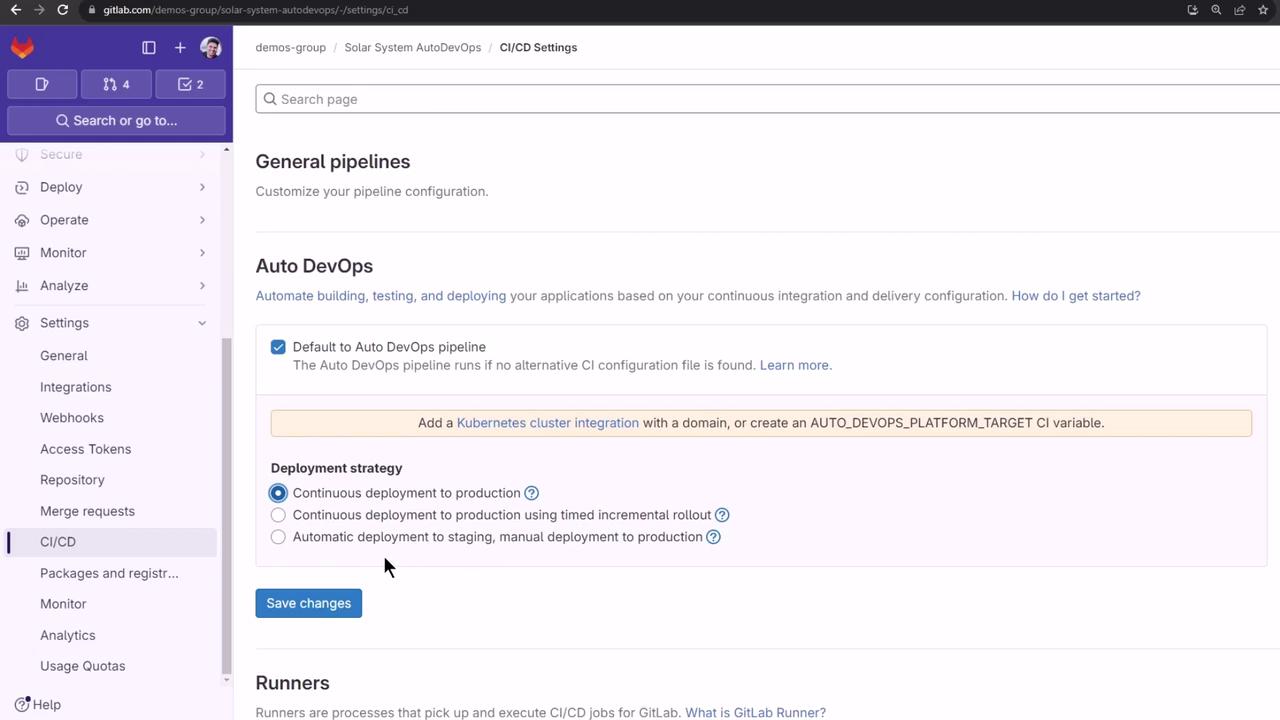
In your project, go to **Settings > CI/CD**, then expand **Auto DevOps** to review deployment strategies. We used Continuous Deployment to production in this lesson:
## 7. Exploring Dashboards and Reports
Auto DevOps generates code quality, SAST, and secret detection artifacts. On the free tier, download these from **Job Artifacts**. With [Premium/Ultimate plans](https://about.gitlab.com/pricing/), you can view reports directly:
* **Security Dashboard**: Aggregated vulnerability findings
* **Operations Dashboard**: Live environment and deployment status
### Vulnerability Report
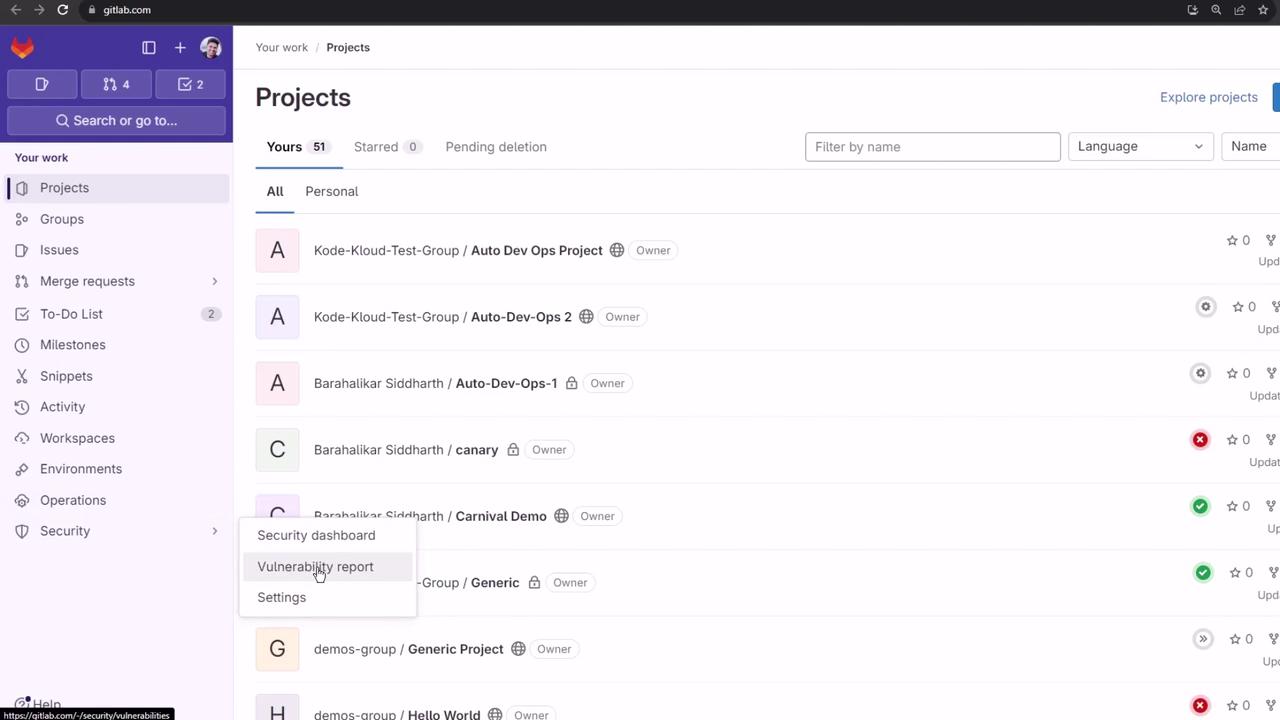
From the top menu, choose **Security & Compliance > Vulnerability report**:
### Environments Dashboard
Add multiple projects to an **Environments Dashboard** (Premium/Ultimate only):
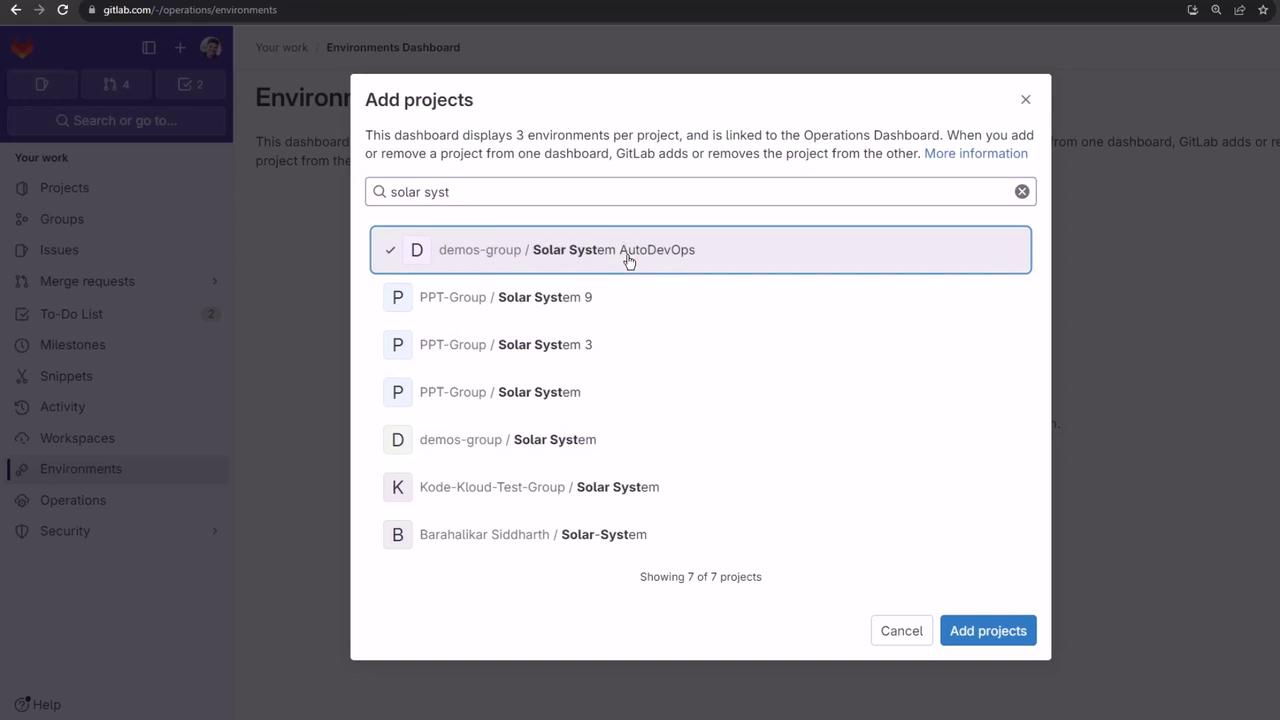
Attempting to include private projects on the free tier results in an error:
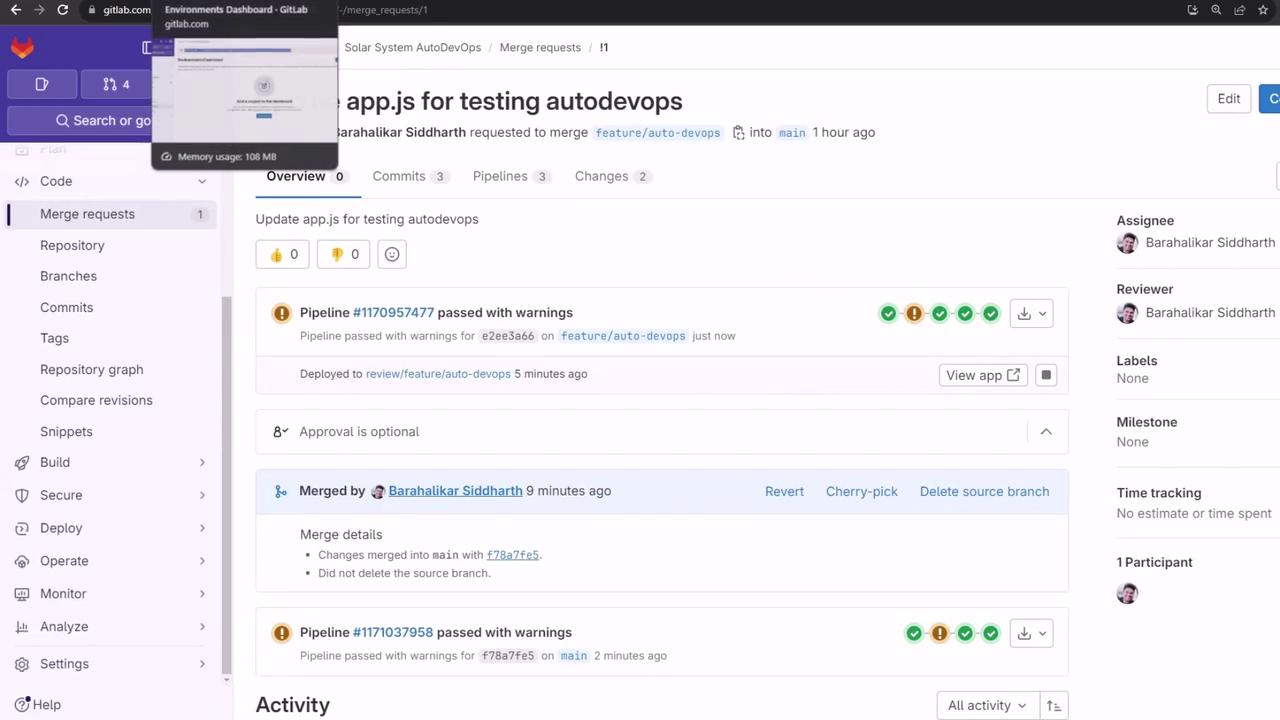
We recommend exploring these dashboards with a trial Ultimate account and configuring manual approvals for production deployments.
## Links and References
* [GitLab Auto DevOps](https://docs.gitlab.com/ee/topics/autodevops/)
* [GitLab CI/CD Pipelines](https://docs.gitlab.com/ee/ci/pipelines/)
* [Kubernetes Documentation](https://kubernetes.io/docs/)