> ## Documentation Index
> Fetch the complete documentation index at: https://notes.kodekloud.com/llms.txt
> Use this file to discover all available pages before exploring further.
# Raise a Merge Request and Checkout AutoDevOps
> Learn to create a feature branch, submit a Merge Request in GitLab, and observe Auto DevOps pipeline stages for MR workflows.
In this lesson, you’ll learn how to create a feature branch, submit a Merge Request (MR) in GitLab, and observe how Auto DevOps adapts its pipeline stages for MR workflows. By the end, you’ll see Review and Cleanup stages in action and understand how to inject CI/CD variables into review environments.
## 1. Inspect the Initial Auto DevOps Pipeline on `main`
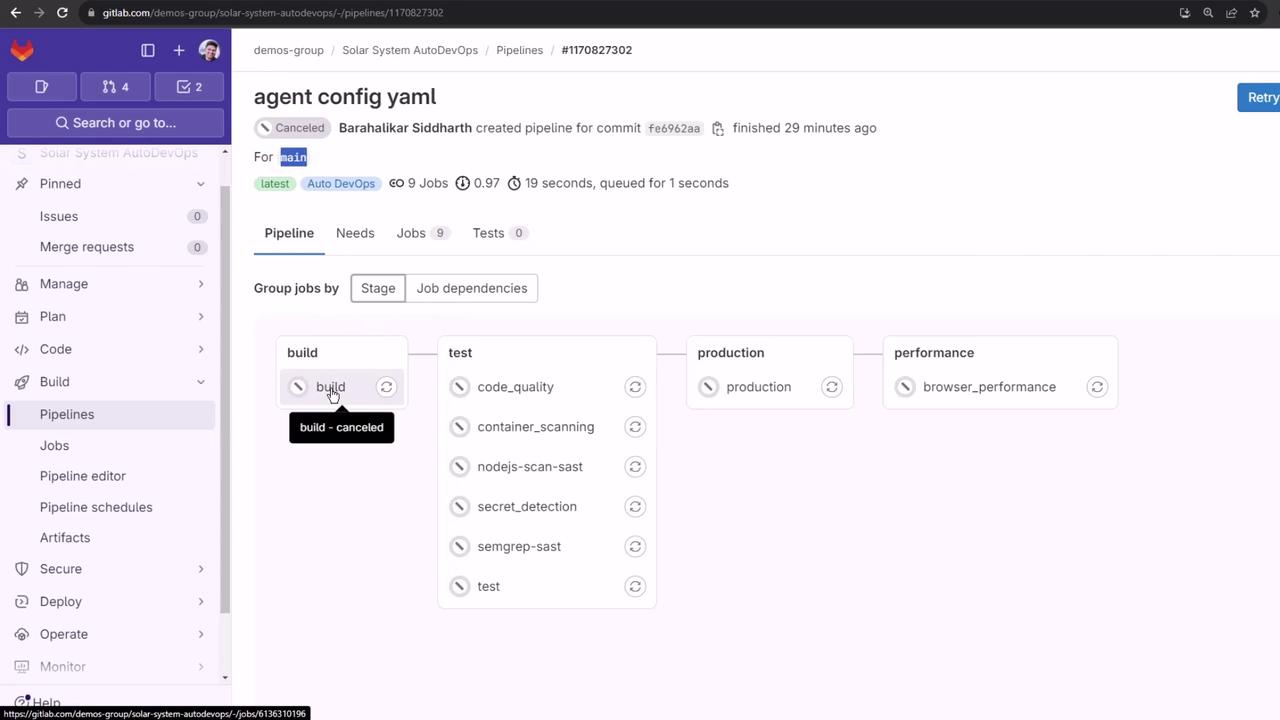
Once Auto DevOps is enabled, the pipeline for `main` runs standard stages—Build, Test, Production, and Performance—though the Build stage may be canceled if it’s already succeeded elsewhere:
## 2. Create a Feature Branch and Update Your Code
1. Open `app.js` in your editor.
2. Uncomment the `console.log` callback in `mongoose.connect`.
3. Extend the Mongoose schema by adding a `description` field:
```javascript theme={null}
const express = require('express');
const app = express();
const cors = require('cors');
const bodyParser = require('body-parser');
const mongoose = require('mongoose');
const path = require('path');
app.use(bodyParser.json());
app.use(express.static(path.join(__dirname, '/')));
app.use(cors());
mongoose.connect(process.env.MONGO_URI, {
user: process.env.MONGO_USERNAME,
pass: process.env.MONGO_PASSWORD,
useNewUrlParser: true,
useUnifiedTopology: true
}, function(err) {
if (err) {
console.log("error!! " + err);
} else {
console.log("MongoDB Connection Successful");
}
});
const Schema = mongoose.Schema;
const dataSchema = new Schema({
name: String,
id: Number,
description: String
});
module.exports = app;
```
Now commit and push your changes on a new feature branch:
```bash theme={null}
git checkout -b feature/auto-devops
git add app.js
git commit -m "Update app.js: add description and enable console.log"
git push -u origin feature/auto-devops
```
## 3. Open a Merge Request in GitLab
1. Go to your project in GitLab.
2. Click **Merge Requests → New Merge Request**.
3. Select `feature/auto-devops` as the source and `main` as the target.
4. Fill in the title, description, assign reviewers, and click **Create Merge Request**.
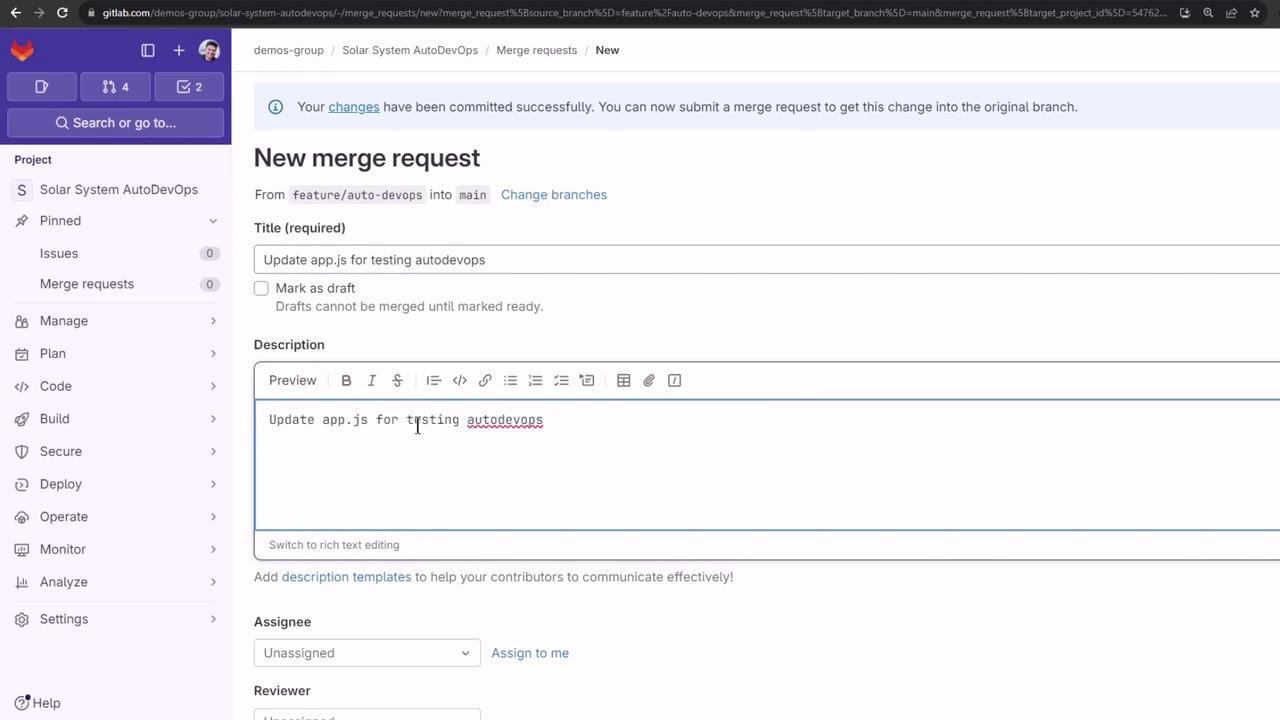
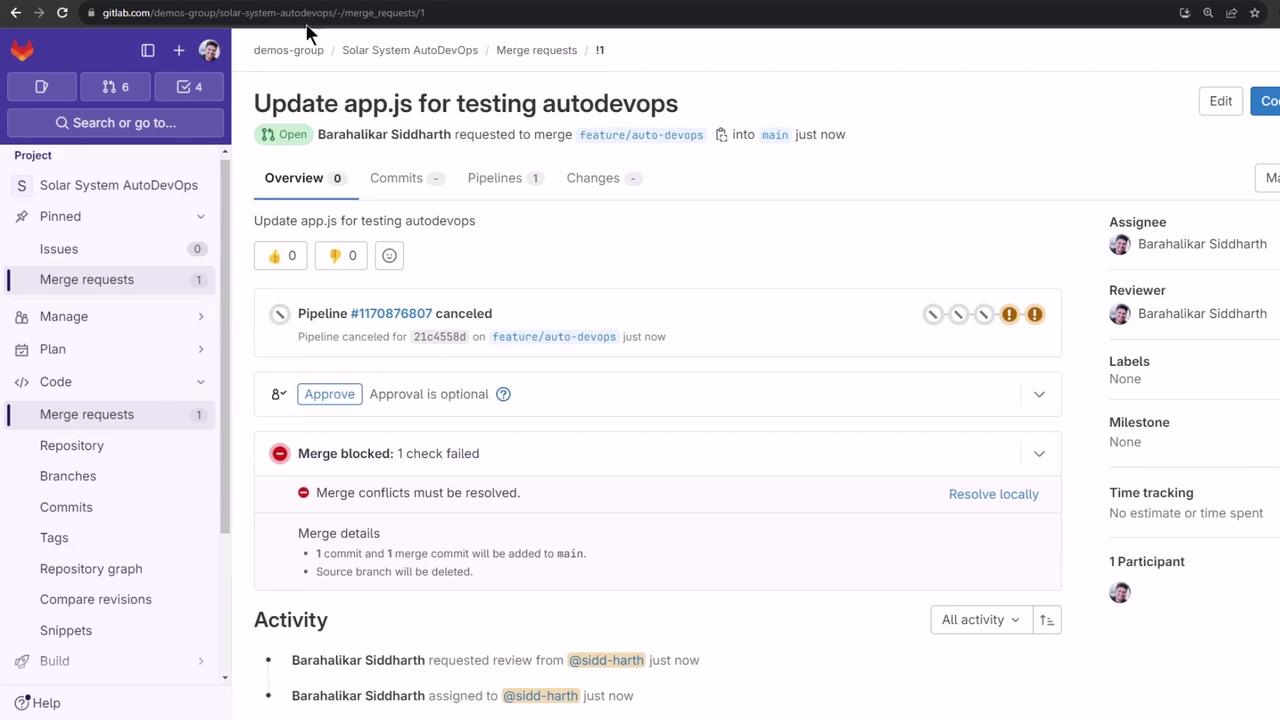
After creating the MR, the previous pipeline is canceled. Click **Retry** on canceled jobs to trigger a fresh MR pipeline:
## 4. Observe the Auto DevOps Pipeline for the MR
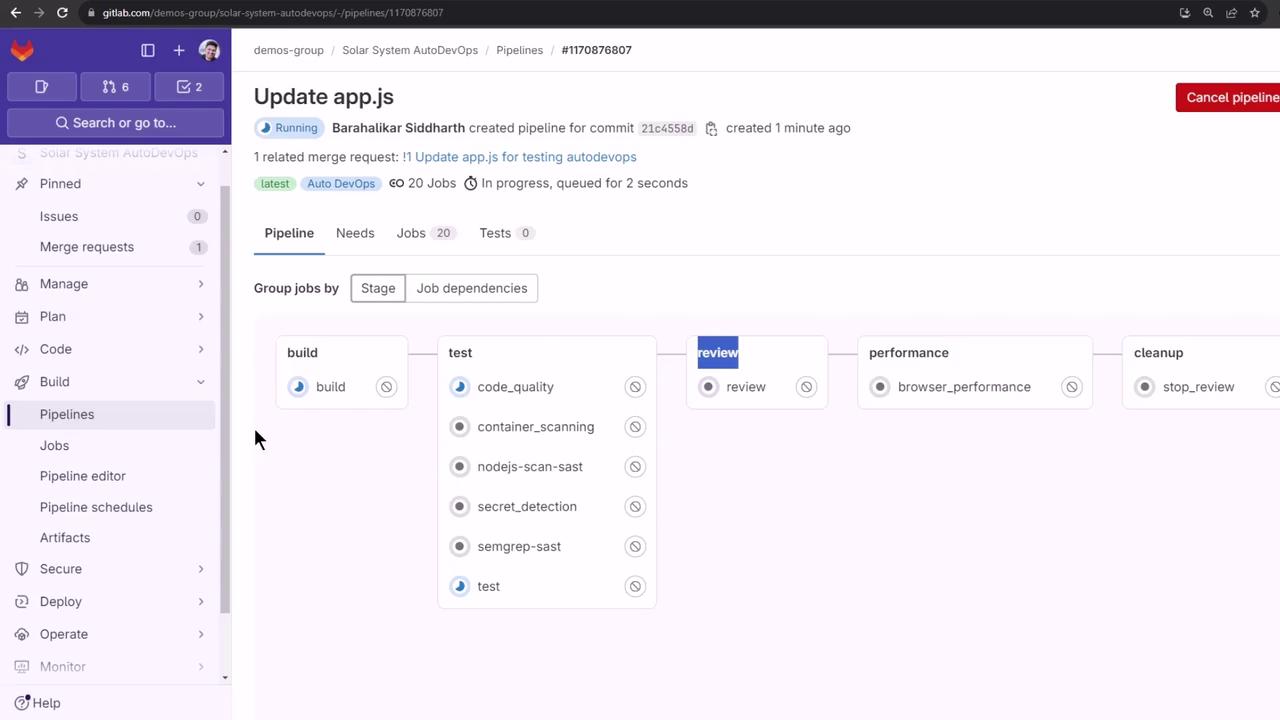
A new pipeline runs on your feature branch. In addition to Build, Test, Production (swapped for Review), and Performance, you’ll see **Review** and **Cleanup** stages:
| Stage | Purpose | Trigger |
| ----------- | ------------------------------------------------ | --------- |
| Build | Package the application into a container | commit/MR |
| Test | Run code quality, security scans, and unit tests | commit/MR |
| Review | Deploy a temporary review app | MR |
| Performance | Execute browser and load tests | commit/MR |
| Cleanup | Tear down review app | after MR |
## 5. Build Stage (`Auto Build`)
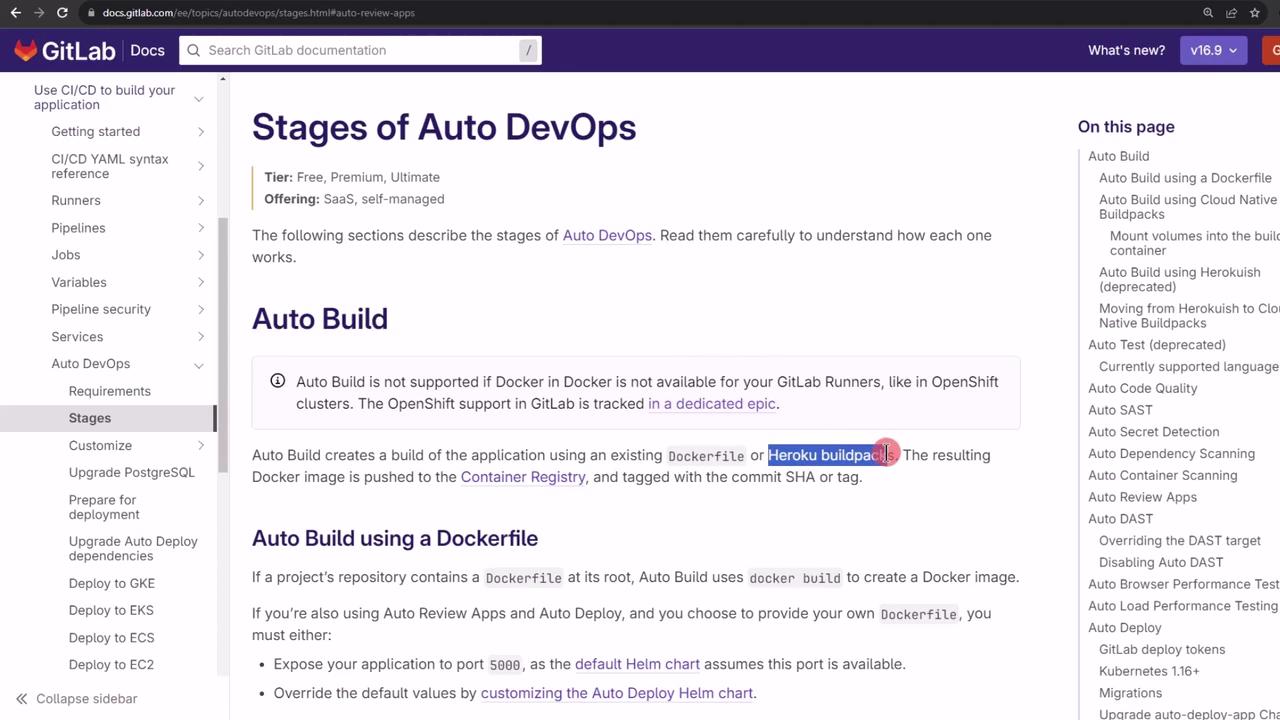
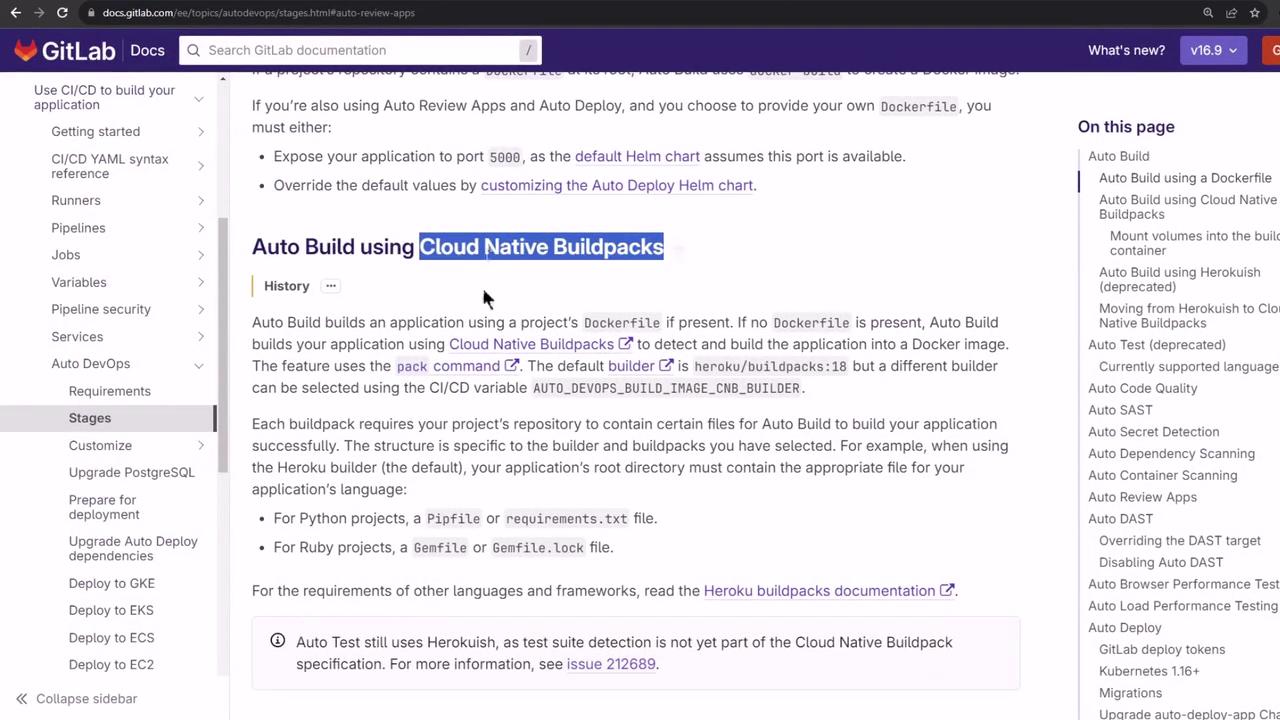
Auto DevOps uses your Dockerfile if present, otherwise it falls back to Cloud Native Buildpacks:
Trimmed logs from the build job:
```bash theme={null}
Running with gitlab-runner 16.6.0 on docker+machine executor
Starting service docker:20.10.12-dind ...
Logging in to GitLab Container Registry...
Login Succeeded
Building Cloud Native Buildpack-based application:
DETECTING heroku/nodejs-engine 2.5, nodejs-npm-install 2.6
BUILDING Node.js@20.11.0, npm ci --production=false
EXPORTING image 'tmp-cnb-image-6136662405'
Pushing image to registry.gitlab.com/demos-group/solar-system-autodevops:feature-auto-devops
Job succeeded
```
## 6. Test Stage and Template Jobs
Auto DevOps runs several parallel test jobs:
* Code Quality
* Container Scanning
* Dependency Scanning
* SAST
* Secret Detection
* Semgrep
* Test (your Mocha suite)
All templates pass except **Test**, which fails due to missing MongoDB environment variables:
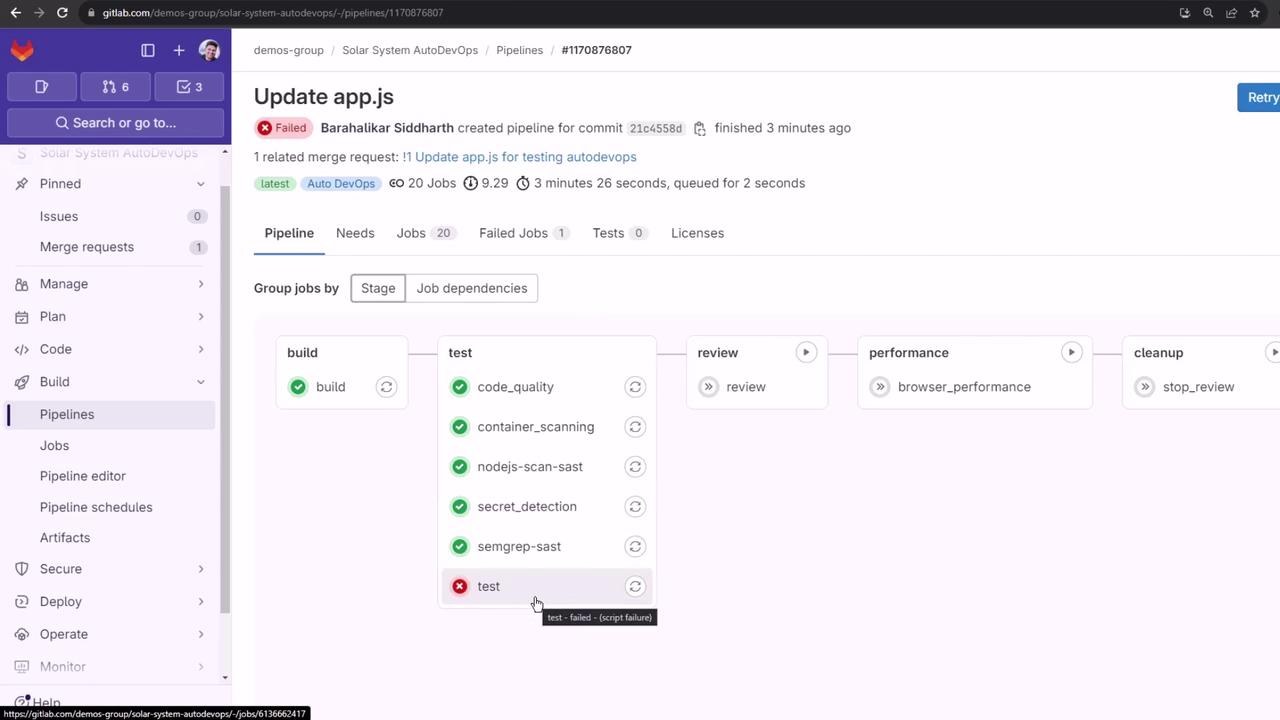
### 6.1. Understanding the Test Failure
```bash theme={null}
> mocha app-test.js --timeout 10000 --reporter mocha-junit-reporter --exit
MongooseError: The uri parameter to `openUri()` must be a string, got "undefined".
Make sure the first parameter to mongoose.connect() or mongoose.createConnection() is a string.
```
The error indicates that `MONGO_URI` (and related credentials) are not defined in CI.
## 7. Define CI/CD Variables in GitLab
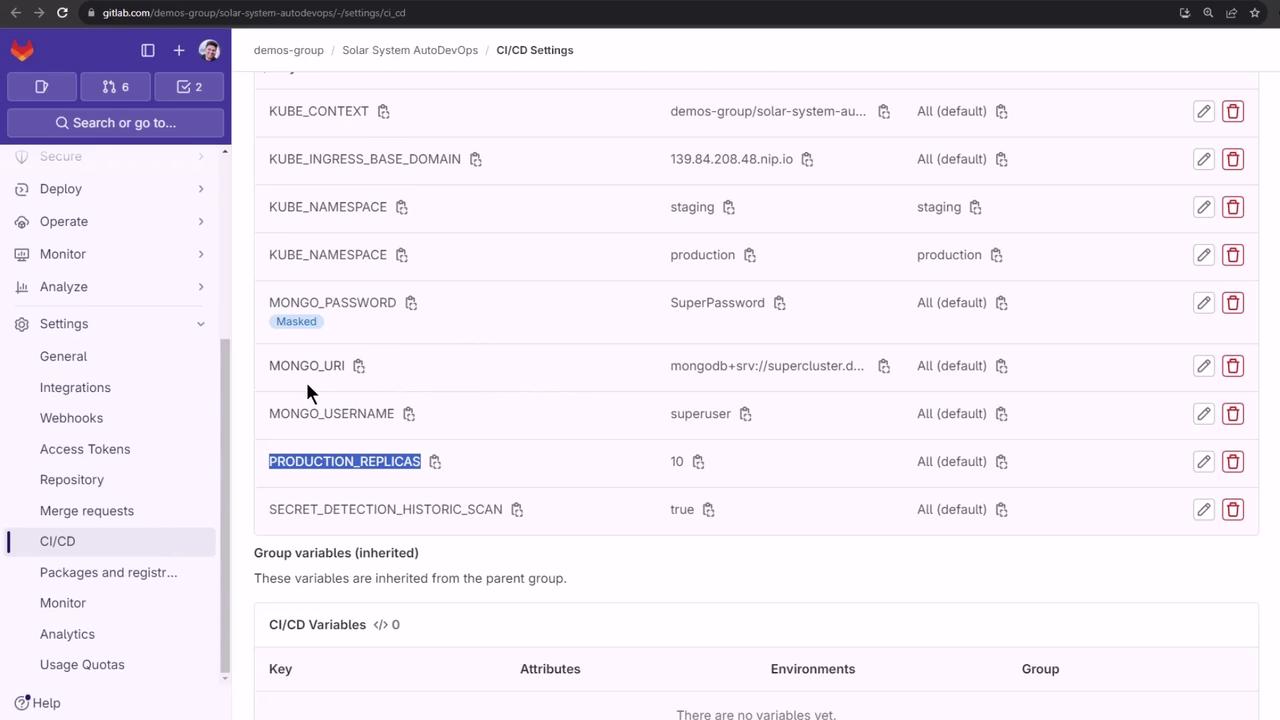
Add your MongoDB credentials (and enable historic secret scanning) under **Settings → CI/CD → Variables**:
| Variable Name | Value |
| --------------------------------- | ------------------------ |
| MONGO\_URI | `mongodb://:27017` |
| MONGO\_USERNAME | `superuser` |
| MONGO\_PASSWORD | `superpassword` |
| SECRET\_DETECTION\_HISTORIC\_SCAN | `true` |
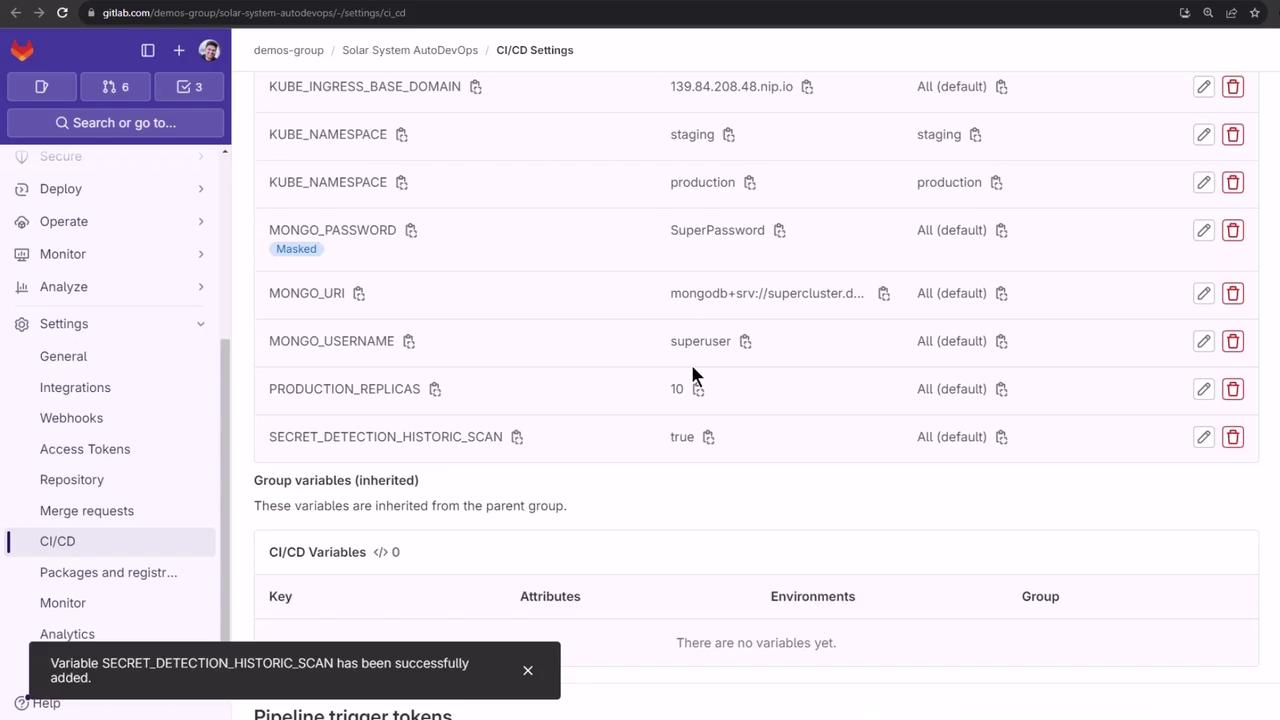
Ensure sensitive values like `MONGO_PASSWORD` are **protected** and **masked** in GitLab to prevent exposure.
## 8. Rerun Jobs and Verify Test Success
Rather than rerunning the whole pipeline, retry the **Secret Detection** and **Test** jobs:
```bash theme={null}
# Secret Detection
[INFO] GitLab secrets analyzer v5.1.19
35 commits scanned. Leaks found: 2
Job succeeded
# Test job
> mocha app-test.js --timeout 10000 --reporter mocha-junit-reporter --exit
MongoDB Connection Successful
✓ should return all items
✓ should add a new item
...
4 passing (150ms)
```
With tests green, the pipeline proceeds to **Review**.
## 9. Review Apps Stage
The **Review** stage provisions a temporary environment in your Kubernetes cluster via Helm. Auto DevOps:
1. Validates the base domain.
2. Downloads or uses the embedded Helm chart.
3. Switches to the MR namespace.
4. Creates registry secrets.
5. Deploys the review app.
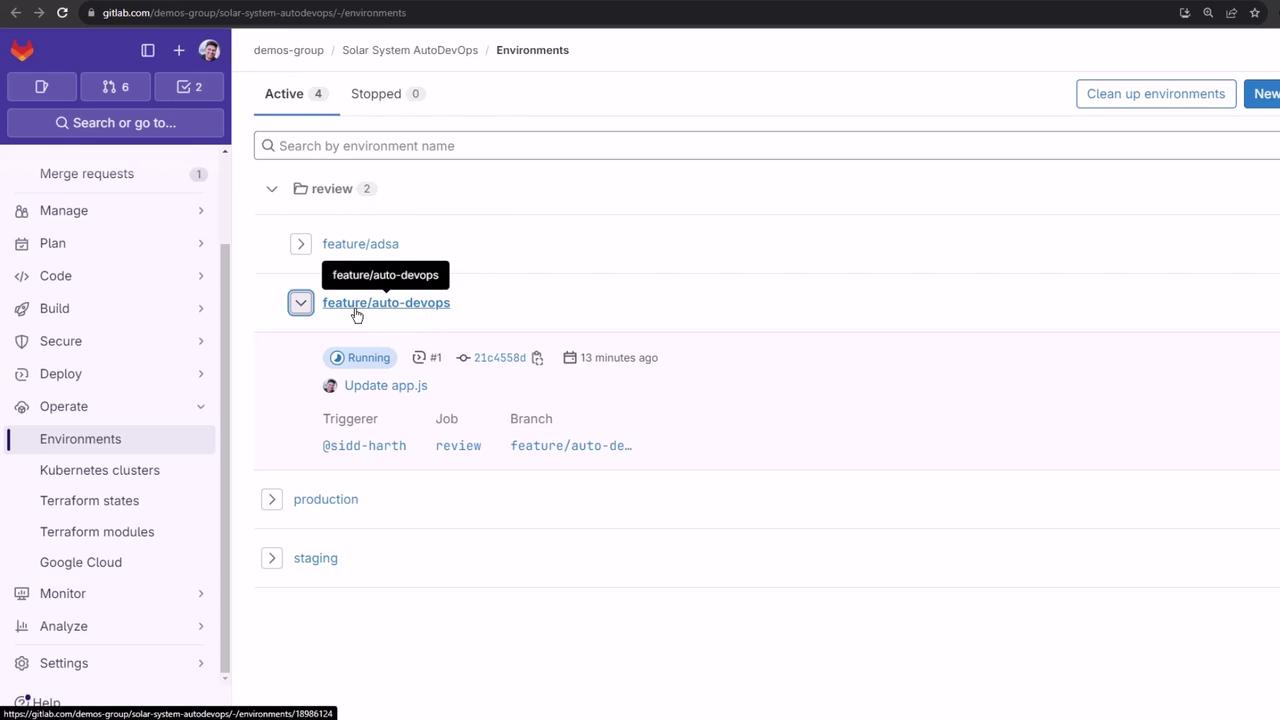
In **Operations → Environments**, you’ll see your running review app:
### 9.1. Handling Pod Crash Loops
If the review pod crashes, inspect it:
```bash theme={null}
kubectl get all -n default
kubectl describe pod review-feature-auto-devops-xxxxx -n default
kubectl logs review-feature-auto-devops-xxxxx -n default
```
You may see the same Mongoose error, which means the pod lacks the CI/CD environment variables:
```bash theme={null}
MongooseError: The `uri` parameter to `openUri()` must be a string, got "undefined".
```
Environment variables defined in GitLab CI/CD are not automatically injected into Kubernetes pods. To pass them, configure your Helm chart’s `values.yaml` or use GitLab’s [Review App variables documentation](https://docs.gitlab.com/ee/ci/review_apps/).
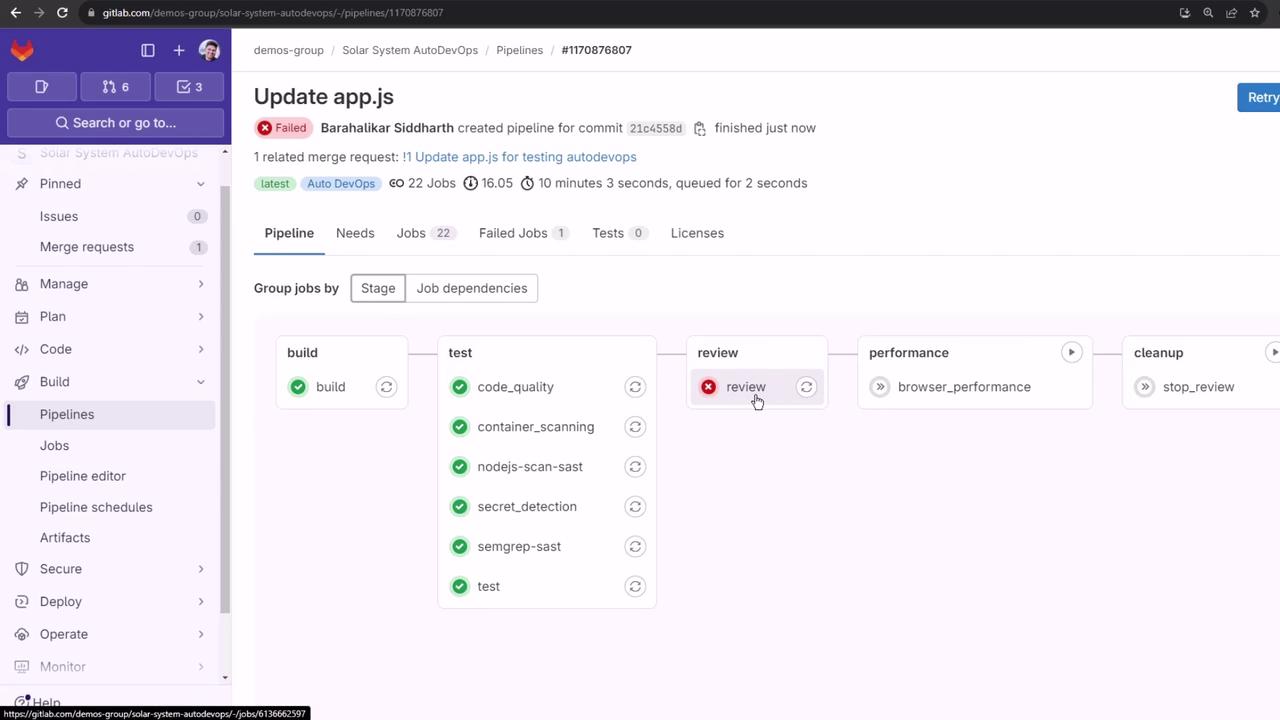
Because the pod fails to start, the Review job times out and a Cleanup stage is triggered:
***
Up next, we’ll explore how to inject CI/CD variables into your Helm chart so that Review Apps can connect to external services like MongoDB.
## Links and References
* [GitLab Auto DevOps Documentation](https://docs.gitlab.com/ee/topics/autodevops/)
* [GitLab CI/CD Variables](https://docs.gitlab.com/ee/ci/variables/)
* [Review Apps Configuration](https://docs.gitlab.com/ee/ci/review_apps/)
* [Helm Official Site](https://helm.sh/)