> ## Documentation Index
> Fetch the complete documentation index at: https://notes.kodekloud.com/llms.txt
> Use this file to discover all available pages before exploring further.
# Staging Environment and Canaray Deployment with AutoDevOps part 2
> This article covers staging environments and canary deployments using Auto DevOps, including manual approvals and incremental rollout strategies.
In the previous lesson, we enabled a new Auto DevOps deployment strategy, pushed changes to a feature branch, and reviewed the Merge Request (including security and performance reports). Now we'll merge into `main` and watch Auto DevOps deploy to production using an incremental canary strategy.
## 1. Merge into `main` and Trigger Production Pipeline
Once the Merge Request is accepted, GitLab triggers a new pipeline on the protected `main` branch. This pipeline adds deployment stages on top of the build, test, DAST and performance jobs.
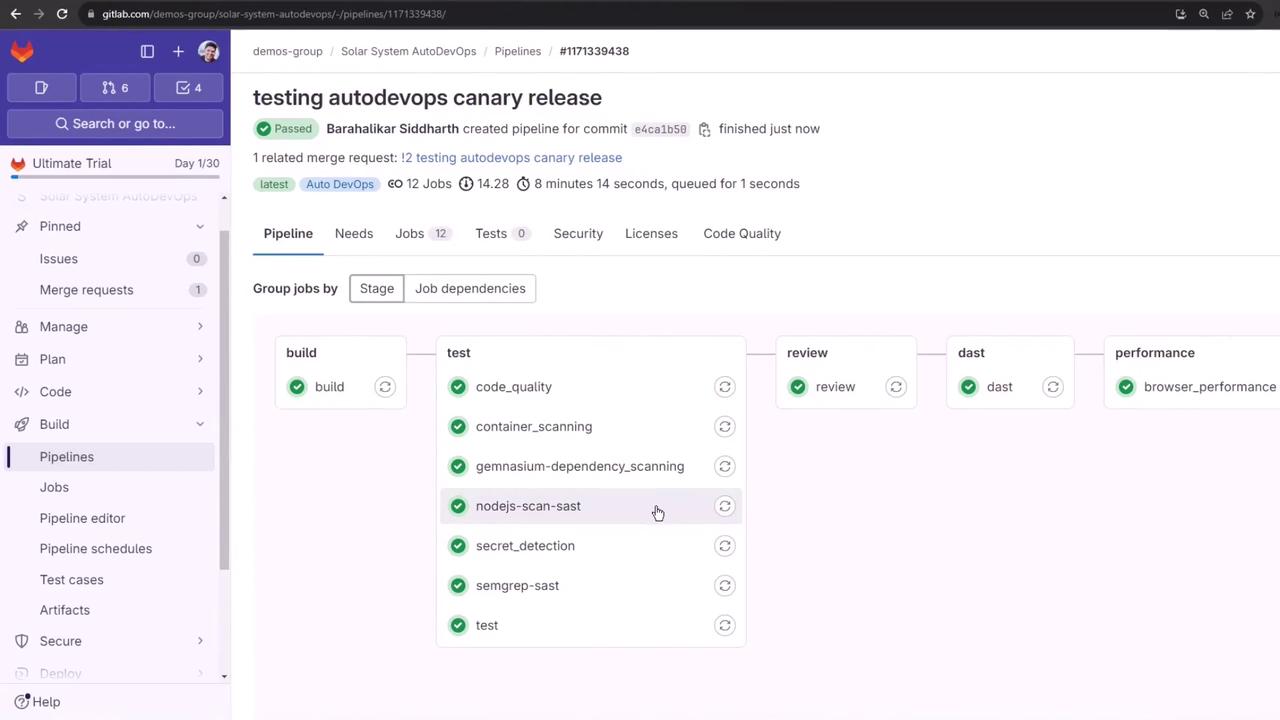
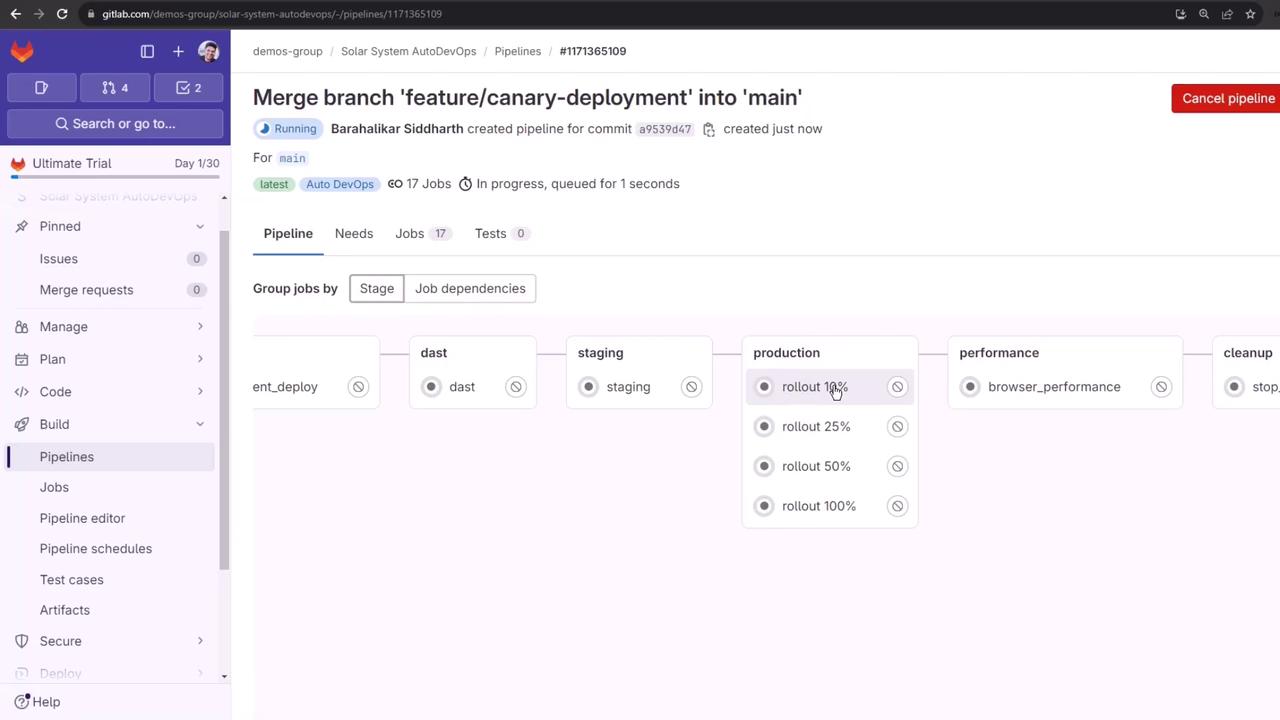
The full sequence is:
1. build
2. test
3. review (DAST)
4. staging
5. production rollout (10%, 25%, 50%, 100%)
6. performance
7. cleanup
### Cancelling Unneeded Jobs
If you need to skip rerunning certain tests, you can:
* Manually cancel jobs in the GitLab UI
* Disable specific jobs via **Settings > CI/CD**
For this walkthrough, we’ll focus on the staging and manual production rollout stages.
## 2. Staging Deployment
After build, test, and DAST succeed, the `staging` job deploys to the `staging` namespace and then waits for the production approval.
```bash theme={null}
# Check staging resources
kubectl -n staging get all
```
```bash theme={null}
NAME READY STATUS RESTARTS AGE
pod/staging-6548cd9479-tqpgp 1/1 Running 0 2m
service/staging-auto-deploy 10.98.41.96 3000/TCP 2m
deployment.apps/staging 1/1 1 1 2m
replicaset.apps/staging-6548cd9479 1 1 1 2m
```
You can also verify the deployment under **Operations > Environments**:
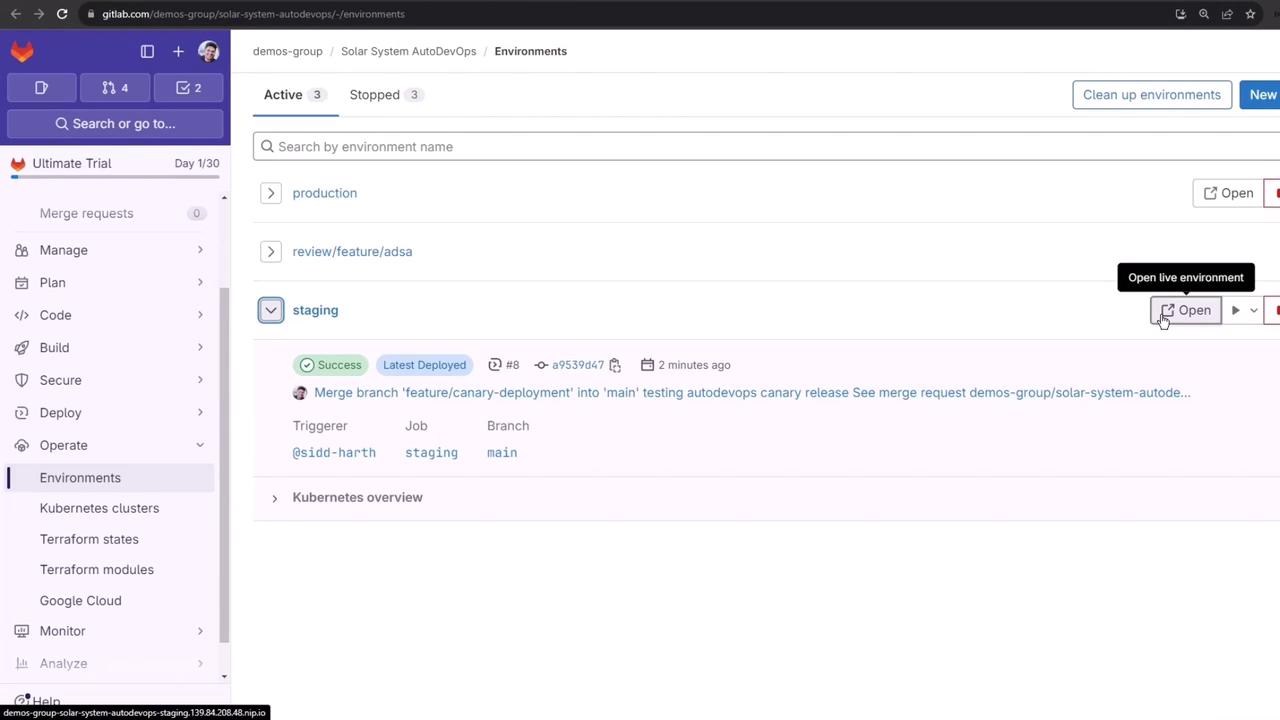
Opening the live URL confirms the staging app UI:
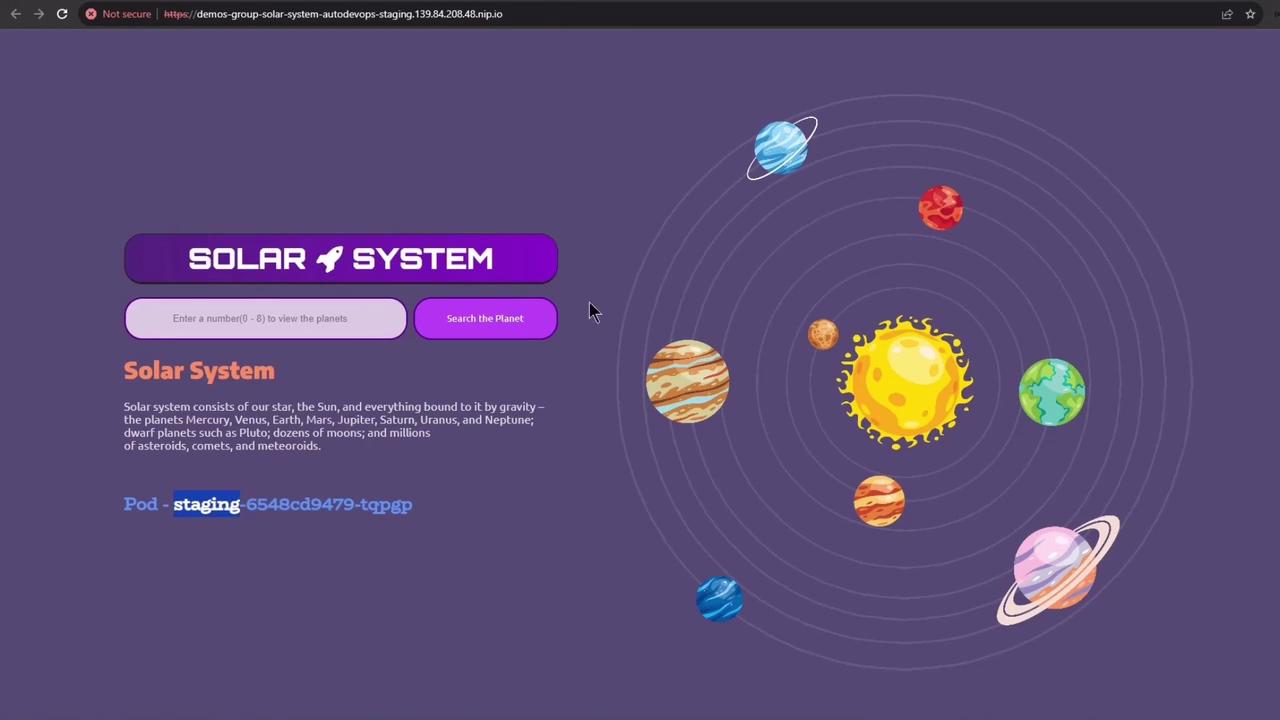
By default, Auto DevOps deploys to staging before production. To skip staging and deploy directly to production, set the CI/CD variable:
```yaml theme={null}
STAGING_ENABLED: "false"
```
## 3. Manual Production Deployment
Production is a protected environment requiring manual approval. Before rolling out, inspect current production workloads:
```bash theme={null}
kubectl -n production get all
```
```bash theme={null}
NAME READY STATUS RESTARTS AGE
pod/production-df6dd64cf-xxxxx 10/10 Running 0 4h32m
service/production-auto-deploy 10.104.1.52 3000/TCP 4h32m
deployment.apps/production 10/10 10 10 4h32m
replicaset.apps/production-df6dd6 10 10 10 4h32m
```
Navigate to **Operations > Environments > production** and click **Approve** on the pending rollout:
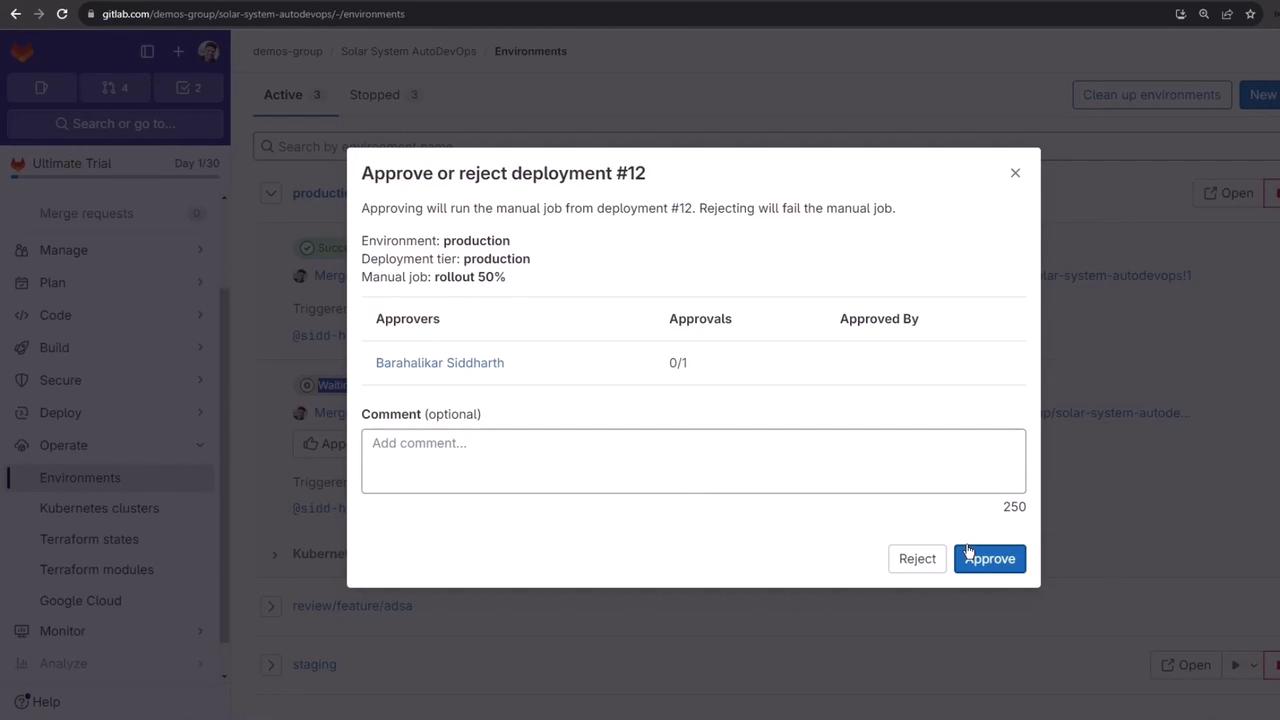
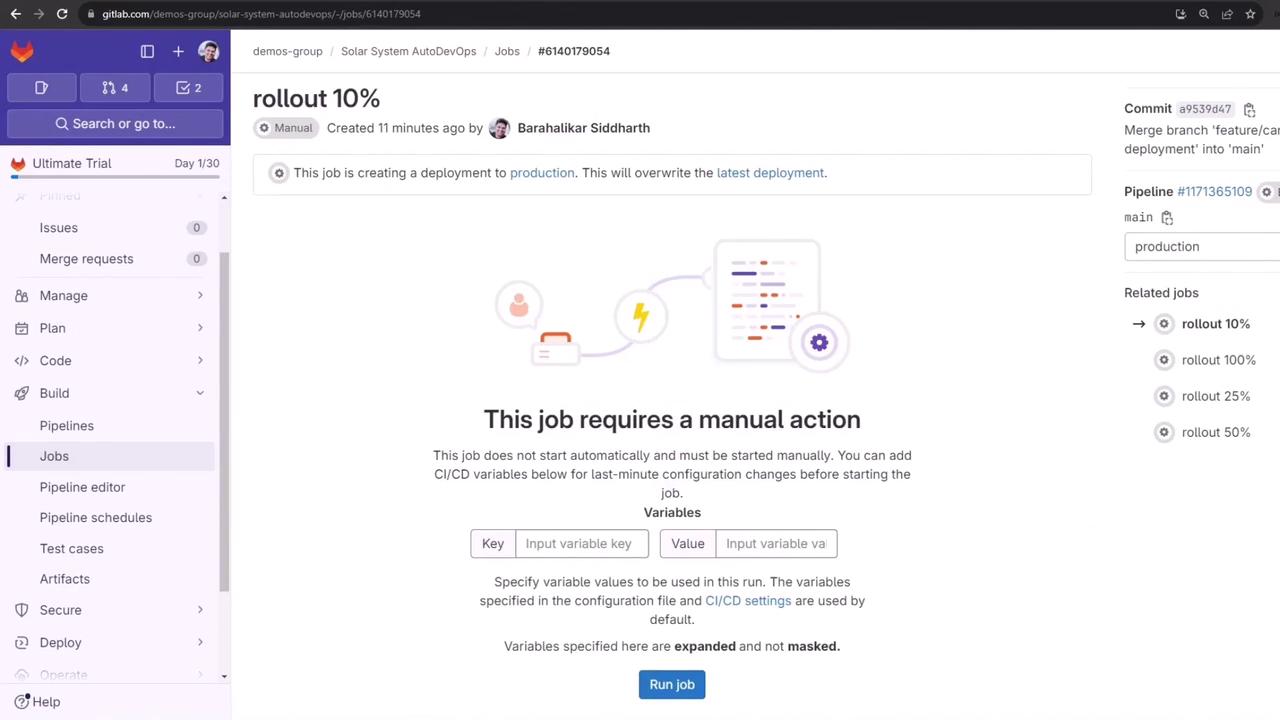
Once approved, click **Run job** on the next percentage rollout:
## 4. Canary Rollouts
Use incremental percentages to minimize risk. Below is a summary of each stage:
| Rollout Stage | Percentage | Verification Command |
| ------------- | ---------- | ---------------------------------------------------- |
| Canary | 10% | `kubectl -n production get pods` |
| Midway | 50% | `kubectl -n production get svc` |
| Full Release | 100% | `kubectl -n production get pods` (only primary pods) |
### 4.1 10% Canary
The job log runs:
```bash theme={null}
$ auto-deploy use_kube_context
$ auto-deploy ensure_namespace
$ auto-deploy create_secret
$ auto-deploy deploy canary $ROLLOUT_PERCENTAGE
# ...
Job succeeded
```
Verify both primary and canary pods:
```bash theme={null}
kubectl -n production get pods
```
```bash theme={null}
NAME READY STATUS AGE
production-canary-9d4475cdc-xxxxx 10/10 Running 2m
production-df6dd64cf-xxxxx 10/10 Running 4h32m
```
Check the canary Ingress weight:
```bash theme={null}
kubectl -n production get ing production-canary-auto-deploy -o yaml
```
```yaml theme={null}
annotations:
nginx.ingress.kubernetes.io/canary: "true"
nginx.ingress.kubernetes.io/canary-weight: "10"
```
Run load tests to confirm \~10% traffic hits the canary pods:
```bash theme={null}
while true; do \
curl -sk https://demos-group-solar-system-autodevops.139.84.208.48.nip.io/os \
| grep --color -E 'production-canary'; \
done
```
### 4.2 50% Midway
Approve and **Run job** for 50% rollout. After success, the weight updates:
```yaml theme={null}
nginx.ingress.kubernetes.io/canary-weight: "50"
```
Validate with a repeat of the traffic test:
```bash theme={null}
while true; do \
curl -sk https://demos-group-solar-system-autodevops.139.84.208.48.nip.io/os \
| grep --color -E 'production-canary'; \
done
```

### 4.3 100% Full Release
Approve and **Run job** for 100% rollout to merge canary into the primary deployment and remove the canary service:
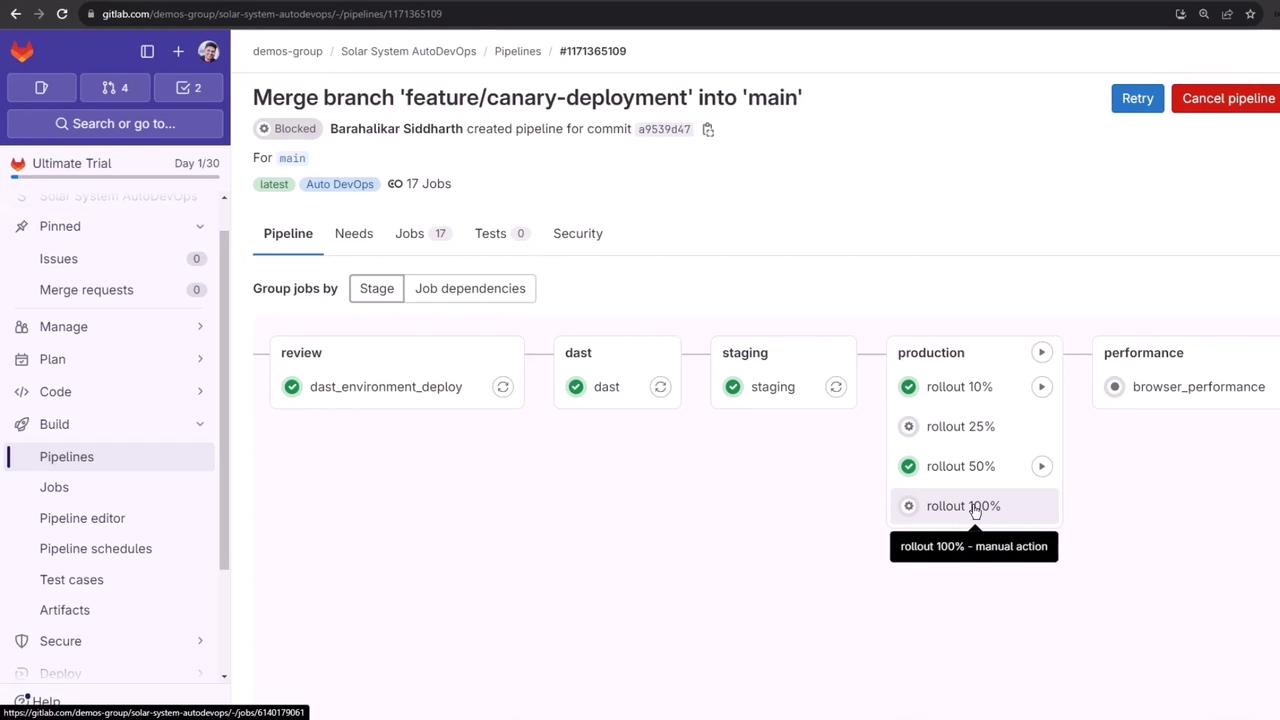
After completion, verify only the updated primary pods remain:
```bash theme={null}
kubectl -n production get pods
```
```bash theme={null}
NAME READY STATUS AGE
production-84c4bd9684-xxxxx 10/10 Running 16h
```
Cleanup runs automatically:
```bash theme={null}
auto-deploy delete canary # Removes the canary release
auto-deploy persist_environment_url
# Job succeeded
```
***
## What You Learned
* How Auto DevOps orchestrates staging and production deployments
* Manual approval workflows for protected environments
* Incremental canary rollouts (10%, 50%, 100%) with traffic validation
* Automatic cleanup of canary resources
## Links and References
* [GitLab Auto DevOps](https://docs.gitlab.com/ee/topics/autodevops/)
* [GitLab CI/CD Pipelines](https://docs.gitlab.com/ee/ci/pipelines/)
* [Canary Deployments with Kubernetes](https://kubernetes.io/docs/concepts/cluster-administration/manage-deployment/#canary-deployments)