> ## Documentation Index
> Fetch the complete documentation index at: https://notes.kodekloud.com/llms.txt
> Use this file to discover all available pages before exploring further.
# Job Create Secret and Deploy to K8S Dev Environment
> This guide covers creating a Kubernetes Secret and deploying application manifests to the development namespace using GitLab CI/CD.
In this guide, we’ll walk through creating a Kubernetes Secret and deploying application manifests to the `development` namespace using GitLab CI/CD. You’ll learn how to integrate secret creation into your pipeline and verify a successful deploy.
## 1. Verify the Development Namespace
First, confirm the `development` namespace is clean:
```bash theme={null}
kubectl -n development get all
```
*No resources found in development namespace.*
Always ensure you’re targeting the correct namespace before deploying to avoid unintended changes.
***
## 2. Initial CI Job Definition
Here’s a basic `k8s_dev_deploy` job from `.gitlab-ci.yml`:
```yaml theme={null}
k8s_dev_deploy:
stage: dev-deploy
image: alpine:3.7
dependencies: []
before_script:
- wget https://storage.googleapis.com/kubernetes-release/release/$(wget -q -O - https://storage.googleapis.com/kubernetes-release/release/stable.txt)/bin/linux/amd64/kubectl
- chmod +x ./kubectl && mv ./kubectl /usr/bin/kubectl
- apk add --no-cache gettext
- envsubst -V
script:
- export KUBECONFIG=$DEV_KUBE_CONFIG
- kubectl version -o yaml
- kubectl config get-contexts
- kubectl get nodes
- export INGRESS_IP=$(kubectl -n ingress-nginx get service ingress-nginx-controller -o jsonpath="{.status.loadBalancer.ingress[0].ip}")
- for manifest in kubernetes/manifest/*.yaml; do
envsubst < $manifest | kubectl apply -f -
done
```
At this stage, deployment will fail because the application requires a `mongo-db-creds` secret that doesn’t exist yet.
***
## 3. Required Manifests
Define the Kubernetes resources for your application. Below are two essential manifest examples:
### Ingress
```yaml theme={null}
apiVersion: networking.k8s.io/v1
kind: Ingress
metadata:
name: solar-system
namespace: ${NAMESPACE}
annotations:
kubernetes.io/ingress.class: nginx
kubernetes.io/tls-acme: "true"
spec:
rules:
- host: solar-system-${NAMESPACE}.${INGRESS_IP}.nip.io
http:
paths:
- path: /
pathType: Prefix
backend:
service:
name: solar-system
port:
number: 3000
tls:
- hosts:
- solar-system-${NAMESPACE}.${INGRESS_IP}.nip.io
secretName: ingress-local-tls
```
### Deployment
```yaml theme={null}
apiVersion: apps/v1
kind: Deployment
metadata:
name: solar-system
namespace: ${NAMESPACE}
spec:
replicas: ${REPLICAS}
selector:
matchLabels:
app: solar-system
template:
metadata:
labels:
app: solar-system
spec:
containers:
- name: solar-system
image: ${K8S_IMAGE}
imagePullPolicy: Always
ports:
- name: http
containerPort: 3000
envFrom:
- secretRef:
name: mongo-db-creds
```
| Resource | Purpose |
| ---------- | ------------------------------------------ |
| Ingress | Route HTTP/TLS traffic to the service |
| Deployment | Manage pods, replicas, and rolling updates |
The `mongo-db-creds` secret must include:
* `MONGO_URI`
* `MONGO_USERNAME`
* `MONGO_PASSWORD`
***
## 4. Create Secret and Update CI Job
Incorporate secret creation into your pipeline before applying manifests:
```yaml theme={null}
k8s_dev_deploy:
stage: dev-deploy
image: alpine:3.7
dependencies: []
before_script:
- wget https://storage.googleapis.com/kubernetes-release/release/$(wget -q -O - https://storage.googleapis.com/kubernetes-release/release/stable.txt)/bin/linux/amd64/kubectl
- chmod +x ./kubectl && mv ./kubectl /usr/bin/kubectl
- apk add --no-cache gettext
- envsubst -V
script:
- export KUBECONFIG=$DEV_KUBE_CONFIG
- INGRESS_IP=$(kubectl -n ingress-nginx get service ingress-nginx-controller -o jsonpath="{.status.loadBalancer.ingress[0].ip}")
- echo "Ingress IP: $INGRESS_IP"
- kubectl -n $NAMESPACE create secret generic mongo-db-creds \
--from-literal=MONGO_URI="$MONGO_URI" \
--from-literal=MONGO_USERNAME="$MONGO_USERNAME" \
--from-literal=MONGO_PASSWORD="$MONGO_PASSWORD" \
--dry-run=client -o yaml | kubectl apply -f -
- for manifest in kubernetes/manifest/*.yaml; do
envsubst < $manifest | kubectl apply -f -
done
- kubectl -n $NAMESPACE get all,secret,ingress
```
Using `--dry-run=client -o yaml` ensures idempotent secret creation.
***
## 5. Pipeline Configuration
Define the overall GitLab pipeline, stages, and variables:
```yaml theme={null}
workflow:
name: Solar System NodeJS Pipeline
stages:
- test
- containerization
- dev-deploy
variables:
DOCKER_USERNAME: siddharth67
IMAGE_VERSION: $CI_PIPELINE_ID
K8S_IMAGE: $DOCKER_USERNAME/solar-system:$IMAGE_VERSION
MONGO_URI: 'mongodb+srv://supercluster.d83ji.mongodb.net/superData'
MONGO_USERNAME: superuser
MONGO_PASSWORD: $M_DB_PASSWORD
```
| Variable | Description |
| ----------------- | ----------------------------------- |
| `DOCKER_USERNAME` | Docker Hub username |
| `IMAGE_VERSION` | Image tag (CI pipeline ID) |
| `K8S_IMAGE` | Full image name for Kubernetes pull |
| `MONGO_*` | MongoDB connection credentials |
Include a containerization job if needed:
```yaml theme={null}
docker_build:
stage: containerization
image: docker:24.0.5
services:
- docker:24.0.5-dind
script:
- docker load -i image/solar-system-image:$IMAGE_VERSION.tar
- docker login --username=$DOCKER_USERNAME --password=$DOCKER_PASSWORD
- docker push $K8S_IMAGE
```
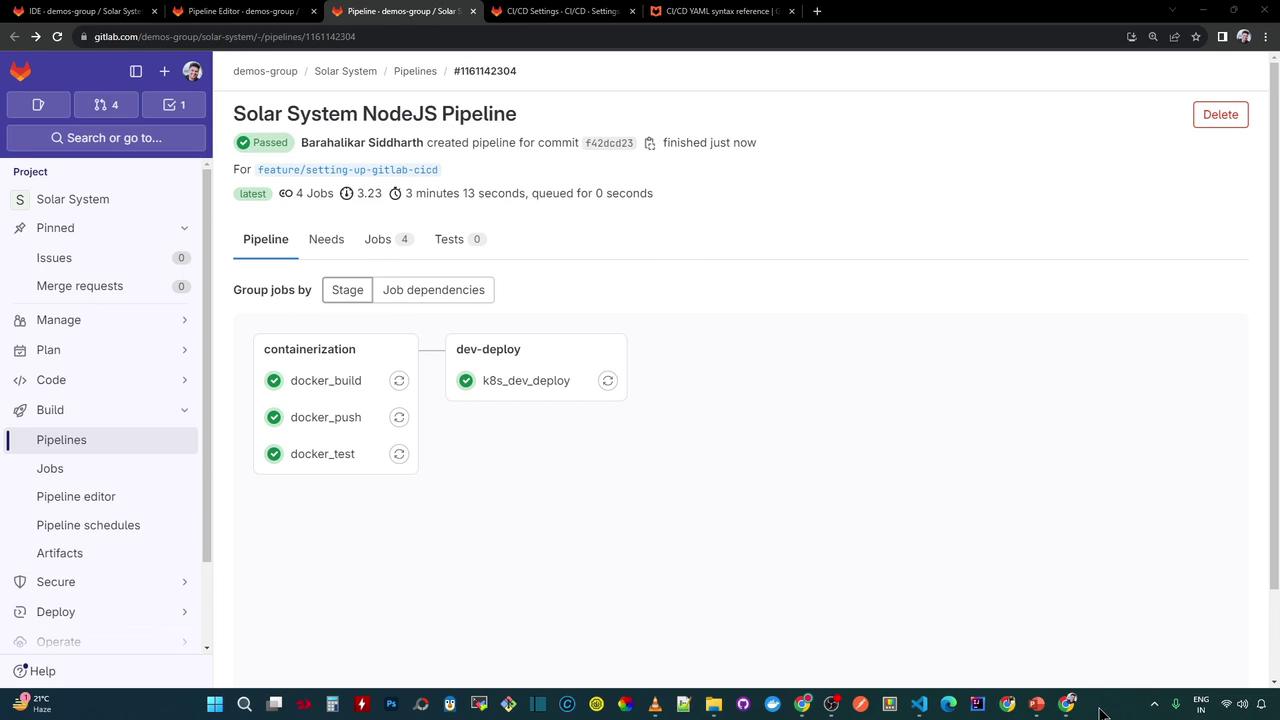
Once pushed, GitLab will visualize the pipeline:
***
## 6. Inspect the Dev-Deploy Logs
Your `dev-deploy` job logs should look like this:
```bash theme={null}
$ envsubst -V
envsubst (GNU gettext-runtime) 0.19.8.1
$ export KUBECONFIG=$DEV_KUBE_CONFIG
$ kubectl version -o yaml
# ClientVersion and ServerVersion details
$ kubectl get nodes
# Lists nodes
$ export INGRESS_IP=139.48.208.48
$ kubectl -n $NAMESPACE create secret generic mongo-db-creds \
--from-literal=MONGO_URI=$MONGO_URI \
--from-literal=MONGO_USERNAME=$MONGO_USERNAME \
--from-literal=MONGO_PASSWORD=$MONGO_PASSWORD \
--dry-run=client -o yaml | kubectl apply -f -
secret/mongo-db-creds created
$ for manifest in kubernetes/manifest/*.yaml; do
envsubst < $manifest | kubectl apply -f -
done
deployment.apps/solar-system created
ingress.networking.k8s.io/solar-system created
service/solar-system created
$ kubectl -n $NAMESPACE get all,secret,ingress
# Pods, services, deployment, secret, and ingress listed
```
***
## 7. Verify Deployment Locally
Check all resources in `development`:
```bash theme={null}
kubectl -n development get all
```
```text theme={null}
NAME READY STATUS RESTARTS AGE
pod/solar-system-86fc65474-5klmr 1/1 Running 0 3m10s
pod/solar-system-86fc65474-fcfpq 1/1 Running 0 3m10s
NAME TYPE CLUSTER-IP PORT(S) AGE
service/solar-system NodePort 10.102.111.40 3000:30654/TCP 3m5s
NAME READY UP-TO-DATE AVAILABLE AGE
deployment.apps/solar-system 2/2 2 2 3m10s
NAME DESIRED CURRENT READY AGE
replicaset.apps/solar-system-86f65474 2 2 2 3m10s
```
Retrieve the Ingress host:
```bash theme={null}
kubectl -n development get ingress
```
```text theme={null}
NAME HOSTS ADDRESS PORTS AGE
solar-system solar-system-development.139.84.208.48.nip.io 139.84.208.48 80,443 3m33s
```
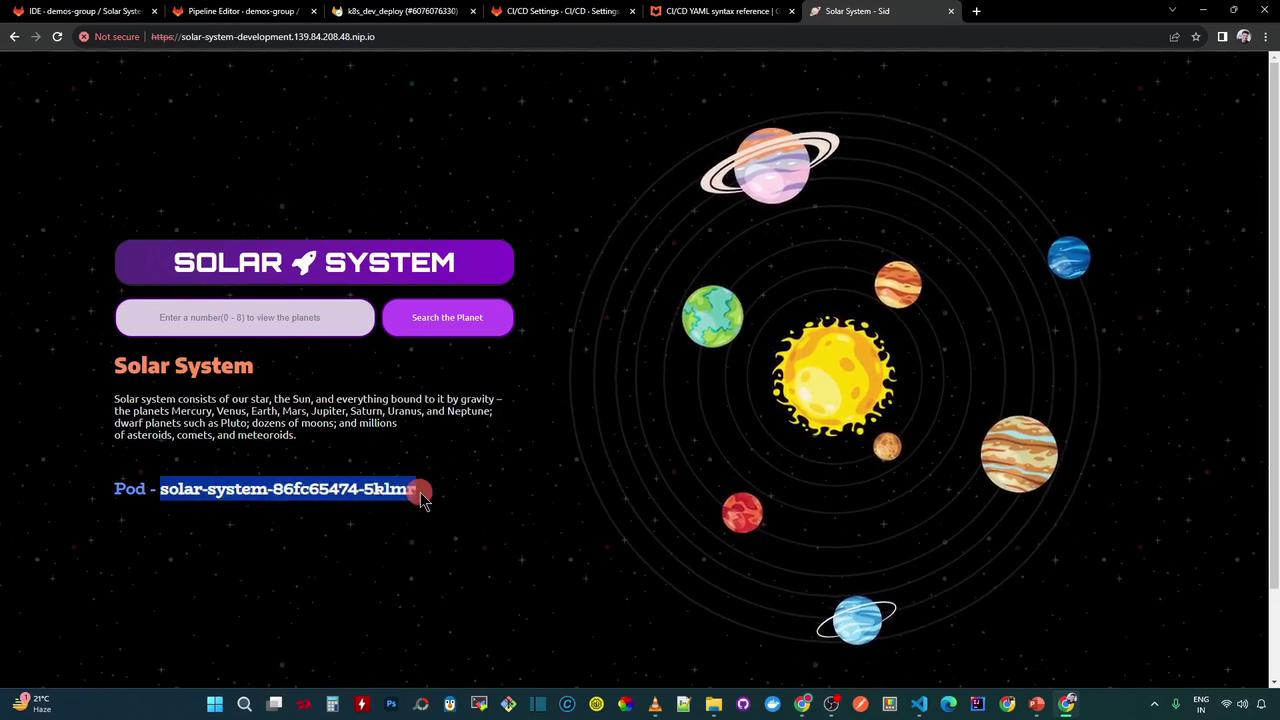
Open the application in your browser (accept the self-signed certificate):
[http://solar-system-development.139.84.208.48.nip.io](http://solar-system-development.139.84.208.48.nip.io)
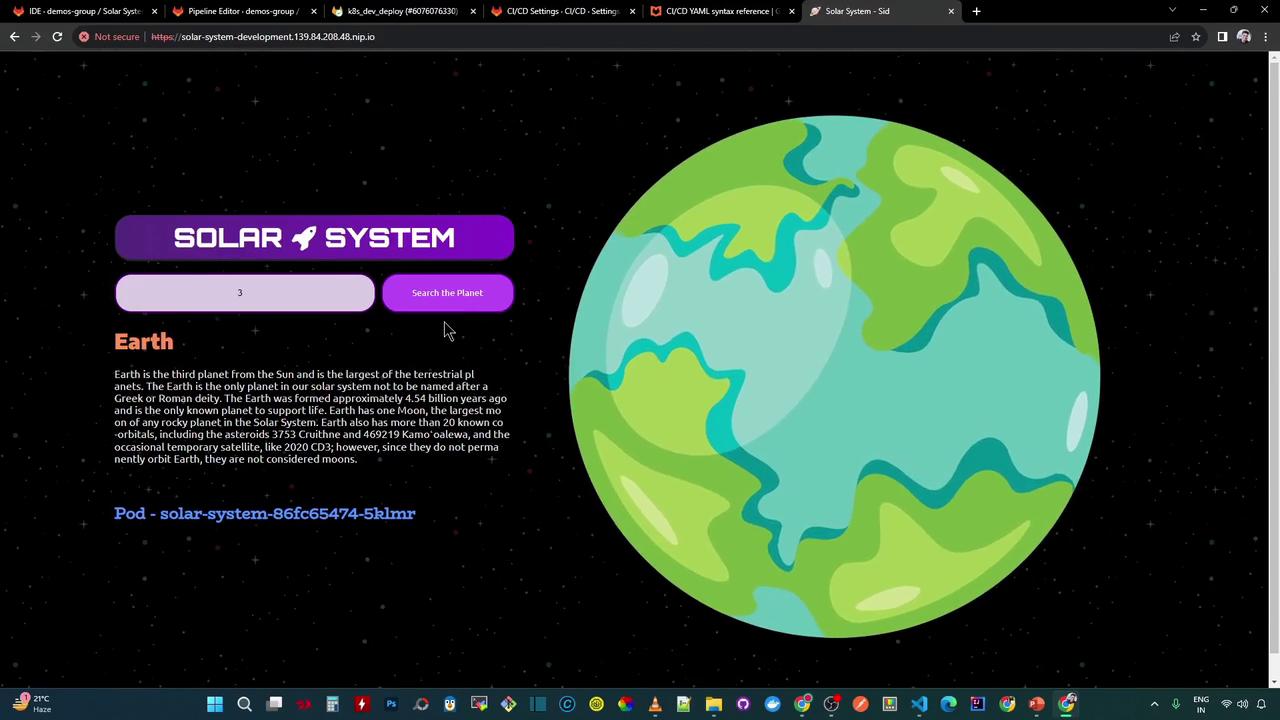
Search for a planet by number (e.g., **3** for Earth):
***
## 8. Next Steps
To improve reliability, integrate health checks into your pipeline:
* `GET /live` → `{"status":"live"}`
* `GET /ready` → `{"status":"ready"}`, HTTP 200
These endpoints can be tested with tools like [k6](https://k6.io/) or [Postman CLI](https://www.postman.com/).
***
## Links and References
* [Kubernetes Documentation](https://kubernetes.io/docs/)
* [GitLab CI/CD](https://docs.gitlab.com/ee/ci/)
* [HashiCorp Vault](https://www.vaultproject.io/)
* [Docker Hub](https://hub.docker.com/)