> ## Documentation Index
> Fetch the complete documentation index at: https://notes.kodekloud.com/llms.txt
> Use this file to discover all available pages before exploring further.
# Job Replace Placeholders Tokens
> Learn to parameterize Kubernetes YAML manifests and inject environment-specific values using envsubst during CI/CD for consistent deployments across environments.
In this guide, you’ll learn how to parameterize Kubernetes YAML manifests and dynamically inject environment-specific values during CI/CD. By leveraging `envsubst`, you can maintain a single set of manifests for **development**, **staging**, and **production**.
## Prerequisites
Ensure you have the following installed locally:
```bash theme={null}
node --version # v8.11.3 (or higher)
npm --version # 6.1.0 (or higher)
```
## 1. Manifest Files with Placeholders
Your repository structure should contain a single `kubernetes/manifest/` folder with:
* `deployment.yaml`
* `ingress.yaml`
* `service.yaml`
Each file uses Bash-style placeholders (`${VAR}`) to be substituted in CI/CD.
### kubernetes/manifest/deployment.yaml
```yaml theme={null}
apiVersion: apps/v1
kind: Deployment
metadata:
name: solar-system
labels:
app: solar-system
namespace: ${NAMESPACE}
spec:
replicas: ${REPLICAS}
selector:
matchLabels:
app: solar-system
template:
metadata:
labels:
app: solar-system
spec:
containers:
- name: solar-system
image: ${K8S_IMAGE}
imagePullPolicy: Always
ports:
- containerPort: 3000
name: http
protocol: TCP
envFrom:
- secretRef:
name: mongo-db-creds
```
### kubernetes/manifest/ingress.yaml
```yaml theme={null}
apiVersion: networking.k8s.io/v1
kind: Ingress
metadata:
name: solar-system
namespace: ${NAMESPACE}
annotations:
kubernetes.io/ingress.class: nginx
kubernetes.io/tls-acme: "true"
spec:
rules:
- host: solar-system.${NAMESPACE}.${INGRESS_IP}.nip.io
http:
paths:
- path: /
pathType: Prefix
backend:
service:
name: solar-system
port:
number: 3000
tls:
- hosts:
- solar-system.${NAMESPACE}.${INGRESS_IP}.nip.io
secretName: ingress-local-tls
```
### kubernetes/manifest/service.yaml
```yaml theme={null}
apiVersion: v1
kind: Service
metadata:
name: solar-system
labels:
app: solar-system
namespace: ${NAMESPACE}
spec:
type: NodePort
ports:
- port: 3000
targetPort: 3000
protocol: TCP
selector:
app: solar-system
```
## 2. Placeholder Reference Table
| Placeholder | Description | Example |
| ----------- | ----------------------------------- | ------------------------------ |
| NAMESPACE | Kubernetes namespace for deployment | `development` |
| REPLICAS | Number of pod replicas | `2` |
| K8S\_IMAGE | Docker image reference | `siddharth67/solar-system:123` |
| INGRESS\_IP | External IP of Ingress controller | `139.84.208.48` |
## 3. Defining CI/CD Environment Variables
Configure global variables in your `.gitlab-ci.yml` under `variables:` or via the \[GitLab UI]\[GitLab CI/CD Variables].
```yaml theme={null}
variables:
DOCKER_USERNAME: siddharth67
IMAGE_VERSION: $CI_PIPELINE_ID
K8S_IMAGE: $DOCKER_USERNAME/solar-system:$IMAGE_VERSION
MONGO_URI: 'mongodb+srv://supercluster.d83j5.mongodb.net/superData'
MONGO_USERNAME: superuser
MONGO_PASSWORD: $M_DB_PASSWORD
```
Add **non-masked** variables (`NAMESPACE`, `REPLICAS`) in **CI/CD → Variables**:
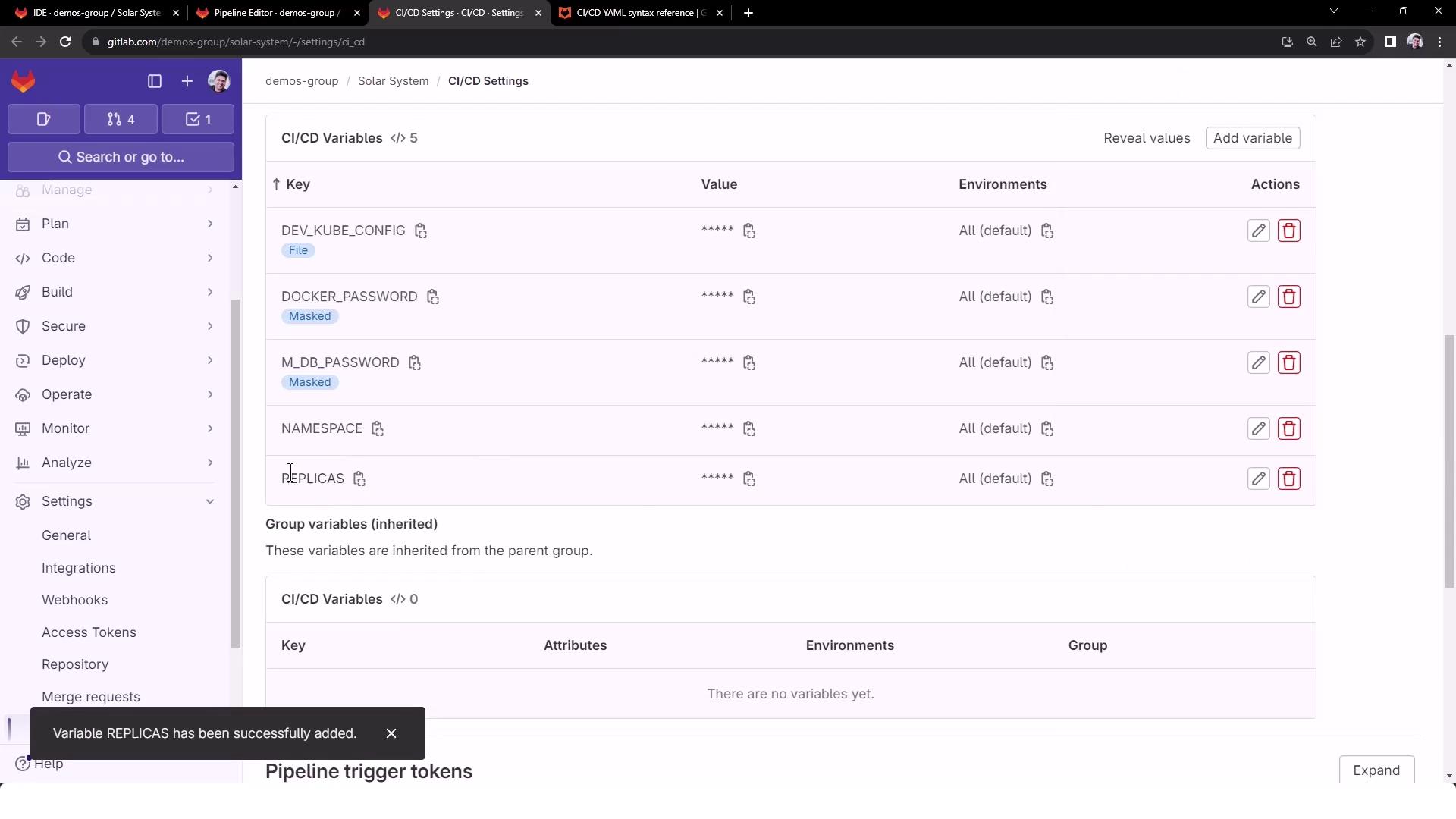
Never commit secrets (e.g., database credentials) directly in your YAML files. Always use masked or protected CI/CD variables.
## 4. Retrieving the Ingress Controller IP
At runtime, fetch the external IP of your Ingress controller:
```bash theme={null}
kubectl -n ingress-nginx get service ingress-nginx-controller \
-o jsonpath="{.status.loadBalancer.ingress[0].ip}"
```
You can learn more about the Ingress resource in the [Kubernetes Ingress documentation](https://kubernetes.io/docs/concepts/services-networking/ingress/).
## 5. CI Job: dev-deploy
The `dev-deploy` job below installs `kubectl` and `envsubst` (from GNU `gettext`), exports `INGRESS_IP`, and replaces placeholders in your manifests.
```yaml theme={null}
k8s_dev_deploy:
stage: dev-deploy
image:
name: alpine:3.7
before_script:
# Install kubectl
- wget -qO kubectl \
https://storage.googleapis.com/kubernetes-release/release/\
$(wget -qO - https://storage.googleapis.com/kubernetes-release/release/stable.txt)/bin/linux/amd64/kubectl
- chmod +x kubectl && mv kubectl /usr/bin/kubectl
# Install envsubst
- apk add --no-cache gettext
- envsubst -V
script:
# Configure kubectl
- export KUBECONFIG=$DEV_KUBE_CONFIG
- kubectl version --client -o yaml
- kubectl config get-contexts
- kubectl get nodes
# Get Ingress IP
- export INGRESS_IP=$(
kubectl -n ingress-nginx get service ingress-nginx-controller \
-o jsonpath="{.status.loadBalancer.ingress[0].ip}"
)
- echo "Ingress IP: $INGRESS_IP"
# Substitute placeholders in manifests
- for file in kubernetes/manifest/*.yaml; do
echo "Processing $file"
envsubst < "$file" | kubectl apply -f -
done
```
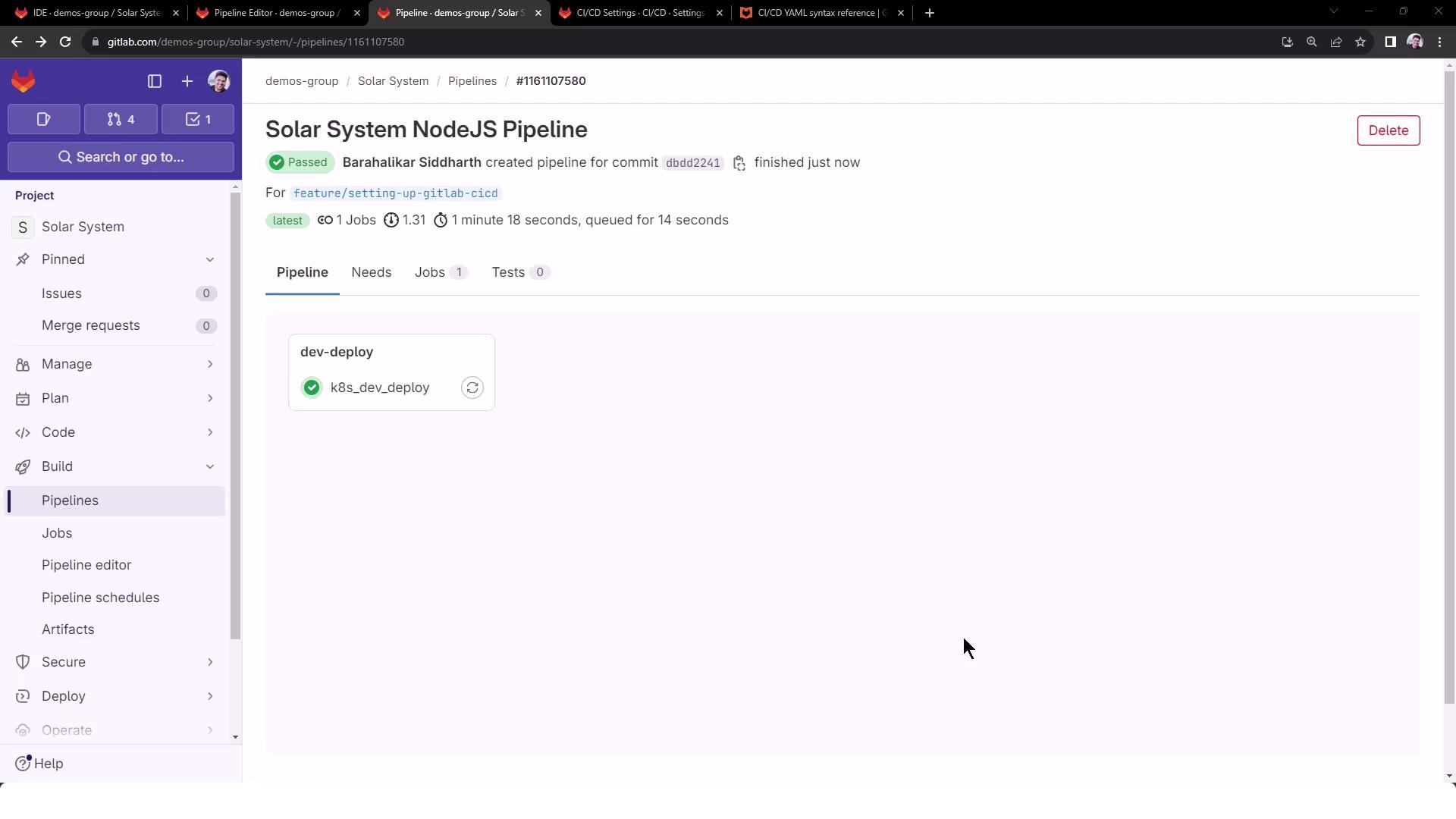
Commit and push to trigger the pipeline. You’ll see a successful `dev-deploy` stage:
## 6. Verifying the Logs
Key sections in the job logs:
```bash theme={null}
$ apk add --no-cache gettext
(1/1) Installing gettext (0.19.8.1-r0)
...
$ envsubst -V
envsubst (GNU gettext-runtime) 0.19.8.1
$ export INGRESS_IP=139.84.208.48
$ echo $INGRESS_IP
139.84.208.48
# deployment.yaml after substitution:
namespace: development
replicas: 2
image: siddharth67/solar-system:123
# ingress.yaml after substitution:
host: solar-system.development.139.84.208.48.nip.io
# service.yaml after substitution:
namespace: development
```
Here you can confirm all four placeholders (`NAMESPACE`, `REPLICAS`, `K8S_IMAGE`, `INGRESS_IP`) have been correctly injected.
***
You’re now ready to apply templated manifests across multiple environments, ensuring consistency and reusability.
## References
* [GitLab CI/CD Variables][1]
* [envsubst Invocation Guide][2]
* [Kubernetes Ingress Concepts][3]
[1]: https://docs.gitlab.com/ee/ci/variables/
[2]: https://www.gnu.org/software/gettext/manual/html_node/envsubst-Invocation.html
[3]: https://kubernetes.io/docs/concepts/services-networking/ingress/