> ## Documentation Index
> Fetch the complete documentation index at: https://notes.kodekloud.com/llms.txt
> Use this file to discover all available pages before exploring further.
# Docker Build
> This guide explains how to build Docker images in a GitLab CI/CD pipeline using Docker-in-Docker.
In this guide, you’ll learn how to build Docker images inside a GitLab CI/CD pipeline using Docker-in-Docker (DinD). We’ll extend an existing CI configuration to include a **containerization** stage that compiles and inspects your Docker image.
## Prerequisites
* A GitLab Runner with Docker-in-Docker support enabled
* CI/CD variables set for `DOCKER_USERNAME`, `M_DB_PASSWORD`, and any other secrets
* A Docker Hub account configured to push images
## CI/CD Pipeline Configuration
Add a `containerization` stage to your existing `.gitlab-ci.yml`. The new `docker_build` job will build and list your Docker image:
```yaml theme={null}
stages:
- test
- containerization
variables:
DOCKER_USERNAME: siddharth67
IMAGE_VERSION: $CI_PIPELINE_ID
MONGO_URI: mongodb+srv://supercluster.d83jj.mongodb.net/superData
MONGO_USERNAME: superuser
MONGO_PASSWORD: $M_DB_PASSWORD
unit_testing:
# (previous configuration)
code_coverage:
# (previous configuration)
docker_build:
stage: containerization
image: docker:24.0.5
services:
- docker:24.0.5-dind
dependencies: []
rules:
- if: $CI_COMMIT_BRANCH == "main" || $CI_COMMIT_BRANCH =~ /^feature/
when: always
- if: $CI_MERGE_REQUEST_SOURCE_BRANCH_NAME =~ /^feature/ && $CI_PIPELINE_SOURCE == "merge_request_event"
when: always
script:
- docker build -t $DOCKER_USERNAME/solar-system:$IMAGE_VERSION .
- docker images $DOCKER_USERNAME/solar-system:$IMAGE_VERSION
```
### Variable Definitions
| Variable | Description | Example |
| ---------------- | -------------------------------------------------- | ----------------------------- |
| DOCKER\_USERNAME | Docker Hub username used to tag and push the image | `siddharth67` |
| IMAGE\_VERSION | Unique image tag based on the GitLab pipeline ID | `$CI_PIPELINE_ID` |
| MONGO\_URI | MongoDB connection string (optional in this job) | `mongodb+srv://.../superData` |
| MONGO\_USERNAME | MongoDB username | `superuser` |
| MONGO\_PASSWORD | MongoDB password stored as a CI/CD masked variable | `$M_DB_PASSWORD` |
Make sure sensitive values like `MONGO_PASSWORD` are stored as [masked CI/CD variables](/docs/ci/variables/#masked-variables) to avoid exposure in job logs.
## Sample Dockerfile
Place this `Dockerfile` at the root of your repository to containerize a Node.js application:
```dockerfile theme={null}
FROM node:18-alpine3.17
WORKDIR /usr/app
COPY package*.json /usr/app/
RUN npm install
COPY . .
ENV MONGO_URI=uriPlaceholder
ENV MONGO_USERNAME=usernamePlaceholder
ENV MONGO_PASSWORD=passwordPlaceholder
EXPOSE 3000
CMD ["npm", "start"]
```
## Pipeline Execution Flow
When you push to `main` or open a feature merge request, GitLab:
1. Launches the **docker:24.0.5** image for the job.
2. Starts the Docker-in-Docker service (`docker:24.0.5-dind`).
3. Runs the `script` section to build and list the image:
```bash theme={null}
$ docker build -t $DOCKER_USERNAME/solar-system:$IMAGE_VERSION .
Sending build context to Docker daemon 2.05MB
Step 1/7 : FROM node:18-alpine3.17
---> 6239c8a63890
Step 2/7 : WORKDIR /usr/app
---> Using cache
---> a1b2c3d4e5f6
...
Step 7/7 : CMD ["npm", "start"]
---> Using cache
---> z9y8x7w6v5u4
Successfully built z9y8x7w6v5u4
Successfully tagged siddharth67/solar-system:123
```
```bash theme={null}
$ docker images $DOCKER_USERNAME/solar-system:$IMAGE_VERSION
REPOSITORY TAG IMAGE ID CREATED SIZE
siddharth67/solar-system 123 z9y8x7w6v5u4 5 seconds ago 181MB
```
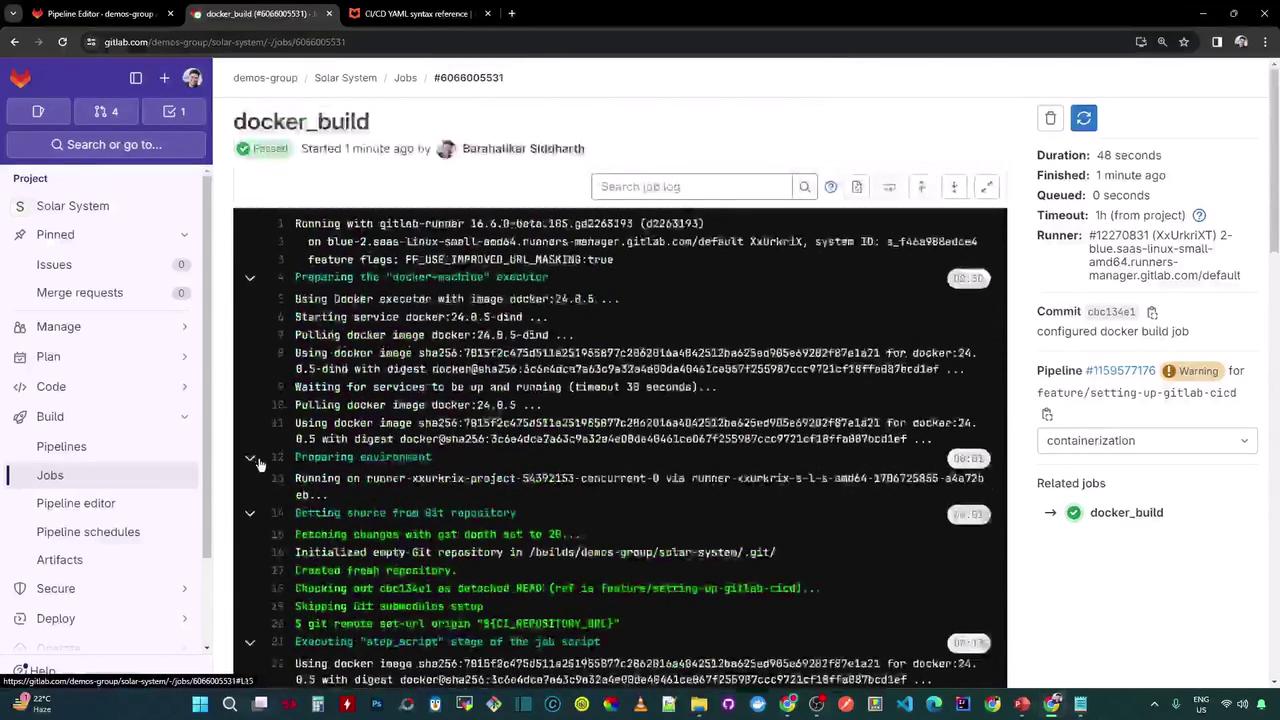
With this setup, your pipeline now builds a Docker image automatically. The next step is to add a job that runs container-based tests before pushing to Docker Hub.
## Links and References
* [GitLab CI/CD pipelines](https://docs.gitlab.com/ee/ci/pipelines/)
* [Docker-in-Docker (DinD)](https://docs.docker.com/engine/security/rootless/)
* [Docker Hub](https://hub.docker.com/)