> ## Documentation Index
> Fetch the complete documentation index at: https://notes.kodekloud.com/llms.txt
> Use this file to discover all available pages before exploring further.
# Run and Test NodeJS App on Local Machine
> Learn to run and test the Solar System Node.js application locally before integrating it into a GitLab CI/CD pipeline.
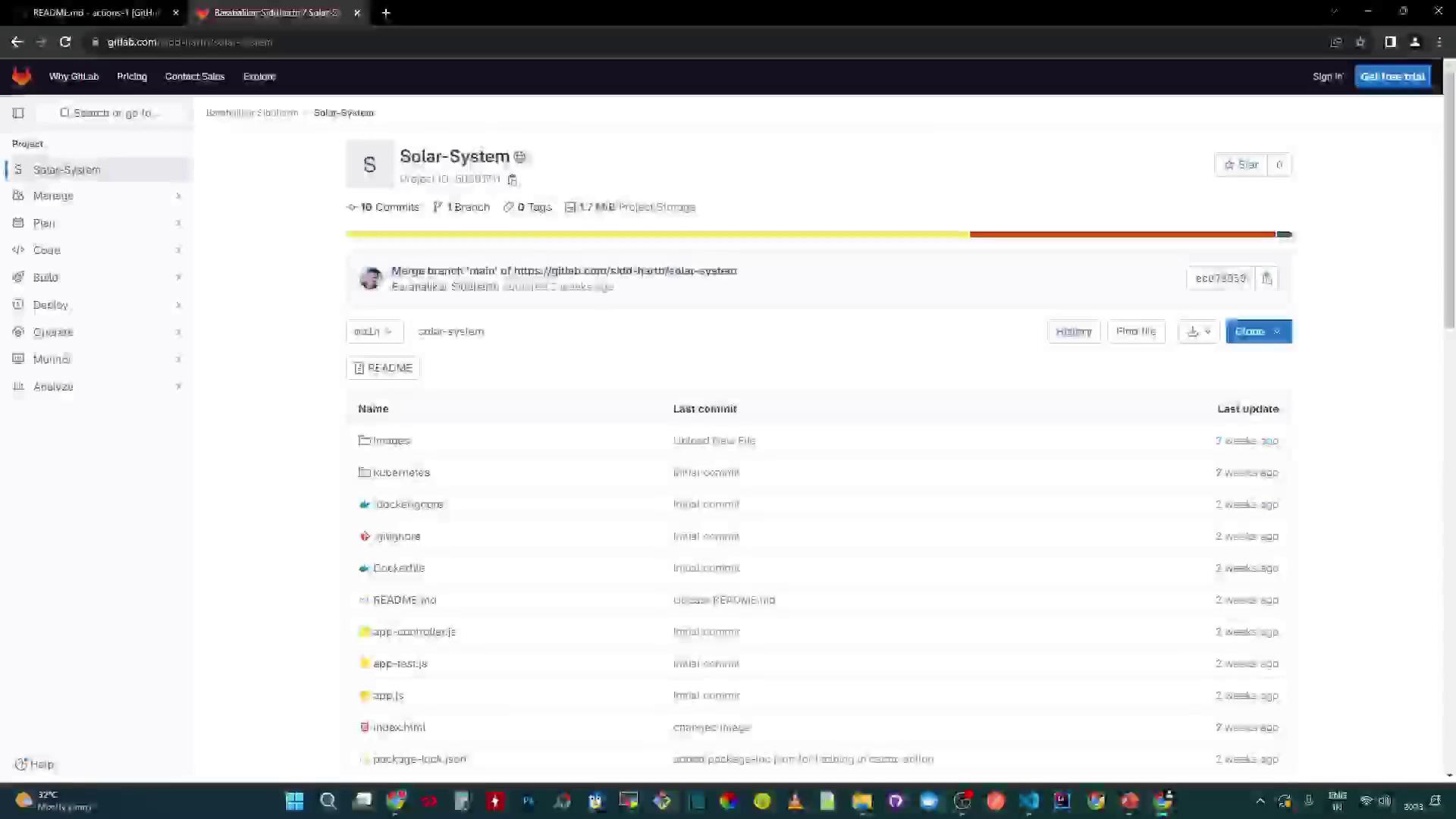
Learn how to run and test the Solar System Node.js application locally before integrating it into a GitLab CI/CD pipeline. The source code is hosted on GitLab.
## Prerequisites
* Node.js and npm
* A running MongoDB instance or Atlas cluster
* Git installed on your machine
To verify Node.js and npm:
```bash theme={null}
node --version # e.g., v18.x.x
npm --version # e.g., 9.x.x
```
## Clone the Repository
```bash theme={null}
git clone https://gitlab.com/sidd-harth/solar-system.git
cd solar-system
```
## Project Structure and Key Files
This repository includes:
* **package.json**: Defines metadata, scripts, dependencies, and coverage thresholds
* **app.js**: Backend Express.js server
* **client.js**: Frontend script to fetch planet data
* **Dockerfile**: Build instructions for a Docker image
* **deployment.yaml** & **service.yaml**: Kubernetes manifests
### package.json
```json theme={null}
{
"name": "Solar System",
"version": "6.7.6",
"author": "Siddharth Barahalikar",
"license": "MIT",
"scripts": {
"start": "node app.js",
"test": "mocha app-test.js --timeout 10000 --reporter mocha-junit-reporter --exit",
"coverage": "nyc --reporter cobertura --reporter lcov --reporter text --reporter json-summary mocha app-test.js"
},
"nyc": {
"check-coverage": true,
"lines": 90
},
...
}
```
| Script | Description | Command |
| -------- | ------------------------------------------- | ------------------ |
| start | Launch the Express server | `npm start` |
| test | Run tests with Mocha and JUnit reporter | `npm test` |
| coverage | Generate coverage reports (cobertura, lcov) | `npm run coverage` |
### Application Backend (app.js)
```javascript theme={null}
const path = require('path');
const express = require('express');
const bodyParser = require('body-parser');
const cors = require('cors');
const mongoose = require('mongoose');
const app = express();
app.use(bodyParser.json());
app.use(express.static(path.join(__dirname, '/')));
app.use(cors());
mongoose.connect(process.env.MONGO_URI, {
user: process.env.MONGO_USERNAME,
pass: process.env.MONGO_PASSWORD,
useNewUrlParser: true,
useUnifiedTopology: true
}, (err) => {
if (err) {
console.error("Connection error:", err);
} else {
console.log("Connected to MongoDB");
}
});
app.listen(3000, () => {
console.log("Server running on port 3000");
});
```
Ensure you add your REST API route handlers in `app.js` (for example, a GET `/os` endpoint) before testing.
### Frontend Controller (client.js)
```javascript theme={null}
console.log('Client script loaded');
window.onload = () => {
console.log("Requesting all planets");
fetch("/os", { method: "GET" })
.then(res => res.ok ? res.json() : Promise.reject("Fetch error"))
.then(data => console.log(data))
.catch(error => console.error(error));
};
```
### Dockerfile
```dockerfile theme={null}
FROM node:18-alpine3.17
WORKDIR /usr/app
COPY package*.json ./
RUN npm install
COPY . .
ENV MONGO_URI=uriPlaceholder
ENV MONGO_USERNAME=usernamePlaceholder
ENV MONGO_PASSWORD=passwordPlaceholder
EXPOSE 3000
CMD ["npm", "start"]
```
### Kubernetes Manifests
```yaml theme={null}
# deployment.yaml
apiVersion: apps/v1
kind: Deployment
metadata:
name: solar-system
labels:
app: solar-system
spec:
replicas: 2
selector:
matchLabels:
app: solar-system
template:
metadata:
labels:
app: solar-system
spec:
containers:
- name: solar-system
image: your-repo/solar-system:latest
ports:
- containerPort: 3000
---
# service.yaml
apiVersion: v1
kind: Service
metadata:
name: solar-system
labels:
app: solar-system
spec:
type: NodePort
selector:
app: solar-system
ports:
- port: 3000
targetPort: 3000
protocol: TCP
```
| Resource Type | Purpose | Example |
| ------------- | -------------------------------- | ---------------------------- |
| Deployment | Manages pods and rolling updates | Defined in `deployment.yaml` |
| Service | Exposes pods on the network | Defined in `service.yaml` |
## Install Dependencies
```bash theme={null}
npm install
```
You may see notices:
```plaintext theme={null}
44 packages are looking for funding
Run `npm fund` for details
1 high severity vulnerability
To address all issues, run:
npm audit fix
```
## Running the Server Locally
After dependencies are installed:
```bash theme={null}
npm start
```
Open [http://localhost:3000](http://localhost:3000) in your browser:
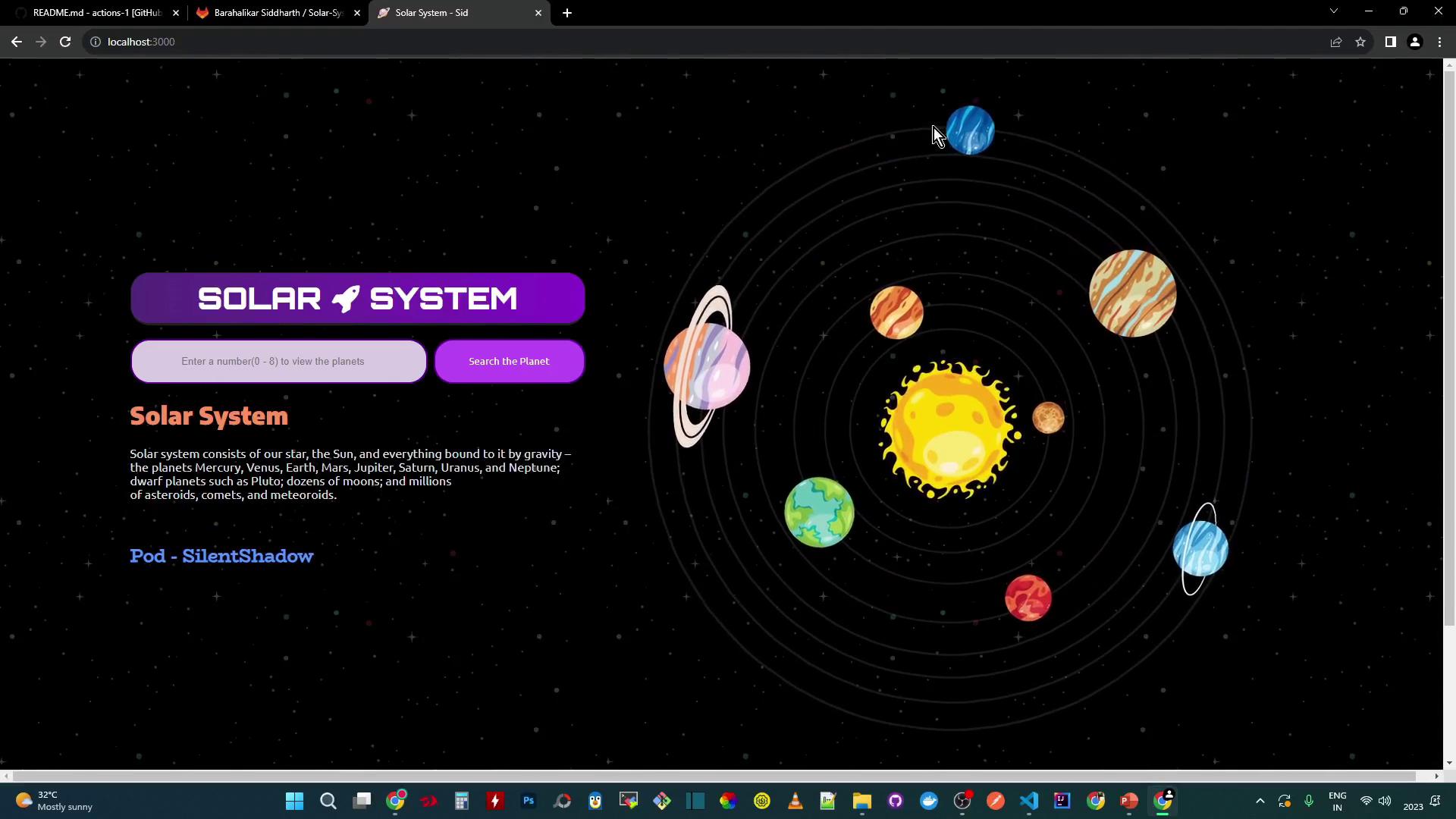
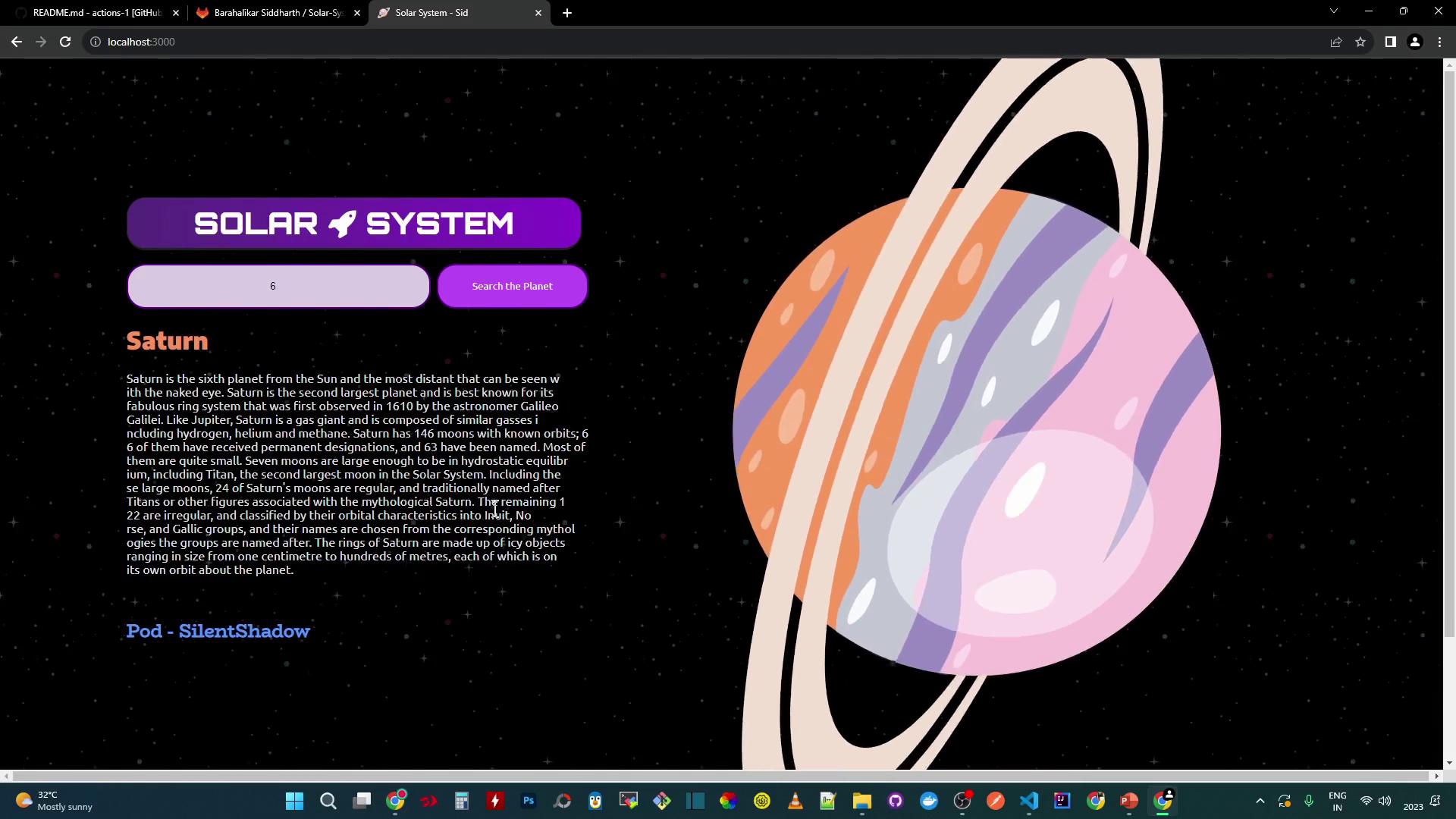
You can search by ID (e.g., 3 for Earth, 6 for Saturn). Data is fetched from your MongoDB.
## Testing the Application
Run the test suite:
```bash theme={null}
npm test
```
If environment variables are missing, you will see:
```plaintext theme={null}
MongooseError: The `uri` parameter to `openUri()` must be a string, got `undefined`.
```
Tests will fail without `MONGO_URI`, `MONGO_USERNAME`, and `MONGO_PASSWORD`. Set these before running `npm test`.
### Temporary Local Credentials
For a quick local demo, hard-code your MongoDB URI in `app.js`:
```javascript theme={null}
mongoose.connect('mongodb+srv://supercluster.d83jj.mongodb.net/superData', {
user: 'superuser',
pass: 'SuperPassword',
useNewUrlParser: true,
useUnifiedTopology: true
}, (err) => {
if (err) console.error("Connection error:", err);
});
```
Re-run tests:
```bash theme={null}
npm test
echo $? # 0 means success
```
A `test_results.xml` file is generated for CI/CD:
```xml theme={null}
```
## Coverage Report
Generate coverage:
```bash theme={null}
npm run coverage
```
```plaintext theme={null}
11 passing (4s)
ERROR: Coverage for lines (88.88%) does not meet global threshold (90%)
```
A non-zero exit code will signal coverage failures in CI pipelines.
## Links and References
* [Node.js](https://nodejs.org/)
* [npm](https://www.npmjs.com/)
* [Express Documentation](https://expressjs.com/)
* [Mongoose Documentation](https://mongoosejs.com/)
* [Mocha](https://mochajs.org/)
* [nyc (Istanbul)](https://github.com/istanbuljs/nyc)
* [Docker Hub](https://hub.docker.com/)
* [Kubernetes Basics](https://kubernetes.io/docs/concepts/overview/what-is-kubernetes/)