> ## Documentation Index
> Fetch the complete documentation index at: https://notes.kodekloud.com/llms.txt
> Use this file to discover all available pages before exploring further.
# Basics of CICD
> This article explains the key concepts of Continuous Integration and Continuous Delivery/Deployment, emphasizing their importance in modern software engineering.
In this lesson, we’ll cover the key concepts of Continuous Integration (CI) and Continuous Delivery/Deployment (CD), explore a typical Git-based workflow, and highlight why CI/CD is vital for modern software engineering.
***
## 1. A Typical Git Workflow
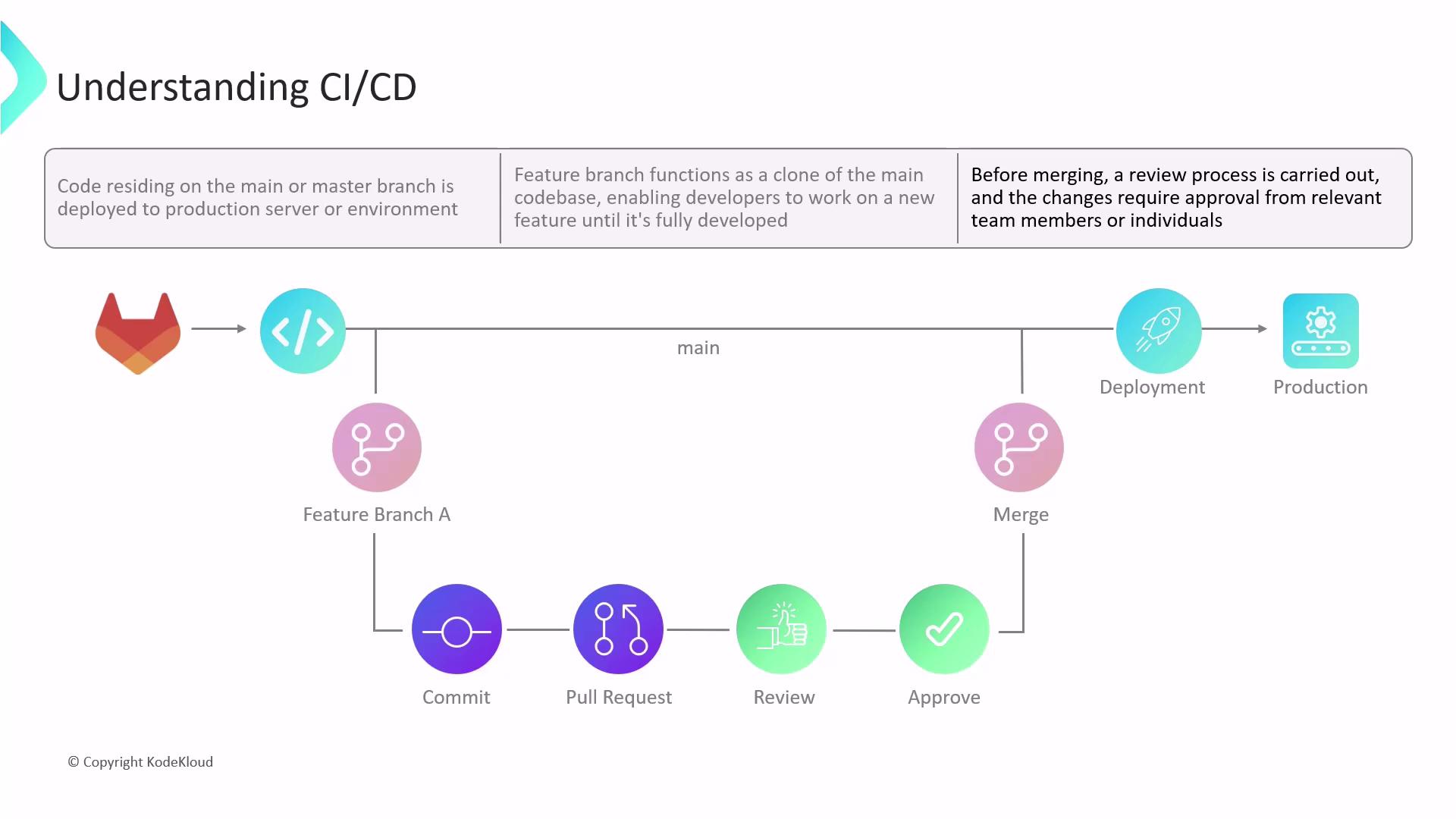
All source code is maintained in a Git repository, usually hosted on platforms like GitLab, GitHub, or Bitbucket. Collaboration features—such as Merge Requests (MRs), pipelines, and permission controls—streamline team workflows.
1. Developers branch off the protected **main** branch to create isolated **feature branches**.
2. They commit and push changes to their feature branch.
3. An MR is opened to merge the feature into **main**, triggering code review.
4. After approvals, changes merge into **main** and deploy to the target environment.
Enable branch protection on **main** to require MRs and automated checks before merging.
Without CI/CD automation, manual testing and deployments introduce risks:
| Risk | Impact |
| --------------------- | -------------------------------------------- |
| No guaranteed testing | Bugs slip into production |
| Manual errors | Misconfigurations, inconsistent environments |
| Slow feedback loops | Delayed fixes and longer release cycles |
***
## 2. Challenges of Manual Integration
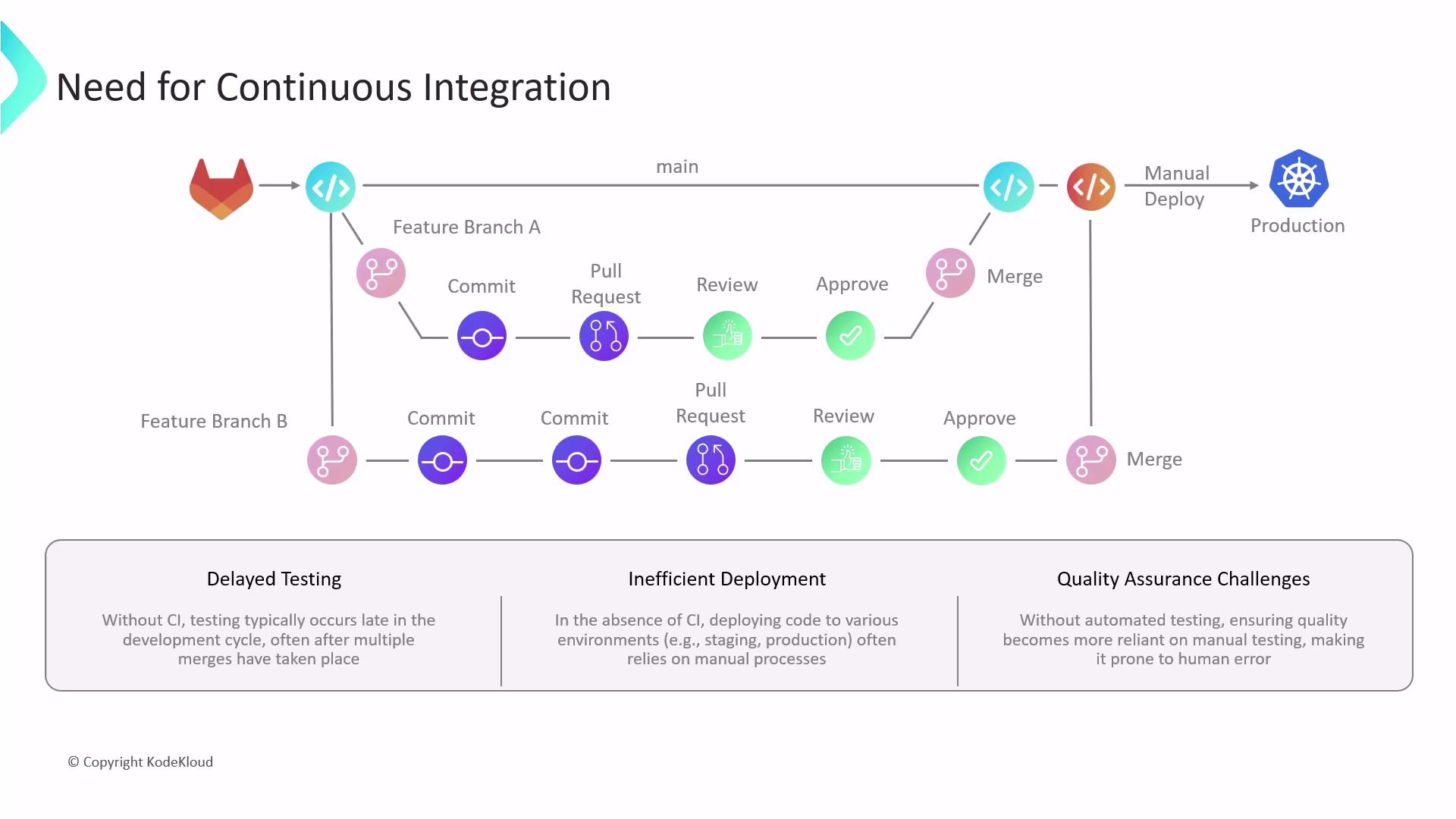
When multiple developers merge without CI pipelines, teams often face:
| Challenge | Description |
| ------------------- | ---------------------------------------------------------------------- |
| Delayed Testing | QA happens post-merge, making bug isolation and fixes more difficult. |
| Inefficient Deploys | Manual steps across dev, staging, and production increase error rates. |
| QA Bottlenecks | Manual quality checks slow down releases and risk missing regressions. |
***
## 3. Introducing Continuous Integration
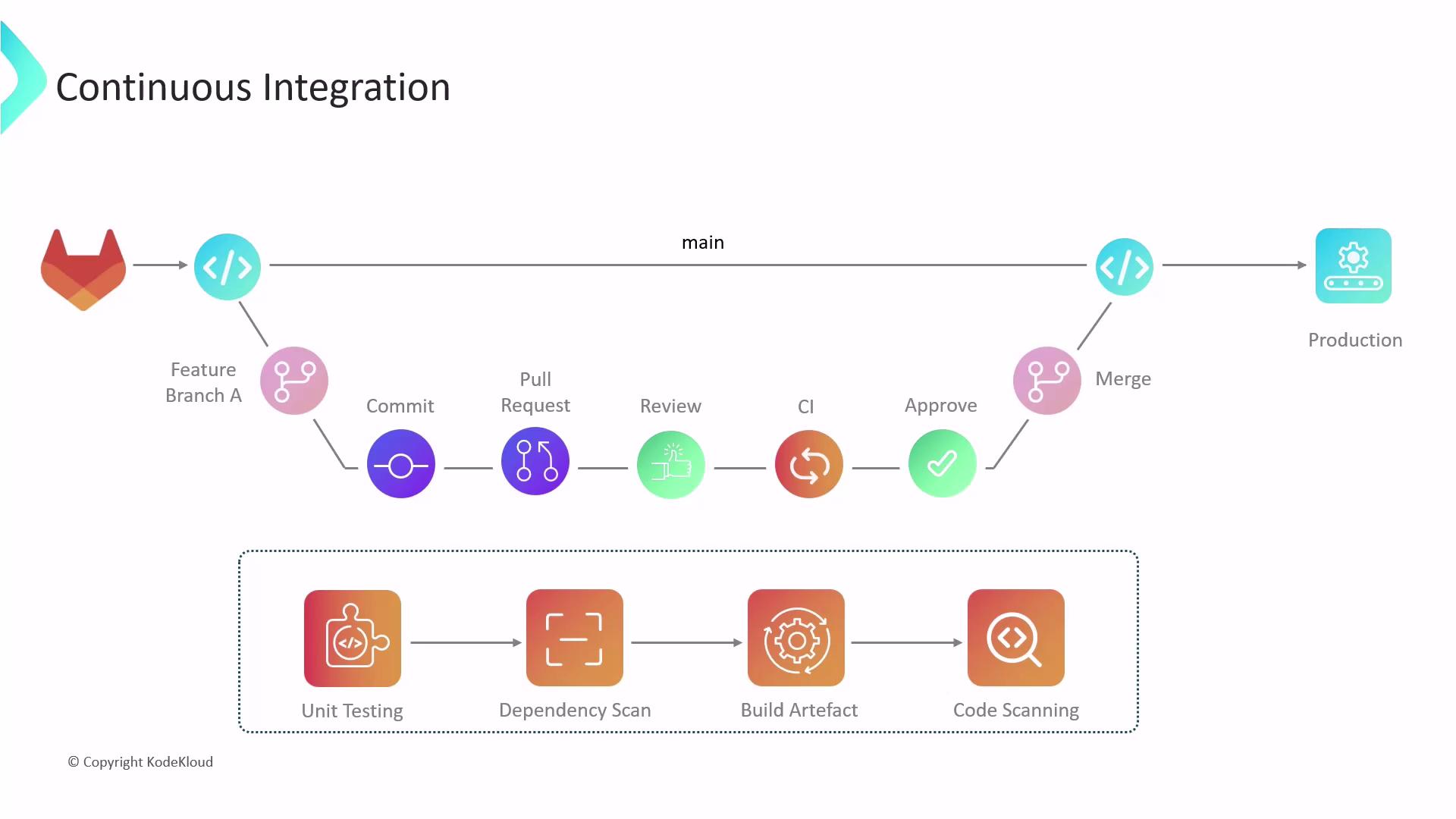
Continuous Integration ensures that every code change is automatically tested and validated before merging into **main**.
1. Developer 1 branches off **main** to work on **feature-A**.
2. Opening an MR triggers the CI pipeline, which performs:
* Unit tests
* Dependency and license scans
* Artifact builds
* Static code analysis and vulnerability scanning
3. If any stage fails, the MR remains open for fixes; pushing new commits retriggers CI.
4. On passing all checks, the MR is approved and merged into **main**.
5. A post-merge pipeline runs integration tests against the updated **main** branch.
Meanwhile, Developer 2 works on **feature-B** in parallel. Once feature-B’s MR passes CI and merges, the post-merge pipeline verifies that A and B integrate without conflict, keeping **main** stable and healthy.
Fast feedback from CI pipelines helps catch issues early and reduces merge conflicts.
***
## 4. From Integration to Delivery and Deployment
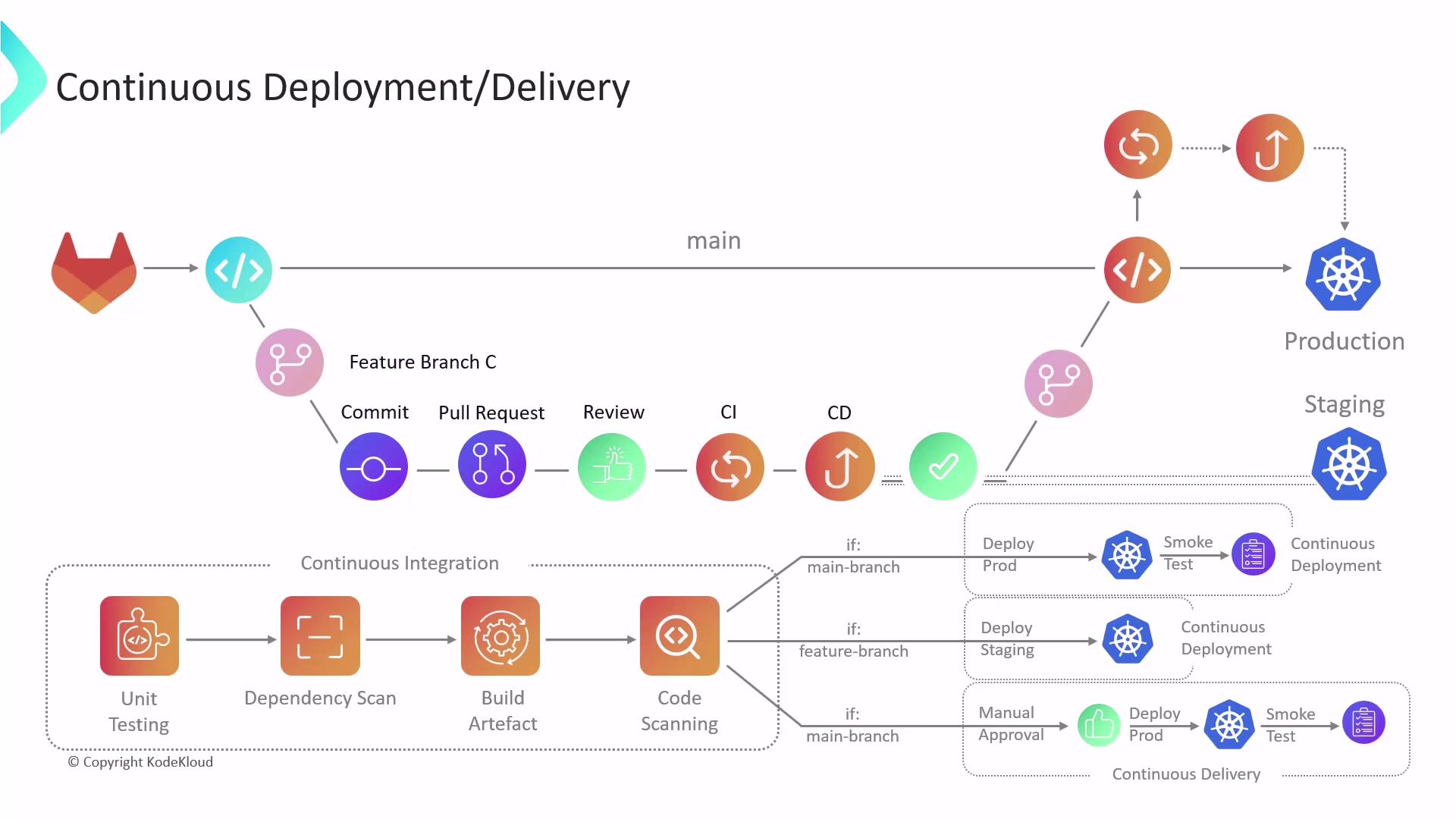
Once CI validates code quality, CD automates the path to production:
| Process | Deployment Target | Human Gate Required | Typical Use Case |
| --------------------- | ------------------------------ | ------------------- | --------------------------- |
| Continuous Delivery | Non-production (e.g., staging) | Yes | Manual approval before prod |
| Continuous Deployment | Production | No | Fully automated releases |
1. **Continuous Delivery**
* Deploys to staging or QA environments.
* Executes integration, performance, and end-to-end tests.
* Awaits manual approval for production.
2. **Continuous Deployment**
* Automatically deploys to production after successful CI.
* Ideal for teams with mature test suites and low risk tolerance.
Skipping manual approvals in CD demands comprehensive automated tests to prevent production incidents.
***
## Summary
* **Continuous Integration (CI)** automates testing and validation for every code change.
* **Continuous Delivery (CD)** adds automated deployments to staging with a human gate.
* **Continuous Deployment** fully automates production releases.
Together, CI/CD accelerates release cycles, ensures higher software quality, and minimizes operational risks.
***
## Links and References
* [GitLab CI/CD Documentation](https://docs.gitlab.com/ee/ci/)
* [Continuous Integration on Wikipedia](https://en.wikipedia.org/wiki/Continuous_integration)
* [DevOps Practices](https://en.wikipedia.org/wiki/DevOps)