> ## Documentation Index
> Fetch the complete documentation index at: https://notes.kodekloud.com/llms.txt
> Use this file to discover all available pages before exploring further.
# Component Code Quality
> Optimize CI/CD workflows with GitLab’s Code Quality analysis to enhance source code quality by detecting issues and ensuring high-quality changes.
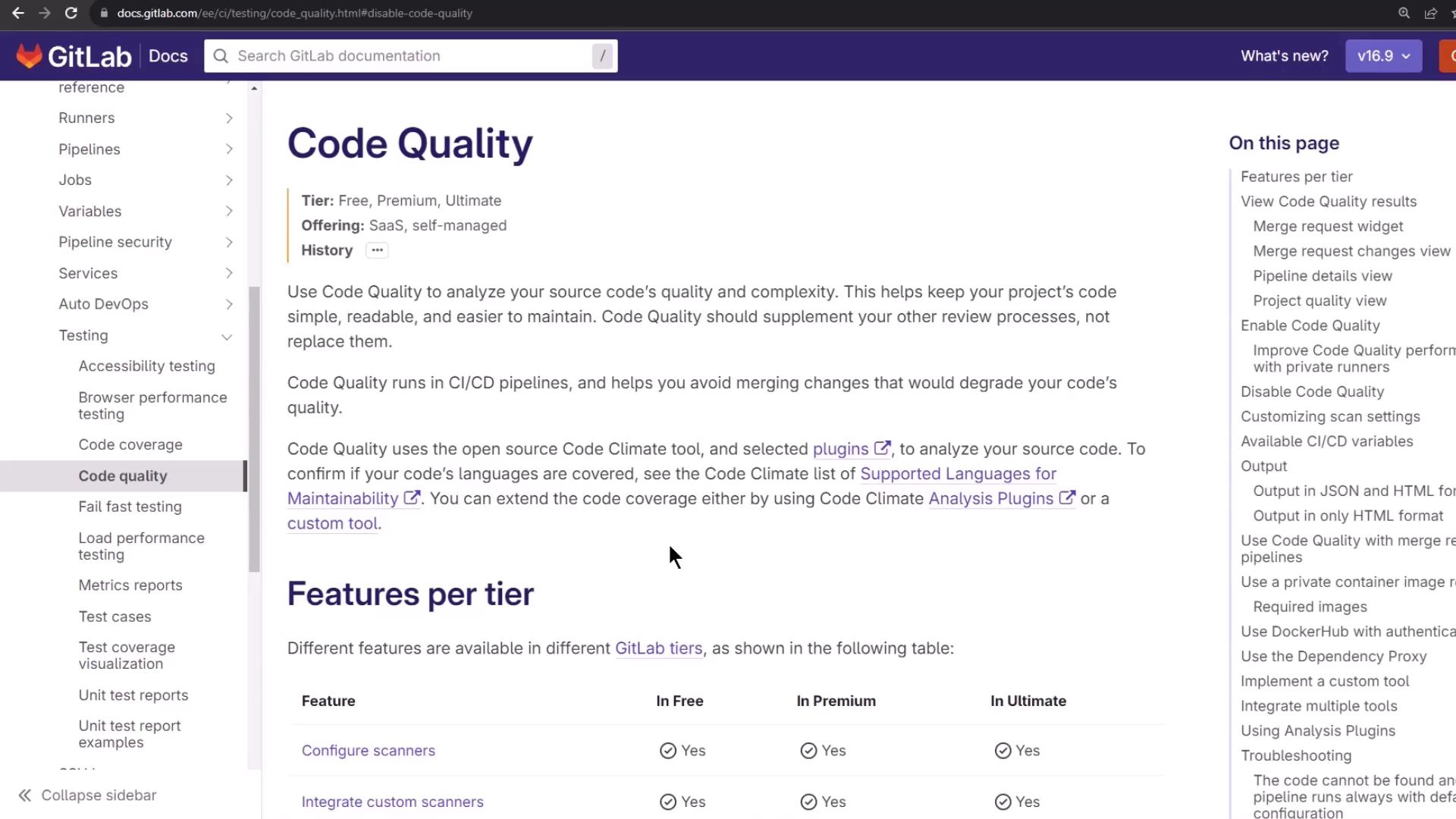
Optimize your CI/CD workflow by integrating GitLab’s Code Quality analysis. This component scans your source code for complexity, duplication, style issues, and maintainability risks—helping your team merge only high-quality changes.
## Why Code Quality Matters
* Detects potential bugs and anti-patterns early
* Tracks complexity and duplication over time
* Enforces coding standards and style guidelines
* Integrates seamlessly with merge requests for inline review
## How It Works
GitLab’s built-in Code Quality template leverages the open-source [Code Climate](https://codeclimate.com/) engine plus additional scanners. It produces a JSON (or HTML) report consumed by GitLab to annotate merge requests and pipeline views.
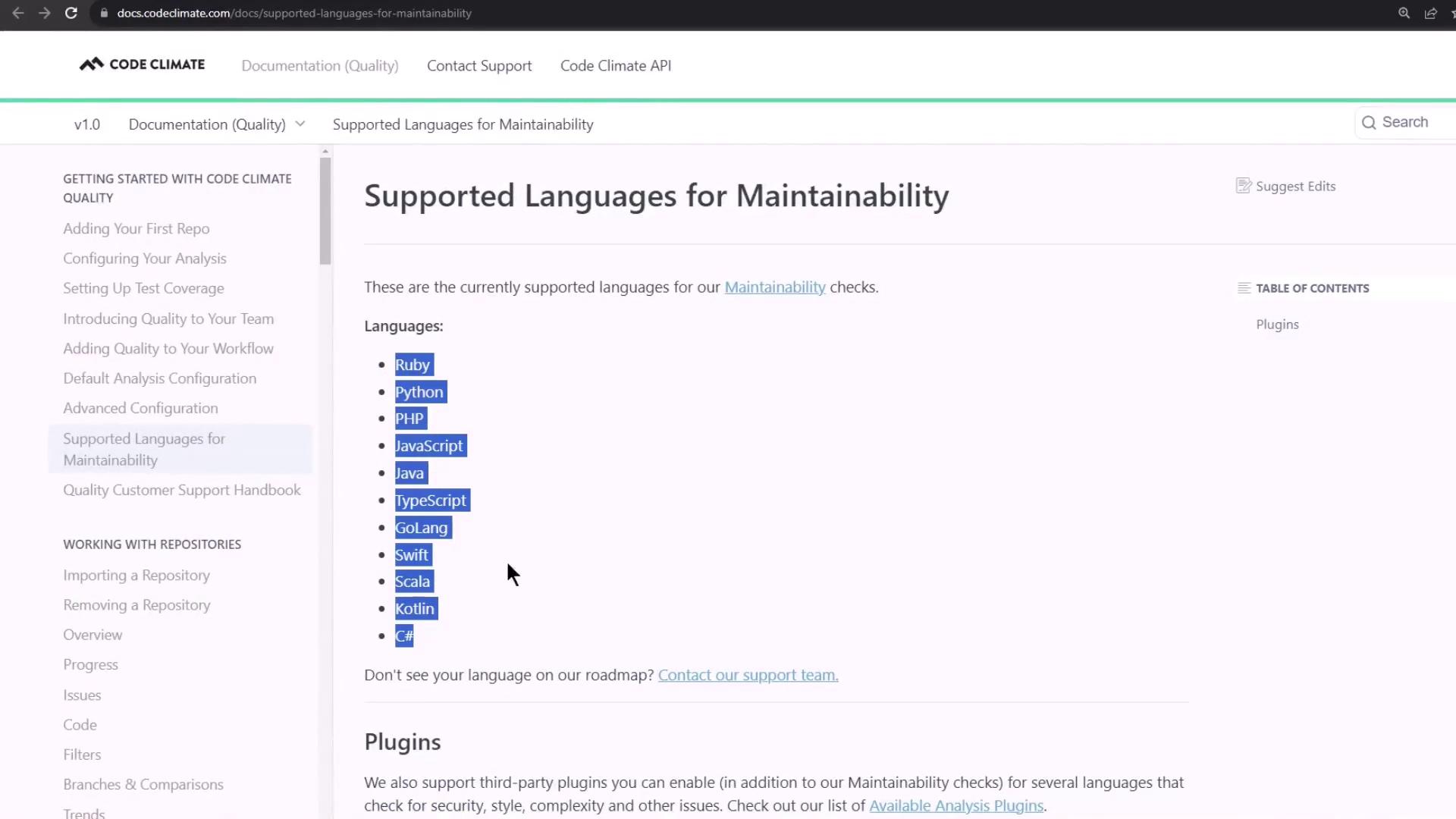
Verify your project’s language is supported by Code Climate before enabling the component.
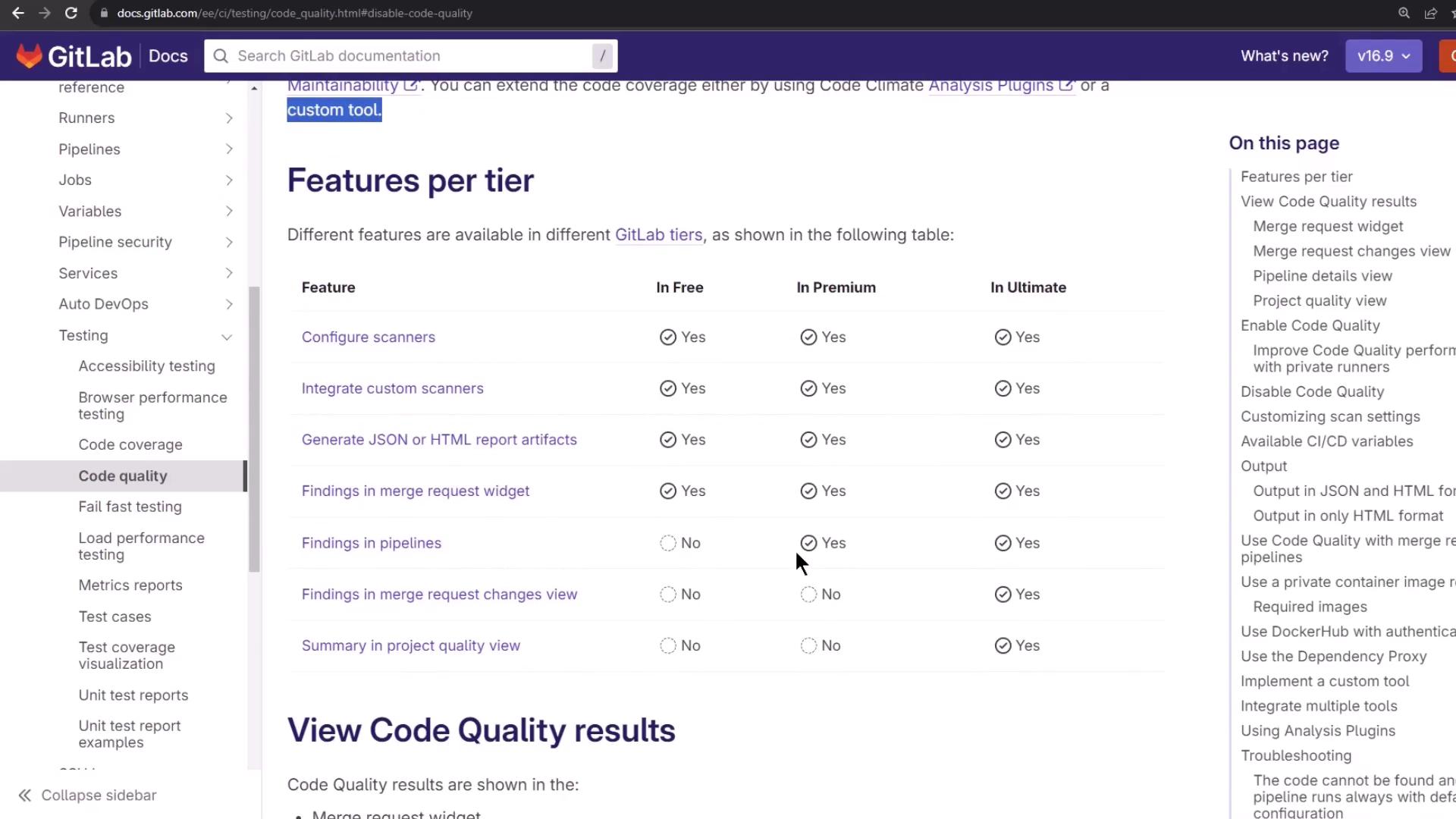
## Feature Comparison by GitLab Tier
Different GitLab subscriptions unlock advanced Code Quality capabilities:
| GitLab Tier | Key Features |
| ----------- | -------------------------------------------------- |
| Free | Basic maintainability and style checks |
| Premium | Custom scanner configuration, report artifacts |
| Ultimate | Quality dashboard, advanced analytics, MR insights |
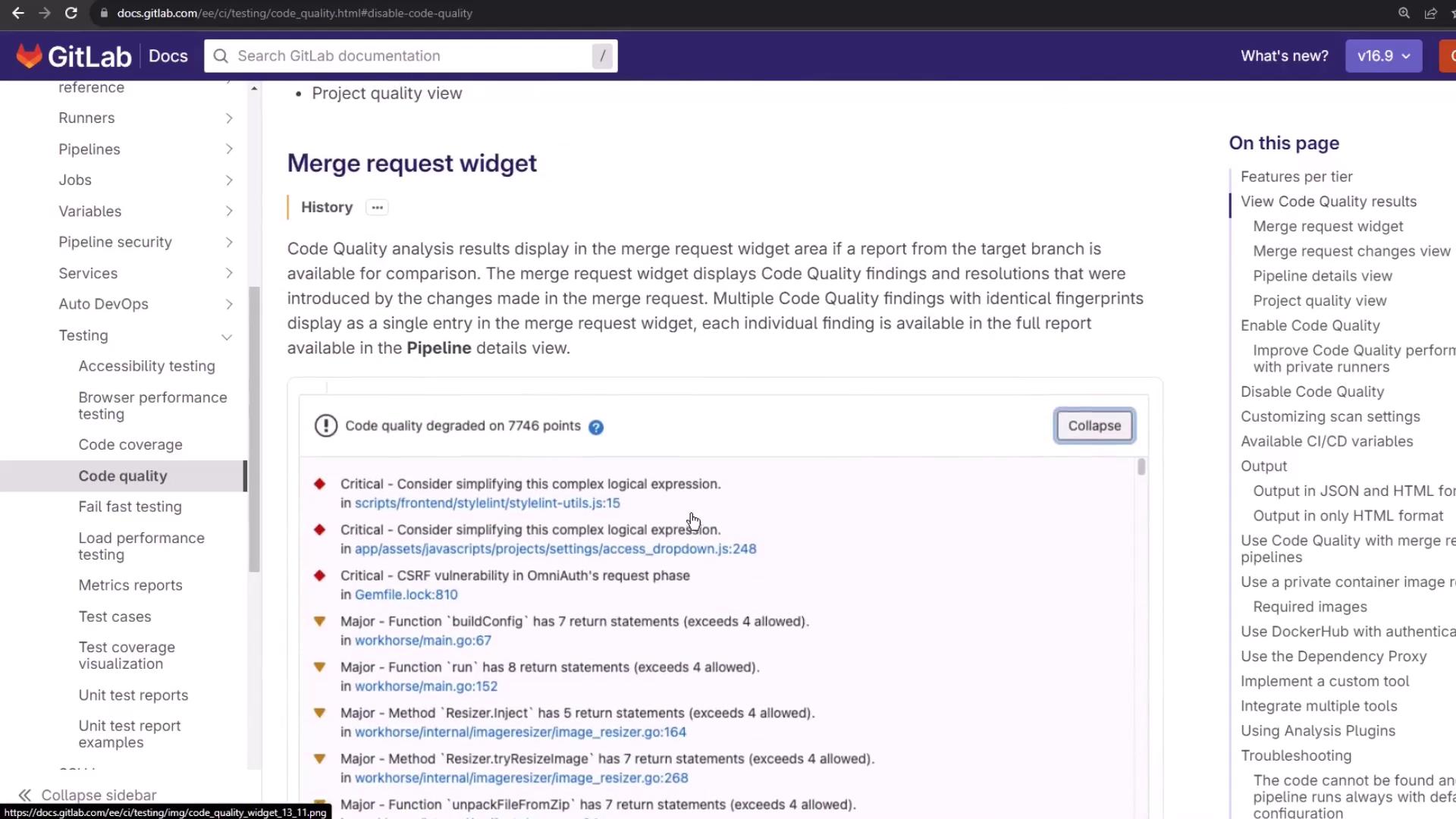
### Merge Request Inline Reports
Once enabled, Code Quality issues surface directly in the Merge Request widget—categorized by severity and file location.
For example, a simple JavaScript function:
```javascript theme={null}
function init() {
return 'foo';
debugger;
}
```
Code Climate flags the unused `debugger;` statement as an issue.
## 1. Enable Code Quality in Your CI Configuration
Add the official GitLab CI/CD component at the top of your `.gitlab-ci.yml`:
```yaml theme={null}
include:
- component: gitlab.com/gitlab-components/code-quality/code-quality@1.0
```
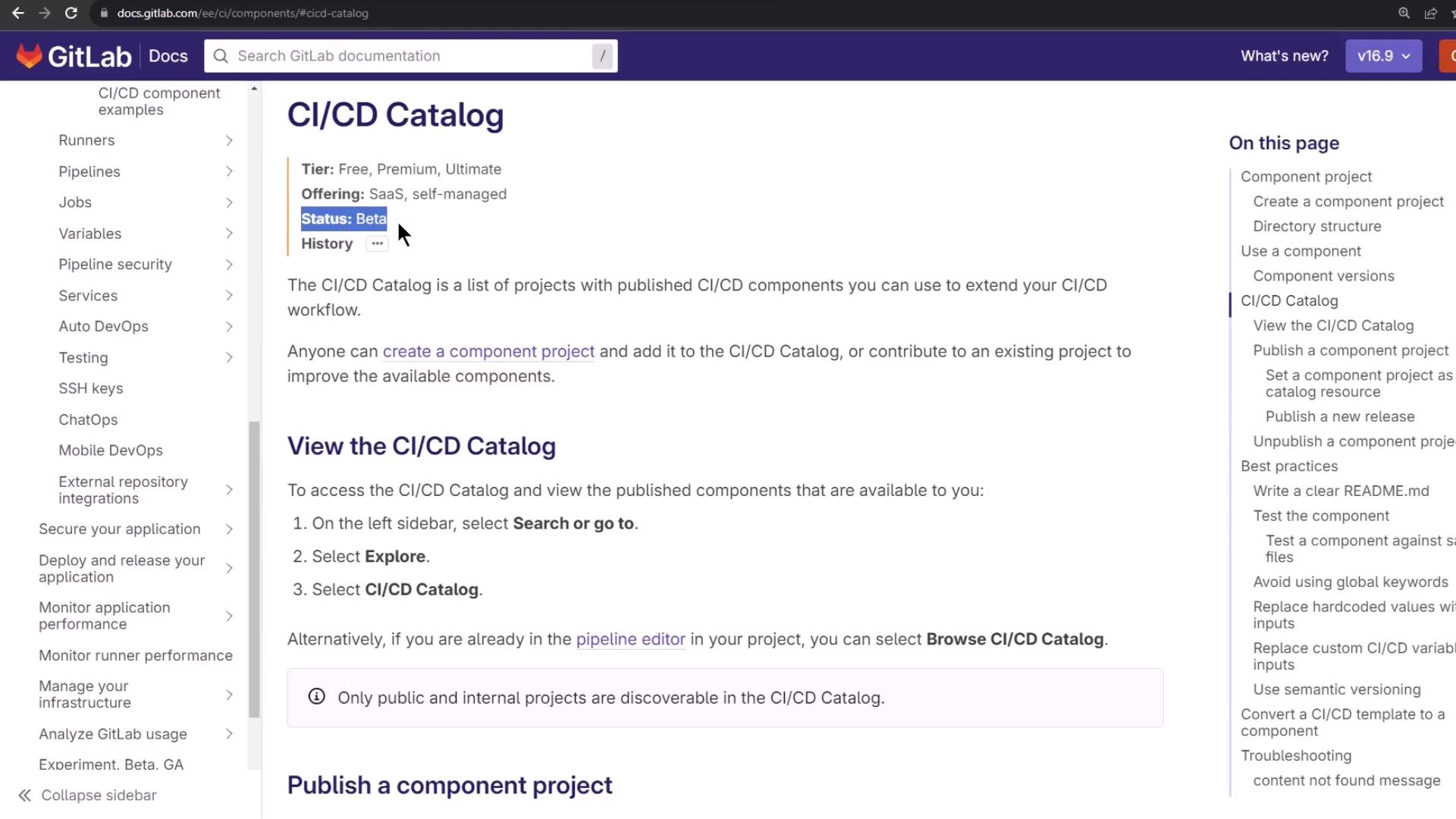
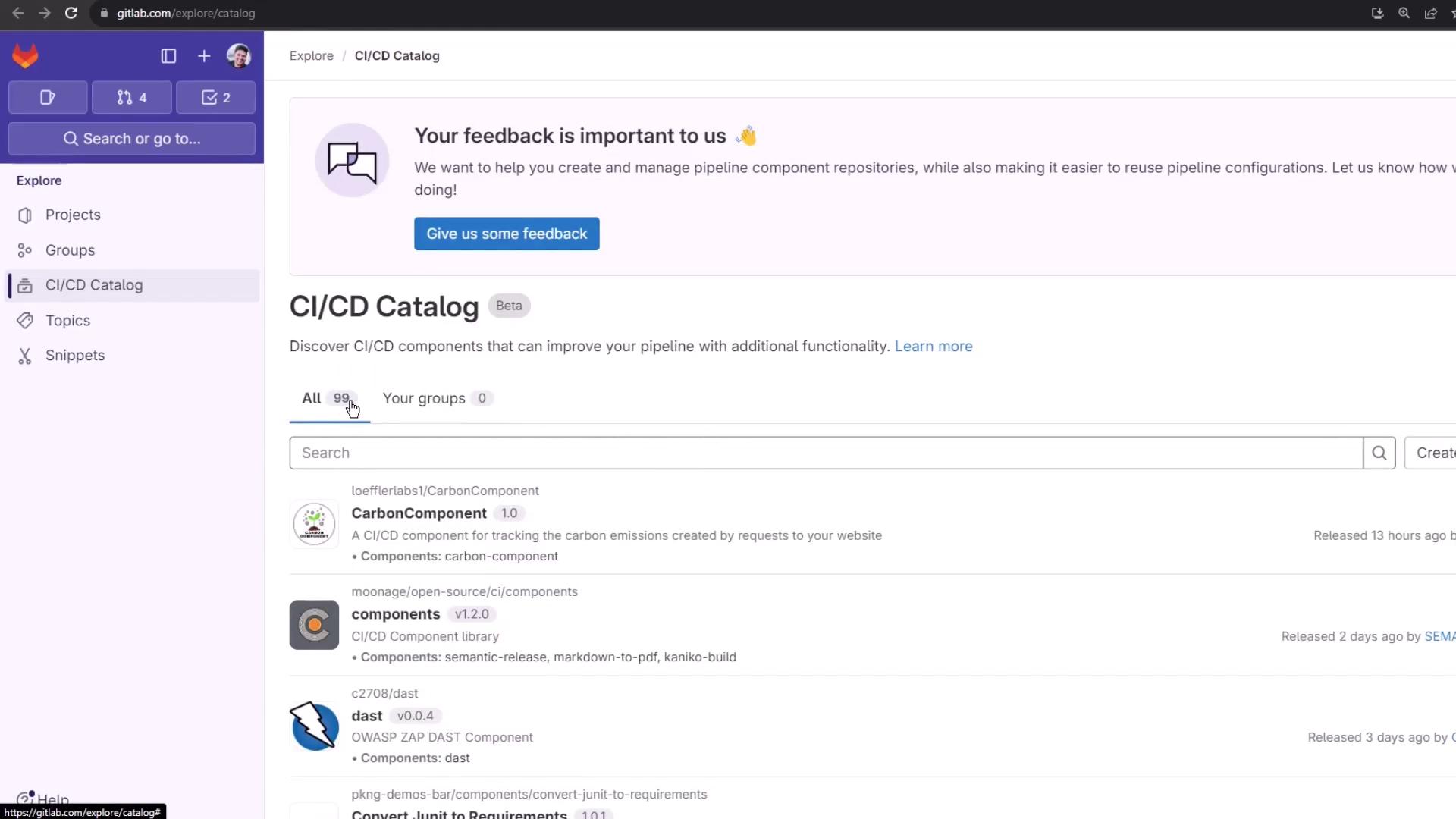
GitLab CI/CD components are reusable jobs and templates. Browse the [CI/CD Catalog][catalog-docs] (beta) to discover 99 components.
In the Pipeline Editor, search for **code-quality**:
```yaml theme={null}
workflow: …
stages: …
variables: …
unit_testing: …
docker_build: …
# … other jobs …
```
Click **code-quality** to view usage details and inspect its repository files:
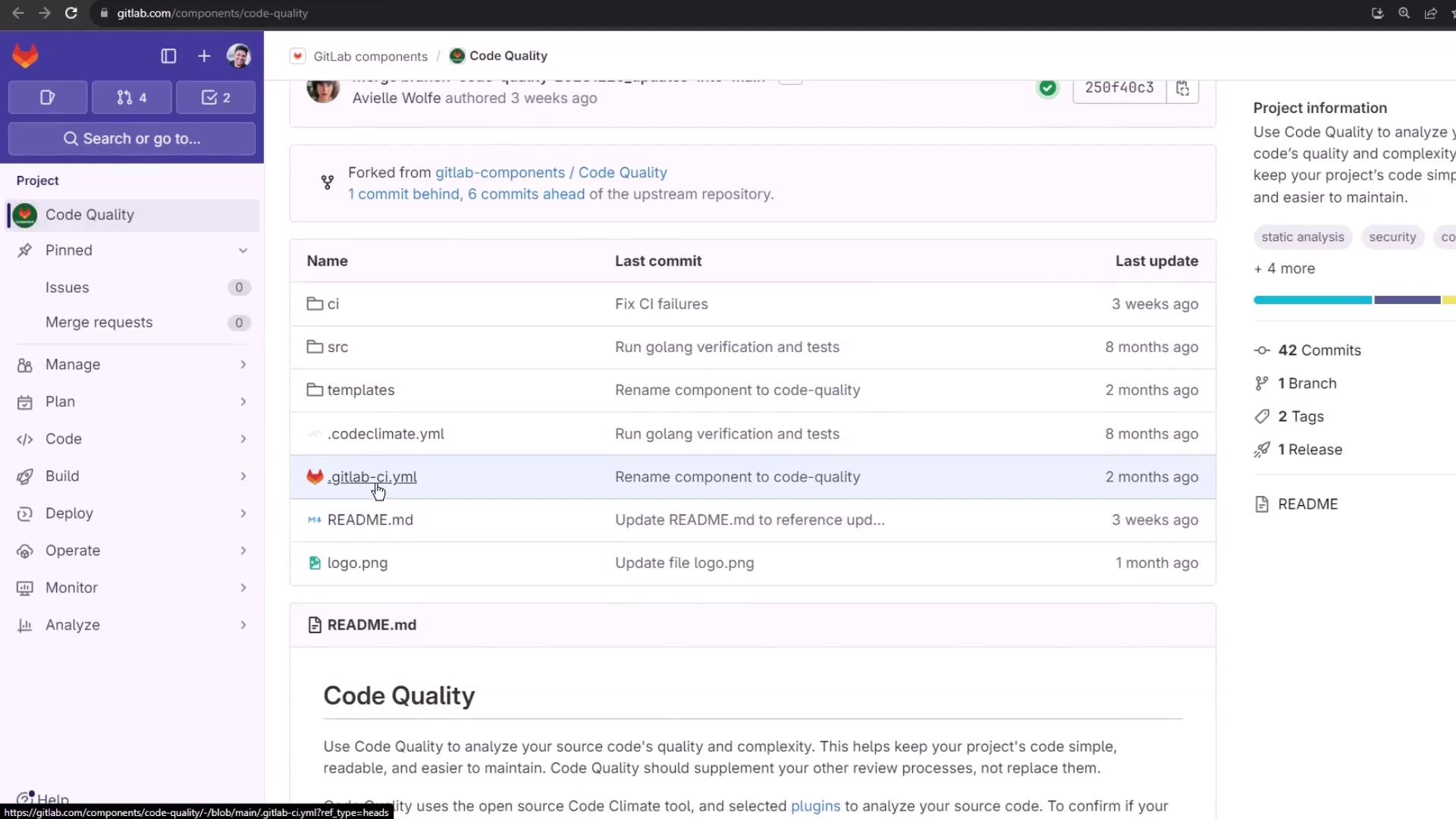
Snippet from the component’s template:
```yaml theme={null}
code_quality:
artifacts:
paths:
- gl-code-quality-report.json
rules:
- if: $CI_MERGE_REQUEST_ID || $CI_COMMIT_TAG || $CI_COMMIT_BRANCH
```
## 2. Add Code Quality to Your Pipeline
Start with a basic Node.js pipeline:
```yaml theme={null}
stages:
- test
.prepare_nodejs_environment: &prepare_nodejs
image: node:14
before_script:
- npm install
unit_testing:
stage: test
extends: *prepare_nodejs
script:
- npm test
artifacts:
when: always
expire_in: 3 days
reports:
coverage_report:
coverage_format: cobertura
path: coverage/cobertura-coverage.xml
```
Include the Code Quality component before defining your jobs:
```yaml theme={null}
include:
- component: gitlab.com/gitlab-components/code-quality/code-quality@1.0
stages:
- test
# … your existing jobs … #
```
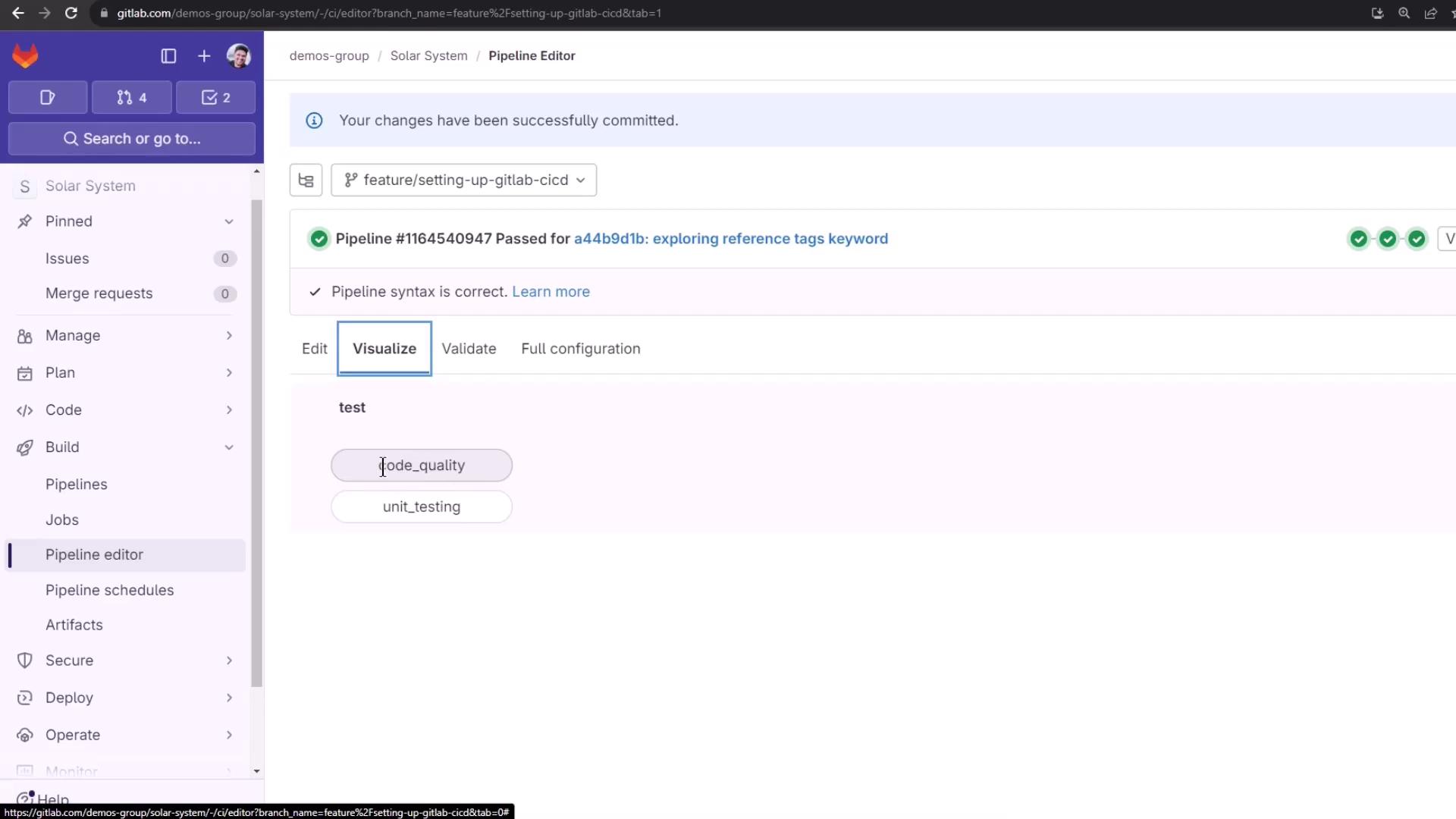
Once committed, the pipeline adds a `code_quality` job automatically:
### View the Merged Configuration
Click **View full config** in the pipeline editor to see how your `.gitlab-ci.yml` merges with the Code Quality template:
```yaml theme={null}
code_quality:
stage: test
image: docker:20.10.12
allow_failure: true
services:
- name: docker:20.10.12-dind
command: ["--tls=false", "--host=tcp://0.0.0.0:2375"]
variables:
DOCKER_DRIVER: overlay2
DOCKER_TLS_CERTDIR: ""
script:
- export SOURCE_CODE=$PWD
- docker pull -q $CI_TEMPLATE_REGISTRY_HOST/gitlab-org/ci-cd/codequality:0.96.0
- docker run --rm \
--volume "$SOURCE_CODE":/code \
--volume /var/run/docker.sock:/var/run/docker.sock \
$CI_TEMPLATE_REGISTRY_HOST/gitlab-org/ci-cd/codequality:0.96.0 /code
artifacts:
reports:
codequality:
- gl-code-quality-report.json
expire_in: 1 week
rules:
- if: '$CI_COMMIT_TAG || $CI_COMMIT_BRANCH'
when: always
```
By default, `allow_failure: true` ensures Code Quality issues don’t block merges.
## 3. Customize Stages & Report Formats
GitLab supports two special stages: `.pre` and `.post`. Assign `code_quality` to `.pre` for early feedback:
```yaml theme={null}
stages:
- ".pre"
- test
- build
- deploy
- ".post"
include:
- component: gitlab.com/gitlab-components/code-quality/code-quality@1.0
code_quality:
stage: ".pre"
```
To generate an HTML report instead of JSON:
```yaml theme={null}
code_quality:
stage: ".pre"
variables:
REPORT_FORMAT: html
artifacts:
paths:
- gl-code-quality-report.html
reports:
codequality: []
```
This stores `gl-code-quality-report.html` as a job artifact.
## 4. Pipeline Run & Artifacts
Triggering a commit runs both `code_quality` and `unit_testing` jobs:
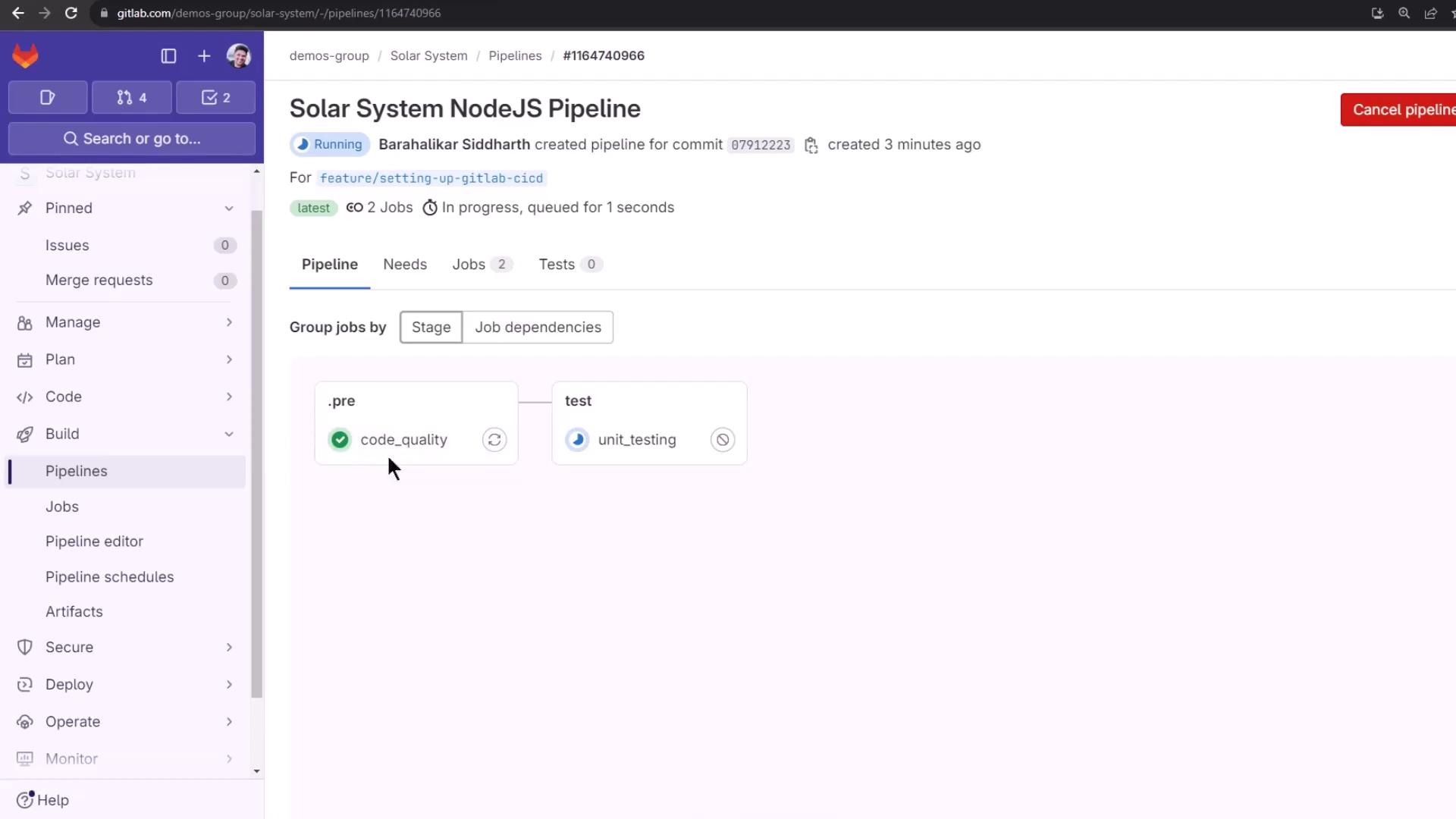
Inspect logs to see the analysis steps:
```bash theme={null}
$ export SOURCE_CODE=$PWD
$ docker pull -q $CI_TEMPLATE_REGISTRY_HOST/gitlab-org/ci-cd/codequality:0.96.0
$ docker run --rm \
--volume "$SOURCE_CODE":/code \
--volume /var/run/docker.sock:/var/run/docker.sock \
...
```
Browse the HTML or JSON report via the job’s **Browse** link. The report groups findings by:
* Bug Risk
* Complexity
* Duplication
* Style
For inline MR annotations, GitLab uses the JSON report.
### Example Findings
**Bug Risk**
```javascript theme={null}
throw new Error('Request failed.');
}).catch(function(error) {
alert("Ooops, We have 8 planets.\nSelect a number from 0 - 8");
console.log(error);
})
```
**Duplication**
```javascript theme={null}
describe('Fetching Planet Details', () => {
it('should fetch Mercury', (done) => {
const payload = { id: 1 };
chai.request(server)
.post('/planet')
.send(payload);
.end((err, res) => {
res.should.have.status(200);
res.body.should.have.property('name').eql('Mercury');
done();
});
});
});
```
## Additional Code Quality Features
Top-tier GitLab plans unlock more advanced tools:
| Feature | Availability |
| ----------------------------------- | --------------- |
| Pipeline view inline annotations | Premium & above |
| Project Quality Dashboard summaries | Ultimate |
| Merge Request **Changes** view | Ultimate |
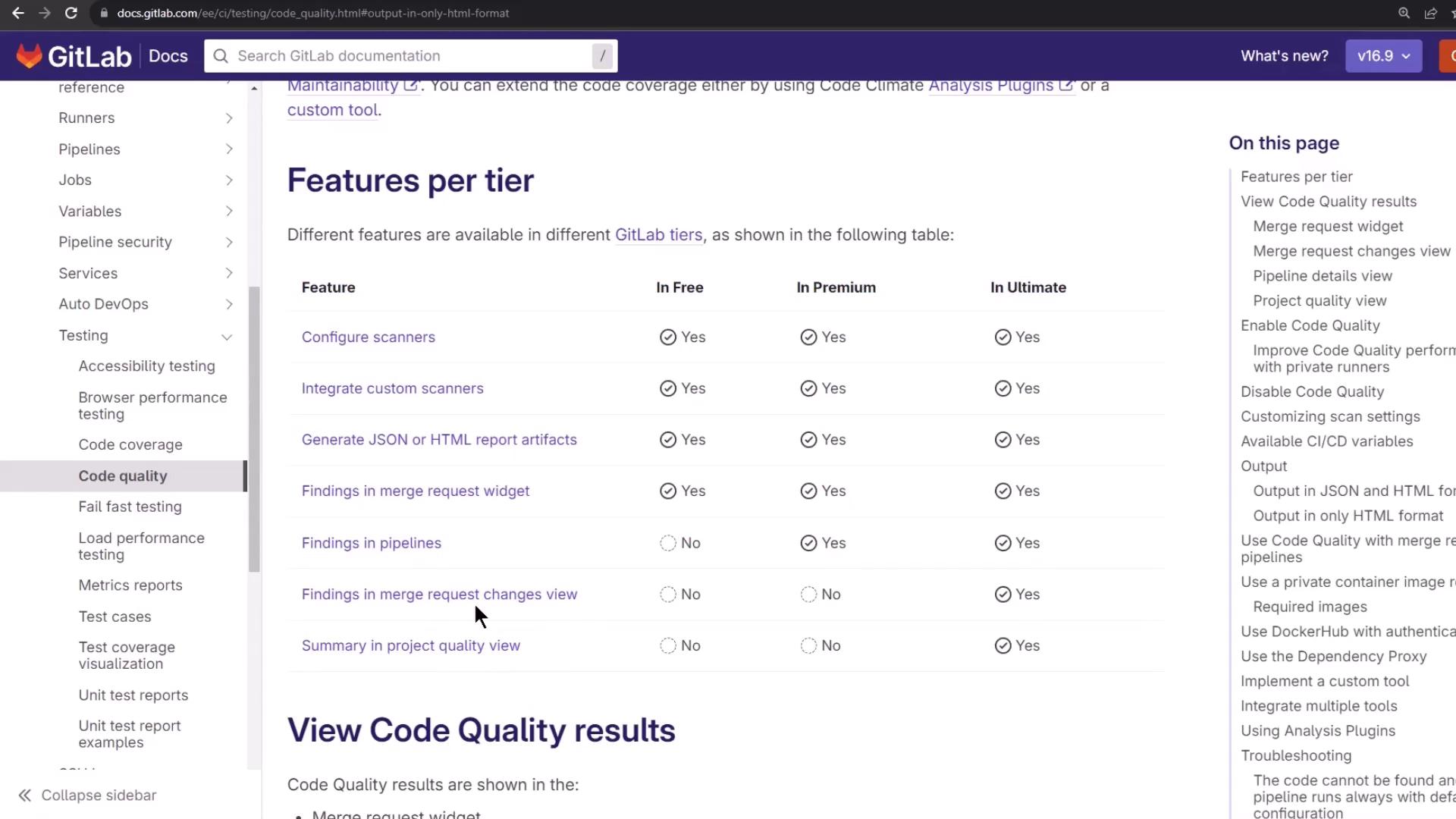
After review, your pipeline completes successfully:
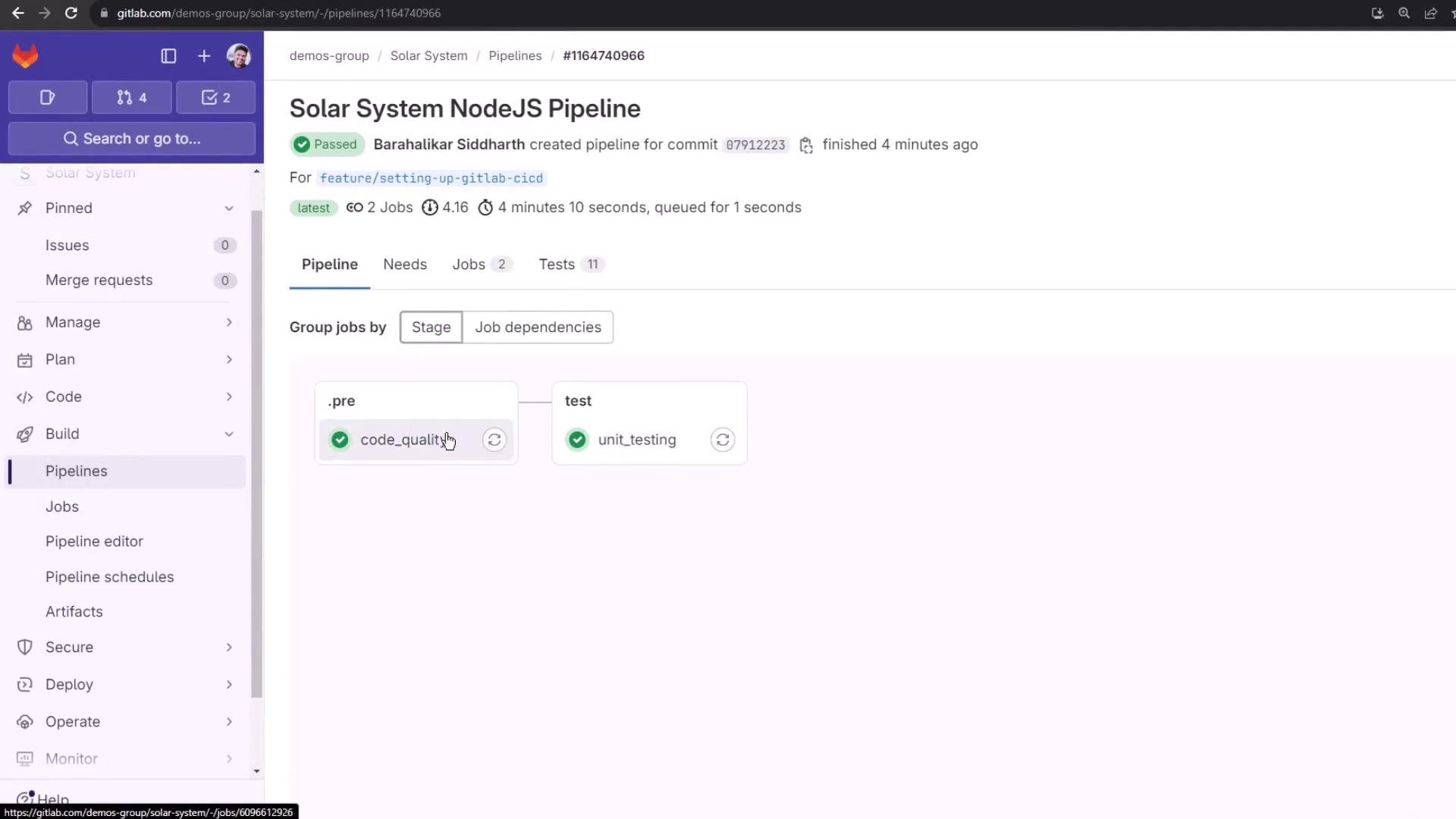
That’s it! You’ve integrated and customized GitLab’s Code Quality component to elevate your CI/CD standards.
***
## Links and References
* [GitLab CI/CD Components Catalog][catalog-docs]
* [Code Climate](https://codeclimate.com/)
* [GitLab CI/CD Documentation](https://docs.gitlab.com/ee/ci/)
[catalog-docs]: https://docs.gitlab.com/ee/ci/components/README.html