> ## Documentation Index
> Fetch the complete documentation index at: https://notes.kodekloud.com/llms.txt
> Use this file to discover all available pages before exploring further.
# Component Secret Detection
> This article explains how to configure Secret Detection in a GitLab CI/CD pipeline to scan for sensitive information.
Secret Detection is a critical security practice in a GitLab CI/CD pipeline. It scans your repository for sensitive information such as API tokens, SSH keys, and passwords, preventing accidental exposure. In this guide, we’ll walk through configuring Secret Detection using the GitLab Components catalog and Gitleaks under the hood.
## Initial Pipeline Setup
Start with a basic pipeline that prepares environments, runs code quality checks, SAST, and unit tests:
```yaml theme={null}
variables:
MONGO_URI: 'mongodb+srv://superCluster.d83jj.mongodb.net/superData'
MONGO_USERNAME: superuser
MONGO_PASSWORD: $M_DB_PASSWORD
SCAN_KUBERNETES_MANIFESTS: "true"
.prepare_nodejs_environment: ~
.prepare_deployment_environment: &kubernetes_deploy_job ~
code_quality:
stage: .pre
variables:
REPORT_FORMAT: html
artifacts:
paths:
- gl-code-quality-report.html
reports:
codequality: []
sast:
stage: .pre
unit_testing:
stage: test
extends: .prepare_nodejs_environment
script:
- npm test
```
## Add the Secret Detection Component
Pull in the official component from the [GitLab Components catalog](https://docs.gitlab.com/ee/ci/components/index.html) and conditionally disable it via a variable:
```yaml theme={null}
include:
- component: gitlab.com/gitlab-components/secret-detection/secret-detection@1.0
rules:
- if: $SECRET_DETECTION_DISABLED == "true" || $SECRET_DETECTION_DISABLED == "1"
when: never
```
This component leverages [Gitleaks](https://github.com/zricethezav/gitleaks) to scan commits and code for secrets.\
For full details, visit the [Secret Detection documentation](https://docs.gitlab.com/ee/user/application_security/secret_detection/).
## Ignoring Specific Lines
If you need to keep placeholder secrets or test tokens in your code, annotate those lines so Gitleaks will skip them:
```yaml theme={null}
"A personal token for GitLab will look like glpat-JUST20LETTERSANDNUMB" # gitleaks:allow
```
Use `# gitleaks:allow` sparingly—never suppress detection of real or production secrets.
## Enabling Full-History Scans
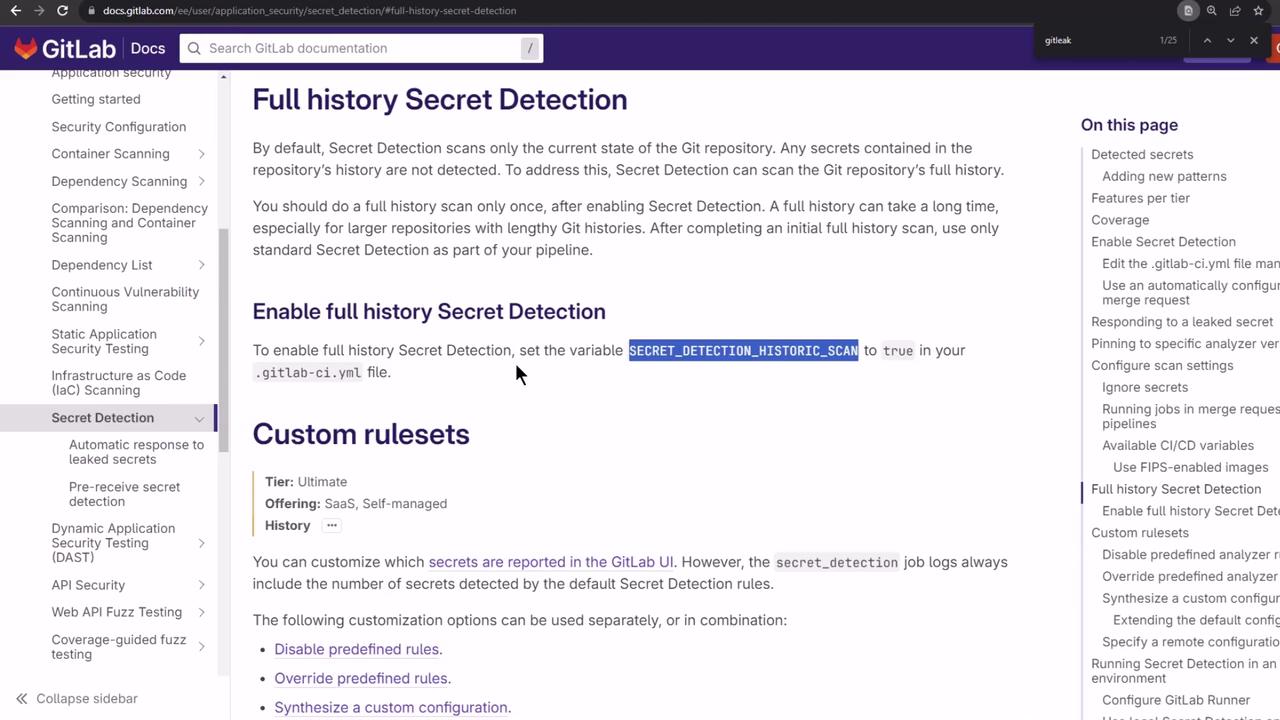
By default, Secret Detection inspects only the diff of each commit. To scan the entire repository history, set:
```yaml theme={null}
variables:
SECRET_DETECTION_HISTORIC_SCAN: "true"
```
## Customizing Detection Rules
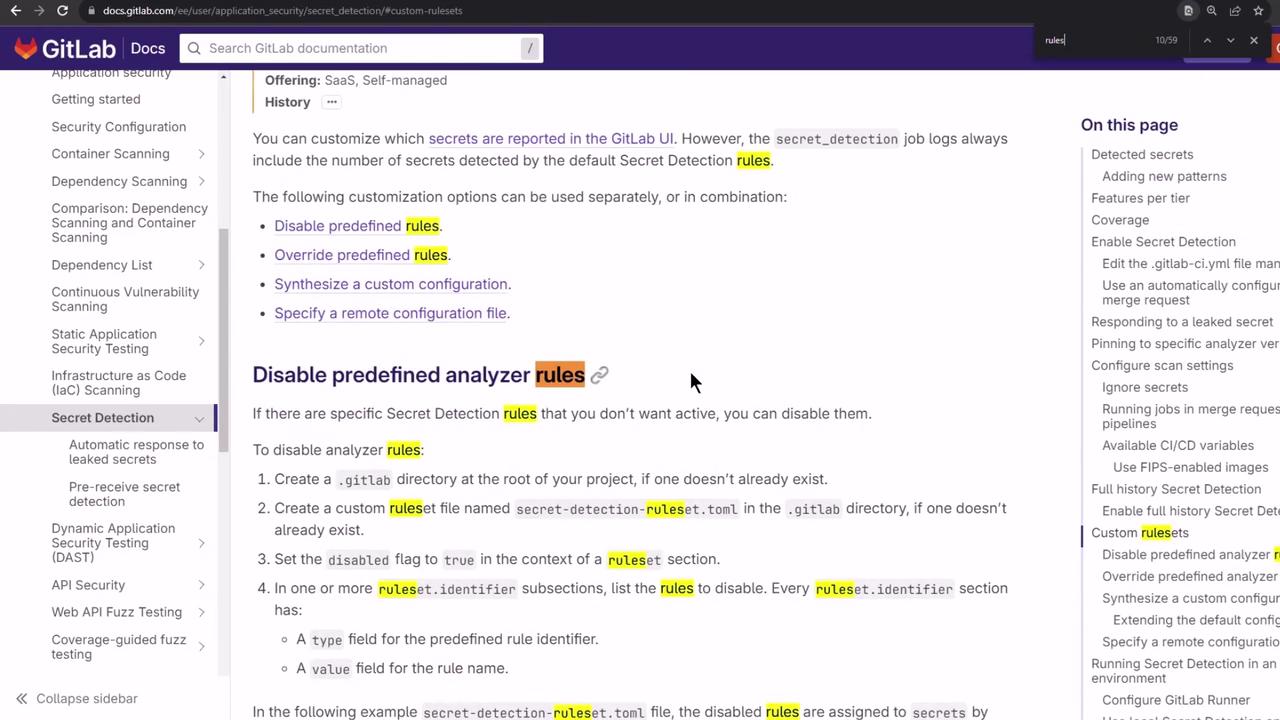
Gitleaks ships with over 100 built-in rules. You can override or extend these by providing a custom TOML file:
```toml theme={null}
title = "Custom Gitleaks Configuration"
[[rules]]
id = "gitlab_personal_access_token"
description = "GitLab Personal Access Token"
regex = '''\bgitlab-[0-9a-zA-Z\-_]{20}\b'''
tags = ["gitlab", "token"]
keywords = ["glpat"]
[[rules]]
id = "Twilio API Key"
description = "Twilio API Key"
regex = '''5[0-9A-F]{32}'''
keywords = ["twilio", "SK"]
[[rules]]
id = "Facebook token"
description = "Facebook token"
regex = '''(?![0-9]{0,25})(Facebook[a-z0-9-_]{0,5}):([a-z0-9]{32})'''
secretGroup = 2
keywords = ["facebook"]
```
| Secret Type | Pattern | Example Prefix |
| ---------------------------- | ------------------------------- | -------------- |
| GitLab Personal Access Token | `\bgitlab-[0-9a-zA-Z\-_]{20}\b` | glpat- |
| Twilio API Key | `5[0-9A-F]{32}` | SK |
| Facebook Token | `(Facebook…):([a-z0-9]{32})` | Facebook |
## Configuring the Secret Detection Job
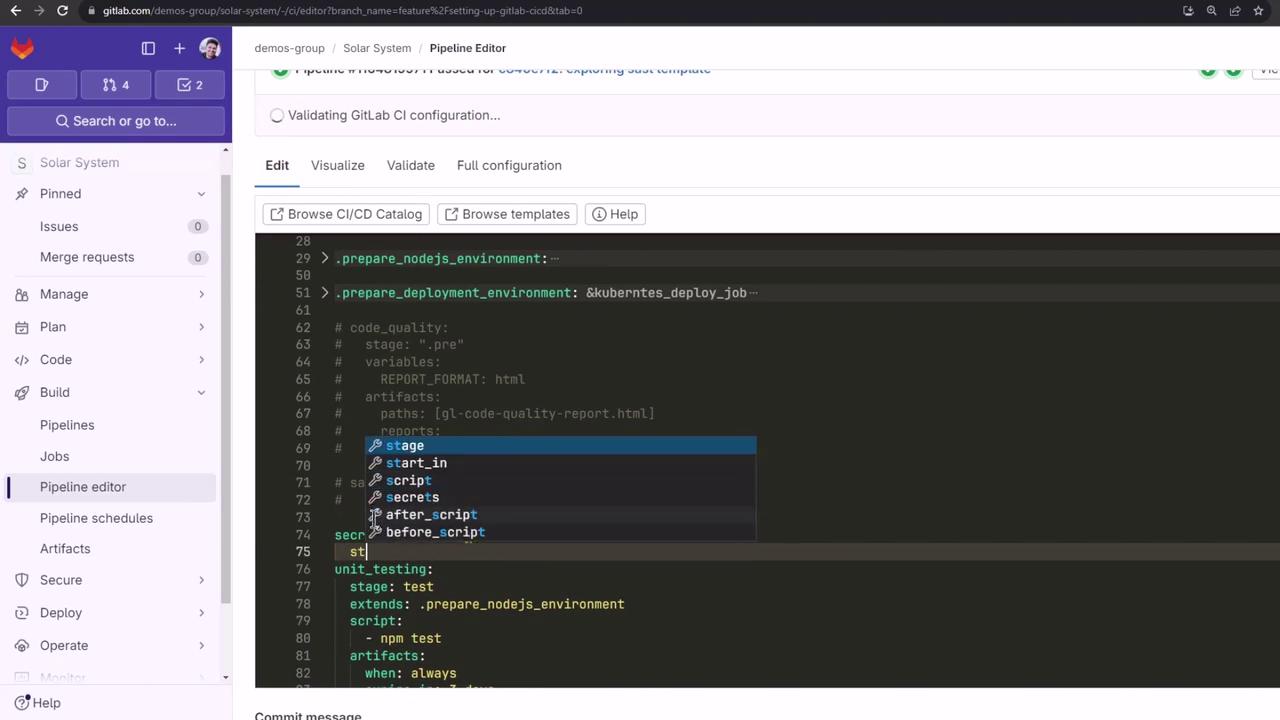
Integrate the `secret_detection` job into your `.gitlab-ci.yml`:
```yaml theme={null}
stages:
- .pre
- test
secret_detection:
stage: .pre
image: "$CI_TEMPLATE_REGISTRY_HOST/security-products/secrets:5"
services: []
allow_failure: true
variables:
GIT_DEPTH: '50'
SECRET_DETECTION_EXCLUDED_PATHS: ''
SECRET_DETECTION_HISTORIC_SCAN: 'true'
artifacts:
reports:
secret_detection: gl-secret-detection-report.json
rules:
- if: '$CI_COMMIT_BRANCH'
when: always
script:
- /analyzer run
unit_testing:
stage: test
extends: .prepare_nodejs_environment
script:
- npm test
```
You can also edit this in the [GitLab Pipeline Editor](https://docs.gitlab.com/ee/ci/pipeline_editor/):
## Running a Test Secret Scan
Commit a dummy secret (e.g., an `id_rsa` SSH private key) to a feature branch and watch the Secret Detection job:
```bash theme={null}
$ /analyzer run
[INFO] [secrets] GitLab secrets analyzer v5.1.19
[INFO] [secrets] Detecting project
[INFO] [secrets] Running analyzer
[INFO] [secrets] gitleaks
[08:05AM] 53 commits scanned.
[08:05AM] INF scan completed in 115ms
[08:05AM] WARN leaks found: 1
```
## Viewing Artifacts
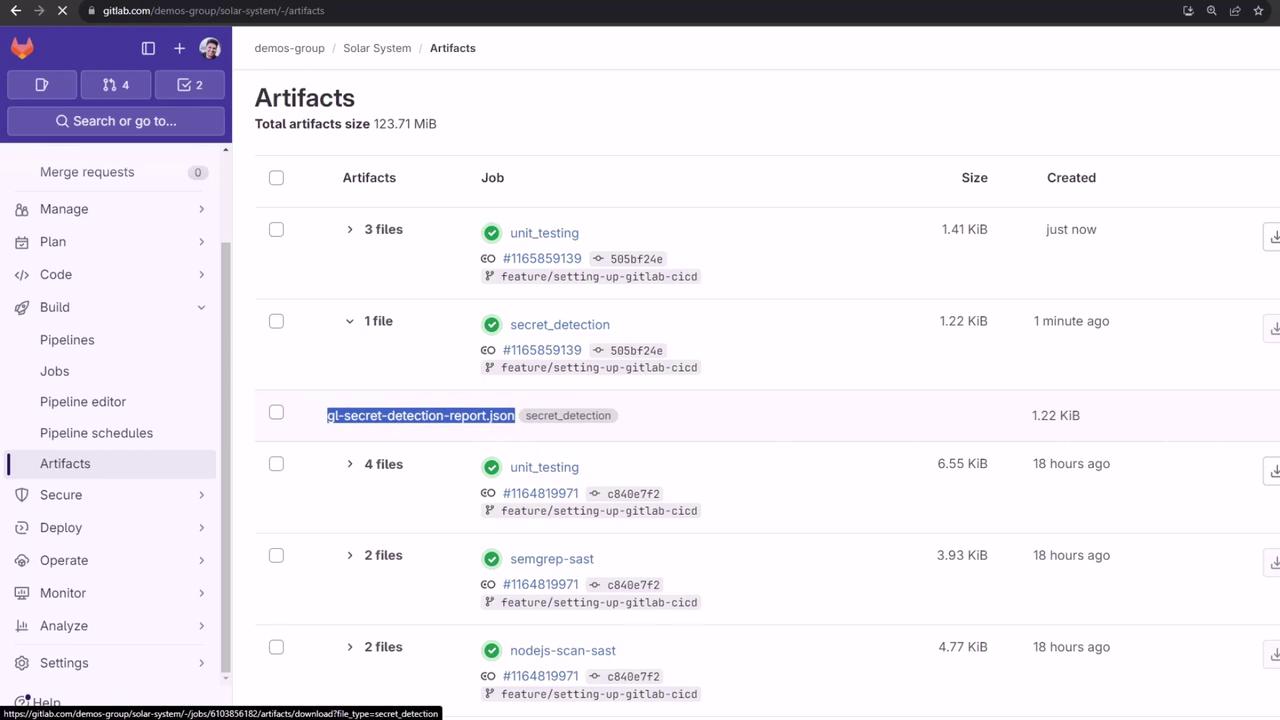
After the job finishes, download the JSON report from the artifacts list:
## Interpreting the JSON Report
The `gl-secret-detection-report.json` includes each finding’s details:
```json theme={null}
{
"version": "15.0.7",
"vulnerabilities": [
{
"id": "44227fc2996...",
"category": "secret_detection",
"name": "SSH private key",
"description": "SSH private key secret has been found in commit 50bf24e.",
"severity": "Critical",
"raw_source_code_extract": "-----BEGIN OPENSSH PRIVATE KEY-----",
"scanner": {
"id": "gitleaks",
"name": "Gitleaks"
}
}
],
"location": {
"file": "id_rsa",
"commit": {
"author": "Barahalikar Siddharth",
"date": "2024-02-06T08:05:16Z",
"message": "Upload New File",
"sha": "50bf24e579301b8c349a428f89c9edddd6df8"
}
},
"start_line": 1,
"identifiers": ["gitleaks"]
}
```
Additional scan metadata:
```json theme={null}
{
"scan": {
"analyzer": {
"id": "secrets",
"name": "secrets",
"version": "5.1.19"
},
"scanner": {
"id": "gitleaks",
"name": "Gitleaks",
"version": "8.18.1"
}
},
"type": "secret_detection",
"status": "success",
"start_time": "2024-02-06T08:05:27",
"end_time": "2024-02-06-08:05:28"
}
```
## Next Steps
1. Remove exposed secrets from the current commit.
2. Rewrite history to purge sensitive data.
3. Rotate any compromised keys or tokens.
## References
* [Secret Detection Documentation](https://docs.gitlab.com/ee/user/application_security/secret_detection/)
* [GitLab Components Catalog](https://docs.gitlab.com/ee/ci/components/index.html)
* [Gitleaks on GitHub](https://github.com/zricethezav/gitleaks)