> ## Documentation Index
> Fetch the complete documentation index at: https://notes.kodekloud.com/llms.txt
> Use this file to discover all available pages before exploring further.
# Template SAST
> Static Application Security Testing integrates into GitLab CI/CD to identify code vulnerabilities early, supporting various languages and manifest types before deployment.
## Overview
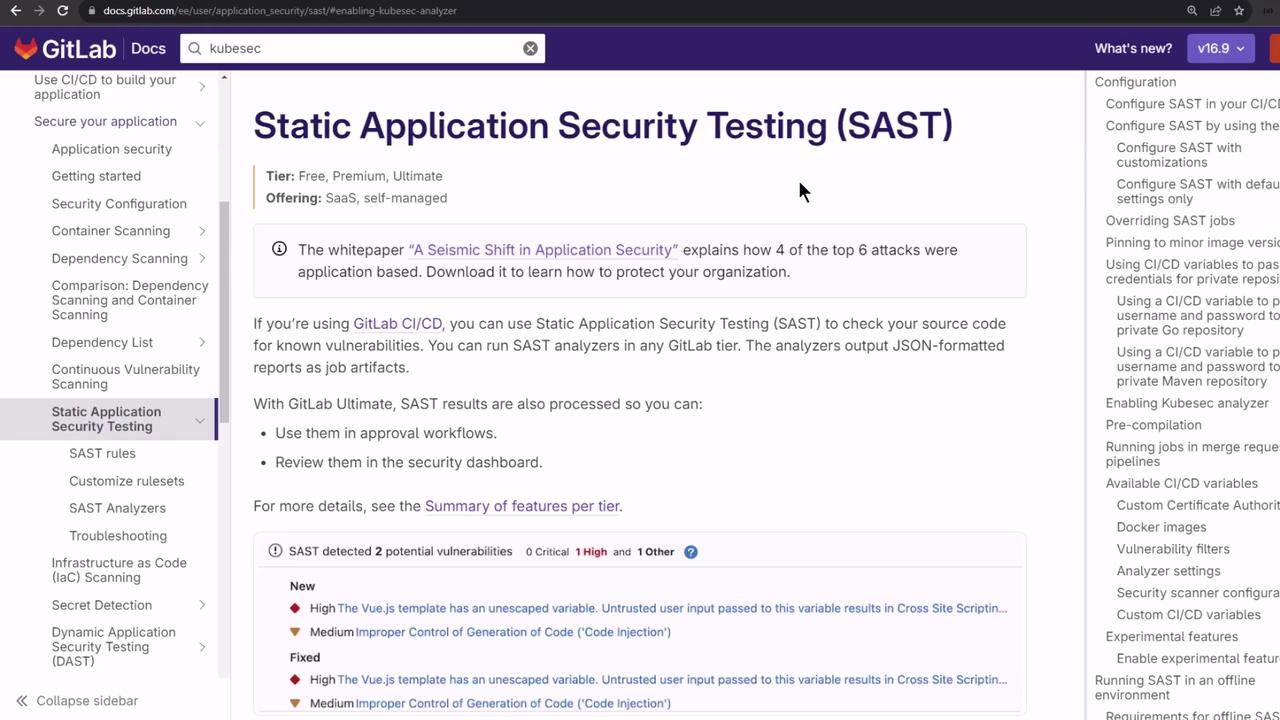
Static Application Security Testing (SAST) integrates directly into your GitLab CI/CD pipelines to catch code and manifest vulnerabilities early. It supports scanning source code, Kubernetes YAML, and Helm charts before deployment. While all GitLab plans can run SAST analyzers, Ultimate subscribers enjoy rich dashboards; free tiers can parse JSON reports.
## Supported Languages and Manifests
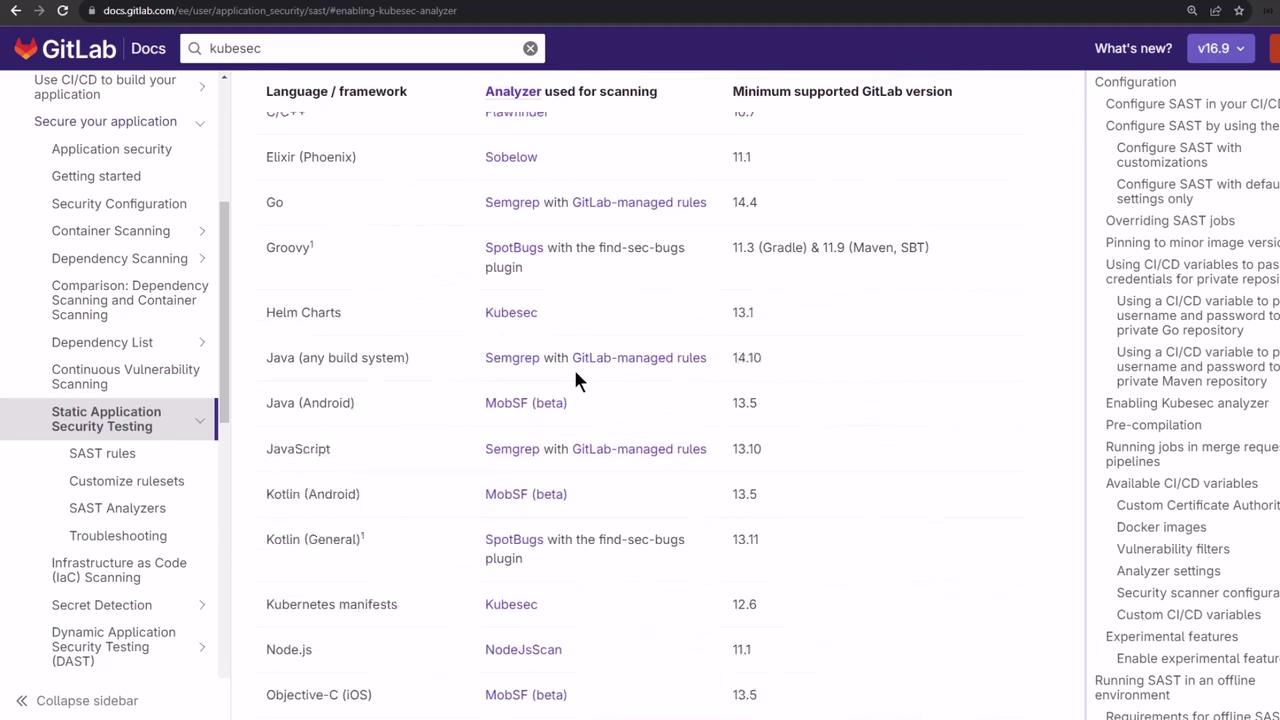
GitLab’s SAST documentation lists supported languages, frameworks, and manifest types. In JavaScript/Node.js projects, analyzers include [Semgrep](https://gitlab.com/gitlab-org/security-products/semgrep) and [NodeJsScan](https://gitlab.com/gitlab-org/security-products/nodejs-scan). Kubernetes YAML can be scanned with [KubeSec](https://gitlab.com/gitlab-org/security-products/kubesec).
## Available Analyzers
The following table summarizes core SAST analyzers:
| Analyzer | Purpose | Installation / Notes |
| ---------- | ---------------------------------- | -------------------------------- |
| NodeJsScan | Finds Node.js vulnerabilities | `pip install njsscan==` |
| Semgrep | Pattern-based static checks | Bundled in CI template |
| KubeSec | Analyzes Kubernetes manifest YAMLs | Bundled in CI template |
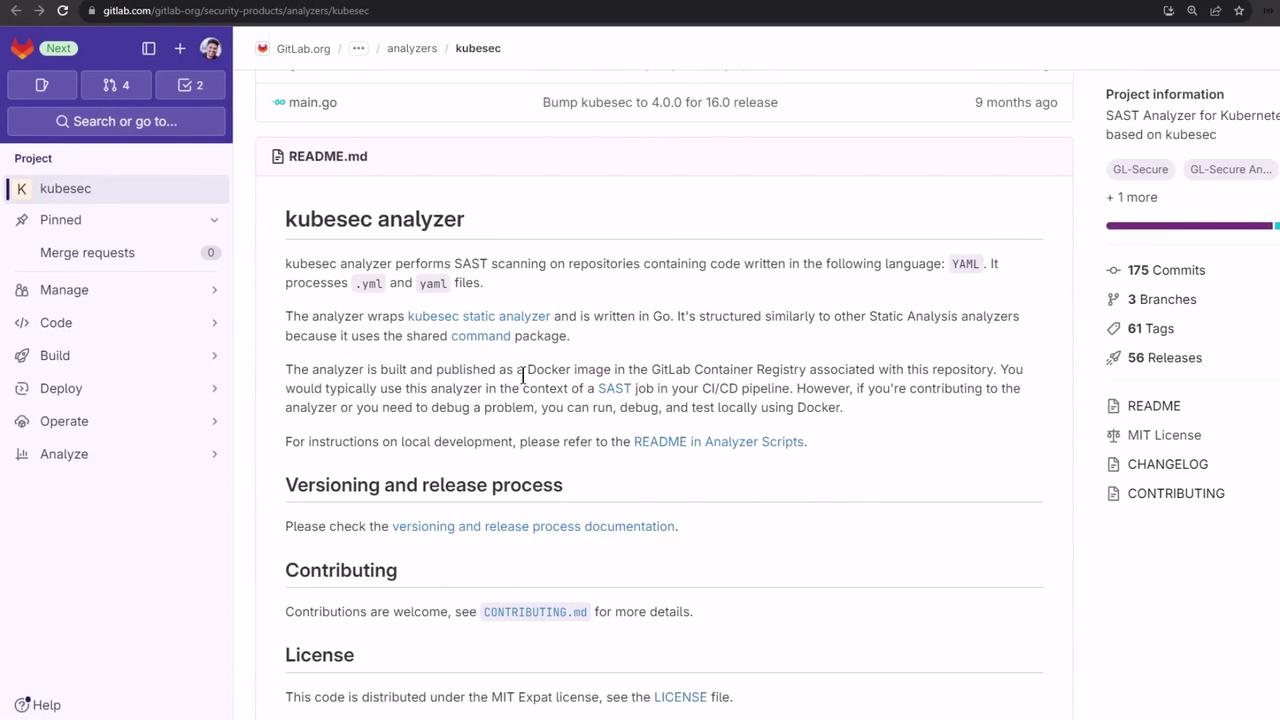
Each analyzer repository includes detailed scanning logic and JSON report schemas.
## Enabling SAST via CI/CD Template
GitLab’s built-in template `Jobs/SAST.gitlab-ci.yml` auto-detects languages and injects relevant jobs. To activate it:
```yaml theme={null}
include:
- template: Jobs/SAST.gitlab-ci.yml
```
External YAML files or local snippets can be added with the `include` keyword, streamlining long configurations and avoiding duplication.

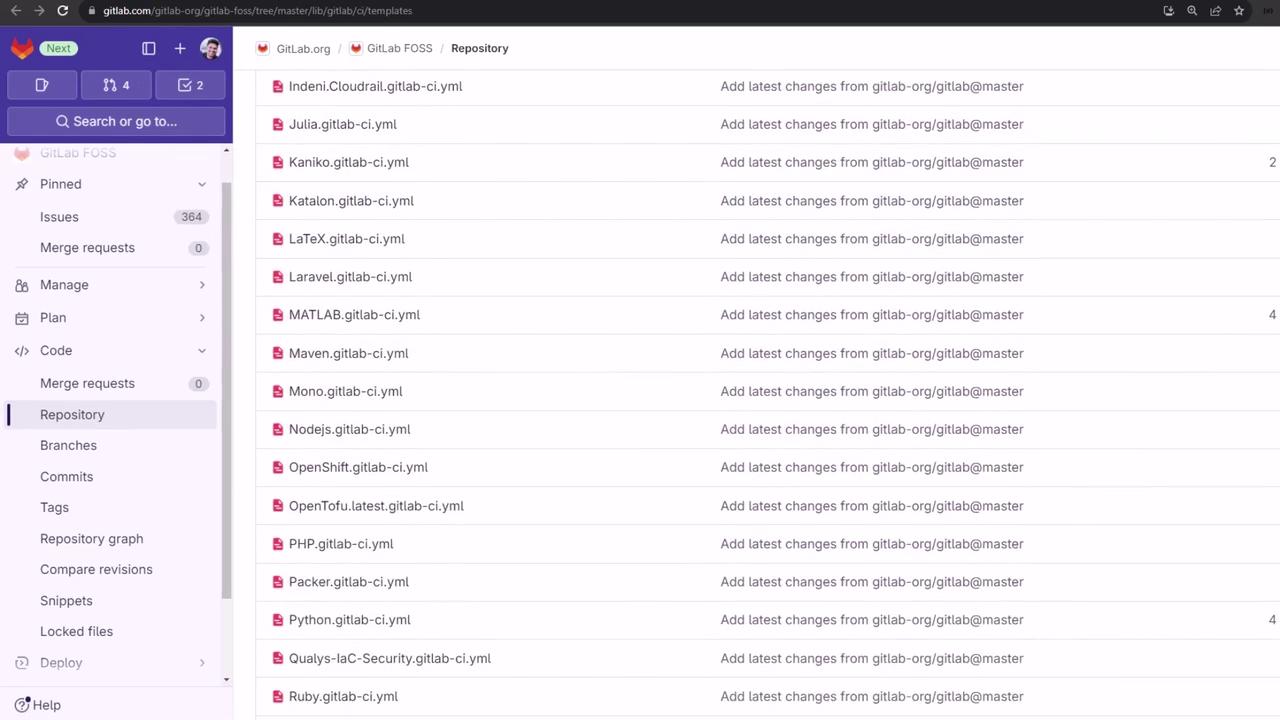
GitLab also offers a **Browse templates** UI to select from all out-of-the-box CI/CD snippets.
## Default SAST Jobs
The `Jobs/SAST.gitlab-ci.yml` template defines jobs like:
```yaml theme={null}
sast-analyzer:
extends: sast
allow_failure: true
script:
- echo "$CI_JOB_NAME is for pipeline configuration only"
- exit 1
semgrep-sast:
extends: sast-analyzer
image: "$SAST_ANALYZER_IMAGE"
variables:
SAST_ANALYZER_IMAGE_TAG: "$SAST_ANALYZER_IMAGE_TAG"
rules:
- if: $SAST_DISABLED == 'true' || $SAST_DISABLED == '1'
when: never
- if: $SAST_EXCLUDED_ANALYZERS =~ /semgrep-sast/
when: never
- exists:
- "**/*.js"
```
By default, SAST jobs run in the `test` stage and publish a JSON report at `gl-sast-report.json`:
```yaml theme={null}
sast:
stage: test
artifacts:
reports:
sast: gl-sast-report.json
rules:
- when: always
allow_failure: true
- changes:
- "**/*.js"
- "**/*.rb"
```
All SAST jobs default to `allow_failure: true`, so pipelines won’t be blocked by detected issues.
## Customizing SAST Configuration
You can tweak the SAST template by setting CI variables:
```yaml theme={null}
variables:
SCAN_KUBERNETES_MANIFESTS: "true"
```
This variable injects the `kubesec-sast` job. Additional options:
```yaml theme={null}
variables:
SECURE_ANALYZERS_PREFIX: "$CI_TEMPLATE_REGISTRY_HOST/security-products"
SAST_EXCLUDED_ANALYZERS: "nodejs-scan"
SAST_EXCLUDED_PATHS: "spec,test,tmp"
```
## Adjusting the SAST Stage
To run SAST in a custom stage (for example, `.pre`):
```yaml theme={null}
stages:
- .pre
- test
- deploy
include:
- template: Jobs/SAST.gitlab-ci.yml
variables:
SCAN_KUBERNETES_MANIFESTS: "true"
sast:
stage: .pre
```
You can comment out unused templates:
```yaml theme={null}
# include:
# - template: Security/Code-Quality.gitlab-ci.yml
```
### Example `.gitlab-ci.yml`
A minimal pipeline running SAST and Node.js unit tests:
```yaml theme={null}
stages:
- .pre
- test
include:
- template: Jobs/SAST.gitlab-ci.yml
variables:
SCAN_KUBERNETES_MANIFESTS: "true"
.prepare_nodejs_environment:
image: node:16
before_script:
- npm ci
sast:
stage: .pre
unit_testing:
stage: test
extends: .prepare_nodejs_environment
script:
- npm test
artifacts:
when: always
expire_in: 3 days
paths:
- test-results.xml
reports:
junit: test-results.xml
```
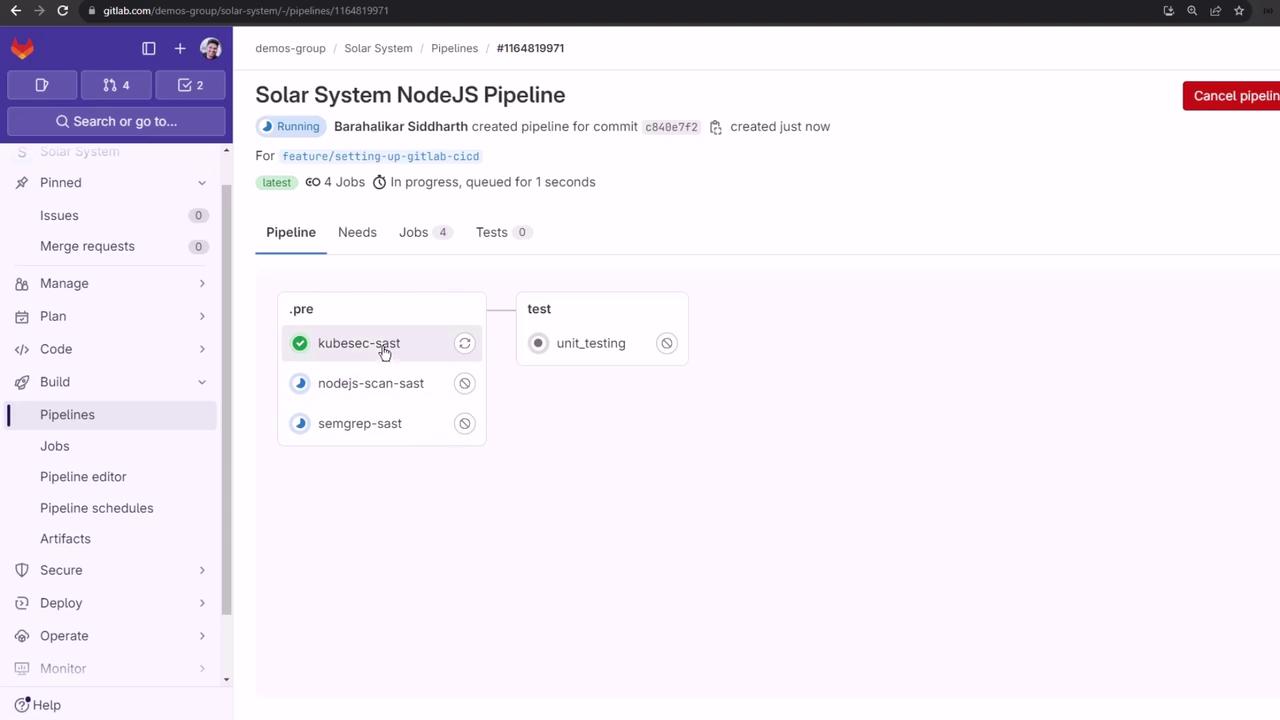
After pushing, you’ll see SAST in `.pre` followed by `unit_testing` in `test`.
## Viewing SAST Reports
Each SAST job outputs a `gl-sast-report.json`. Download and inspect it with any JSON viewer.
### Example KubeSec Report
```json theme={null}
{
"version": "15.0.7",
"vulnerabilities": [],
"scan": {
"analyzer": {
"id": "kubesc",
"name": "Kubesc",
"version": "4.0.10"
},
"scanner": {
"id": "kubesc",
"name": "Kubesc",
"version": "2.14.0"
}
},
"type": "sast"
}
```
### Example NodeJsScan Report
```json theme={null}
{
"version": "15.0.7",
"vulnerabilities": [
{
"id": "2d92ba5c9c2e73c14c5a0da201ba74110e14c4ec9640dbf1becfcb05c5295b",
"name": "node_nosqli_injection",
"description": "Untrusted user input in findOne() can result in NoSQL Injection.",
"severity": "High",
"location": {
"file": "app.js",
"start_line": 44,
"end_line": 53
},
"identifiers": [
{
"type": "njsscan_rule_type",
"value": "CWE-943"
}
],
"scanner": {
"id": "nodejs-scan",
"name": "NodeJsScan"
}
}
]
}
```
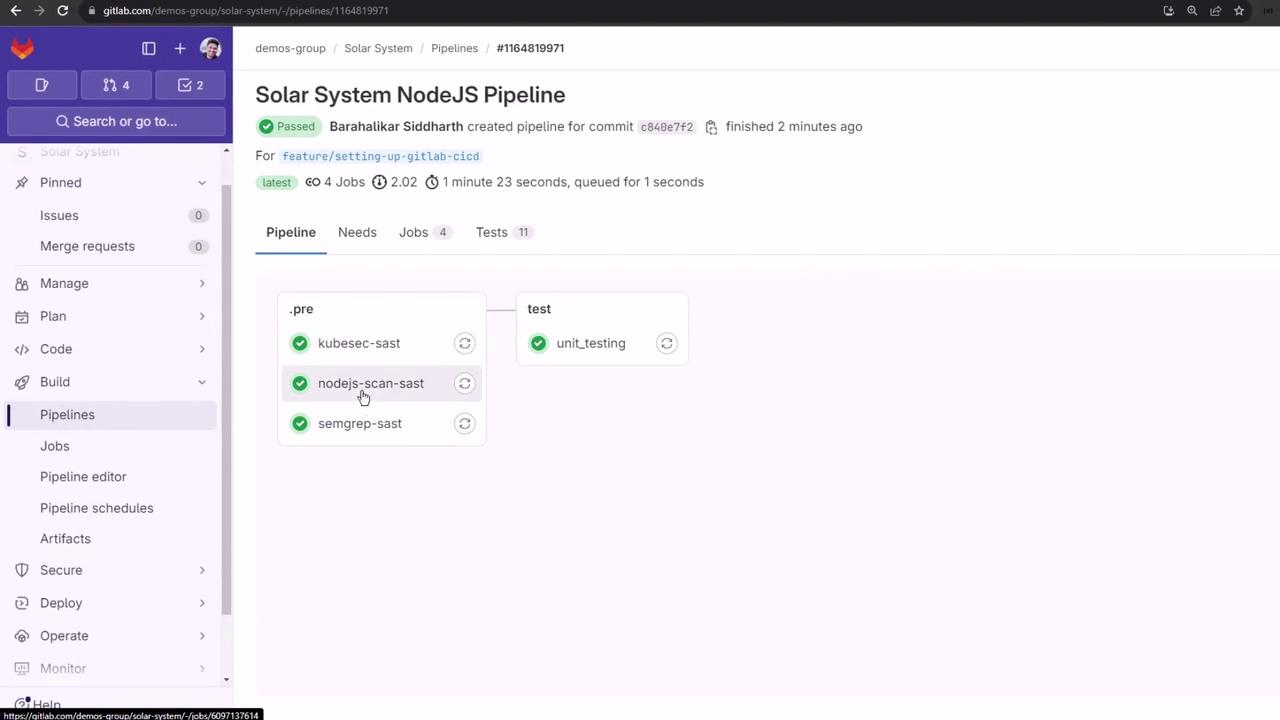
Even when vulnerabilities are flagged, subsequent jobs run by default. In higher tiers, issues appear in the Security Dashboard and MR views.
***
## Links and References
* [GitLab SAST Documentation](https://docs.gitlab.com/ee/user/application_security/sast/)
* [Semgrep on GitLab](https://gitlab.com/gitlab-org/security-products/semgrep)
* [NodeJsScan on GitLab](https://gitlab.com/gitlab-org/security-products/nodejs-scan)
* [KubeSec on GitLab](https://gitlab.com/gitlab-org/security-products/kubesec)