> ## Documentation Index
> Fetch the complete documentation index at: https://notes.kodekloud.com/llms.txt
> Use this file to discover all available pages before exploring further.
# Template and Types of Includes
> Learn to streamline GitLab CI/CD pipelines with reusable templates and includes to reduce YAML duplication and enhance project consistency.
In this lesson, you’ll discover how to streamline your GitLab CI/CD pipelines using reusable templates and various include types. By the end, you’ll be able to eliminate repetitive YAML, enforce consistency across projects, and leverage GitLab’s built-in templates and external includes.
## The Challenge of Repetitive CI YAML
When you define similar jobs (e.g., unit tests, code coverage) across multiple repositories, you often end up duplicating large blocks of configuration:
```yaml theme={null}
# .gitlab-ci.yml
unit_testing:
image: node:17-alpine3.14
services:
- name: siddharth67/mongo-db:non-prod
cache:
policy: pull-push
key:
files:
- package.json
paths:
- node_modules
before_script:
- npm install
script:
- npm test
code_coverage:
image: node:17-alpine3.14
services:
- name: siddharth67/mongo-db:non-prod
cache:
policy: pull-push
key:
files:
- package.json
paths:
- node_modules
before_script:
- npm install
script:
- npm run coverage
rules:
- if: '$CI_COMMIT_BRANCH == "main"'
when: manual
```
Maintaining these blocks manually is error-prone and time-consuming. Templates and includes help you define once and reuse everywhere.
## GitLab CI/CD Templates
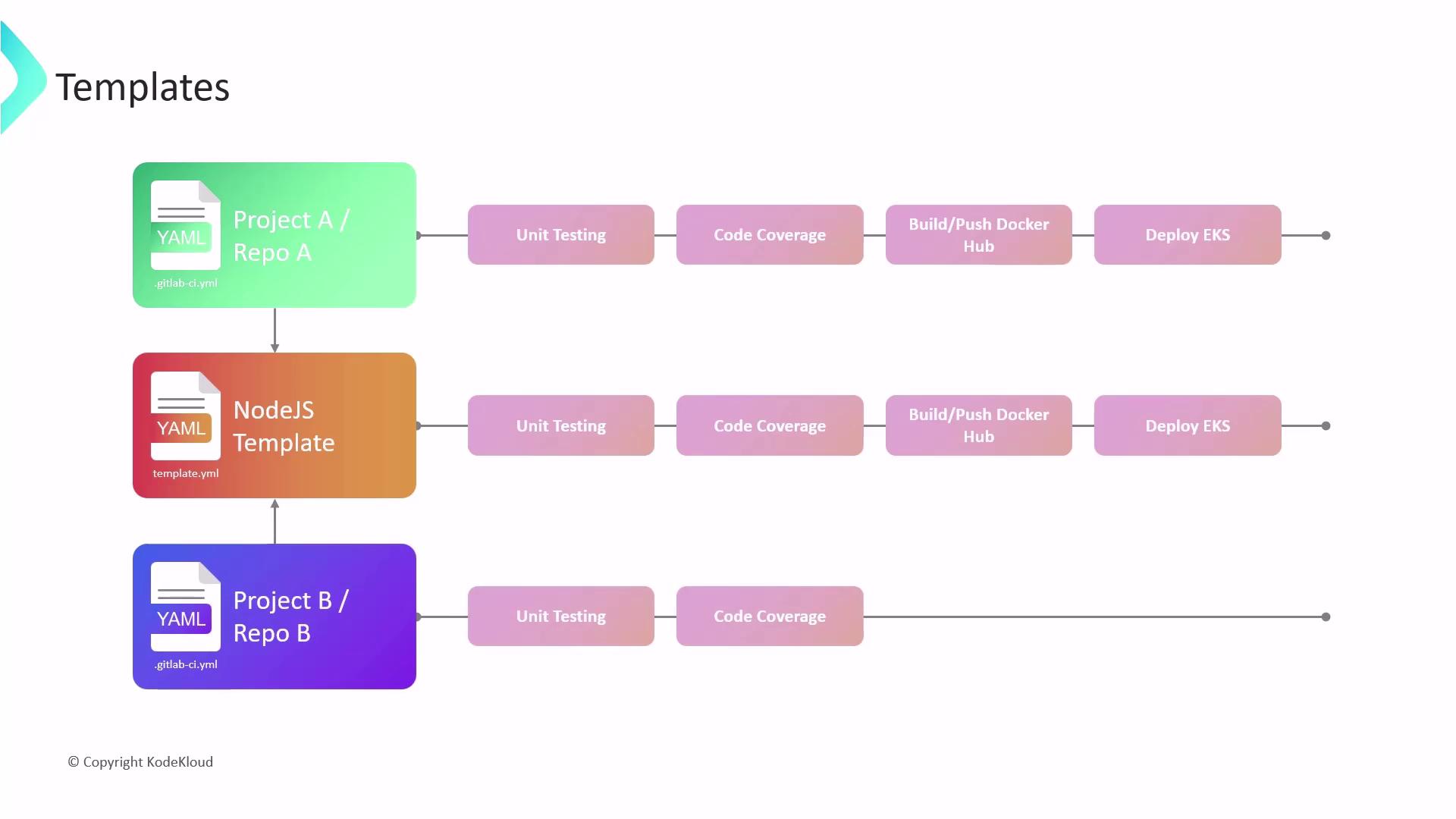
GitLab provides two primary template categories:
* **Pipeline Templates**\
Full end-to-end CI/CD workflows for common project types (Node.js, Ruby on Rails, etc.).
* **Job Templates**\
Standalone jobs for tasks like security scans, linting, or Docker builds.
By including a template, you inherit predefined stages and jobs, then override or extend only what’s unique to your project.
Built-in templates live in the [`gitlab-org/gitlab` repository][gitlab-templates]. You can also publish your own templates in a dedicated project.
### Example: Reusing a Node.js Pipeline Template
Team A and Team B share a common Node.js template but customize deployment targets:
* **Team A**
* Registry: Docker Hub
* Deployment: AWS EKS
* **Team B**
* Registry: Google Container Registry
* Deployment: GKE
Both pipelines run the same stages—unit testing, code coverage, build & push, deploy—but inject different variables, credentials, and `script` overrides.
## Key Takeaways
* Reusable templates accelerate onboarding and ensure best practices.
* Modular design lets teams opt into only the stages they require.
* Customization points (variables, `before_script`, `after_script`) handle project-specific needs.
## Types of Includes
GitLab CI/CD supports four include sources:
| Include Type | Description | YAML Example |
| ------------ | --------------------------------------------- | ------------------------------------------------------------------------------------------------- |
| local | Files in the same repo/branch | `- local: 'jobs/.after-script.yml'` |
| remote | YAML from an external URL | `- remote: 'https://example.com/ci/.before-script.yml'` |
| project | Files in another project on the same instance | `- project: 'my-group/avengers-project'`
` ref: main`
` file: '/jobs/.gitlab-ci.yml'` |
| template | GitLab’s built-in CI templates | `- template: 'Code-Quality.gitlab-ci.yml'` |
When using `local` includes, the default branch is `HEAD`. Specify `ref` if you need a different branch or tag.
### Conditional Includes
You can apply includes only under specific conditions using `rules`:
```yaml theme={null}
include:
- template: 'Code-Quality.gitlab-ci.yml'
rules:
- if: '$CI_COMMIT_BRANCH =~ /^feature\//'
when: always
```
This ensures that the Code-Quality template is only included for feature branches.
## References
* [GitLab CI/CD Includes Documentation][includes-docs]
* [GitLab CI/CD Templates Overview][templates-docs]
[gitlab-templates]: https://gitlab.com/gitlab-org/gitlab/-/tree/master/lib/gitlab/ci/templates
[includes-docs]: https://docs.gitlab.com/ee/ci/yaml/includes.html
[templates-docs]: https://docs.gitlab.com/ee/ci/yaml/#using-built-in-ci-templates