> ## Documentation Index
> Fetch the complete documentation index at: https://notes.kodekloud.com/llms.txt
> Use this file to discover all available pages before exploring further.
# FluxCD Concepts amp Terminology
> This article provides an overview of FluxCDs core components and GitOps terminology.
This guide assumes you're familiar with [GitOps](https://www.gitops.tech/), [Docker](https://www.docker.com/), [Kubernetes](https://kubernetes.io/), and CI/CD workflows.
## Key Concepts Overview
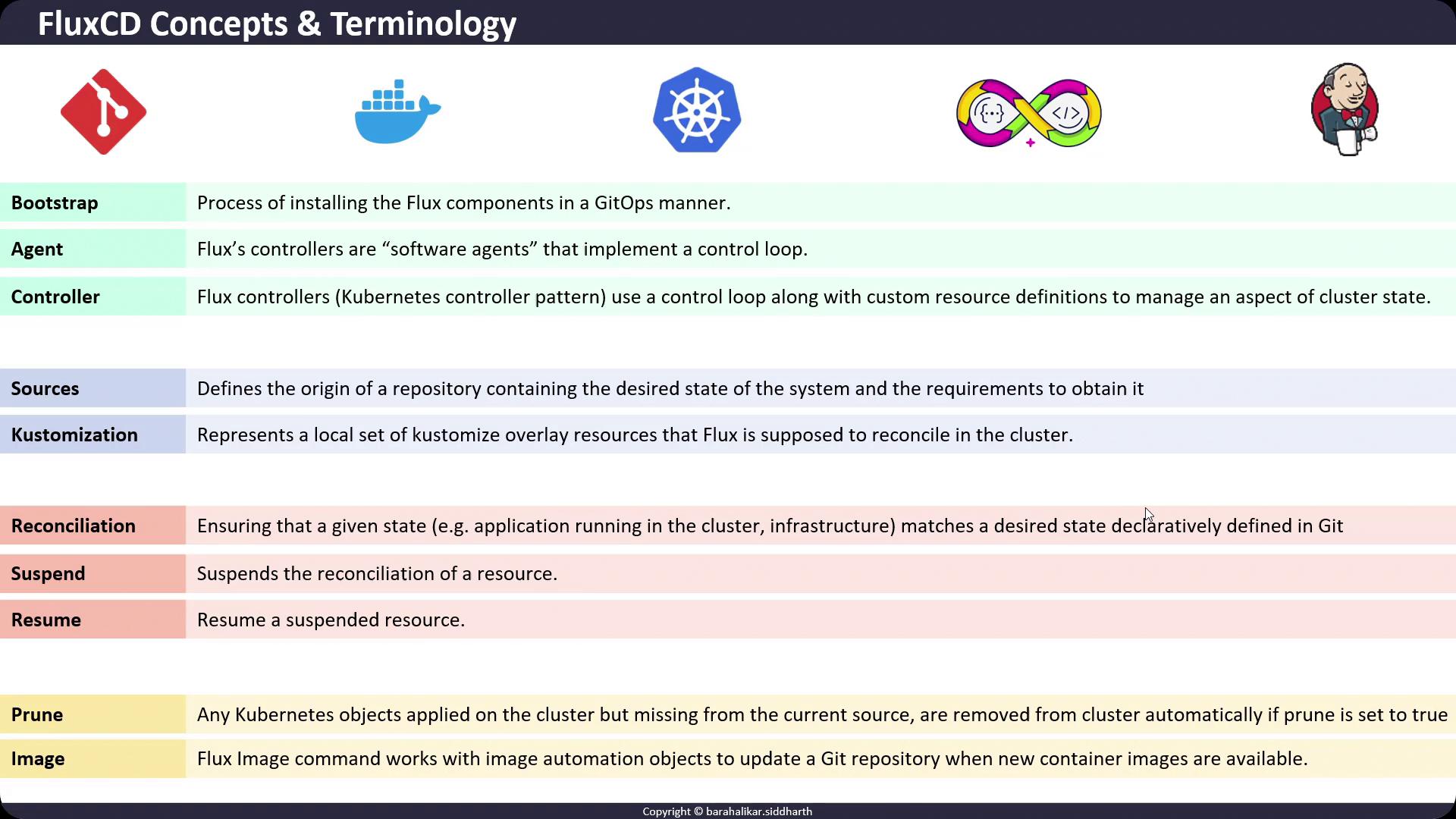
Below is a quick reference of FluxCD’s core components and GitOps terminology.
| Concept | Controller / Command | Purpose |
| ------------------ | -------------------------------------------------- | ----------------------------------------------------------- |
| Bootstrapping | `flux bootstrap` | Installs Flux controllers and Git repository sources. |
| Agent / Controller | Reconciliation loops | Watches CRDs and aligns cluster state with Git definitions. |
| Source | `GitRepository`, `HelmRepository`, `OCIRepository` | Fetches and tracks external repositories. |
| Kustomization | `Kustomization` | Applies and reconciles overlays or plain manifests. |
| Reconciliation | Continuous process | Ensures actual cluster state matches Git’s desired state. |
| Suspend & Resume | `flux suspend` / `flux resume` | Pauses or restarts automatic reconciliation. |
| Prune | Automatic cleanup | Removes resources no longer defined in the source. |
| Image Automation | `flux image` | Updates Git when new container images are available. |
## 1. Bootstrapping
Bootstrapping is the initial step to install Flux components on your Kubernetes cluster.\
Use the `flux bootstrap` command to connect your cluster with a Git repository following GitOps best practices.
## 2. Agent / Controller
Flux controllers (or agents) implement Kubernetes’ controller pattern:
* They run *reconciliation loops*.
* Watch for custom resources (CRDs).
* Continuously compare and reconcile the cluster’s actual state against Git-defined desired state.
## 3. Sources
Sources define where Flux retrieves configuration or package artifacts:
* **GitRepository**: Monitors a Git repo for YAML manifests or Kustomize overlays.
* **HelmRepository**: Tracks Helm charts.
* **OCIRepository**: Fetches Helm charts or container images from an OCI registry.
## 4. Kustomization
The Kustomization controller applies a set of overlays or plain manifests:
* Applies resources to the cluster.
* Continuously reconciles updates.
* Supports features like patches, generators, and strategic merges.
## 5. Reconciliation
Reconciliation is Flux’s core mechanism:
* Compares the *actual* state of your cluster with the *desired* state defined in Git.
* By default, reconciliation runs automatically at each interval.
* You can temporarily suspend or resume this process.
Suspending reconciliation in production may delay critical updates. Always verify before pausing.
## 6. Suspend & Resume
Use the Flux CLI to manage reconciliation:
```bash theme={null}
flux suspend kustomization webapp
flux resume kustomization webapp
```
When suspended, manual intervention via `flux reconcile` is required to apply changes.
## 7. Prune
Pruning ensures your cluster stays clean:
* When enabled, Flux automatically deletes Kubernetes resources that are no longer defined in the Git source.
* Helps prevent resource drift and orphaned objects.
## 8. Flux Image Automation
The `flux image` command manages image automation objects:
* **Image Reflector Controller**: Monitors container registries for new tags.
* **Image Automation Controller**: Commits updated image references to your Git repository.
### Common Commands
```bash theme={null}
# Watch for new images in a registry
flux create image repository my-app \
--image=myregistry/my-app \
--interval=1m
# Automate Git updates when a new image is available
flux create image automation my-app \
--image-ref=ImageRepository/my-app \
--update-path="./deploy" \
--interval=5m
```
***
## References
* [FluxCD Documentation](https://fluxcd.io/docs/)
* [GitOps with Flux](https://github.com/fluxcd/flux2)
* [Kubernetes Controllers](https://kubernetes.io/docs/concepts/architecture/controller/)
* [Helm Charts in Flux](https://fluxcd.io/docs/components/helm/)