> ## Documentation Index
> Fetch the complete documentation index at: https://notes.kodekloud.com/llms.txt
> Use this file to discover all available pages before exploring further.
# FluxCD Features
> This article explores the key features of FluxCD, a GitOps operator for automating Kubernetes deployments and managing cluster states.
FluxCD is a GitOps operator that automates Kubernetes deployments by reconciling your cluster state with your Git repository. In this guide, we dive into FluxCD’s powerful capabilities, from automated deployments to multi-cluster management.
## Table of Contents
1. Automated Deployment
2. Git Provider Integrations
3. Reconciliation Modes
4. Alerting & Event Handling
5. Resource Management
6. Observability
7. Configuration & Templating
8. CLI-First Experience
9. Multi-Tenancy & Cross-Cluster
10. Drift Detection
11. Web-Based UI
***
## 1. Automated Deployment
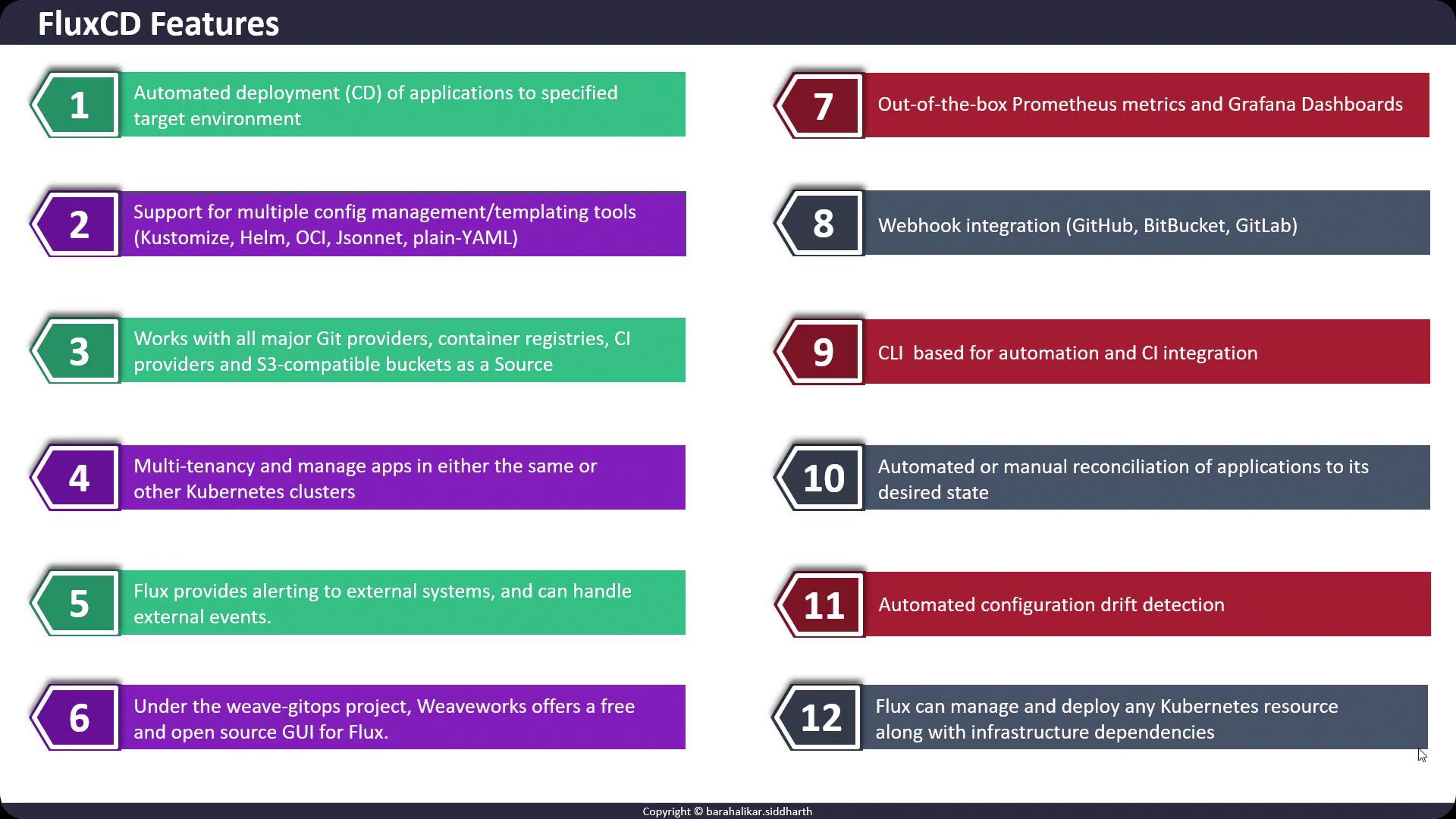
FluxCD continuously monitors your Git repositories for changes and instantly applies updates to your Kubernetes clusters.
## 2. Git Provider Integrations
FluxCD supports real-time commit detection via webhooks from:
* GitHub
* GitLab
* Bitbucket
You can also source configurations from any Git server, S3-compatible bucket, container registry, or external CI system.
## 3. Reconciliation Modes
FluxCD offers two modes:
* **Automatic**: Applies changes immediately when they appear in Git.
* **Manual**: Requires an explicit command to reconcile.
Automatic mode is ideal for rapid, continuous deployments, while manual mode gives you complete control over when changes are applied.
## 4. Alerting & Event Handling
FluxCD can notify external systems when events occur—such as failed reconciliations or drifts—keeping you aware of the cluster’s health in real time.
## 5. Comprehensive Resource Management
Beyond Deployments, FluxCD can manage Secrets, ConfigMaps, CRDs, and custom infrastructure resources, ensuring all dependencies are declared and reconciled.
## 6. Observability
FluxCD exposes Prometheus metrics and provides pre-built Grafana dashboards, giving you immediate visibility into your GitOps workflows.
## 7. Flexible Configuration & Templating
Choose from multiple tools to define your manifests:
| Tool | Use Case | Reference |
| --------- | ----------------------------------------- | ---------------------------------------------- |
| Kustomize | Overlay-based patches and customization | [https://kustomize.io/](https://kustomize.io/) |
| Helm | Package reusable charts | [https://helm.sh/](https://helm.sh/) |
| Jsonnet | Data templating and configuration as code | [https://jsonnet.org/](https://jsonnet.org/) |
| YAML | Simple, declarative manifests | [https://yaml.org/](https://yaml.org/) |
## 8. CLI-First with CI/CD Support
The Flux CLI powers day-to-day operations and integrates seamlessly into existing CI pipelines for end-to-end GitOps automation.
## 9. Multi-Tenancy & Cross-Cluster Management
Manage multiple environments or teams from a single Git repository—across one or many clusters—with strict isolation and Git-based policies.
## 10. Drift Detection
FluxCD continually compares the live cluster state to the Git source and alerts you if any configuration drifts are detected.
## 11. Web-Based UI
For those preferring a graphical interface, FluxCD integrates with the Weave GitOps UI, offering a visual management plane.
## Links and References
* [FluxCD Documentation](https://fluxcd.io/docs/)
* [Kubernetes GitOps with FluxCD](https://github.com/fluxcd/flux)
* [Prometheus Monitoring](https://prometheus.io/)
* [Grafana Dashboards](https://grafana.com/)