> ## Documentation Index
> Fetch the complete documentation index at: https://notes.kodekloud.com/llms.txt
> Use this file to discover all available pages before exploring further.
# GitOps Principles
> This article explains the four foundational principles of GitOps for reliable, auditable, and automated application and infrastructure deployments.
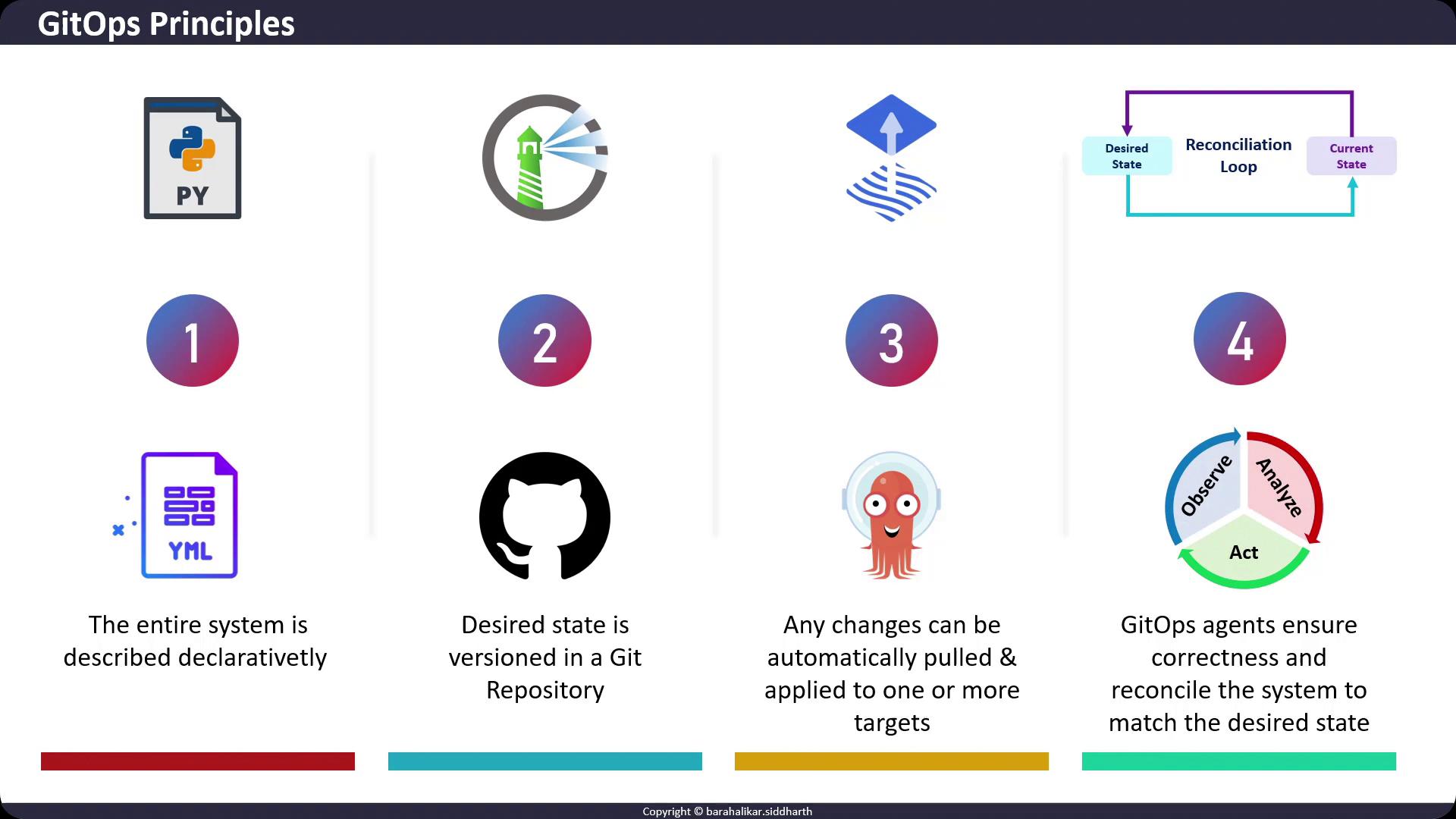
In this lesson, we’ll dive into the four foundational principles of GitOps. Adopting these practices ensures your application and infrastructure deployments are reliable, auditable, and fully automated.
## 1. Declarative Desired State
GitOps relies on **declarative** configuration: you declare *what* the system should look like, not *how* to get there. Common formats include Kubernetes manifests, Helm charts, and Kustomize overlays. This approach eliminates manual, imperative commands that are difficult to track and reproduce.
Example: a simple NGINX Deployment in Kubernetes
```yaml theme={null}
apiVersion: apps/v1
kind: Deployment
metadata:
name: nginx-deployment
spec:
replicas: 3
selector:
matchLabels:
app: nginx
template:
metadata:
labels:
app: nginx
spec:
containers:
- name: nginx
image: nginx:1.23
ports:
- containerPort: 80
```
Store all your configuration files in a structured directory layout (e.g., `apps/`, `infrastructure/`, `overlays/`) to simplify navigation and modularity.
## 2. Versioned in Git
All declarative files become the “desired state” and are committed to a Git repository (e.g., GitHub, GitLab, Bitbucket). Git provides:
* Full version control with diffs
* Historical audit trails
* Immutable commits
Example Git workflow:
```bash theme={null}
git add .
git commit -m "feat: declare nginx deployment desired state"
git push origin main
```
Storing configurations in Git ensures you have a **single source of truth** for your environments.
## 3. Automated Application of Changes
GitOps agents (also known as operators or controllers) continuously watch your Git repository. When changes are detected—via commits or pull requests—these agents fetch updates and apply them to your Kubernetes clusters or other targets.
| Tool | Description | Link |
| ------- | ------------------------------------------------------ | ------------------------------------------------------------------ |
| Argo CD | Declarative, GitOps continuous delivery for Kubernetes | [https://argo-cd.readthedocs.io/](https://argo-cd.readthedocs.io/) |
| Flux CD | Unidirectional agent for GitOps workflows | [https://fluxcd.io/](https://fluxcd.io/) |
Ensure your GitOps agent has least-privilege access. Use scoped tokens or service accounts rather than broad admin credentials.
## 4. Continuous Reconciliation
GitOps agents implement a control loop that:
1. **Observe** the actual state of your target environment
2. **Compare** it to the desired state stored in Git
3. **Reconcile** any drift by applying or rolling back changes
This loop guarantees that the live system matches your declarative configuration. Manual or out-of-band modifications are automatically corrected or flagged.
```bash theme={null}
# Pseudocode for a reconciliation loop
while true; do
actual_state=$(kubectl get all -o yaml)
desired_state=$(git clone https://repo.git desired && cat desired/apps/nginx-deployment.yaml)
if [ "$actual_state" != "$desired_state" ]; then
kubectl apply -f desired/apps/nginx-deployment.yaml
fi
sleep 30
done
```
## Links and References
* [Kubernetes Documentation](https://kubernetes.io/docs/)
* [Argo CD](https://argo-cd.readthedocs.io/)
* [Flux CD](https://fluxcd.io/)
* [GitOps on CNCF](https://www.cncf.io/projects/gitops/)