> ## Documentation Index
> Fetch the complete documentation index at: https://notes.kodekloud.com/llms.txt
> Use this file to discover all available pages before exploring further.
# DEMO HELM Controller with Helm Repository as Source
> This article explains how to automate the deployment of Helm artifacts using Fluxs Helm Controller and HelmRepository source.
In this walkthrough, we’ll package a Helm chart as a `.tgz` artifact, host it in a Helm repository (via GitHub Pages and [Artifact Hub](https://artifacthub.io/)), then use Flux’s **Source Controller** and **Helm Controller** to automate its deployment.
***
## 1. Helm Chart Package on GitHub Releases
We’ve bundled our application into `block-buster-helm-app-7.6.0.tgz` and published it on the [GitHub Releases](https://github.com/sidd-harth/block-buster-helm-app/releases) page. Below is an example of the default `values.yaml` included in the chart:
```yaml theme={null}
# Sample values.yaml (for reference)
replicaCount: 1
service:
type: NodePort
nodePort: 30006
namespace:
name: 6-demo
```

***
## 2. Chart Listing on Artifact Hub
Our chart is also discoverable on [Artifact Hub](https://artifacthub.io/). Artifact Hub provides metadata, download statistics, and security reports for Helm charts.
```yaml theme={null}
# Extended sample values.yaml
replicaCount: 1
service:
type: NodePort
nodePort: 30006
namespace:
name: 6-demo
labels:
app:
name: block-buster
version: 7.6.0
env: dev
```
| Feature | Description |
| --------------- | ------------------------------------------------------ |
| Repository URL | `https://sidd-harth.github.io/block-buster-helm-app` |
| Chart Version | `7.6.0` |
| Maintainer | sidd-harth |
| Install Command | `helm install my-app block-buster-app --version 7.6.0` |
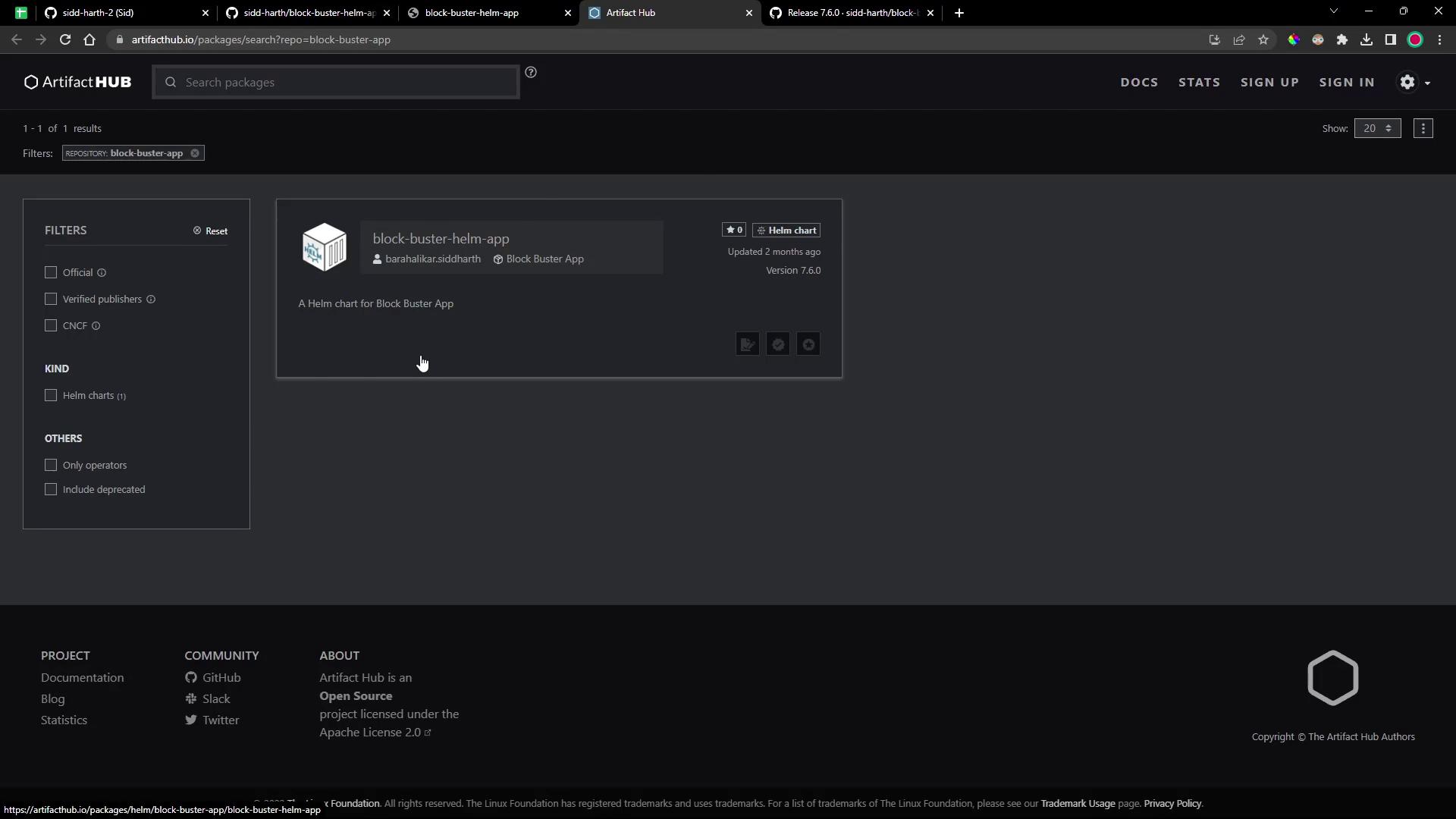
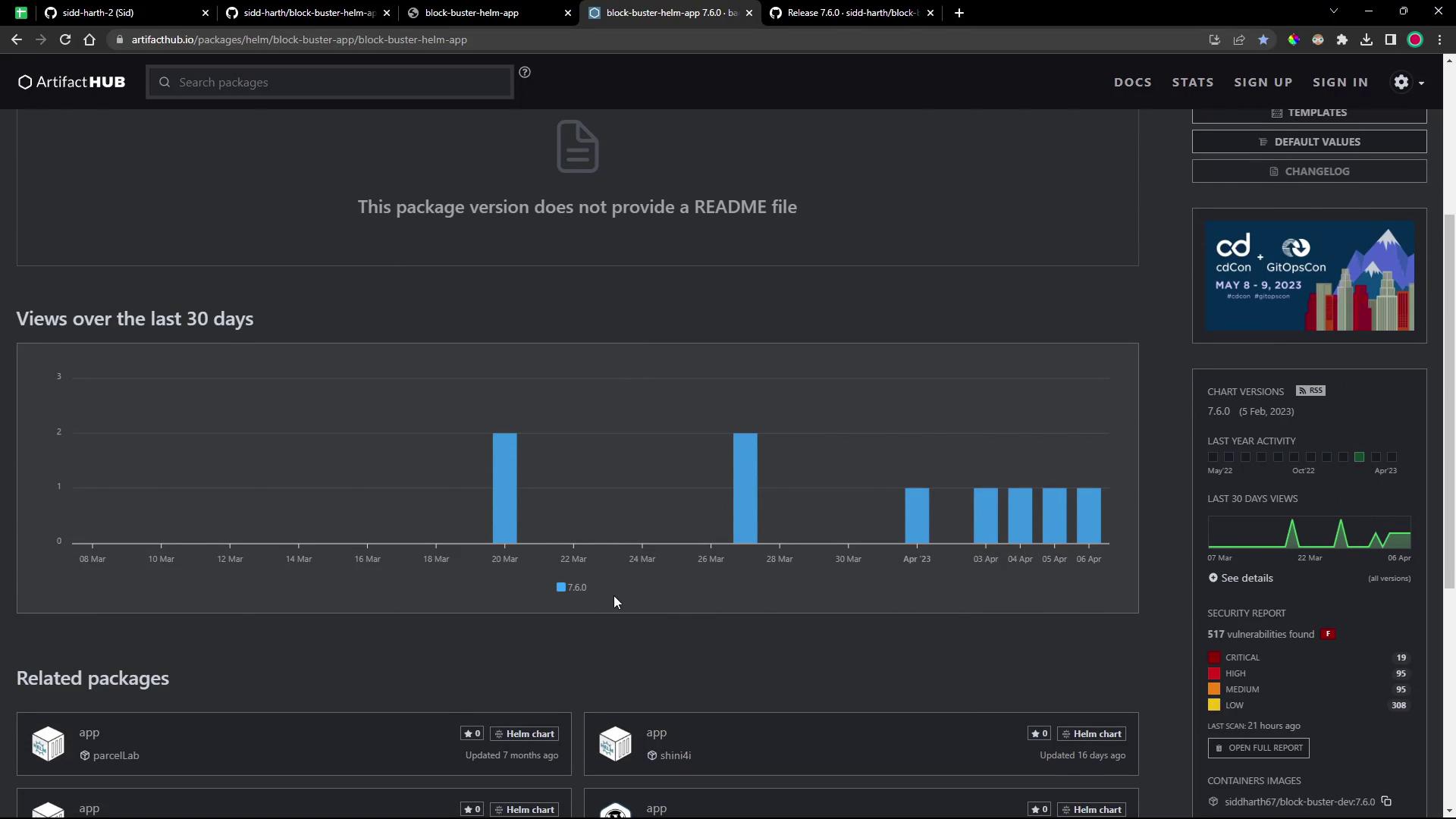
You could install manually:
```bash theme={null}
helm repo add block-buster-app https://sidd-harth.github.io/block-buster-helm-app/
helm install my-block-buster-helm-app block-buster-app/block-buster-helm-app --version 7.6.0
```
***
## 3. Defining a HelmRepository in Flux
To automate updates, Flux’s **Source Controller** can track the Helm repository for new chart versions.
```bash theme={null}
cd block-buster/flux-clusters/dev-cluster/
flux create source helm 6-demo-source-helm-bb-app \
--url https://sidd-harth.github.io/block-buster-helm-app \
--interval 1m \
--timeout 10s \
--export > 6-demo-source-helm-bb-app.yaml
```
This generates:
```yaml theme={null}
apiVersion: source.toolkit.fluxcd.io/v1beta2
kind: HelmRepository
metadata:
name: 6-demo-source-helm-bb-app
namespace: flux-system
spec:
url: https://sidd-harth.github.io/block-buster-helm-app
interval: 1m0s
timeout: 10s
```
Adjust `--interval` and `--timeout` to suit your release cadence and network conditions.
***
## 4. Customizing Chart Values
Create a file named `6-demo-values.yaml` to override default settings:
```yaml theme={null}
replicaCount: 2
service:
type: NodePort
nodePort: 30006
namespace:
name: 6-demo
labels:
app:
name: block-buster
version: 7.6.0
env: dev
```
Save it alongside your Flux manifests.
***
## 5. Creating a HelmRelease with Flux
Now define a `HelmRelease` to instruct Flux’s **Helm Controller** to deploy the chart:
```bash theme={null}
flux create helmrelease 6-demo-helm-release-bb-app \
--chart block-buster-helm-app \
--interval 10s \
--target-namespace 6-demo \
--source HelmRepository/6-demo-source-helm-bb-app \
--values 6-demo-values.yaml \
--export > 6-demo-helm-release-bb-app.yaml
```
Generated manifest:
```yaml theme={null}
apiVersion: helm.toolkit.fluxcd.io/v2beta1
kind: HelmRelease
metadata:
name: 6-demo-helm-release-bb-app
namespace: flux-system
spec:
interval: 10s
targetNamespace: 6-demo
chart:
spec:
chart: block-buster-helm-app
sourceRef:
kind: HelmRepository
name: 6-demo-source-helm-bb-app
reconcileStrategy: ChartVersion
values:
replicaCount: 2
service:
type: NodePort
nodePort: 30006
namespace:
name: 6-demo
labels:
app:
name: block-buster
version: 7.6.0
env: dev
```
***
## 6. Committing to Git and Triggering Flux
```bash theme={null}
git add \
6-demo-source-helm-bb-app.yaml \
6-demo-helm-release-bb-app.yaml \
6-demo-values.yaml
git commit -m "Add HelmRepository and HelmRelease for block-buster-app v7.6.0"
git push
```
Flux will detect the new manifests and begin reconciliation.
***
## 7. Verifying Flux Resources
Check the status of your `HelmRepository`:
```bash theme={null}
flux get sources helm -n flux-system
NAME READY MESSAGE
6-demo-source-helm-bb-app True stored artifact: revision 'sha256:...'
```
List all source types:
```bash theme={null}
flux get sources -A
```
Inspect your `HelmRelease`:
```bash theme={null}
flux get helmreleases -A
NAME READY MESSAGE
6-demo-helm-release-bb-app True Release reconciliation succeeded
```
***
## 8. Exploring Source Controller Data
Enter the `source-controller` pod to view how Flux stores chart artifacts:
```bash theme={null}
kubectl -n flux-system exec deploy/source-controller -- sh
/data$ ls -d */
gitrepository/ bucket/ helmchart/ helmrepository/
/data$ cd helmrepository/flux-system/6-demo-source-helm-bb-app/
/data/helmrepository/...$ cat index-*.yaml
/data$ cd ../helmchart/flux-system/6-demo-helm-release-bb-app/
/data/...$ tar -tf latest.tar.gz
# Shows Chart.yaml, values.yaml, templates/, etc.
```
| Resource | Stored Data |
| -------------- | ---------------------------------------- |
| HelmRepository | Index files (versions, URLs) |
| HelmChart | Unpacked chart with templates & defaults |
***
## 9. Validating the Deployment
Once reconciled, Flux will create the target namespace (`6-demo`) and deploy your app:
```bash theme={null}
kubectl -n 6-demo get all
```
You should see:
* 2 Pods (as per `replicaCount`)
* A Deployment
* A NodePort Service on port 30006
Access the game in your browser:
```text theme={null}
http://:30006
```
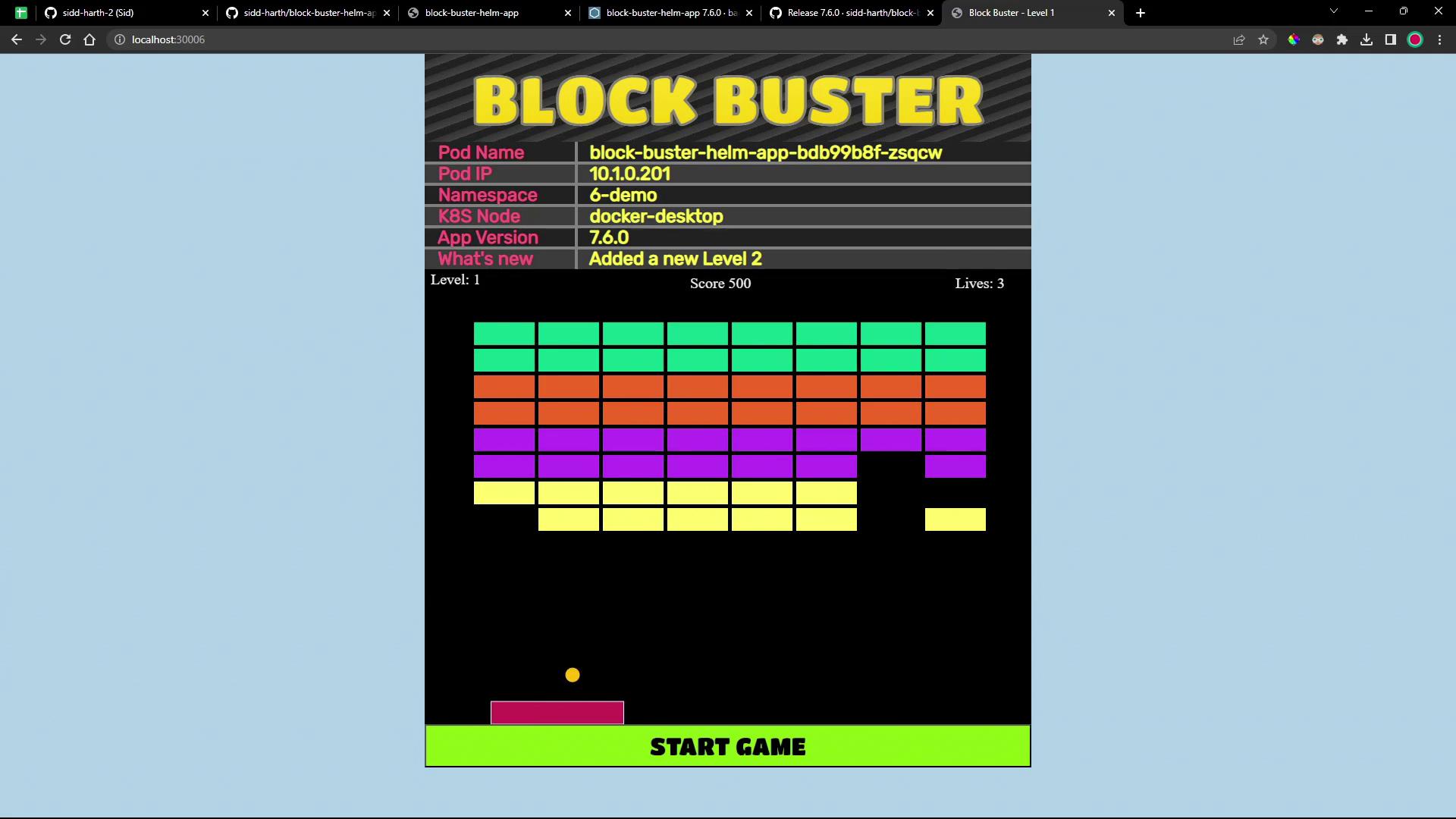
Starting with version 7.6.0, Block Buster introduces multiple levels. Complete Level One to unlock Level Two!
***
## Links and References
* [Flux Documentation](https://fluxcd.io/docs/)
* [Helm Documentation](https://helm.sh/docs/)
* [Artifact Hub](https://artifacthub.io/)
* [Kubernetes Basics](https://kubernetes.io/docs/concepts/overview/what-is-kubernetes/)
Congratulations—you’ve automated the deployment of a Helm chart `.tgz` artifact using Flux’s Helm Controller and Source Controller!