> ## Documentation Index
> Fetch the complete documentation index at: https://notes.kodekloud.com/llms.txt
> Use this file to discover all available pages before exploring further.
# DEMO Push Kubernetes Manifest to OCI Registry
> This article explains how to package Kubernetes manifests as OCI artifacts and push them to GitHub Container Registry using Flux.
In this walkthrough, we’ll package Kubernetes manifests as an OCI artifact and push them to GitHub Container Registry (GHCR). Flux can then pull and deploy these manifests directly.
## Prerequisites
You need a GitHub Personal Access Token (PAT) with permissions to manage packages and your repository:
| Scope | Description |
| ----------------- | ------------------------------------ |
| `repo` | Full control of private repositories |
| `write:packages` | Upload and publish packages |
| `delete:packages` | Remove packages from GHCR |
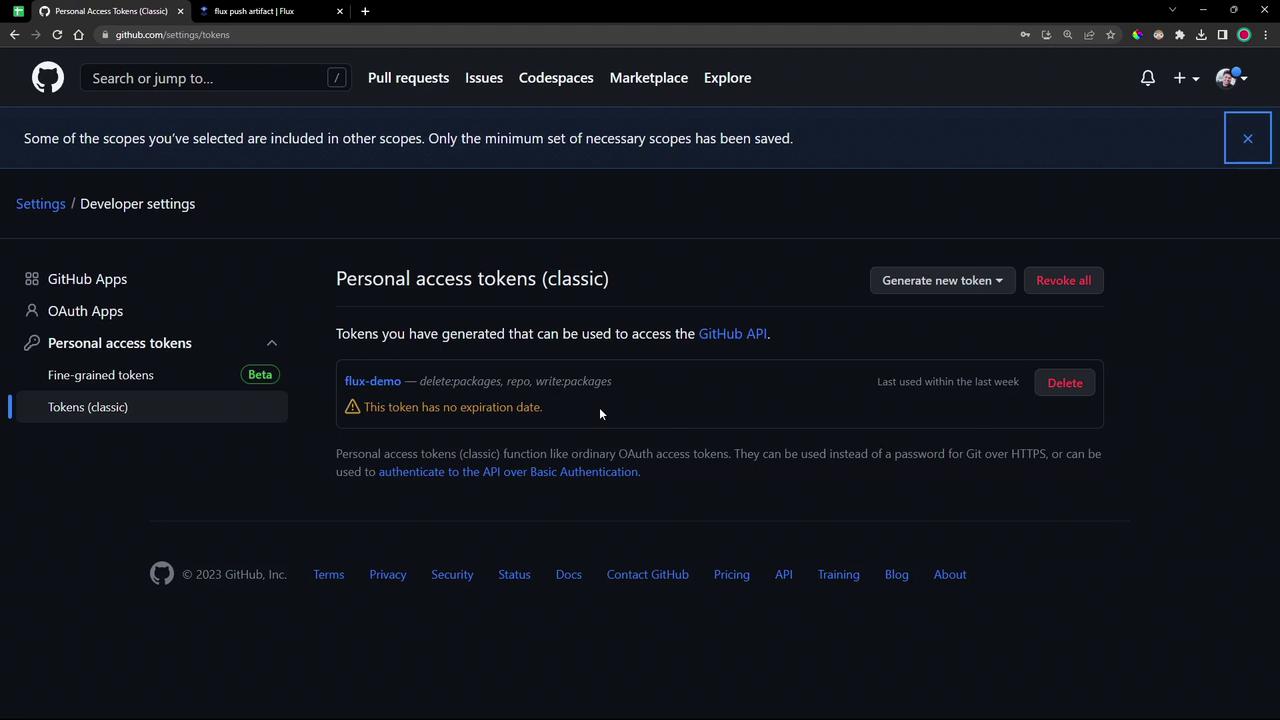
If you already have a PAT, update it to include `repo`, `write:packages`, and `delete:packages`.
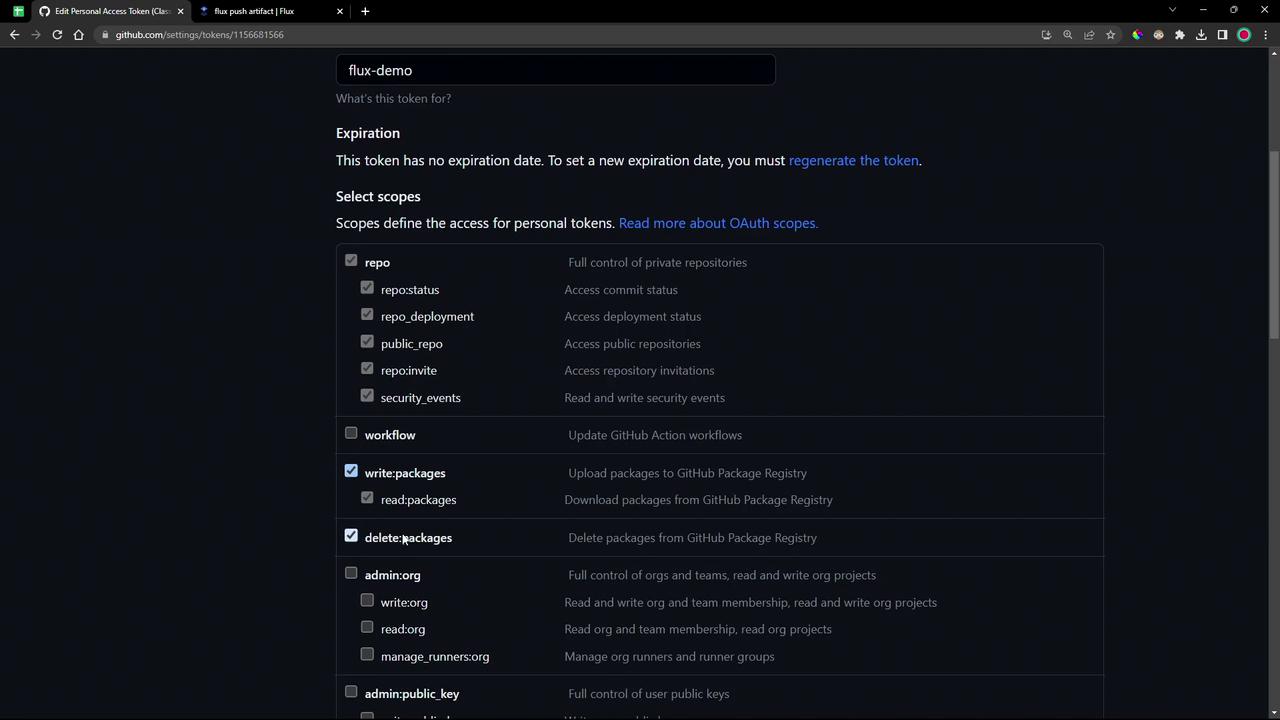
Once the correct scopes are selected, click **Update Token** and save the token value securely.
***
## 1. Prepare the Local Repository
1. Navigate to your source directory and switch to the demo branch:
```bash theme={null}
cd ~/bb-app-source
git checkout 7-demo
```
2. If you see a “dubious ownership” error on Ubuntu, mark it as safe:
```bash theme={null}
git config --global --add safe.directory "$(pwd)"
git checkout 7-demo
```
3. Enter the versioned folder and inspect its contents:
```bash theme={null}
cd 7.7.0
sudo apt update && sudo apt install -y tree
tree
```
You should see the `manifests/` directory alongside YAML files.
## 2. Log in to GHCR
Use Docker to authenticate against GHCR. Replace `` with your GitHub handle:
```bash theme={null}
docker login ghcr.io --username
# When prompted, paste your PAT
```
On success, you’ll see:
```text theme={null}
Login succeeded
```
## 3. Push the OCI Artifact
Flux’s `push artifact` command packages a directory (or file) as an OCI artifact and uploads it to a registry.
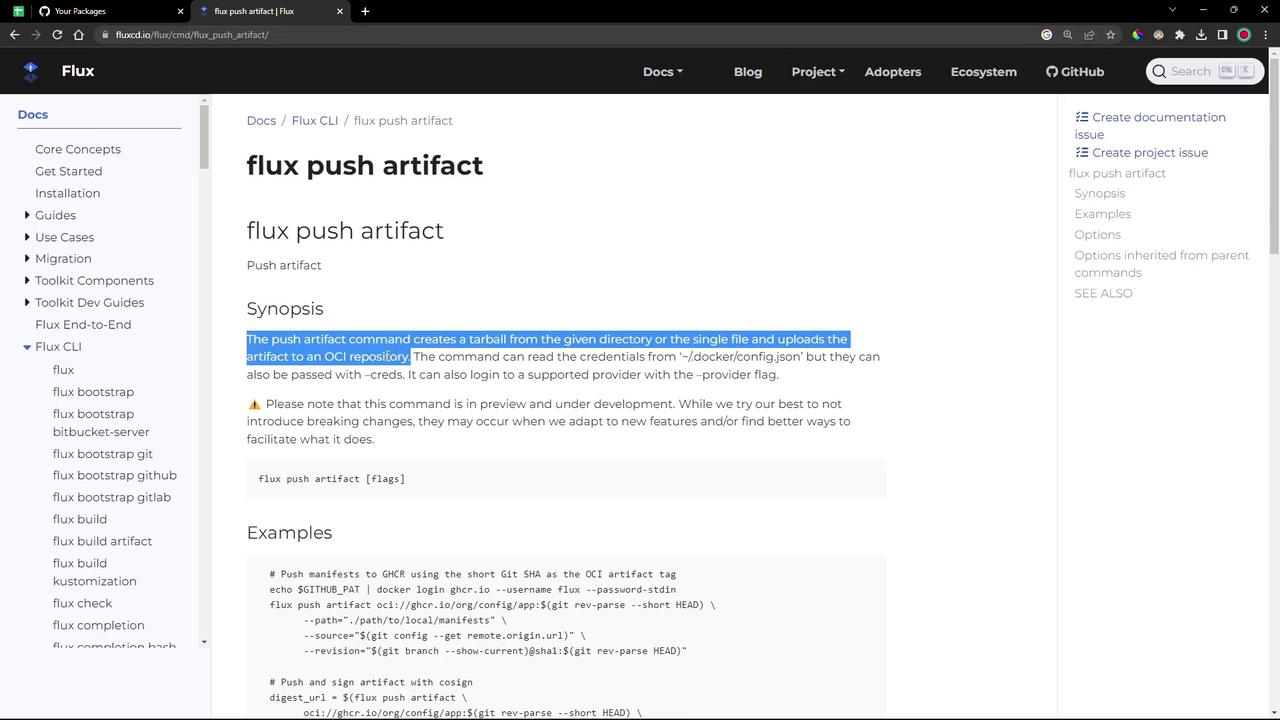
First, set reusable variables and then run:
```bash theme={null}
# Generate tags and metadata
REF=$(git rev-parse --short HEAD)
SRC=$(git config --get remote.origin.url)
TAG="7.7.0-${REF}"
REPO="oci://ghcr.io//bb-app:${TAG}"
# Push manifests as an OCI artifact
flux push artifact "${REPO}" \
--path="./manifests" \
--source="${SRC}" \
--revision="${TAG}"
```
What happens:
* Flux reads your GHCR credentials from `~/.docker/config.json`
* It tars up `./manifests`
* Uploads to `ghcr.io//bb-app:7.7.0-`
* Attaches the Git remote URL and revision metadata
A successful push shows:
```bash theme={null}
pushing artifact to ghcr.io//bb-app@sha256:
artifact successfully pushed to ghcr
```
## 4. Verify the Package
1. Go to your GitHub repo’s **Packages** tab and refresh.
2. You should see `bb-app` listed under private packages.
You can also confirm locally:
```bash theme={null}
docker pull ghcr.io//bb-app:7.7.0-
```
Flux requires a Kubernetes [imagePullSecret](/docs/guides/oci-acr/) to authenticate when pulling OCI artifacts. We’ll cover secret creation in a later module.
***
## Next Steps
In the following lesson, we will package and push Helm charts to an OCI registry.
## References
* [Flux CLI: push artifact](https://fluxcd.io/docs/cli/flux_push_artifact/)
* [GitHub Container Registry](https://docs.github.com/packages)
* [OCI Artifacts Spec](https://github.com/opencontainers/artifacts)