> ## Documentation Index
> Fetch the complete documentation index at: https://notes.kodekloud.com/llms.txt
> Use this file to discover all available pages before exploring further.
# DEMO Flux User Interface
> This guide explores two open-source graphical interfaces for managing Flux CD, enhancing observability and workflow efficiency.
In this guide, we’ll explore two open-source graphical interfaces for managing Flux CD:
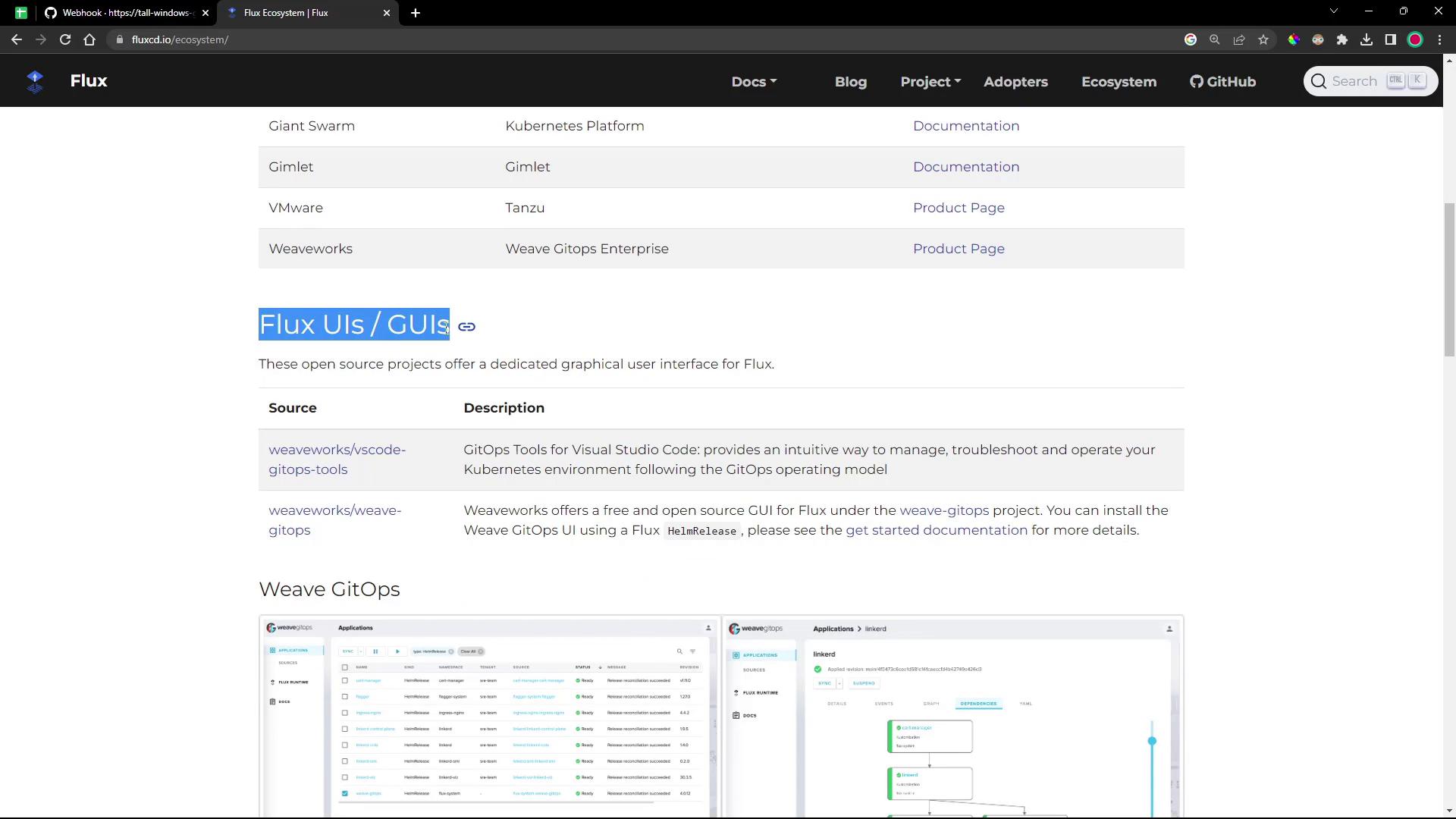
* **VS Code GitOps Tools for Flux** – a lightweight VS Code extension
* **Weaveworks GitOps UI** – a full-featured web dashboard
Both solutions let you inspect clusters, sources, workloads, and more without manual `kubectl` commands or hand-editing YAML.
## Comparison at a Glance
| Tool | Interface Type | Key Features |
| ----------------------------- | ----------------- | ------------------------------------------- |
| VS Code GitOps Tools for Flux | VS Code Extension | Clusters, Sources, Workloads, Docs links |
| Weaveworks GitOps UI | Web Dashboard | Sources, Applications, Runtimes, Automation |
***
## 1. VS Code GitOps Extension for Flux
The **GitOps Tools for Flux** extension brings Flux CD insights directly into Visual Studio Code.
### Install the Extension
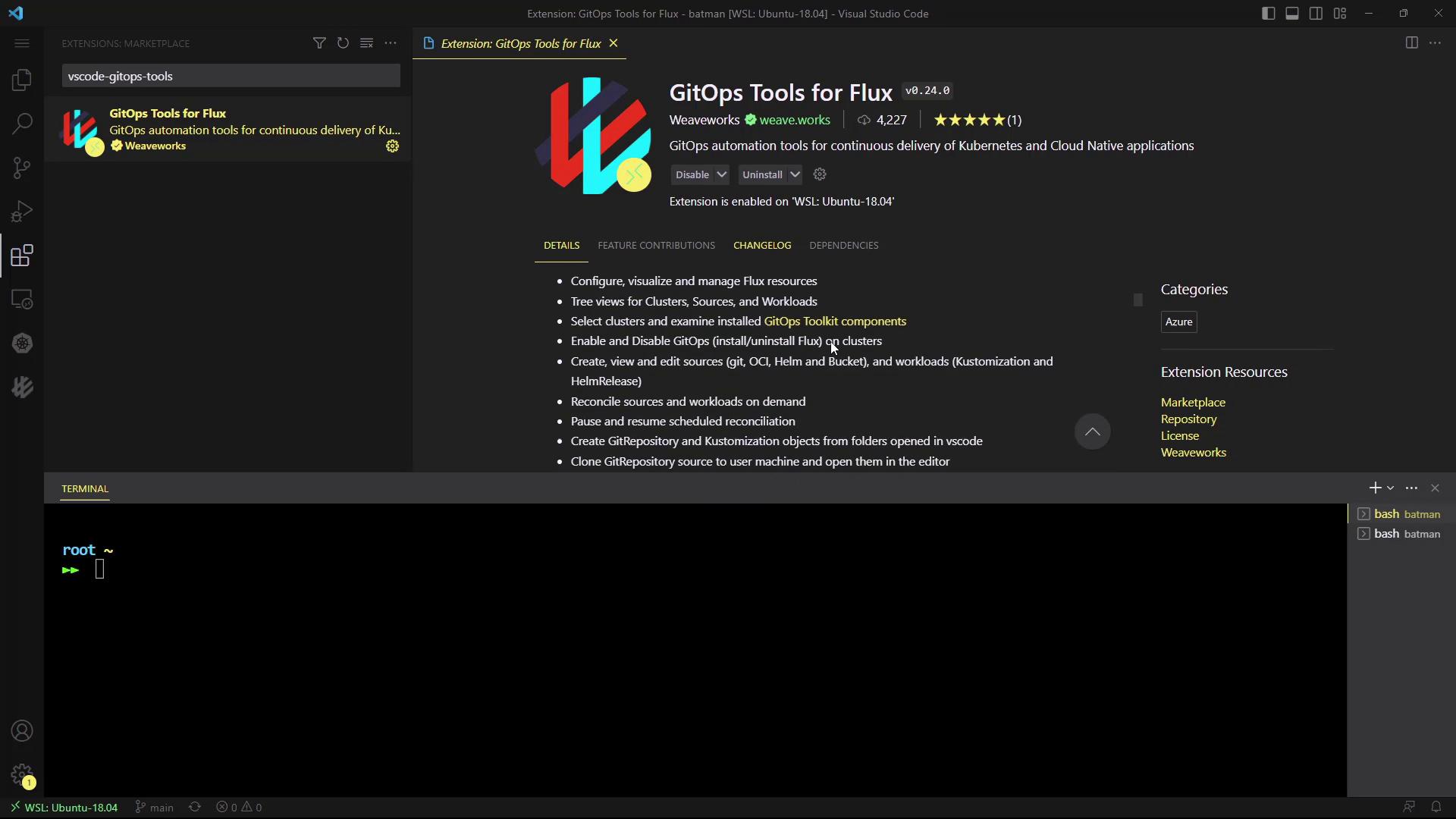
1. Open **Extensions** (⇧⌘X or Ctrl+Shift+X).
2. Search for **GitOps Tools for Flux**.
3. Click **Install**.
Once installed, you’ll see a new **GitOps** icon in the Activity Bar:
### Navigating the GitOps Pane
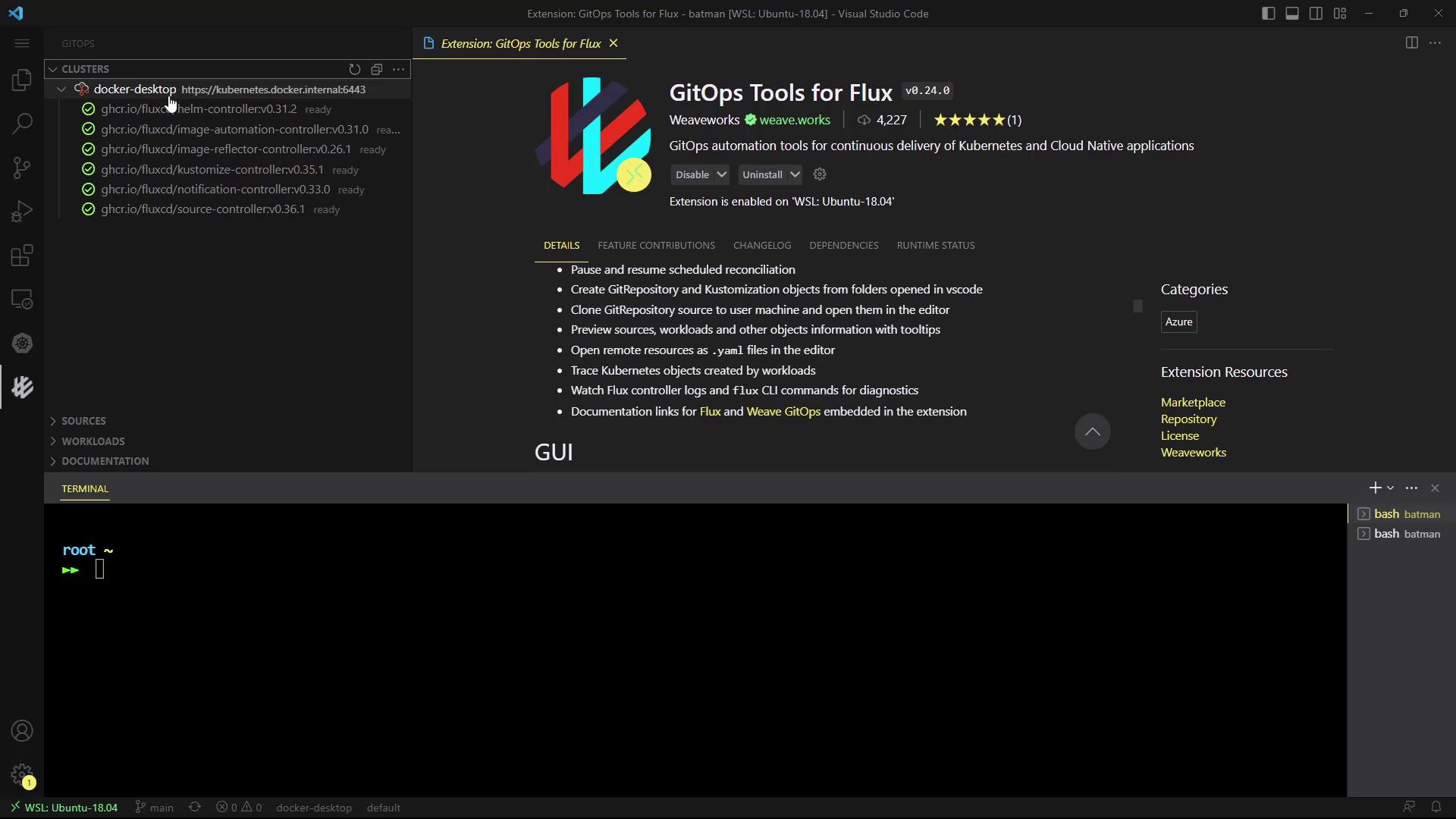
Click the **GitOps** icon to reveal four sections:
* **Clusters** – view all Flux controllers
* **Sources** – inspect GitRepositories, HelmRepositories, Buckets, OCIRepositories
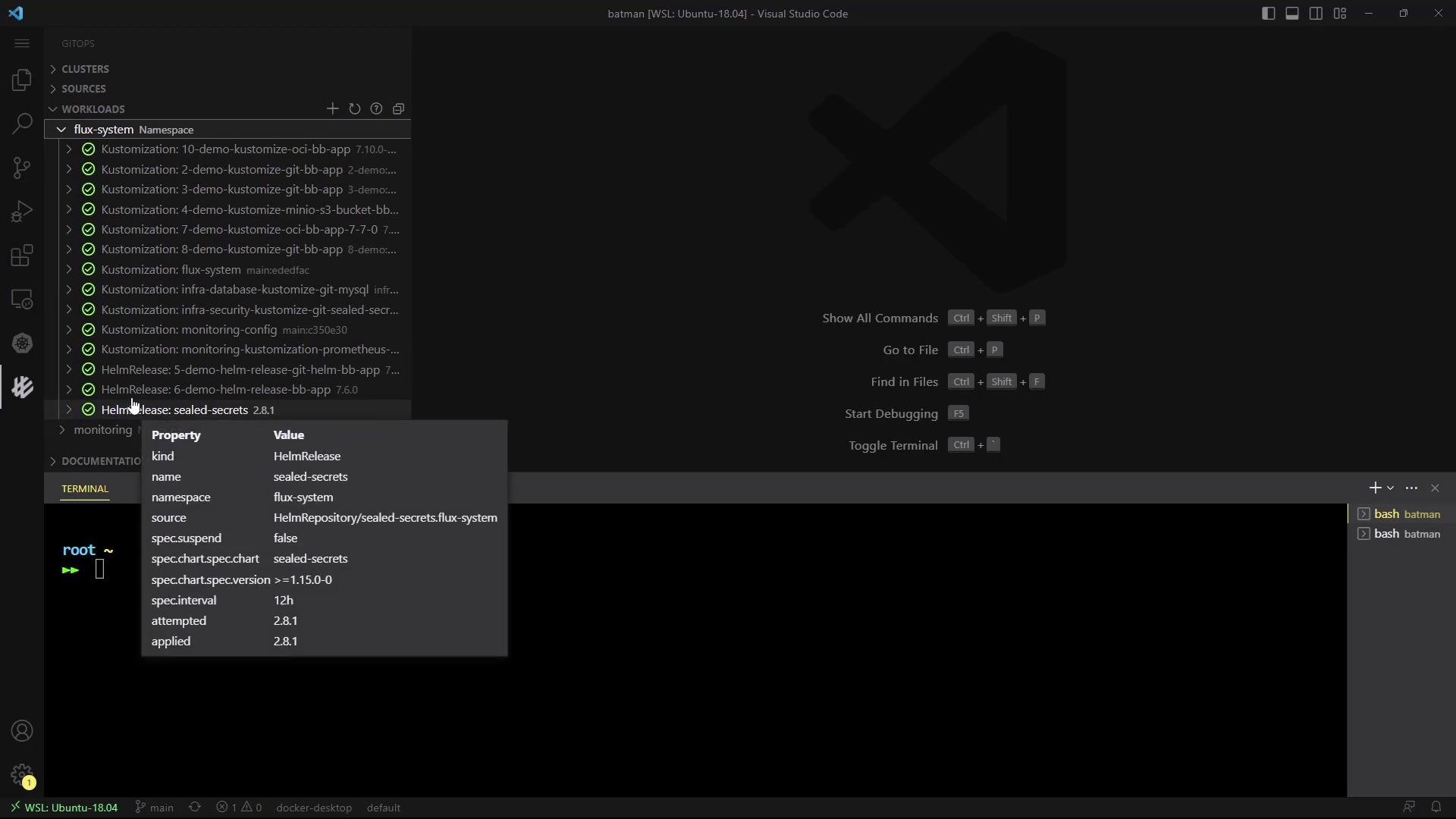
* **Workloads** – check Kustomizations & HelmReleases
* **Documentation** – quick links to Flux docs
#### Clusters
Select your Kubernetes context (e.g., Docker Desktop) to see live YAML for each controller:
```yaml theme={null}
apiVersion: apps/v1
kind: Deployment
metadata:
name: helm-controller
namespace: flux-system
labels:
app.kubernetes.io/part-of: flux
spec:
replicas: 1
selector:
matchLabels:
app.kubernetes.io/component: helm-controller
template:
metadata:
labels:
control-plane: controller
spec:
containers:
- name: manager
image: ghcr.io/fluxcd/helm-controller:v0.41.2
```
#### Sources
Browse all configured Sources in the `flux-system` namespace:
* GitRepository
* HelmRepository
* Bucket
* OCIRepository
#### Workloads
Inspect Kustomizations and HelmReleases in one place. For example, clicking a HelmRelease reveals its specification:
```yaml theme={null}
apiVersion: helm.toolkit.fluxcd.io/v2beta1
kind: HelmRelease
metadata:
name: 2-demo-kustomize-git-bb-app
namespace: flux-system
spec:
sourceRef:
kind: GitRepository
name: 2-demo-source-git-bb-app
targetNamespace: 2-demo
path: ./manifests
interval: 10s
prune: true
force: false
```
#### Adding New Sources or Kustomizations
Create new Git sources or Kustomizations via an intuitive form:
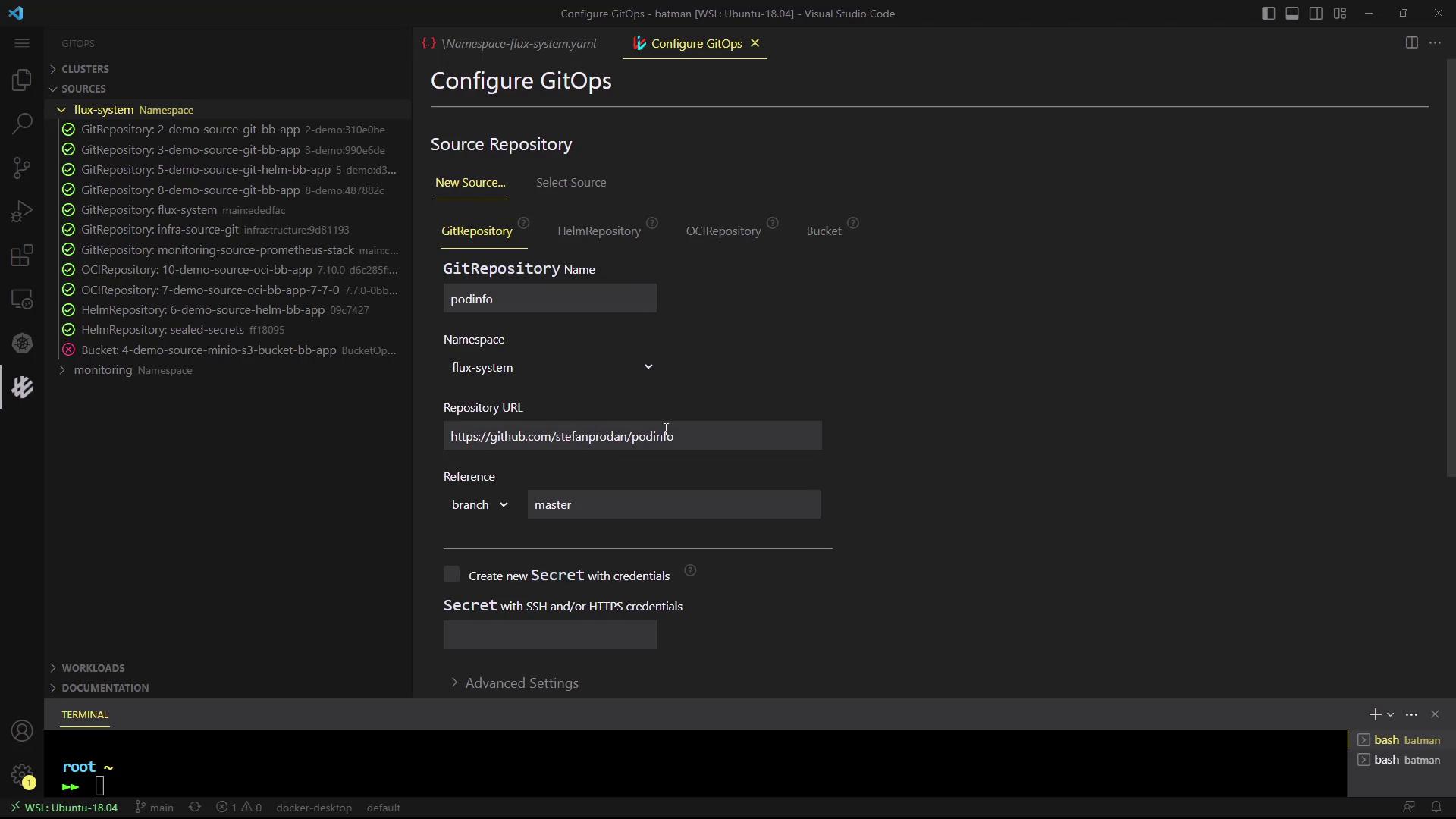
The VS Code extension is ideal for developers who prefer keeping their GitOps workflow within the editor.
***
## 2. Weaveworks GitOps User Interface
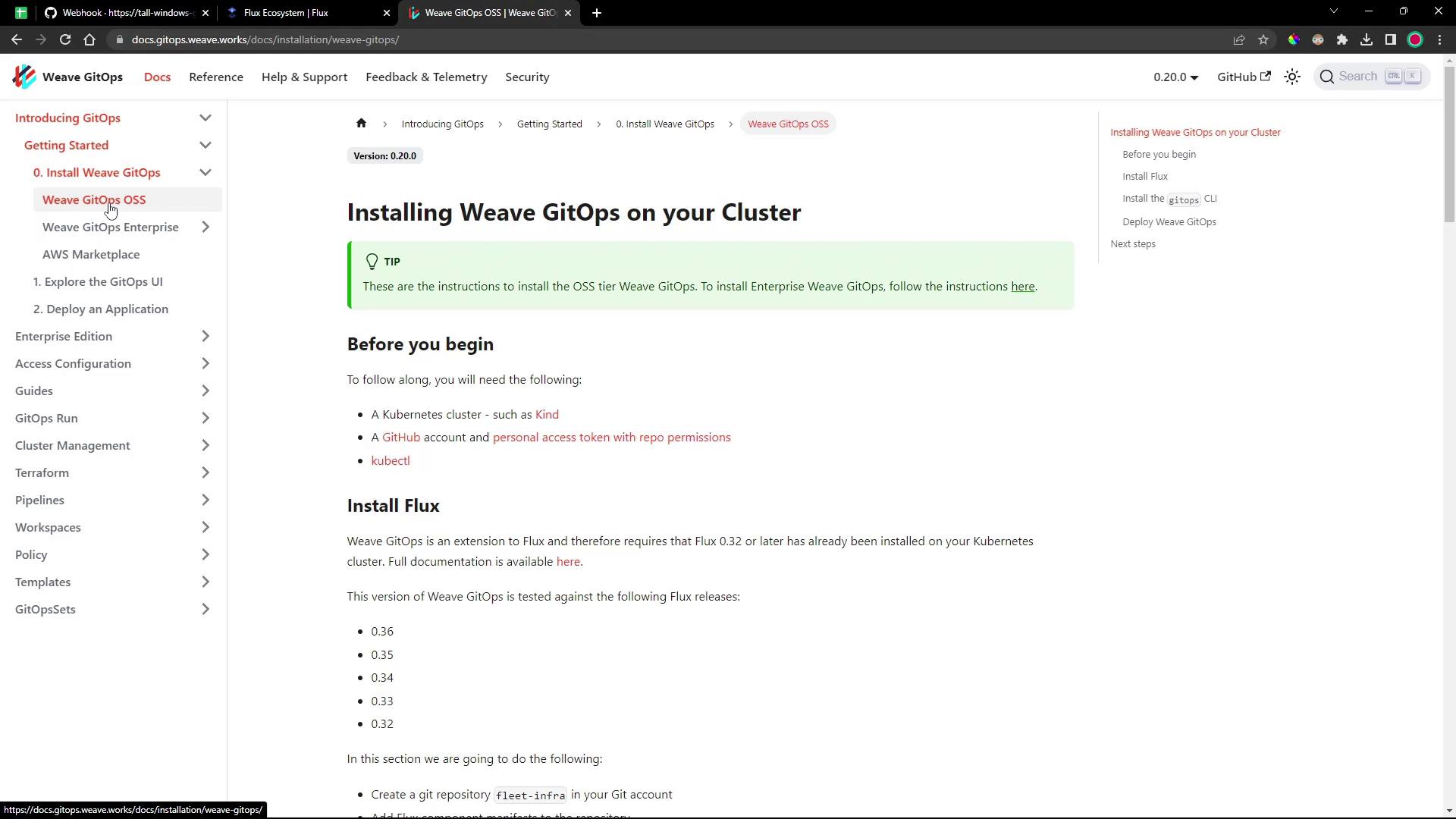
The Weaveworks GitOps UI (part of [Weave GitOps](https://www.weave.works/docs/weave-gitops/)) provides a standalone web dashboard for Flux.
### Prerequisites
* Kubernetes cluster with Flux installed
* `kubectl` configured
### Install the Weave GitOps CLI
```bash theme={null}
curl -sSL \
"https://github.com/weaveworks/weave-gitops/releases/download/v0.20.0/gitops-$(uname -s)-$(uname -m).tar.gz" \
| tar xz -C /tmp
sudo mv /tmp/gitops /usr/local/bin/gitops
gitops version
```
### Deploy the Dashboard
Generate and apply the dashboard manifest:
```bash theme={null}
export PASSWORD="your-password"
gitops create dashboard ww-gitops \
--password="$PASSWORD" \
--export > weave-gitops-dashboard.yaml
kubectl apply -f weave-gitops-dashboard.yaml
```
You should see:
```text theme={null}
Creating GitOps Dashboard objects ...
Generated GitOps Dashboard manifests
Checking for a cluster in the kube config ...
Flux v0.41.2 (flux-system) is already installed
Applying GitOps Dashboard manifests
HelmRepository/flux-system/ww-gitops created
HelmRelease/flux-system/ww-gitops created
GitOps Dashboard ww-gitops is ready
```
### Expose & Access the Dashboard
List the GitOps service and pod:
```bash theme={null}
kubectl -n flux-system get po,svc | grep gitops
```
Patch the service to use `NodePort`:
```bash theme={null}
kubectl -n flux-system patch svc www-gitops-weave-gitops \
-p '{"spec": {"type": "NodePort"}}'
kubectl -n flux-system get svc www-gitops-weave-gitops
```
Forward to localhost or browse directly:
```bash theme={null}
kubectl port-forward svc/www-gitops-weave-gitops -n flux-system 9001:9001
```
Open your browser at:\
[http://localhost:9001](http://localhost:9001)\
Login with **admin** and your password.
Exposing services via `NodePort` can pose security risks. Ensure proper network policies and firewall rules are in place.
### Dashboard Overview
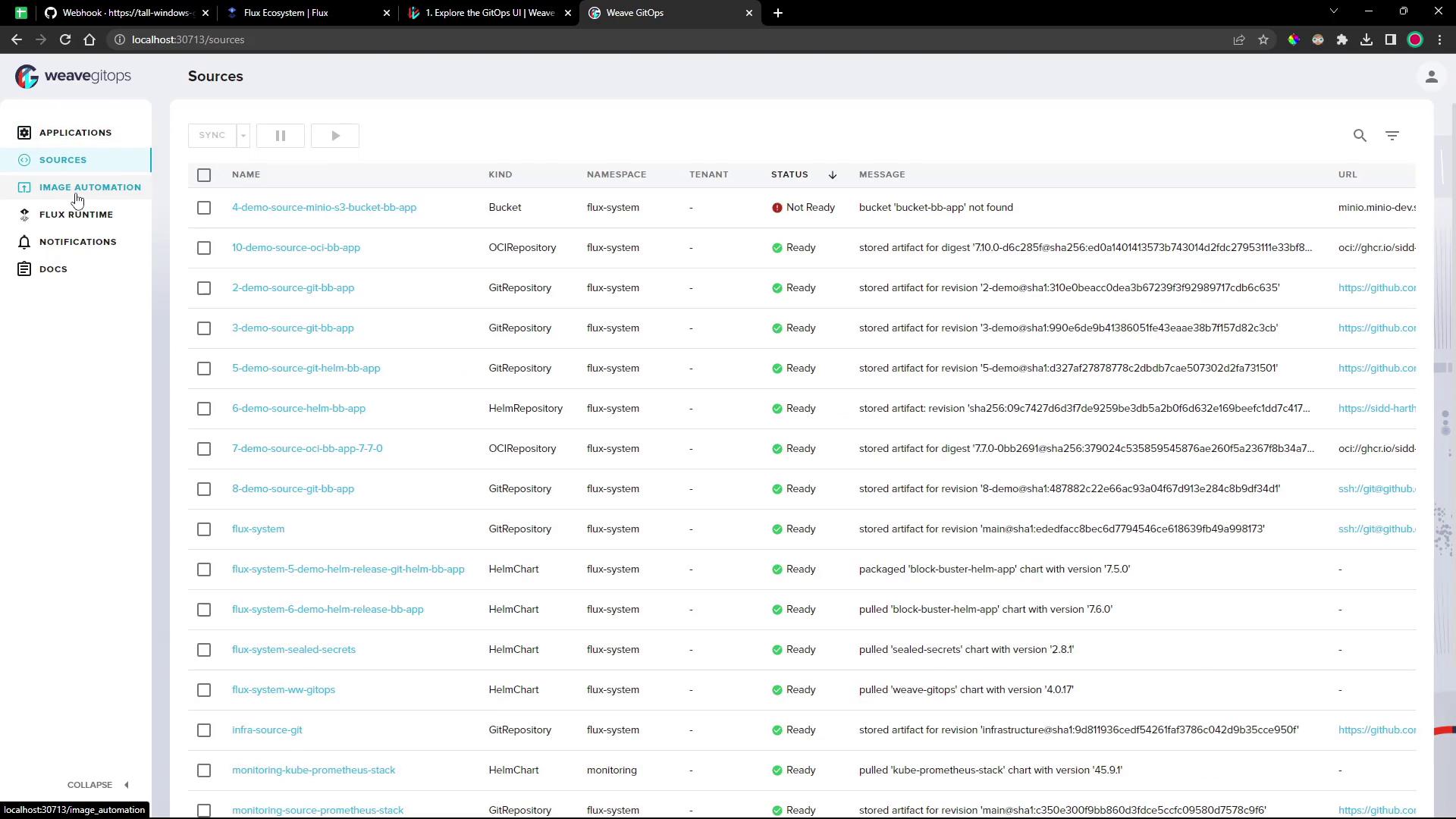
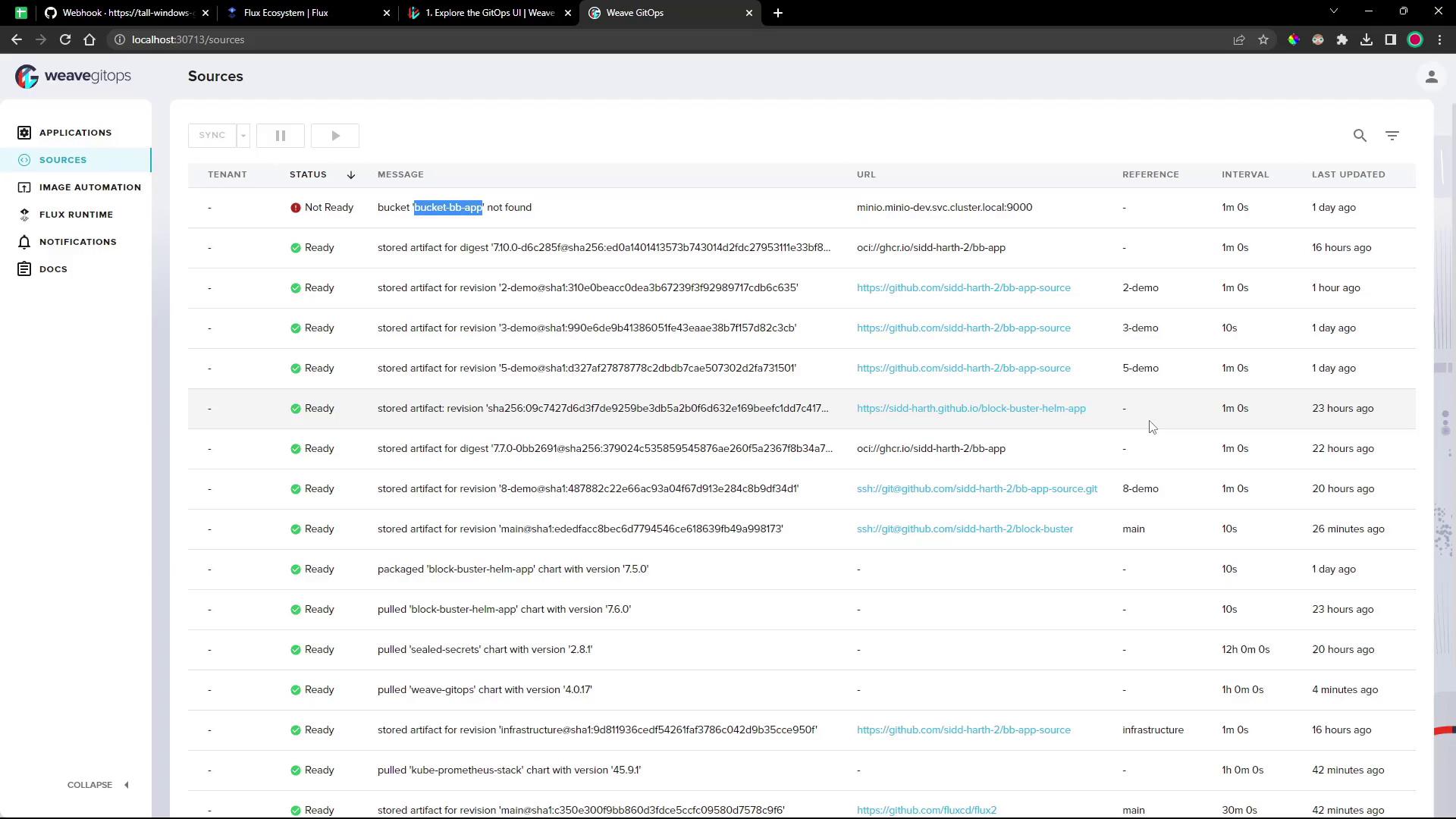
#### Sources
Monitor all Git and Helm sources, their sync status, intervals, and last reconciliation:
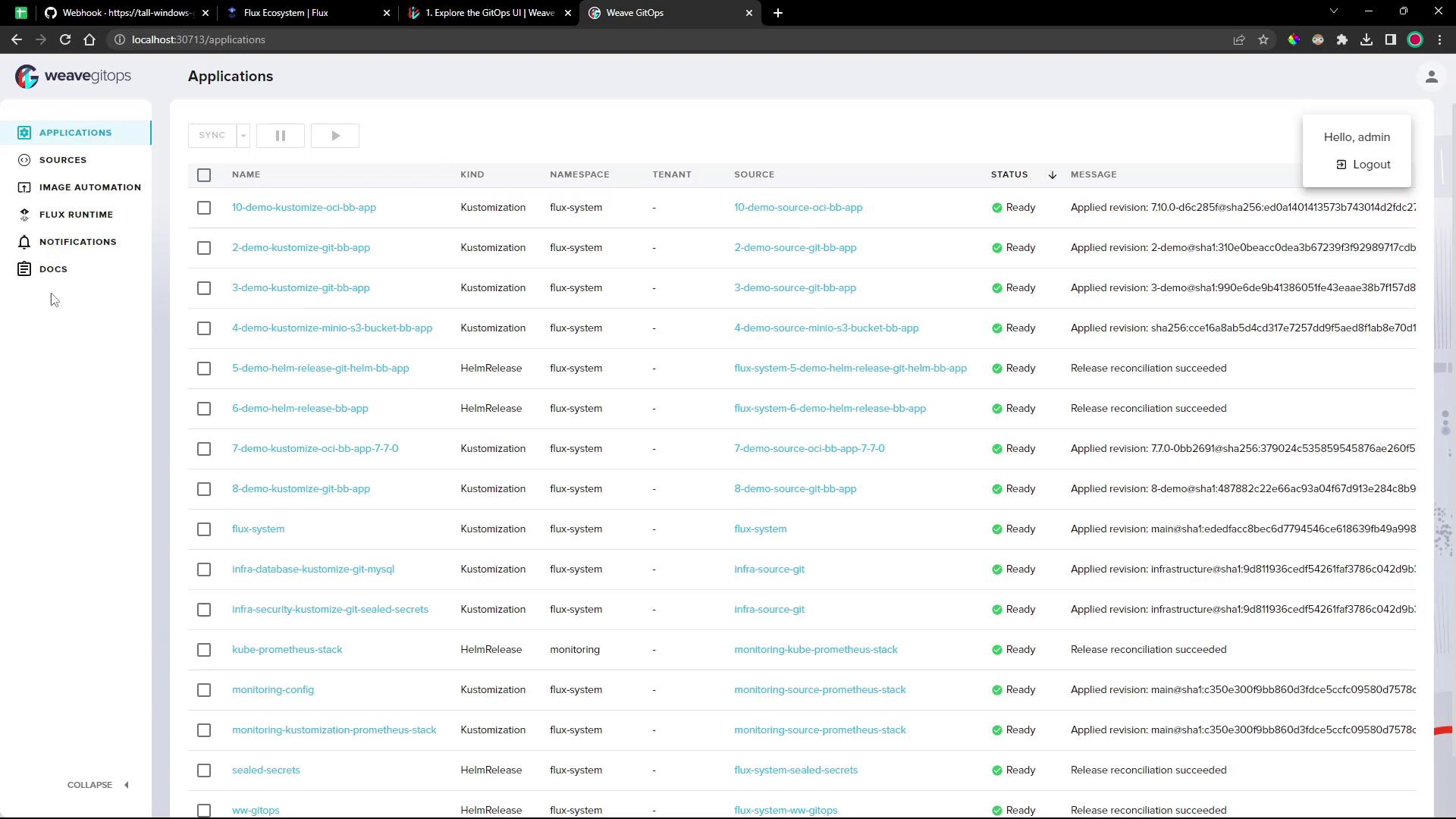
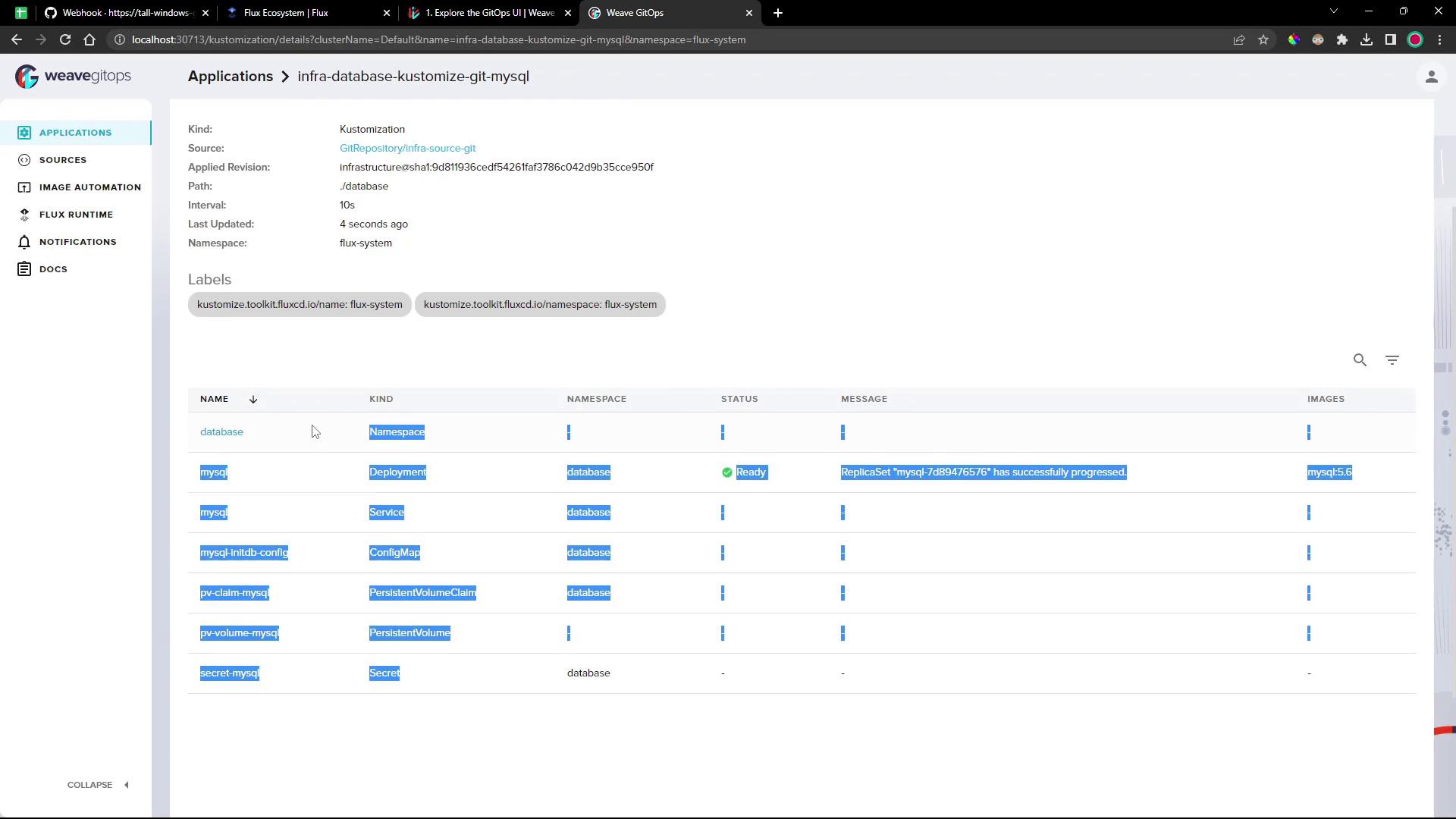
#### Applications
Inspect Kustomizations and HelmReleases along with dependency graphs, events, and raw YAML:
#### Image Automation & Notifications
Manage image repositories, policies, automation events, and notification controllers—all from the UI.
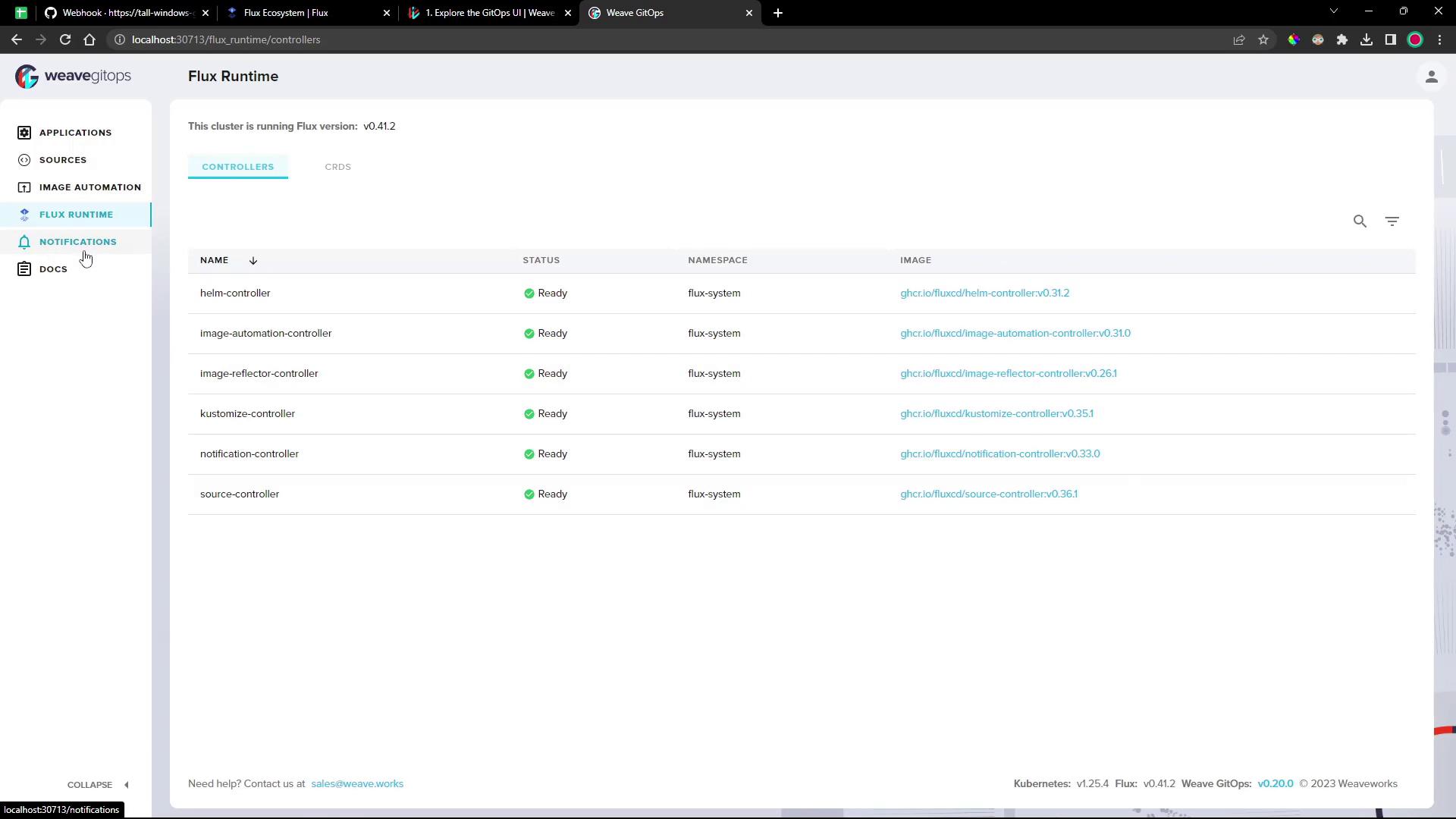
#### Flux Runtime
View the status of all Flux controllers and custom resources in one panel:
***
Whether you embed GitOps directly in VS Code or operate via a standalone dashboard, these tools streamline your Flux workflows and improve observability.
## Links and References
* [Flux CD Documentation](https://fluxcd.io/docs/)
* [Weave GitOps Documentation](https://www.weave.works/docs/weave-gitops/)
* [Kubernetes Concepts](https://kubernetes.io/docs/concepts/)
* [VS Code Marketplace: GitOps Tools for Flux](https://marketplace.visualstudio.com/items?itemName=weaveworks.flux)