> ## Documentation Index
> Fetch the complete documentation index at: https://notes.kodekloud.com/llms.txt
> Use this file to discover all available pages before exploring further.
# DEMO Source Controller Git Manifest in Flux Repo
> This guide explains how Flux’s Source Controller retrieves manifests from a Git repository and how the Kustomize Controller applies them to a Kubernetes cluster.
In this guide, you’ll learn how Flux’s Source Controller pulls manifests from a Git repository and how the Kustomize Controller applies them to a Kubernetes cluster, showcasing a GitOps-driven workflow.
Ensure you’ve bootstrapped Flux CD with SSH credentials so the `secretRef` in your `GitRepository` can authenticate to GitHub.\
See [Flux CD installation](https://fluxcd.io/docs/installation/) for details.
## 1. Define GitRepository and Kustomization
Create a `GitRepository` to tell Flux where to fetch your manifests, then reference it in a `Kustomization`:
```yaml theme={null}
apiVersion: source.toolkit.fluxcd.io/v1beta2
kind: GitRepository
metadata:
name: flux-system
namespace: flux-system
spec:
interval: 10s
url: ssh://git@github.com/sidd-harth-2/block-buster
ref:
branch: main
secretRef:
name: flux-system
---
apiVersion: kustomize.toolkit.fluxcd.io/v1beta2
kind: Kustomization
metadata:
name: flux-system
namespace: flux-system
spec:
interval: 10s
path: ./flux-clusters/dev-cluster
prune: true
sourceRef:
kind: GitRepository
name: flux-system
```
Key fields explained:
* `interval`: reconciliation frequency
* `url`/`ref`: Git source and branch
* `secretRef`: SSH key for cloning
* `path`: directory in the repo to apply
* `prune`: deletes resources removed from Git
### Flux Controllers Overview
| Flux Controller | Resource | Purpose | Example CLI |
| -------------------- | ------------- | ------------------------------------ | ------------------------- |
| Source Controller | GitRepository | Fetches manifests from Git | `flux get sources git` |
| Kustomize Controller | Kustomization | Applies overlays and syncs resources | `flux get kustomizations` |
## 2. Verify Flux Sources and Kustomizations
Confirm that Flux has registered your sources and kustomizations:
```bash theme={null}
# List all registered sources
flux get sources
# Filter for Git sources
flux get sources git
# NAME REVISION READY MESSAGE
# flux-system main@sha1:edf2288f True stored artifact for revision 'main@sha1:edf2288f'
```
```bash theme={null}
# List Kustomizations
flux get kustomizations
# NAME REVISION READY MESSAGE
# flux-system main@sha1:edf2288f True Applied revision: main@sha1:edf2288f
```
## 3. Import and Clone the Demo Application
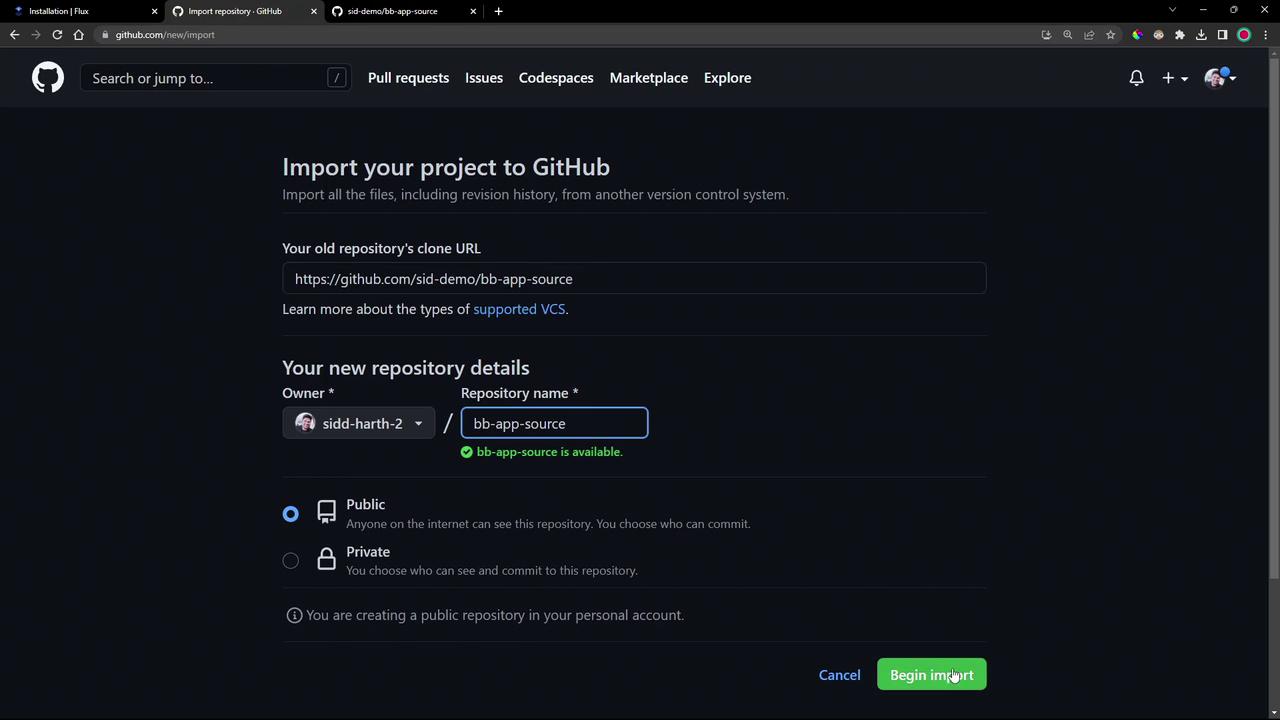
We’ll use a repository named `bb-app-source` containing both app code and Kubernetes manifests.
1. **Import into your GitHub account**
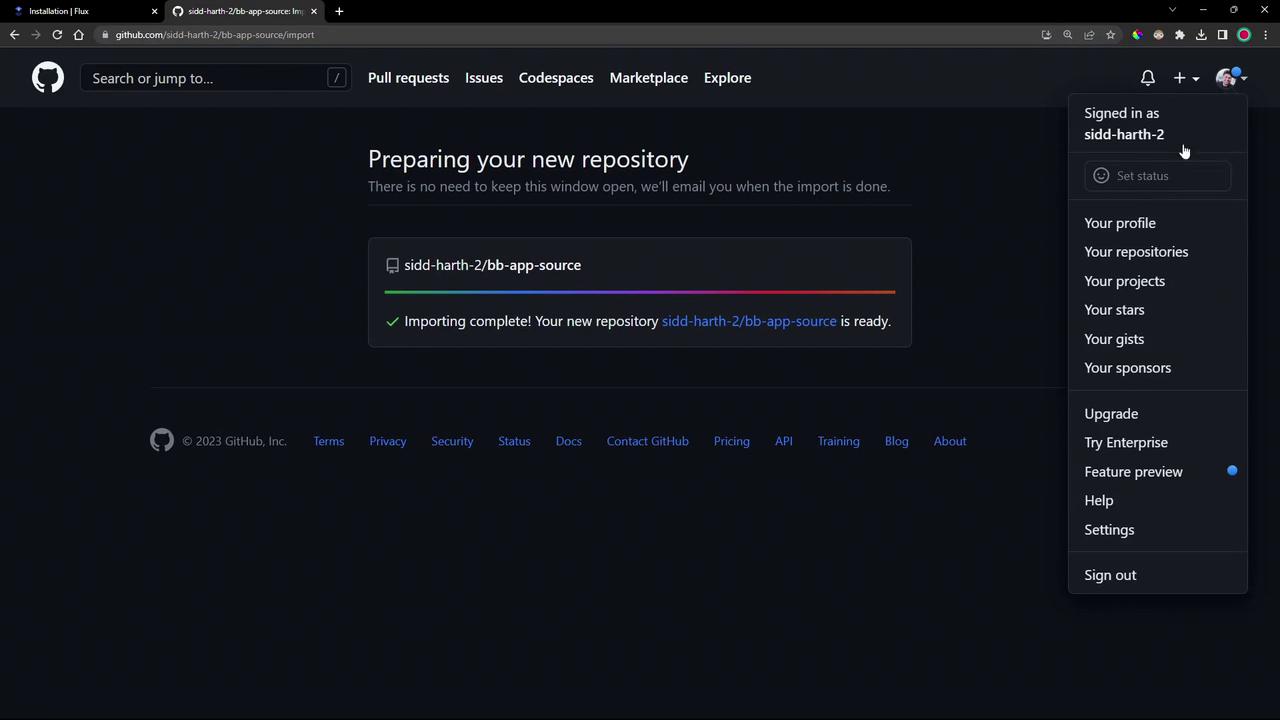
2. **Clone locally and switch to the demo branch**
```bash theme={null}
git clone https://github.com/your-account/bb-app-source
cd bb-app-source
git checkout 1-demo
```
## 4. Examine Application Source and Manifests
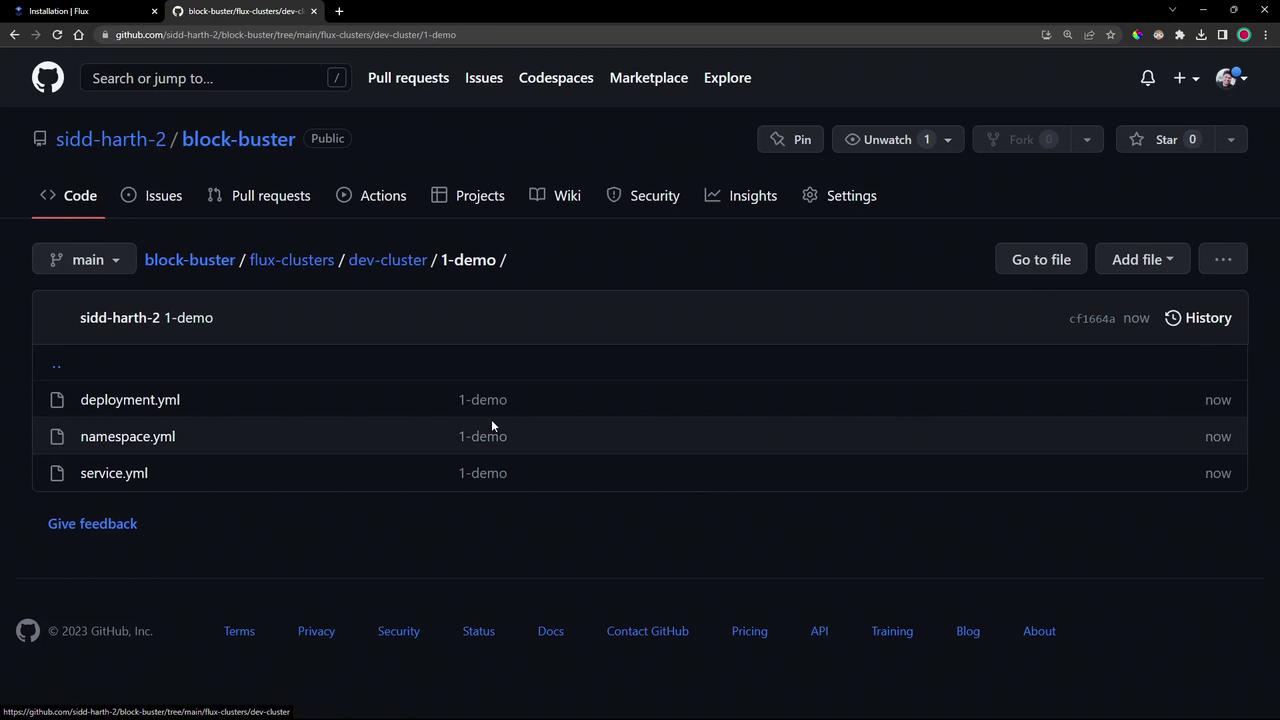
* **src/**: PHP app reporting its Pod and namespace.
* **manifests/1-demo/**: Contains three YAML definitions:
* `deployment.yml`
* `namespace.yml`
* `service.yml`
Here’s the `Deployment` snippet (`manifests/1-demo/deployment.yml`):
```yaml theme={null}
apiVersion: apps/v1
kind: Deployment
metadata:
name: block-buster
namespace: 1-demo
spec:
replicas: 1
selector:
matchLabels:
app: block-buster
version: "7.1.0"
env: dev
template:
metadata:
labels:
app: block-buster
version: "7.1.0"
env: dev
spec:
containers:
- name: app
image: siddharth67/block-buster-dev:7.1.0
imagePullPolicy: Always
resources:
requests:
memory: "10Mi"
cpu: "10m"
limits:
memory: "20Mi"
cpu: "50m"
```
## 5. Add Manifests to Your Flux Cluster Repo
Copy the demo manifests into your Flux cluster repository under `flux-clusters/dev-cluster/1-demo`:
```bash theme={null}
cp manifests/1-demo/*.yml \
../block-buster/flux-clusters/dev-cluster/1-demo/
cd ../block-buster/flux-clusters/dev-cluster/
git add 1-demo/*.yml
git commit -m "Add 1-demo manifests"
git push
```
Flux will detect these new files and begin applying them automatically.
## 6. Verify the GitOps Deployment
1. **Check Kubernetes namespaces**
```bash theme={null}
kubectl get ns
# NAME STATUS AGE
# 1-demo Active 30s
# default Active 49m
# flux-system Active 42m
```
2. **Confirm Flux has the latest revision**
```bash theme={null}
flux get sources git
flux get kustomizations
```
## 7. Inspect the Source Controller Cache
Dive into the Source Controller pod to view the cached repository archive:
```bash theme={null}
kubectl -n flux-system exec -it deploy/source-controller -- sh
cd data/gitrepository/flux-system/flux-system
ls -ltr
# latest.tar.gz -> ...cf1664a0b9...tar.gz
tar -tf latest.tar.gz
# flux-clusters/
# flux-clusters/dev-cluster/1-demo/deployment.yaml
# flux-clusters/dev-cluster/1-demo/namespace.yaml
# flux-clusters/dev-cluster/1-demo/service.yaml
exit
```
## 8. Access the Deployed Application
1. **List resources in the demo namespace**
```bash theme={null}
kubectl -n 1-demo get all
# pod/block-buster-... 1/1 Running 0 2m
# service/block-buster-svc NodePort 10.110.102.187 80:30001/TCP 2m
```
2. **Open the game in your browser**\
[http://localhost:30001](http://localhost:30001)
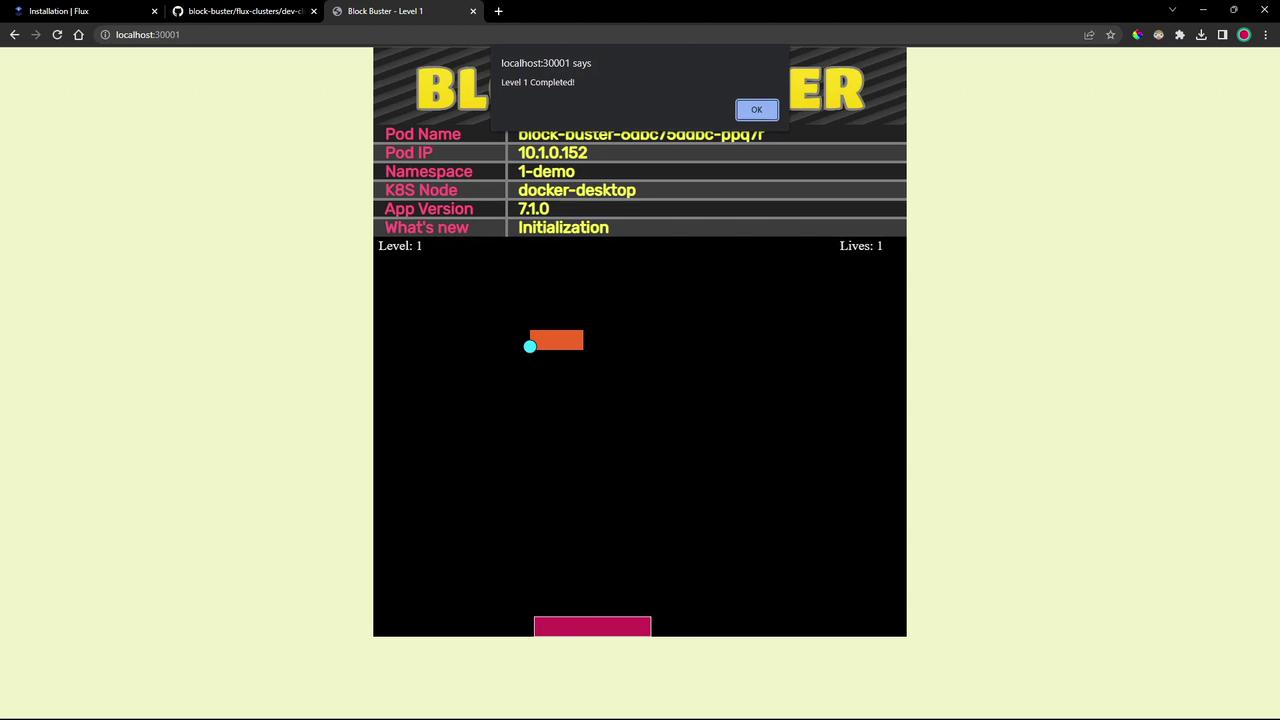
This PHP-based game displays live pod metadata, demonstrating a full GitOps flow with Flux CD.
***
## Links and References
* [Flux CD Source Controller](https://fluxcd.io/docs/components/source/)
* [Flux CD Kustomize Controller](https://fluxcd.io/docs/components/kustomize/)
* [Kubernetes Documentation](https://kubernetes.io/docs/)
* [GitHub Repository Importing](https://docs.github.com/en/repositories/importing-repository-content)