> ## Documentation Index
> Fetch the complete documentation index at: https://notes.kodekloud.com/llms.txt
> Use this file to discover all available pages before exploring further.
# DEMO Source Controller S3 Bucket
> Leverage Flux’s Source Controller to fetch Kubernetes manifests from an S3-compatible store and deploy them via GitOps.
Leverage Flux’s Source Controller to fetch Kubernetes manifests from an S3-compatible store (MinIO) and deploy them via GitOps. In this walkthrough, you will:
* Set up a dedicated Git branch with demo manifests
* Deploy MinIO locally as an S3 replacement
* Create a bucket, upload manifests, and configure Flux sources
* Apply and verify your application in the cluster
***
## 1. Prepare the Demo Branch
Open your terminal in Visual Studio Code and switch to the `4-demo` branch of the `bb-app-source` repo:
```bash theme={null}
root ~/bb-app-source 3-demo
➤ git checkout 4-demo
Branch '4-demo' set up to track remote branch '4-demo' from 'origin'.
Switched to a new branch '4-demo'
root ~/bb-app-source 4-demo
➤
```
In this branch, the `4-demo` directory contains three manifests:
* `namespace.yml`
* `deployment.yml` (version **7.4.0**)
* `service.yml`
Example excerpt from **deployment.yml**:
```yaml theme={null}
env: dev
version: 7.4.0
spec:
containers:
- name: app
image: siddharth67/block-buster-dev:7.4.0
imagePullPolicy: Always
resources:
requests:
memory: "10Mi"
cpu: "10m"
limits:
memory: "64Mi"
cpu: "20m"
```
***
## 2. Deploy MinIO as an S3-Compatible Store
Apply the MinIO manifest to create a namespace, pod, and service:
```bash theme={null}
root ~/bb-app-source 4-demo
▶ kubectl apply -f minio/minio-s3.yml
namespace/minio-dev created
pod/minio created
service/minio created
```
Verify the MinIO deployment:
```bash theme={null}
kubectl -n minio-dev get all
```
| NAME | READY | STATUS | AGE |
| --------- | ----- | ------- | --- |
| pod/minio | 1/1 | Running | 13s |
| NAME | TYPE | PORT(S) | AGE |
| ------------- | -------- | ------------------------------ | --- |
| service/minio | NodePort | 9000:30040/TCP, 9000:30041/TCP | 13s |
| Port | Purpose |
| ----- | ------------------------ |
| 30040 | MinIO Web Console (HTTP) |
| 30041 | MinIO S3-compatible API |
By default, MinIO uses `minio-admin:minio-admin` for S3 authentication. Keep this credential secure in production.
***
## 3. Create a Bucket and Upload Manifests
1. Open the MinIO console at [http://localhost:30040](http://localhost:30040)
2. Authenticate with:
* **Username:** `minio-admin`
* **Password:** `minio-admin`
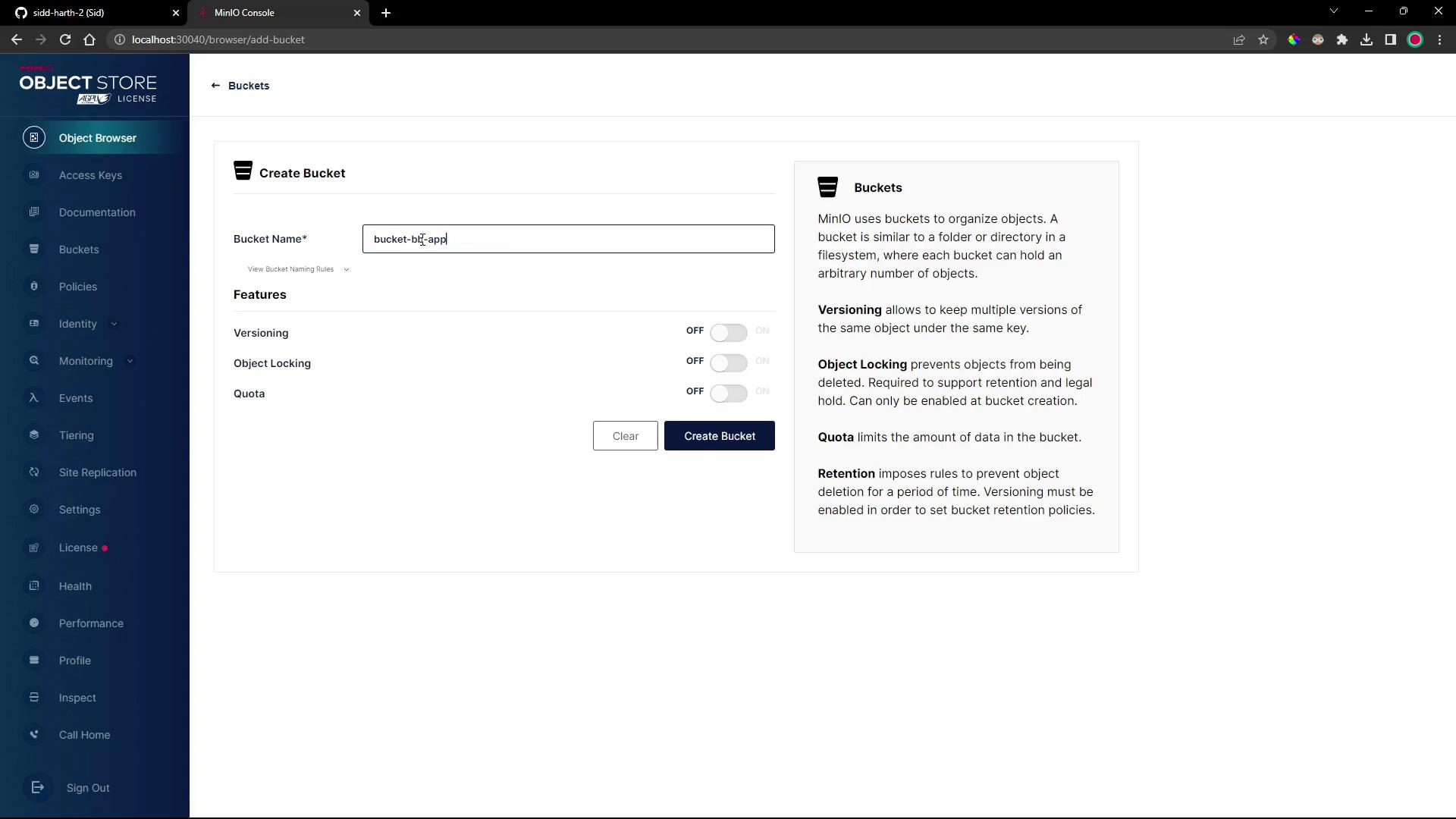
3. Create a bucket named **bucket-bb-app** using all defaults.
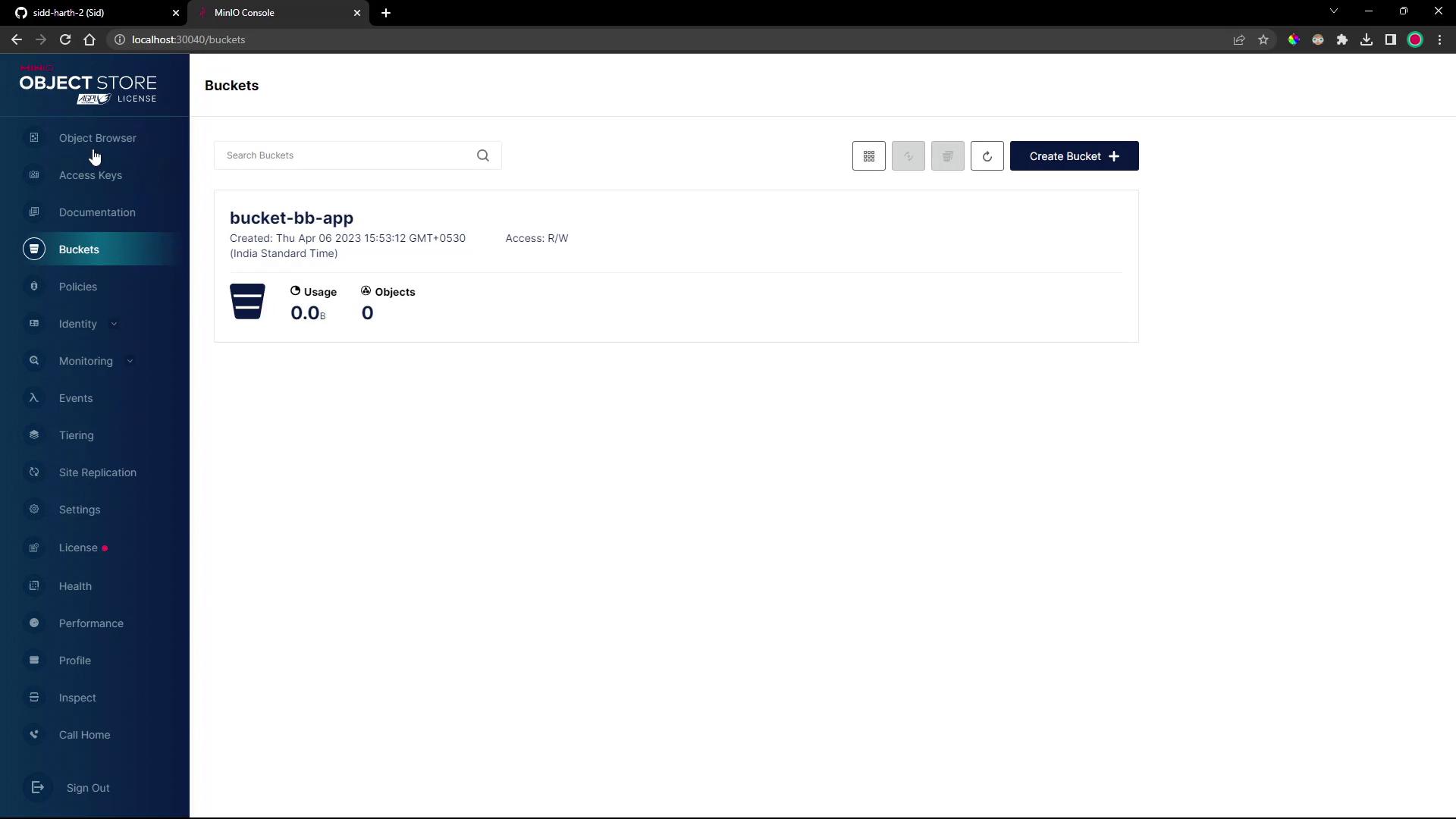
4. In the Object Browser, select **bucket-bb-app**.
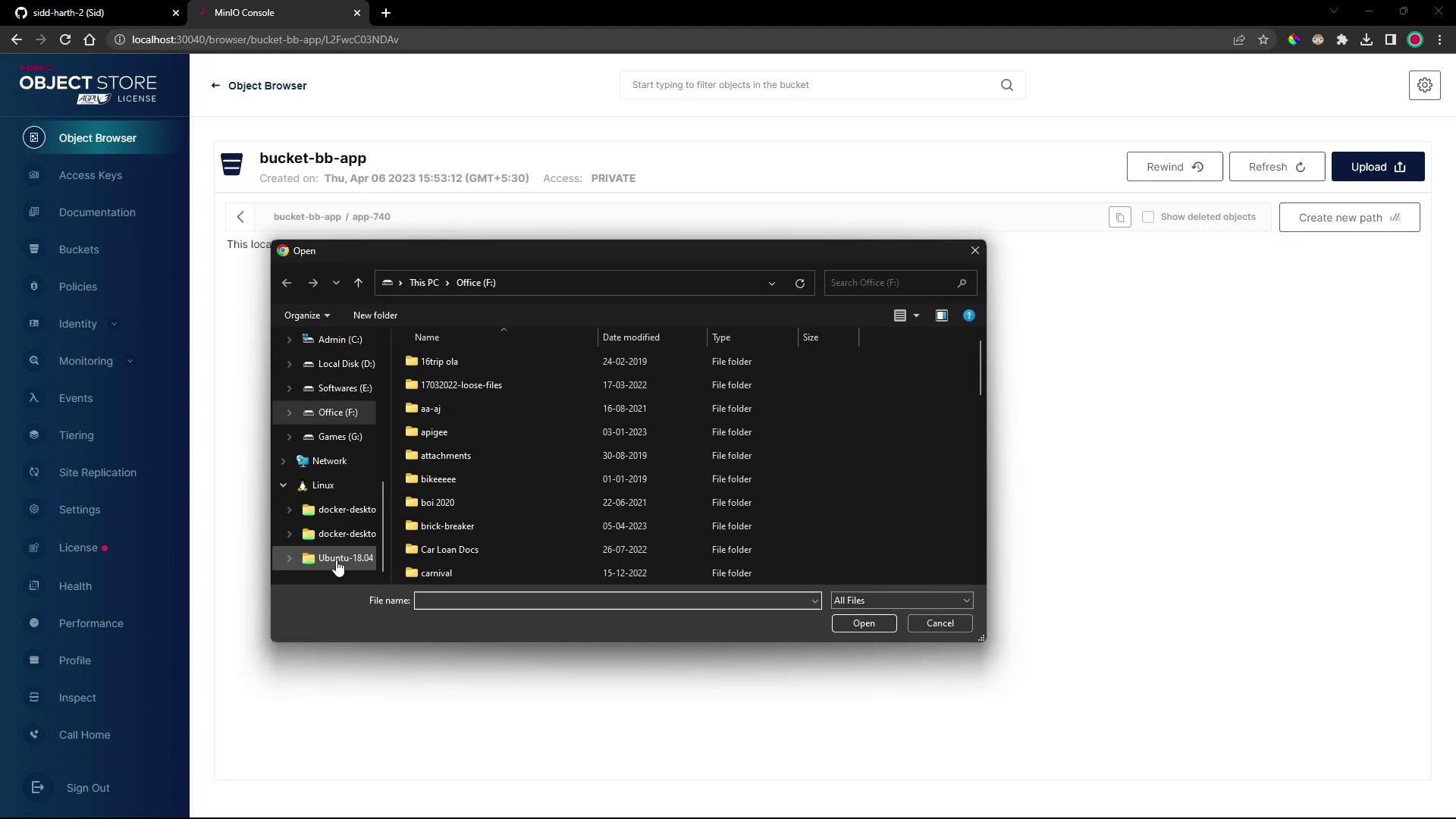
5. Create a folder called **app740** and upload `namespace.yml`, `deployment.yml`, and `service.yml` from your local `bb-app-source/4-demo` folder.
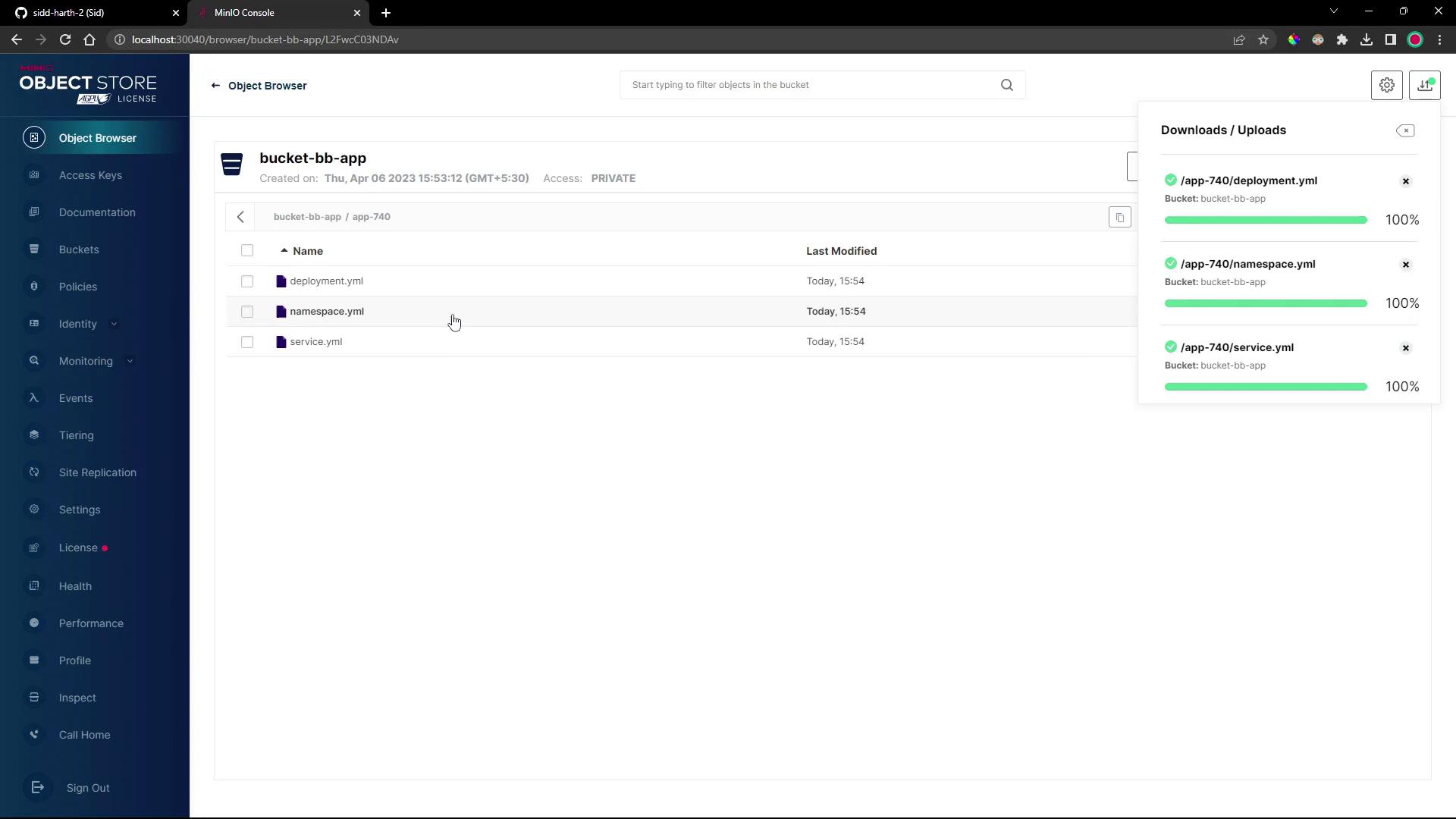
6. Confirm all three manifests appear under `bucket-bb-app/app740/`.
***
## 4. Create a Flux Bucket Source
Instead of Git, Flux will track this S3 bucket via the **Bucket** API. Generate the source manifest and export it to your cluster repo:
```bash theme={null}
flux create source bucket 4-demo-source-minio-s3-bucket-bb-app \
--bucket-name bucket-bb-app \
--endpoint minio.minio-dev.svc.cluster.local:9000 \
--provider generic \
--secret-ref minio-crds \
--insecure \
--interval 1m \
--export > ../block-buster/flux-clusters/dev-cluster/4-demo-source-minio-s3-bucket-bb-app.yml
```
Generated **Bucket** resource:
```yaml theme={null}
apiVersion: source.toolkit.fluxcd.io/v1beta2
kind: Bucket
metadata:
name: 4-demo-source-minio-s3-bucket-bb-app
namespace: flux-system
spec:
bucketName: bucket-bb-app
endpoint: minio.minio-dev.svc.cluster.local:9000
provider: generic
insecure: true
secretRef:
name: minio-crds
interval: 1m0s
```
***
## 5. Create a Flux Kustomization
Point your Kustomization at the `app-740` folder in the bucket:
```bash theme={null}
flux create kustomization 4-demo-kustomize-minio-s3-bucket-bb-app \
--source Bucket/4-demo-source-minio-s3-bucket-bb-app \
--path ./app-740 \
--prune=true \
--target-namespace 4-demo \
--interval 1m \
--export > ../block-buster/flux-clusters/dev-cluster/4-demo-kustomization-minio-s3-bucket-bb-app.yml
```
Generated **Kustomization**:
```yaml theme={null}
apiVersion: kustomize.toolkit.fluxcd.io/v1beta2
kind: Kustomization
metadata:
name: 4-demo-kustomize-minio-s3-bucket-bb-app
namespace: flux-system
spec:
sourceRef:
kind: Bucket
name: 4-demo-source-minio-s3-bucket-bb-app
path: ./app-740
prune: true
targetNamespace: 4-demo
interval: 1m0s
```
***
## 6. Create the MinIO Credentials Secret
Flux requires a Kubernetes secret for S3 access. First, confirm Flux sees no secret:
```bash theme={null}
flux get sources bucket
```
Create `minio-crds` in the `flux-system` namespace:
```bash theme={null}
kubectl -n flux-system create secret generic minio-crds \
--from-literal=accesskey=minioadmin \
--from-literal=secretkey=minioadmin
```
Reconcile and verify:
```bash theme={null}
flux reconcile source bucket 4-demo-source-minio-s3-bucket-bb-app
flux get sources bucket
# NAME READY MESSAGE
# 4-demo-source-minio-s3-bucket-bb-app True
```
Storing credentials in plain text can be insecure. Consider using [Sealed Secrets](https://github.com/bitnami-labs/sealed-secrets) or a vault in production.
***
## 7. Confirm Deployment in `4-demo`
Flux will now apply the manifests under the `4-demo` namespace:
```bash theme={null}
kubectl -n 4-demo get all
```
Example output:
```text theme={null}
NAME READY STATUS RESTARTS AGE
pod/block-buster-7f8c7c588f-xqf8k 1/1 Running 0 40s
NAME TYPE CLUSTER-IP EXTERNAL-IP PORT(S) AGE
service/block-buster-service NodePort 10.98.175.100 80:30004/TCP 40s
NAME READY UP-TO-DATE AVAILABLE AGE
deployment.apps/block-buster 1/1 1 1 40s
```
Access the application at [http://localhost:30004](http://localhost:30004). In version **7.4.0**, a new score counter updates whenever a brick is hit.
***
## Resources & References
| Resource | Use Case | Documentation |
| -------------- | --------------------------------------- | ---------------------------------------------------------------------------------------------------- |
| Flux Bucket | Track S3 or HTTP directories as sources | [https://fluxcd.io/docs/components/source/bucket/](https://fluxcd.io/docs/components/source/bucket/) |
| Flux Kustomize | Declarative application deployment | [https://fluxcd.io/docs/components/kustomize/](https://fluxcd.io/docs/components/kustomize/) |
| MinIO | S3-compatible object store | [https://min.io/](https://min.io/) |
* [FluxCD Documentation](https://fluxcd.io/docs/)
* [Kubernetes Secrets](https://kubernetes.io/docs/concepts/configuration/secret/)
* [GitOps with FluxCD](https://fluxcd.io/)